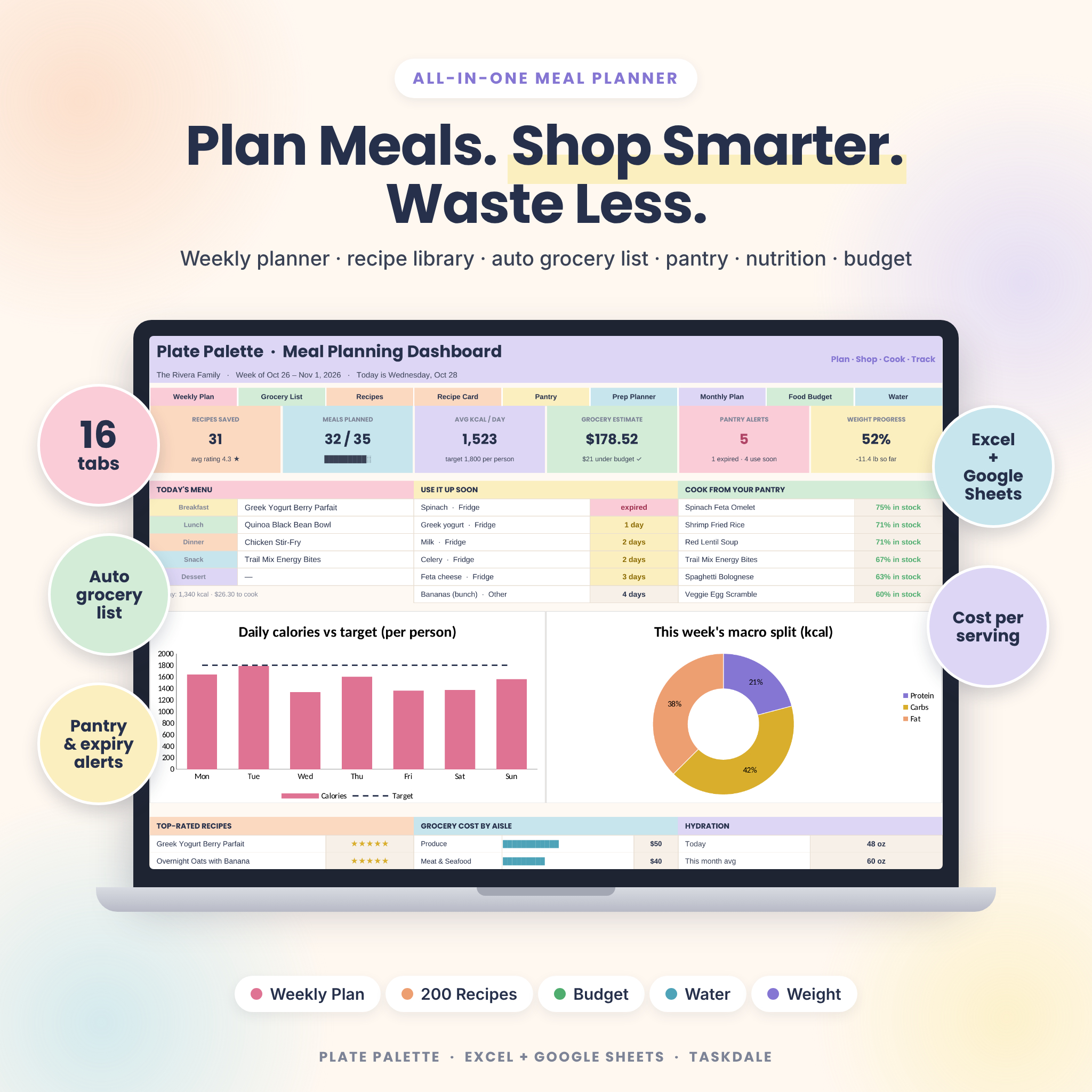


Plate Palette is an all-in-one meal planner spreadsheet for Google Sheets and Microsoft Excel. Plan a week of meals in minutes and let it do the rest: your grocery list builds itself, sorted by store aisle and minus what’s already in your pantry. Recipe costs, nutrition per person and your weekly grocery budget all calculate automatically. It’s one connected file with 16 tabs, made for busy households that want to eat well, spend less and waste less food.
What This Meal Planner Spreadsheet Does
Most meal planners stop at a pretty weekly grid. Plate Palette connects every step from recipe to receipt. You add your recipes once. You pick meals for the week from dropdowns. The planner then:
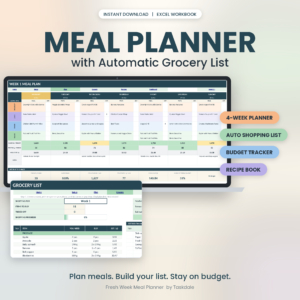
- Builds an automatic grocery list with quantities, units, aisle and estimated cost.
- Subtracts non-expired pantry stock, and adds staples that drop below your “keep in stock” level.
- Totals calories, protein, carbs and fat per person for each day and compares them with your targets.
- Works out the cost per serving of every recipe and the cost of each day’s meals.
- Checks your weekly grocery budget before you shop.
- Flags food that’s about to expire and suggests recipes you can cook from what you already have.
Who It’s For
This weekly meal planner is a good fit for families tired of the 5 pm “what’s for dinner?” scramble, budget-conscious shoppers, meal preppers and batch cooks, and anyone tracking calories, macros, water intake or weight. It’s beginner-friendly: you type in the white cells and use dropdowns, and the formulas do the rest.
Features
Weekly Meal Plan
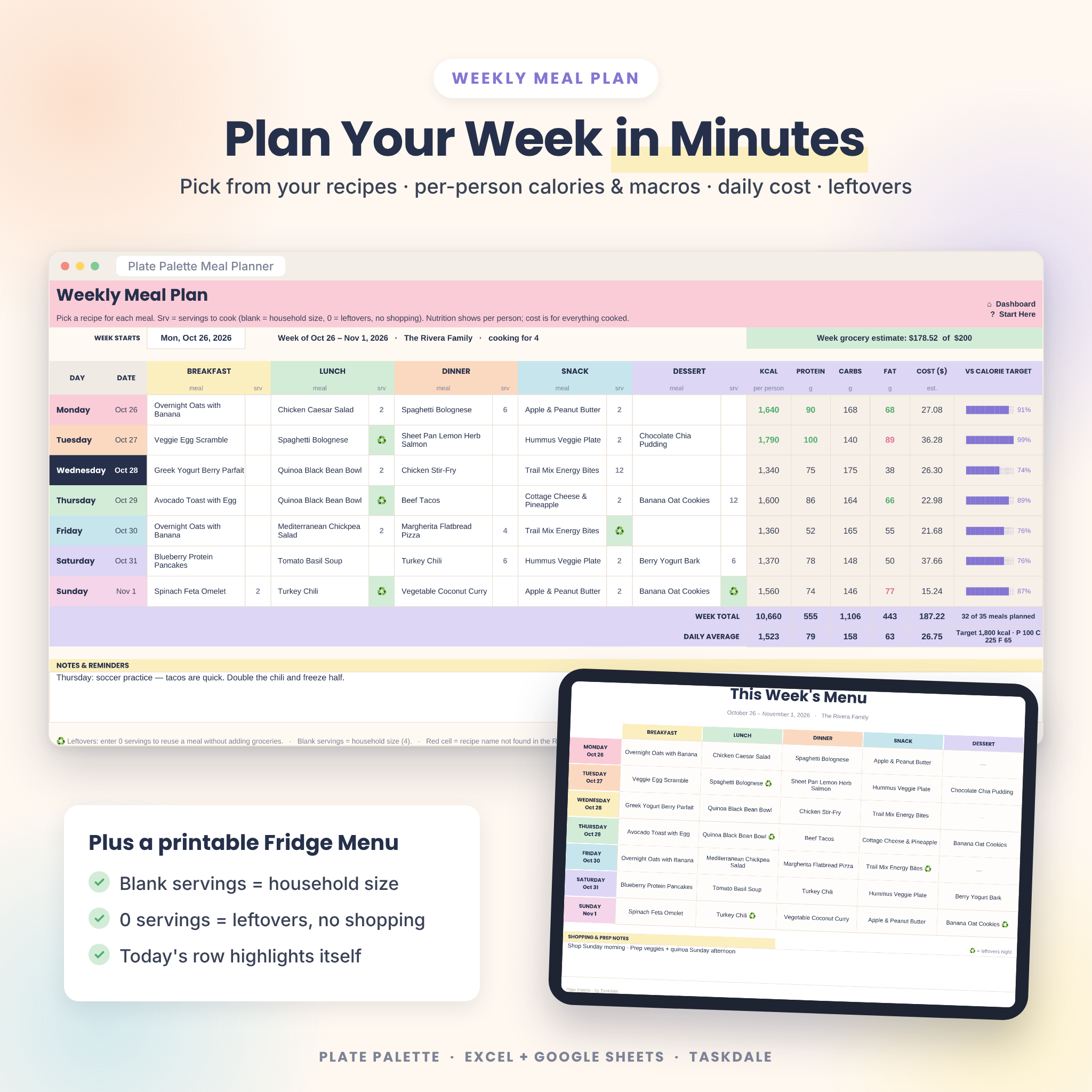
Seven days × five meal slots (rename them any way you like). Set servings per meal, leave them blank to use your household size, or enter 0 for leftovers. Leftover meals stay on your menu but aren’t added to the shopping list. Each day shows calories, macros, cost and a progress bar against your calorie target, and today’s row highlights itself.
Automatic Grocery List
Aisle-sorted and printable, with an estimated total, a budget check, an extra items section for non-recipe items, and tick boxes for the store. Countable items like cans and pieces round up to whole units, so you never see “1.5 cans.”
Recipe Organizer and Printable Recipe Cards
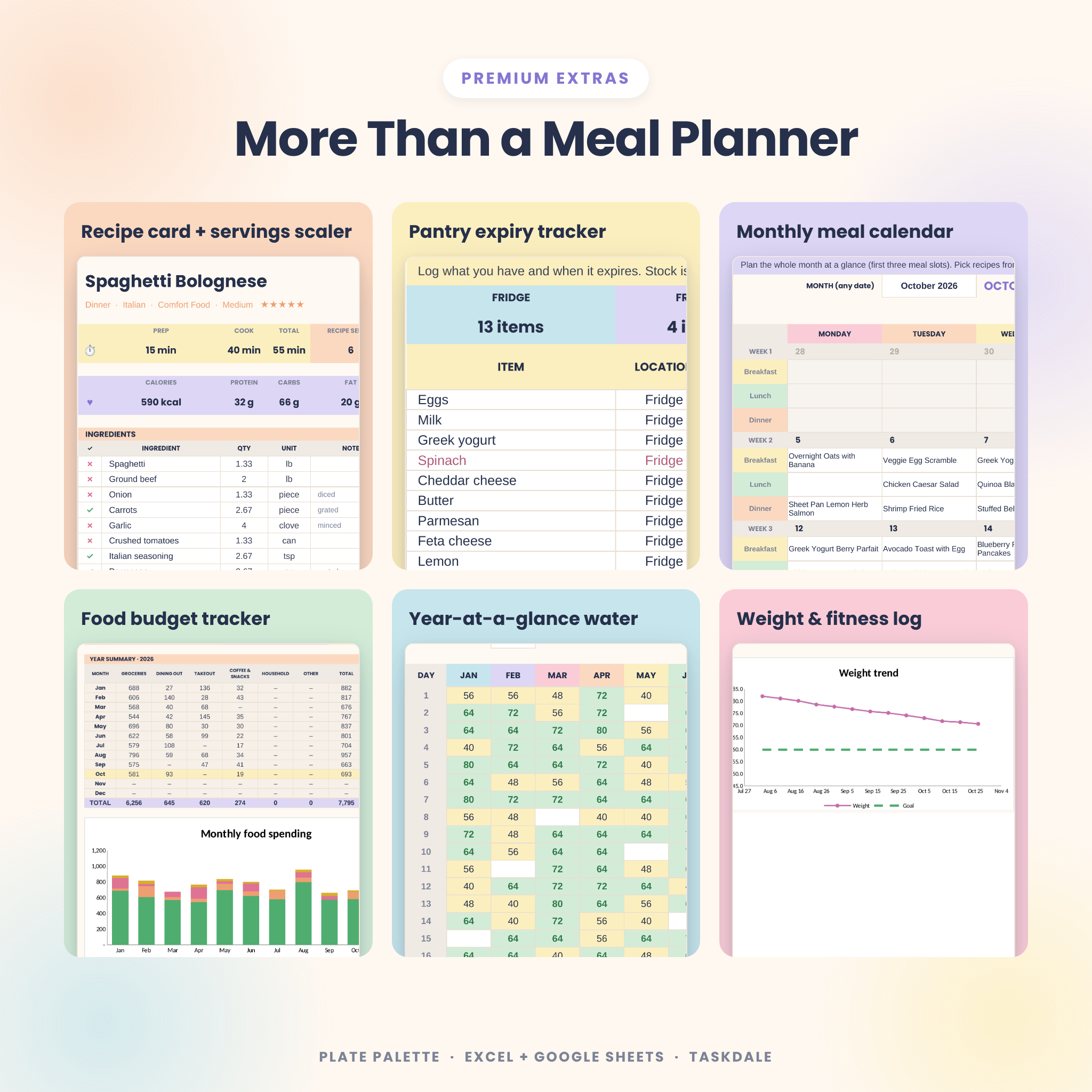
Store up to 200 recipes with meal type, cuisine, diet tag, servings, prep and cook time, nutrition, difficulty, star rating, source link, method and notes. Pick any recipe to get a clean recipe card. Change “Cook for” and every ingredient quantity and the cost scale automatically.
Pantry and Fridge Inventory
Track fridge, freezer, pantry and spice rack items with expiry dates. Each item is marked Fresh, Use soon or Expired, and expired stock is never counted as available.
Dashboard
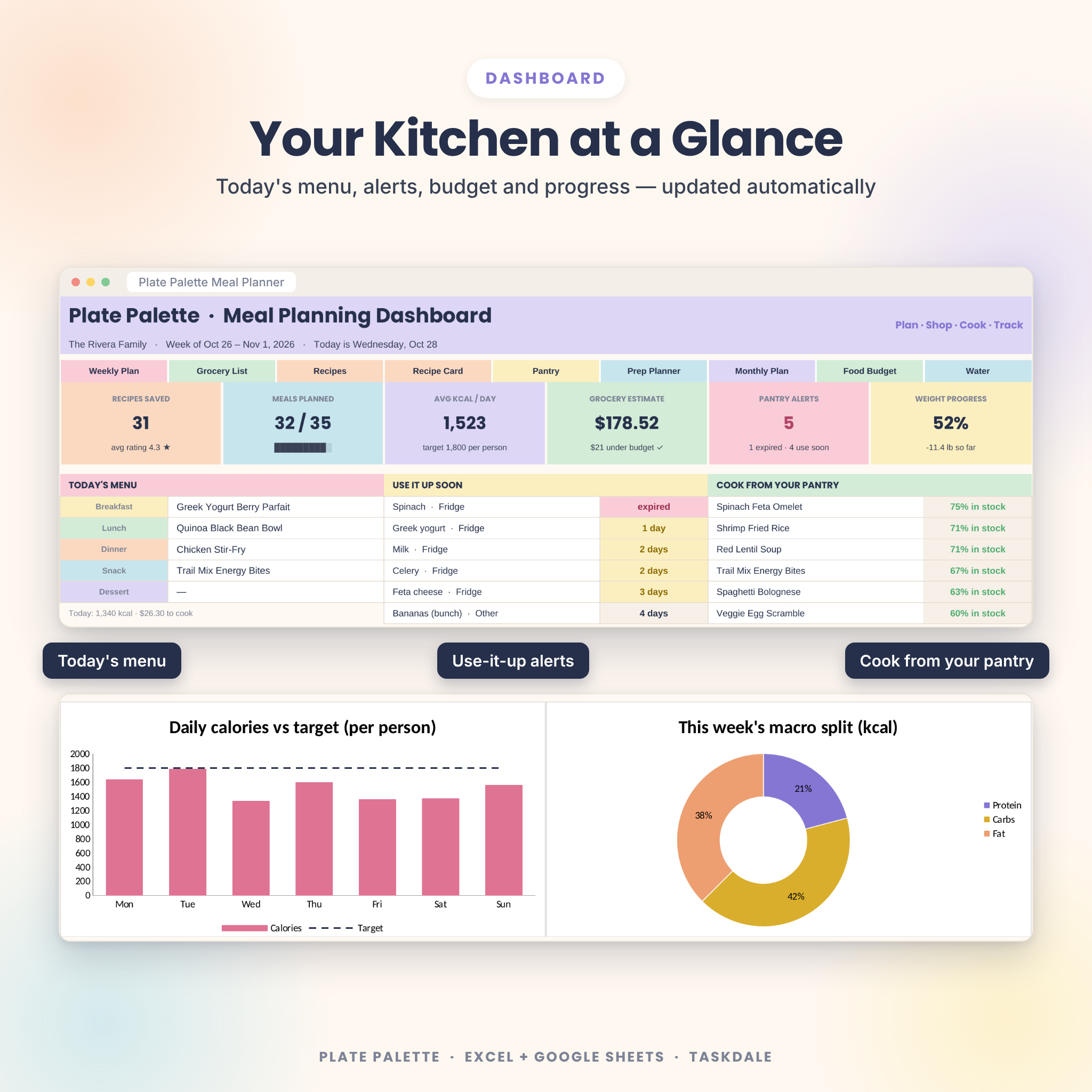
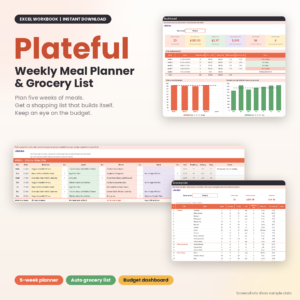
Shows today’s menu, six KPI tiles, use-it-up alerts, cook-from-your-pantry ideas, top-rated recipes, grocery cost by aisle, hydration stats, and four charts for daily calories, macro split, weight trend and water.
More Trackers
- Batch Prep Planner: this week’s recipes listed automatically with servings and times, plus a prep-day checklist.
- Fridge Menu: a one-page weekly menu to print for the fridge.
- Monthly Meal Calendar: three meals a day, with monthly cost, calories and most-planned recipes.
- Food Budget Tracker: log grocery and eating-out spending, then see a 12-month summary by category with a chart.
- Water Tracker: the whole year on one page, color-coded against your daily goal.
- Weight and Fitness Log: weigh-ins, workouts, energy, BMI, a progress bar and a trend chart.
What’s Included
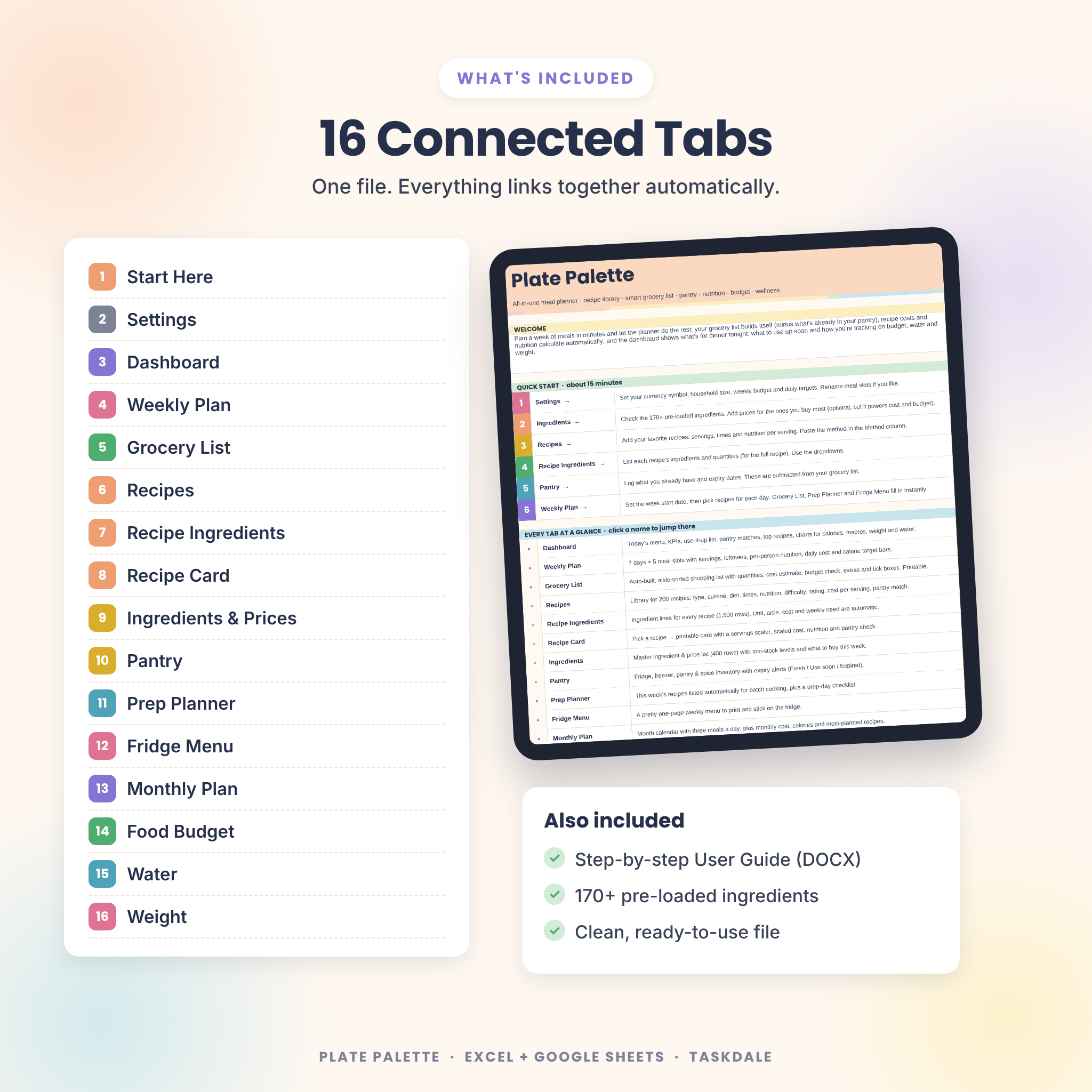
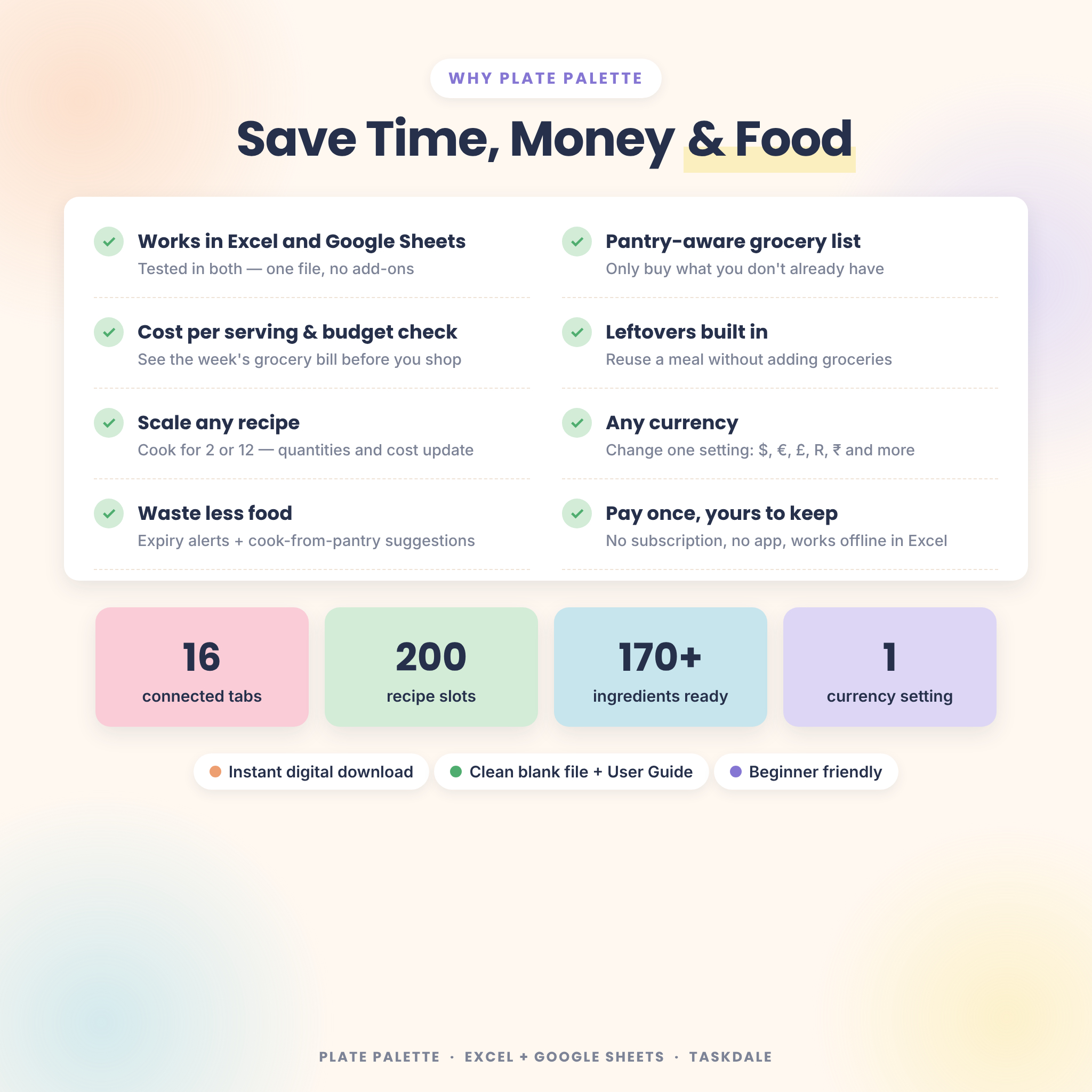
- Plate Palette Meal Planner workbook (.xlsx) with 16 connected tabs: Start Here, Settings, Dashboard, Weekly Plan, Grocery List, Recipes, Recipe Ingredients, Recipe Card, Ingredients & Prices, Pantry, Prep Planner, Fridge Menu, Monthly Plan, Food Budget, Water and Weight
- 170+ pre-loaded ingredients with store aisles and units
- A step-by-step User Guide (DOCX) with screenshots, tips, troubleshooting and FAQs
How It Works
- Set up your currency, household size, budget and daily targets on Settings.
- Add recipes and their ingredients. Prices and nutrition are optional.
- Plan your week by picking meals from dropdowns.
- Shop from the automatic grocery list, then prep and cook with the prep planner and recipe cards.
File Format and Software Requirements
You get one .xlsx file that works in Google Sheets (free Google account) and Microsoft Excel (Microsoft 365, Excel 2016 or newer on Windows or Mac, and Excel for the web). It has been tested in Google Sheets and Excel for the web. It uses no macros, scripts or add-ons, just standard formulas. You can open it on a phone or tablet in the Google Sheets or Excel app, though planning is easiest on a computer.
Customization
Choose any currency symbol in one setting ($ by default), and every money value updates. You can rename meal slots and edit every dropdown list, including aisles, meal types, cuisines, diet tags, units, pantry spots, exercise types and spending categories. Formula cells are locked without a password, so you can’t break anything by accident, and you can unprotect any tab to change colors or add rows.
Digital Download
This is an instant digital download. Nothing physical will be shipped. After purchase, download the workbook and User Guide from your account or confirmation email. For personal use only; please don’t share or resell the file.
Real-Life Ways to Use It
- Plan Sunday-to-Saturday family dinners and shop once a week with a list sorted by aisle.
- Batch cook on Sunday, then enter 0 servings for Monday’s leftovers so nothing gets bought twice.
- Stay under a $150 grocery budget by checking the estimate before you leave home.
- Use up the spinach before it wilts by checking “Use it up soon” and cooking from your pantry.
- Hit a 1,800-calorie or high-protein target with daily totals per person.
- Track water and weight alongside your meal plan in one place.
Meal Planner FAQ
Does this meal planner work in Google Sheets and Excel?
Yes. It’s one .xlsx file that works in both. In Google Sheets, upload it to Drive and choose File ▸ Save as Google Sheets.
Does the grocery list really build itself?
Yes. It multiplies your planned recipes by the servings you choose, subtracts what’s in your pantry and sorts everything by store aisle.
Can I use my own currency?
Yes. Change the currency symbol once on the Settings tab. Dollars are the default.
Do I have to track calories?
No. Nutrition, prices and expiry dates are optional, so you can use only the features you want.
How many recipes can I save?
200 recipes and 1,500 ingredient lines, and you can add more rows if you need them.
Can I use it on my phone?
Yes, in the Google Sheets or Excel app. It’s especially handy for ticking off your grocery list in the store.
Is this a subscription?
No. You pay once and keep the file.

Reviews
There are no reviews yet.