Notion Templates
Ready-built Notion templates for planning your life, focus and habits. Duplicate a template into your own workspace and start using it right away, with no setup from scratch.Popular here: ADHD Notion Template 2026.Also worth a look: Digital Planners, Home & Life Organizers.
Showing all 7 resultsSorted by popularity
- Life Planners & Life OS
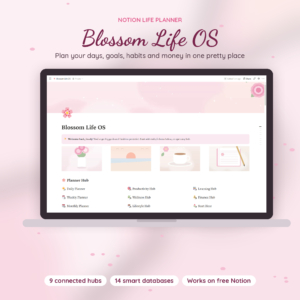
Blossom Life OS: All-in-One Notion Life Planner Template, Aesthetic Pink Digital Planner
$8.99 Add to cart
How to choose the right Notion template
Three templates, so this is quick. Pick the one that matches the part of life that feels most out of hand right now.
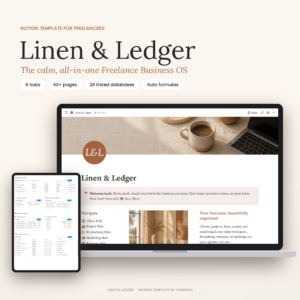
- Your business. The Linen & Ledger Freelancer Notion Template brings a client CRM, project tracker, invoices and a finance planner together under one business dashboard.
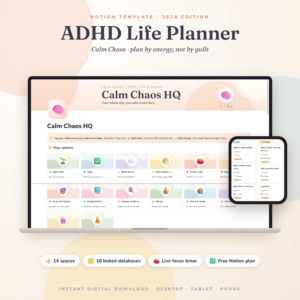
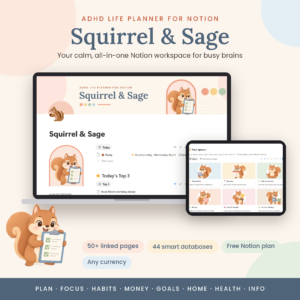
- Your focus. The Calm Chaos ADHD Notion Template 2026 puts a focus timer, brain dump and chore chart next to a habit tracker and budget.
- Your whole life, in pink. Blossom Life OS is an all-in-one life planner with a soft, pretty look.
One honest note before you buy. Notion suits people who enjoy setting things up their own way. If you would rather have a file that just adds up your numbers, a spreadsheet might fit better, and Google Sheets Templates has life planners and budgets that work like that.
What you get in these Notion templates
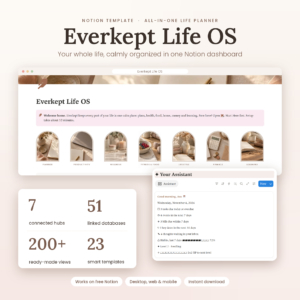
Each one is a connected set of Notion pages with a dashboard on top, so you open one page and see your day, your tasks or your clients at a glance.
The freelancer template is the most business-minded of the three. It keeps clients, projects, invoices and money in one workspace, so you are not cross-checking three apps to work out who still owes you.
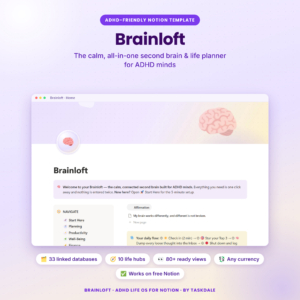
The ADHD template is built around getting started. The brain dump catches loose thoughts before they vanish. The focus timer keeps you on one task. The chore chart keeps housework visible, which is half the battle.
Blossom Life OS covers the same everyday ground as a paper life planner, just inside Notion. For all-in-one planners in other formats, see Life Planners & Life OS.
You pay once, download after checkout and keep the template.
Notion template questions
Do I need a Notion account?
Yes. You add the template to your own Notion workspace, so you will need an account to use it.
Can I change the layout?
Yes. Once the template is in your workspace you can rename pages, move sections around and delete anything you do not need.
Does it work on my phone?
Notion has apps for phone, tablet and desktop, so your template goes wherever your account goes.
Is there a monthly fee from Taskdale?
No. The template is a one-time purchase with no subscription.