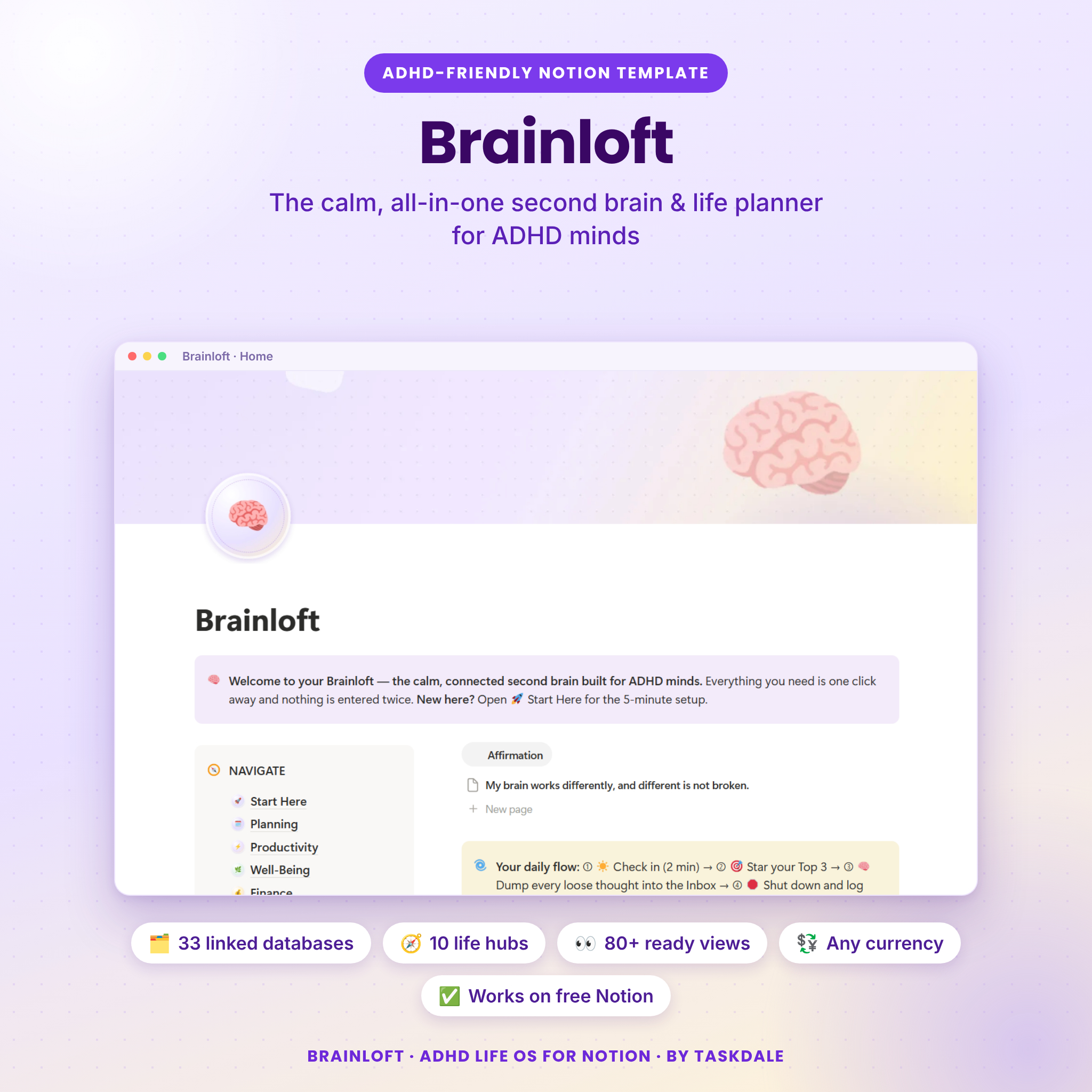


Meet Brainloft: the ADHD second brain that remembers for you
If you have tried planner after planner and abandoned every one, Brainloft was made for you. It is a ready-to-use Notion workspace designed around how ADHD brains actually work: one place to dump every thought, a short list of what matters today, and gentle reminders for everything else. There are no streaks to break and nothing to catch up on. Missed a week? Open it and start from today.
Behind the calm pastel dashboards sit 33 connected databases, 10 hubs and more than 80 ready-made views. You do not need to understand Notion databases. Open a hub, press New, fill in a few fields, and the formulas, progress bars, countdowns and color-coded alerts handle the rest.
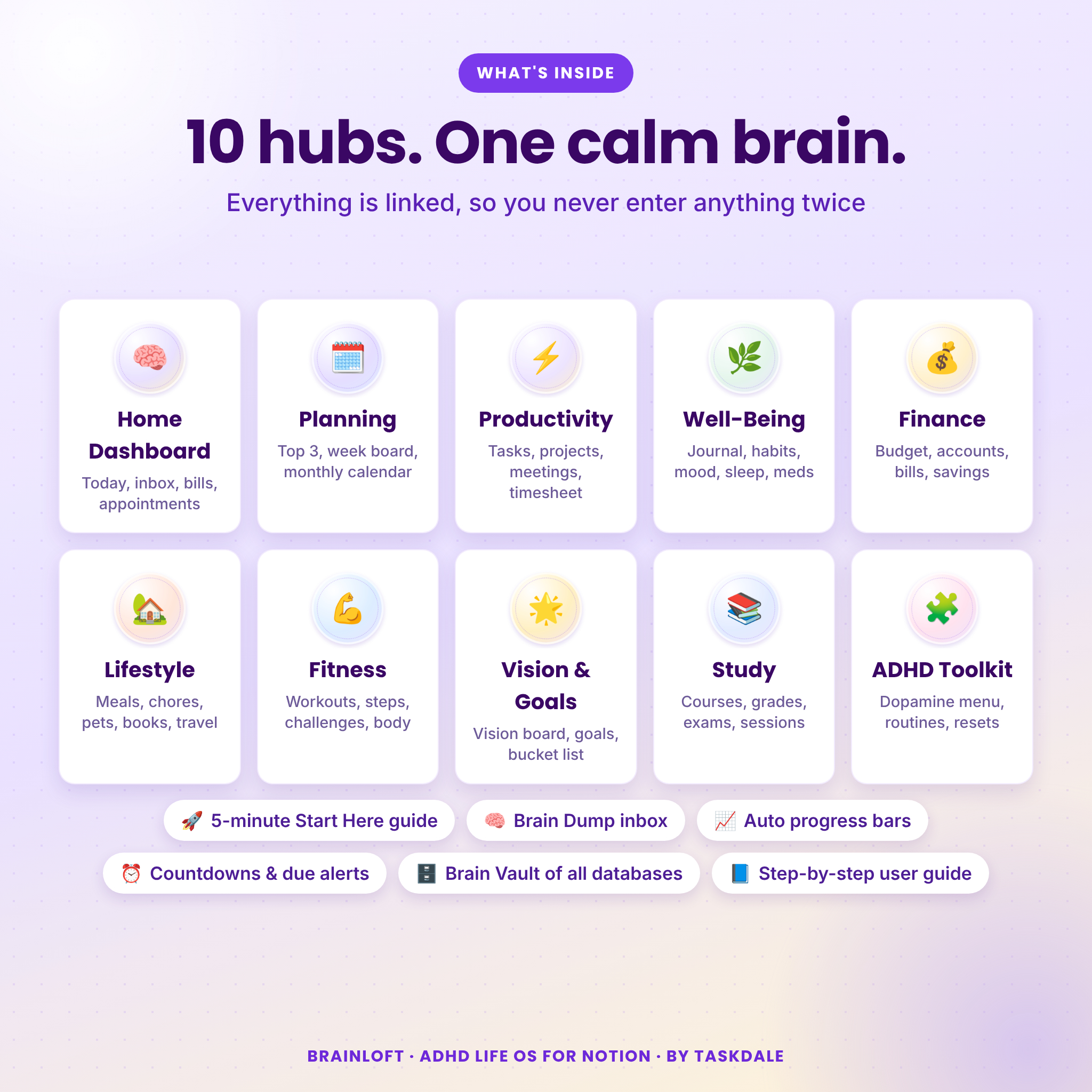
What’s inside
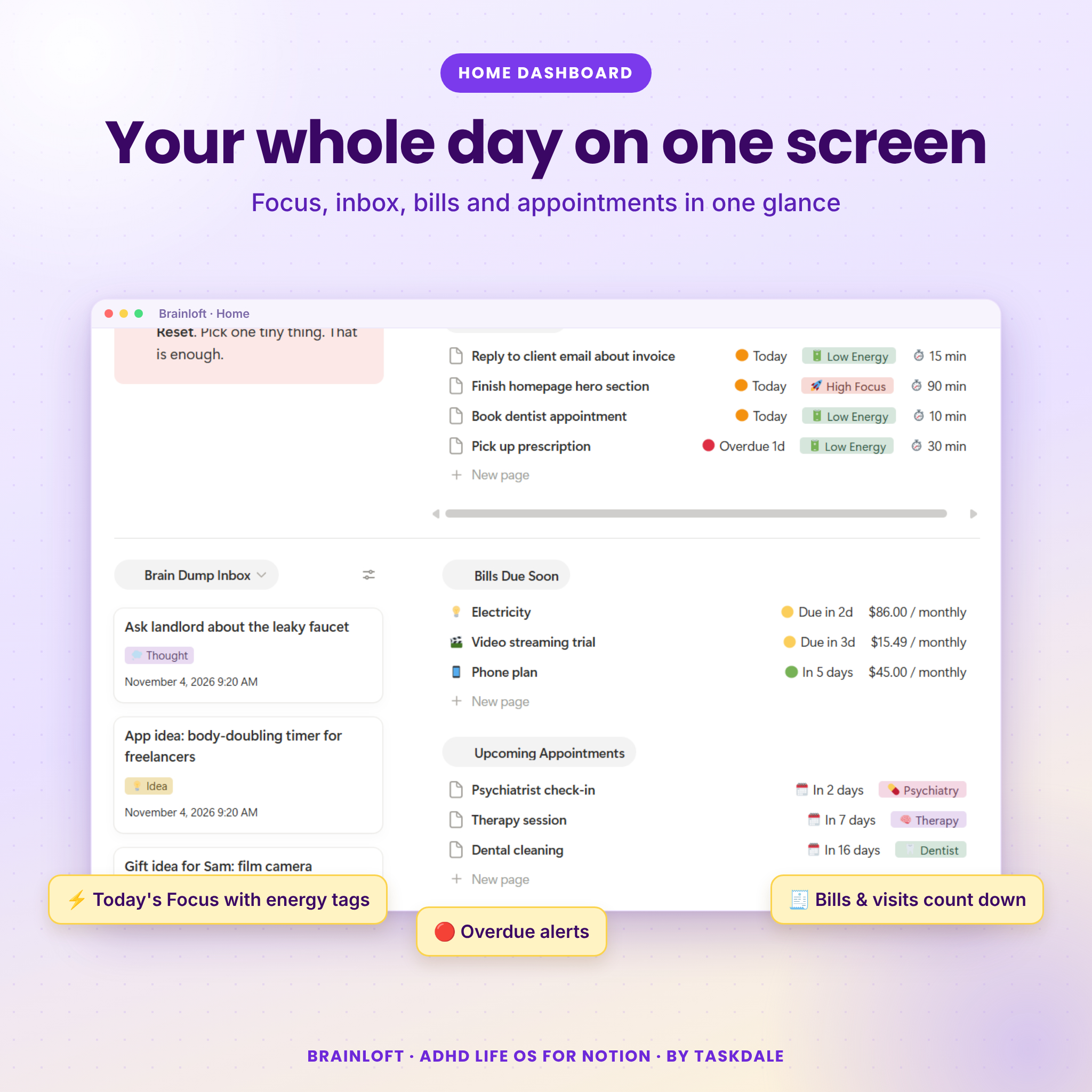
🏠 Home Dashboard
Your whole day on one screen: a daily affirmation, today’s check-in, Today’s Focus with energy tags and time estimates, a Brain Dump inbox, bills due this week, upcoming appointments and active projects with progress bars. An “Overwhelmed?” shortcut sends you straight to a five-minute reset.
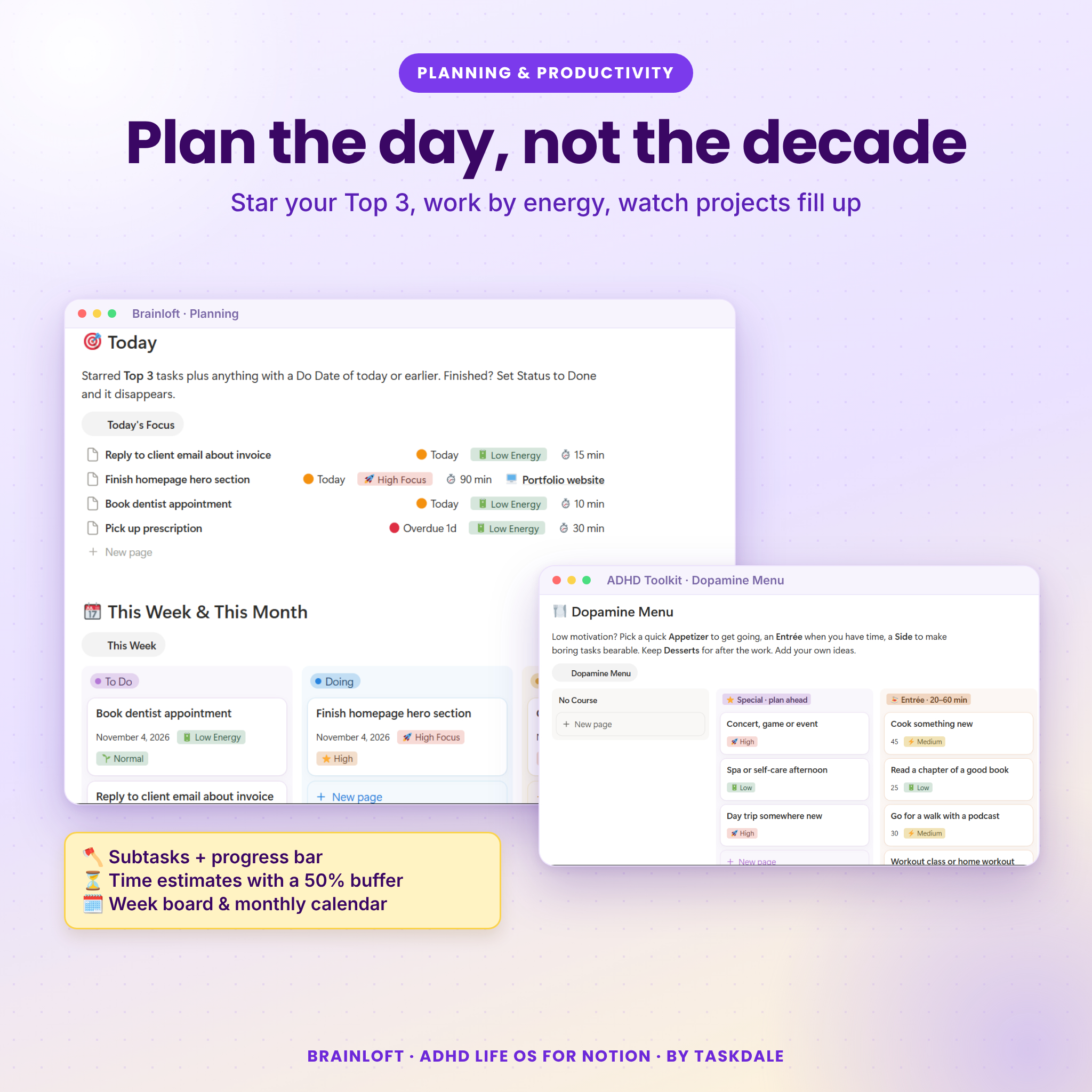
🗓️ Planning & ⚡ Productivity
Star your Top 3, sort tasks into Now, Next and Later, and pick work by energy level. Tasks show orange on the day and red when overdue. Big tasks break into subtasks with their own progress bar, and every estimate gets a 50% time buffer to beat time blindness. Projects roll up into goals automatically. You also get a week board, monthly calendar, Weekly Reset, meeting notes and a work timesheet that calculates earnings.
🌿 Well-Being
One quick daily check-in feeds your journal, self-check, habit tracker, mood calendar and sleep log. Track medications with refill alerts seven days before you run out, plus appointments with countdowns.
💰 Finance
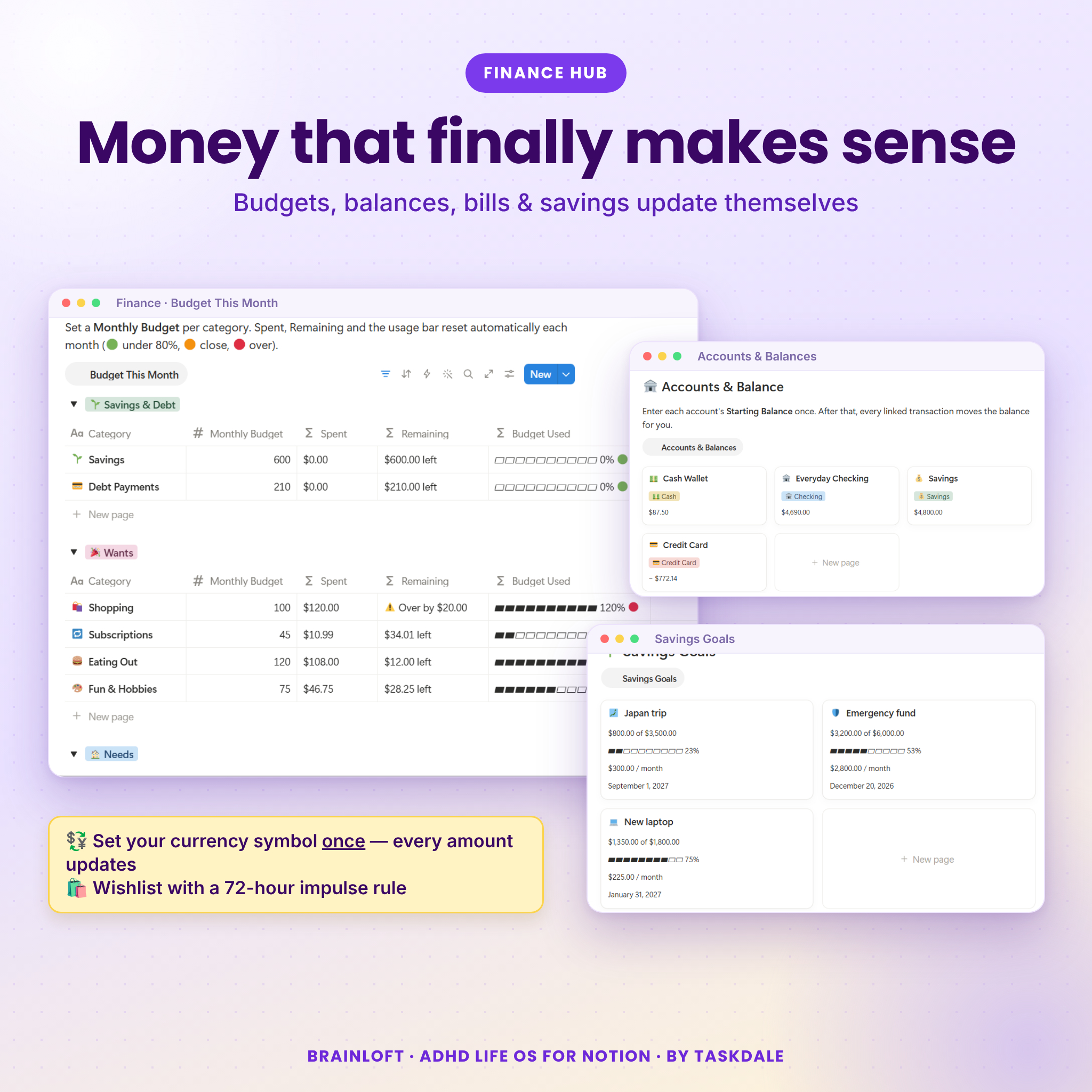
Accounts with live balances, a monthly budget with usage bars (green, orange, red), transactions with income and expense calendars, bills and subscriptions with due alerts and true monthly cost, savings goals that tell you how much to save each month, and a wishlist with a 72-hour impulse rule. Set your currency symbol once in Money Settings and every amount in Brainloft updates, shown with two decimals and thousands separators.
🎓 Study
Courses with a weighted grade calculator that compares your current grade to your target, assignments and exams with countdowns, a study calendar and study sessions that total your time per course.
🏡 Lifestyle, 💪 Fitness & 🌟 Vision
Meal planner with an automatic grocery list and favorite recipes, birthdays and catch-up reminders, a cleaning and garden tracker that tells you what is due, pet profiles with vaccine alerts, a book shelf, a travel planner with packing checklist, a workout log, step tracker, challenges, body measurements, a vision board, life wheel, goals and bucket list.
🧩 ADHD Toolkit
An Overwhelm Reset checklist, a Task Shrinker, a dopamine menu with 21 ideas, morning and evening routines, low-energy wins, focus sessions and body doubling, and a Wins Jar that collects every daily win for hard days.
Why Brainloft is different
- Enter once, see everywhere. Everything is linked, so a check-in updates your journal, habits, steps and weekly summary at the same time.
- Forgiving by design. No guilt-trip streaks. Overdue items glow so they are not forgotten, and the reset tools help you restart in minutes.
- Any currency. Dollars by default, and one setting switches every balance, budget, bill and goal to your symbol.
- Not a blank template. Starter life areas, budget categories, accounts, affirmations, routines, an exercise library and a chore list are already filled in.
- Clear guidance. A Start Here page walks you through setup in about five minutes, and the included user guide explains every feature.
Who it’s for
Students
Keep classes, deadlines, exams and grades in one place, see whether you are on track for your target grade, and log study sessions without a separate app.
Freelancers and creatives
Run tasks, client projects, meeting notes, a billable timesheet, bills due and your budget from one dashboard.
Busy parents and households
Plan meals and groceries, rotate chores, track pets, birthdays, appointments, bills and family trips.
Anyone rebuilding routines
Use the habit tracker, mood and sleep logs, medication reminders and the ADHD Toolkit to build structure that bends instead of breaks.
What you receive
- Brainloft Quick Start PDF with your template link and four setup steps.
- Brainloft User Guide (DOCX): getting started, every hub explained, customization, tips, troubleshooting, FAQ and licence.
- Instant digital download. No physical item will be shipped.
How it works
- Complete checkout and download your files.
- Open the template link in the Quick Start PDF while logged in to Notion.
- Click Duplicate to copy Brainloft into your own workspace.
- Open Start Here, set your currency and you are ready.
Frequently asked questions
Do I need a paid Notion plan?
No. Brainloft was built and tested on the free Notion plan.
Which devices has it been tested on?
Brainloft was tested in Notion on the web. Wide tables and boards are easiest on a laptop or desktop screen.
Can I use my own currency?
Yes. Type your symbol once in Money Settings (for example $, €, £ or A$) and every amount updates.
Do I need Notion experience?
No. The Start Here page and the user guide walk you through everything step by step.
Can I customize it?
Yes. Rename pages, properties, habits and options, change icons and covers, and hide sections you do not need.
Is my information private?
Your copy lives in your own Notion workspace. We cannot see your data.
Can I share or resell it?
No. Brainloft is licensed for personal use. Please do not share the template link or resell or redistribute any part of the product.
Brainloft is an organizational tool, not medical advice. Notion is a trademark of its owner; Brainloft is an independent template by Taskdale and is not affiliated with or endorsed by Notion.
Reviews
There are no reviews yet.