Business Plans
Starting a business plan from a blank page is slow and stressful. These business plan templates give you the structure, the sections and the financial layout, so your time goes into the ideas and not the formatting. Download one, edit it and make it fit your own business.Popular here: Business Launch Planner: Fillable Startup Planner PDF + and 3-Statement Financial Model & Dashboard Kit for Excel.Also worth a look: Small Business Templates, Creator & Online Selling.
Showing all 4 resultsSorted by popularity
- Business Plans
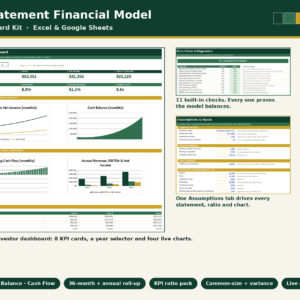
3-Statement Financial Model & Dashboard Kit for Excel and Google Sheets
$9.00 Add to cart

How to choose the right business plan template
Every business plan starts at a different stage. Match the kit to the stage you are in today.
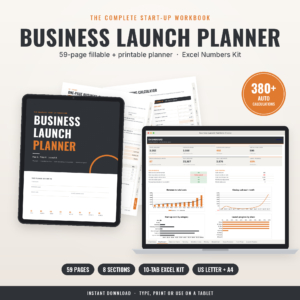
- Still testing the idea: the Business Launch Planner is a fillable startup planner PDF with an Excel calculator for startup costs, pricing and cash flow.
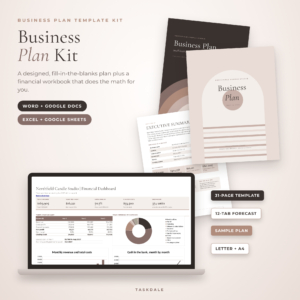
- Ready to write the plan: the Clarity Business Plan Kit gives you a business plan template for Word and Google Docs, plus an Excel financial forecast.
- Need numbers a lender will read: the 3-Statement Financial Model and Dashboard Kit works in Excel and Google Sheets.
- Planning a property project: the Multifamily Apartment Development Plan is set in the US Sunbelt.
Here is a simple rule. If you plan to borrow or raise money, pair a written plan with a proper financial model, because the people reading it will go straight to the numbers. If you are funding the business yourself, the launch planner may be all you need to decide whether the idea pays.
Think about the software as well. The Clarity kit opens in Word or Google Docs, and the financial model runs in Excel or Google Sheets. If you only have a browser and a free Google account, those two will both work for you.
What you get with these business plan templates
Each kit pairs a written document with a working spreadsheet. You write the story of the business, and the spreadsheet handles the arithmetic behind it.
The Clarity kit gives you the plan document plus a financial forecast in Excel. The Business Launch Planner comes in US Letter and A4, so it prints cleanly wherever you are, and its Excel side works out startup costs, pricing and cash flow before you spend a cent. The 3-statement kit adds a dashboard on top of the three financial statements, which helps when you present the plan to someone else.
Want deeper financial tools? Browse dashboards and financial models. Still settling on what to charge? The pricing calculators help you set prices before they go into your forecast.
Business plan template questions
Can I edit the business plan in Google Docs?
Yes. The Clarity kit works in Word and Google Docs, and the 3-statement model works in Excel and Google Sheets.
Do I need accounting knowledge for the financial model?
You need your own numbers, such as expected sales and costs. The formulas do the math, and the plain-English guide to 3-statement models linked below explains how the pieces connect.
Is the multifamily plan a blank template?
It is a development plan for a multifamily apartment project in the US Sunbelt. Use it to see how a plan like this is put together.
How quickly can I start?
Right away. The files download after checkout, with nothing shipped and no subscription.