To-Do Lists & Task Trackers
Get the list out of your head and into something that sorts itself. These to-do list spreadsheets and task trackers handle daily tasks, recurring jobs and weekly and monthly views in Excel and Google Sheets.Popular here: Clearday To-Do Planner and Clearday Task Tracker Spreadsheet.Also worth a look: Spreadsheet Templates, Planners.
Showing all 13 resultsSorted by popularity
- Excel Templates
Gantt Chart Excel Template & Project Management Tracker | Waypost Project Planner
$19.99 Add to cart



How to pick the right to-do list or task tracker
Size up your list first.
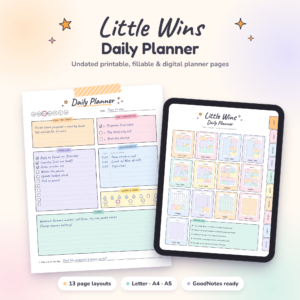
A short daily list is happiest on paper. Wrenweek is a printable and fillable weekly to-do list in Letter, A4, A5, Half and Classic Happy Planner sizes, and Little Wins gives you an hourly schedule and to-do list as a printable or a GoodNotes file. For more paper options, browse the weekly planners.
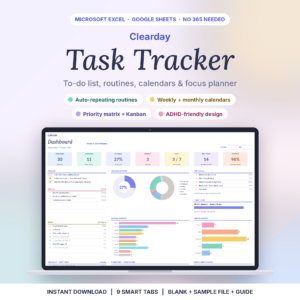
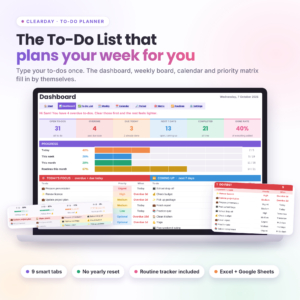
Once tasks start repeating or piling up, a spreadsheet earns its keep. It can sort, filter and count in ways a paper list cannot, and the Clearday files are built around recurring tasks.
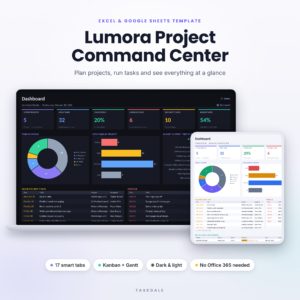
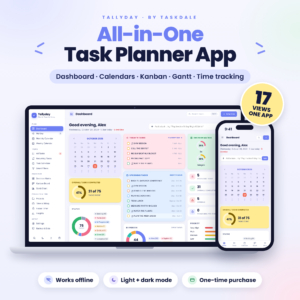
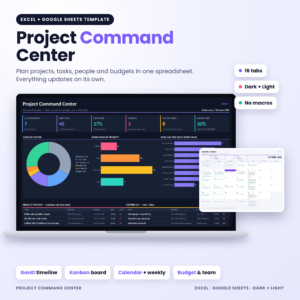
Running a project with stages and deadlines? Look for a Gantt chart or a Kanban board. Lumora, Project Command Center and the Tallyday app have both.
What you get in these task trackers
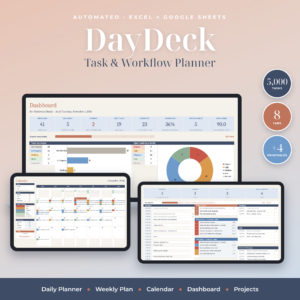
- Dashboards that show where everything stands, in DayDeck, Lumora and the Clearday To-Do Planner.
- Weekly and monthly calendar views, so tasks sit next to their dates.
- Routine and habit tracking for the things you do every day.
- Project tools such as budgets, Gantt timelines and Kanban columns.
- A focus timer in the Tallyday app, which runs offline.
Project Command Center comes in dark mode, which is easier to look at if you plan late in the evening.
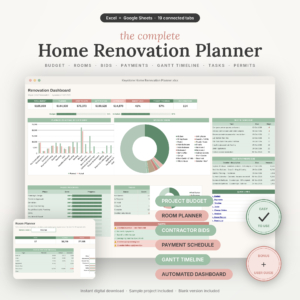
One odd one out is the home renovation planner. It is a task tracker for a single big job, with a Gantt timeline, contractor bids and a payment schedule. If a remodel is on your list, start there, and look at home and life organizers for the rest of the house.
To-do list and task tracker questions
Does the Tallyday app need an internet connection?
It is listed as an offline task tracker, so it runs without a connection once you have downloaded it.
Excel or Google Sheets?
The spreadsheets on this page list both. Google Sheets is handy if you want to check tasks on your phone or share a list with someone else.
Can I print a spreadsheet to-do list?
You can print any sheet from Excel or Google Sheets. If paper is your main tool, a printable like Wrenweek is laid out for the page from the start.
Is there a subscription?
No. You pay once and download the file right after checkout.