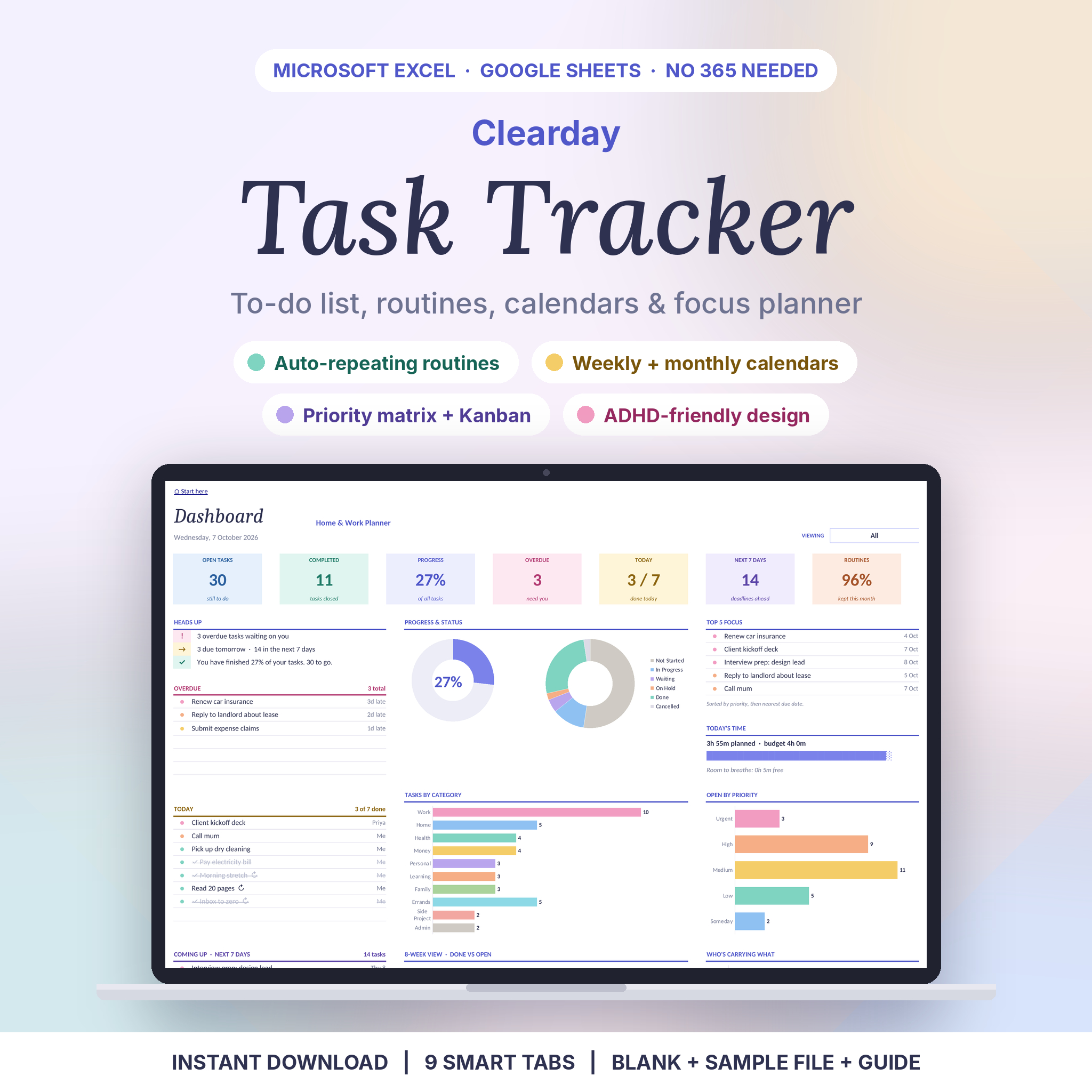

Stop juggling lists. Let the spreadsheet do the sorting.
Clearday is a task tracker for real life. You type what needs doing. It works out what’s overdue, what’s due today and what’s coming up. Things that repeat, like rent, the weekly review or watering the plants, show up on the right days without you lifting a finger.
It’s built on plain formulas. No macros and nothing to install. That means it opens in Excel 2010 or newer (Windows and Mac), Excel for the web and Google Sheets. Plenty of trackers only work in the newest Excel. This one works on the laptop you already have.
Who it’s for
- Busy people running work, home and family from one list
- ADHD brains and visual thinkers who like colour, short lists and quick wins
- Small teams and households sharing chores and projects (up to 10 people)
- Anyone who wants structure without a fiddly setup
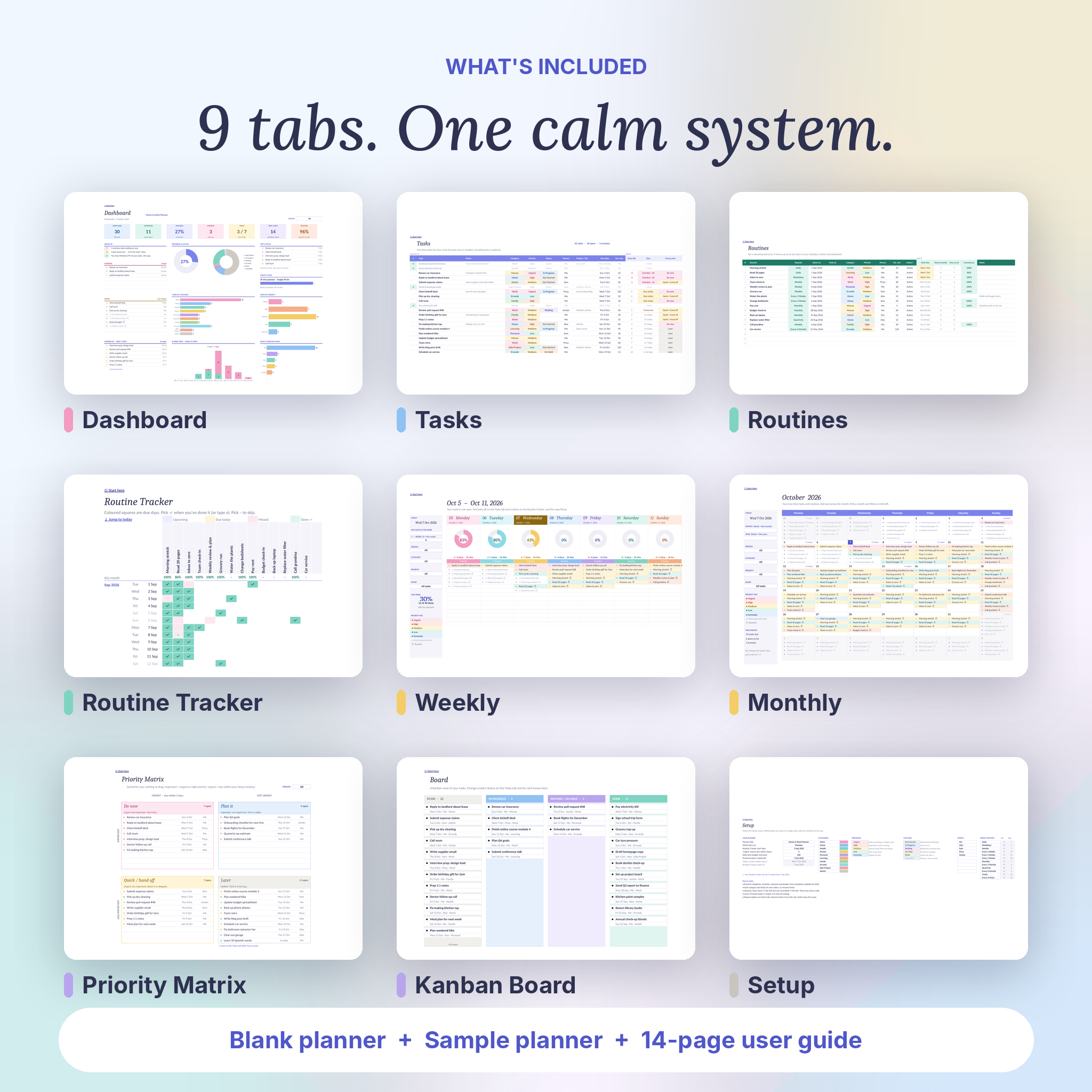
What’s inside: 9 tabs
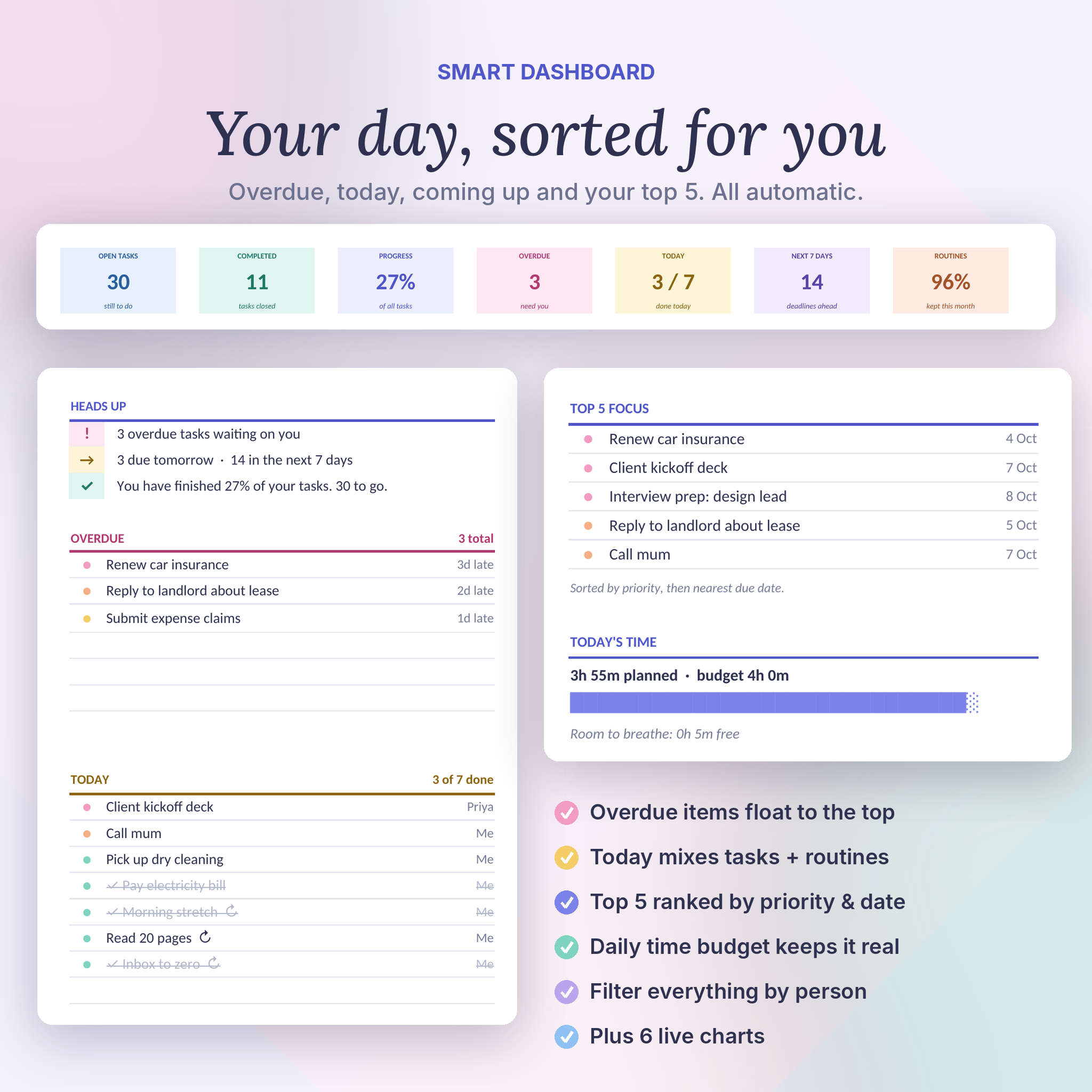
- Dashboard. Seven headline numbers, a Heads Up box, Overdue, Today, Coming Up (next 7 days), your Top 5 Focus, a daily time budget and 6 live charts. Filter it by person.
- Tasks. Up to 1,000 one-time tasks. Only the name is required. Add a category, priority, status, person, project, due date and time estimate when it helps. Days left, due flag and focus zone fill in for you.
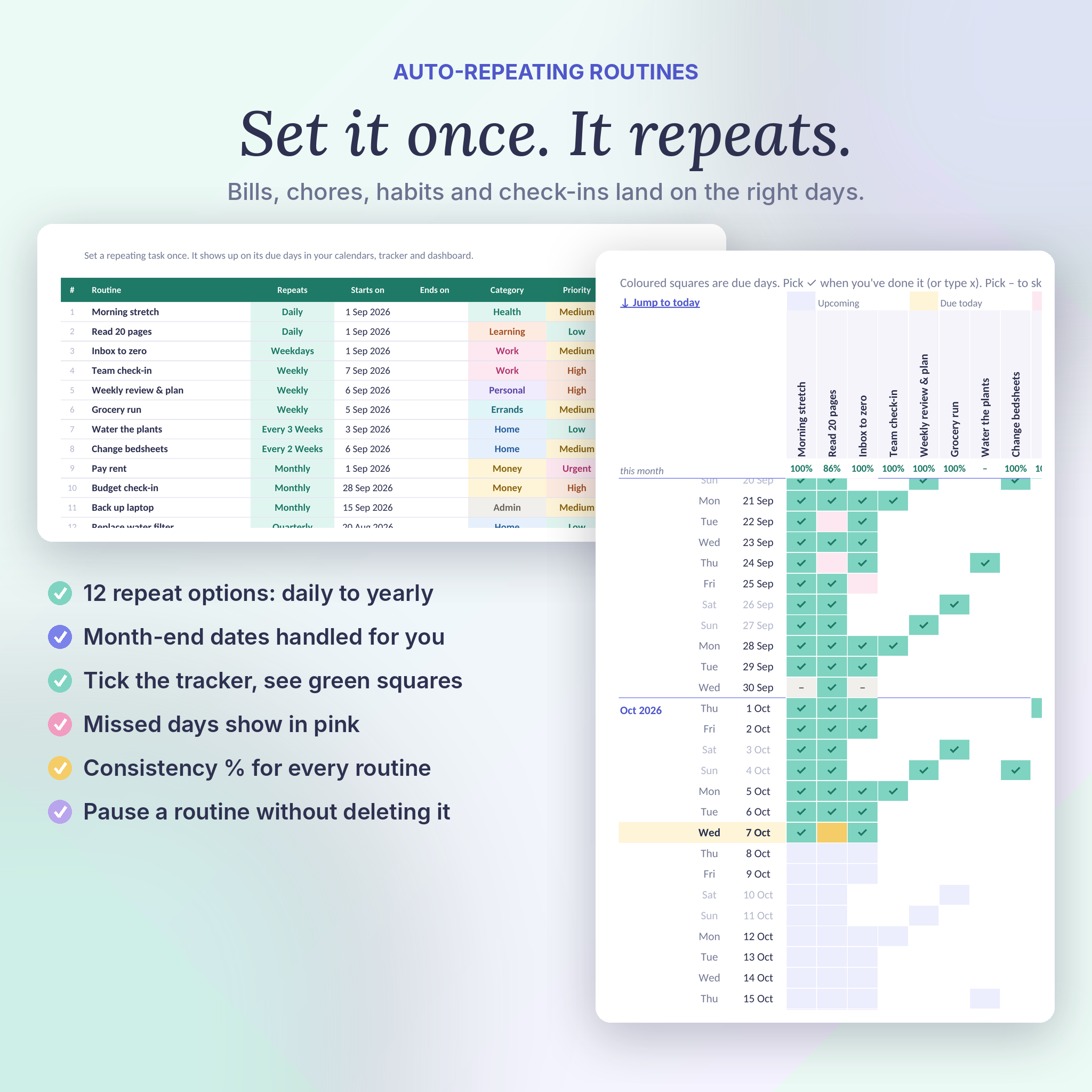
- Routines. Up to 40 repeating tasks with 12 repeat options. Month-end dates are handled (a routine on the 31st lands on the 30th or 28th). See the next due date and your consistency % for the month. Pause any routine without deleting it.
- Routine Tracker. A 53-week tick sheet. Due days are coloured, ticks turn green, missed days show pink.
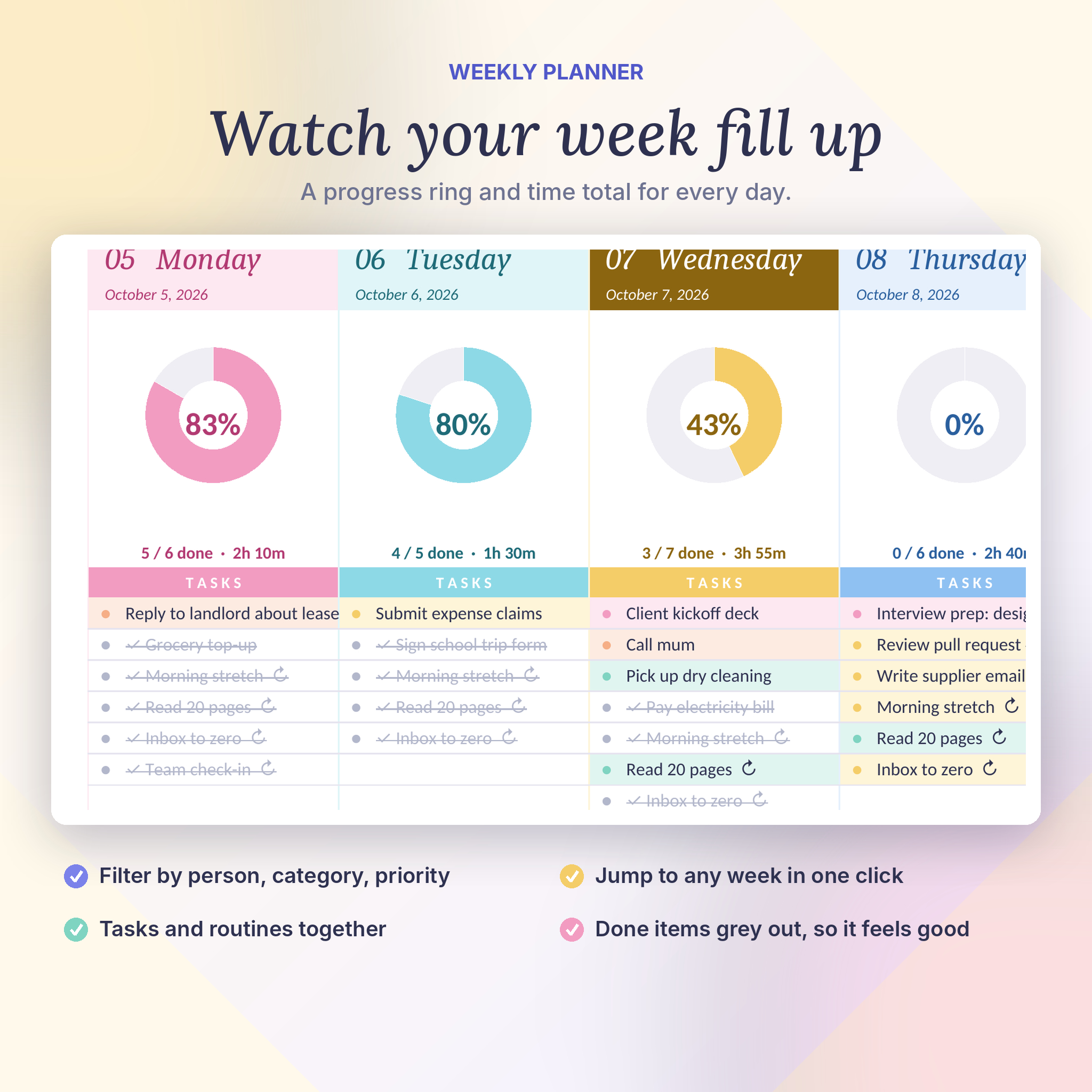
- Weekly. A 7-day planner with a progress ring and time total for each day. Jump to any week and filter by person, category, priority or open/done.
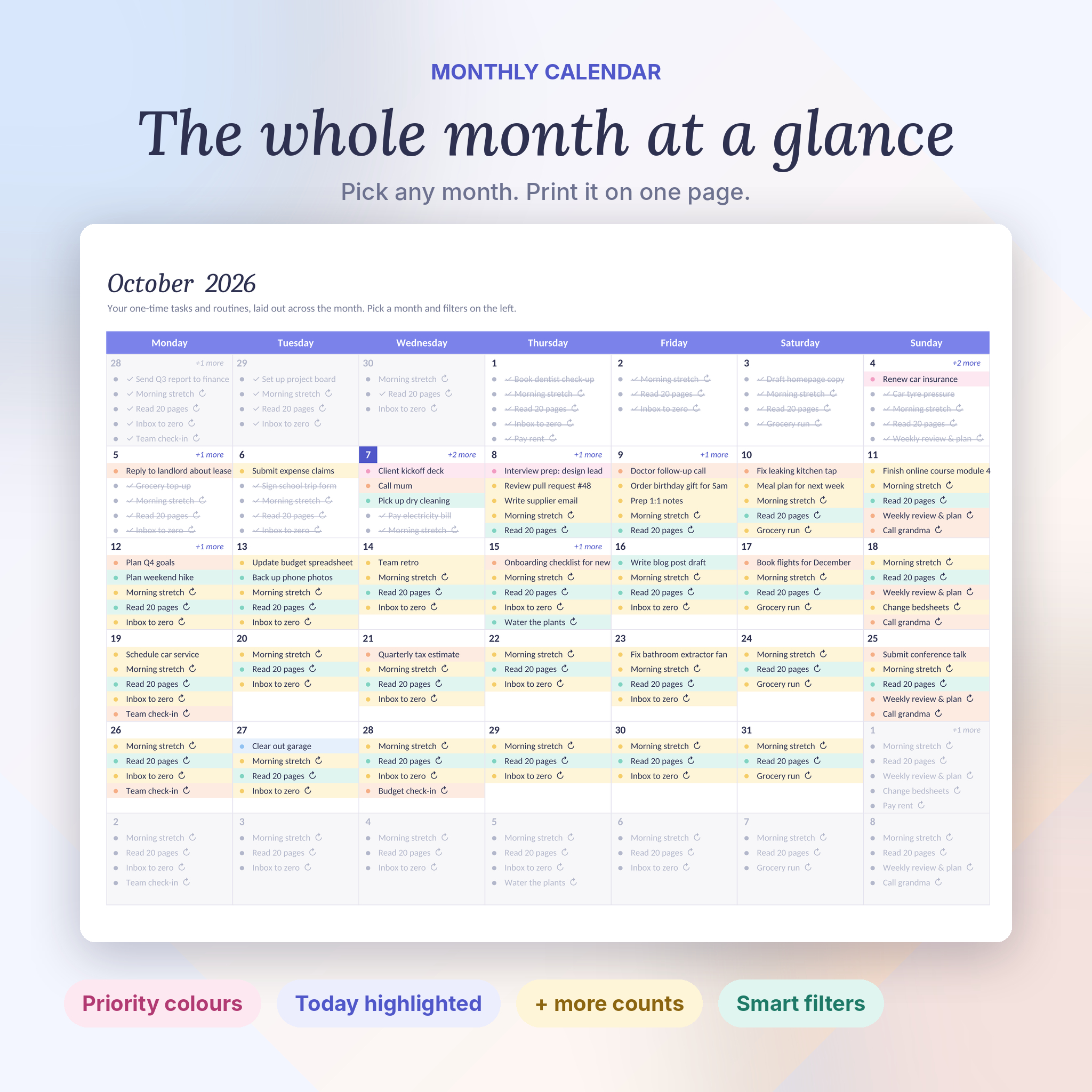
- Monthly. A full calendar with priority colours, today highlighted and “+ more” counts. Pick any month and print it on one page.
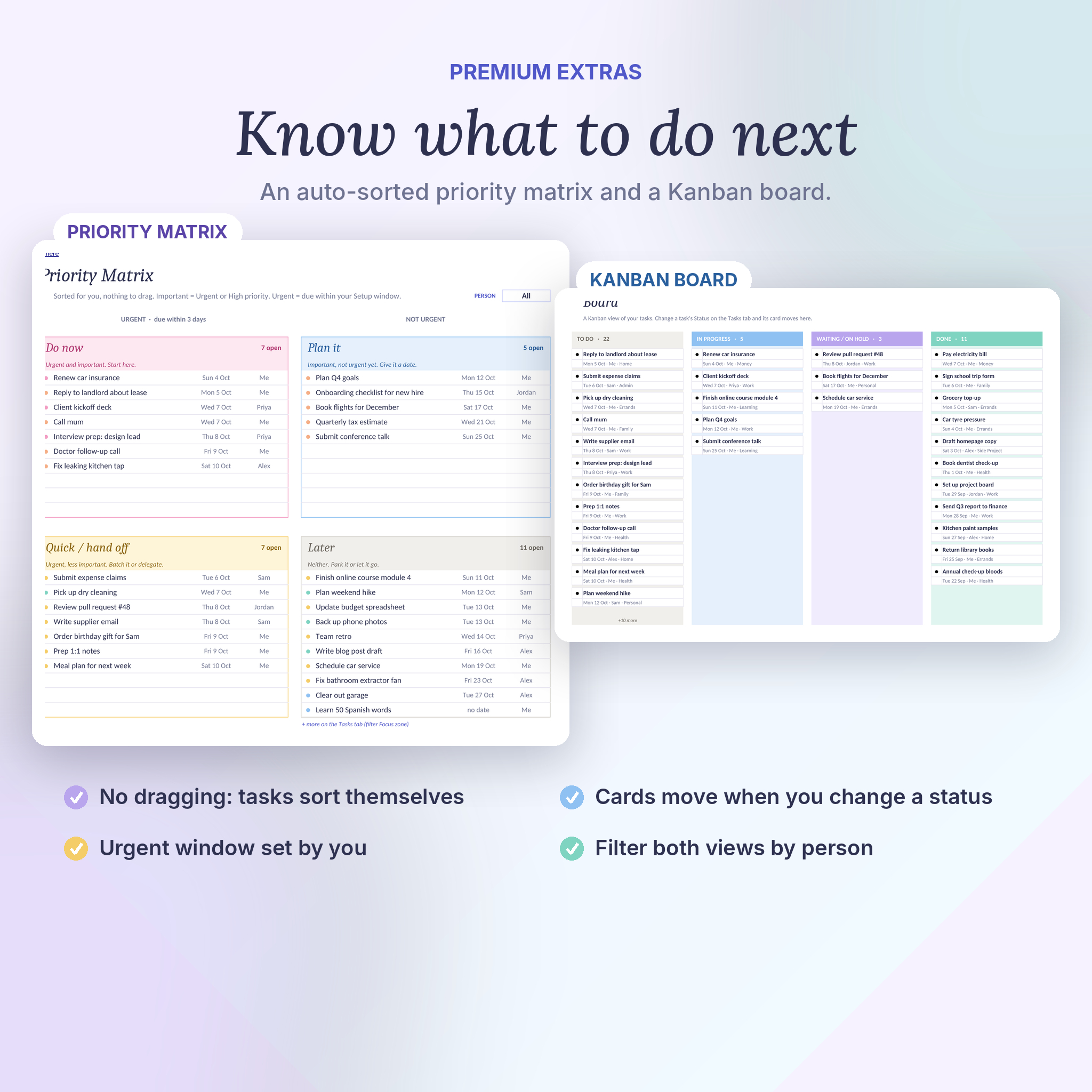
- Priority Matrix. Open tasks sorted into Do now, Plan it, Quick / hand off and Later. Nothing to drag.
- Board. Kanban lanes for To do, In progress, Waiting / On hold and Done. Change a status and the card moves.
- Setup. Rename categories, priorities, statuses and people. Choose a Monday or Sunday week start, your “urgent” window and your daily time budget.
Why pick Clearday?
- No Microsoft 365 subscription needed
- Routines and one-time tasks live together on every calendar
- A daily time budget so you don’t plan 9 hours of work into a 4-hour day
- Priority Matrix and Kanban board included, not sold separately
- Printable weekly and monthly pages
- Blank planner plus a filled-in sample so you can explore first
How it works
- Open Setup and name your categories and people. Set your Routine Tracker start date.
- Add tasks on the Tasks tab and repeating jobs on the Routines tab.
- Open the Dashboard each morning. It’s already sorted.
What you get
- Clearday-Task-Tracker.xlsx (blank, ready to use)
- Clearday-Task-Tracker-Sample.xlsx (42 example tasks and 14 routines)
- Clearday-Task-Tracker-User-Guide.docx (14-page guide with screenshots, troubleshooting and FAQs)
File format and software
- Format: .xlsx (Excel workbook) and .docx (Word guide)
- Works with: Microsoft Excel 2010 or newer on Windows, Excel for Mac 2011 or newer, Excel for the web, and Google Sheets (free Google account, upload the file and open with Sheets)
- Phone and tablet: works in the Excel and Google Sheets apps. Setup is easiest on a computer.
- Not designed for Apple Numbers or LibreOffice
- English labels and English date formats
Customising
Rename any category, priority, status, person or repeat option in Setup and every dropdown updates. Each category keeps its own colour. View tabs are protected to keep formulas safe, with no password, so you can unprotect them any time.
Digital download
This is a digital product. Nothing will be shipped. Your files are ready to download as soon as payment goes through. Licence: personal use, or use within your own household or team. Please don’t resell or share the files.
Reviews
There are no reviews yet.