



One plan for all your platforms
Most content planners give you twelve monthly tabs to fill in, one by one. Cadence works differently. You plan each post once, on a single list. The calendar, your next two weeks, the feed preview and the dashboard all fill in from there.
It’s built for people who actually post. Plan your ideas, move each post from draft to live, then add the numbers and see what’s working.
Who it’s for
- Small business owners who run their own social media
- Creators and influencers juggling a few platforms
- Social media managers and VAs planning for a brand
- Small teams who want one shared plan
What it does for you
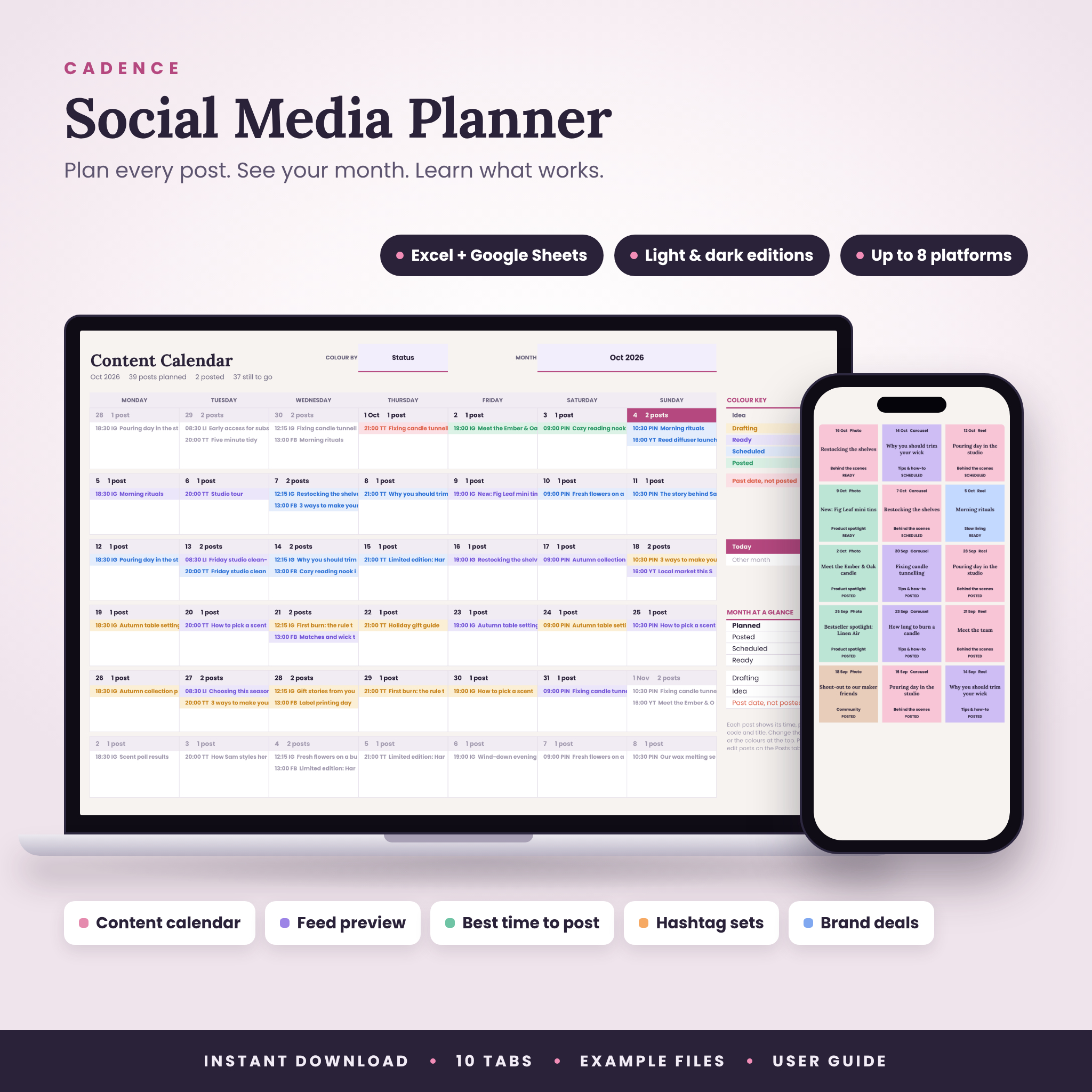
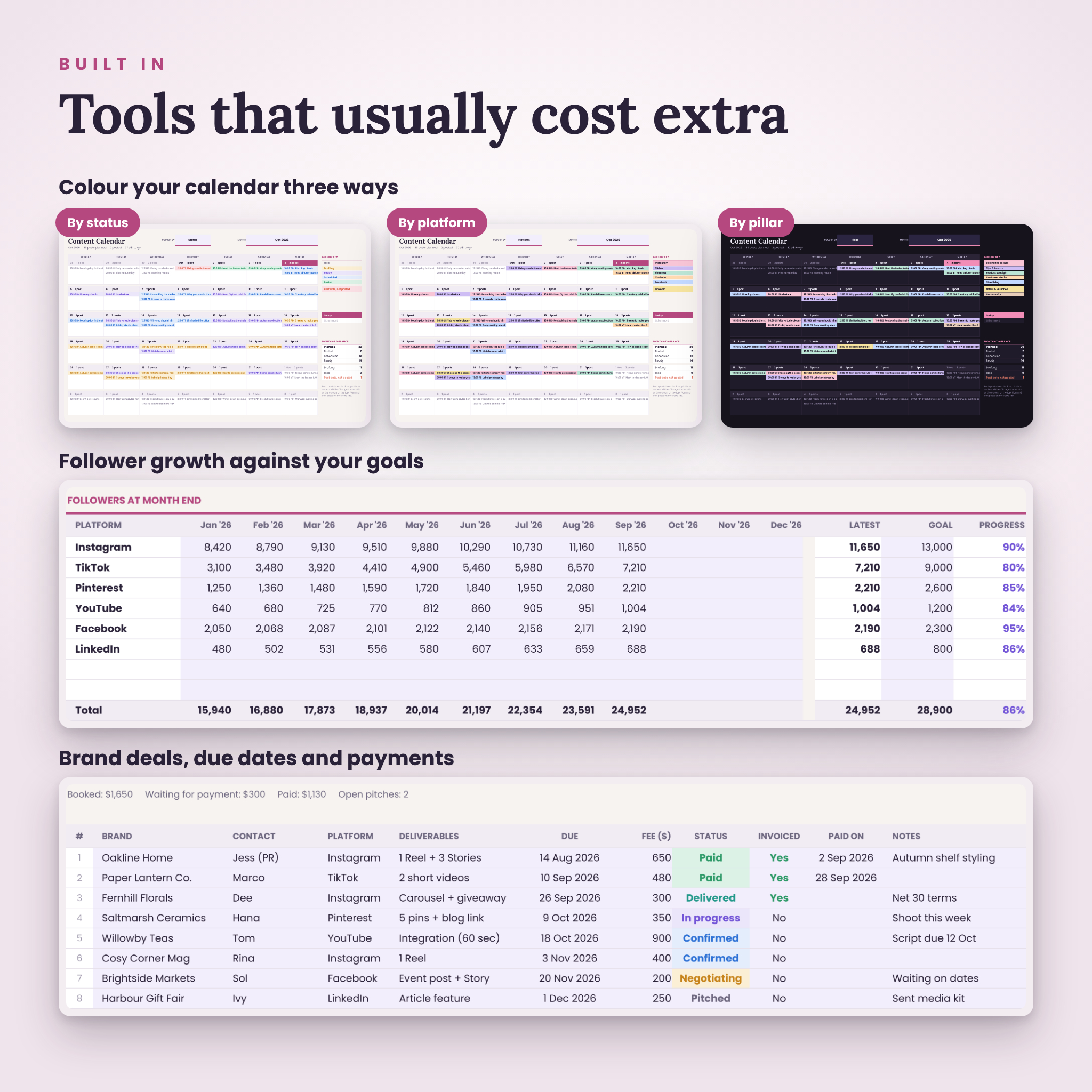
- Shows your month at a glance. Up to four posts a day on the calendar, coloured by status, platform or pillar.
- Keeps you on schedule. Next 14 Days lists what’s due by date and time, and anything that slipped turns red.
- Lets you preview your feed. See the grid before you post, with each tile coloured by its content pillar.
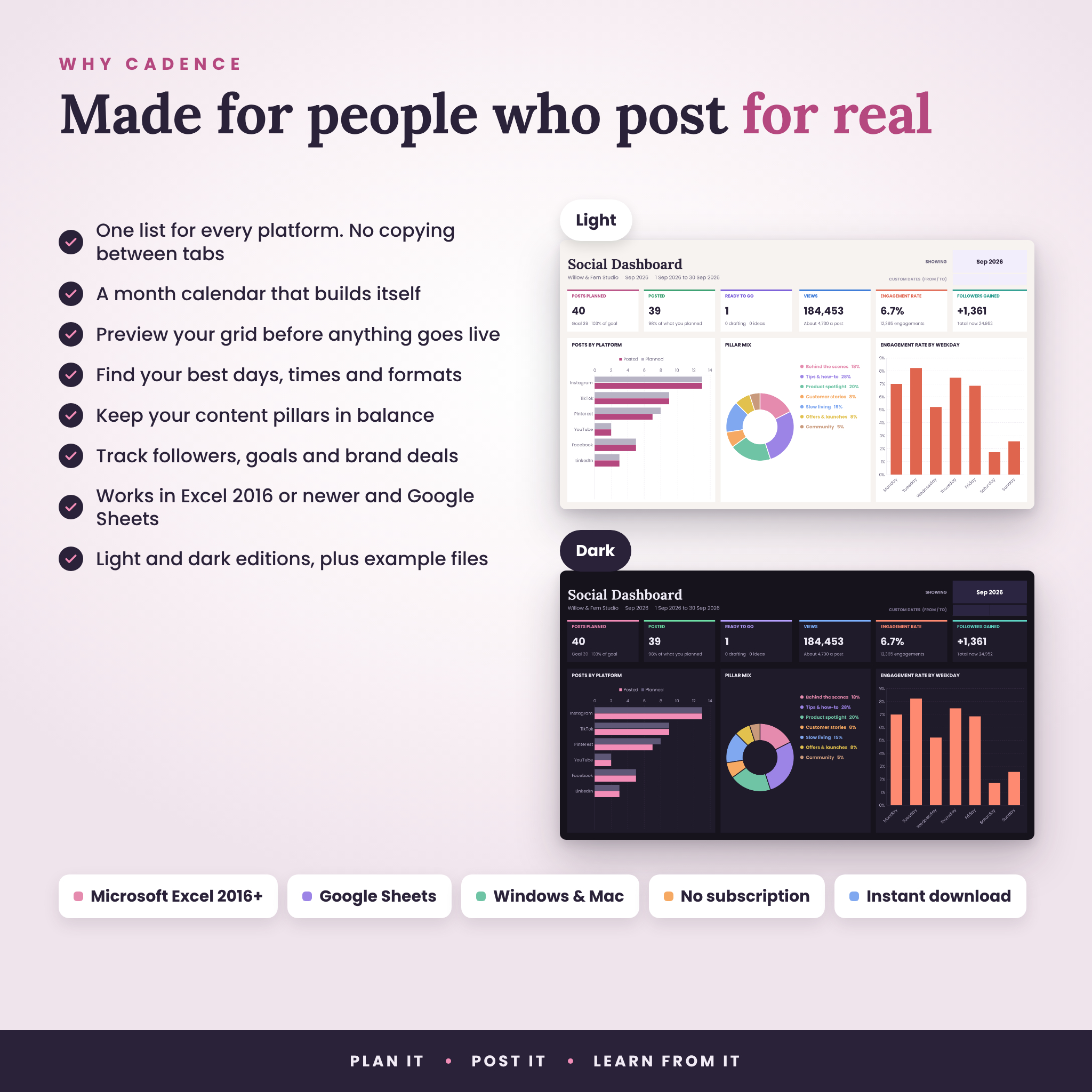
- Tells you what works. Engagement rate by platform, weekday, time of day and format, plus your top five posts.
- Keeps your mix balanced. Compare each content pillar with the target share you set.
- Tracks growth and income. Follower counts against goals, and brand deals from pitch to payment.
Features
- Dashboard for this month, any month, the full year or custom dates
- Six summary cards, three charts and tables for platforms, pillars, pipeline, best times, weekdays and formats
- Month calendar with a colour switch, a month summary and today highlighted
- Next 14 Days to-do list, sorted by date and time
- Feed Grid preview for any platform, newest first
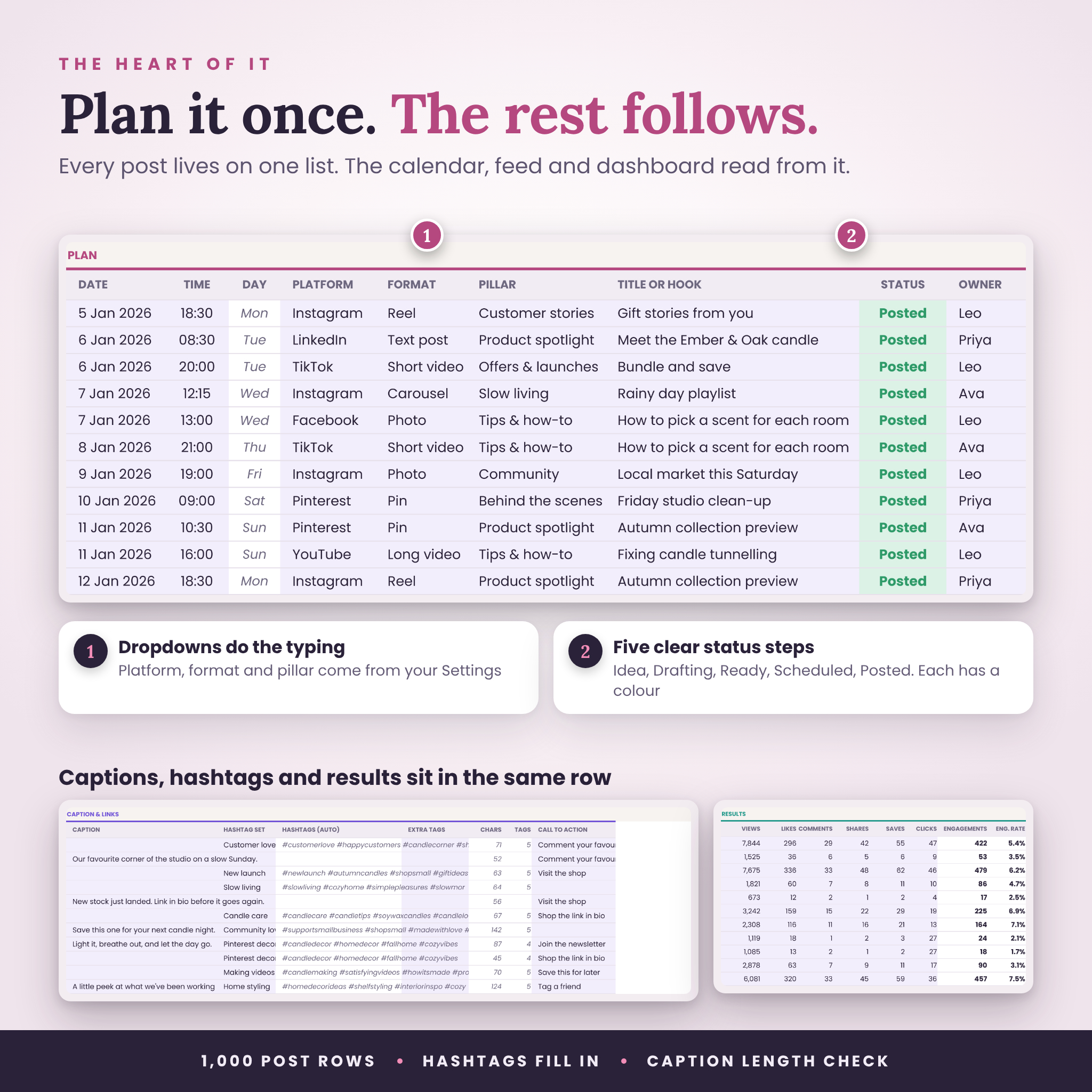
- Posts list with 1,000 rows: date, time, platform, format, pillar, title, status, owner, caption, hashtags, links and results
- Caption length check against each platform’s limit, plus a hashtag count
- 30 saved hashtag sets that fill in with one pick
- Idea bank with priority, status and a count by pillar
- Analytics: followers by month, goals, monthly gains and content results by month
- Brand deal tracker with due dates, fees, invoices and payments
- Five-step status workflow: Idea, Drafting, Ready, Scheduled, Posted
- Start Here tab with setup steps and a health check
- Locked dashboard tabs so formulas can’t be typed over by accident (turn the protection off any time, no password)
- Print-ready page layouts
What’s included
- Cadence Social Media Planner, light theme (blank, ready for your plans)
- Cadence Social Media Planner, dark theme (blank)
- Light and dark example files with a sample brand’s year, so you can see every feature working
- Illustrated user guide (Word document) with setup steps, a tour of every tab, a weekly routine, troubleshooting and FAQs
How it works
- Download your files straight after checkout.
- Open the blank planner in Excel, or upload it to Google Drive and open it with Google Sheets.
- Add your platforms, content pillars and team on Settings. It takes about 15 minutes.
- Plan your posts on the Posts tab. The calendar, feed grid and dashboard update on their own.
File formats and requirements
- Format: .xlsx spreadsheet files plus a .docx user guide
- Microsoft Excel 2016 or newer on Windows or Mac, including Microsoft 365 and Excel on the web
- Google Sheets with a free Google account (upload the .xlsx and save it as a Google Sheet)
- Apple Numbers is not supported
- Designed with the free fonts Poppins and Lora. Google Sheets shows them automatically. In Excel, install them from Google Fonts for the exact look, otherwise Excel uses a standard font and everything still works.
- Charts may look a little different in Google Sheets. The numbers are the same.
Make it yours
- Up to 8 platforms with your own handles, caption limits and weekly targets
- Up to 10 content pillars with target shares
- 14 post formats and 6 team members, all renamable
- Start your planner year in any month, and weeks on Monday or Sunday
- Any currency symbol for brand deals
- Change colours and fonts like any spreadsheet
Digital download
This is a digital product, so nothing is posted to you. Your download links appear as soon as payment goes through and are also sent to your email.
Good to know
- The planner doesn’t post for you or connect to any social app. Plan here, then post or schedule in the tools you already use.
- Use it for your own accounts and the accounts you manage for clients. Please don’t share or resell the template itself.
- Stuck on something? Get in touch and we’ll help you sort it out.
Reviews
There are no reviews yet.