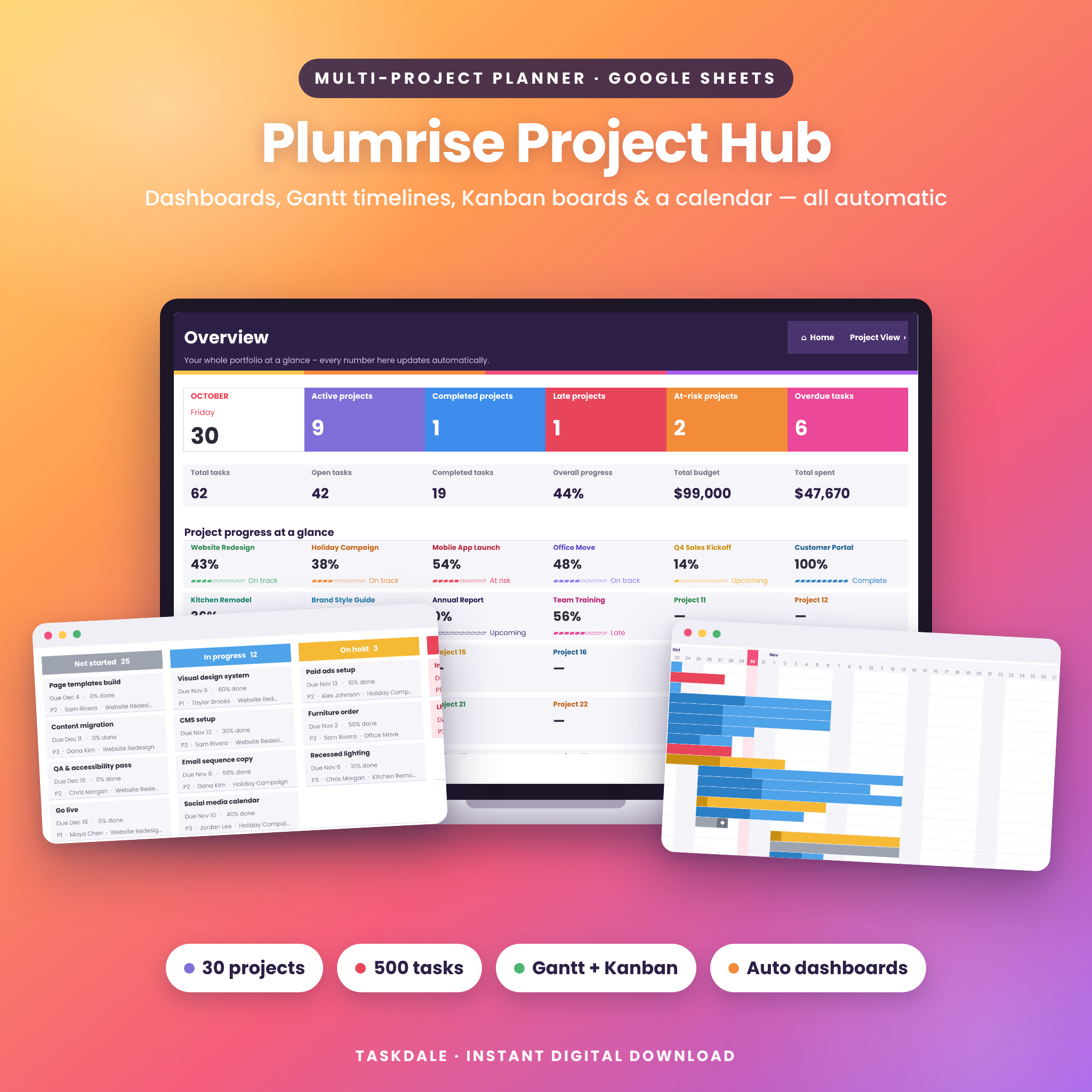
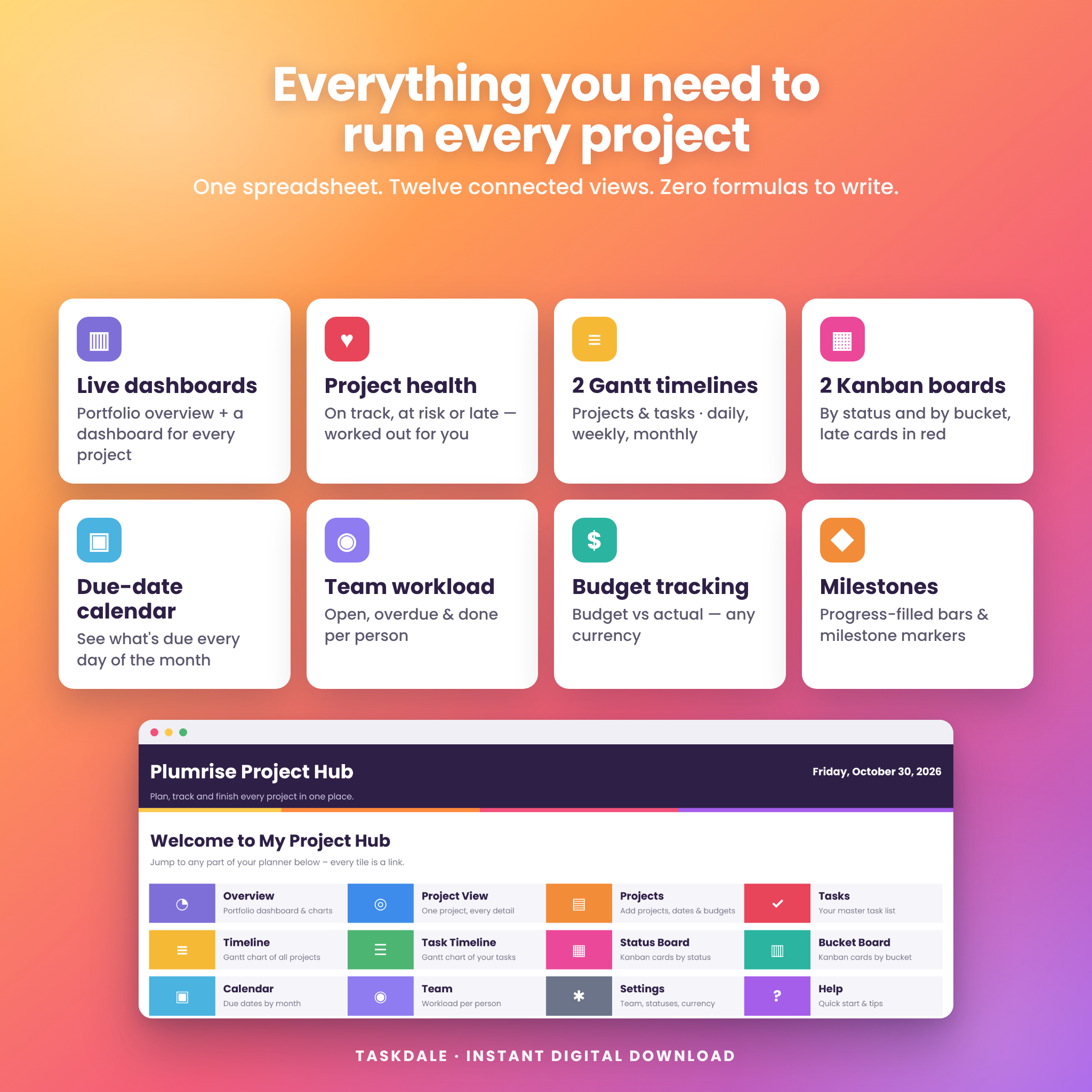
Plumrise Project Hub is a multi project planner for Google Sheets that turns one simple task list into live dashboards, Gantt timelines, Kanban boards, a due-date calendar and a team workload view. Add your projects and tasks once and every view updates automatically – no formulas to write, no add-ons and no monthly subscription.
Whether you run client projects, a small team, a renovation or a busy semester, this project management template shows you what is on track, what is at risk and what is due next.
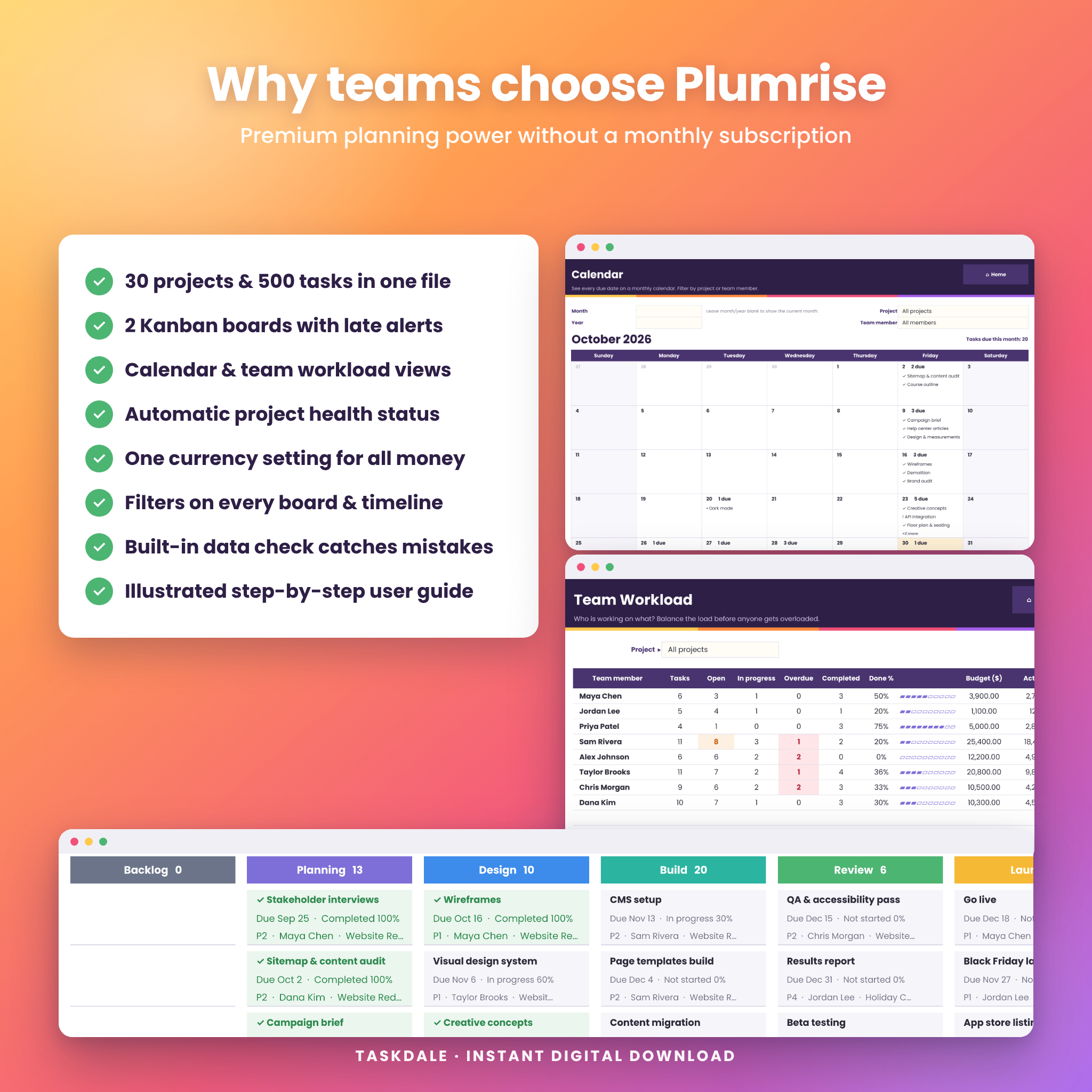
Why choose this multi project planner?
- Up to 30 projects and 500 tasks in one master task list – no copying between project tabs.
- Two Gantt charts – a project timeline and a task timeline with Daily, Weekly and Monthly views. Bars fill in as work gets done and ◆ marks milestones.
- Two Kanban boards – by status and by bucket (phases, rooms, clients), with late and blocked cards highlighted in red.
- Automatic project health – every project is labeled Complete, On track, At risk, Late or Upcoming.
- Due-date calendar and team workload views so nothing slips and nobody is overloaded.
- Budget tracking with one currency setting that controls every money value ($ by default).
Features
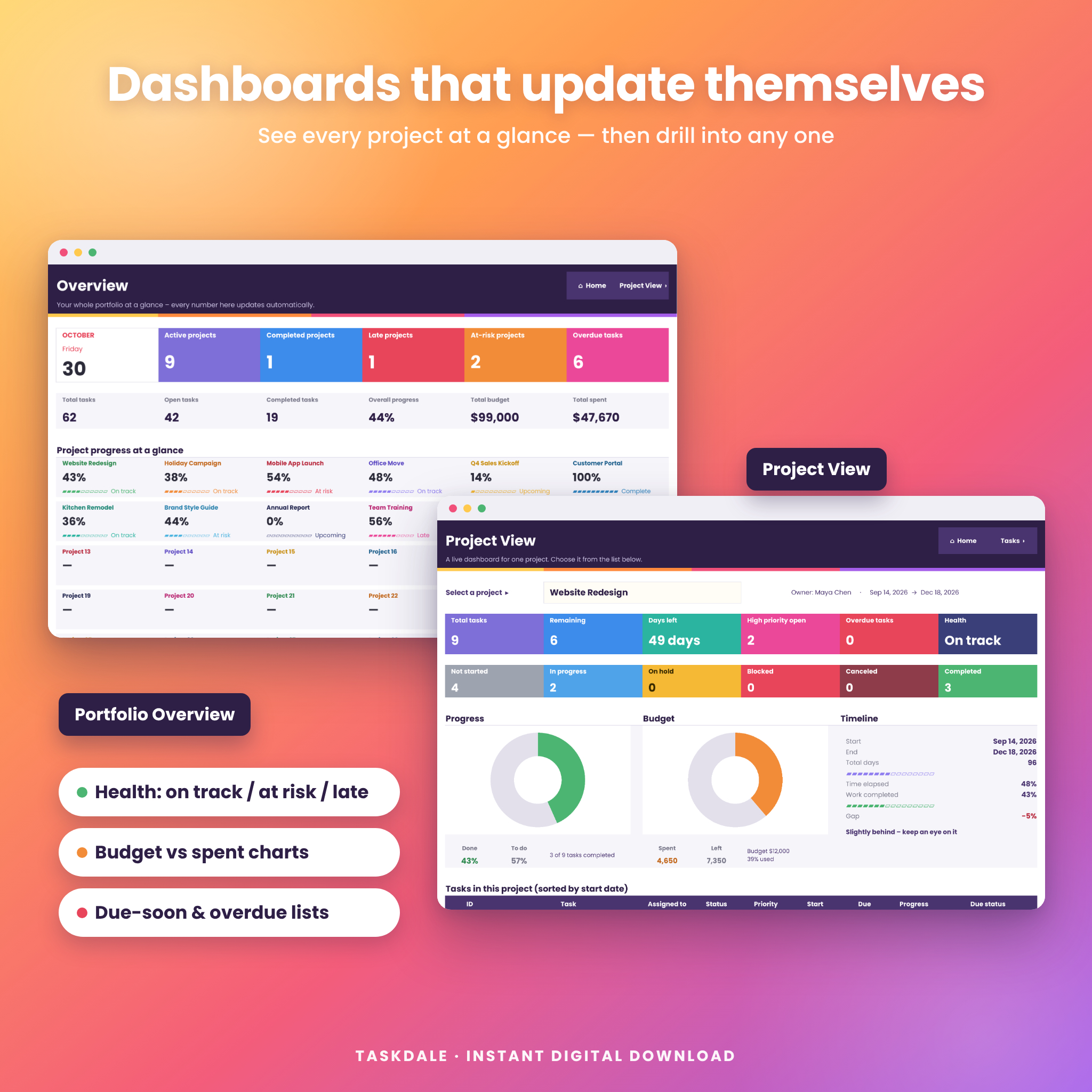
Dashboards that update themselves
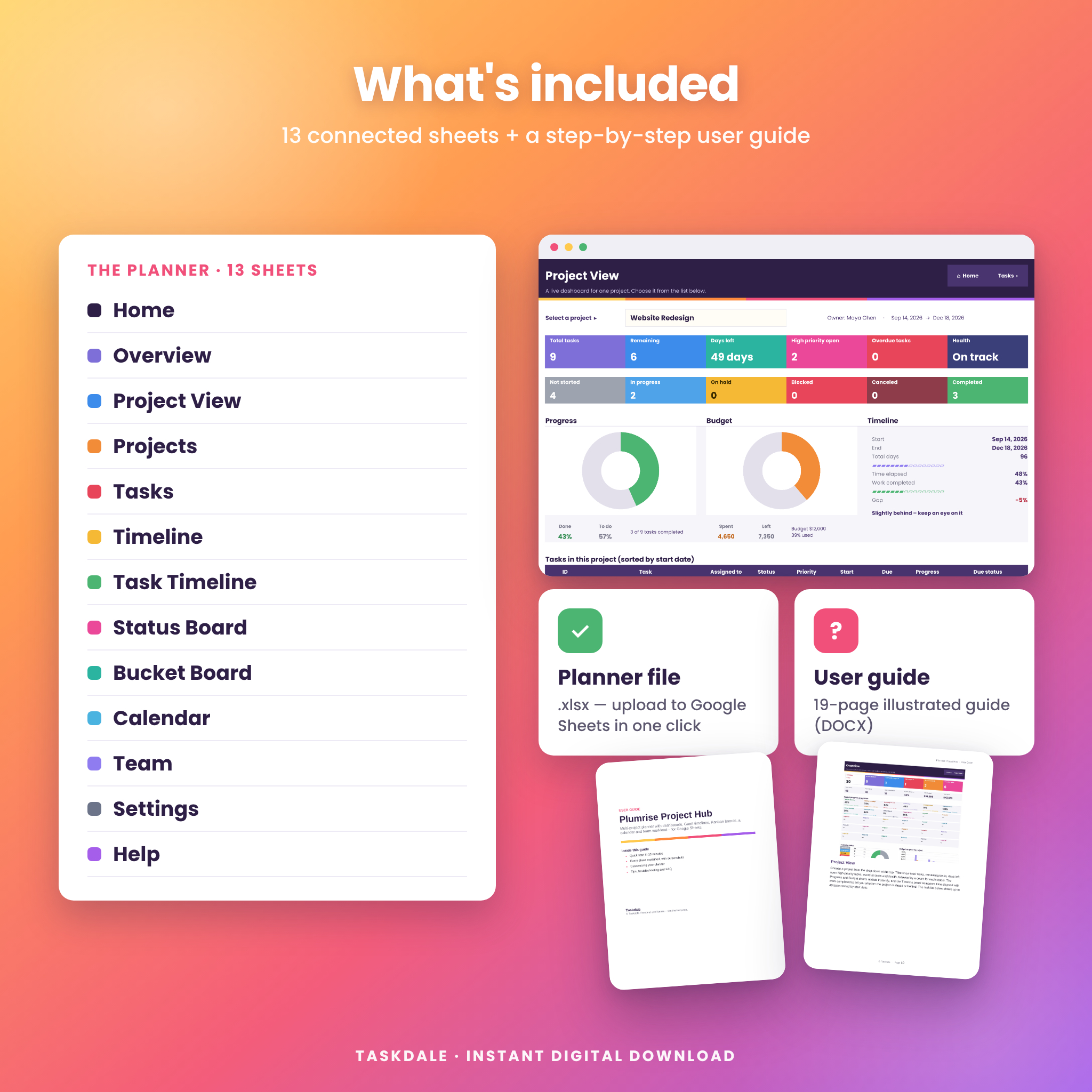
The Overview dashboard shows active, completed, late and at-risk projects, overdue tasks, total budget and spend, a progress card for every project, a tasks-by-status chart, a budget-vs-spent chart, and lists of tasks due soon and overdue. The Project View dashboard lets you pick any project and see its tasks, status counts, progress and budget charts, days left and whether it is ahead of or behind schedule.
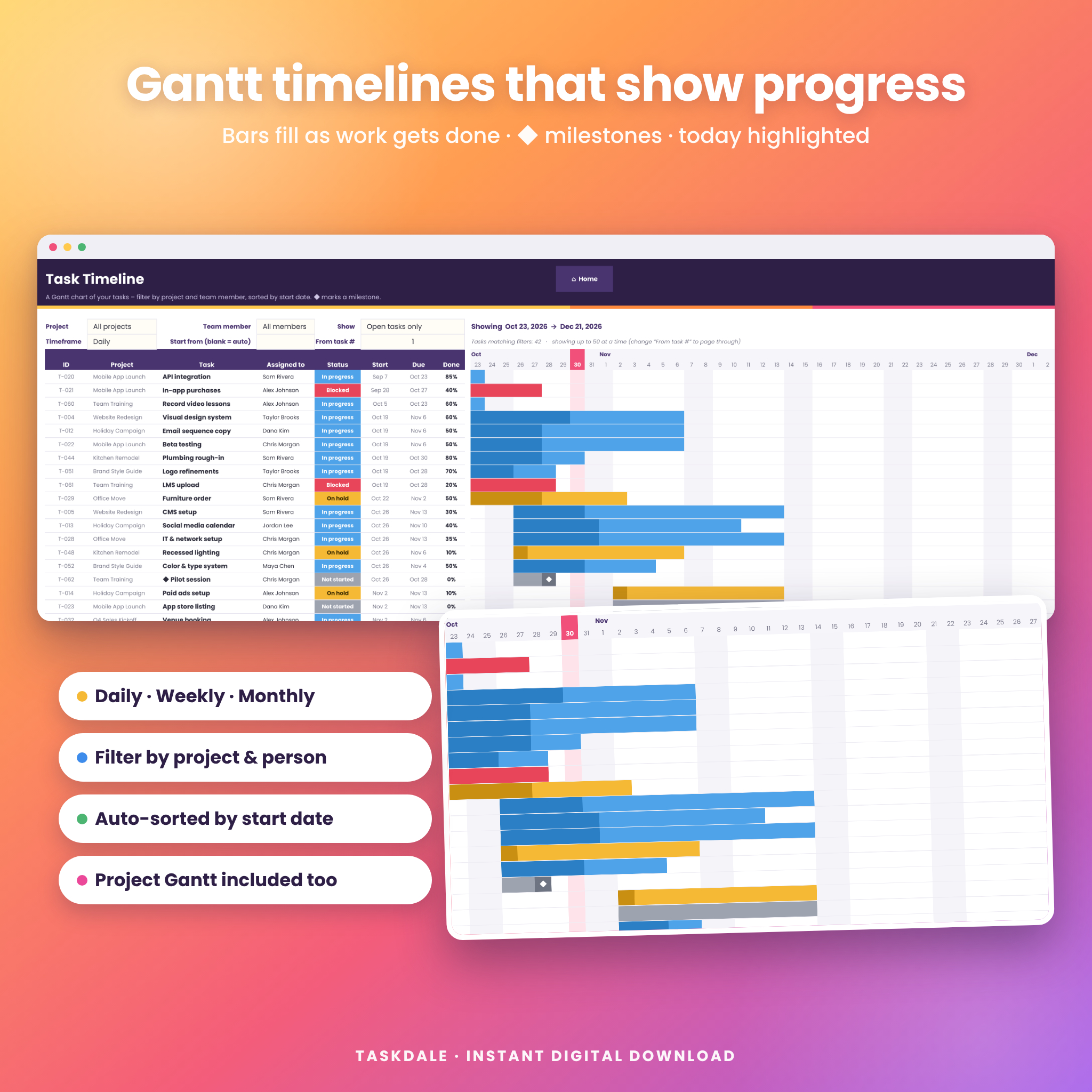
Gantt chart project timelines
- Timeline: every project on one Gantt chart, colored by project, with progress shown inside each bar.
- Task Timeline: tasks sorted by start date, filtered by project, team member or open tasks only, colored by status.
- Switch between Daily, Weekly and Monthly views and choose any start date. Today is highlighted.
Kanban boards
The Status Board and Bucket Board turn tasks into cards showing the due date, progress, priority and owner. Filter by project and team member, and choose what each card displays in Settings. A status bar shows task count, open, late, completed, backlog and progress.
Task and project tracker
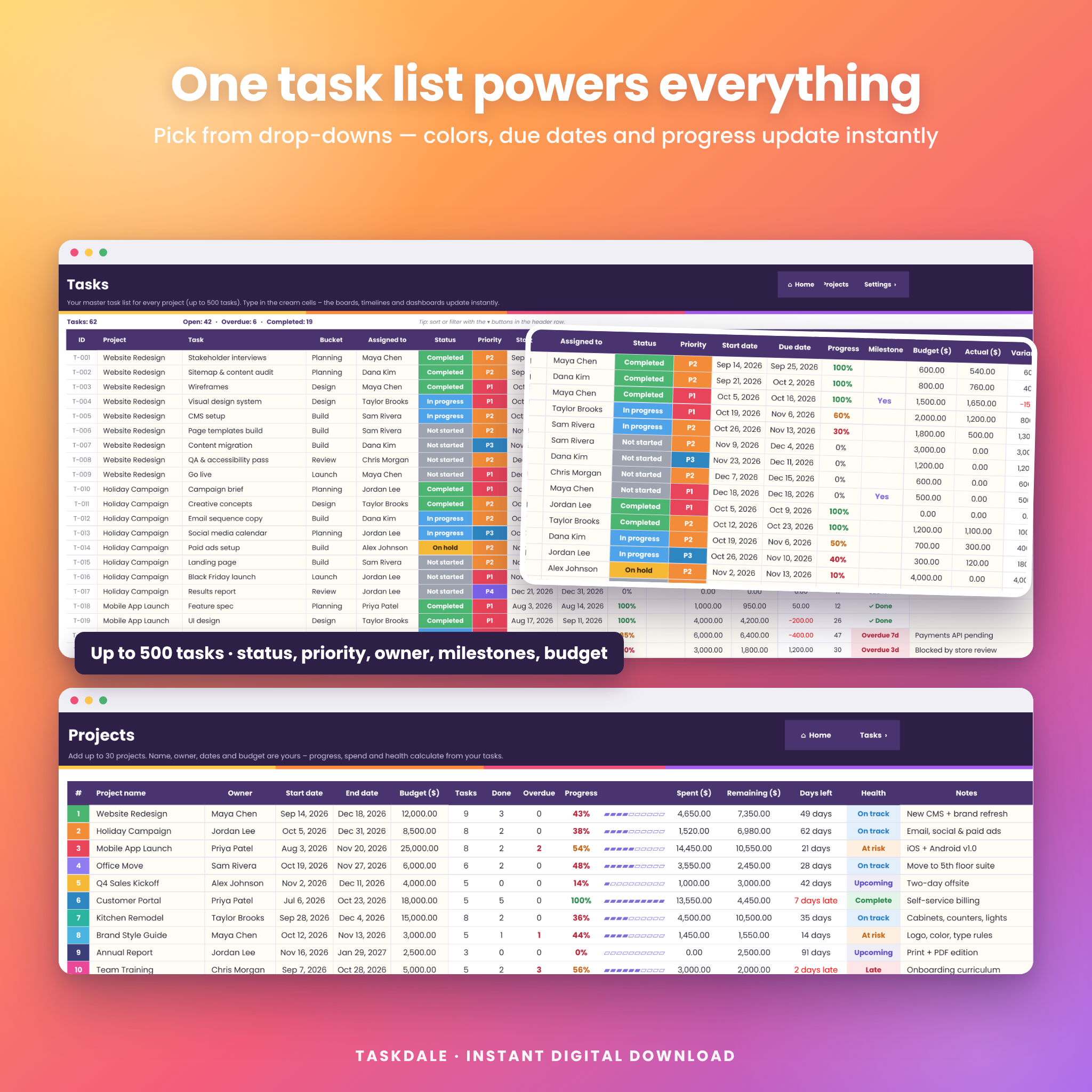
- Drop-downs for project, bucket, owner, status (Not started, In progress, On hold, Blocked, Canceled, Completed) and priority (P1–P4).
- Start and due dates, progress percentage, milestone flag, budget, actual cost, variance and notes.
- A live due status for every task: “5d left”, “Due today” or “Overdue 3d”.
- Project sheet with owner, dates, budget, spend, remaining budget, days left and health.
Calendar and team workload
The Calendar shows what is due on each day of any month, with completed and overdue tasks marked. The Team sheet shows each person’s open, in-progress, overdue and completed tasks, done percentage and budget, plus a workload chart.
Built to be easy
- Home screen with a link to every sheet, plus a 4-step quick start.
- Cream cells show exactly where to type; everything else calculates for you.
- Settings for team members (25), statuses, priorities, buckets (10), currency, week start and highlight options.
- A built-in Data check that spots mistakes such as a renamed status or a due date before the start date.
- Every sheet is set up to print or save as PDF.
What’s included
- Plumrise Project Hub planner (.xlsx file that opens in Google Sheets) with 13 sheets: Home, Overview, Project View, Projects, Tasks, Timeline, Task Timeline, Status Board, Bucket Board, Calendar, Team, Settings and Help.
- 19-page illustrated user guide (DOCX) covering setup, every sheet, customizing, tips, troubleshooting and FAQ.
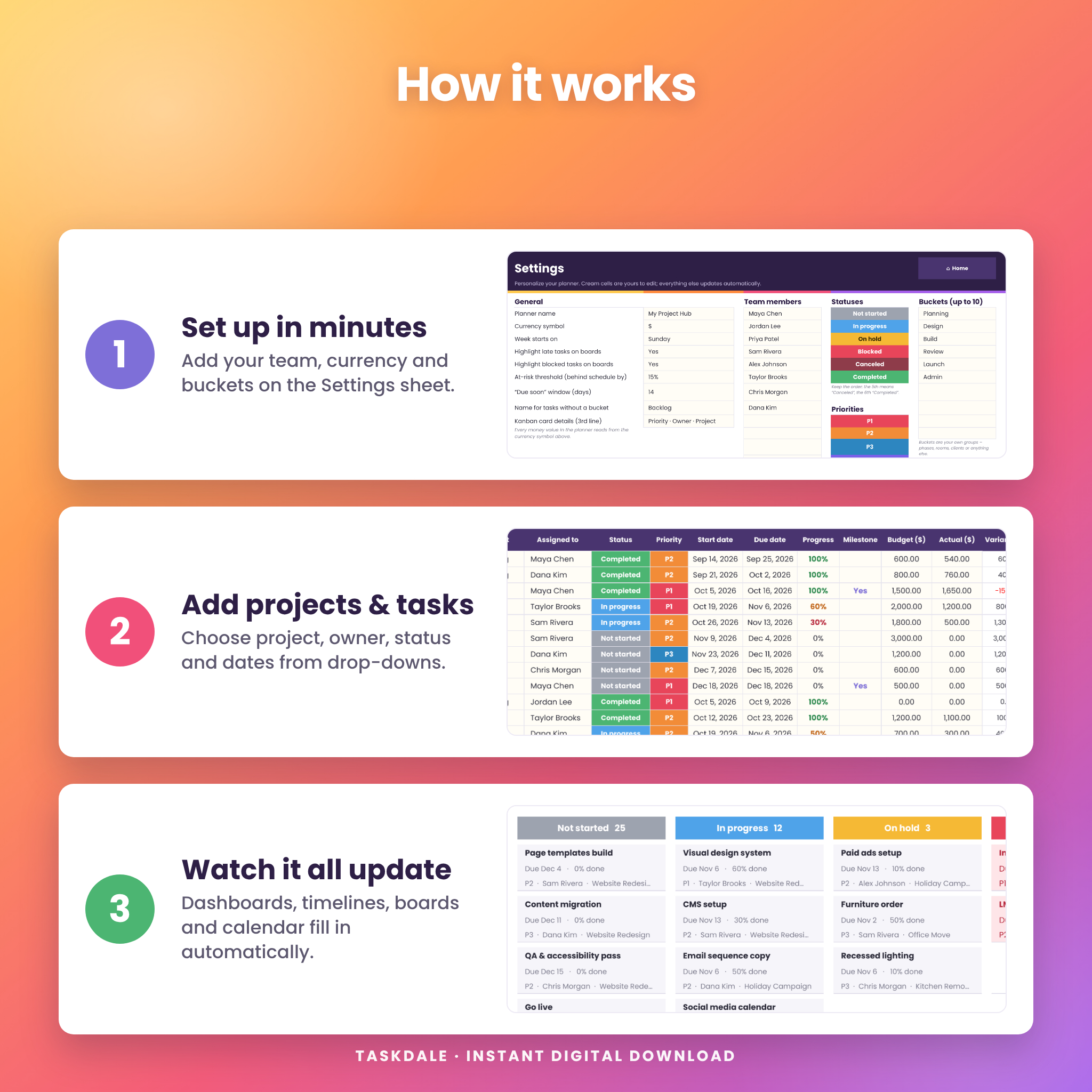
How it works
- Download the files right after purchase.
- Upload the planner to Google Drive and open it with Google Sheets (File › Save as Google Sheets).
- Set up your team, currency and buckets on the Settings sheet.
- Add your projects and tasks – dashboards, timelines, boards, calendar and team views fill in automatically.
File format and requirements
- File format: .xlsx spreadsheet plus a .docx user guide.
- Software: Google Sheets (free Google account). Tested in Google Sheets on the web and in LibreOffice Calc.
- No add-ons, scripts or macros required.
- Works in any modern desktop browser; the Google Sheets mobile app is fine for quick updates.
Customization
Rename statuses, priorities and buckets, change the currency symbol, choose Sunday or Monday week starts and pick what the Kanban cards show. Colors and fonts can be changed with the normal formatting tools.
Use cases
- Freelancers and agencies tracking several client projects, deadlines and budgets.
- Small business teams planning launches, events and campaigns and sharing one live tracker.
- Project managers who want a Gantt chart and Kanban board without paying for project software.
- Home renovators using buckets for rooms and tracking contractor costs.
- Students and teachers managing assignments, group projects and research.
- Event planners keeping vendors, tasks and milestones on one calendar.
Digital download
This is a digital product – no physical item will be shipped. Your files are available to download instantly after payment. Colors may look slightly different depending on your screen.
FAQ
Does this project planner work in Google Sheets?
Yes. It was built and tested for Google Sheets and works with a free Google account.
How many projects and tasks can I track?
Up to 30 projects, 500 tasks, 25 team members and 10 buckets.
Can I share it with my team?
Yes. Click Share in Google Sheets and everyone sees updates live.
Can I use my own currency?
Yes. Change one currency symbol in Settings and every money value updates. $ is the default.
Do I need spreadsheet experience?
No. You type in the cream cells and pick from drop-downs. The user guide walks you through every step.
Does it include a Gantt chart and Kanban board?
Yes – two Gantt timelines (projects and tasks) and two Kanban boards (by status and by bucket).
Does it work in Microsoft Excel?
The planner is designed and tested for Google Sheets and LibreOffice Calc. Google Sheets is the supported platform.
License
For personal use or use within your own business. Please do not resell, share or redistribute the files. © Taskdale.
Reviews
There are no reviews yet.