
One list. Every view you need.
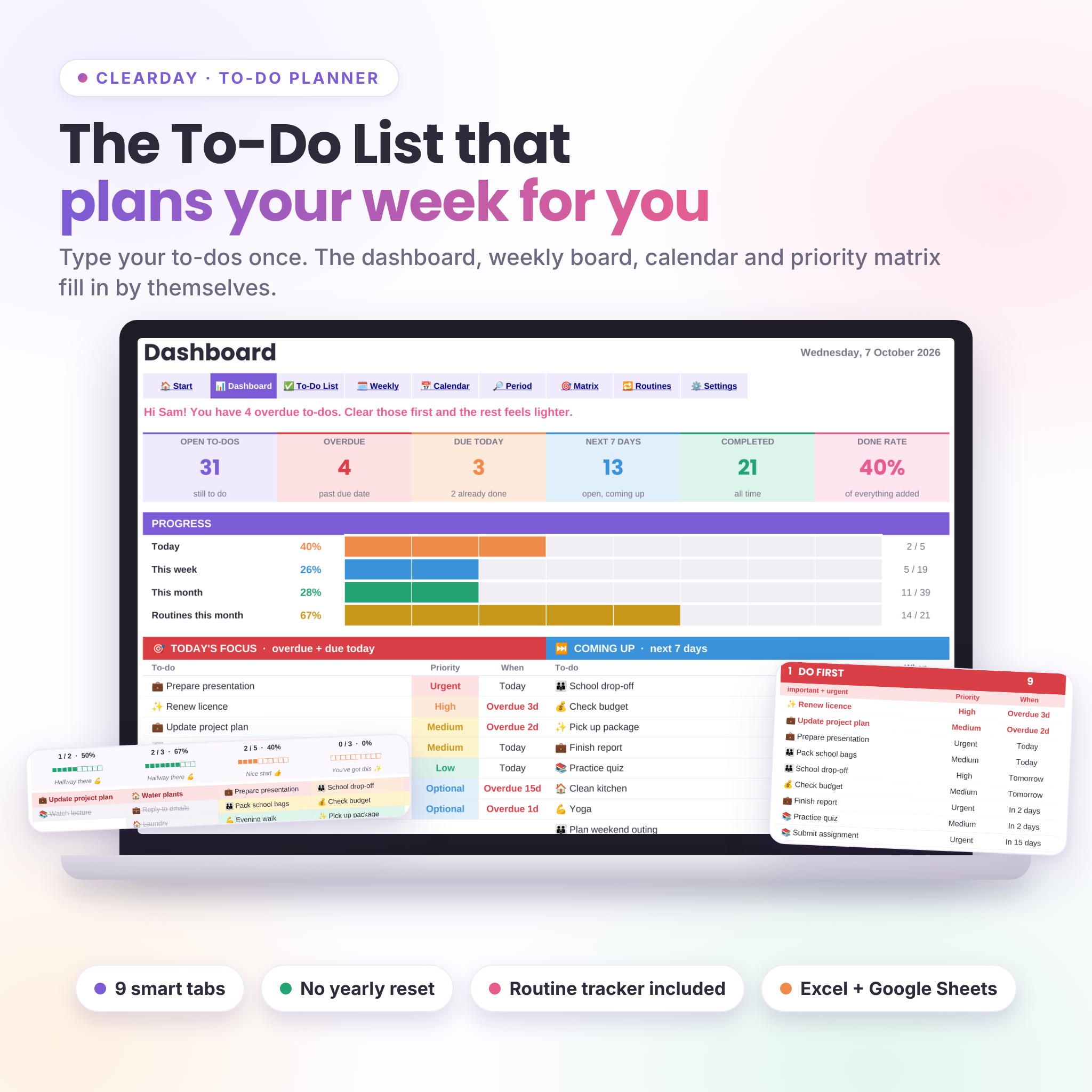
Most to-do lists show you a long column of things you haven’t done yet. That’s it. Clearday does more with the same list. You type each to-do once, with a date, a category and a priority, and the planner builds the rest: what’s overdue, what’s due today, how the week looks, and what deserves your attention first.
No formulas to touch. No copying between tabs. No yearly reset.
Who it’s for
- Parents keeping school runs, chores and their own work in one place
- Students tracking deadlines, revision and assignments
- Freelancers and solo business owners who like to see the week laid out
- Anyone who tried a to-do app, drifted away, and wants something simple they can shape themselves
What’s inside: 9 connected tabs
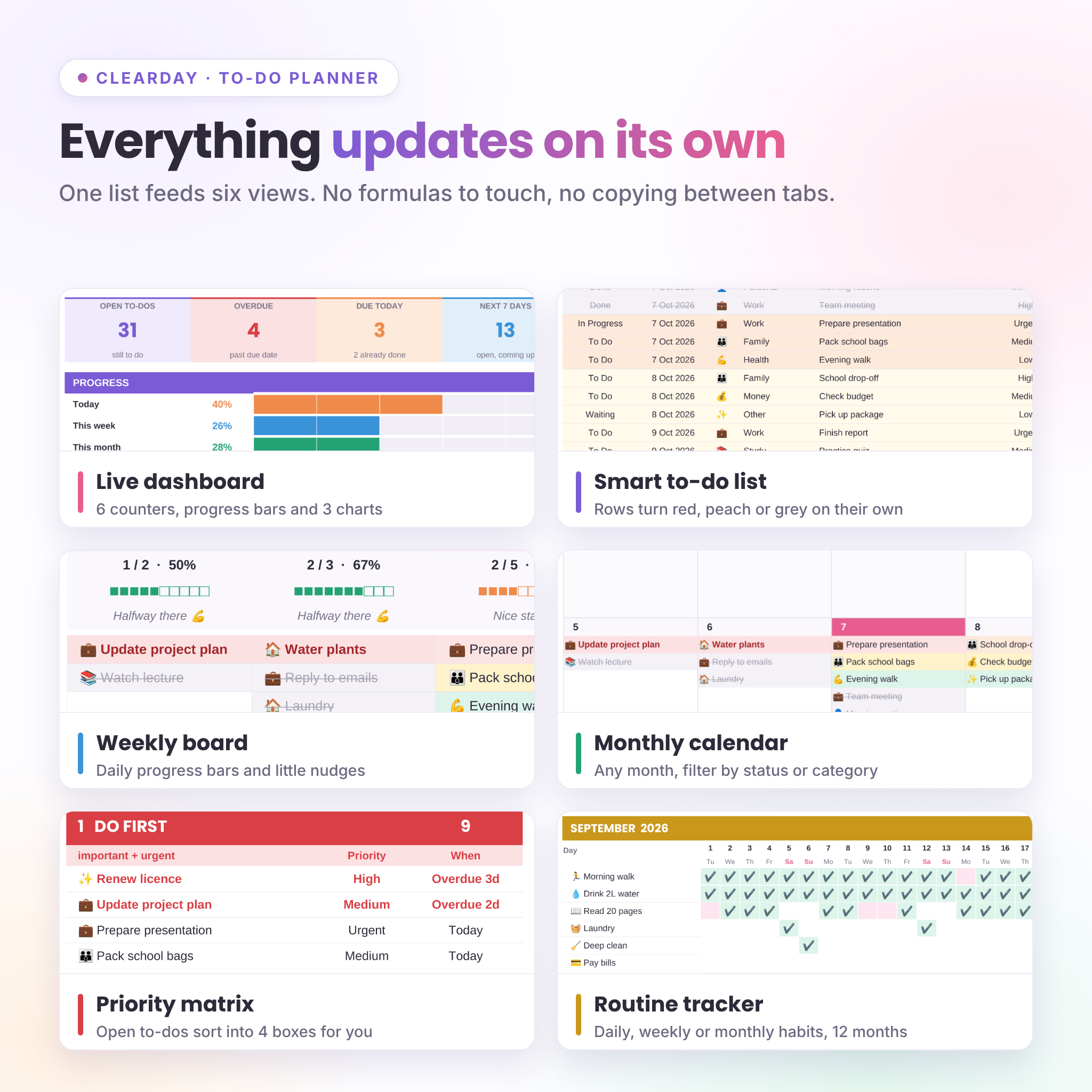
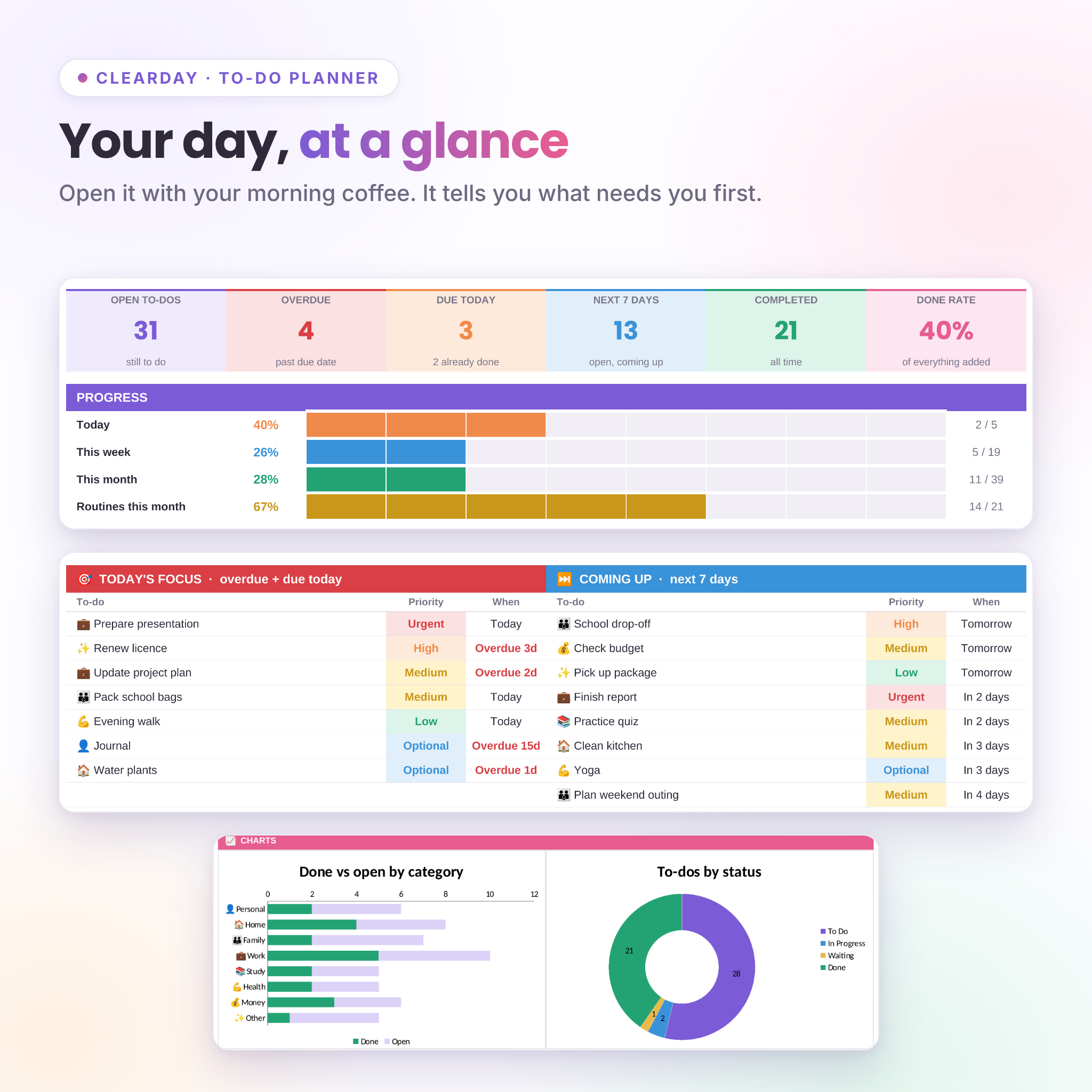
- Dashboard: a greeting that changes with your day, 6 live counters, progress bars for today, this week, this month and routines, a Today’s Focus list, a Coming Up list, a category table and 3 charts.
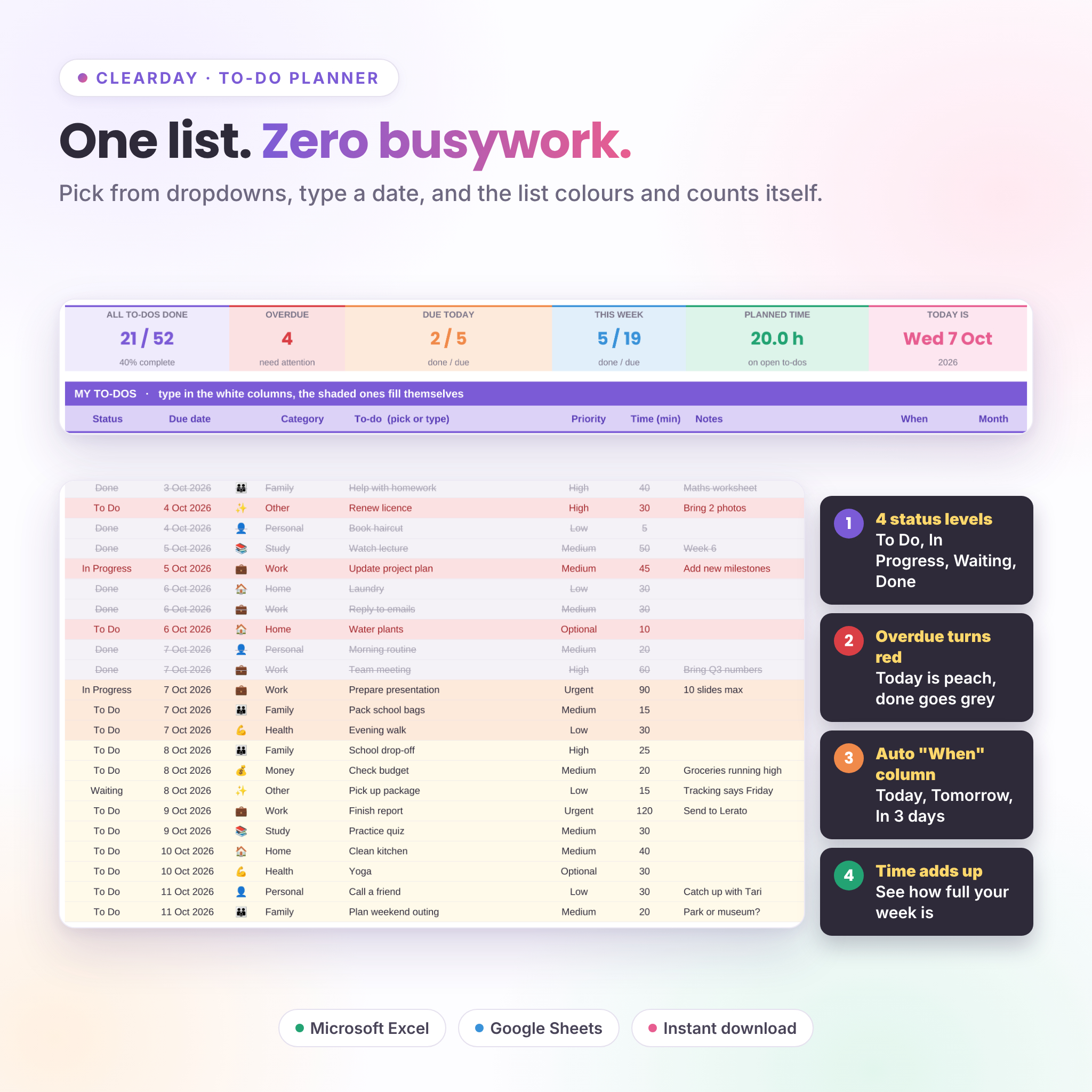
- To-Do List: room for 500 to-dos with Status (To Do, In Progress, Waiting, Done), due date, category, priority, time estimate and notes. Overdue rows turn red, today’s turn peach and finished ones go grey with a line through.
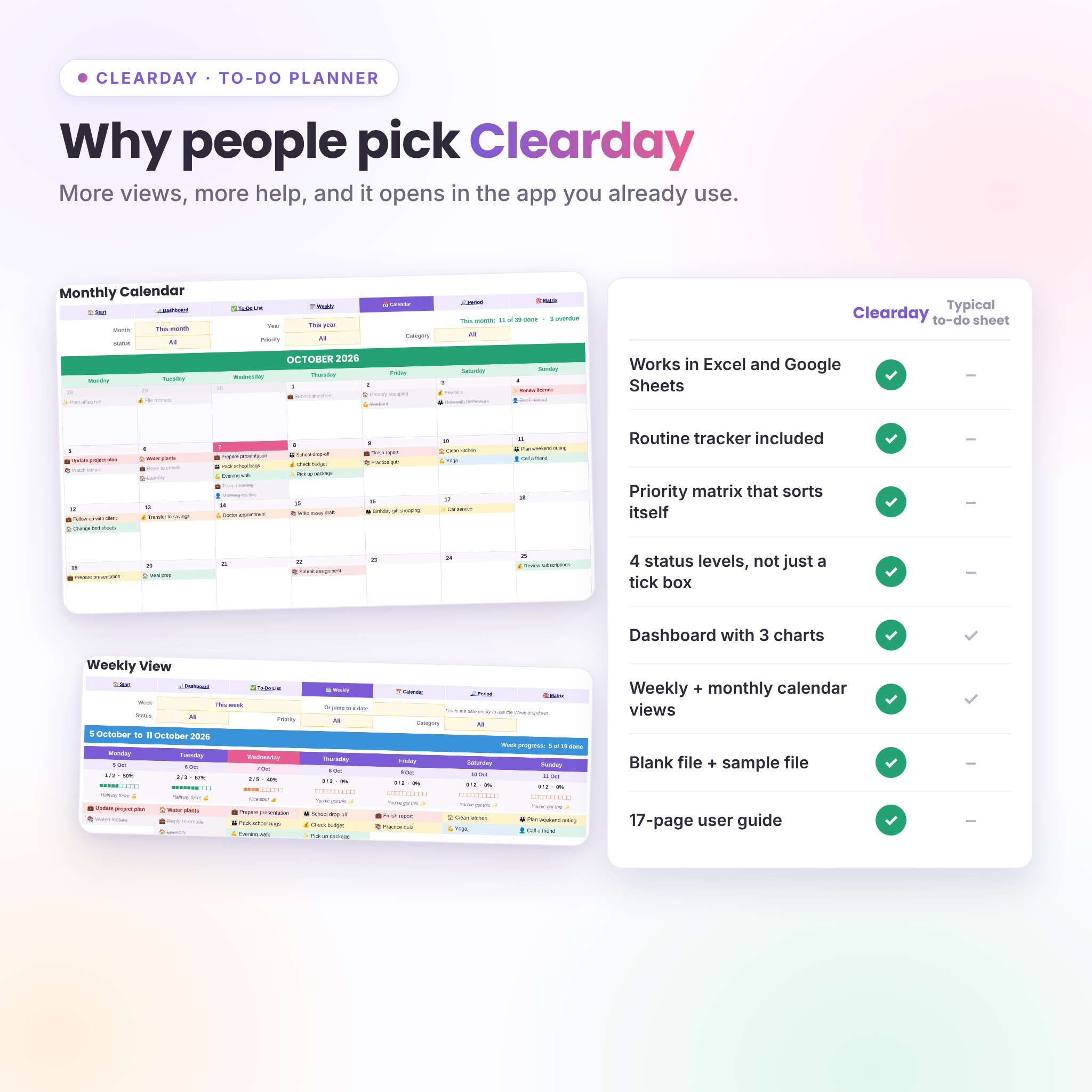
- Weekly View: any week from Monday to Sunday (or Sunday to Saturday), with a progress bar and a short nudge for each day. Filter by status, priority or category.
- Monthly Calendar: a full month grid for any month and year, with the same three filters.
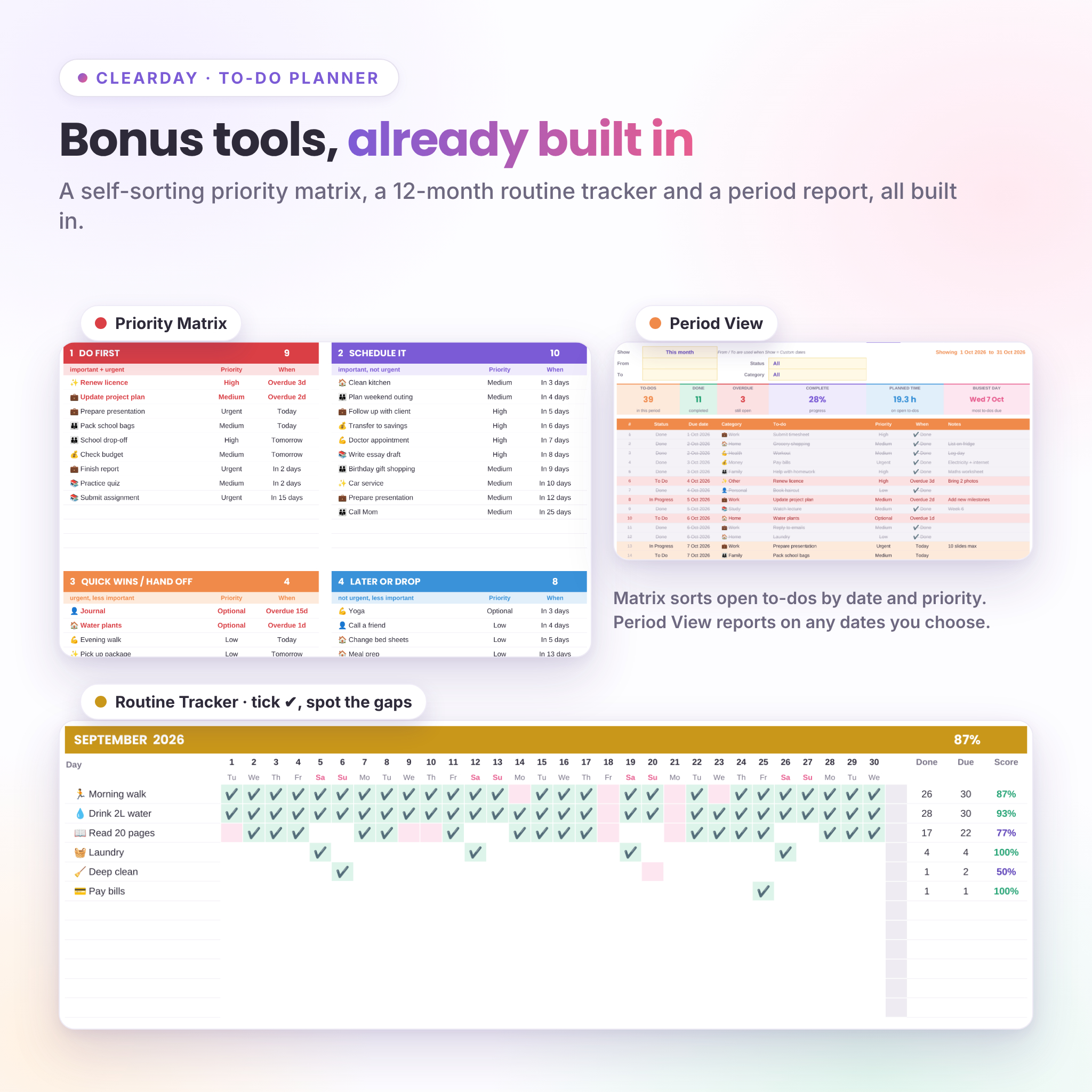
- Period View: one click for this week, next month, the last 30 days and more, or pick your own dates. Shows totals, planned hours and your busiest day.
- Priority Matrix: open to-dos drop into Do first, Schedule it, Quick wins and Later on their own, based on priority and how soon they’re due.
- Routine Tracker: up to 12 routines that repeat daily, on weekdays, on weekends, weekly, every 2 weeks or monthly. Tick them off on a 12-month grid and see a score for each month.
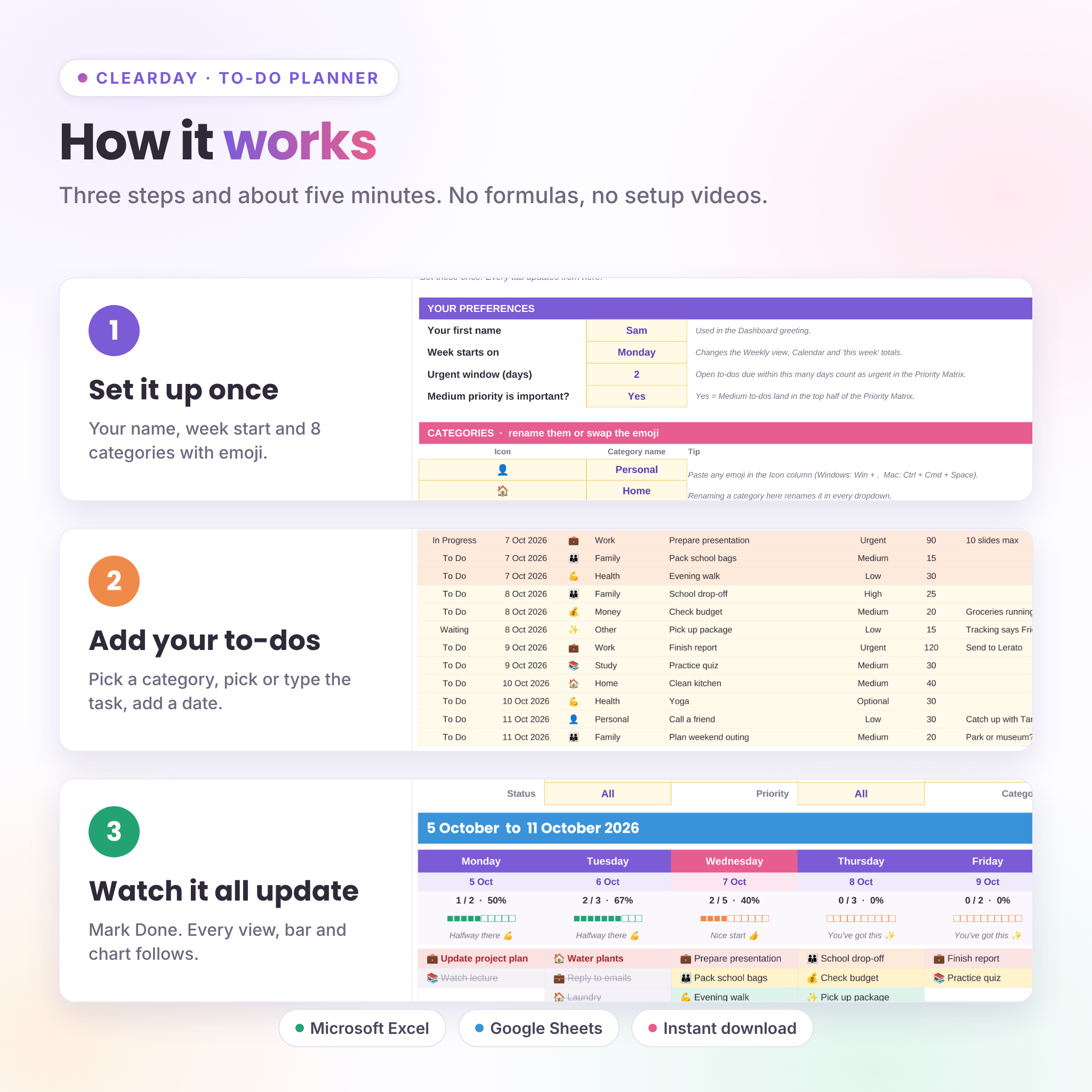
- Settings: your name, week start, 8 categories with your own emoji, and a quick-pick library of common to-dos for the dropdown.
- Start Here: 3-step setup, links to every tab and a colour key.
Why it’s different
- Opens in Excel and Google Sheets, not just one of them
- The routine tracker is included, not sold separately
- Four status levels instead of a single tick box, so “waiting on someone” has a home
- Time estimates add up, so you can see when a week is too full
- A sample file to explore first, and a clean file for your own list
- Navigation buttons on every tab and a written guide, not hover notes that vanish on mobile
What you get
- Clearday-To-Do-Planner.xlsx: the blank planner, ready to use
- Clearday-To-Do-Planner-Sample.xlsx: the same planner with 50+ example to-dos and 6 routines
- Clearday-To-Do-Planner-User-Guide.docx: a 17-page guide covering setup, every tab, customising, printing, troubleshooting and FAQ
How it works
- Download the files right after checkout.
- Open the .xlsx in Excel, or upload it to Google Drive and choose File > Save as Google Sheets.
- Go to Settings, type your name and pick your week start. That’s the setup done.
- Add to-dos on the To-Do List. Change Status to Done as you finish things and watch the dashboard, calendar and charts follow.
File format and requirements
- Format: .xlsx spreadsheet (plus a .docx guide)
- Works in Microsoft Excel 2010 or newer on Windows and Mac, including Microsoft 365
- Works in Google Sheets with a free Google account (upload, then File > Save as Google Sheets)
- No macros, no scripts, no add-ons
- Apple Numbers is not supported; Mac users without Excel can use Google Sheets
Make it yours
Rename the 8 categories, swap their emoji, add your own quick-pick to-dos, choose a Monday or Sunday week start and set how many days count as “urgent”. The Weekly View, Monthly Calendar and Priority Matrix each print on one landscape page if you like paper.
Digital download
This is a digital product. Nothing will be posted to you. Your files are ready to download as soon as payment goes through. For personal use, or use within your own business. Please don’t resell or share the files.
Reviews
There are no reviews yet.