Stop copying tasks between tabs
Most project planners make you type the same thing in three places. This one doesn’t. You list your projects and tasks once, and 16 tabs fill themselves in. Change a status and the Kanban card moves. Type a due date and the Gantt bar appears. Miss a deadline and it turns pink on the dashboard.
No macros. No add-ins. No Office 365 needed. It runs on ordinary formulas, so it works in Excel 2013 and newer (Windows and Mac), Excel for the web and Google Sheets.
Who it’s for
- Freelancers and consultants handling several clients
- Small teams of up to 20 people who want one shared view
- Project managers who need Gantt, budget and risk tracking without paying for software
- Anyone who likes a clear plan and a tidy board
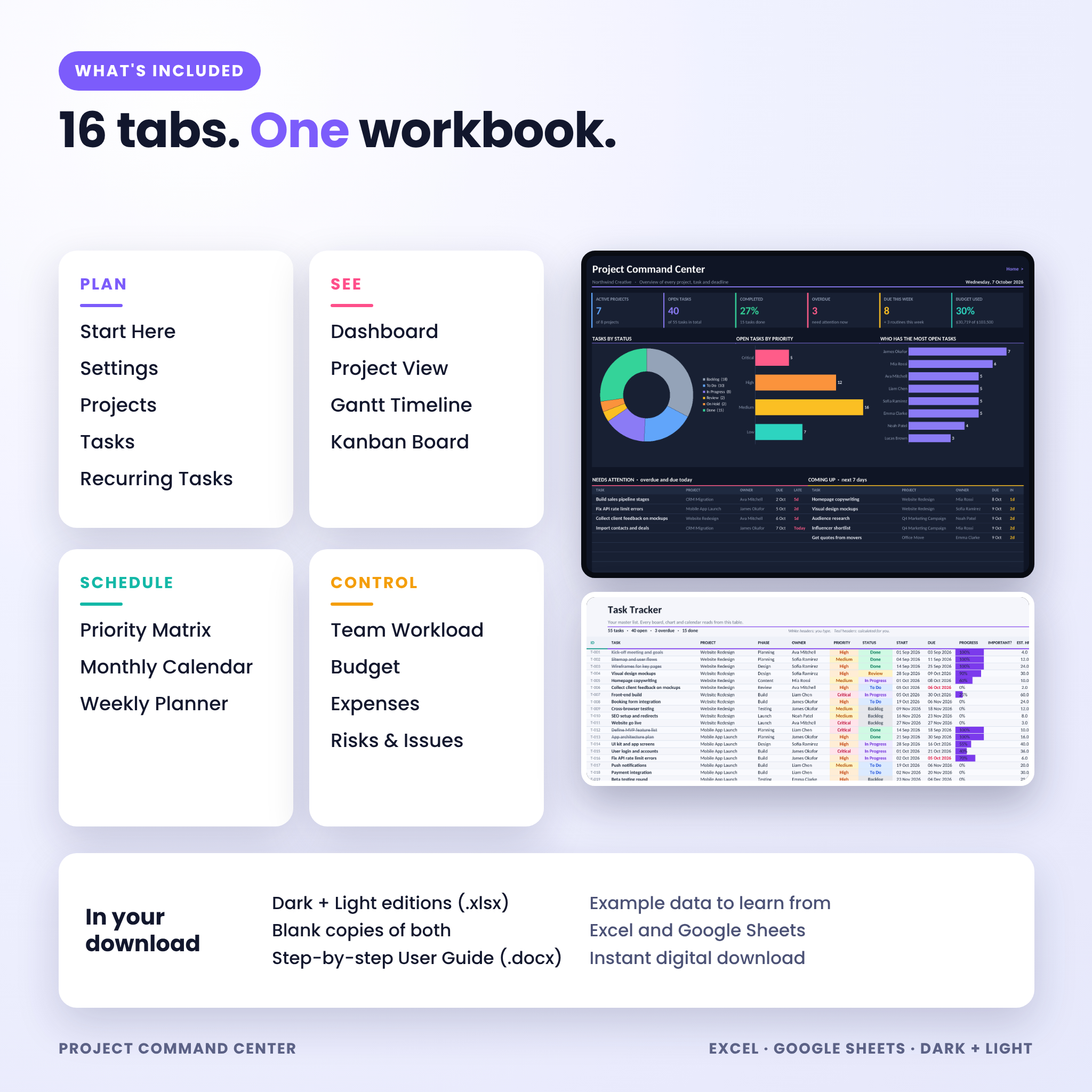
What’s inside: 16 tabs
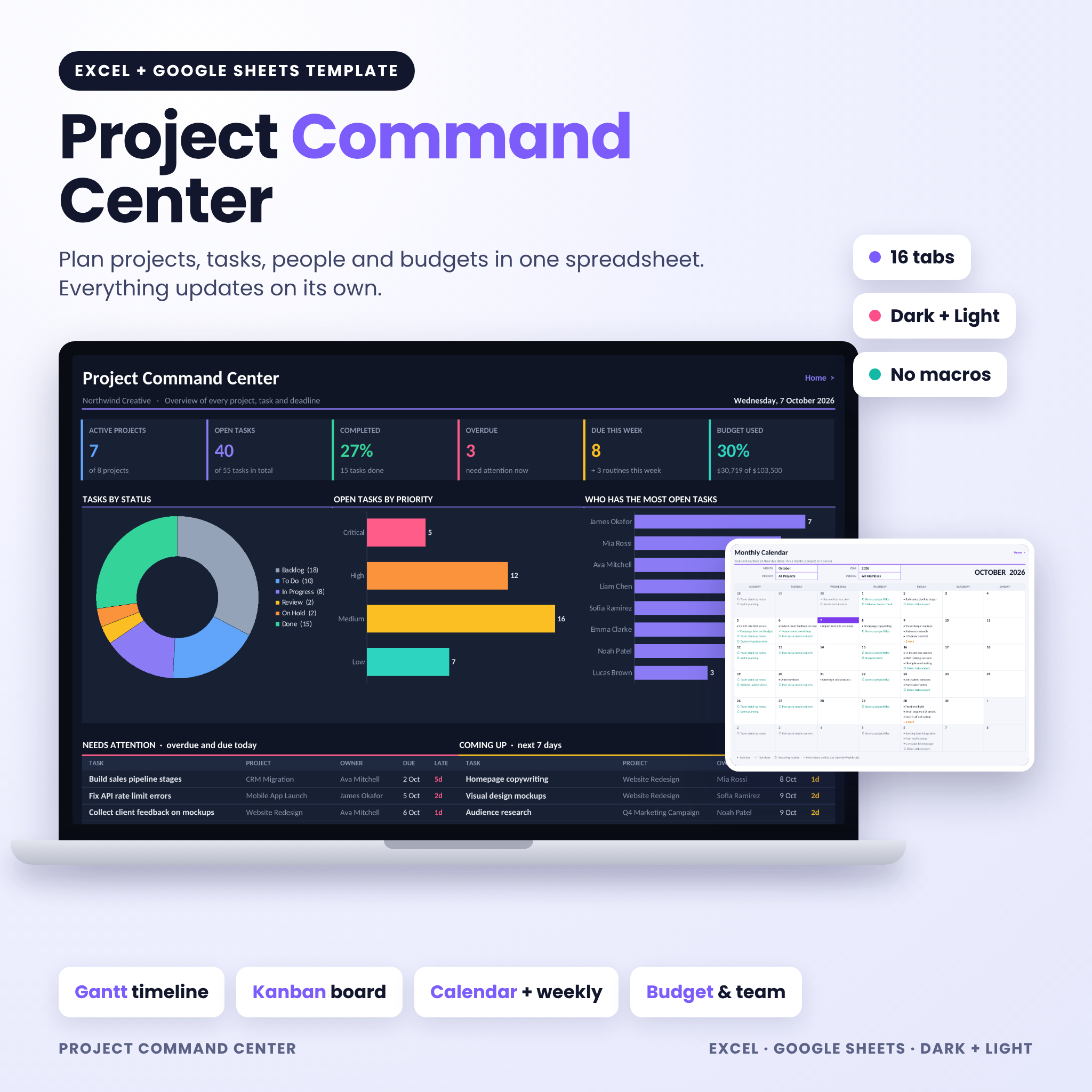
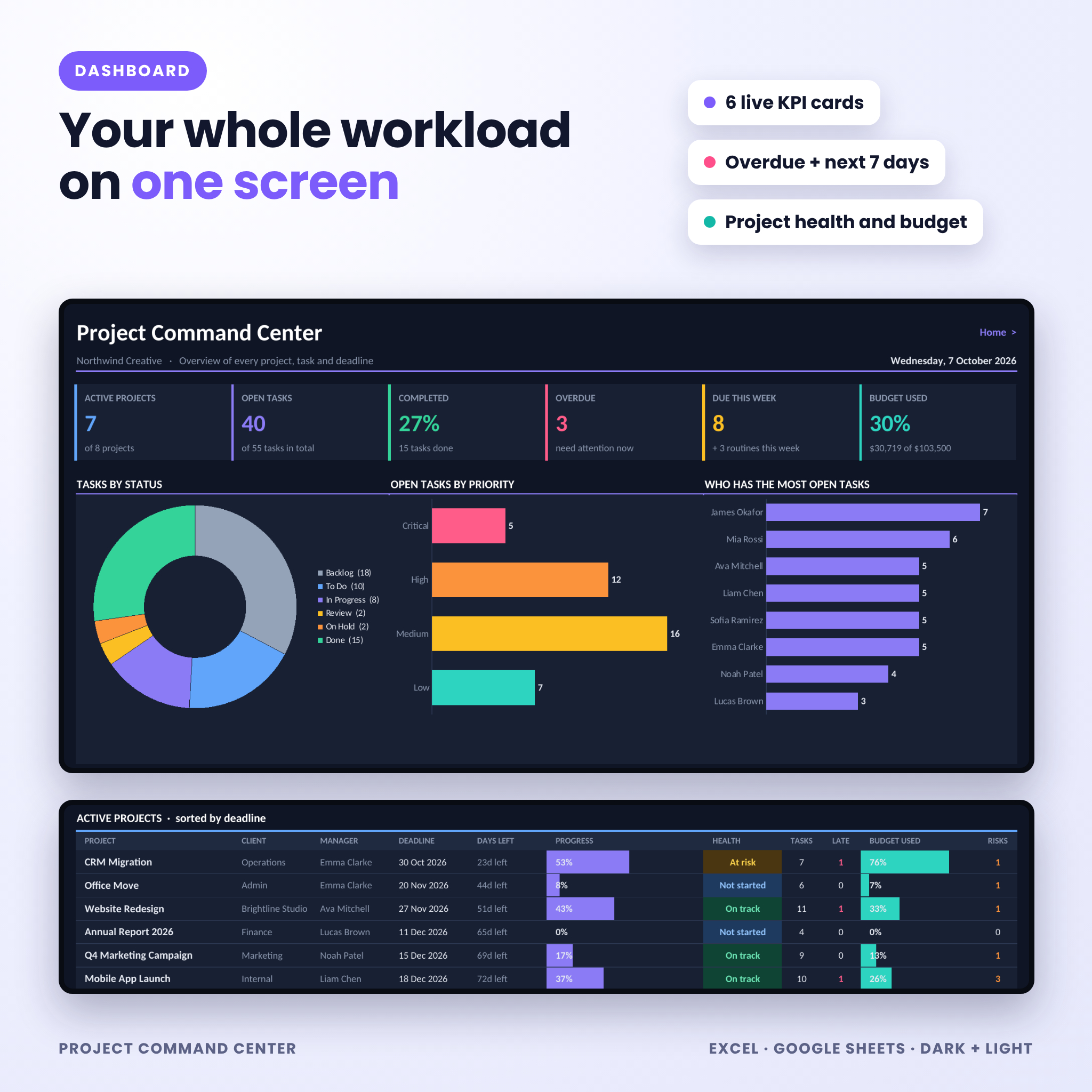
- Dashboard: 6 live KPI cards, status, priority and workload charts, an overdue list, a next-7-days list and an active projects table with health and budget used
- Project View: pick one project and see its progress, spend, team and every task
- Projects: up to 50 projects with automatic progress, spend, days left and health (On track, At risk, Overdue, Not started, Completed)
- Tasks: room for 1,000 tasks with dropdowns, progress bars, alerts and a date check that flags tasks outside their project’s dates
- Recurring Tasks: daily, weekly, every 2 or 4 weeks, monthly, quarterly, every 6 months or yearly. Next due dates move forward on their own
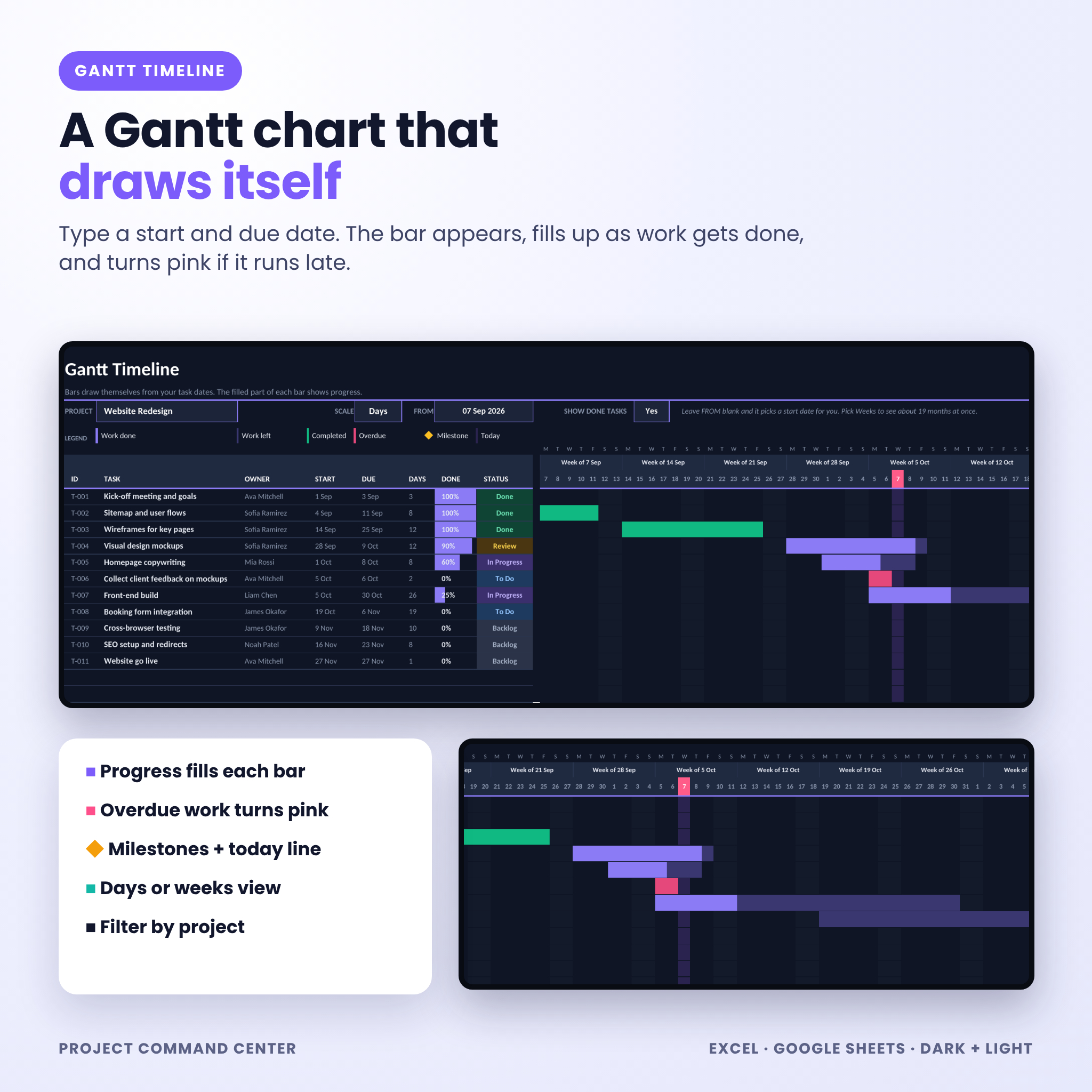
- Gantt Timeline: bars fill as work gets done, overdue bars turn pink, milestones, a today marker, a days or weeks view and a project filter
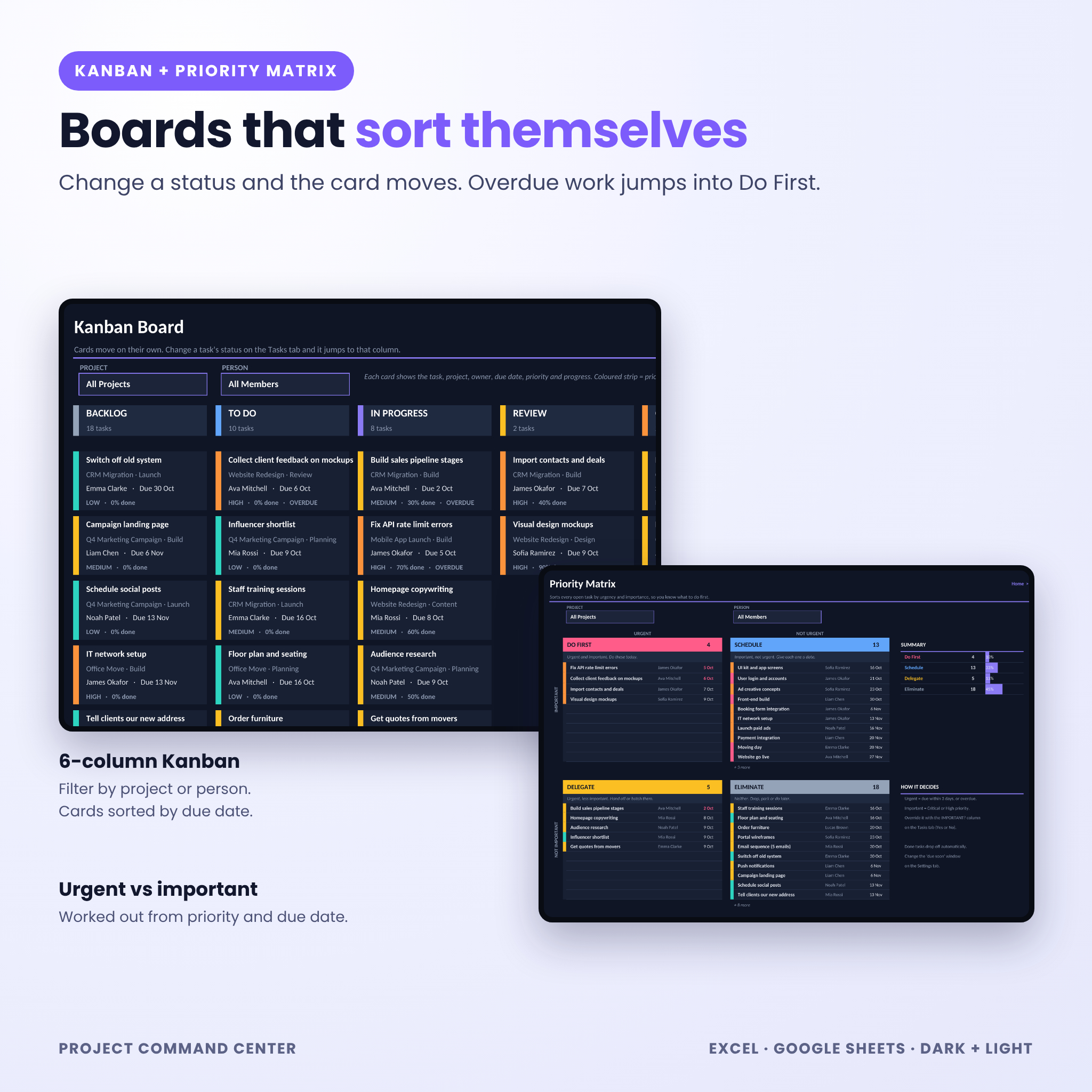
- Kanban Board: Backlog, To Do, In Progress, Review, On Hold and Done, with priority strips and filters by project or person
- Priority Matrix: open tasks sorted into Do First, Schedule, Delegate and Eliminate using due dates and priority
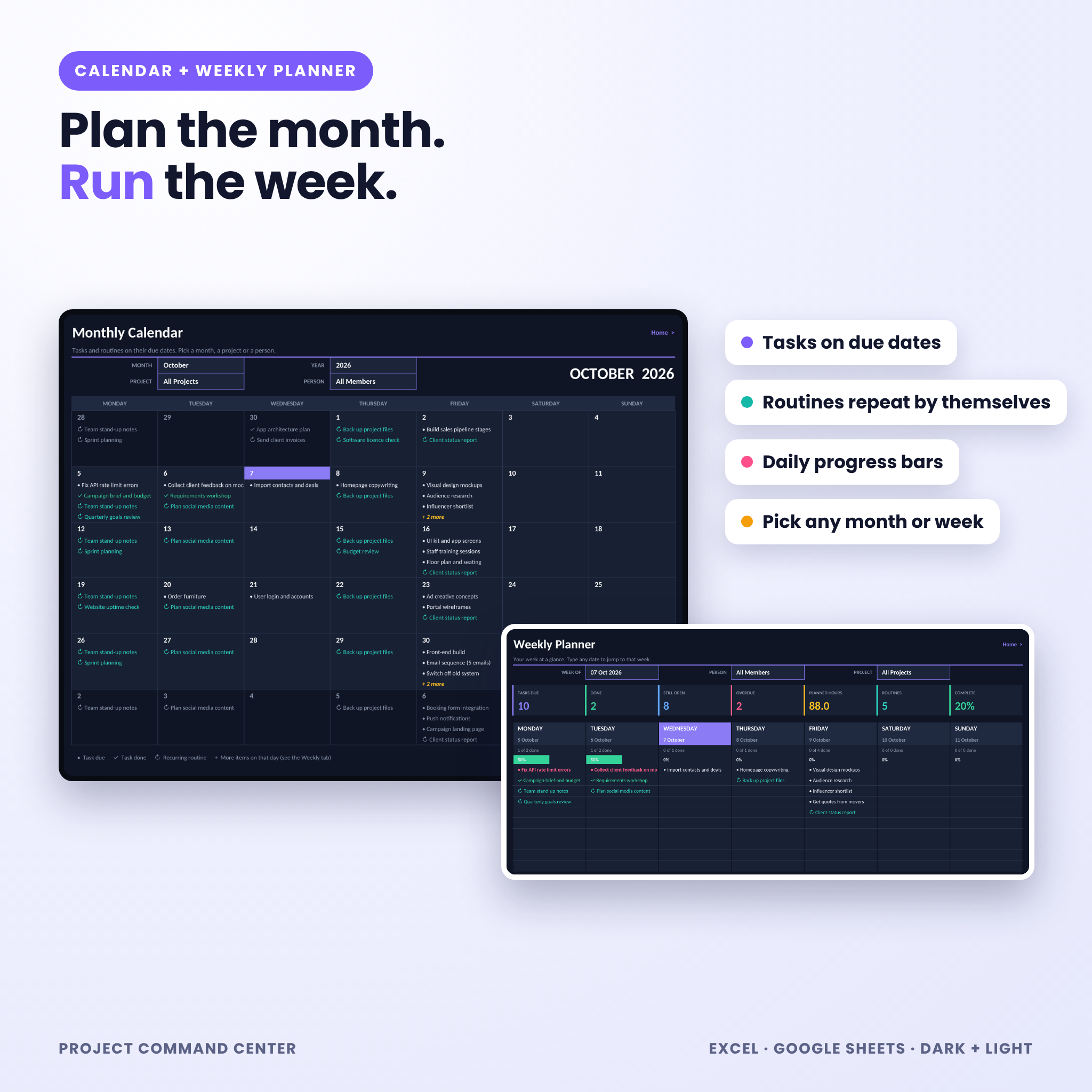
- Monthly Calendar: tasks and routines on their due dates, filtered by project or person
- Weekly Planner: 7 days with daily progress bars, weekly totals, top 3 priorities and notes
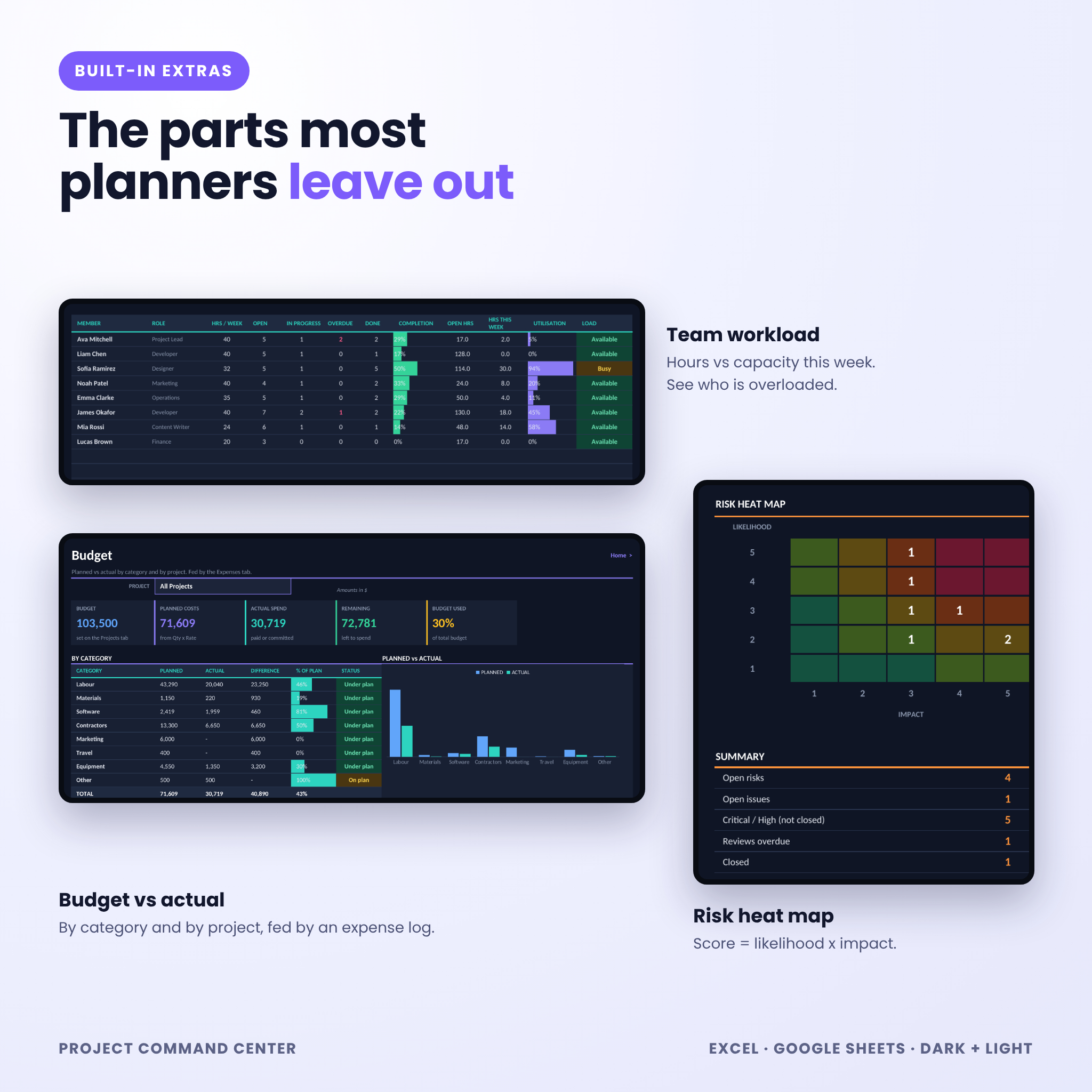
- Team Workload: open, overdue and done tasks per person, plus hours this week against capacity (Available, Busy, Overloaded)
- Budget: planned vs actual by cost category and by project, with a chart, profit and over-budget warnings
- Expenses: a 500-line cost log. Planned cost = quantity x rate
- Risks & Issues: a risk register with automatic scoring and a 5 x 5 heat map
- Settings: team, phases, cost categories, currency and week start
- Start Here: a 4-step setup and clickable links to every tab
How it works
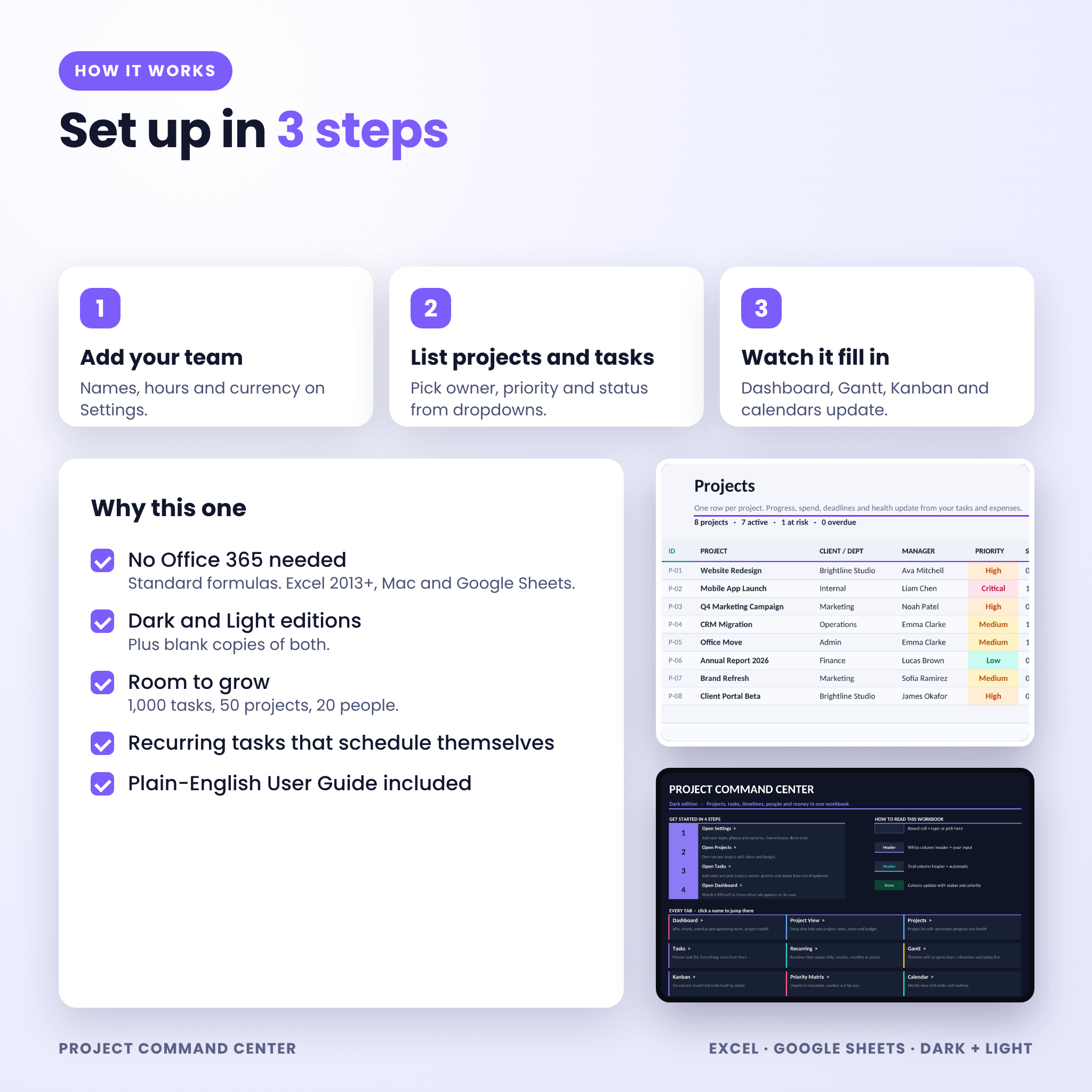
- Add your team, currency and week start on Settings.
- List your projects, then your tasks. Pick owner, priority and status from the dropdowns.
- Open the Dashboard. Everything else is already filled in.
What you get
- Project-Command-Center-Dark.xlsx (with example data)
- Project-Command-Center-Light.xlsx (with example data)
- Project-Command-Center-Dark-Blank.xlsx
- Project-Command-Center-Light-Blank.xlsx
- Project-Command-Center-User-Guide.docx (22 pages with screenshots, troubleshooting and FAQs)
Software
- Microsoft Excel 2013 or newer on Windows or Mac, including Microsoft 365 and Excel for the web
- Google Sheets (free Google account). Upload the .xlsx file and save it as a Google Sheet
- Best used on a laptop or desktop
Make it yours
Rename the workspace, add your team and phases, pick your currency and choose a Monday or Sunday week start. Colours can be changed with normal Excel formatting. The guide walks you through it.
Digital download
This is a digital product. Nothing is shipped. Your files are ready to download straight after payment. The example data in the screenshots is fictional and is included so you can see how a filled-in planner behaves.
Reviews
There are no reviews yet.