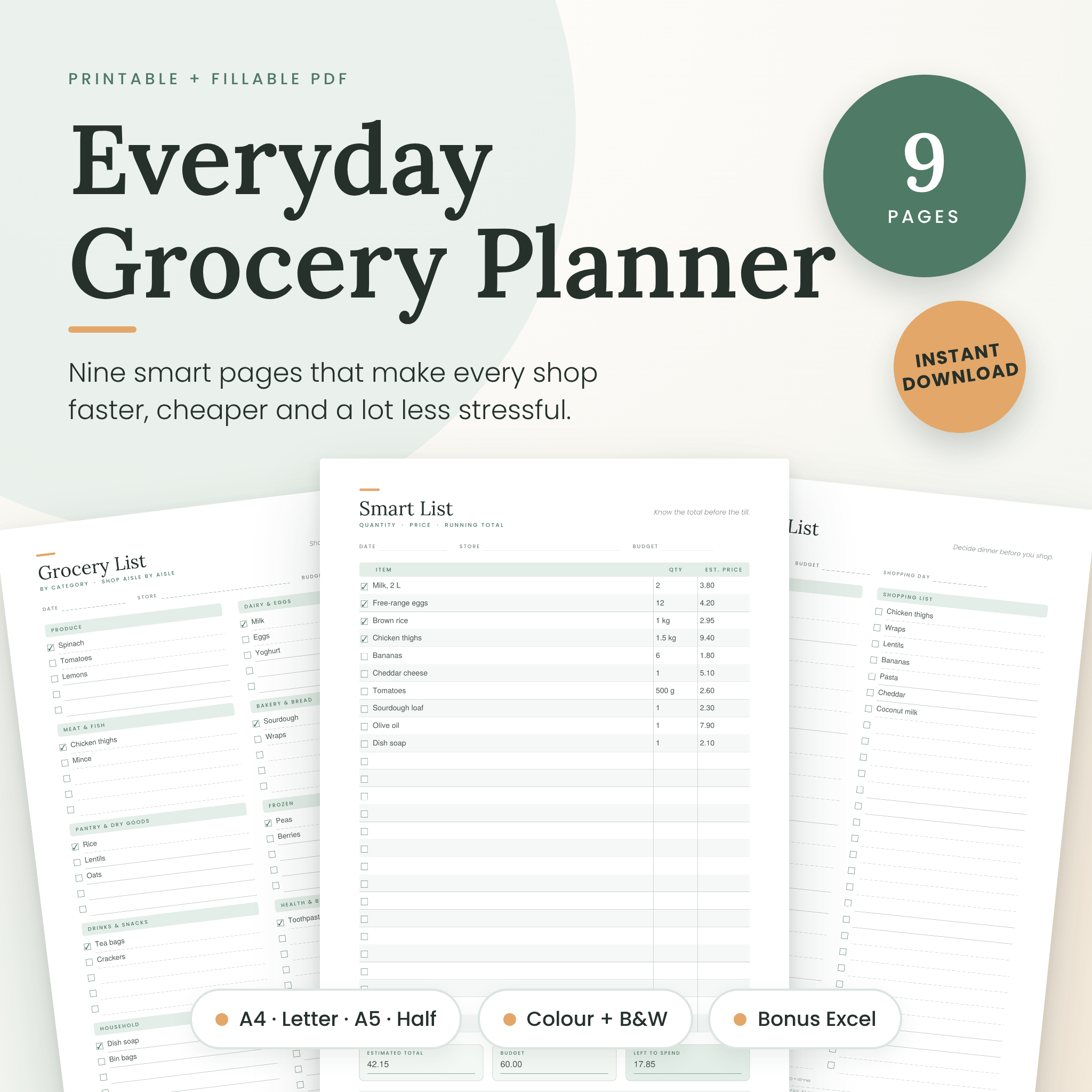



Shopping should not take this much thinking. The Everyday Grocery Planner gives you nine ready-to-use pages that turn a scrappy list into a quicker, cheaper trip. Print them. Type on them. Or do both.
What is inside
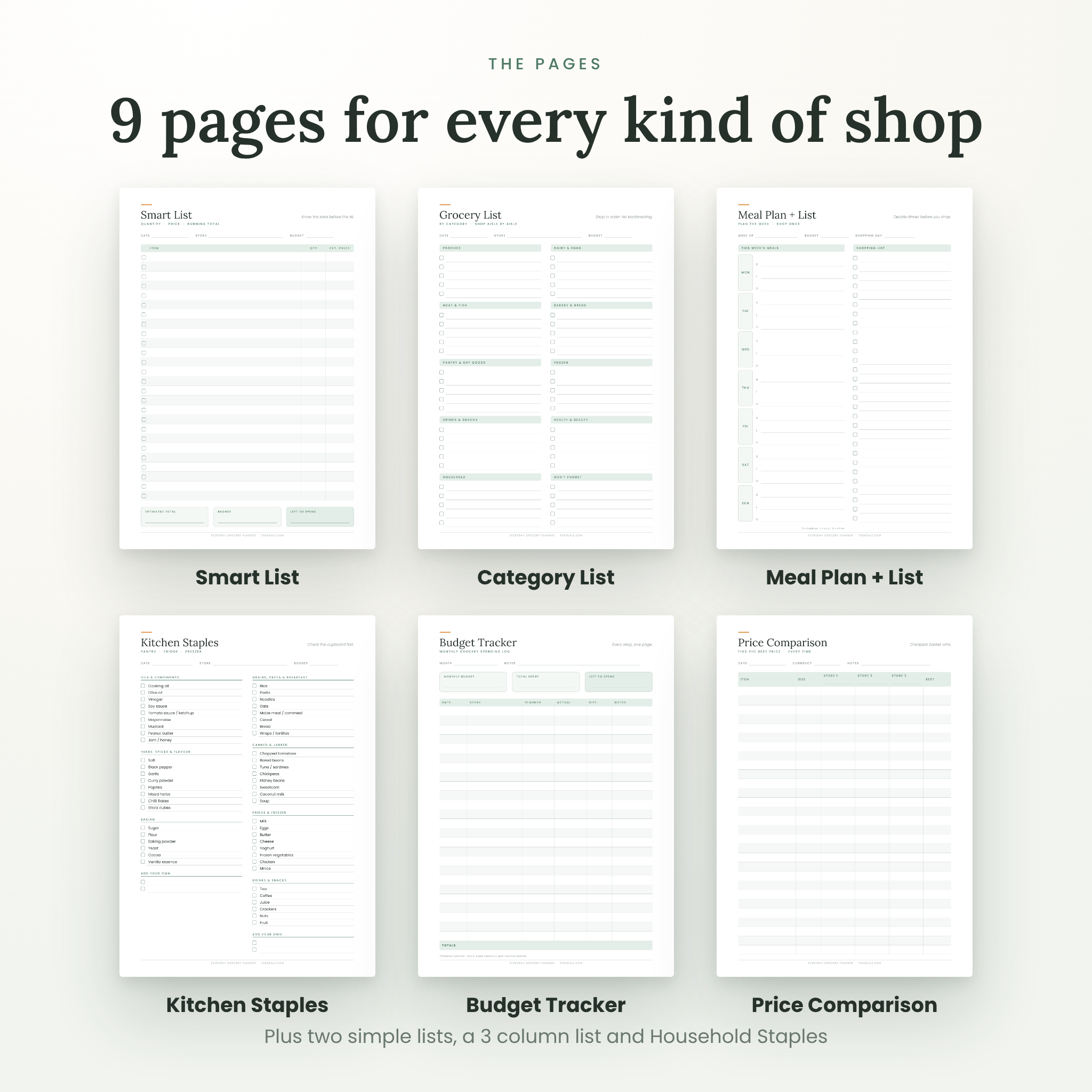
- Simple List, 2 columns: wide lines for everyday shopping.
- Simple List, 3 columns: more room for short items.
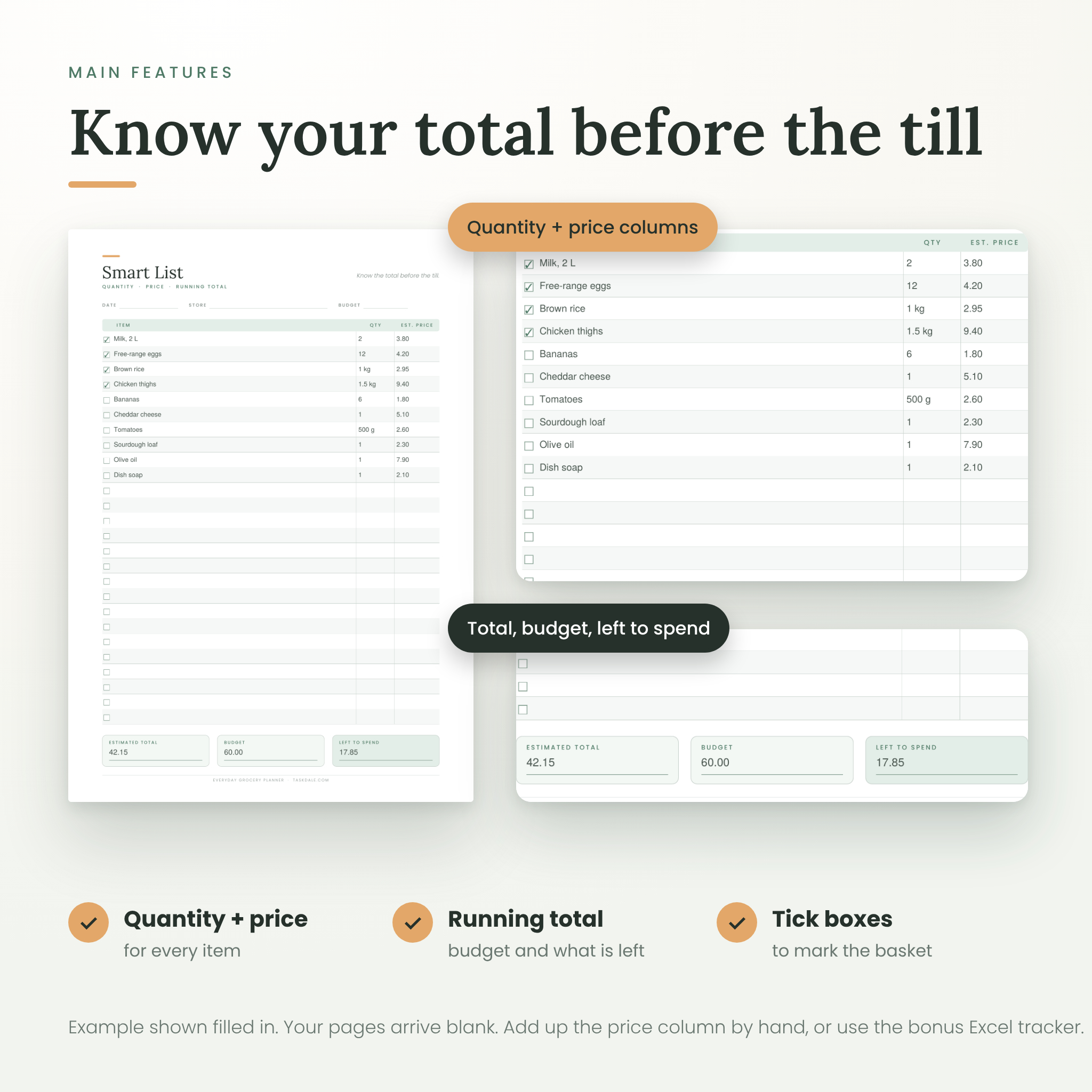
- Smart List: quantity and price columns, plus boxes for your estimated total, your budget and what is left.
- Category List: ten sections, so you shop aisle by aisle and stop doubling back.
- Meal Plan + Shopping List: a week of breakfasts, lunches and dinners with a list right beside it.
- Kitchen Staples Checklist: 53 pantry, fridge and freezer basics to tick off.
- Household Staples Checklist: 40 cleaning, bathroom, family and pet items people always forget.
- Monthly Budget Tracker: log every shop, planned against actual.
- Price Comparison Sheet: find the cheapest store for the things you buy every week.
Four sizes, two looks, one download
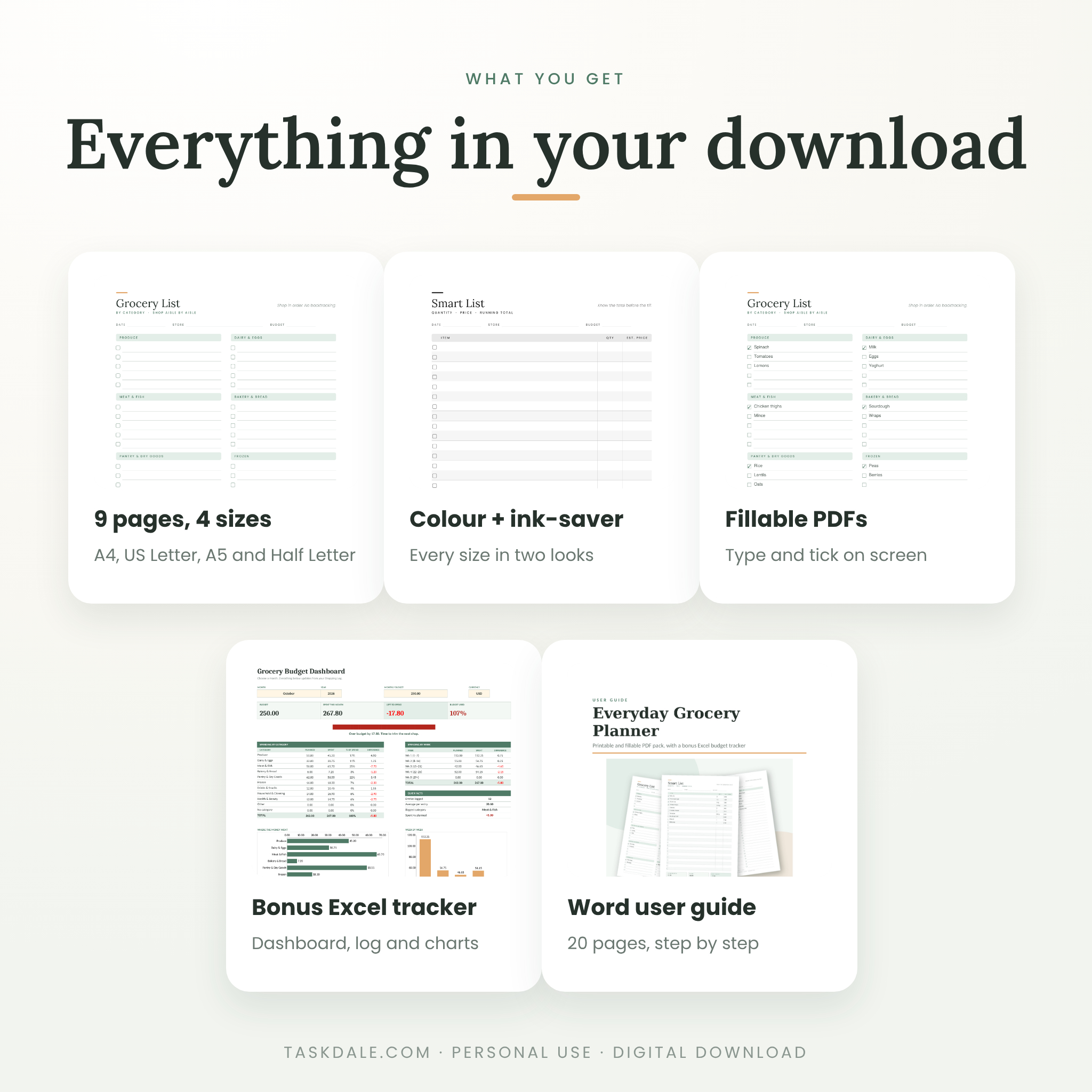
Every page comes in A4, US Letter, A5 and Half Letter. Each size has a soft green colour version and an ink-saver black and white version. Side margins are wide, so a hole punch will not eat your writing.
Fillable PDFs included
Would you rather type? Every page also comes as a fillable PDF. Click a line and type. Click a box to tick it. Bookmarks help you jump to any page. Save a copy each week and keep a clean master.
Bonus: Excel Budget Tracker
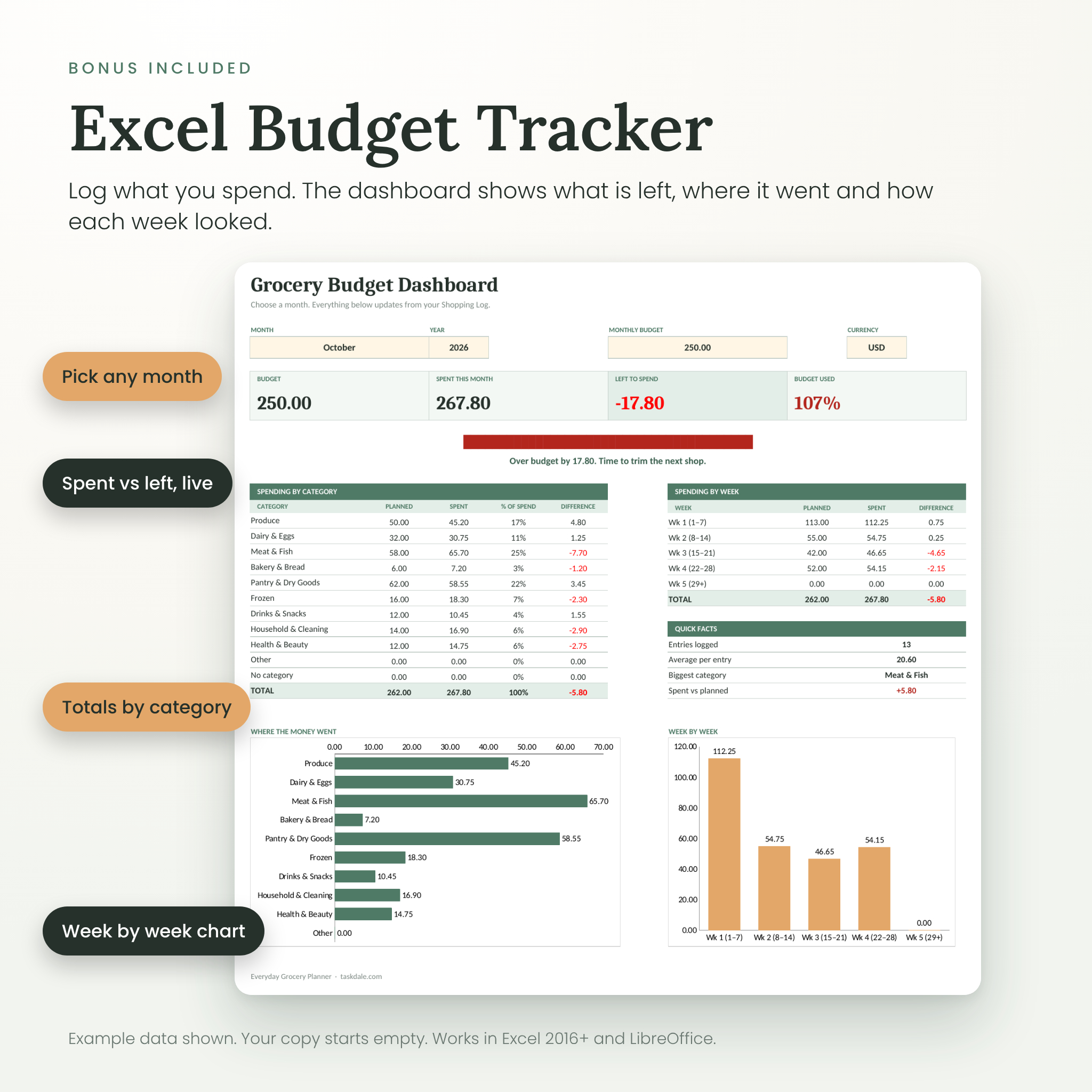
Log what you spend and the dashboard does the rest. You get a month picker, budget and spent tiles, a progress bar, spending by category, spending by week and two charts. The log has room for 300 entries, with dropdown categories you can rename. Totals and differences work themselves out.
Step-by-step user guide
A 20-page Word guide explains every page, how to print at the right size, how to use the fillable files and the Excel tracker, plus troubleshooting and answers to common questions.
Who it is for
- Families and busy households
- Students and flat-mates sharing a shop
- Anyone keeping an eye on the food budget
- Meal planners who want the list to match the menu
Why you will like it
- Shop faster. Lists sorted by aisle mean one walk round the shop.
- Spend less. Estimate the total first, then check your real spending in the tracker.
- Forget less. The staples pages help you check the cupboard before you go.
- Waste less. Plan the week’s meals and buy only what you will cook.
How it works
- Buy and download. You get a zip file straight away.
- Unzip it and open the folder for your paper size.
- Print at Actual size (100%) or open a fillable PDF and type.
- Shop, tick things off and log your spending.
What is in the zip file
- 01 Printable PDFs: A4, US Letter, A5 and Half Letter, each in colour and ink-saver black and white (9 pages per file)
- 02 Fillable PDFs: all four sizes, colour
- 03 Bonus Excel Budget Tracker (.xlsx)
- 04 User Guide (.docx)
File formats and software
- PDF files: open with Adobe Acrobat Reader (free), or any browser. Acrobat Reader works best for the fillable files.
- Excel tracker: built for Microsoft Excel 2016 or newer and tested in LibreOffice Calc. Google Sheets can open it, but the charts may look a little different.
- User guide: Microsoft Word, or any app that opens .docx files.
Customising
The printed pages have fixed designs and wording. You can write on them, type into the fillable versions and use the Add Your Own lines on the staples pages. In the Excel tracker, you can rename the categories and change the budget, month and year.
Digital download
This is a digital product. Nothing is shipped. You can download the files straight after payment. Print as many copies as you like for your own home. The files are for personal use only and may not be resold, shared or redistributed.
Reviews
There are no reviews yet.