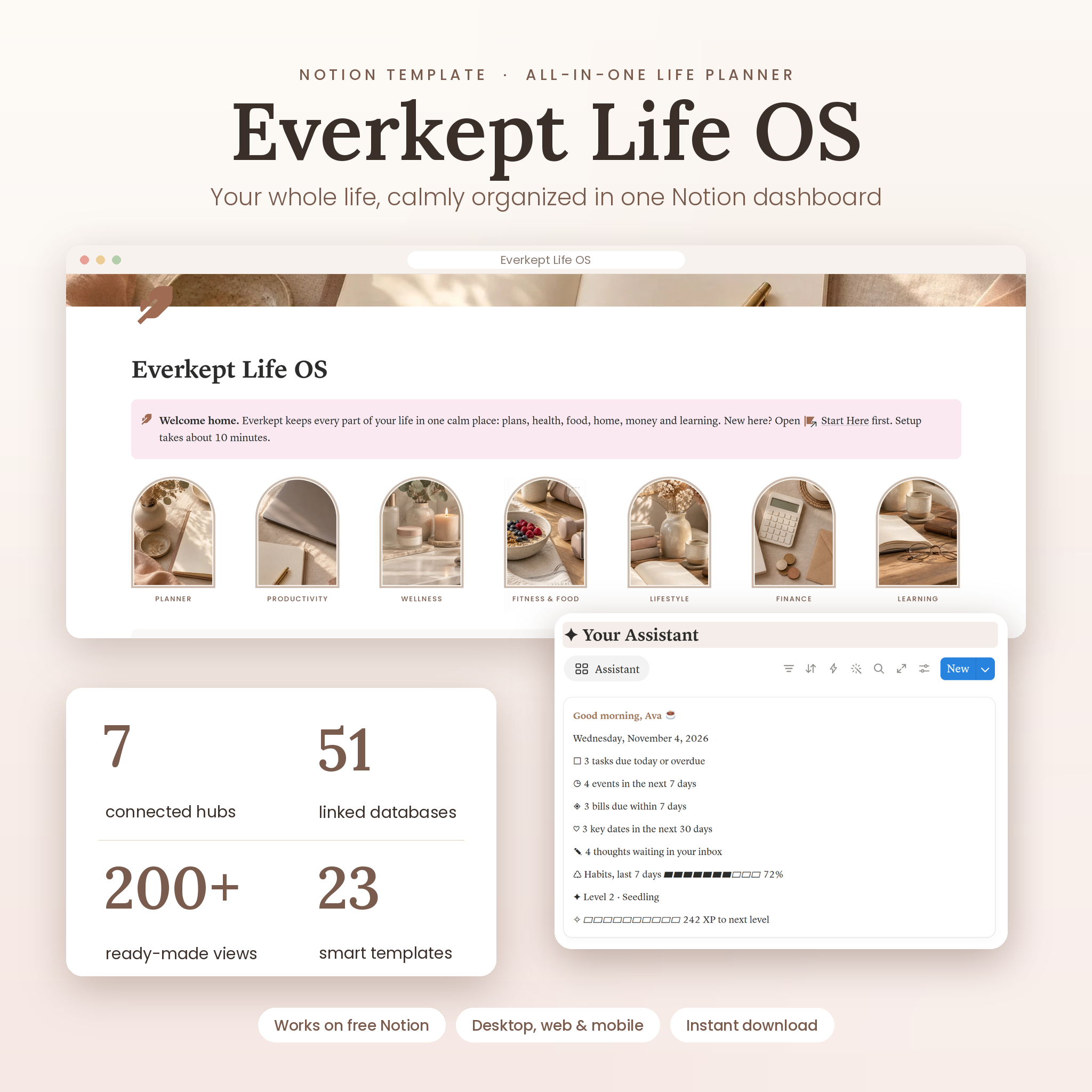


Everkept Life OS is an all-in-one Notion life planner template that brings your days, goals, health, meals, home, money and studies into one calm, beautifully designed dashboard. Seven connected hubs, 51 linked databases and dozens of automatic calculations do the busywork for you, so you spend less time organizing and more time living. It works on the free Notion plan on desktop, web, iPhone, iPad and Android.
Your Whole Life in One Notion Life Planner
Most planners make you write the same thing in five places. Everkept is built on a simple idea: log once, see everywhere. A 60-second Daily Check-in records your mood, energy, sleep, water, steps, habits and no-spend days, and every hub picks it up automatically. Your Assistant on the Home page greets you by name and tells you what is due today, which events and bills are coming up, whose birthday is next and how your habit streak looks.
The design follows a soft, warm palette of oat, blush and taupe with arch-framed photography, serif headings and clean section bars, so it feels like a premium paper planner while doing everything a digital second brain should.
Who It Is For
- Busy professionals who want work, health, home and money in one place
- Students who need classes, weighted grades and deadlines next to everyday life
- ADHD-friendly planners who like clear “what’s next” lists, gentle reminders and visual progress
- Anyone tired of juggling several apps, notebooks and spreadsheets
What’s Included
Home Dashboard
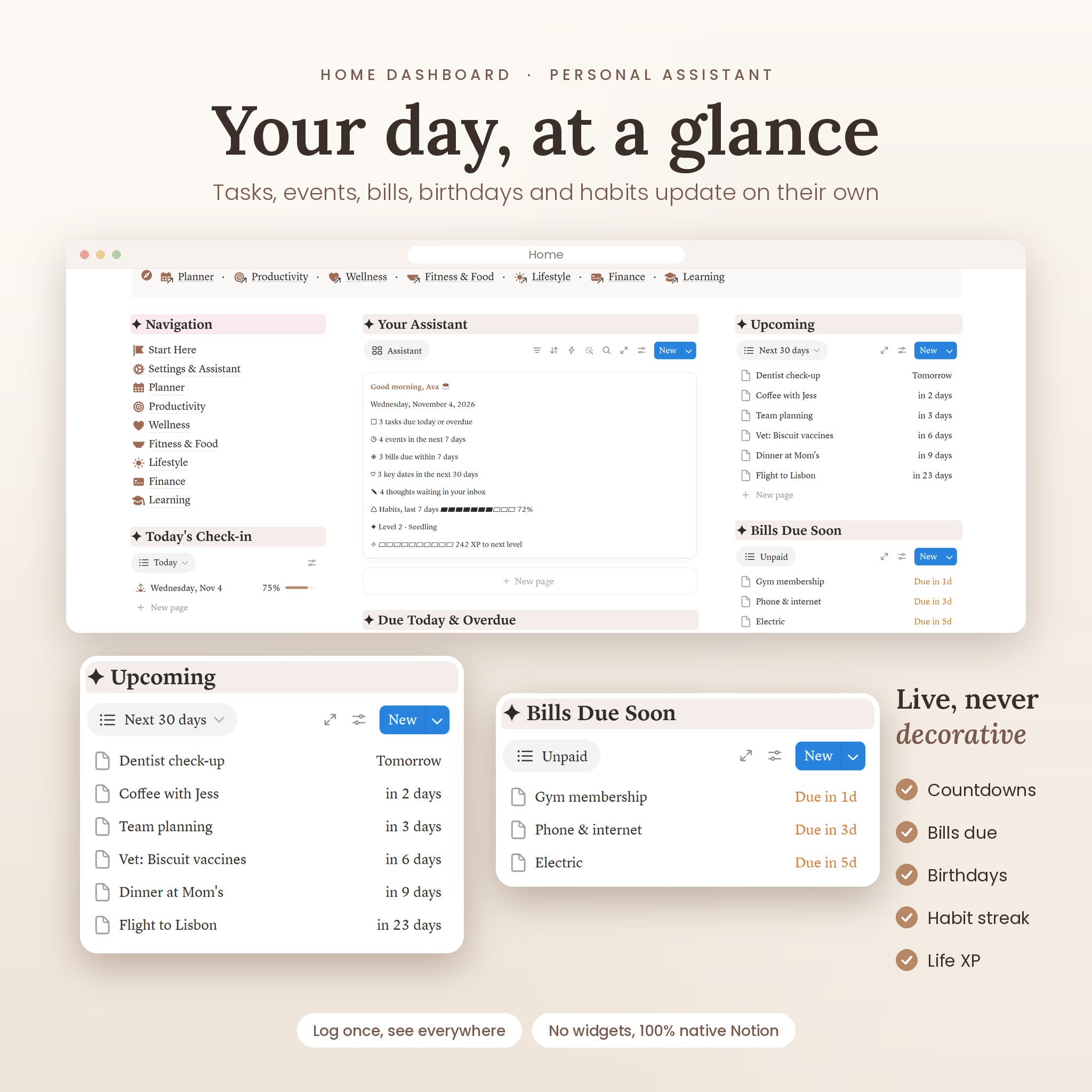
- Personal Assistant card: greeting, today’s date, tasks due, events this week, bills due, key dates in the next 30 days, inbox count, 7-day habit streak, Life XP and level
- Today’s check-in, a weekly habit grid, tasks due today and this week, upcoming events, bills and birthdays
- Sunday reset checklist and one-tap navigation to every hub
Planner Hub
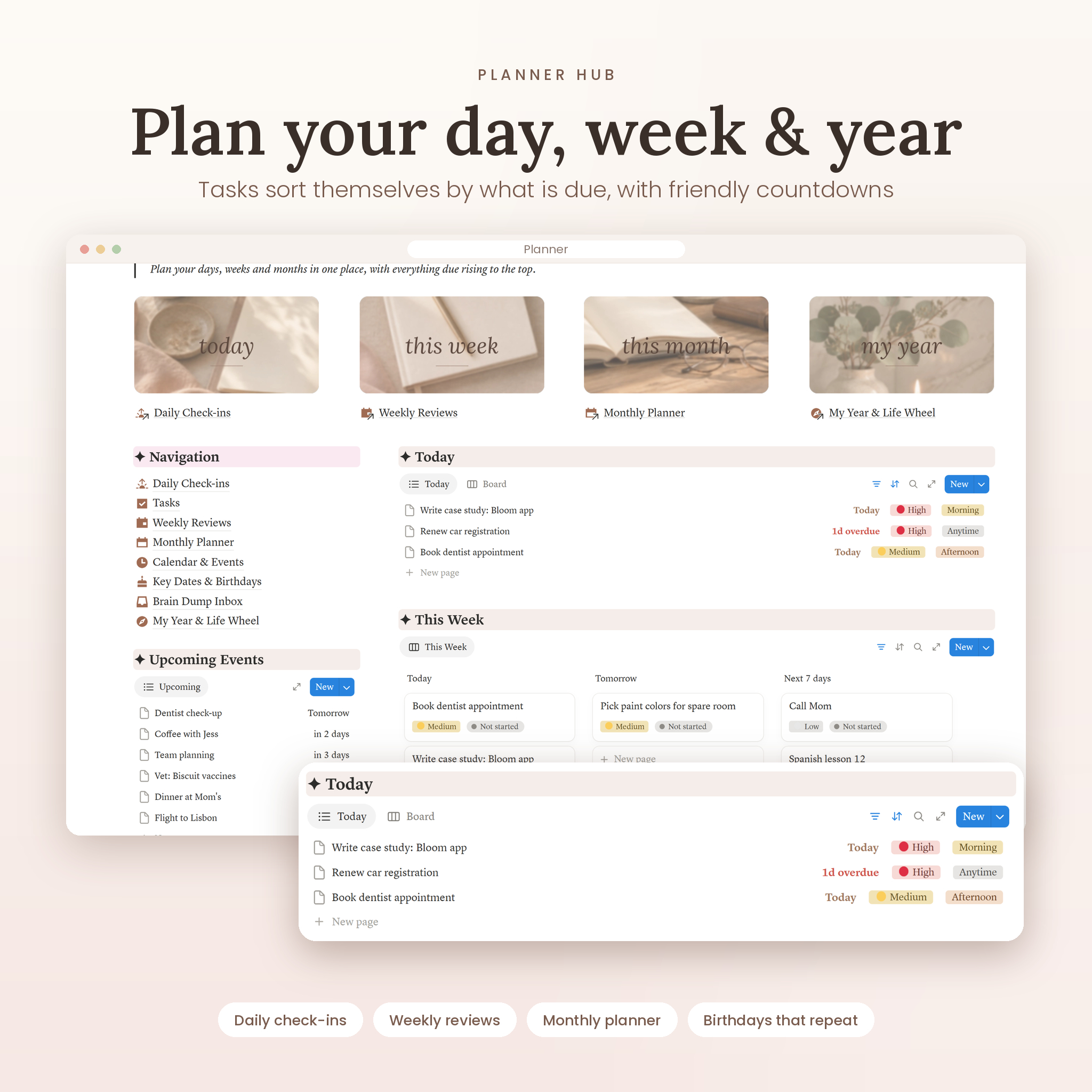
- Daily Check-ins with 8 renameable habits, habit score bar, water goal ring and a color-coded habit grid
- Tasks with countdowns (“Today”, “Tomorrow”, “2d overdue”), board, calendar, this-week and by-area views
- Weekly Reviews and Monthly Planner with guided prompts
- Calendar & Events, Brain Dump Inbox, and My Year & Life Wheel (rate 8 life areas)
- Key Dates & Birthdays that recalculate every year, including age and anniversary years
Productivity Hub
- Projects with automatic progress from linked tasks, hours logged and days left
- Goals & Milestones with progress bars and gamified badges
- Time & Focus Log with weekly totals and a 🍅 for every 25 minutes of focus
- Notes & Ideas second brain with tags, favorites and links
Wellness Hub
- Mood calendar, sleep, water and movement views fed by your check-ins
- Medications & Supplements with supply left and refill alerts
- Symptom Log, Therapy & Reflection, Cycle Tracker with estimates, Skincare Shelf with expiry dates
Fitness & Food Hub
- Meal Plan with daily calorie and protein totals pulled from your recipes
- Recipe Book gallery, Workout Log with weekly totals, Exercise Library with 18 starter moves, Body Measurements
- Pantry & Grocery List that adds low-stock staples to your shopping list automatically
Lifestyle Hub
- Morning, evening, weekly reset and self-care routines
- Journal (daily, gratitude, dream), photo Vision Board, Wardrobe & Outfits with cost per wear
- Library for books, audiobooks, shows, podcasts and courses with progress bars and star ratings
- Plant Care, Pet Care, Cleaning & Chores schedule, Home Inventory with warranty status
- Travel Planner with countdown and packed %, Date Nights & Bucket List, Gift Planner with budget check
Finance Hub
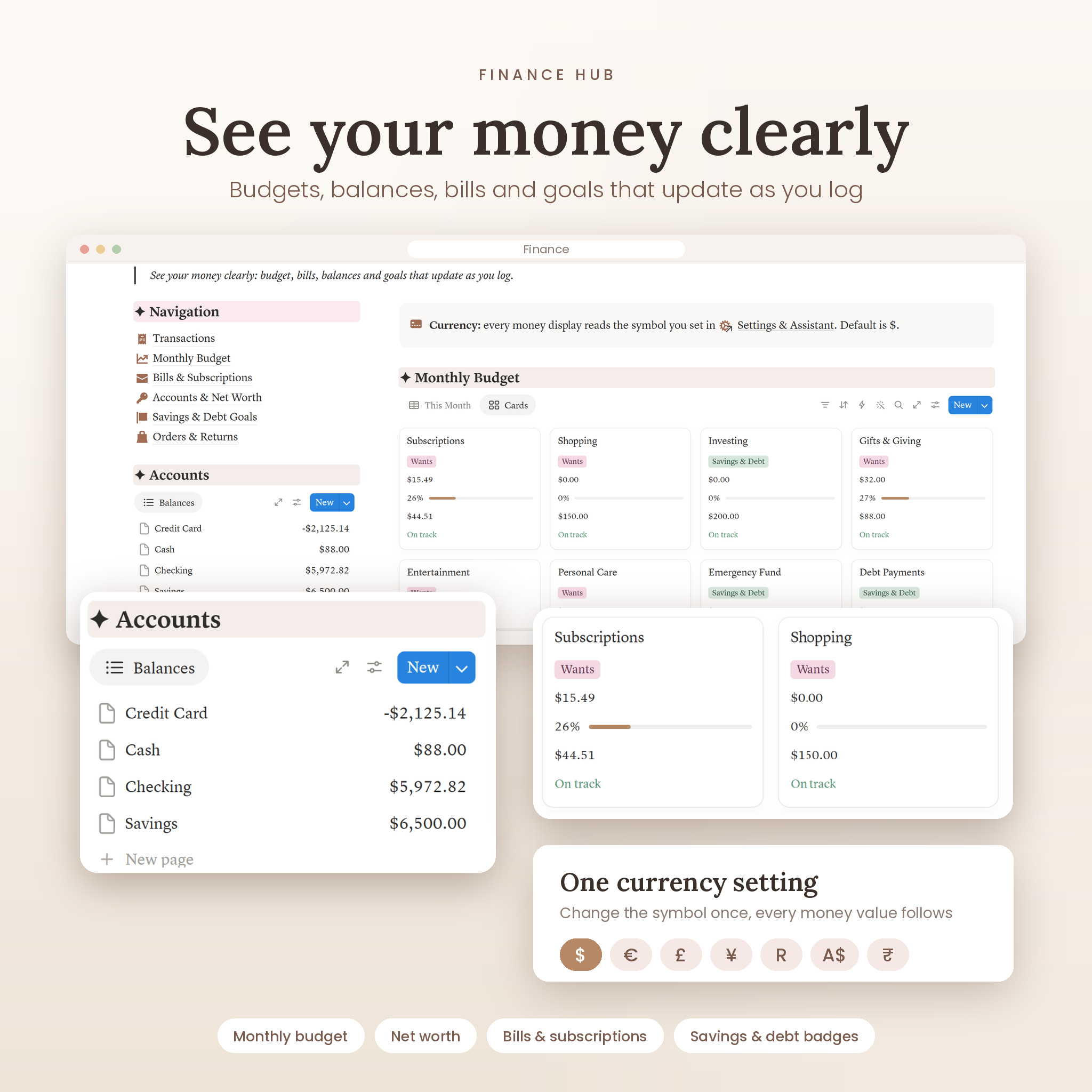
- Transactions with this-month, monthly overview, income, expenses and transfers views
- Monthly Budget with spent vs. budget bars and On track / Watch it / Over budget status
- Accounts & Net Worth that update from your transactions and transfers
- Bills & Subscriptions with true monthly and yearly cost, Savings & Debt Goals with badges, Orders & Returns with return-window countdown
- One currency setting: change the symbol once and every money display updates ($ by default)
Learning Hub
- Courses with weighted current grade and letter grade
- Assignments & Exams with countdowns, Class Notes, Language Learning with spaced review
- Job Applications pipeline with follow-up reminders, plus ready-made checklists (dorm, moving, emergency kit)
How It Works
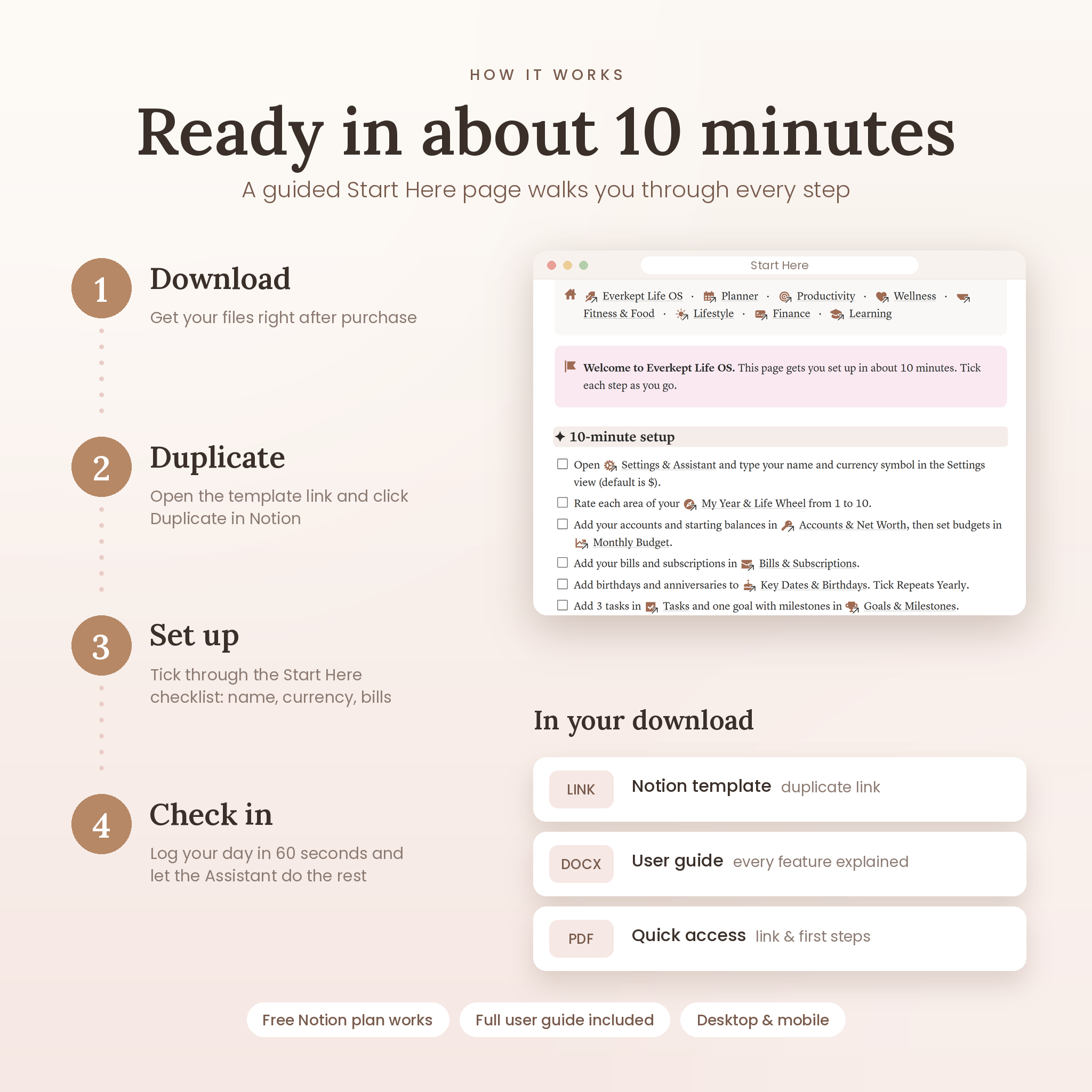
- Buy and download your files instantly.
- Open the PDF access sheet (or the DOCX user guide) and click your template link.
- Click Duplicate in Notion to copy Everkept into your own workspace.
- Follow the 10-minute Start Here page: add your name and currency, rate your life wheel, add accounts, bills and birthdays.
- Do your first Daily Check-in and let Everkept start working for you.
Why Everkept Is Different
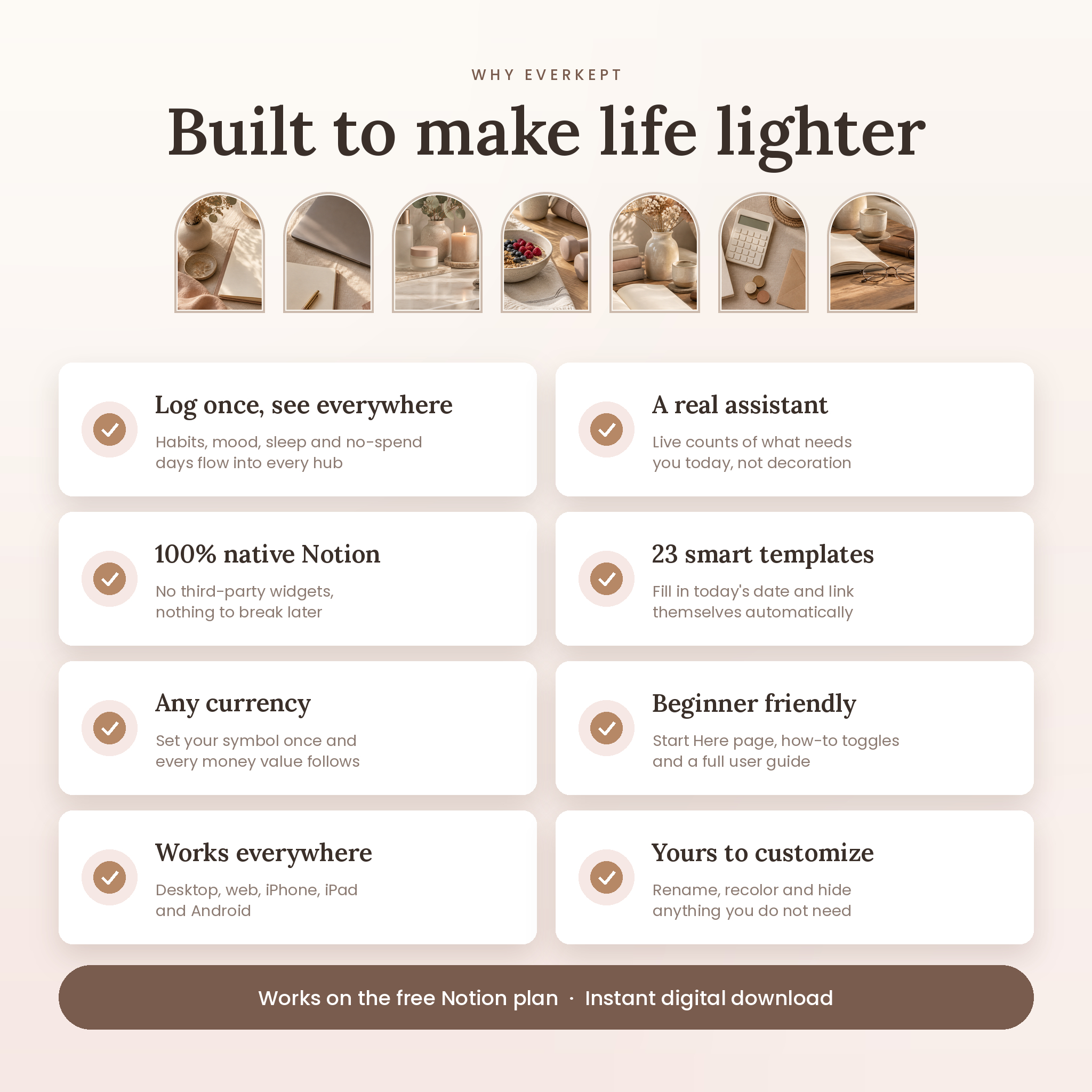
- Log once, see everywhere: no double entry for habits, mood, sleep, water or no-spend days.
- A real assistant: live counts of what needs attention, not decorative text.
- No third-party widgets: 100% native Notion, so nothing breaks when an outside service changes.
- Smart templates: 23 page templates fill in today’s date and link themselves to your Assistant.
- Gamified progress: Life XP, levels, goal badges and savings badges keep you motivated.
- Starter content: budget categories, accounts, routines, chores, exercises and checklists ready to edit.
Use Cases
- Plan a calm Monday: check your Assistant, pick three priorities and see bills due this week.
- Run a household: meal plan, auto shopping list, chore schedule and family birthdays in one place.
- Pay off a credit card: log payments and watch the debt goal fill and unlock badges.
- Survive finals week: see every exam countdown and your current grade per course.
- Build habits: tick 8 habits a day and watch your weekly streak and habit grid fill in.
- Plan a trip: countdown, budget left, itinerary template and a packing list with packed %.
File Format & Requirements
- Format: Notion template (duplicate link) + DOCX user guide + PDF quick-access link sheet
- Requires a Notion account. The free plan works.
- Works in Notion on Windows, Mac, web browsers, iPhone, iPad and Android
- US English, any currency (set your symbol once)
Customization
Rename habits, categories and options, change colors, swap in your own cover photos, hide hubs you do not need and add your own properties. Everything is editable in your copy.
Digital Download
This is a digital product. No physical item will be shipped. Your files are available to download right after purchase. Licensed for personal use only: please do not share the template link, resell or redistribute.
FAQ
Do I need Notion Plus or a paid plan?
No. Everkept works on the free Notion plan.
Does it work on my phone?
Yes. It works in the Notion app on iPhone, iPad and Android. Columns stack neatly on small screens.
How do I get the template after buying?
Download the files, open the template link and click Duplicate. It copies into your Notion workspace in seconds.
Can I use a currency other than dollars?
Yes. Type your symbol once in Settings & Assistant and every money display updates.
Is it beginner friendly?
Yes. A Start Here page, “How to use this page” guides on every tracker and a full user guide walk you through everything.
Does it use external widgets or integrations?
No. It is built entirely with native Notion features.
Can I remove the hubs I don’t need?
Yes. Delete or hide any section or arch. The rest keeps working.

Reviews
There are no reviews yet.