Job hunting gets messy fast. After the first twenty applications it is hard to remember who replied, which recruiter you owe an email, and whether that interview is Tuesday or Thursday. The Offerline job application tracker is an Excel spreadsheet that holds your whole search in one calm place and does the follow-up math for you.
You type in the facts: company, role, date applied, status. The workbook works out when to follow up, counts down to each interview, tracks your weekly goal and shows which job sites actually lead to interviews.
Why this job application tracker is different
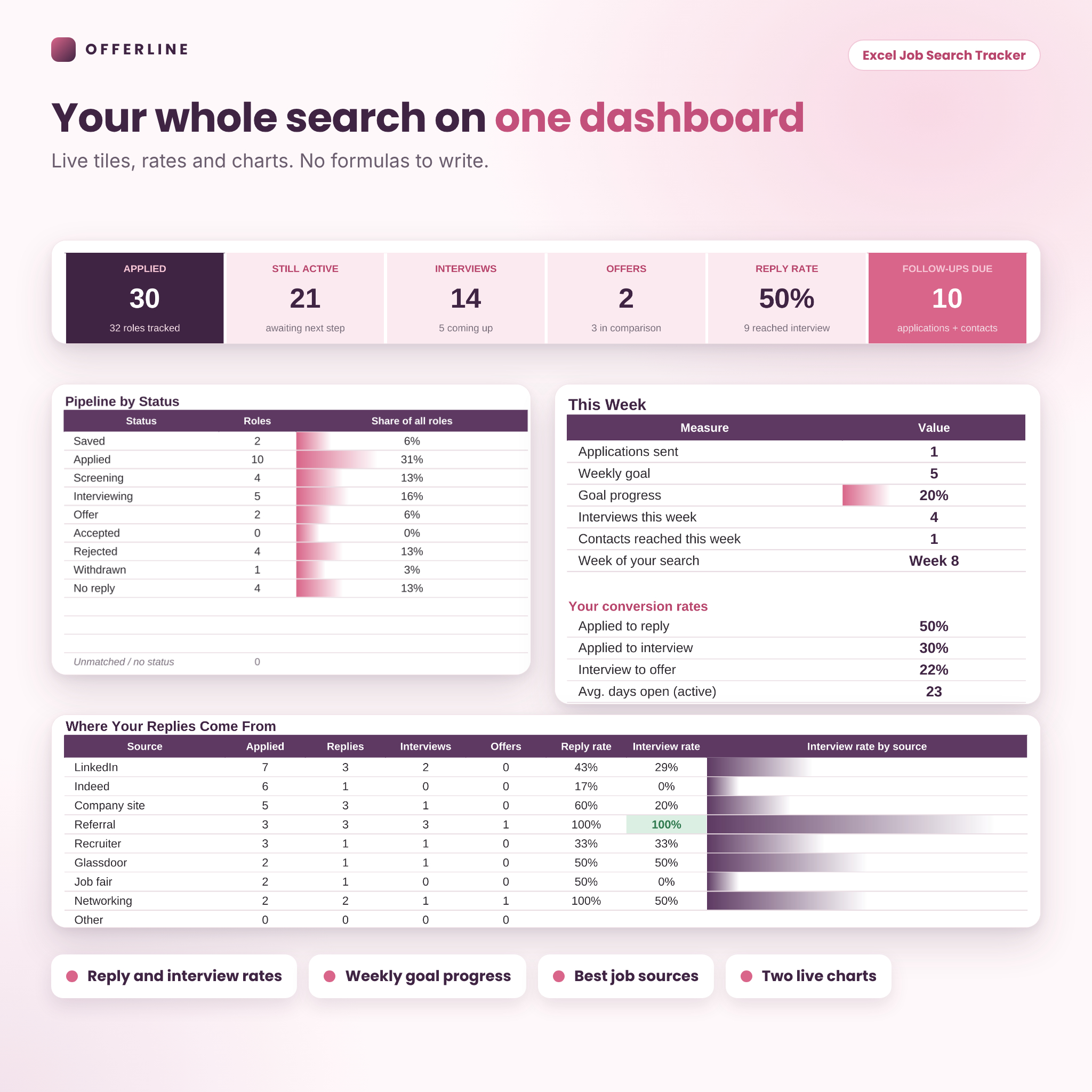
Most trackers are a single table with a status column. Offerline links nine tabs together, so one update on Applications flows into the Dashboard, the weekly goal, the follow-up list and the source report. No formulas to write and no copying between sheets.
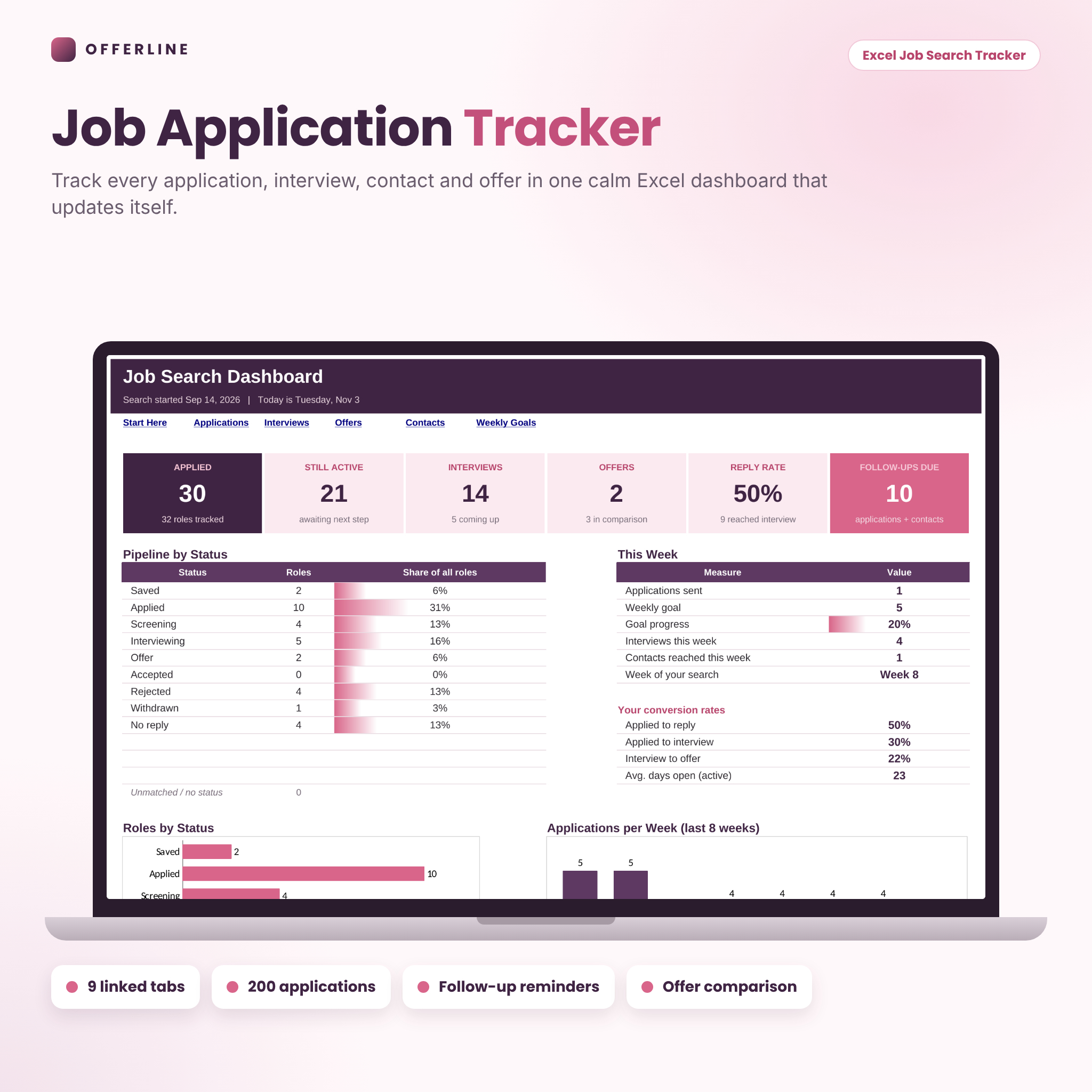
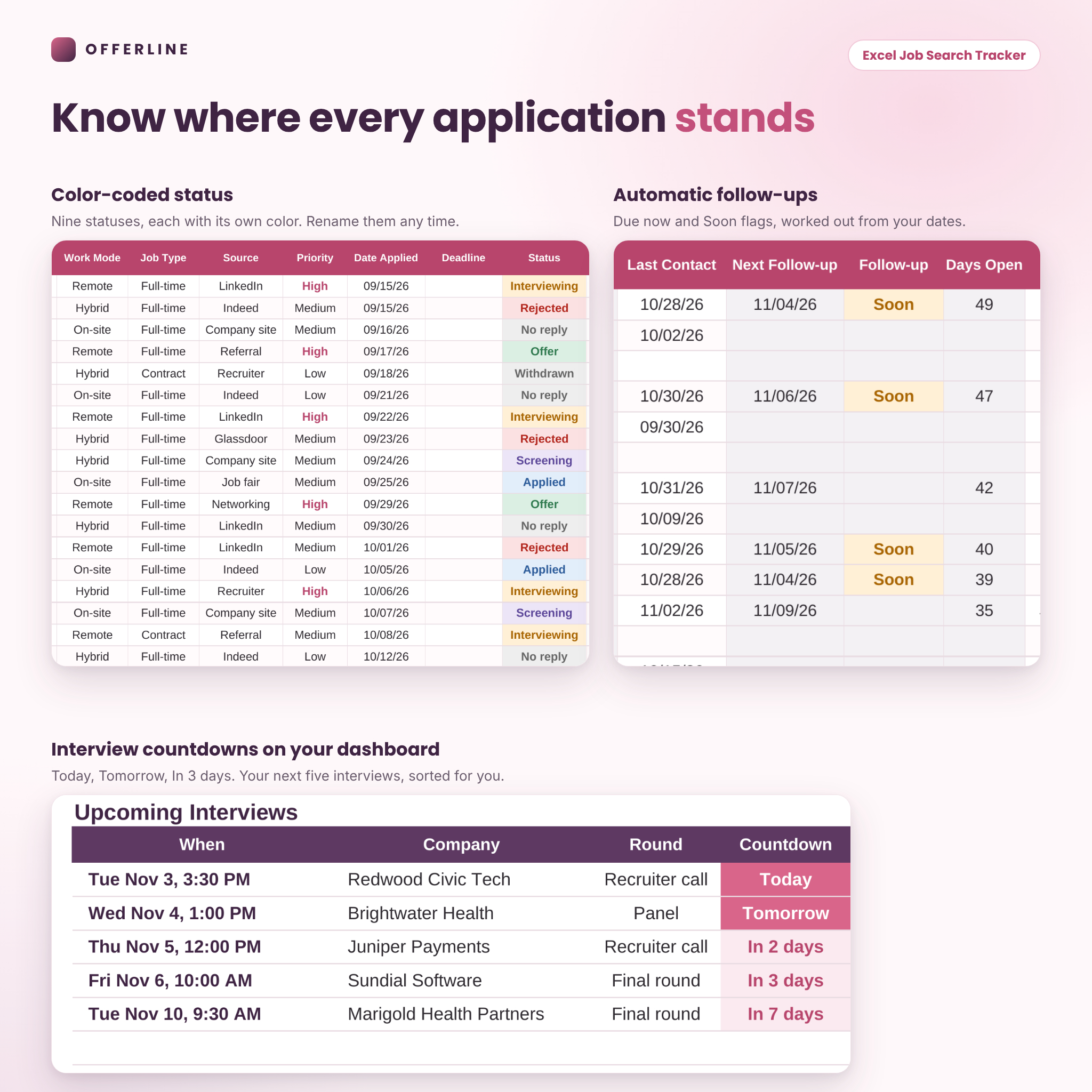
- Follow-up reminders that work themselves out. Set how many days to wait and each active role gets a Next Follow-up date. Roles flag as Soon, then Due now.
- Real reply rates. See applied to reply, applied to interview and interview to offer, plus which source wins.
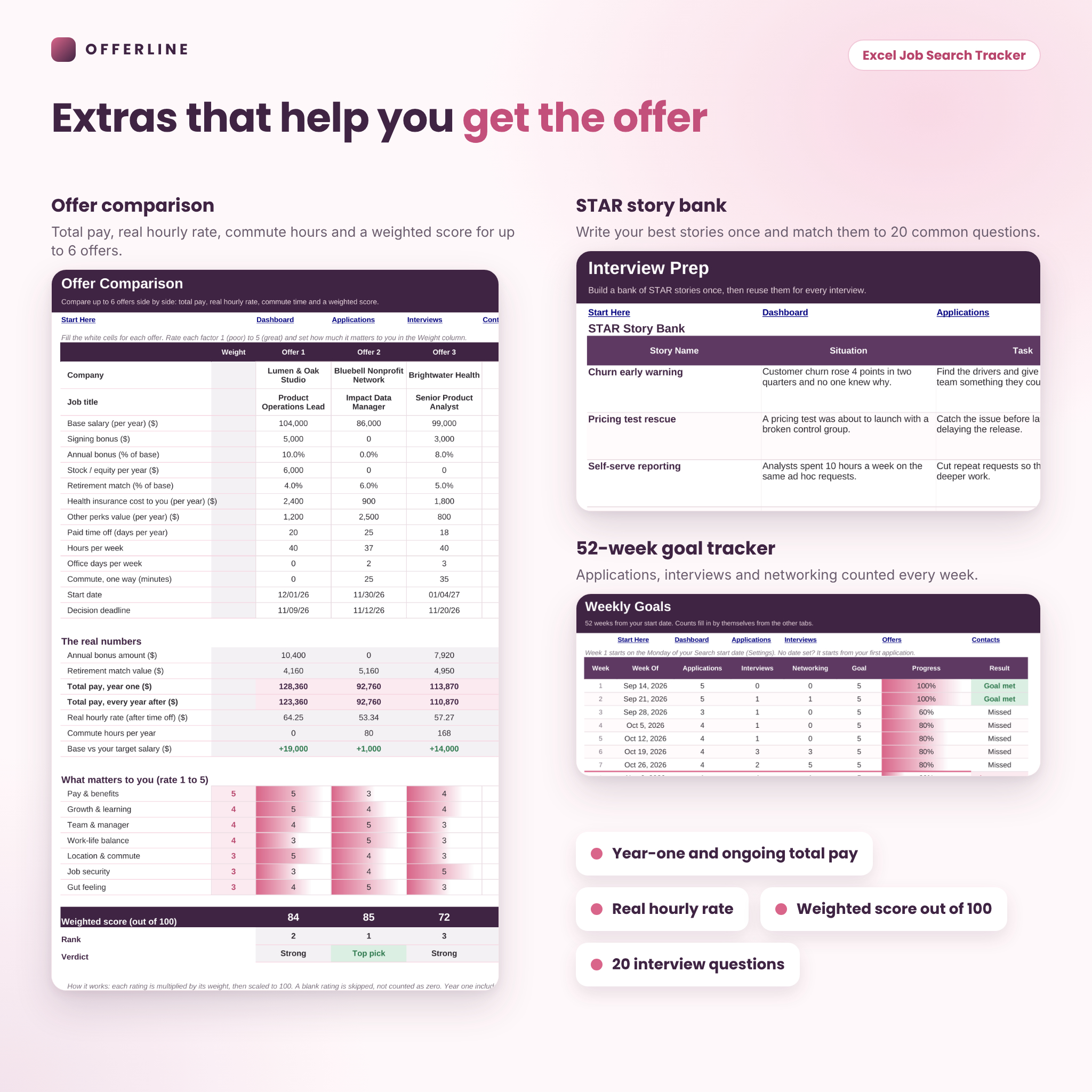
- Offer comparison with real numbers. Year-one pay, ongoing pay, real hourly rate after time off, commute hours and a weighted score.
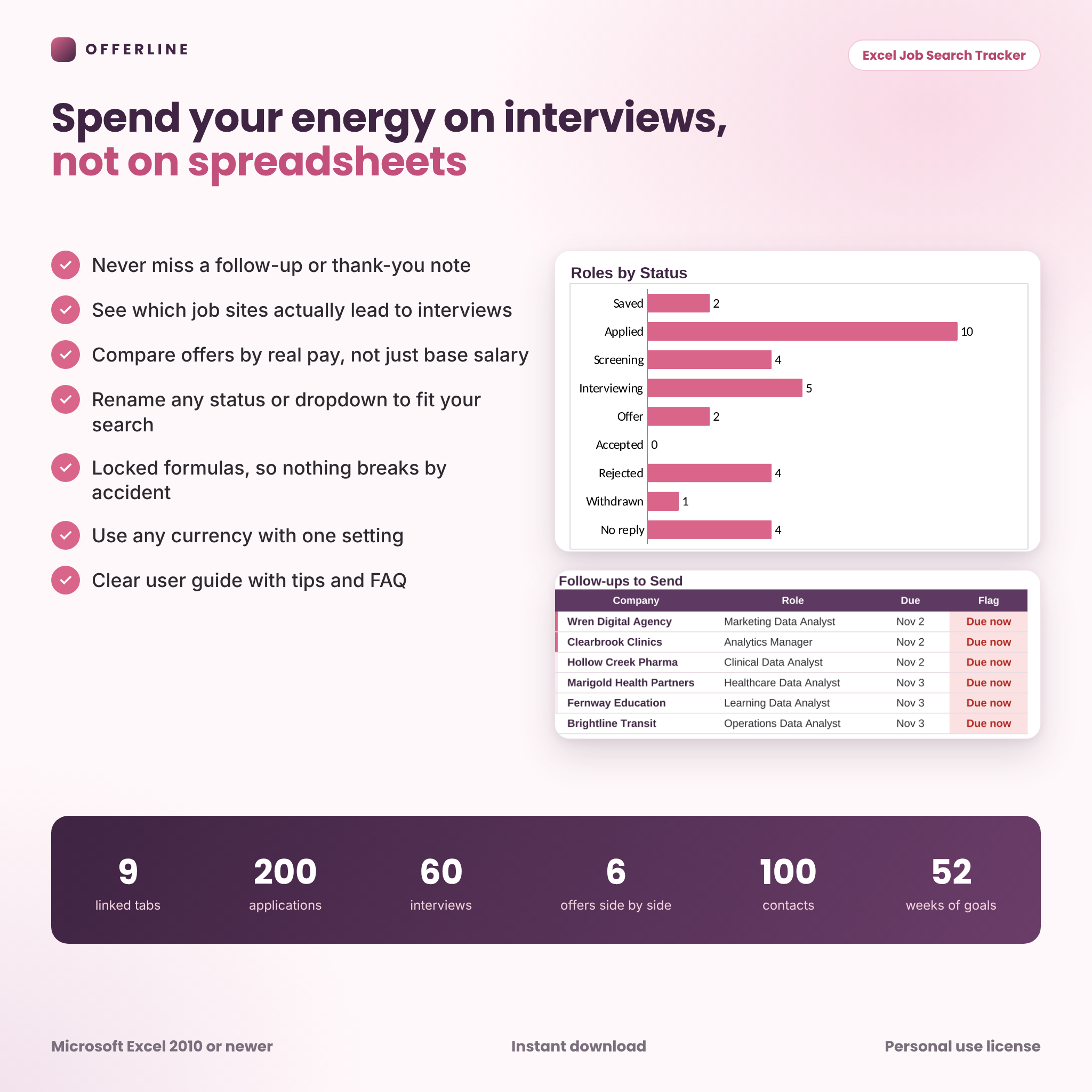
- Safe to use. Formula cells are locked (no password), inputs use dropdowns and checks, and a renamed status never quietly drops out of your counts.
What’s included
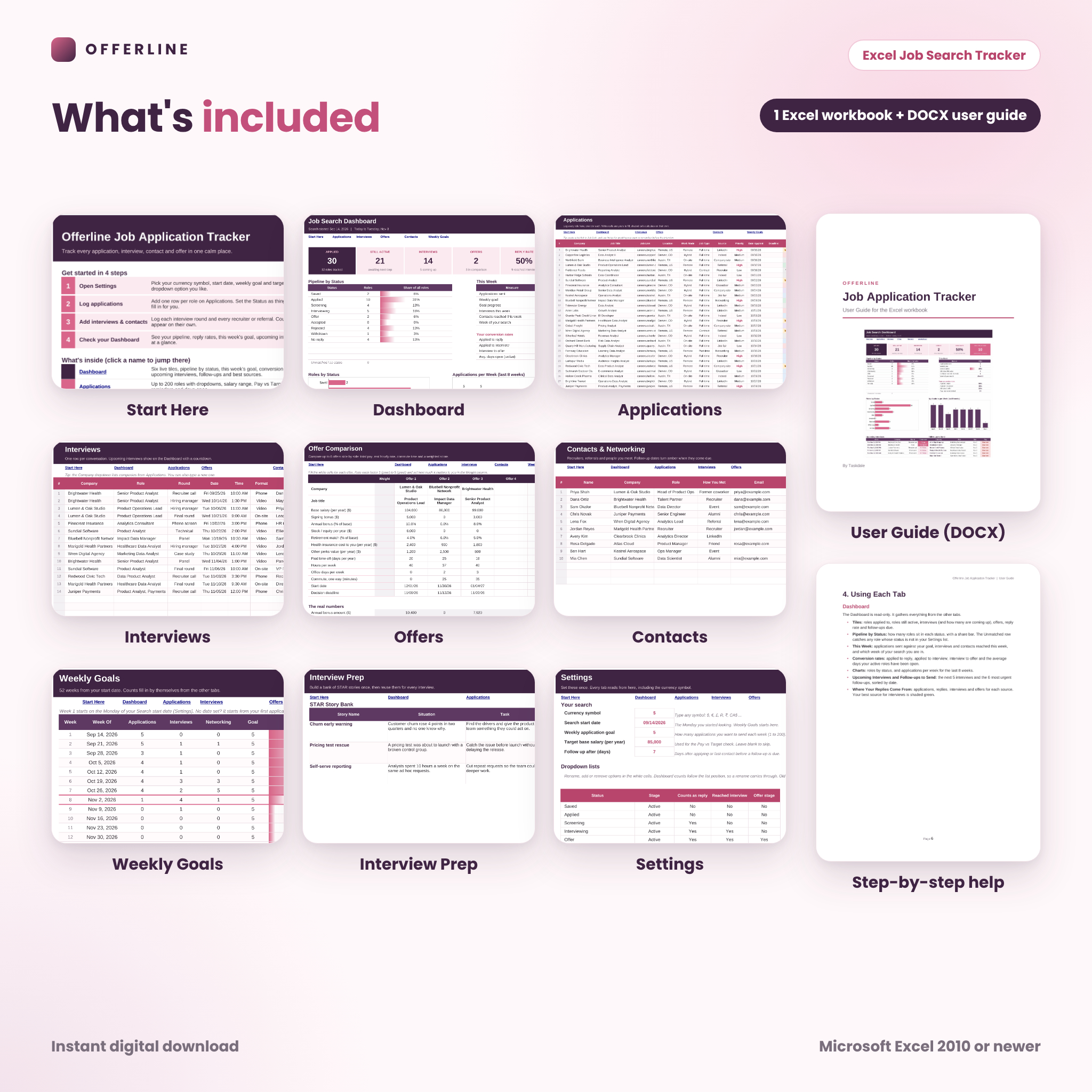
- Start Here: four quick steps, clickable links to every tab and a cell color legend.
- Dashboard: six live tiles, pipeline by status, this week’s goal, conversion rates, a status chart, an 8-week applications chart, your next five interviews, the six most urgent follow-ups and a “Where your replies come from” table.
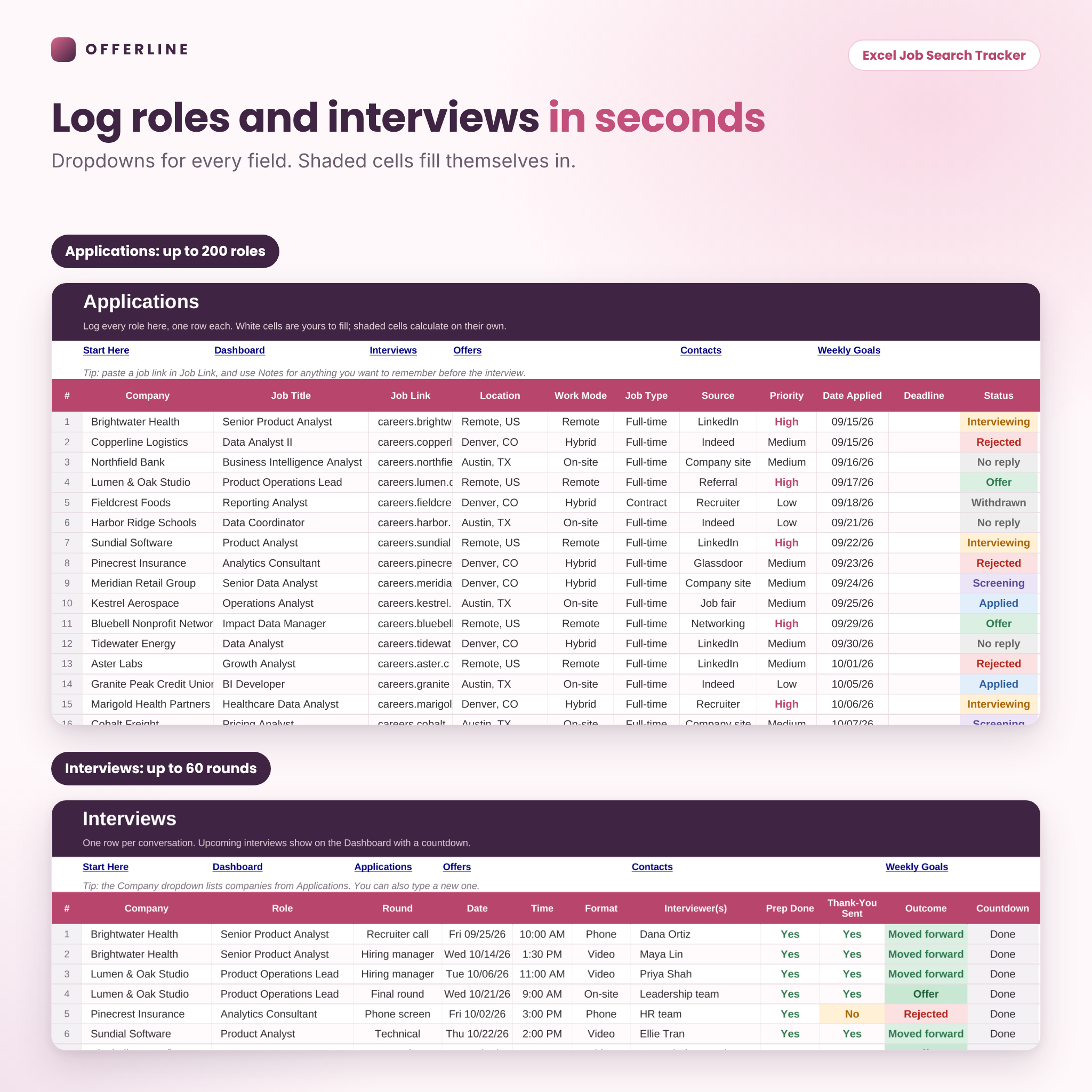
- Applications: up to 200 roles with company, title, link, location, work mode, job type, source, priority, dates, status, salary range, Pay vs Target, last contact, next follow-up, days open, contact, resume version and notes.
- Interviews: up to 60 rounds with round type, date, time, format, interviewers, prep done, thank-you sent, outcome and a countdown.
- Offers: up to 6 offers side by side with base, signing bonus, bonus percent, stock, retirement match, health cost, perks, time off, hours, office days and commute.
- Contacts: up to 100 recruiters, referrals and contacts with next steps, referral status and follow-up alerts.
- Weekly Goals: 52 weeks of applications, interviews and networking against your goal, with Goal met or Missed results.
- Interview Prep: a STAR story bank with 15 slots and 20 common interview questions with Ready, Practicing or Not yet checks.
- Settings: currency symbol, start date, weekly goal, target salary, follow-up days and every dropdown list.
- User guide (DOCX): setup steps, how each tab works, customizing, tips, troubleshooting and FAQ.
How the job search tracker works
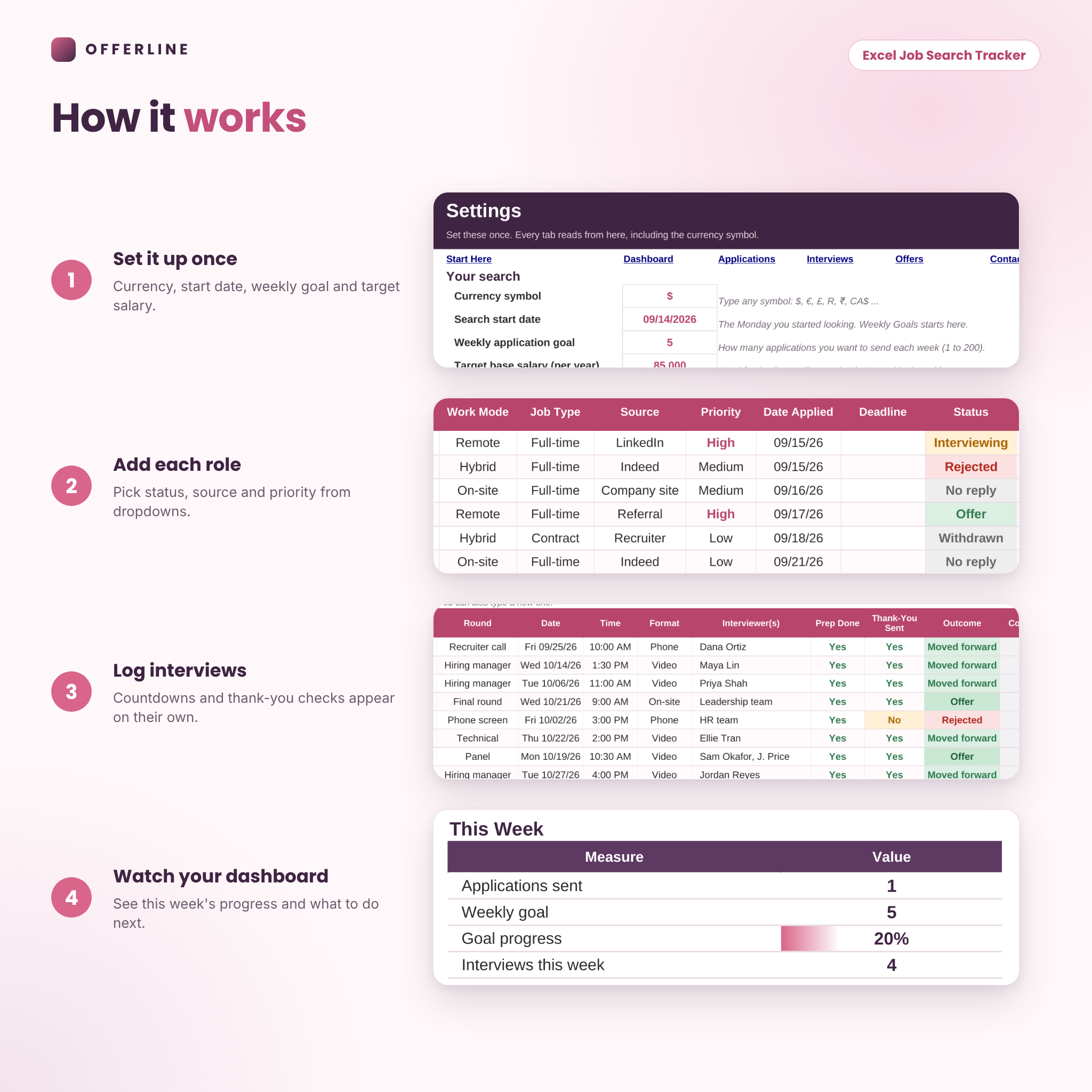
- Open Settings and pick your currency symbol, start date, weekly goal and target salary.
- Add each role on Applications and choose the status, source and priority from dropdowns.
- Log interviews and contacts as they happen. Countdowns and reminders appear on their own.
- Check the Dashboard each morning to see what to send, who to thank and where to focus.
Who it’s for
- New grads sending out their first wave of applications
- Career changers who want a steady weekly routine
- Laid-off professionals running a full-time search
- Anyone weighing two or three offers and wanting a clear answer
- Career coaches who want clients to show up with organized data
Real ways people use it
The Monday reset. Open the Dashboard, see that four follow-ups are due and you are two applications short of your goal, and plan the week in five minutes.
The interview week. Three interviews in four days. The countdown keeps them straight, and the thank-you column turns amber if you forget a note.
The offer call. Two offers, one with a higher base and one with remote work. Offers shows the second pays more per real hour once commute and time off are counted.
File format and software requirements
- One Excel workbook (.xlsx) plus a DOCX user guide, delivered together in a ZIP file
- Made for Microsoft Excel 2010 or newer on desktop (Windows or Mac)
- Also opens in the free LibreOffice Calc
- Not built for Google Sheets, Apple Numbers or Notion
Customizing
Change the currency symbol once and every money heading follows. Rename, add or remove statuses, sources, job types and interview rounds on Settings. Each status has simple switches for Active or Closed, counts as reply, reached interview and offer stage, so your rates stay right. Column widths and colors can be changed freely.
Digital download
This is an instant digital download. Nothing will be shipped. After purchase, download the ZIP from your order page or email, unzip it and open the workbook in Excel. Personal use only: please don’t resell or share the files.
FAQ
Does this job application tracker work on a Mac?
Yes, in Microsoft Excel 2010 or newer for Mac.
Can I use it in Google Sheets?
It is built for Excel, so some formatting and checks may not carry over to Google Sheets. Use Excel or LibreOffice Calc.
How many applications can I track?
Up to 200 roles, 60 interview rounds, 100 contacts and 6 offers at once.
Can I change the currency?
Yes. Type any symbol on Settings, such as $, €, £ or CA$, and every money heading updates.
Will it send me reminder emails?
No. Follow-up dates and flags show inside the workbook and on the Dashboard, so open it each day.
Can I add my own statuses?
Yes. Each list has 12 slots. Old entries that no longer match are shown in an Unmatched row, so nothing goes missing.
Is my information private?
Yes. Your data stays in your file on your computer. Nothing is uploaded.
Reviews
There are no reviews yet.