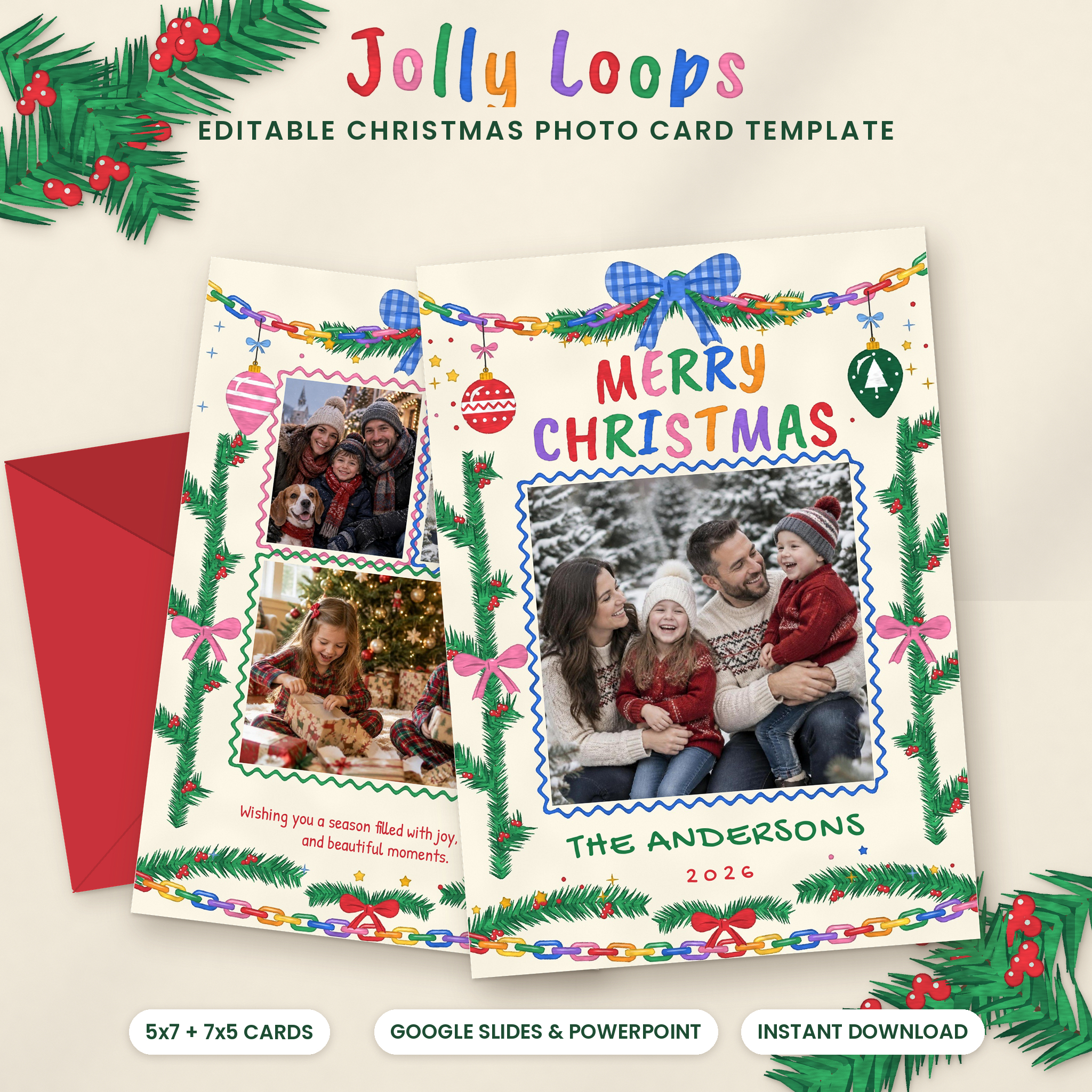
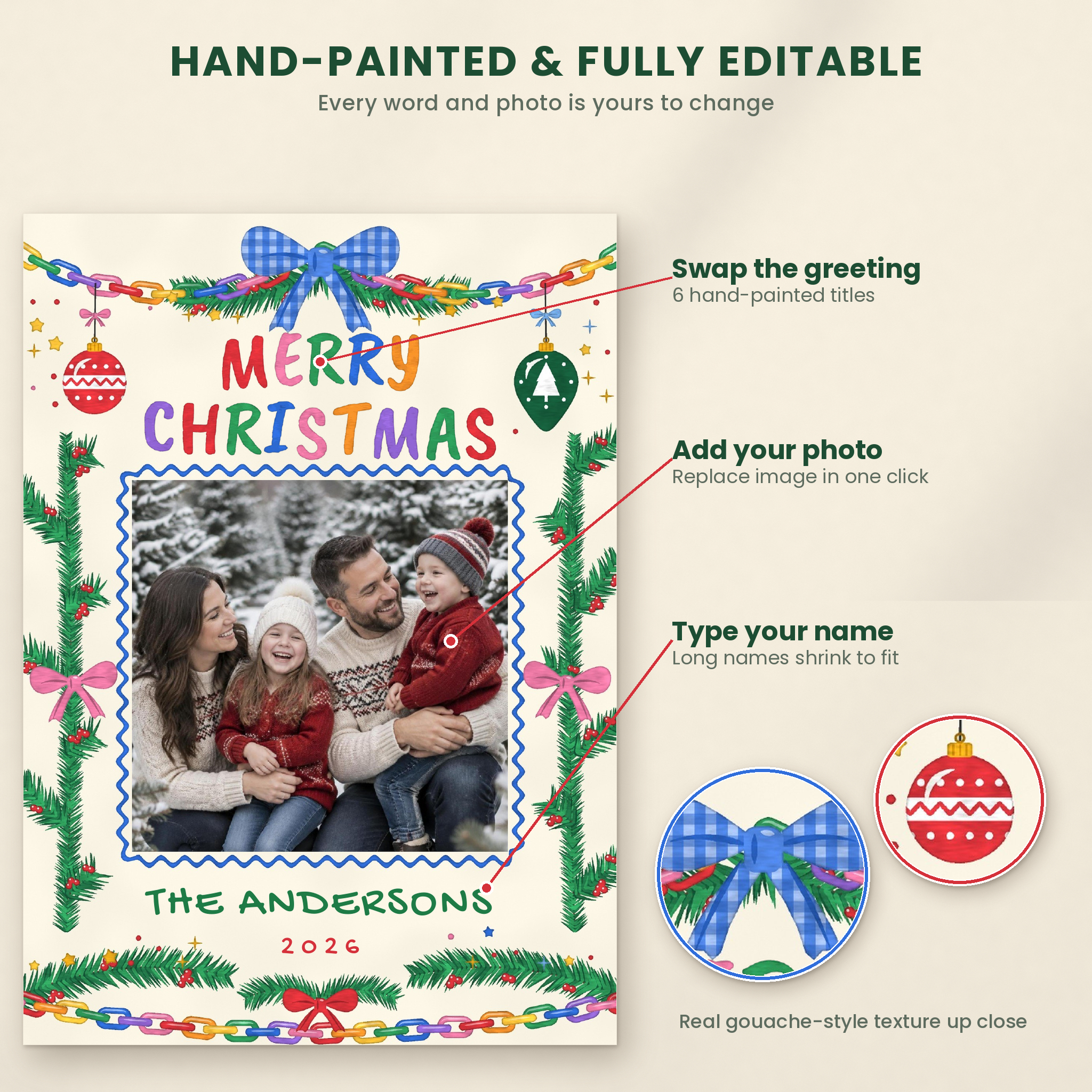
Jolly Loops is an editable Christmas photo card template with the bright, hand-painted charm people stop to look at on the fridge. Rainbow paper chains swing across the top. A blue gingham bow ties it together. Little ornaments, pink bows and fresh pine with red berries frame your photos. You add the faces, type your names and choose a greeting. That’s it.
Everything opens in Google Slides (free) or PowerPoint, so there is no design app to learn. Most families finish their first card in about 15 minutes.
What This Christmas Photo Card Template Includes
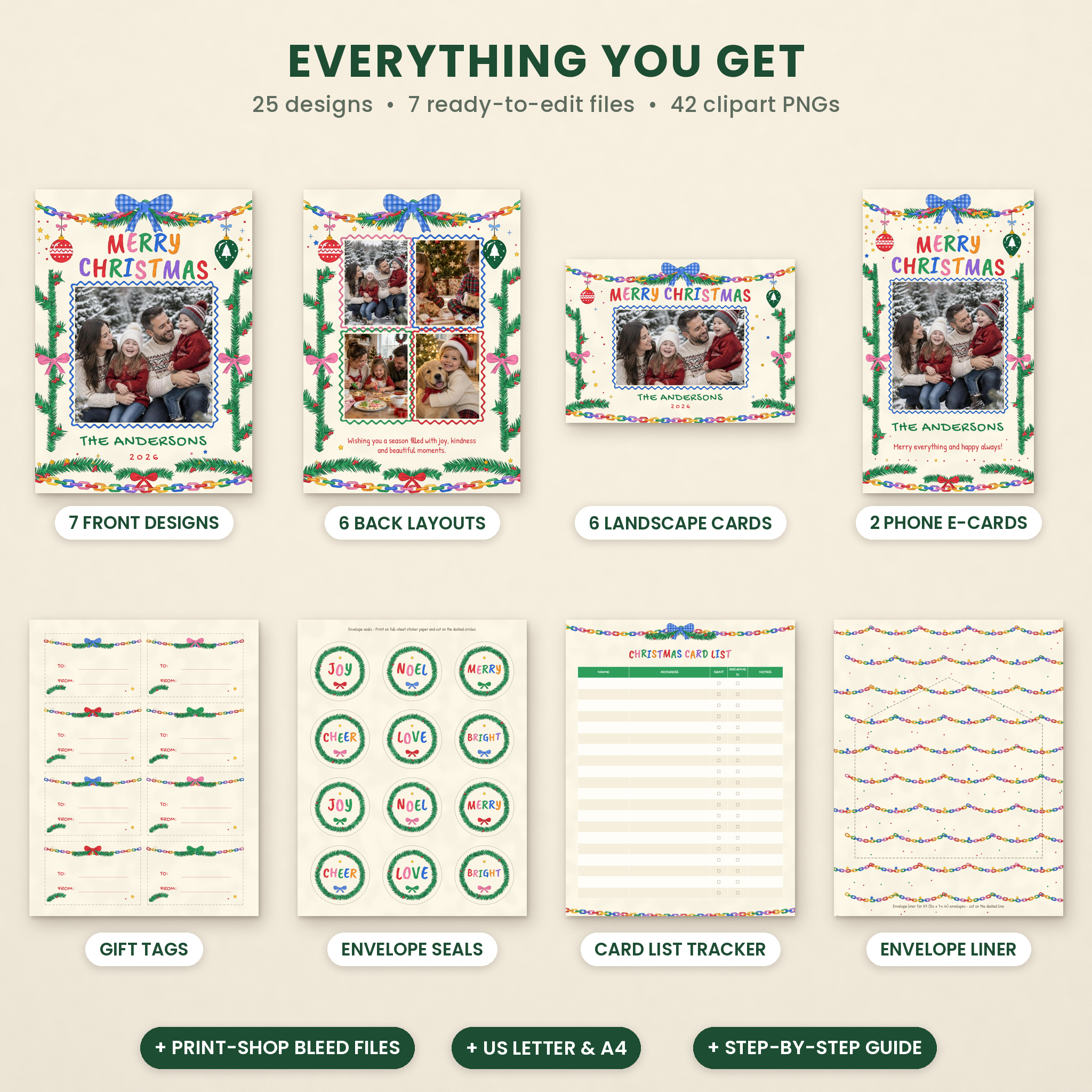
You get 25 designs across 7 ready-to-edit files, so one purchase covers the card, the envelope and the gift wrap.
5×7 portrait cards (15 pages)
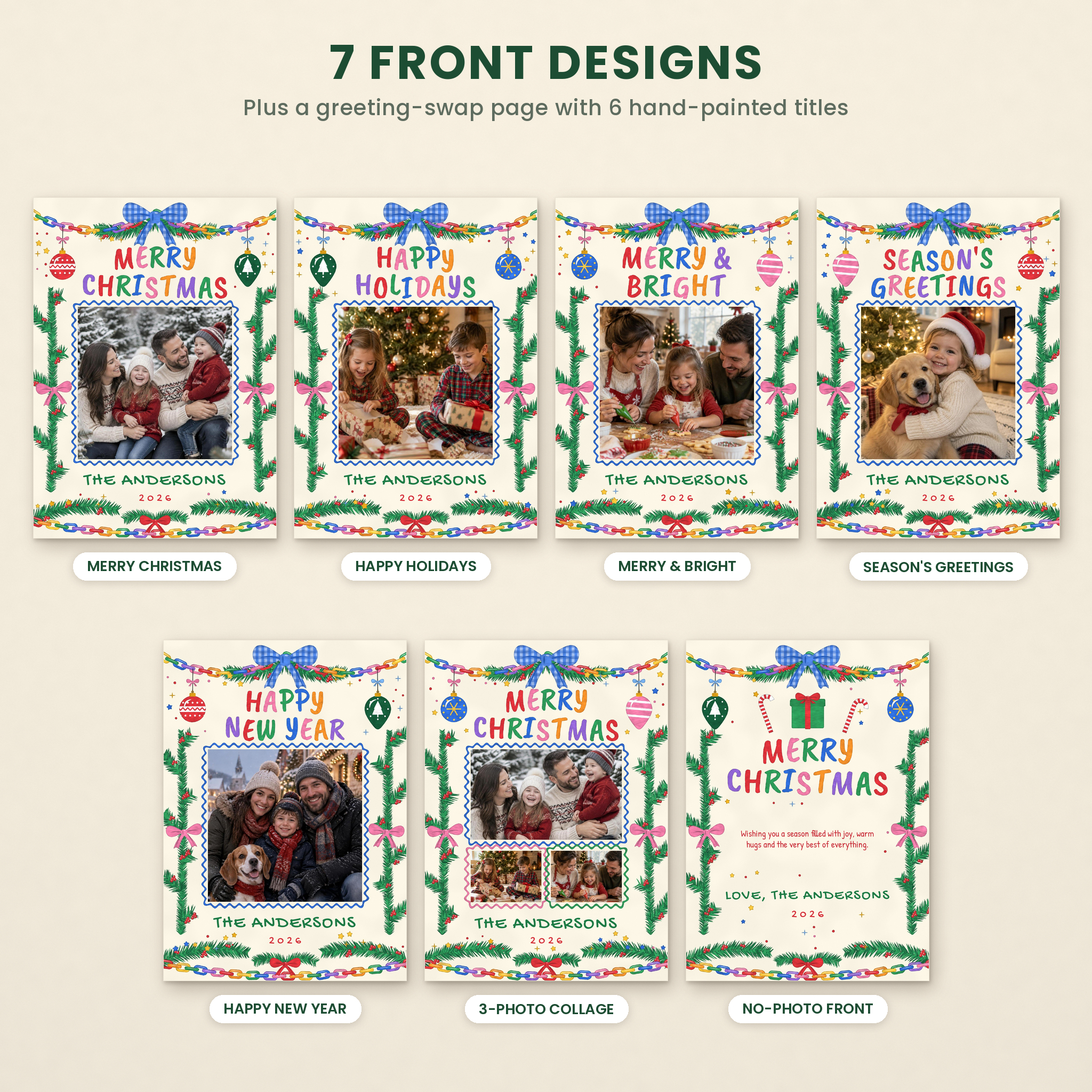
- 7 front designs: Merry Christmas, Happy Holidays, Merry & Bright, Season’s Greetings, Happy New Year, a 3-photo collage front and a no-photo front
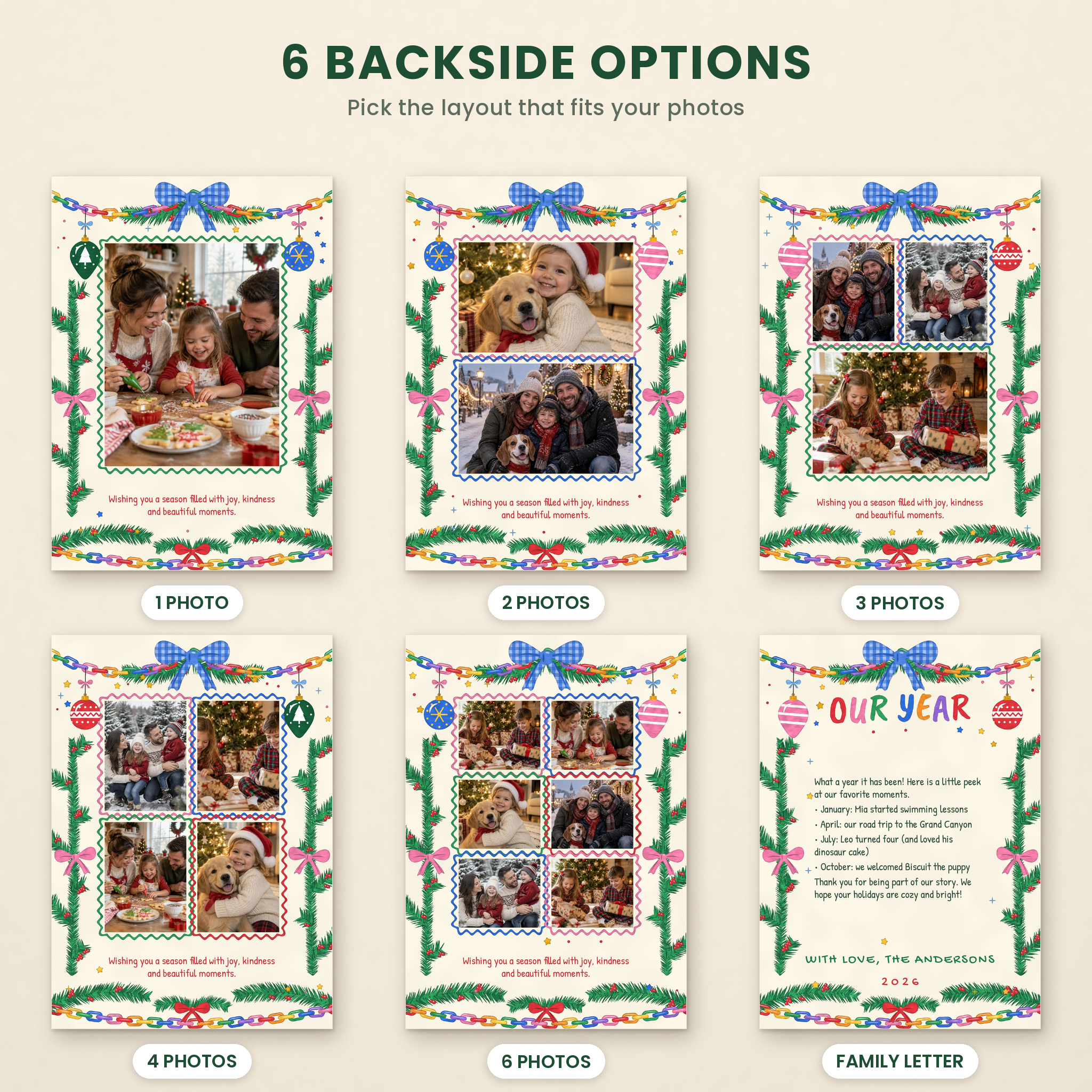
- 6 back layouts: 1, 2, 3, 4 and 6 photo options, plus an “Our Year” family letter back for your highlights
- Greeting Swaps page: 6 hand-painted titles you can copy onto any front, including Joy to the World
- Quick Start page with the key steps right inside the file
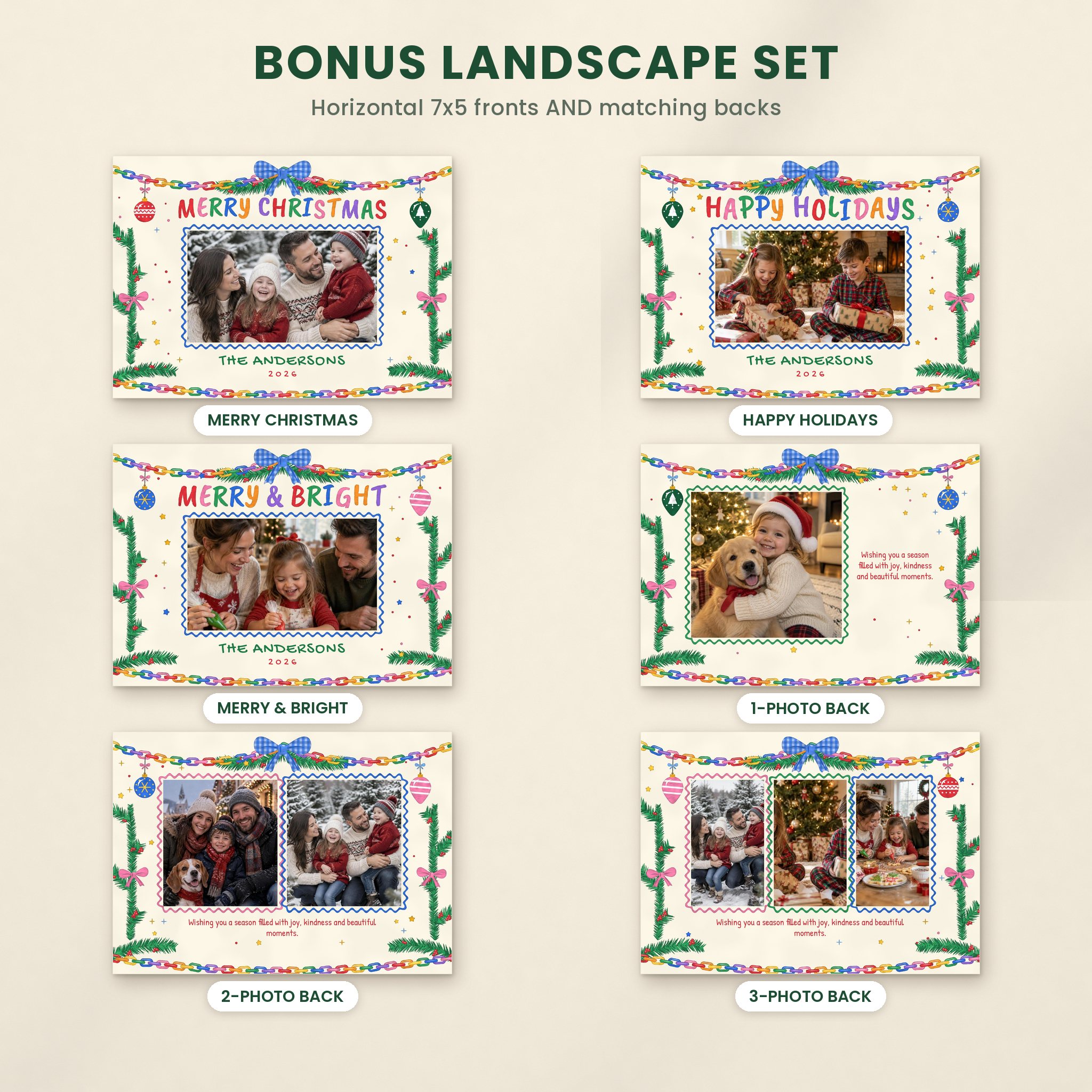
Bonus 7×5 landscape set
Three horizontal fronts and three matching backs (1, 2 and 3 photos). Plenty of shops only give you a landscape front. Here the backs match too.
Phone eCards
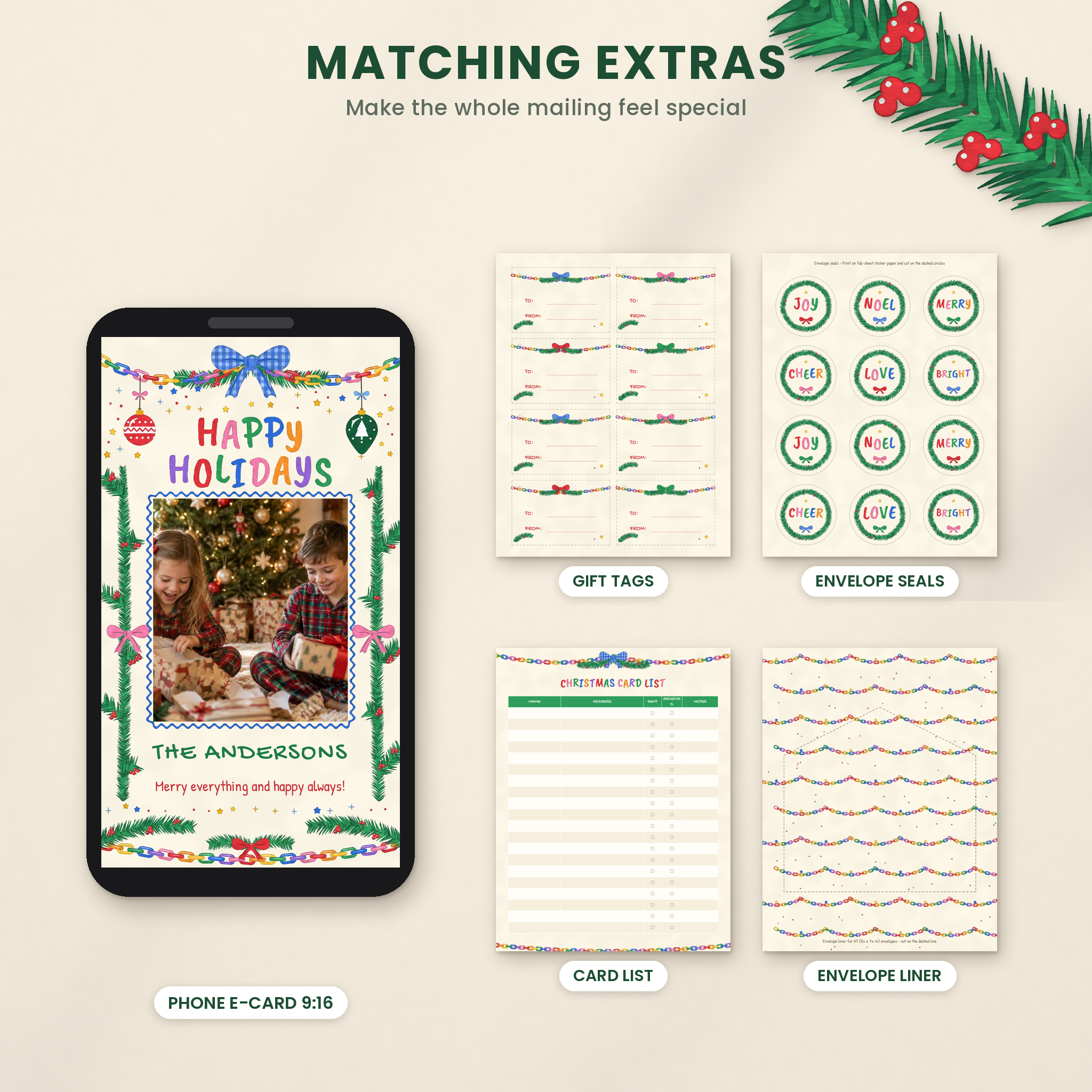
Two tall 9:16 cards made to fill a phone screen. Text them to grandparents, post them to your story or email them to anyone you will not see in person this year.
Matching printables (US Letter and A4)
- Gift tags, 8 per sheet, with To and From lines you can type on
- Round envelope seals, 12 per sheet
- Envelope liner that fits A7 (5¼ x 7¼ in) envelopes
- Christmas card list to track who you sent cards to and who sent one back
Clipart, fonts and guide
- 42 transparent PNG clipart pieces: bows, ornaments, sprigs, stars, gifts, a candy cane, paper chains and wavy photo frames in four colors
- The two free fonts used in the cards, with their licenses
- An illustrated DOCX user guide with step-by-step help, printing advice, troubleshooting and FAQs
Why Families Pick Jolly Loops
The art is drawn with a gouache-style texture, so the colors look painted instead of flat and digital. Zoom in on the gingham bow and you can see the brush texture.
The painted background sits behind everything as the page background. You can drag photos and text all day and never knock a garland out of place by accident.
Name boxes shrink text to fit. “The Rodriguez-Whitaker Family” still sits neatly under the photo without you fiddling with sizes.
Ordering from a print shop? Each card set comes in two versions. The regular 5×7 file suits home printing and photo labs. The Print-Shop Bleed file adds 0.125 in of art on every side so nothing white shows after trimming.
How to Personalize Your Holiday Photo Card
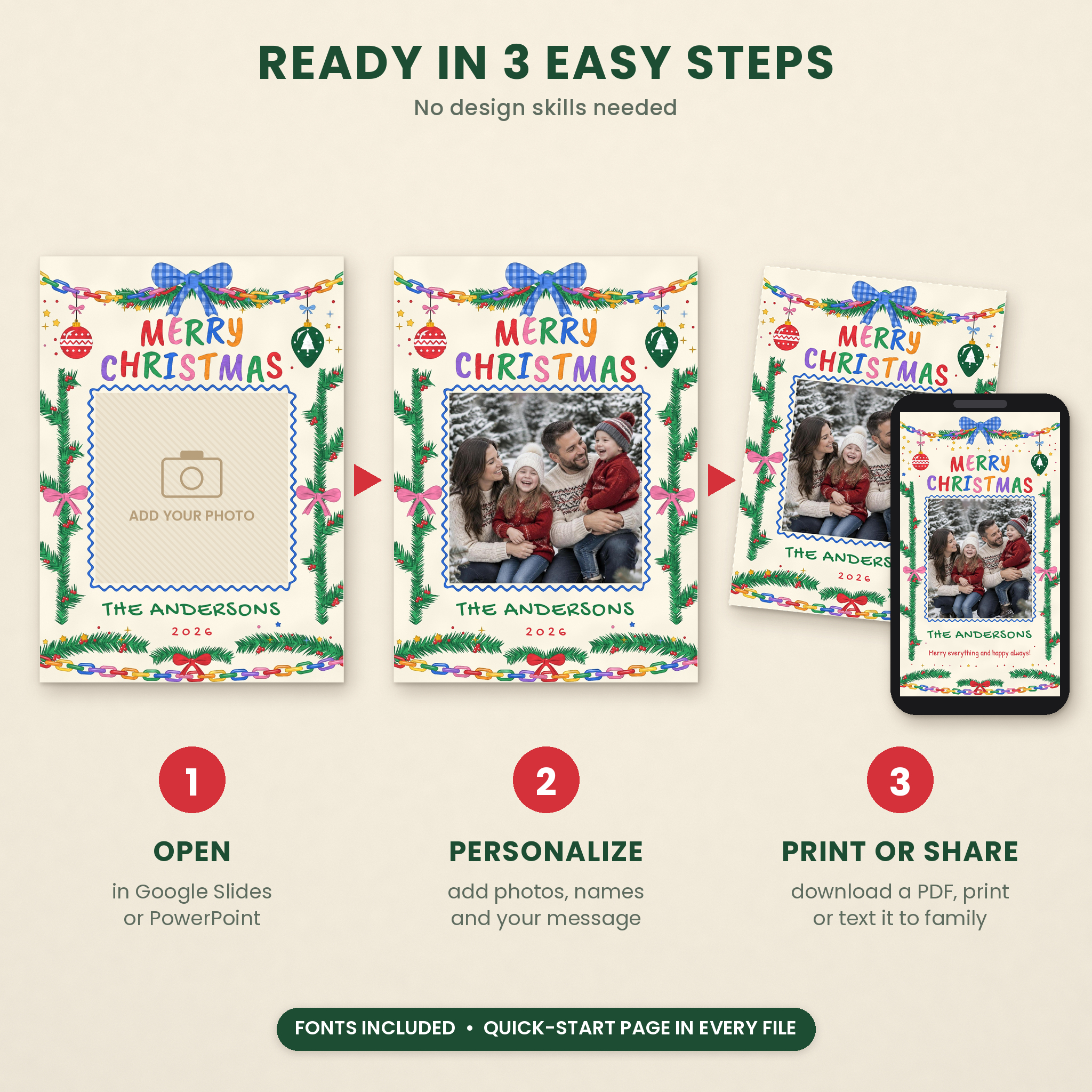
- Open the .pptx in PowerPoint, or upload it to Google Drive and choose Open with Google Slides.
- Add photos: right-click a photo box and choose Replace image (Slides) or Change Picture (PowerPoint).
- Type your family name, year and message.
- Swap the greeting by copying one from the Greeting Swaps page.
- Download a PDF to print, or save a PNG to share on your phone.
File Formats and Software
- 7 PowerPoint files (.pptx) that open in Microsoft PowerPoint and Google Slides
- Card sizes: 5 x 7 in and 7 x 5 in, plus bleed versions at 5.25 x 7.25 in and 7.25 x 5.25 in
- Artwork at 300 dpi for crisp prints
- Printables in US Letter and A4
- Clipart as transparent PNG files at 300 dpi
- User guide as a Word document (.docx)
You need a free Google account for Google Slides, or PowerPoint on a computer. A laptop or desktop is much easier than a phone for swapping photos.
Customization
Change any text, color or font size. Move photos inside their frames with crop. Copy a greeting onto any card. Add extra clipart, like a gift box on the no-photo front or another wavy frame for one more picture. The user guide lists the exact paint colors if you want text to match the art perfectly.
Ways to Use It
- Your yearly family Christmas card with the best photo from the tree farm or the pajama morning
- A “baby’s first Christmas” or new puppy announcement on the 2-photo back
- A family newsletter card using the Our Year back for moves, new jobs and milestones
- Happy New Year cards when December gets away from you
- Teacher and neighbor cards printed at home with the matching gift tags on cookie plates
- A quick eCard for relatives overseas, sent the same day
Digital Download Information
This is an instant digital download. No physical cards are shipped. After checkout, download the files from your order page or confirmation email. Sample family photos in the listing images are for display only and are not included. Colors can vary slightly between screens and printers, so print one test first.
License: personal use only. Make and share as many cards as you like for your own family and friends. Please do not resell, share or upload the template files, artwork or clipart.
Frequently Asked Questions
Can I edit this Christmas card template in Google Slides for free?
Yes. Upload the .pptx file to Google Drive, open it with Google Slides and edit. The fonts are already built into Slides.
Do I need Canva?
No. The cards are built for Google Slides and PowerPoint.
Can I print the cards at Walgreens, CVS, Costco or Shutterfly?
Yes. Download your card as a PDF, convert it to a 300 DPI JPG (1500 x 2100 px for 5×7) and upload it as a flat 5×7 card. The guide walks you through it.
Which file do I send to a professional printer?
Use the Print-Shop Bleed file. It has 0.125 in bleed on each side and the trim size is 5 x 7 in.
How many photos can I add?
Fronts hold 1 or 3 photos. Backs hold 1, 2, 3, 4 or 6. Use a front and a back together for up to 9 photos on one card.
Can I change the greeting or the wording?
Yes. Choose from six hand-painted greetings, and every name, year and message can be typed over.
Can I use it again next year?
Yes. Keep the files and make a new card each Christmas for your own family.
Reviews
There are no reviews yet.