

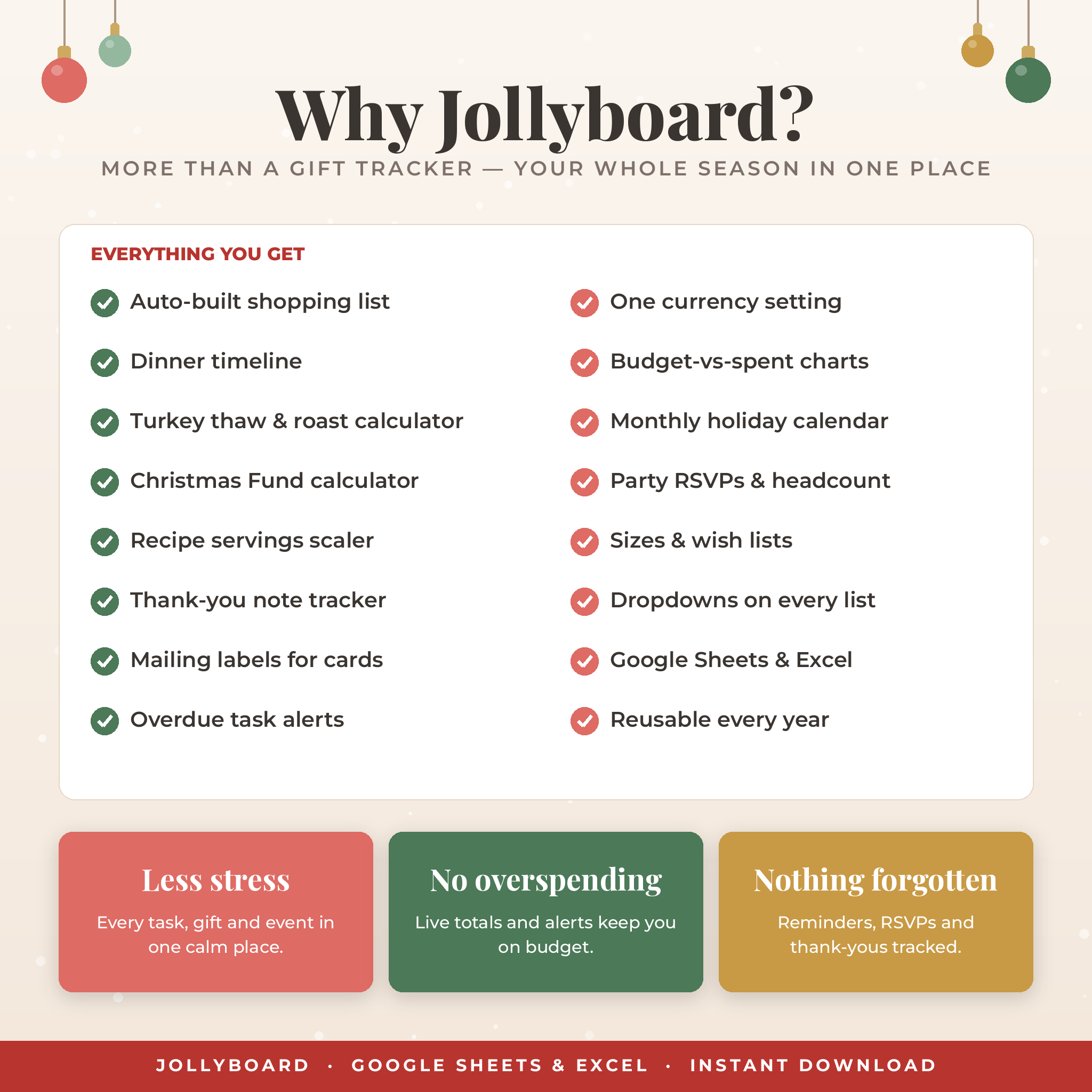
Plan your whole Christmas in one beautiful, connected spreadsheet. Jollyboard is an all-in-one Christmas planner spreadsheet for Google Sheets and Excel that keeps your holiday budget, gift list, stocking stuffers, cards, tasks, events, party, recipes and Christmas dinner in one place — with a live dashboard that updates itself as you plan. No spreadsheet skills needed: type in the white cells, pick from the dropdowns, and Jollyboard does the math, the charts and the reminders for you.
Why You’ll Love This Christmas Planner Spreadsheet
The holidays are wonderful, but the to-do list is long and the spending adds up fast. Many gift trackers only cover gifts. Jollyboard connects every part of the season, so a change in one tab shows up everywhere it matters: buy a gift and your budget, dashboard and shopping list all update; add a dated task and it appears on the calendar and in your “Next Up” list.
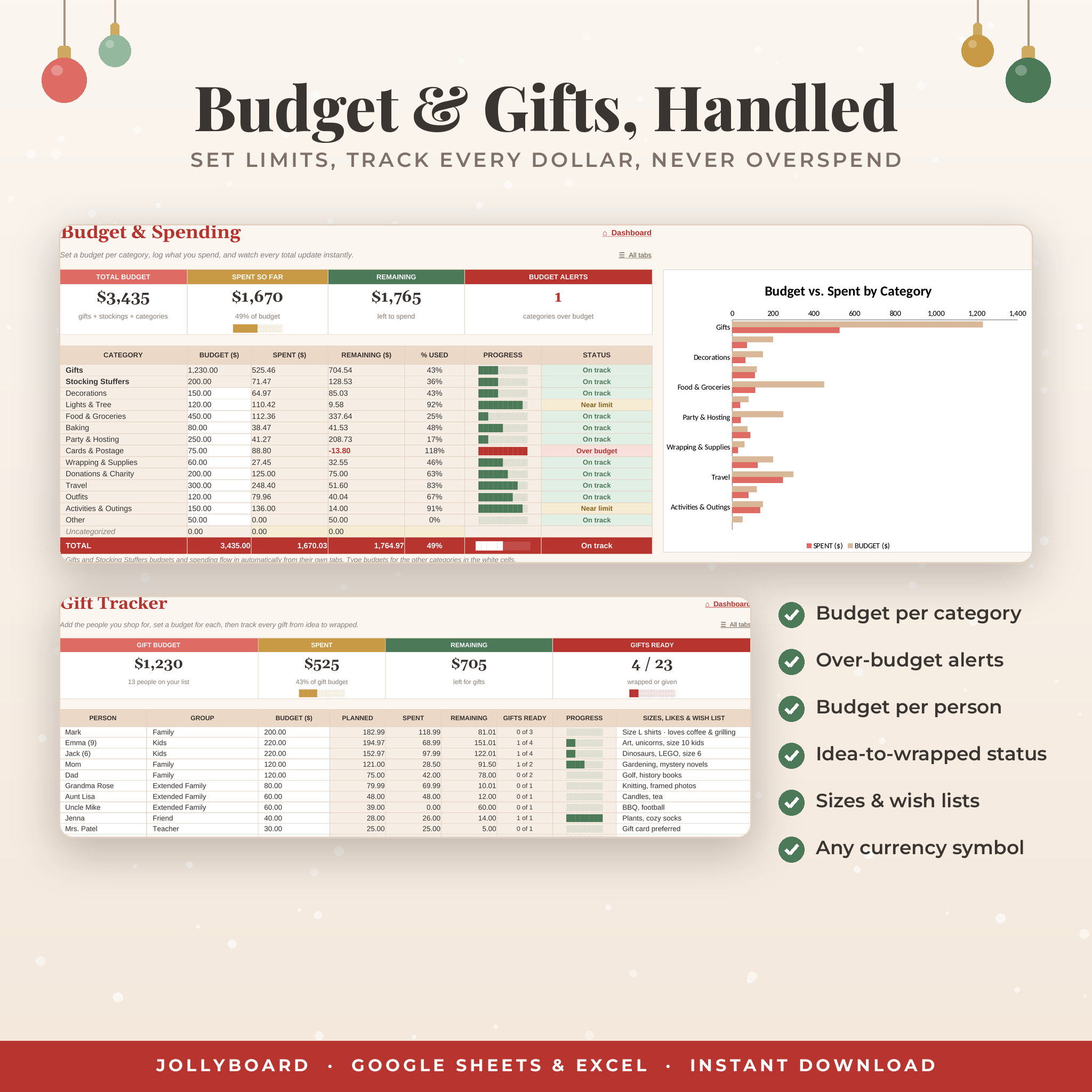
- Stay on budget with category budgets, a spending log, over-budget alerts and budget-vs-spent charts.
- Never forget a gift with a budget per person, sizes and wish lists, and a status for every gift from idea to given.
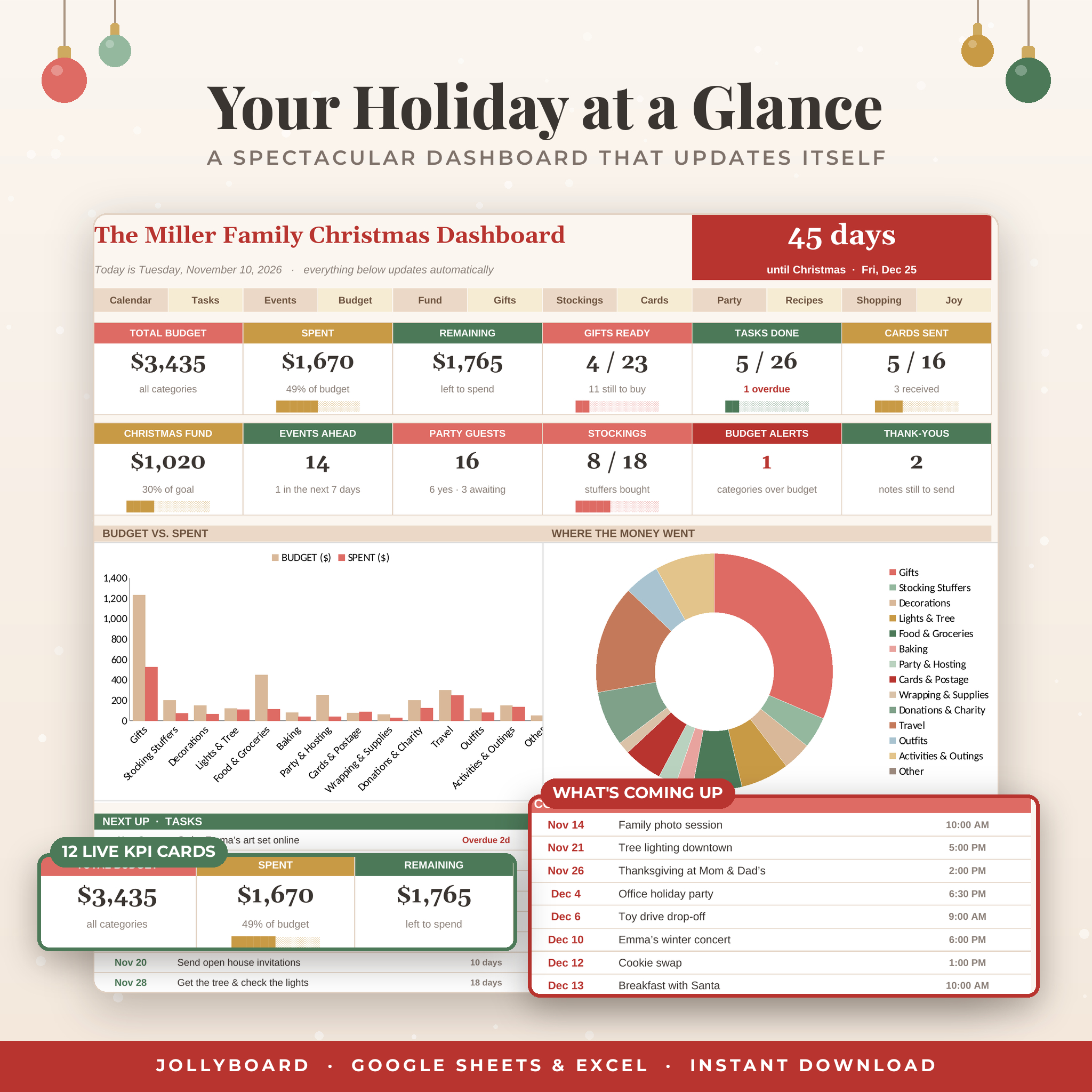
- See everything at a glance on a dashboard with a live countdown, 12 KPI cards and 5 charts.
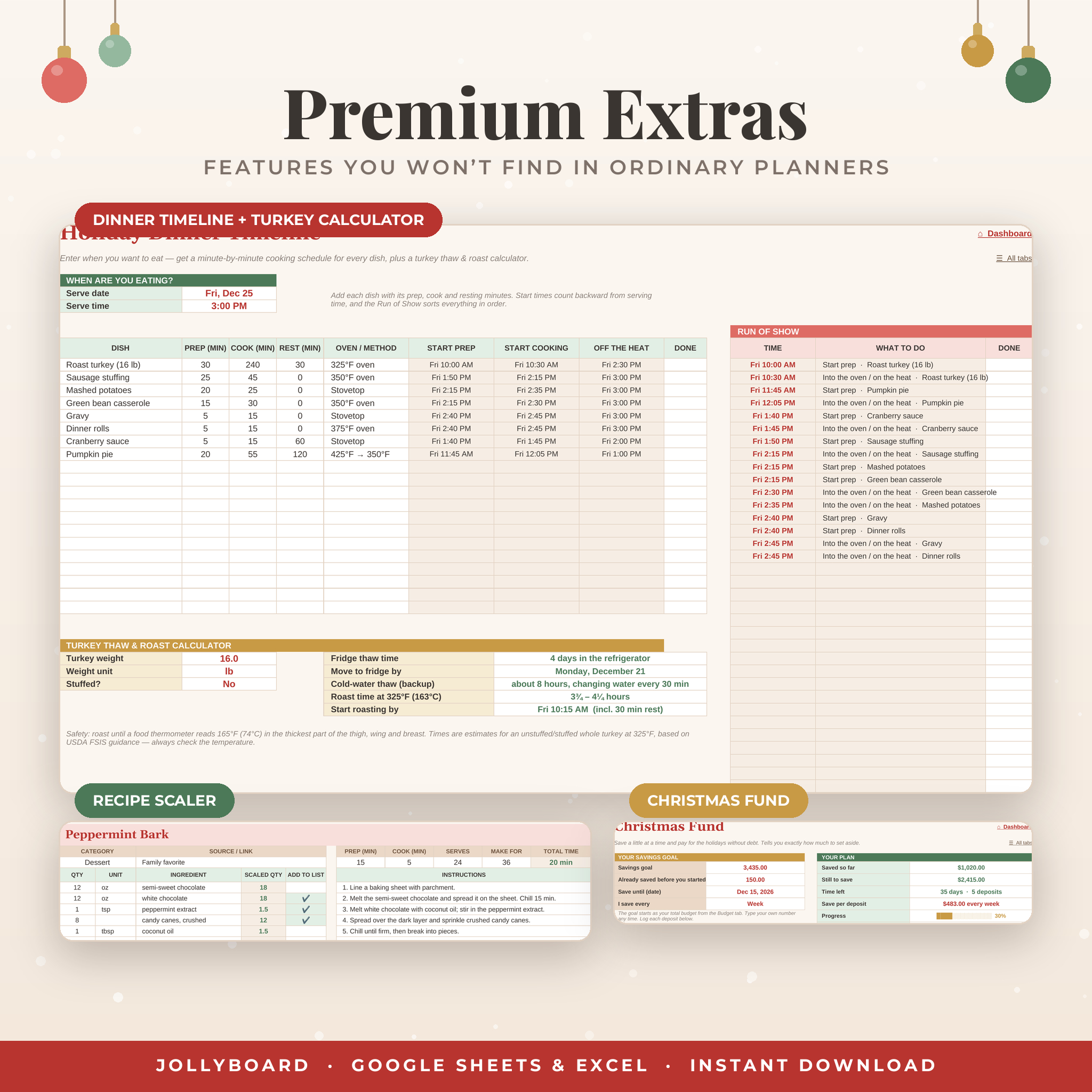
- Save stress on the big day with a dinner timeline that works backward from serving time, plus a turkey thaw and roast calculator.
- Pay for Christmas without debt using the Christmas Fund savings calculator.
What’s Included
- Google Sheets version – a “make a copy” link (in the Access Instructions PDF) that puts your own editable planner in your Google Drive.
- Excel version (.xlsx) – the same planner for Microsoft Excel.
- User Guide (.docx and PDF) – 22 illustrated pages covering every tab, customization, tips, troubleshooting and FAQs.
- Access Instructions (PDF) – one page with your Google Sheets link and a quick start.
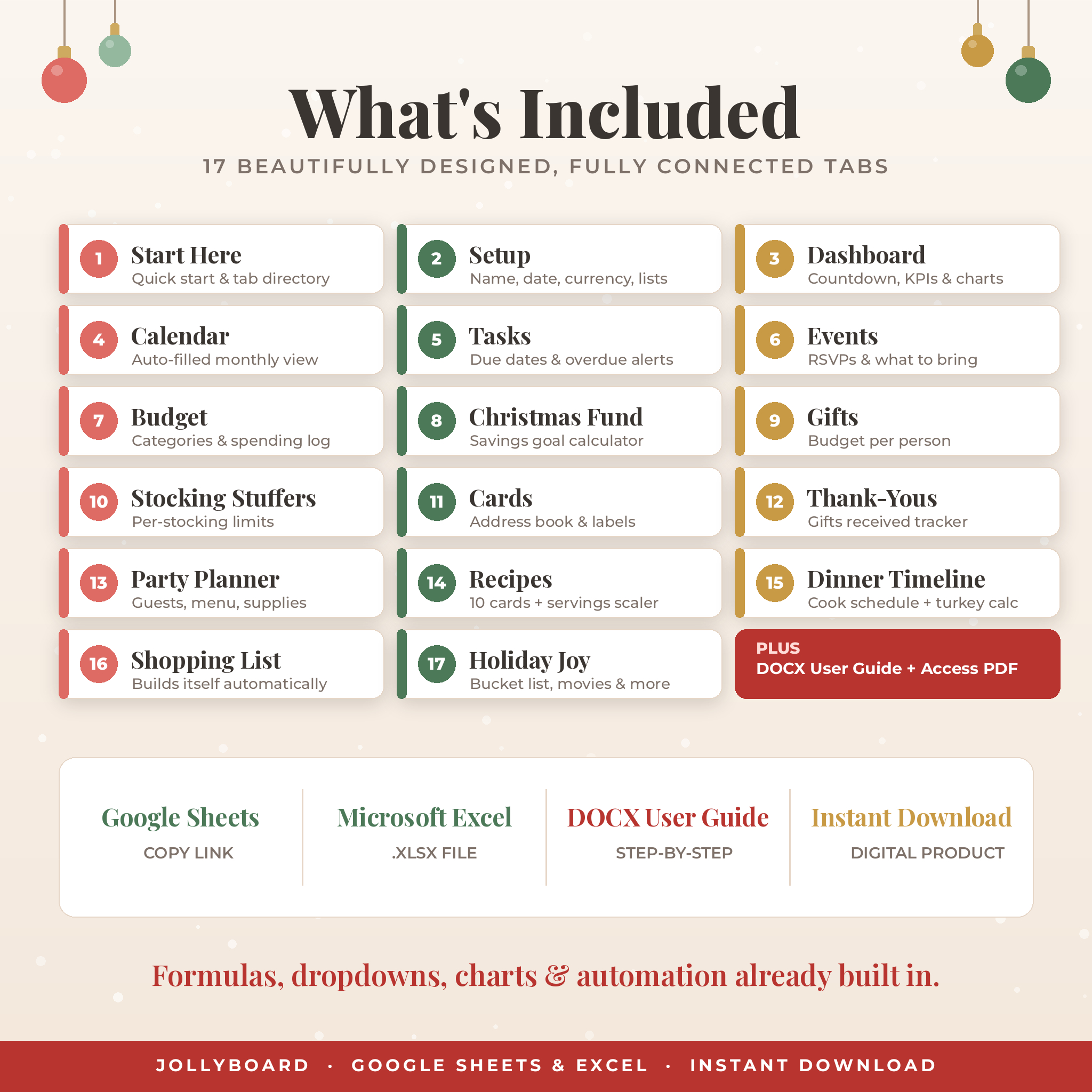
17 Connected Tabs
Plan and organize
- Start Here – five-step quick start, color key and a clickable directory of every tab.
- Setup – your household name, holiday date, currency symbol and every dropdown list, all editable.
- Dashboard – countdown, total budget, spent and remaining, gifts ready, tasks done, cards sent, Christmas Fund progress, party headcount, budget alerts, charts and your next tasks and events.
- Holiday Calendar – a monthly calendar that fills itself from your tasks and events. Pick any month and a Sunday or Monday start.
- Tasks – a Christmas to-do list with categories, due dates, priorities, who’s responsible and overdue alerts. Includes 20 starter tasks.
- Events – parties, concerts, school shows and services with RSVP, location, what to bring and a countdown.
Money
- Budget & Spending – 12 editable categories plus automatic gift and stocking totals, a 200-line spending log, % used, progress bars, status and a chart.
- Christmas Fund – set a goal and target date and see exactly how much to save each week, two weeks or month. Includes a deposit log and a “start in January” plan for next year.
Gifts and giving
- Gift Tracker – up to 40 people with budgets, groups, sizes and wish lists, and a 150-line gift list with store links, estimated and actual prices, status, delivery and order tracking.
- Stocking Stuffers – 10 stockings with spending limits and 120 stuffer lines.
- Christmas Cards – a 150-address card list with sent and received tracking and an automatic one-line mailing label for each household.
- Gifts Received & Thank-Yous – log what you receive and track every thank-you note.
Food and hosting
- Party Planner – party details, a 50-guest list with RSVP, adults and kids headcount and dietary needs, a menu planner and a supplies list.
- Recipe Box – 10 recipe cards with quick links, total time and a servings scaler that resizes every ingredient.
- Holiday Dinner Timeline – start-prep and into-the-oven times for every dish, a sorted run of show, and a turkey thaw and roast calculator (lb or kg) based on USDA guidance.
- Shopping List – builds itself from gifts to buy, stocking stuffers still needed, ticked recipe ingredients and party supplies, plus space for your own list.
- Holiday Joy – bucket list, movies, books, playlist, family traditions and notes for next year, each with progress tracking.
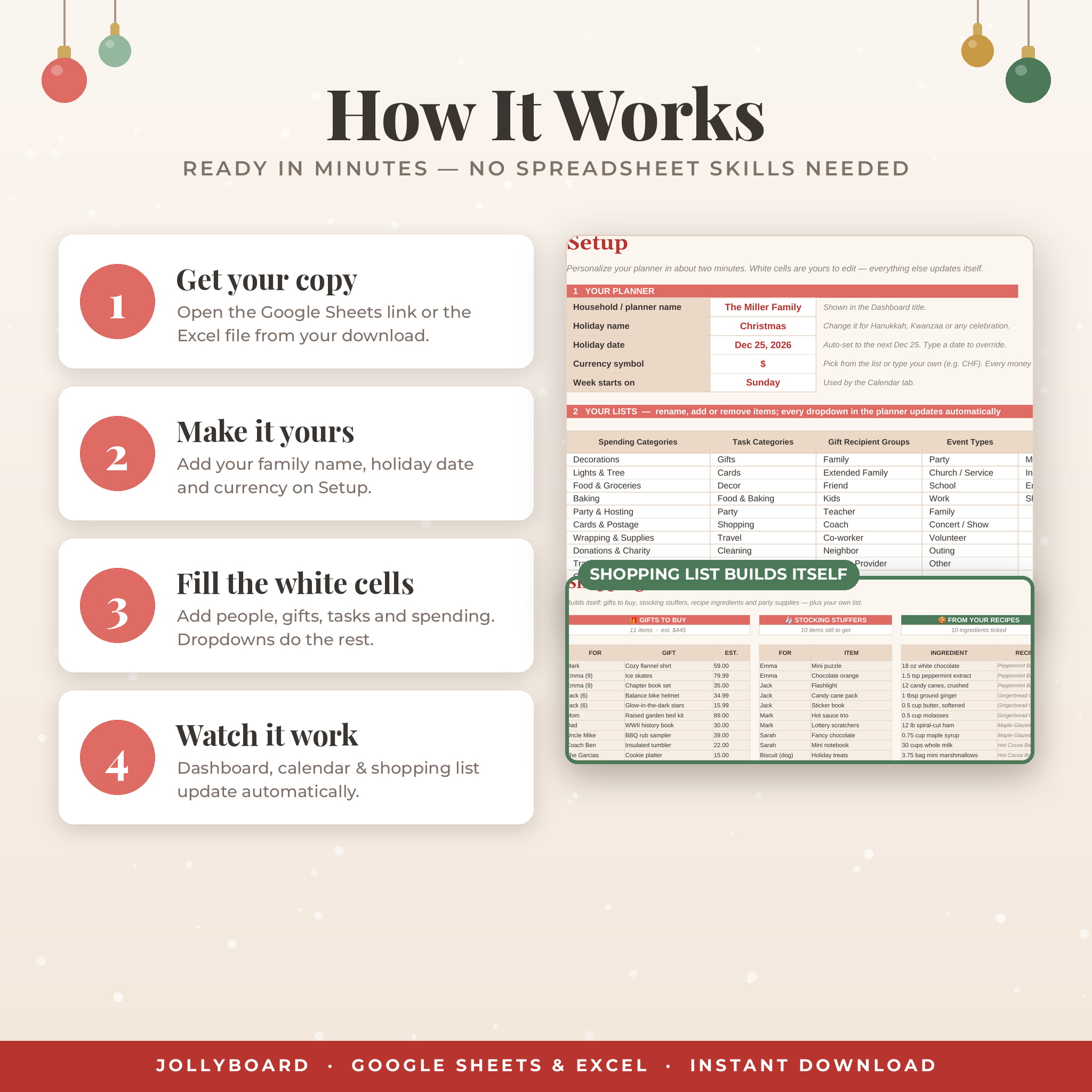
How It Works
- Open the Google Sheets link and click “Make a copy”, or open the Excel file.
- On Setup, add your name, check the holiday date and choose your currency symbol.
- Type budgets, add your people and gifts, and add tasks and events with dates.
- Watch the dashboard, calendar and shopping list update automatically.
White cells are for typing, beige cells calculate automatically, and dropdowns keep entries consistent. In the Excel version, formula cells are locked (no password) so they can’t be overwritten by accident.
File Formats & Software Requirements
- Google Sheets (free Google account) on a computer, with editing also possible in the Google Sheets app.
- Microsoft Excel .xlsx for Excel 2019, Excel 2021 or Microsoft 365.
- User guide in Word (.docx) and PDF.
- Setup is easiest on a computer. Download your files from a computer rather than a phone.
Customization
Rename spending and task categories, recipient groups, event types, delivery and payment methods and menu courses on the Setup tab, and every dropdown and summary follows. One currency setting controls every money total, with $ as the default and options such as €, £, R, ₹ and C$ (or type your own). Change the holiday name and date to use Jollyboard for Hanukkah, Kwanzaa, a family reunion or any celebration, and reuse it every year.
Perfect For
- Parents juggling gifts, school concerts, cookie swaps and travel.
- Hosts planning a holiday open house or the big Christmas dinner.
- Anyone who wants a realistic Christmas budget and a savings plan to pay for it.
- Organized gift-givers keeping track of teachers, coaches, neighbors and stocking stuffers.
Digital Download
This is a digital product. No physical item will be shipped.
Frequently Asked Questions
Do I need Microsoft Excel?
No. You can use the free Google Sheets version with a Google account. The Excel version is included if you prefer Excel.
Can I use this Christmas planner on my phone or iPad?
Yes, in the Google Sheets or Excel app. Setup is easiest on a computer, then you can update it on the go.
Can I change the currency?
Yes. Pick a symbol on the Setup tab or type your own, and every money total updates.
Is it reusable every year?
Yes. Keep this year as a record and start fresh next year, or clear the white cells and change the holiday date.
How many gifts and people can I track?
Up to 40 gift recipients, 150 gifts, 10 stockings with 120 stuffers, 150 cards, 150 tasks, 80 events and 200 spending entries.
Can I share it with my family?
Yes, you can share your own copy with members of your household. Please don’t share the files or link outside your household.
Is this printable?
Yes. Every tab has print settings ready, so you can print your gift list, card list or shopping list.
License
© Taskdale. For personal use by the purchaser’s household only. You may not resell, share, distribute or upload these files or the Google Sheets link, whether free or paid.
Reviews
There are no reviews yet.