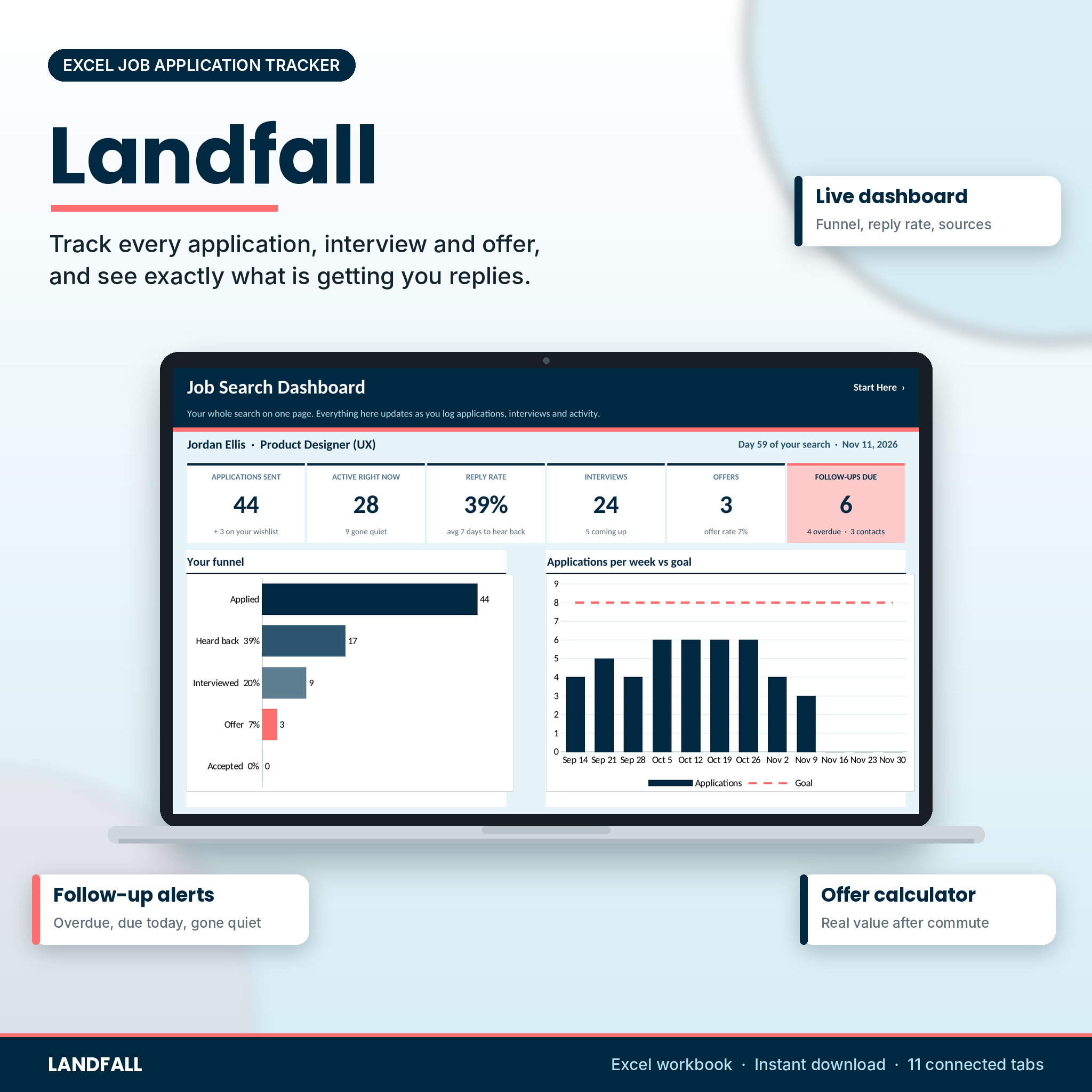
Landfall is a job application tracker spreadsheet for Microsoft Excel that keeps your whole job search in one file. Log each job once, add replies and interviews as they come, and the workbook does the counting for you: how many applications you sent, your reply rate, which job boards answer, which resume version gets interviews and who you need to follow up with today.
It is built for people who are sending a lot of applications and have started to lose track. If you have ever wondered “did I already apply there?” or “when did I last hear from that recruiter?”, this is for you.
What this job search tracker does
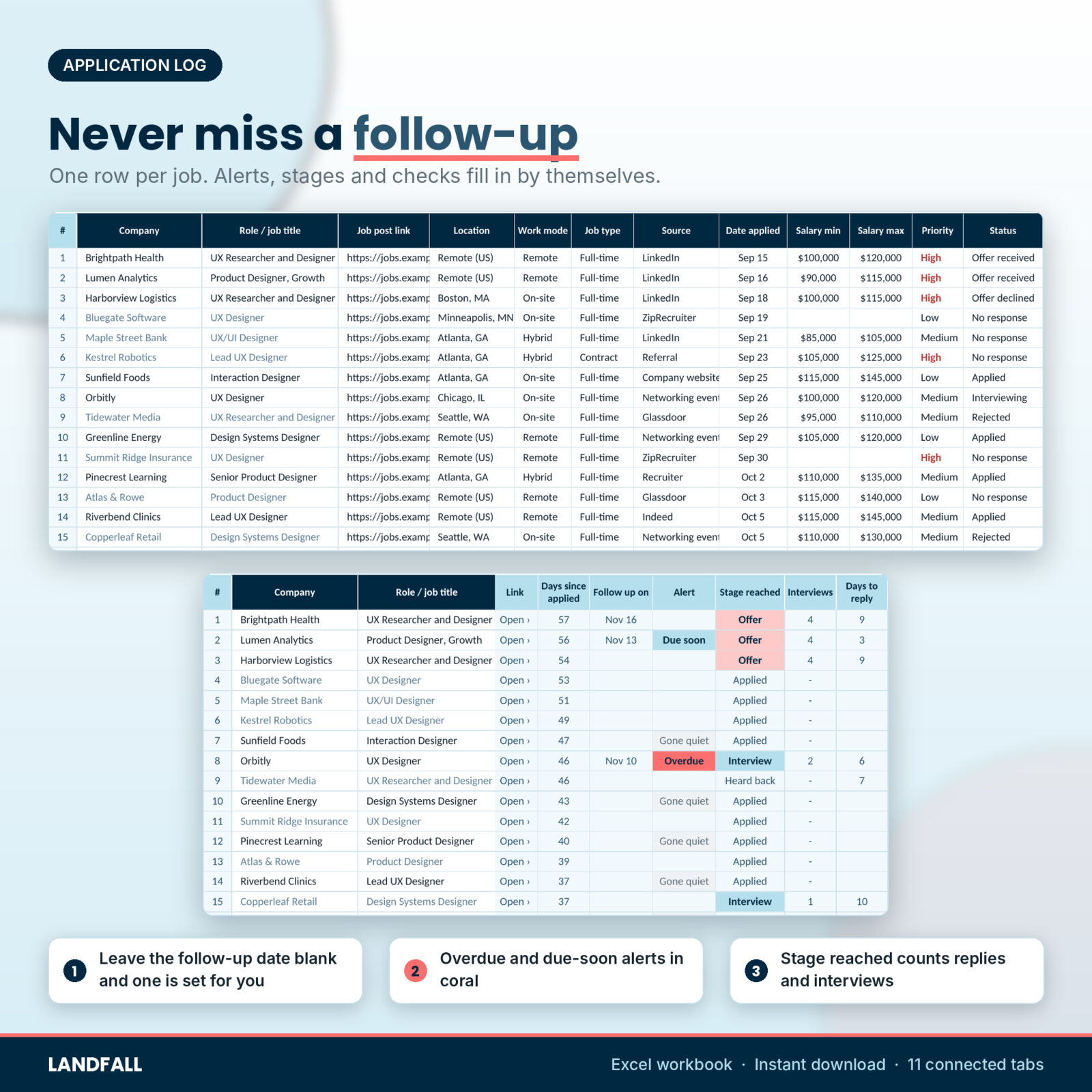
Every tab is linked. Log an interview and the job moves up your funnel, shows up under Coming up on the Dashboard, and lands on Friday’s Weekly Report. Leave the follow-up date blank and the tracker sets one for you, 7 days after you apply (you can change the number). After 21 days with no reply, a job is marked Gone quiet so you can move on.
Features
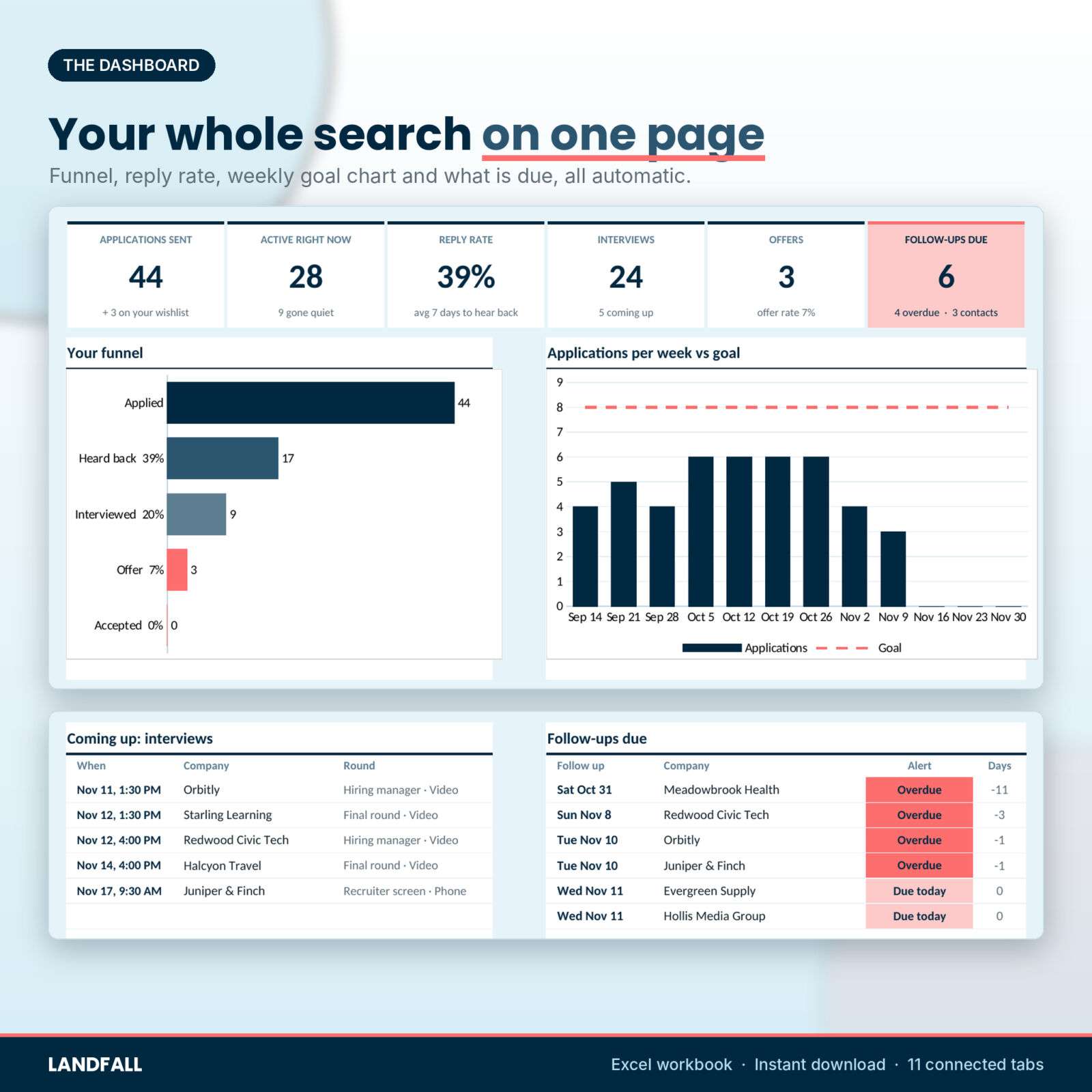
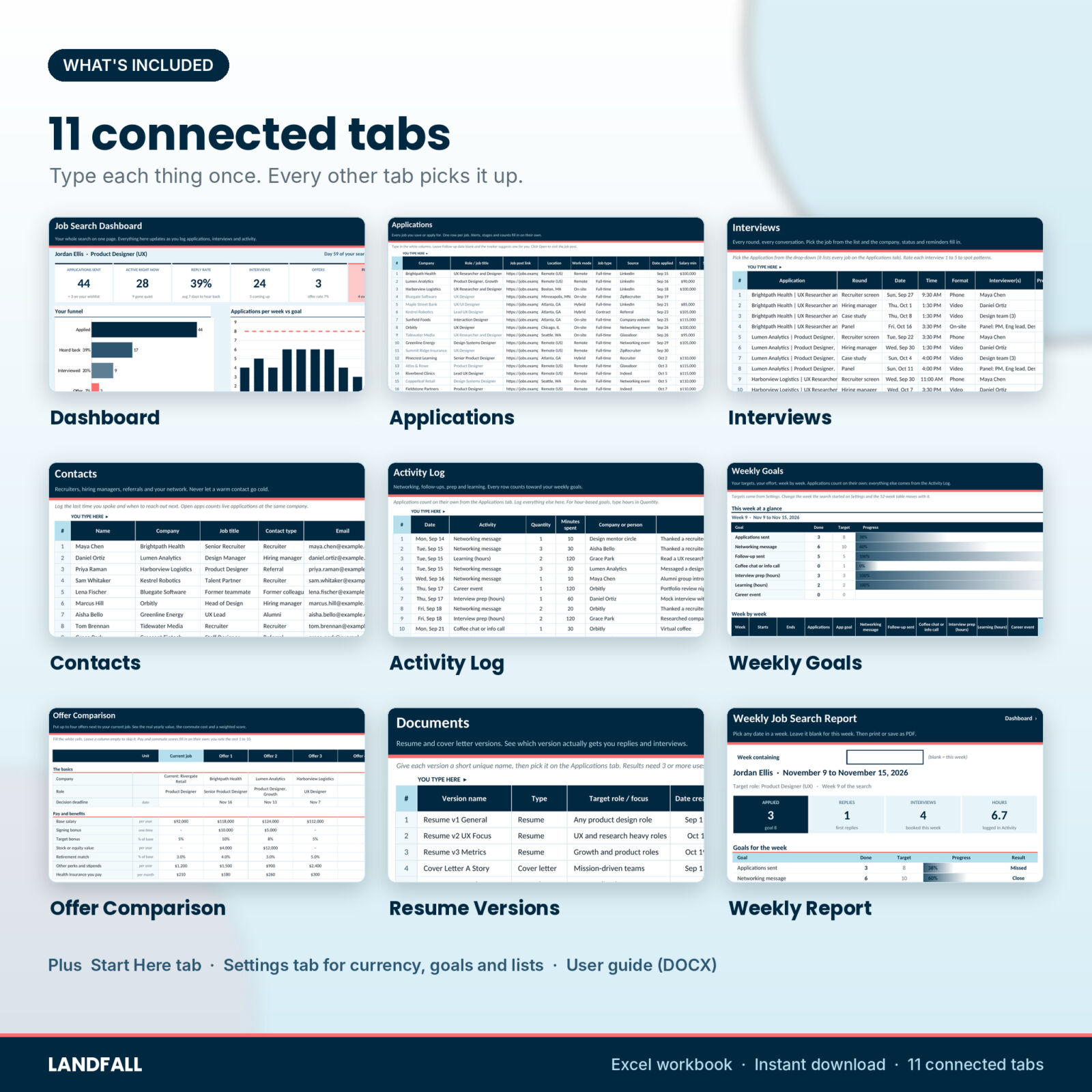
- Dashboard: six KPI cards, a funnel from applied to accepted with the percent at each step, applications per week against your goal, your top job sources with replies, a pipeline mix chart, upcoming interviews, follow-ups due, document results and this week’s goals.
- Application log: company, role, job link (with a clickable Open button), location, work mode, job type, source, date applied, salary range, priority, status, first reply date, resume and cover letter used, contact, next step and notes. Room for 500 jobs.
- Follow-up alerts: Overdue, Due today, Due soon and Gone quiet, colored so they stand out.
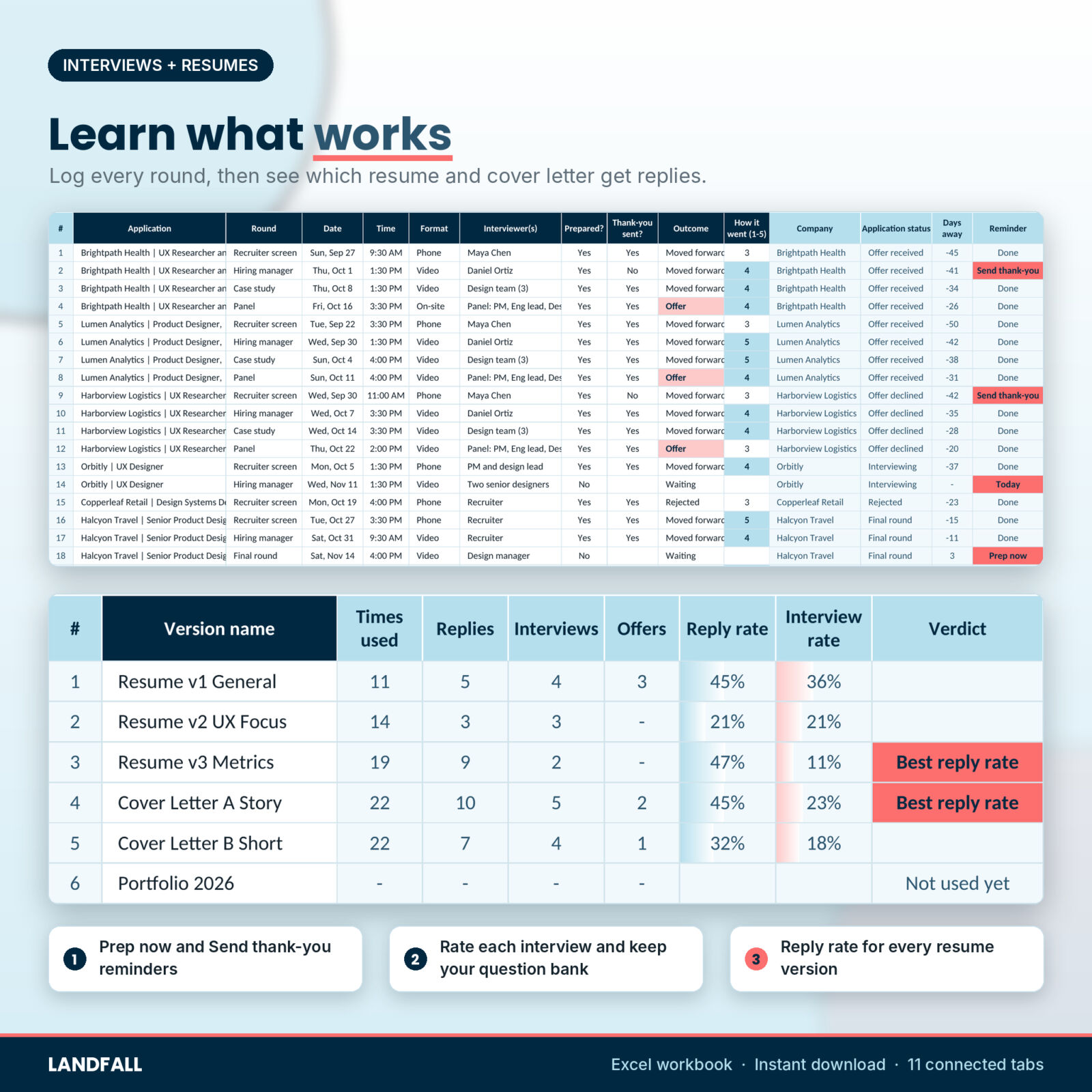
- Interview tracker: round, date, time, format, interviewers, prep, thank-you note, outcome, a 1 to 5 rating and your question notes. Reminders say Prep now or Send thank-you.
- Contacts and networking log: recruiters, hiring managers, referrals and alumni, with next follow-up reminders and a count of open applications at each company.
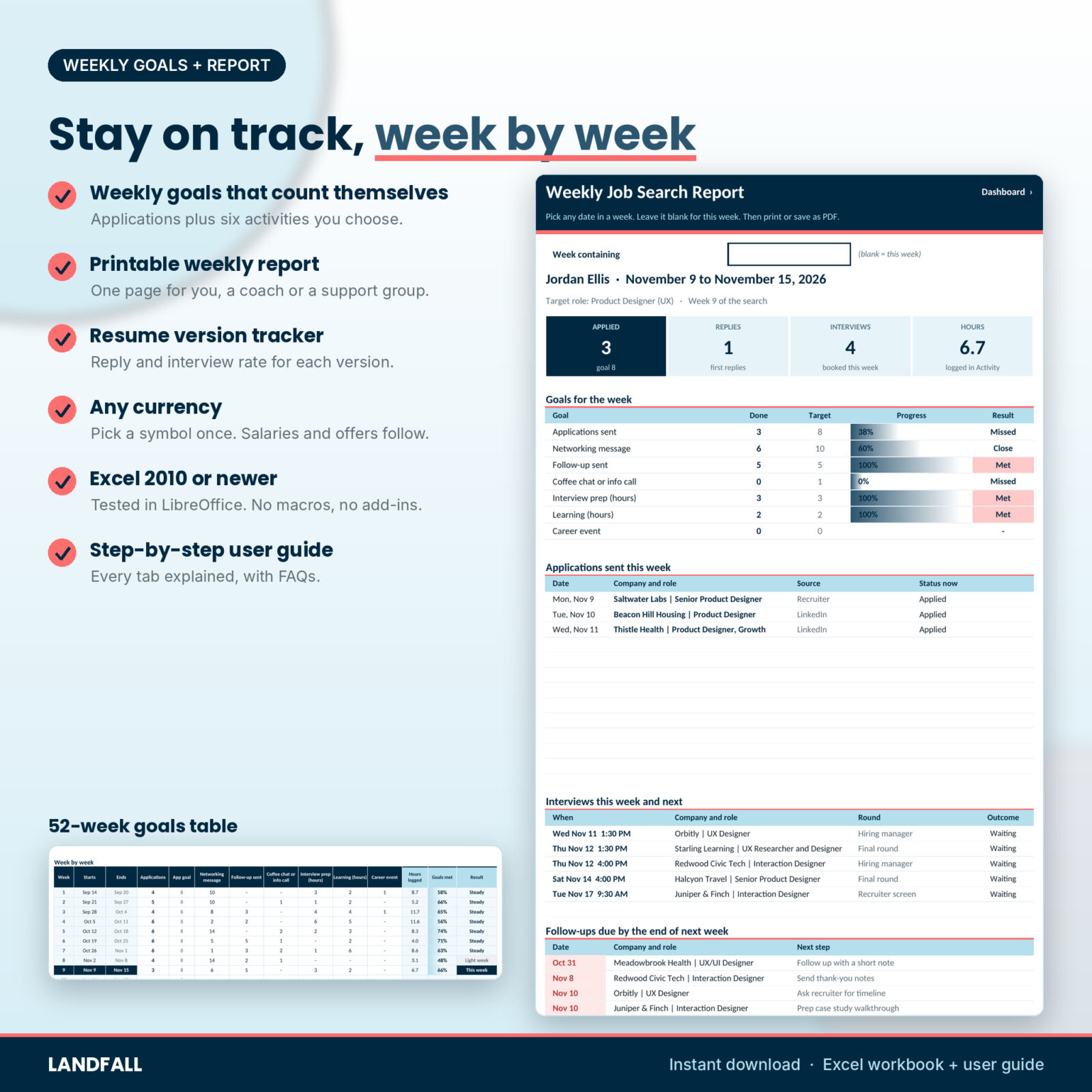
- Activity log and weekly goals: track networking messages, follow-ups, coffee chats, prep hours and learning against weekly targets you set. A 52-week table rates each week.
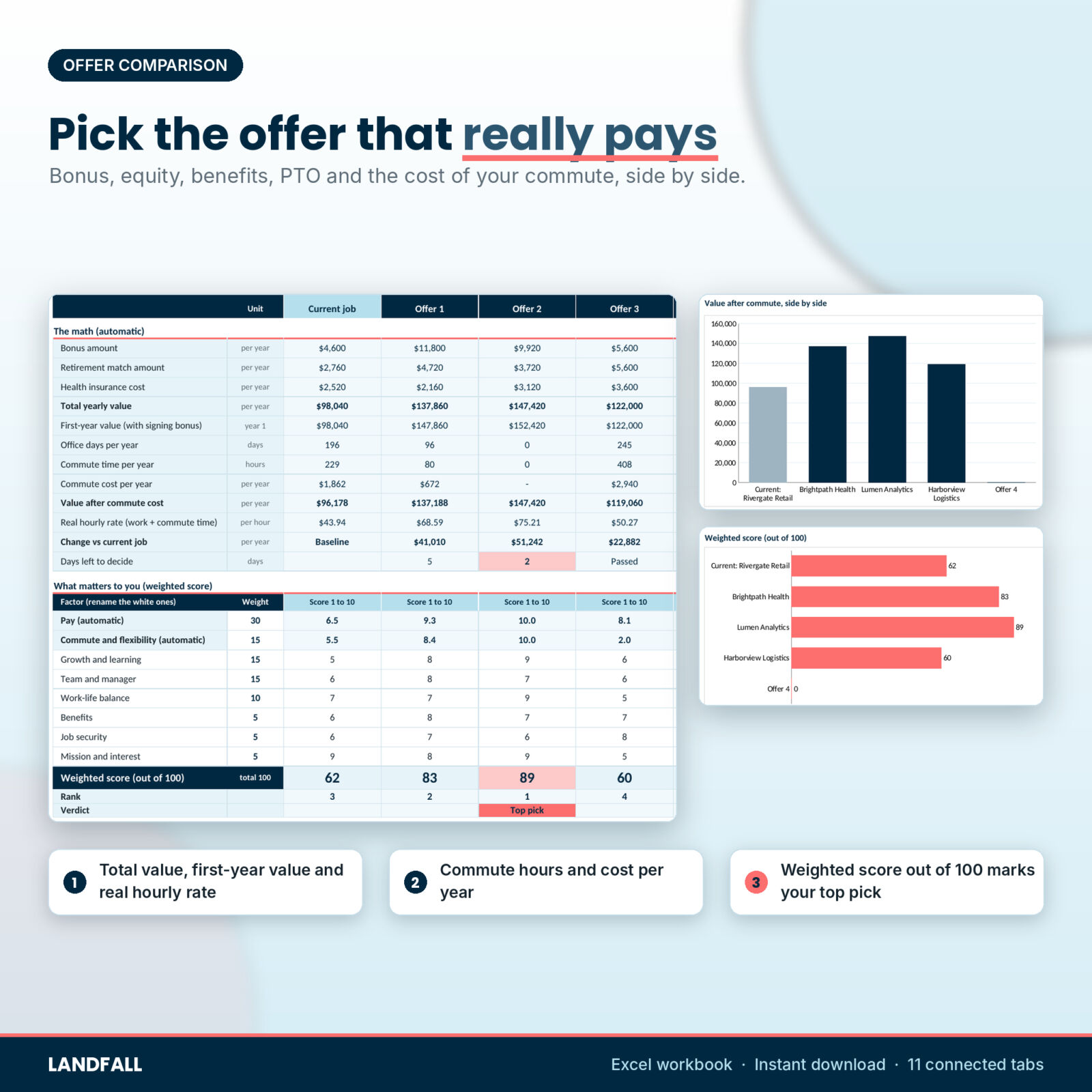
- Offer comparison calculator: up to four offers next to your current job. Base, signing bonus, target bonus, equity, retirement match, perks, health premiums, PTO, remote days and commute. It works out total yearly value, first-year value, commute hours and cost, value after commute, a real hourly rate and a weighted score out of 100.
- Resume and cover letter version tracker: reply rate and interview rate for each version, with the best one marked once it has 3 or more uses.
- Printable weekly report: one page with the week’s numbers, goals, applications, interviews, follow-ups and note boxes for wins and next steps.
- Settings: your name, target role, currency, week start, goals and every drop-down list in one place.
Who it is for
- Job seekers sending 10, 50 or 200 applications and needing one clear list.
- Career changers and new graduates who want to see which approach gets replies.
- People who were laid off and want a steady weekly routine with goals.
- Anyone weighing two or more offers who wants more than a gut feeling.
- Career coaches and support groups who ask for a weekly progress report.
Main benefits
You stop guessing. After a few weeks the Dashboard shows that, say, referrals reply 70% of the time while one job board replies 15%, or that your newer resume gets twice the interviews. You can spend your time where it pays off. Follow-ups stop slipping through the cracks, because the tracker tells you each morning what is overdue. And when offers arrive, you can see that a remote job paying $6,000 less may still be worth more once you count a 50-minute commute.
What is included
- Landfall-Job-Search-Tracker.xlsx: the workbook with 11 tabs (Start Here, Dashboard, Applications, Interviews, Contacts, Activity Log, Weekly Goals, Offers, Documents, Weekly Report, Settings). It comes blank and ready to use.
- Landfall-User-Guide.docx: a 27-page user guide covering setup, every tab, customizing, tips, troubleshooting and FAQs.
How it works
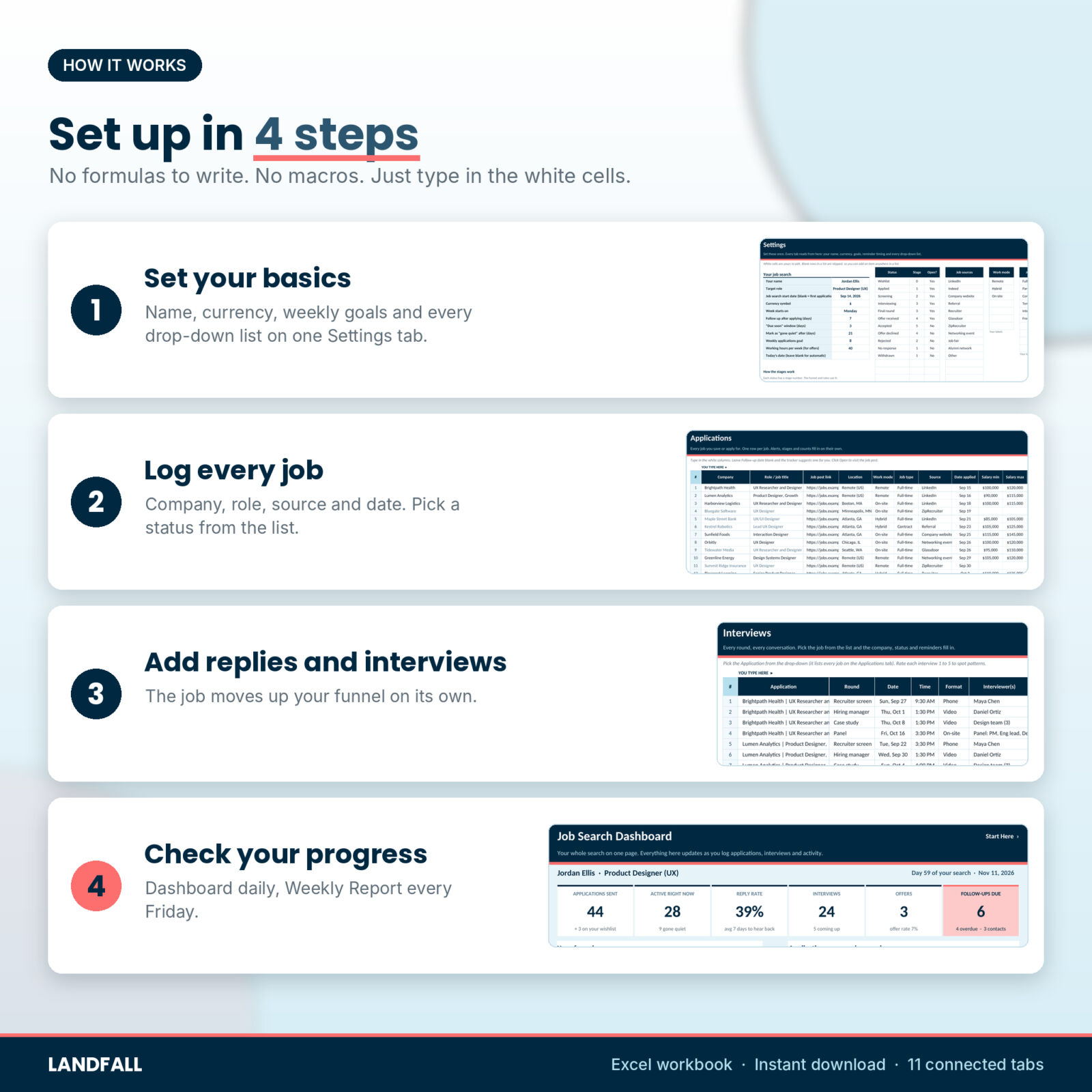
- Open Settings. Type your name and target role, pick your currency and week start, and set your weekly goals.
- Add each job on Applications as you find it. Use Wishlist for jobs you plan to apply to.
- Add replies, interviews, contacts and daily activity as they happen.
- Check the Dashboard most days and print the Weekly Report on Friday.
File format and software requirements
One .xlsx workbook plus a .docx guide. Built for Microsoft Excel 2010 or newer on Windows or Mac and tested in LibreOffice Calc. No macros, add-ins or internet connection needed. It was not tested in Google Sheets or Apple Numbers, so we do not claim those. A laptop or desktop screen works best.
Customization
Rename statuses, sources, interview rounds, outcomes, contact types, document types and the six weekly activities on the Settings tab. Each status has a stage number, so renaming never breaks the math. Pick from 20 currency symbols and every salary and offer cell follows. Formula cells are locked without a password so nothing breaks by accident, and you can unlock any tab with Review > Unprotect Sheet.
Digital download
This is an instant digital download. No physical item is shipped. After payment, download the workbook and the guide from your order page or email. The license is for personal use by one person. Please do not resell or share the files.
Real ways people use it
- A designer applying to 8 jobs a week checks Follow-ups due each morning and sends two short check-in notes.
- A new graduate compares LinkedIn, the campus job board and referrals after a month and drops the board that never replies.
- A project manager with three offers types in the numbers and sees the offer with the highest salary ranks third after commute and benefits.
- A job seeker in a support group prints the Weekly Report and brings it to the Friday meeting.
FAQ
Does this job tracker work in Google Sheets?
It is built for Excel 2010 or newer and tested in LibreOffice Calc. Google Sheets was not tested, so we cannot promise every feature works there.
Will it remind me to follow up?
It does not send emails. It flags overdue, due today and due soon follow-ups on the Applications tab and the Dashboard every time you open the file.
How many applications can it hold?
500 applications, 300 interviews, 300 contacts, 1,000 activity rows and 50 resume or cover letter versions.
Can I change the currency?
Yes. Pick from 20 symbols on Settings, including $, €, £, ₹ and R. Every salary and offer cell follows.
What counts as a reply?
Any answer from the employer, including a rejection. Interview rate and offer rate show how far applications go.
Is sample data included?
No. Your copy is blank. The sample shown in the photos is fictional and only there to show the features.
Do I need to know Excel formulas?
No. You type in the white cells and pick from drop-downs. The formulas are already built and locked.
Reviews
There are no reviews yet.