


Vending Machine Business Tracker Spreadsheet for Excel
Snackstop is a vending machine business tracker spreadsheet that answers the question every operator asks: which machines actually make money? You log each service visit in one row. The workbook does the rest. It backs out sales tax, takes off card fees, works out the commission each location is owed, prices your miles and shows net profit by machine, by location and by month.
It was built around the way routes really run. Most operators don’t want to count every item in every coil, so the Visit Log takes one product cost figure per visit. If you do want stock levels, an optional Load Log tracks units by product and feeds reorder alerts.
Who it is for
- New operators with a handful of machines who want to know if a placement is worth keeping
- Growing routes with up to 60 machines that need a route plan and clean commission records
- Side-hustlers who want tax-time totals without a bookkeeping app
- Anyone who pays location owners a percentage or a flat monthly fee
What the vending tracker does
Visit Log
Date, Machine ID, cash collected, card sales, refunds, product cost loaded and miles. Snackstop fills in the location, route, gross sales, sales tax, card fees, commission, mileage cost and visit profit. An optional cash check compares the money you collected with machine-reported sales and flags gaps bigger than your tolerance.
Machines and Locations
Each machine has a purchase price, setup cost, card reader fee and service interval. Each location has a route, stop number, contact details, contract dates and a commission deal. Visit status shows On track, Due soon or Overdue, and contracts show Renew soon before they end.
Commission done right
Pick % of gross sales, % of net sales, a flat monthly fee or no commission for each location. The Commission tab shows what every location earned month by month and what you still owe after the payouts you logged. The Statement tab prints a clean commission statement for any location and month.
Route Planner
Choose a route and see your stops in order with the last visit, next due date, status and average sales per visit. Switch to “Due and overdue only” for a short day, then print it with boxes for cash counted and notes.
Inventory and reorder alerts
List up to 150 products with unit cost and vend price to see profit per sale and margin. Purchases add to storage stock, the Load Log takes stock out, and the reorder status turns orange when you hit your reorder point.
Machine ROI
For the report year you get every cost line, net profit, margin, profit per visit and profit per hour. For the lifetime of each machine you get total invested, profit to date, percent paid back, an estimated payback month and yearly ROI. Shared overhead such as insurance and storage is split across active machines so you can see profit after overhead too.
Dashboard
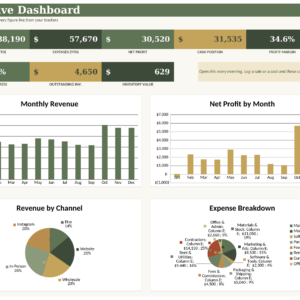
Twelve KPI cards, a monthly sales and profit chart, a “where every sales dollar goes” chart, top machines and top locations. The action center lists stops due, products to reorder and contracts to renew.
Monthly P&L and tax-time summary
Month-by-month sales, tax, fees, product cost, commission, mileage, expenses and net profit, plus quarterly totals and expenses by category for your accountant.
Placement Calculator
Before you place a machine, compare up to three locations. Enter expected vends, prices, card share, the commission deal and the miles. You get monthly profit, months to pay back the machine, break-even vends per week and the most commission you can offer while still hitting your target.
What’s included
- Snackstop vending machine tracker workbook (.xlsx) with 17 tabs
- Snackstop User Guide (.docx, 25 pages) with screenshots of every tab
Capacity: 60 machines, 60 locations, 150 products, 2,000 service visits, 3,000 itemized load rows, 600 purchases, 600 expenses and 300 payouts.
How it works
- Enter your currency, report year, sales tax rate, card fee and cost per mile on Settings
- Add your locations, then your machines
- Log each service visit as you go
- Read the Dashboard, Route Planner and Machine ROI, which update on their own
File format and software
Microsoft Excel workbook (.xlsx) for Excel 2010 or newer on Windows or Mac, including Microsoft 365. No macros, add-ins or subscription. Formulas are locked with sheet protection and no password, and input cells stay open. We built and tested it for Excel, so we don’t support Google Sheets or Numbers.
Customize it
Change the currency symbol once and every money heading follows. Rename routes, location types, machine types, expense categories, product categories and payment methods in Settings, and every dropdown updates. Change the report year to start a new year in the same file.
Instant digital download
This is a digital product. You get the Excel file and the user guide right after checkout. Nothing is shipped.
Real ways operators use it
- Spotting a machine that sells well but loses money after a 20% commission and long drives
- Printing a commission statement to hand a gym manager with the monthly check
- Planning Tuesday’s route around the machines that are overdue
- Deciding whether a new office park is worth a second machine
- Giving your accountant quarterly sales, product cost and mileage totals
FAQ
Does it work on a Mac?
Yes. It works in Microsoft Excel for Mac and Windows.
Do I have to log every snack I load?
No. Type one product cost per visit. Use the optional Load Log only if you want stock levels and reorder alerts.
Can I track a flat monthly rent instead of a percentage?
Yes. Each location can use % of gross sales, % of net sales, a flat monthly fee or no commission.
Does it handle sales tax and card fees?
Yes. Enter the sales tax rate included in your prices and your card processing rate, and both come off gross sales before profit.
How many machines can I track?
Up to 60 machines and 2,000 service visits, which is about two years of weekly service for 20 machines.
Can I use my own currency?
Yes. Set the currency symbol in Settings and the whole workbook uses it.
Can I share the file with a business partner?
You can use it inside your own business. Reselling, sharing outside your business or uploading the file anywhere is not allowed.

Reviews
There are no reviews yet.