A substitute teacher toolkit built for the sub
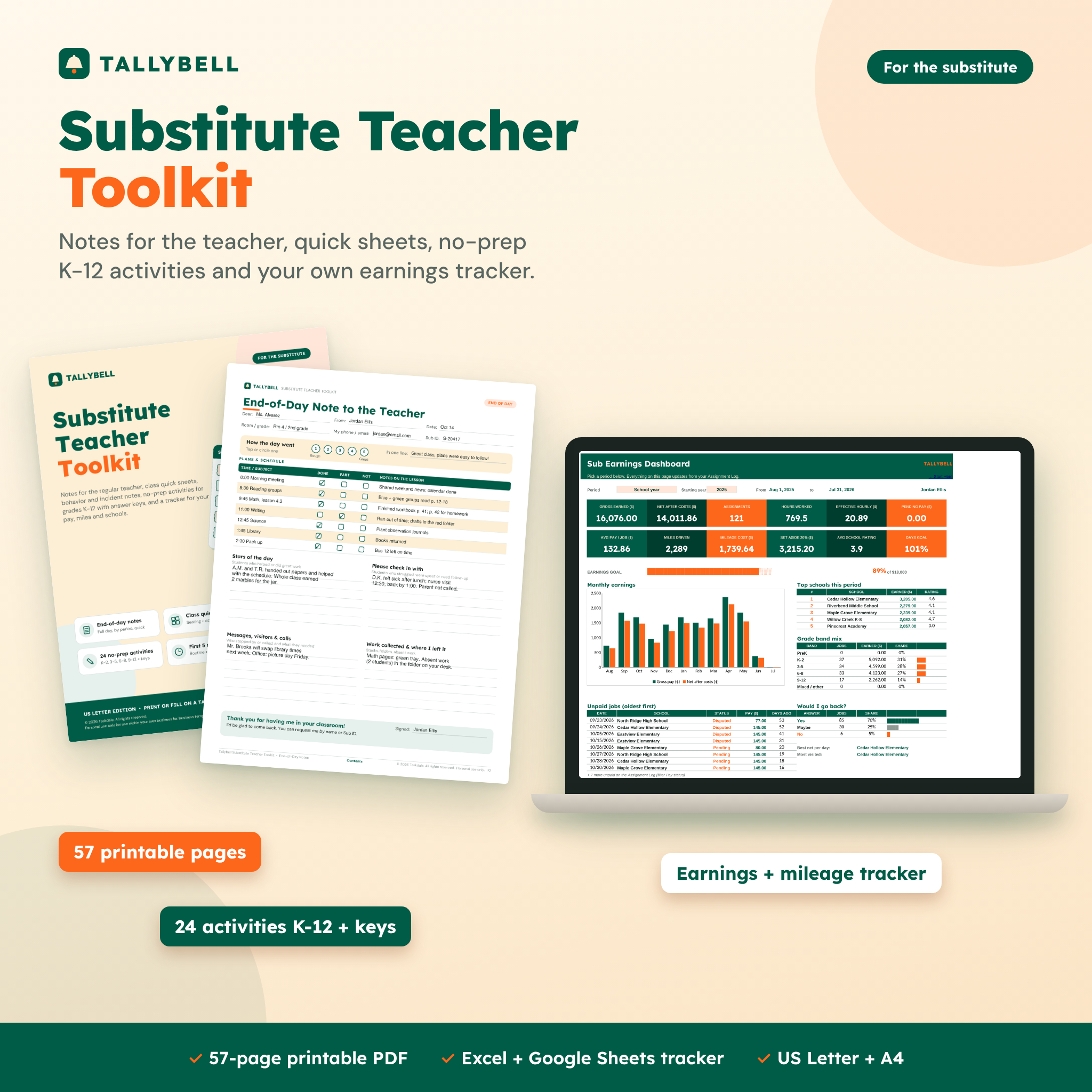
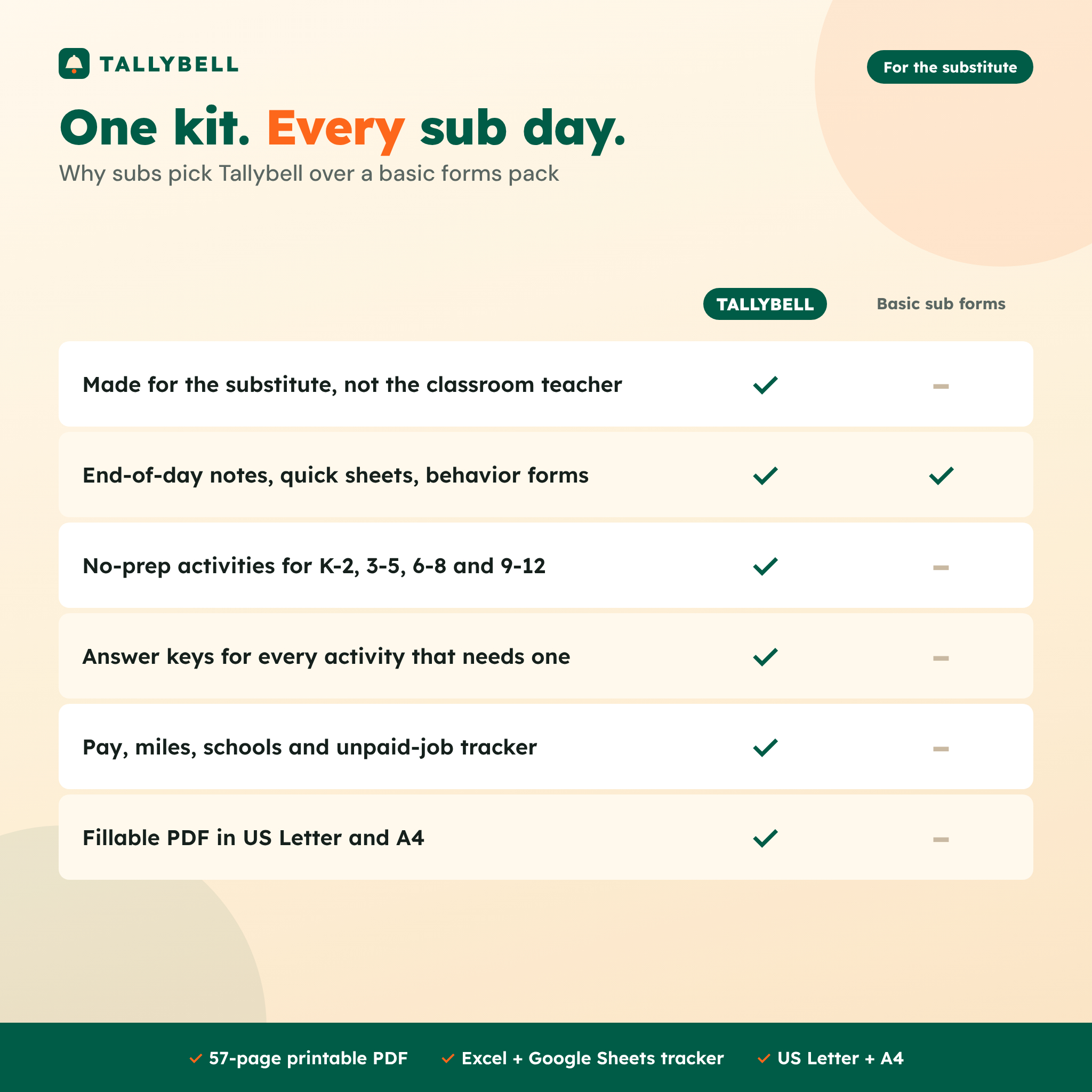
Most sub binders are written for the classroom teacher who is leaving. The Tallybell substitute teacher toolkit is for the person walking in: you. It gives you the notes you leave behind, the quick sheets you keep on your clipboard, a stash of no-prep activities for every grade band, and a spreadsheet that shows what each assignment really pays after driving.
You get a 57-page printable PDF in US Letter and A4, with fillable form pages you can type into on a tablet, plus the Tallybell Sub Assignment & Earnings Tracker for Excel and Google Sheets.
Who it is for
- Day-to-day substitute teachers working across several schools or districts
- Subs placed by staffing agencies who want their own records of pay and mileage
- New substitutes who want a ready routine and backup lessons on day one
- Retired teachers, student teachers and paraprofessionals who sub part time
What is included
Before the bell
- Sub bag & morning checklist with a box for today’s school, room, start time and confirmation number
- Arrival checklist: 14 things to find in the first ten minutes, from the sub plans to emergency exits and dismissal lists
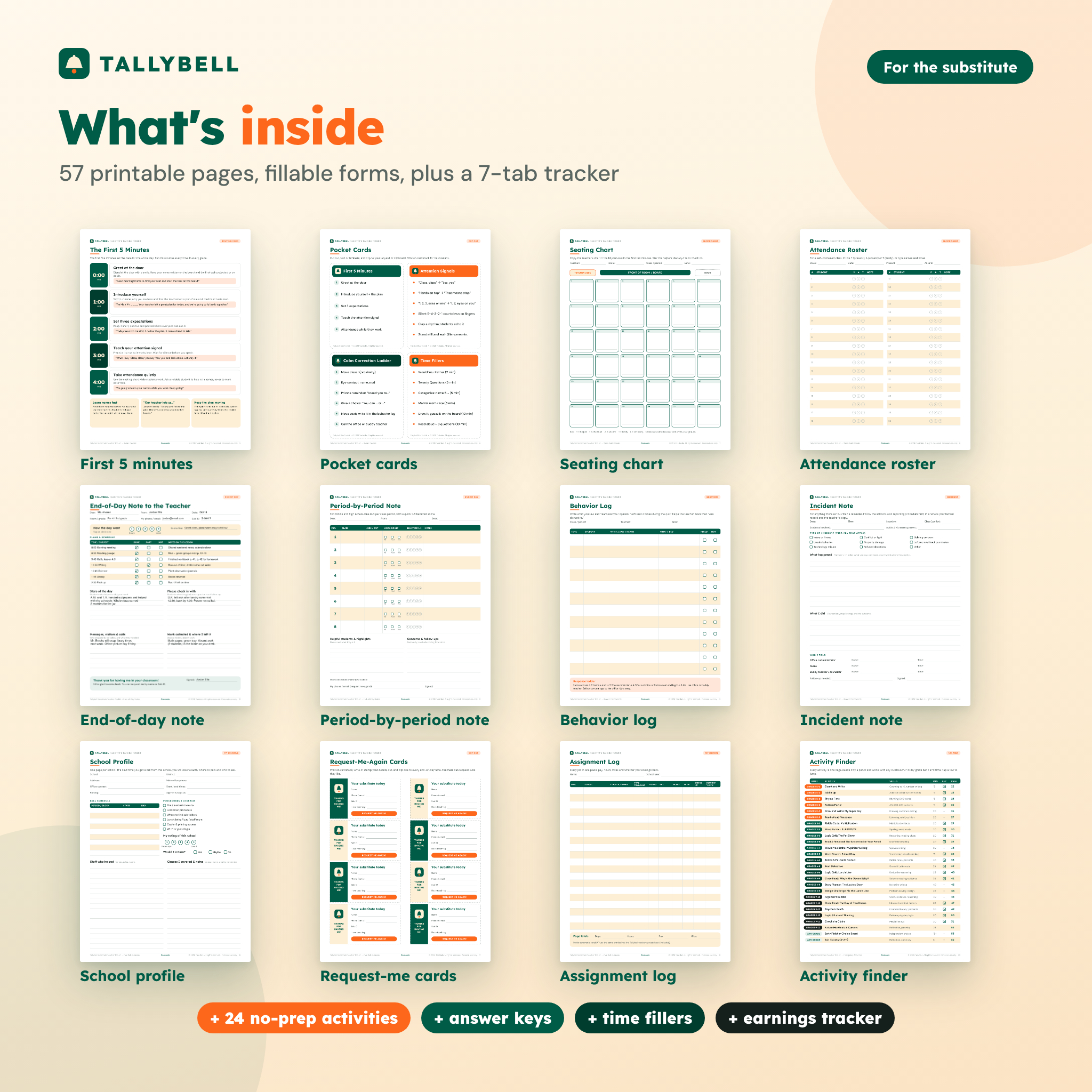
- The First 5 Minutes routine card with short scripts for greeting, introductions, expectations, attention signal and attendance
- 4 pocket cards: First 5 Minutes, Attention Signals, Calm Correction Ladder and Time Fillers
Class quick sheets
- Seating chart with 36 desk boxes, board, teacher desk and door
- Attendance roster for 36 students (P / A / T)
- Period attendance for middle and high school, 8 periods
Substitute teacher notes for the regular teacher
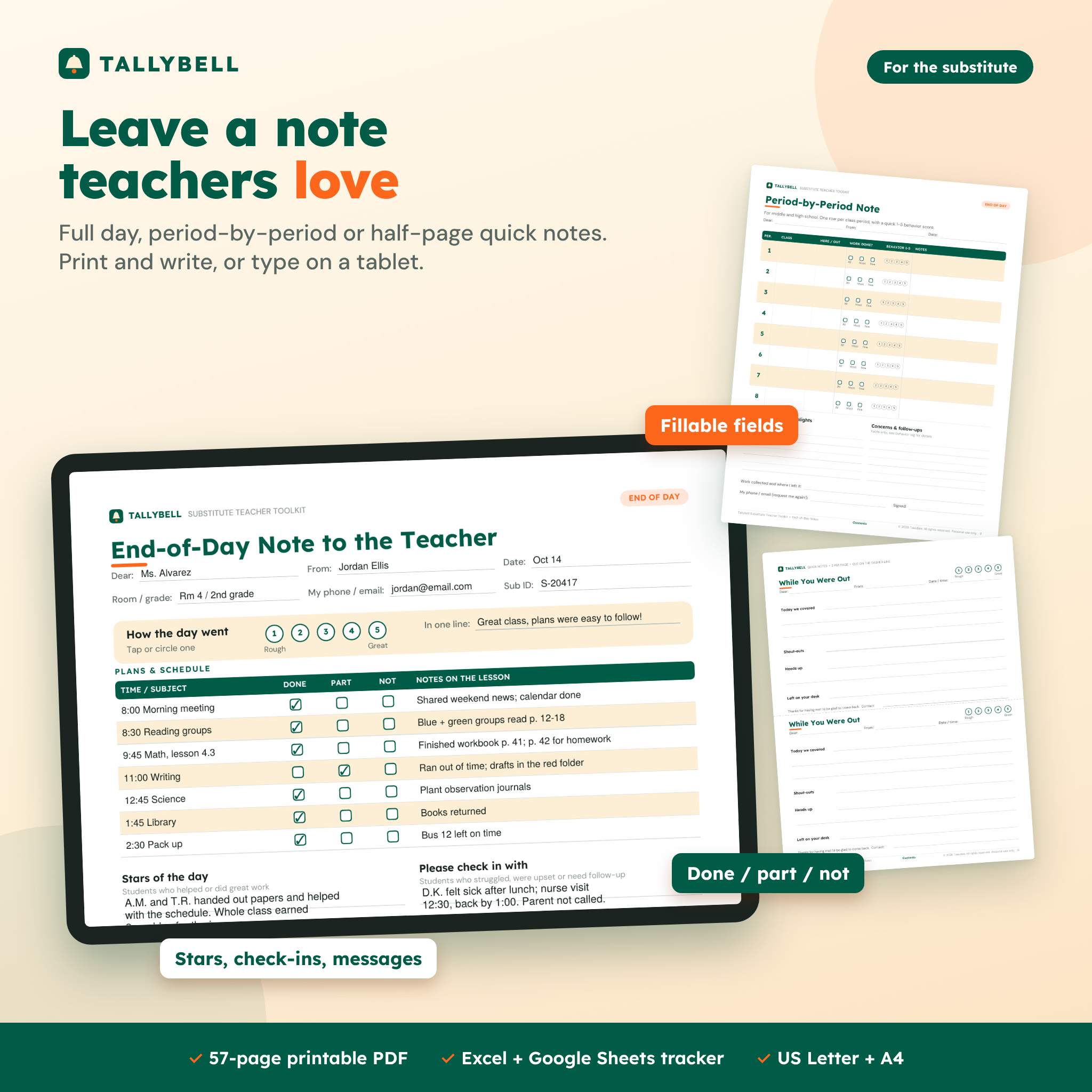
- Full-day end-of-day note with a 1-5 day rating, a schedule table with Done / Part / Not boxes, stars of the day, students to check in with, messages and where you left collected work
- Period-by-period note with attendance, work completed and a 1-5 behavior score for each class
- Half-page “While You Were Out” quick notes, two per sheet
Behavior and incidents
- Behavior log that prompts facts, not opinions, with a response ladder
- Incident note with incident types, what happened, what you did and who you told
- 8 student shout-out notes per page
Your sub business
- School profile page: parking, sign-in, bell schedule, procedures, helpful staff, your rating and whether you would return
- “Request me again” calling cards, 8 per page
- Paper assignment log and monthly earnings summary
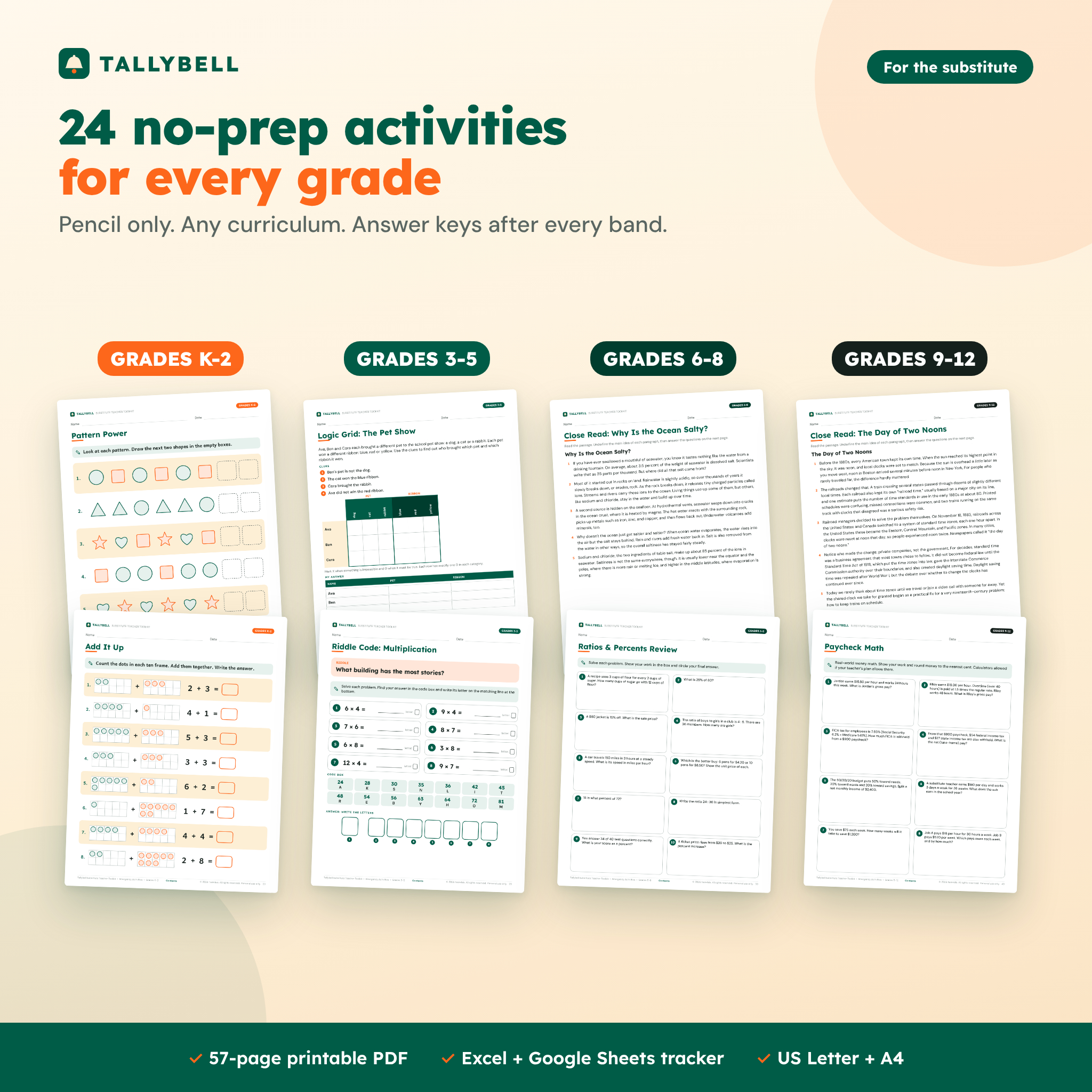
24 no-prep emergency sub plans activities
Every activity is one page, needs only a pencil and fits any curriculum. An Activity Finder sorts them by grade band and minutes, and answer keys follow each band.
- K-2: Count and Write, Add It Up (ten frames), Rhyme Time, Pattern Power, Draw and Write, Read-Aloud Response
- 3-5: Multiplication Riddle Code, Word Builder, Logic Grid, Read & Respond nonfiction passage, Would You Rather opinion writing, Word Search
- 6-8: Ratios & Percents Review, Root Detective, Logic Grid, Close Read: Why Is the Ocean Salty?, Story Planner, Design Challenge
- 9-12: Argument Builder, Close Read: The Day of Two Noons, Paycheck Math, Logic & Lateral Thinking, Check the Claim (media literacy), Future Me
- Any grade: early finisher choice board, 3-2-1 exit tickets and 12 no-materials time fillers
Sub assignment & earnings tracker
- Assignment log for up to 500 jobs: date, school, teacher, grade band, subject, type, times, pay status, rating and would-return answer
- Automatic pay from your default full-day, half-day, hourly and long-term rates, or a one-off rate per row
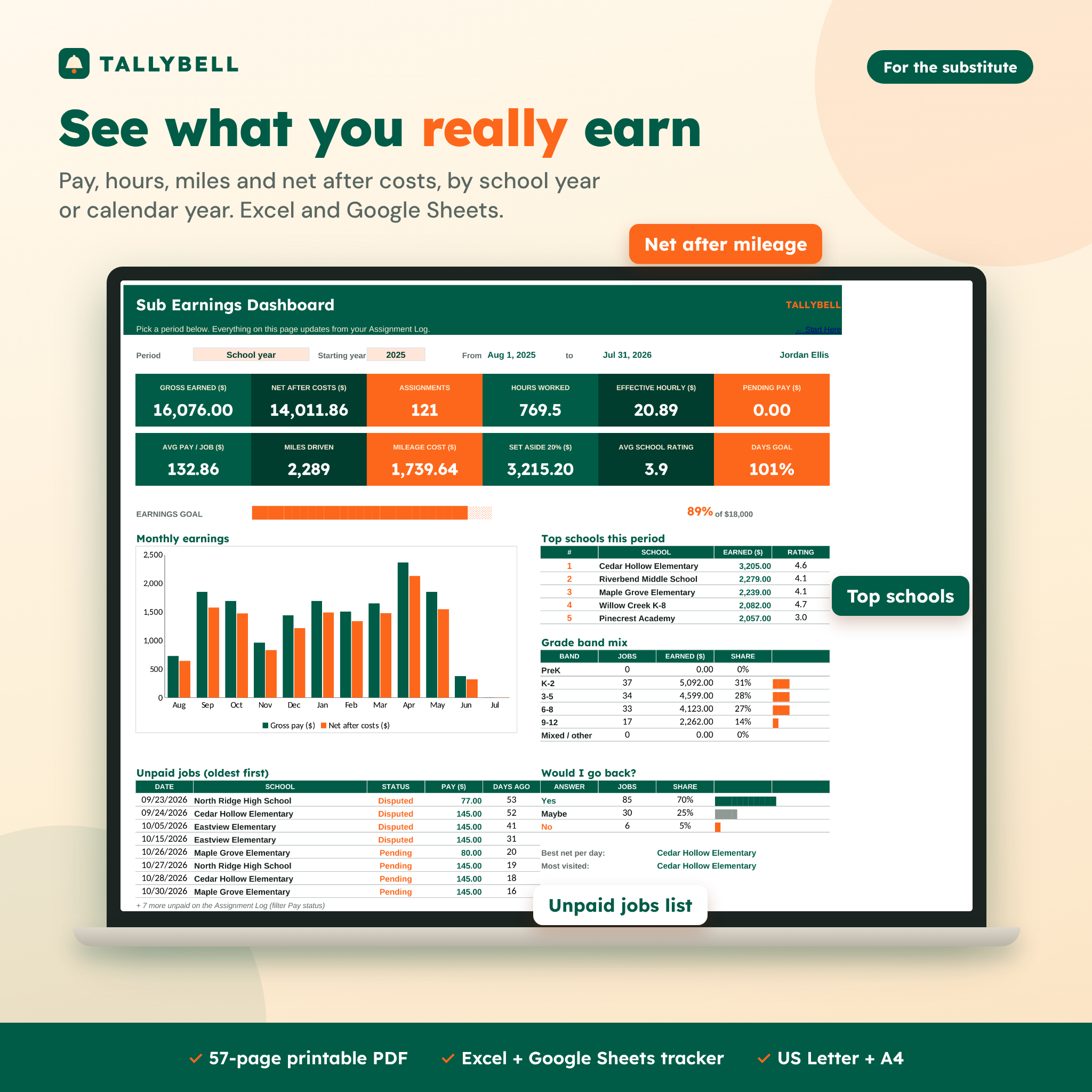
- Mileage and net pay: round-trip miles fill in from each school’s distance, and net after costs subtracts mileage and other costs
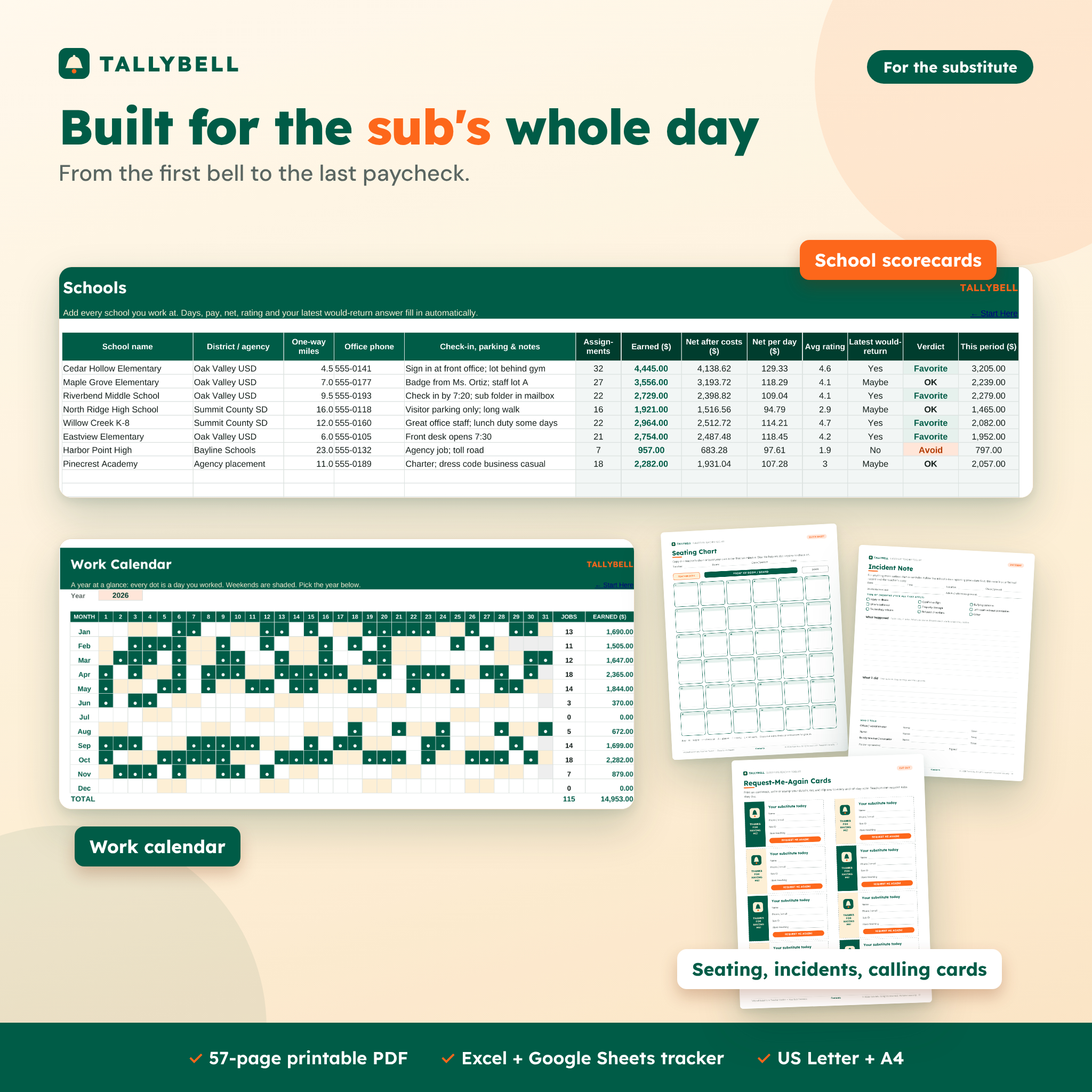
- School scorecards for up to 60 schools with earnings, net per day, average rating and a Favorite / OK / Avoid verdict
- Dashboard by school year or calendar year: 12 key numbers, earnings goal bar, monthly chart, top schools, grade-band mix and the oldest unpaid jobs
- Monthly summary and a work calendar that marks every day you worked
How it works
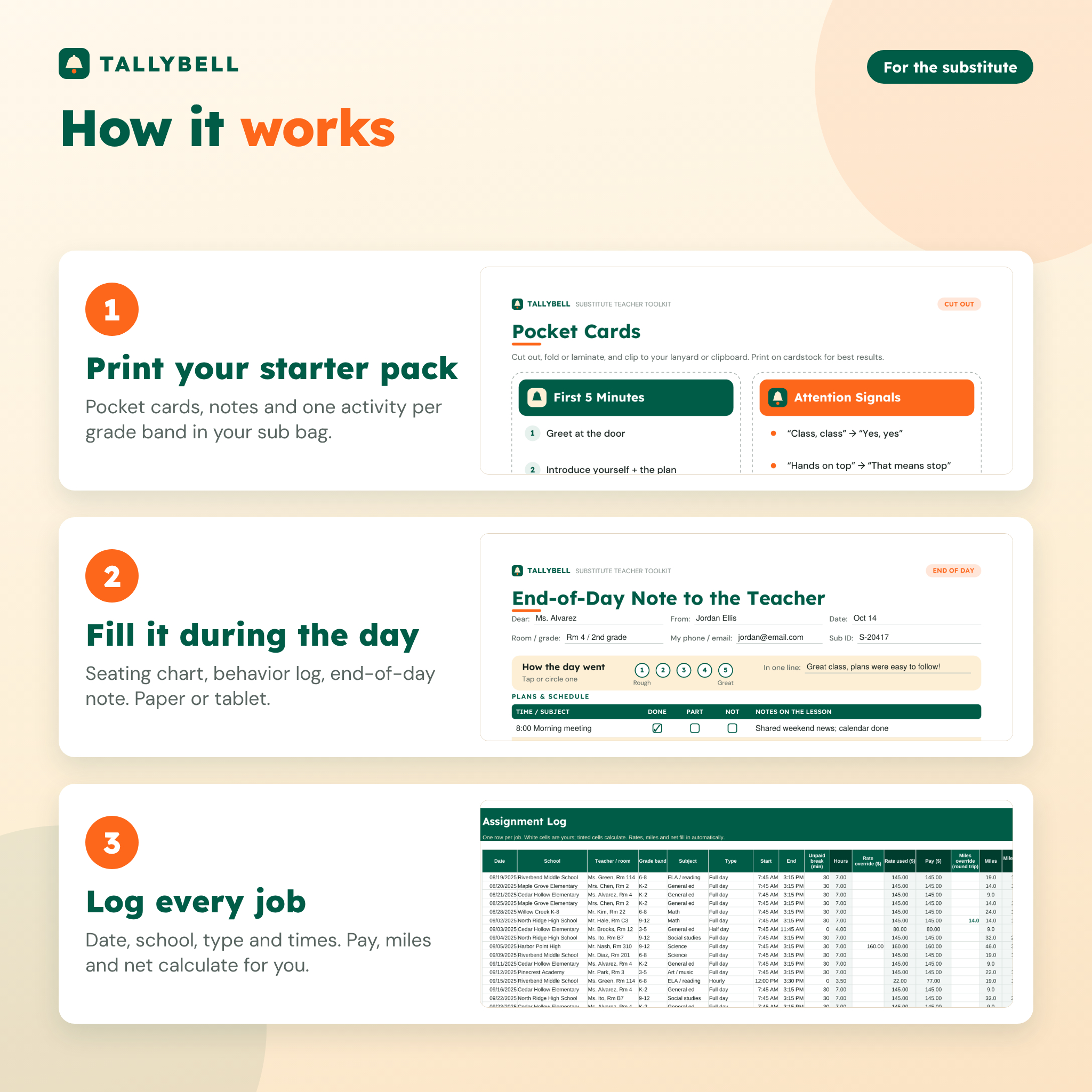
- Print a starter pack: a few notes, a behavior log, the pocket cards and one activity per grade band you teach.
- During the day, fill the seating chart and notes on paper, or type into the fillable PDF on a tablet.
- Each evening, add one row to the tracker. Pay, miles and net calculate for you, and the dashboard updates.
File formats and software
- PDF toolkit in US Letter (8.5 x 11 in) and A4, 57 pages, fonts embedded, clickable contents. Form pages are fillable in free Adobe Acrobat Reader.
- XLSX tracker for Microsoft Excel 2016 or newer and Google Sheets. No macros or add-ons.
- DOCX user guide with setup steps, screenshots, troubleshooting and FAQs.
Customization
Set your currency symbol once and every money heading follows it. Change your pay rates, mileage rate, set-aside percentage, goals and school-year start month on the Settings tab, and edit the subject list to match your district. Printables use neutral money columns, so they work in any currency.
Digital download
This is an instant digital download: nothing is shipped. You receive the PDFs, the spreadsheet and the guide right after purchase. Print as many copies as you need for your own substitute teaching.
Real ways subs use it
- A 7:10 a.m. call for a 2nd-grade class: grab the K-2 activities, the seating chart and a full-day note, and you are ready.
- The projector fails in 8th-grade science: hand out the ocean close read and keep the period on track.
- A long-term high school placement: leave a period-by-period note each day and log the higher daily rate.
- Choosing between two job offers: compare net per day on the Schools sheet before you accept the farther one.
- Tax time: export the monthly summary of pay and miles for your tax preparer.
Substitute teacher toolkit FAQ
Is this a sub binder for the classroom teacher?
No. It is written for the substitute. Teachers who want a binder to leave for subs need a different kind of product.
Do the emergency activities include answer keys?
Yes. Every activity that has right answers has a key at the end of its grade band. Open-ended pages include what to look for.
Can I fill in the notes on an iPad or computer?
Yes. The form pages are fillable in free Adobe Acrobat Reader on iPad, Android, Windows and Mac. You can also print them and write by hand.
Does the tracker work in Google Sheets?
Yes. Upload the XLSX to Google Drive and open it with Google Sheets. It also works in Excel 2016 or newer.
Can I use it outside the US?
Yes. There is an A4 edition, and the tracker has a currency setting. Grade bands follow US grade levels.
Does it calculate a mileage tax deduction?
It records your miles and an estimated mileage cost at the rate you choose. Whether mileage is deductible depends on your situation, so ask a tax professional.
Can I share it with other subs?
The license is personal use only. You may not resell, share or redistribute the files. You may leave completed notes and student worksheets with the schools you teach in.
Reviews
There are no reviews yet.