An invoice tracker spreadsheet that tells you who to chase today
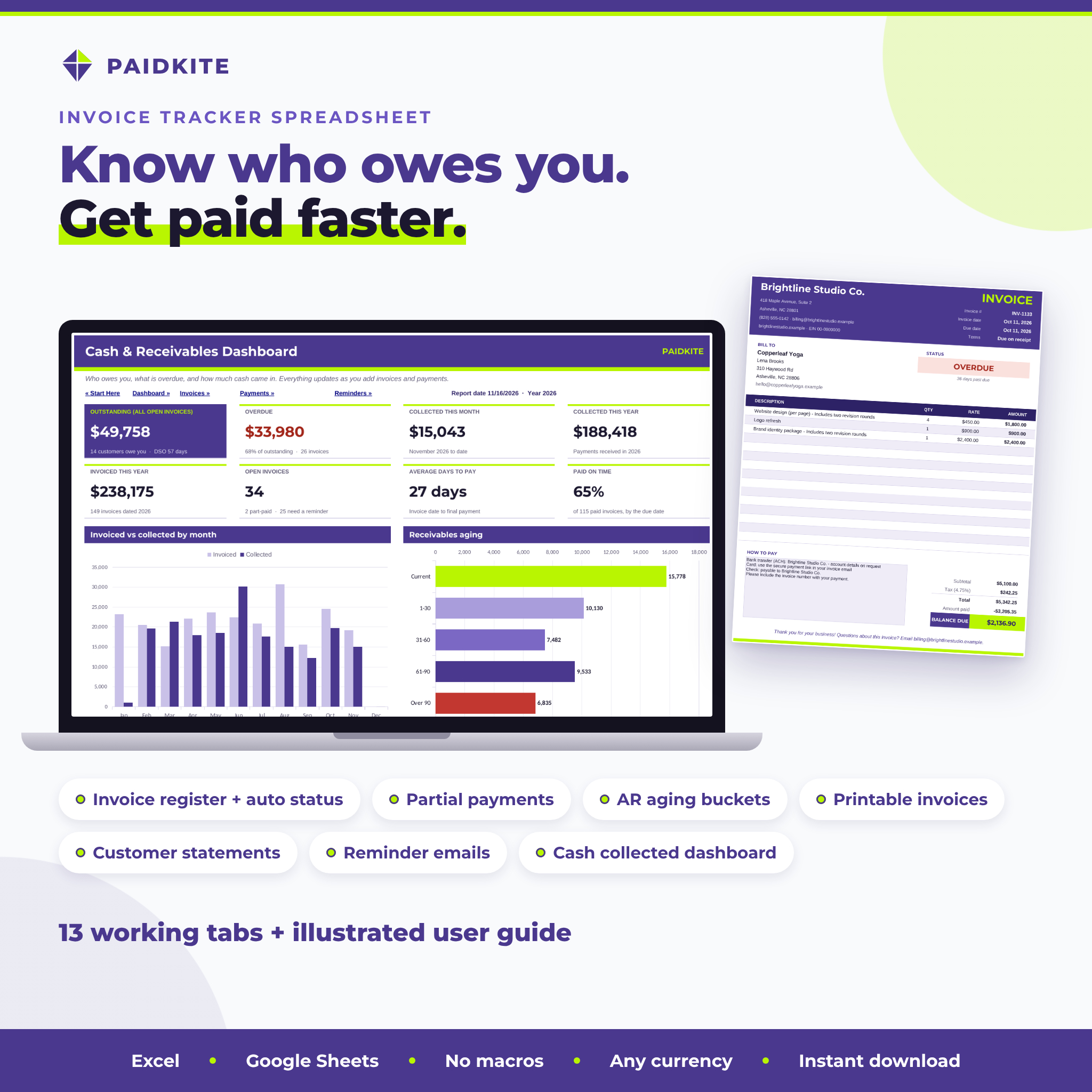
Paidkite is an invoice tracker spreadsheet and accounts receivable workbook for freelancers and small businesses. Type each invoice once and log payments as they arrive. The workbook works out due dates from your payment terms, adds tax, discounts and shipping, applies every deposit and partial payment, and shows the balance, status, days overdue, aging bucket and the next reminder to send. Everything rolls up into a cash and receivables dashboard, a printable invoice, a customer statement and ready-to-send reminder emails.
It replaces the sticky notes, the inbox searches and the “did they pay that one?” moments with one file you own.
Who it is for
- Freelancers and consultants who invoice clients on Net 15, Net 30 or custom terms
- Designers, agencies, photographers, coaches and creative studios
- Contractors, trades and service businesses that take deposits and progress payments
- Makers and wholesalers selling to shops on terms
- Bookkeepers and virtual assistants managing receivables for a small client
Main benefits
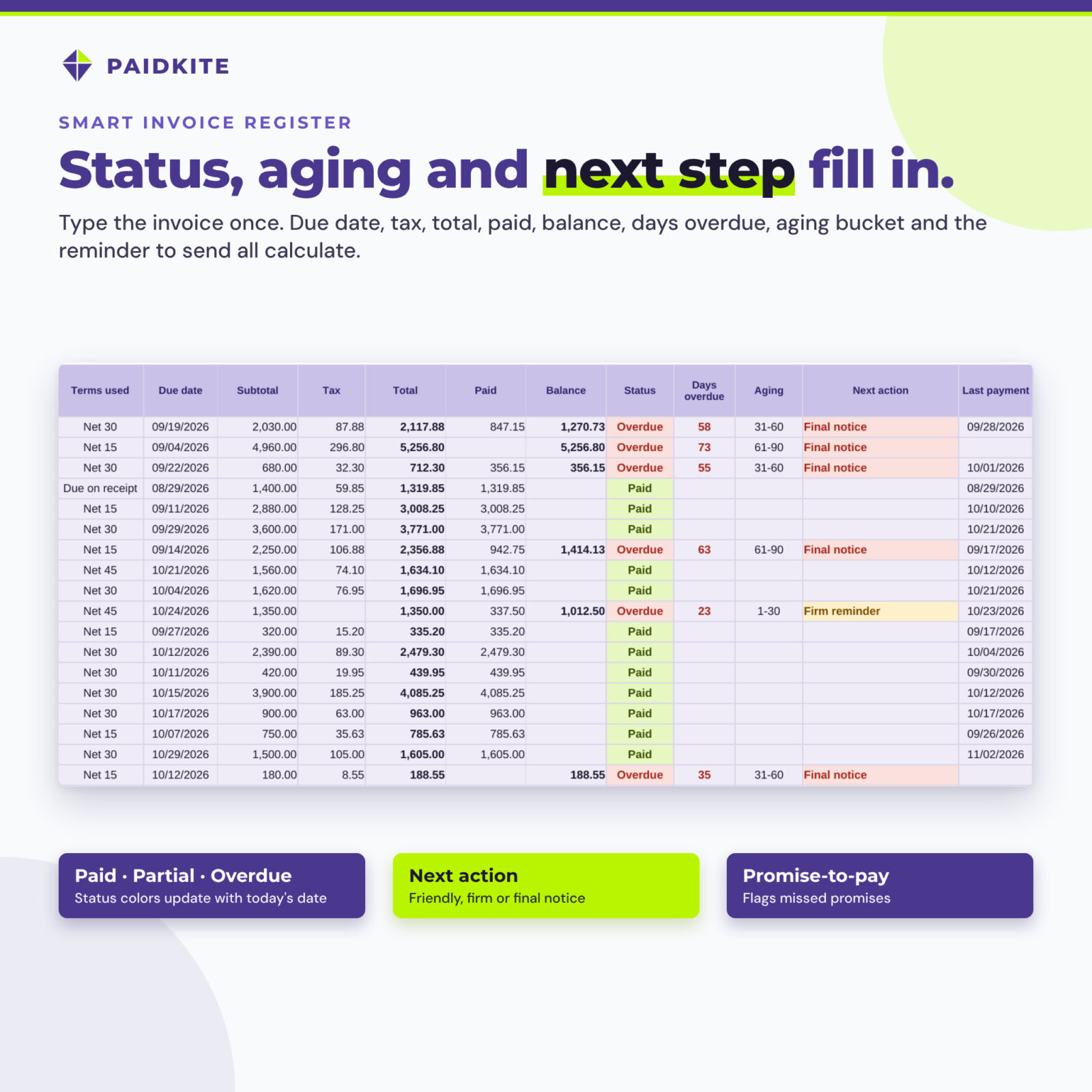
- Get paid faster: every open invoice has a Next action (due-soon note, friendly reminder, firm reminder or final notice) based on how late it is and when you last followed up.
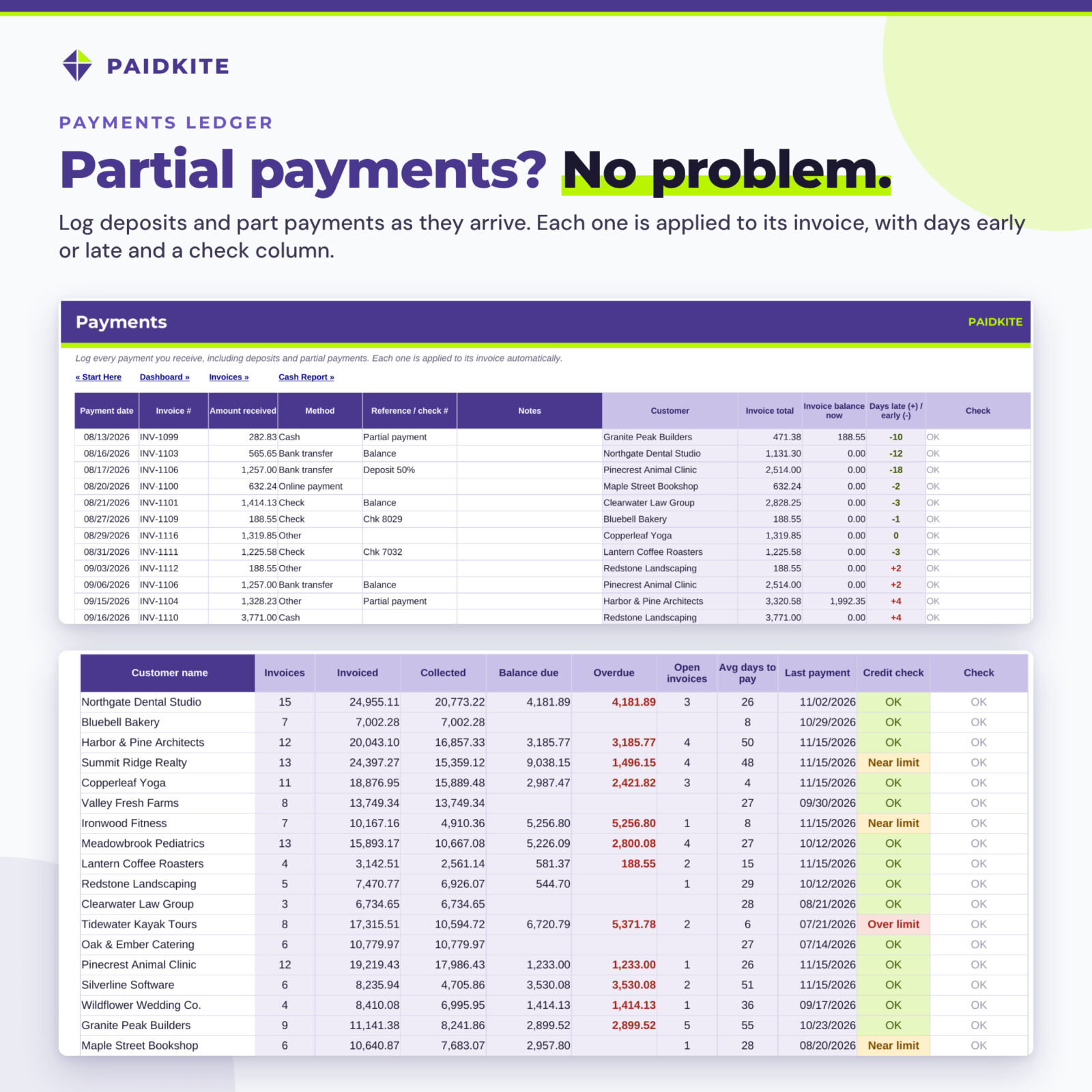
- Partial payments done right: a real payments ledger, so a 50% deposit and a later balance are two rows applied to the same invoice.
- Always current: the report date defaults to today, so overdue days and aging update by themselves. Type a date only when you want a month-end view.
- Look professional: print a clean invoice or statement, or save it as PDF, straight from your data.
- No subscription: a one-time download that works in Excel and Google Sheets.
Features
Invoice register (1,000 invoices)
Invoice number, date, customer dropdown, description, terms, optional due date override, quick amount or itemized lines, tax rate, discount, shipping, void, last reminder date, promise-to-pay date and notes. Calculated columns show terms used, due date, subtotal, tax, total, paid, balance, status (Open, Partial, Overdue, Paid, Overpaid, Credit note, Void), days overdue, aging bucket, next action, last payment date, days to pay and a check column that catches duplicates, unknown customers and missing data.
Payments ledger (2,000 payments)
Date, invoice number, amount, payment method, reference and notes, with the customer, invoice total, remaining balance and days early or late filled in. Refunds are negative amounts.
Line items (3,000 lines)
Itemize any invoice with quantity, unit price and a taxable flag per line.
Customers (150)
Contact details, default terms and credit limit, plus invoiced, collected, balance, overdue, open invoices, average days to pay, last payment and a credit-limit warning.
Printable invoice generator and customer statements
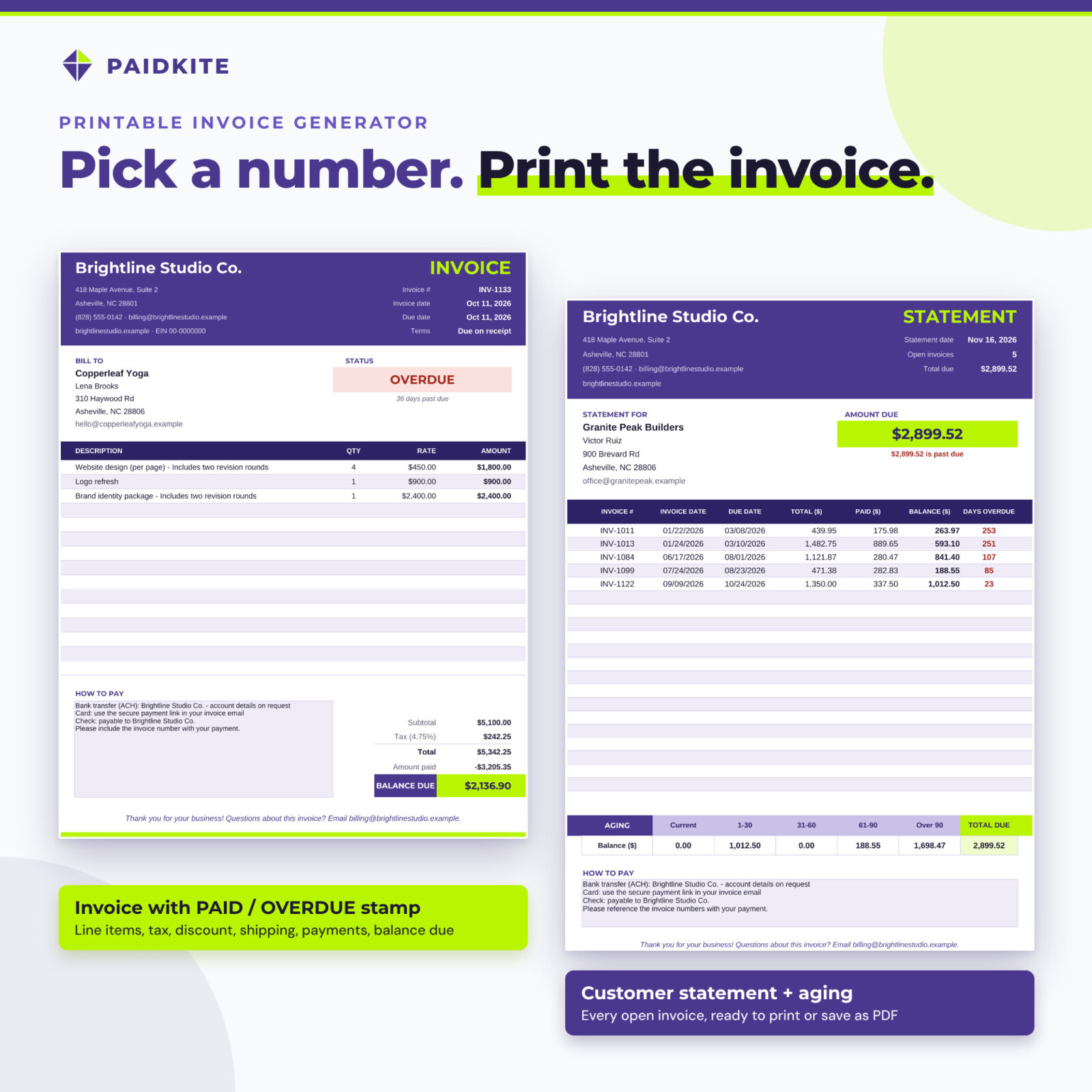
Pick an invoice number to get a print-ready invoice with your details, line items, totals, payments received, balance due and a PAID, OVERDUE or PARTIALLY PAID stamp. Pick a customer to print a statement of every open invoice with an aging summary.
Reminder email templates
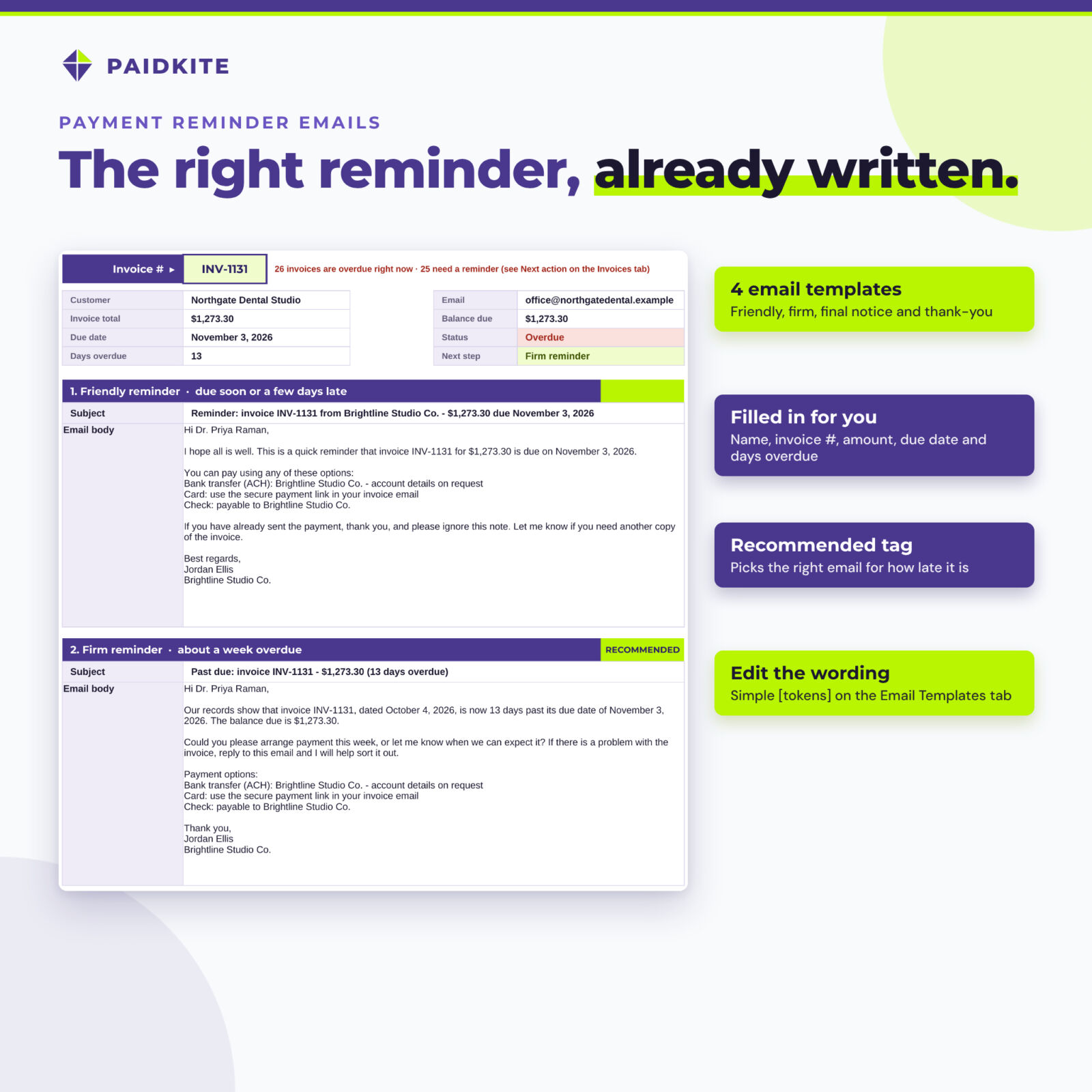
Friendly reminder, firm reminder, final notice and payment thank-you, filled in with the customer, invoice number, amounts, dates, days overdue and your payment instructions. The right one is tagged RECOMMENDED. Edit the wording with simple [tokens].
Dashboard, aging report and cash report
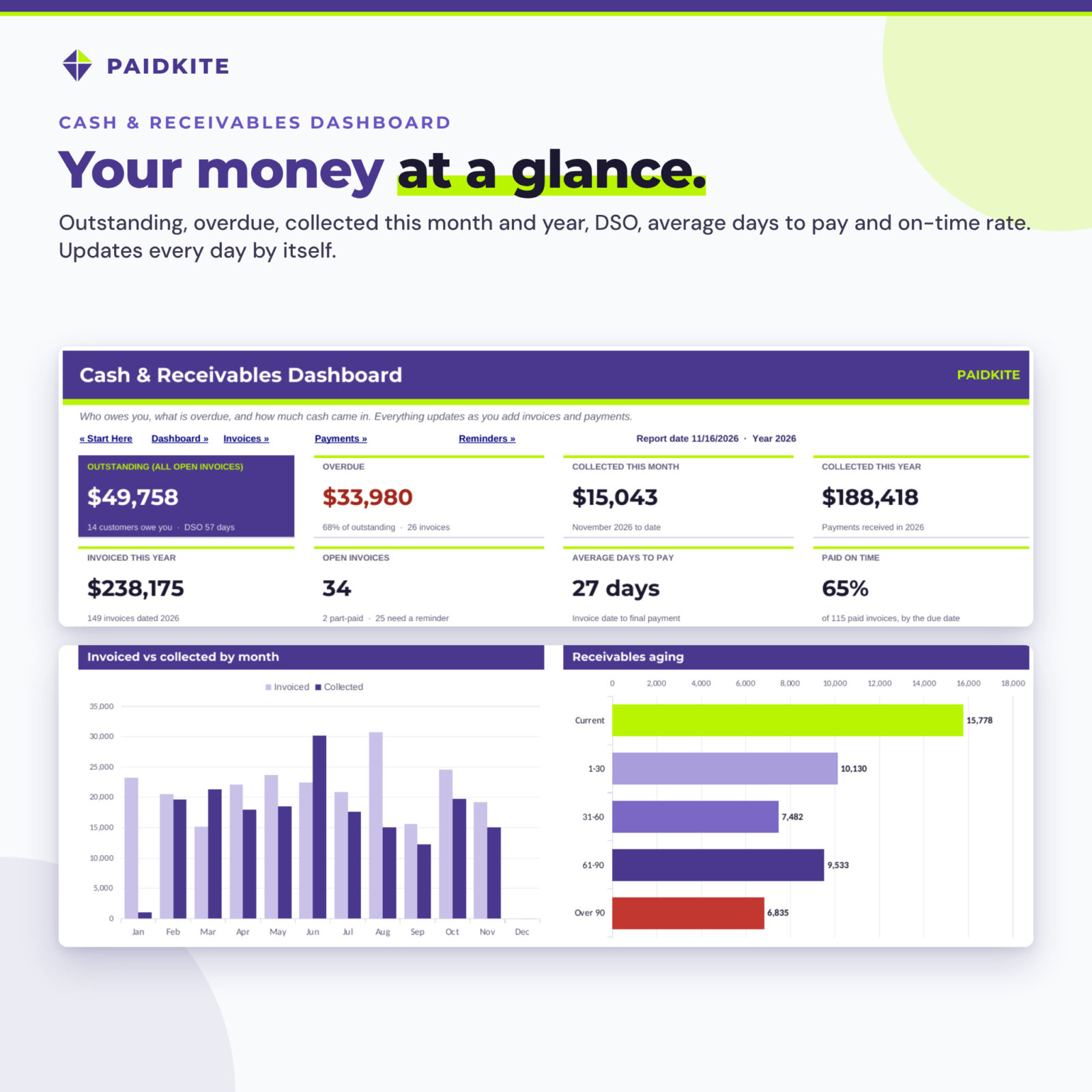
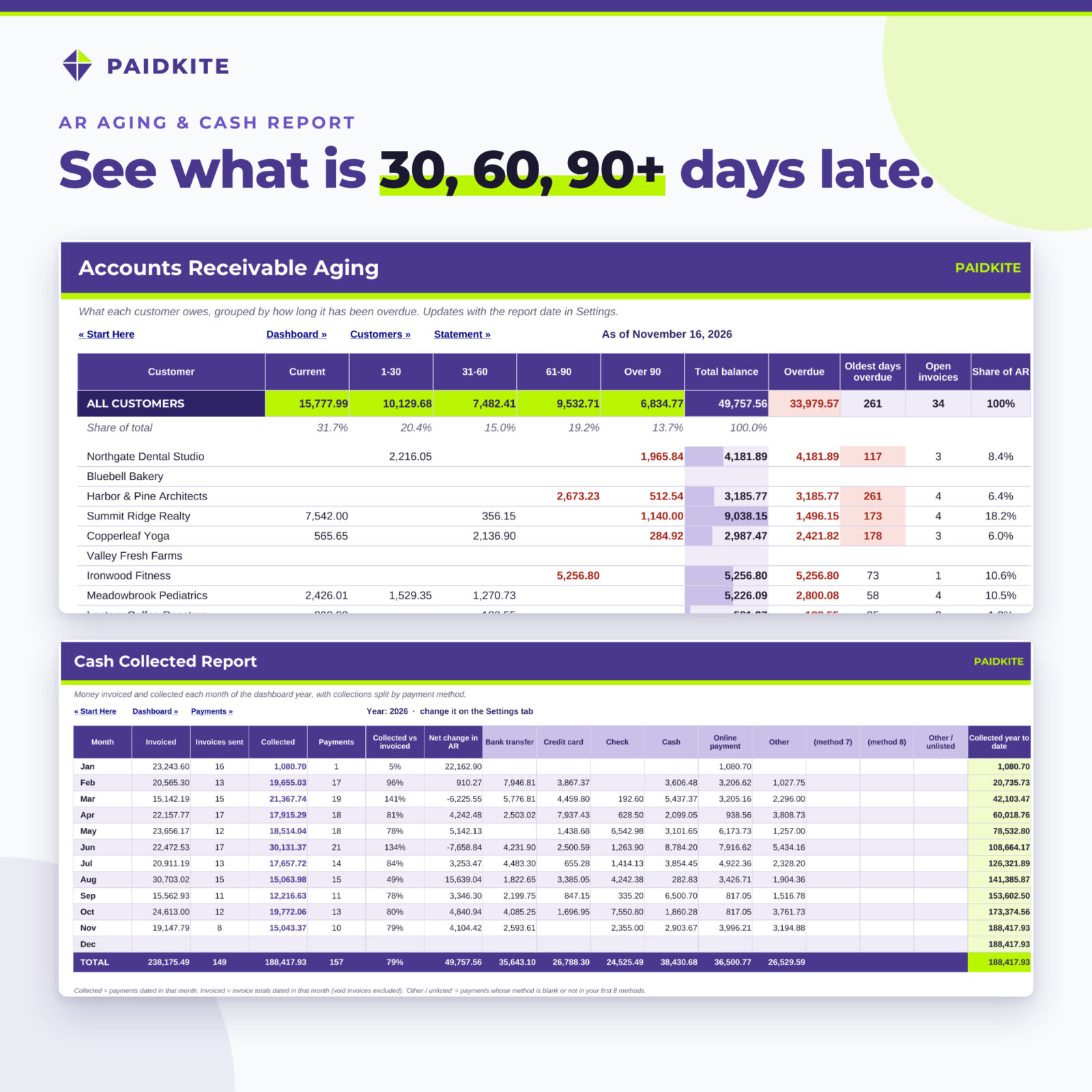
Eight KPI tiles (outstanding with DSO, overdue, collected this month and year, invoiced this year, open invoices, average days to pay, paid on time), an invoiced vs collected chart, an aging chart, the most overdue invoices, the customers who owe the most, invoices due soon and a status summary. The aging report splits every customer’s balance into Current, 1-30, 31-60, 61-90 and over 90 days (bucket limits are editable). The cash report shows invoiced and collected by month and collections by payment method.
What is included
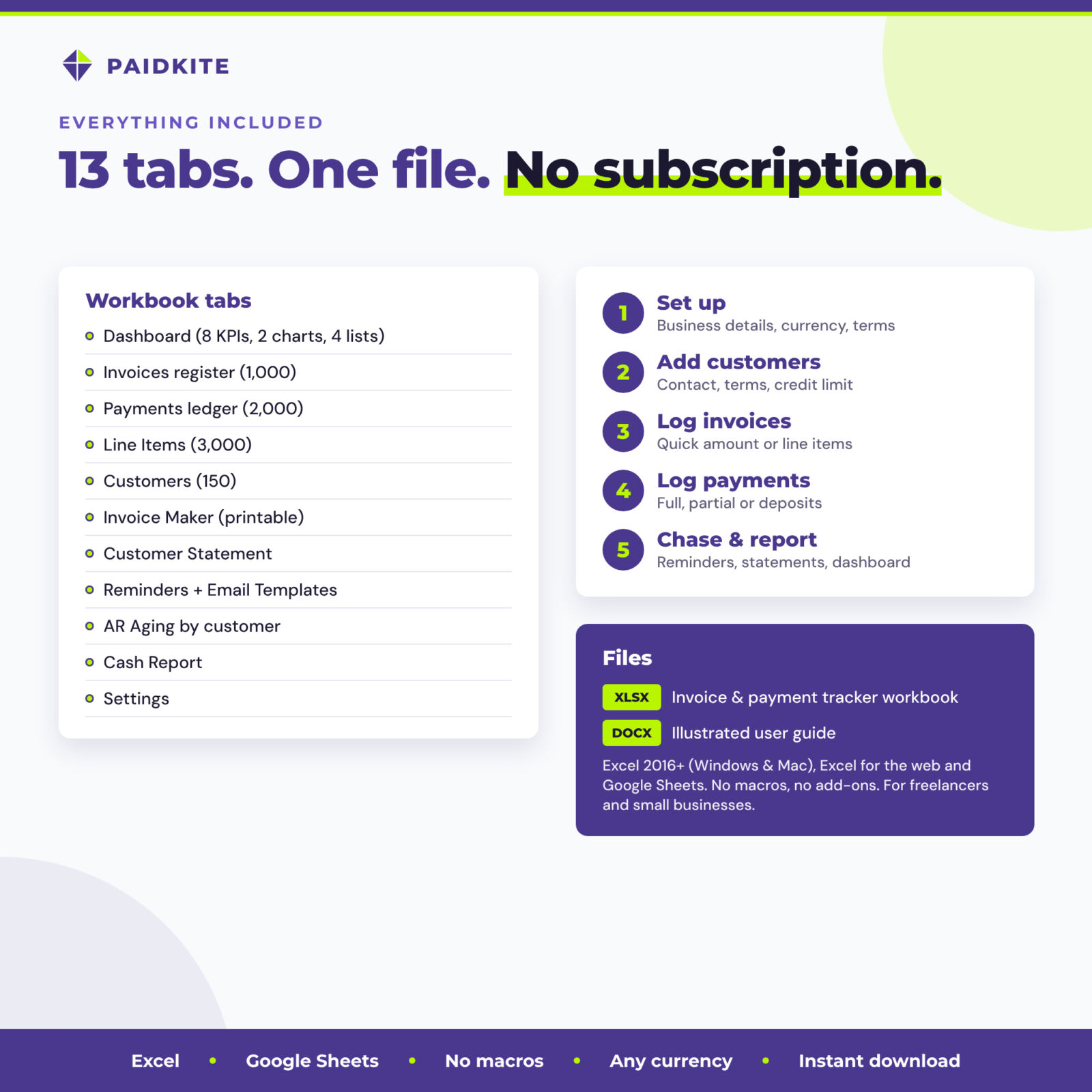
- Paidkite Invoice & Payment Tracker workbook (.xlsx, 13 tabs)
- Illustrated user guide (.docx) with setup steps, every feature, troubleshooting and FAQ
How it works
- Settings: add your business details, currency symbol, default terms, tax rate and payment instructions.
- Customers: add each customer once.
- Invoices: one row per invoice, with a quick amount or itemized lines.
- Payments: log payments as they arrive.
- Chase and report: follow the Next action, send the filled-in email, print invoices and statements and watch the dashboard.
File formats and software requirements
One .xlsx workbook that opens in Microsoft Excel 2016 or newer (Windows and Mac), Excel for the web and Google Sheets (upload, then File > Save as Google Sheets). No macros, add-ons or internet connection needed. Apple Numbers is not supported. The user guide is a Word .docx file that also opens in Google Docs.
Customization
Set any currency symbol, rename payment terms and payment methods, change the aging bucket limits and reminder timing, edit the four email templates and add your own invoice footer. Formula cells are protected without a password, so you can unprotect a sheet to restyle it.
Digital download
This is a digital product. You get the files immediately after checkout; nothing is shipped. Fictional sample figures appear in the listing images only; your download is clean and ready for your own data.
Use cases
- A designer billing ten clients a month sees on Monday morning which three invoices need a firm reminder and copies the emails.
- A contractor records a 50% deposit, a progress payment and the final balance against one invoice.
- A consultant sends a client a statement of five open invoices before a quarterly call.
- A small shop owner checks DSO and the over-90 bucket before ordering stock.
Frequently asked questions
Does this invoice tracker work in Google Sheets?
Yes. It uses only functions that work in both Excel and Google Sheets.
Can I track partial payments and deposits?
Yes. Add one row per payment on the Payments tab; there is no limit per invoice.
Can I create and print invoices with it?
Yes. The Invoice Maker tab builds a printable invoice from any invoice number, and you can save it as PDF.
Does it send emails automatically?
No. It writes the reminder emails for you; you copy them into your own email.
Can I use my own currency?
Yes. One setting changes the symbol everywhere.
How many invoices can it hold?
1,000 invoices, 2,000 payments, 3,000 line items and 150 customers.
Is this accounting software?
It is an accounts receivable tracker, not a full bookkeeping system, and not tax or legal advice.
License: personal use only (or use within your own business). You may not resell, share or redistribute the files. © 2026 Taskdale.
Reviews
There are no reviews yet.