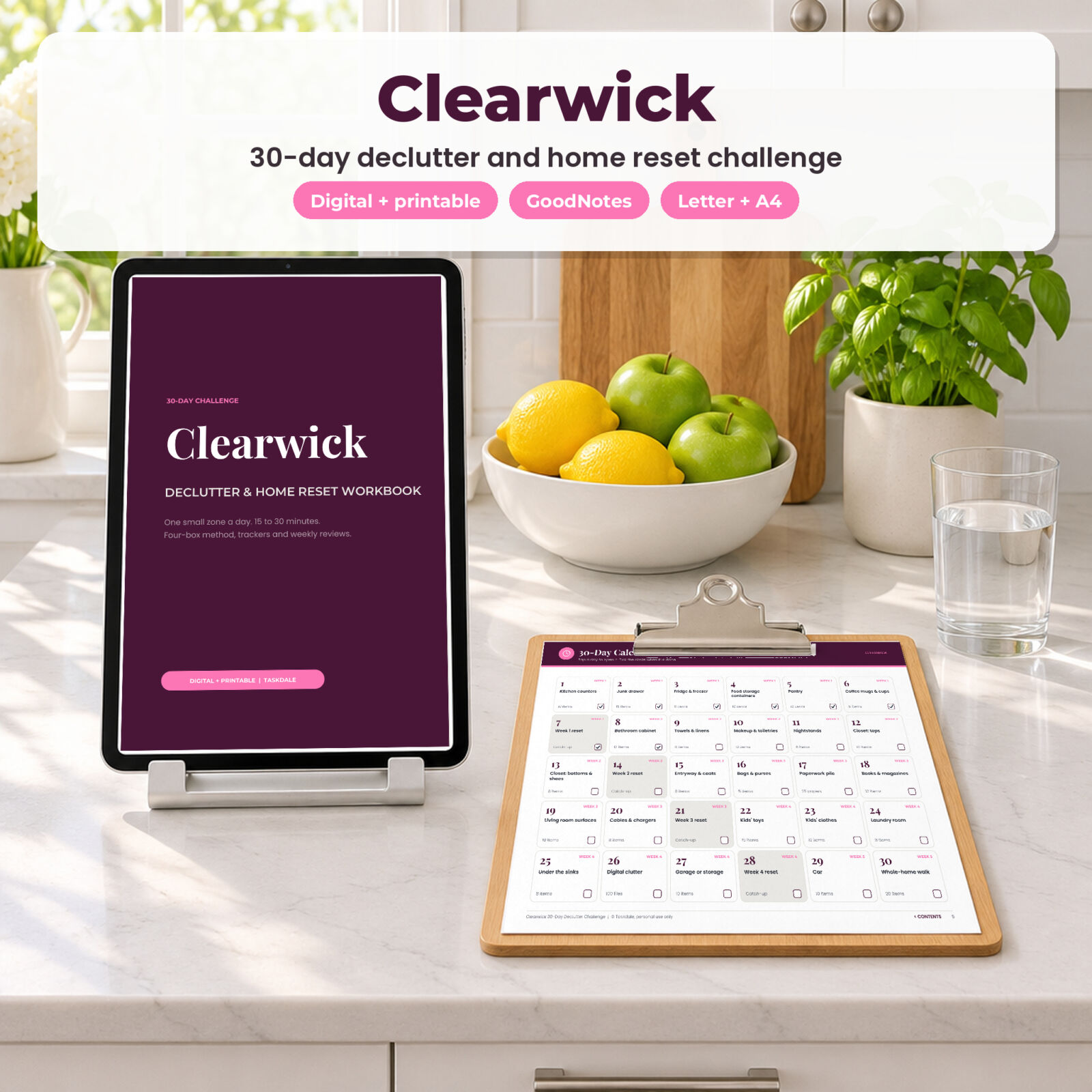



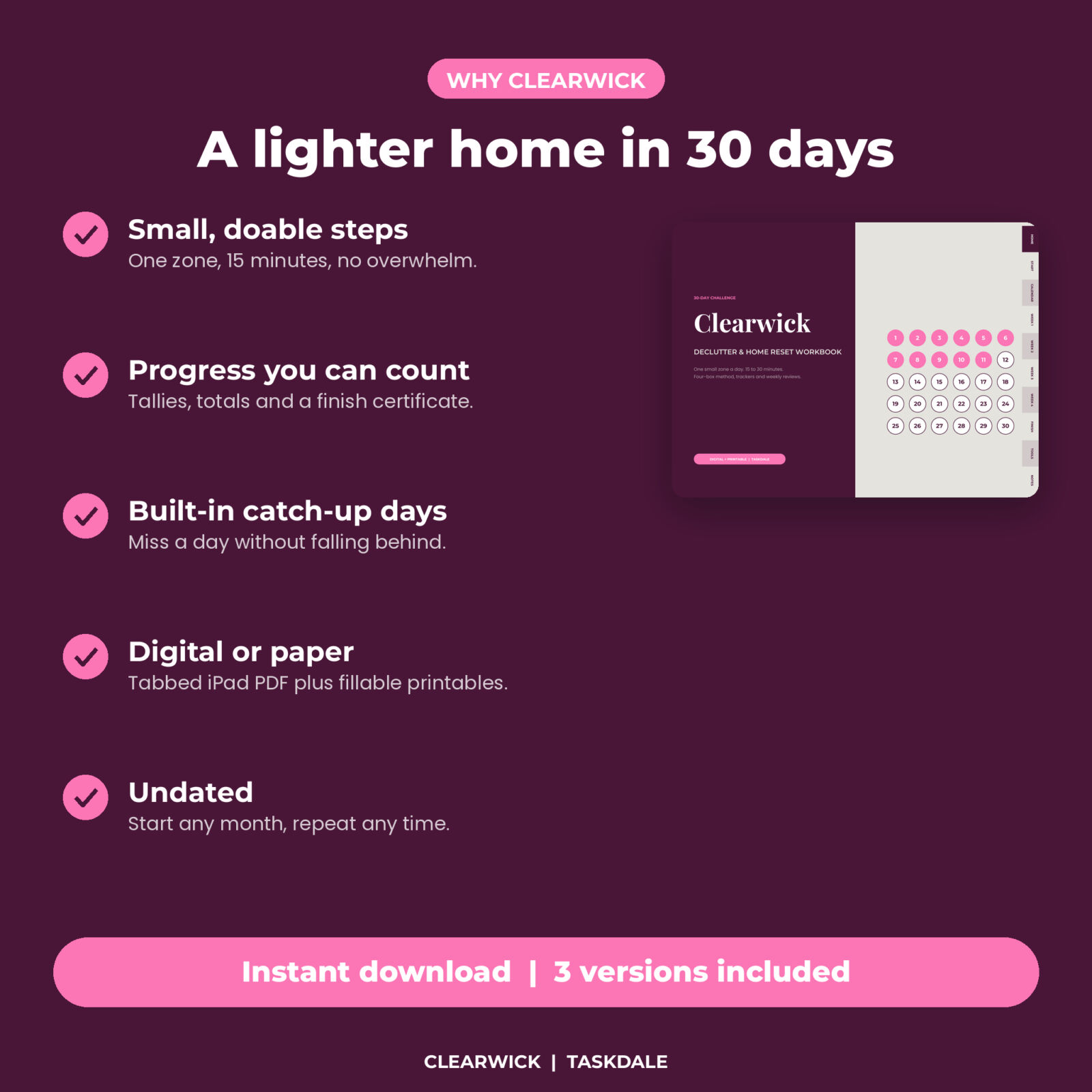
Decluttering a whole house sounds like a month of weekends. Decluttering one junk drawer sounds like Tuesday. Clearwick is a 30 day declutter challenge workbook that turns the first into the second. Each day you get one small zone, a target number of items and a 15-minute method. By day 30 you have worked through the kitchen, bathroom, closets, paperwork, kids’ things, the car and more.
You get three versions: a tabbed, hyperlinked digital PDF for GoodNotes and Notability, and fillable printable PDFs in US Letter and A4.
How the 30 day declutter challenge works
- One zone a day. Day 1 is kitchen counters. Day 2 is the junk drawer. Day 26 is digital clutter. Each zone is small enough to finish.
- Set a timer. 15 minutes is enough. Keep going to 30 if you are on a roll.
- Use four boxes. Keep, donate, toss, sell. Every item goes in one, with no “maybe” pile.
- Out the door today. Trash goes out and donations go in the car the same day.
- Catch-up days. Days 7, 14, 21 and 28 are for catching up, drop-offs and your weekly review.
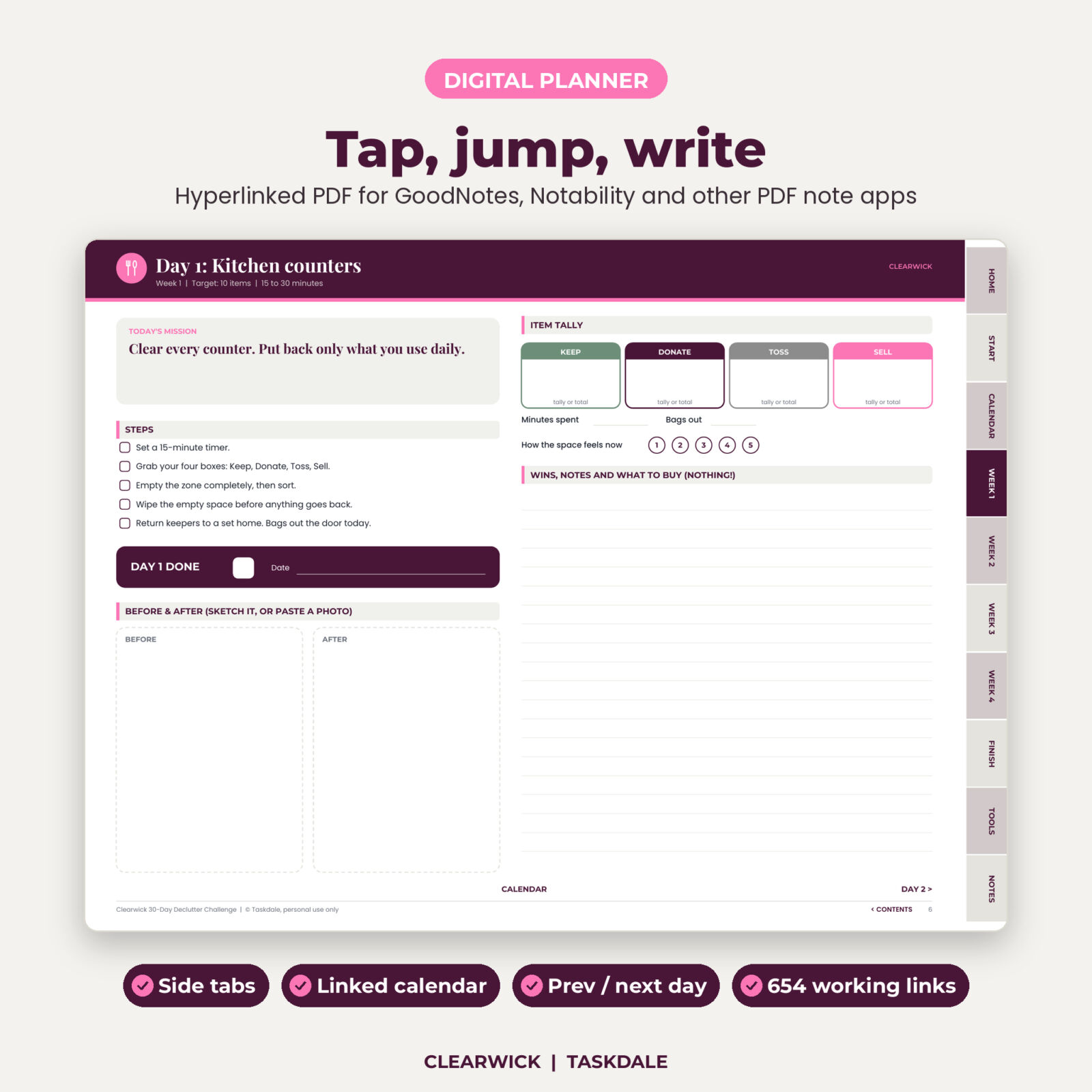
Every daily page includes
- Today’s mission and target
- Five simple steps with tick boxes
- An item tally for keep, donate, toss and sell
- Minutes spent, bags out and a 1 to 5 “how the space feels” rating
- Before and after boxes to sketch, or paste a photo in GoodNotes
- A notes area, a DAY DONE tick, and links to the previous day, next day and calendar
More pages to keep you going
Start here
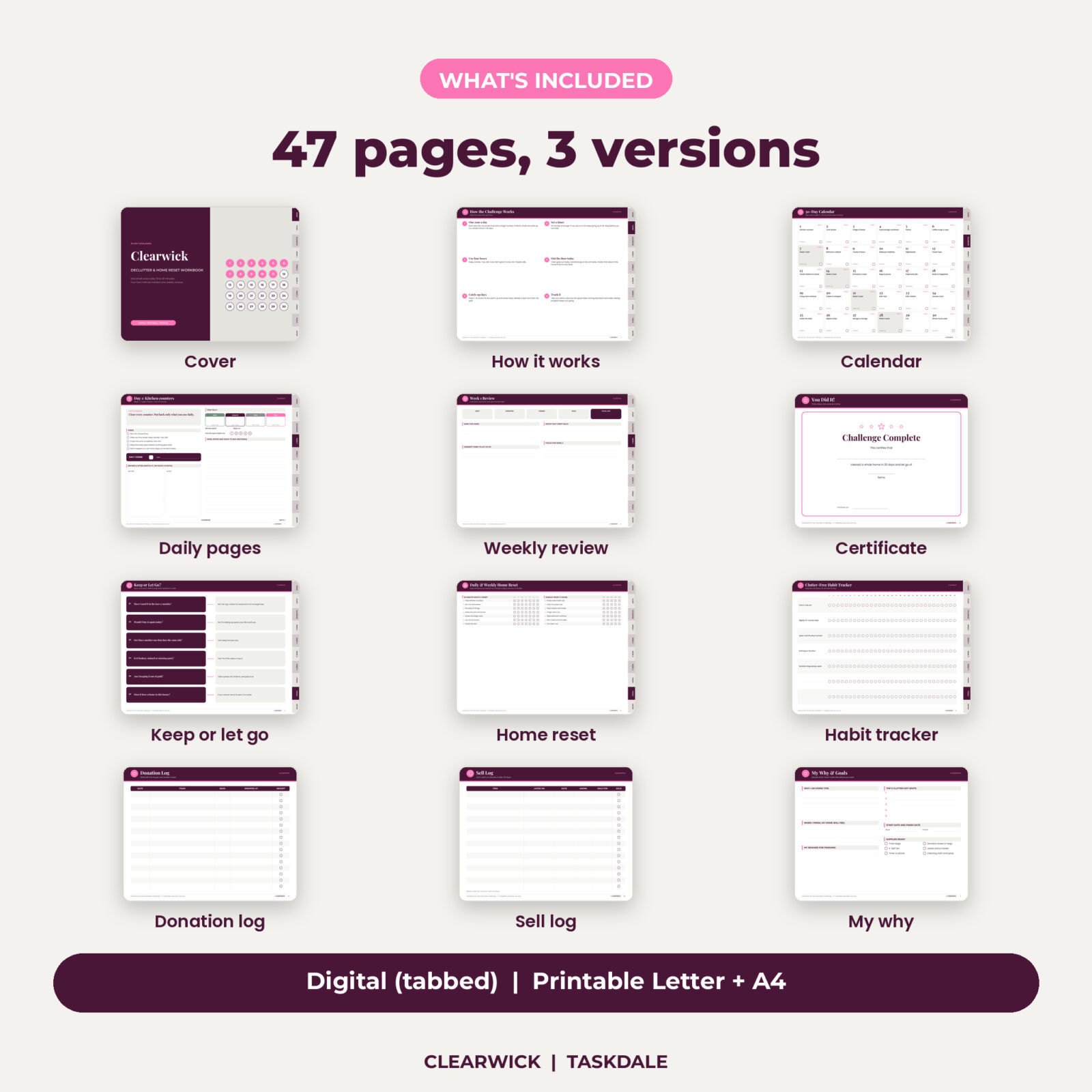
How the challenge works, plus My Why and Goals with your reasons, top 5 clutter hot spots, start and finish dates and a supplies checklist.
30-day calendar
All 30 days at a glance with a tick circle. In the digital version, tap any day to open it.
Four weekly reviews
Count what you kept, donated, tossed and sold, note your wins, the hardest item to let go of, spots that crept back and next week’s focus.
Bonus tools
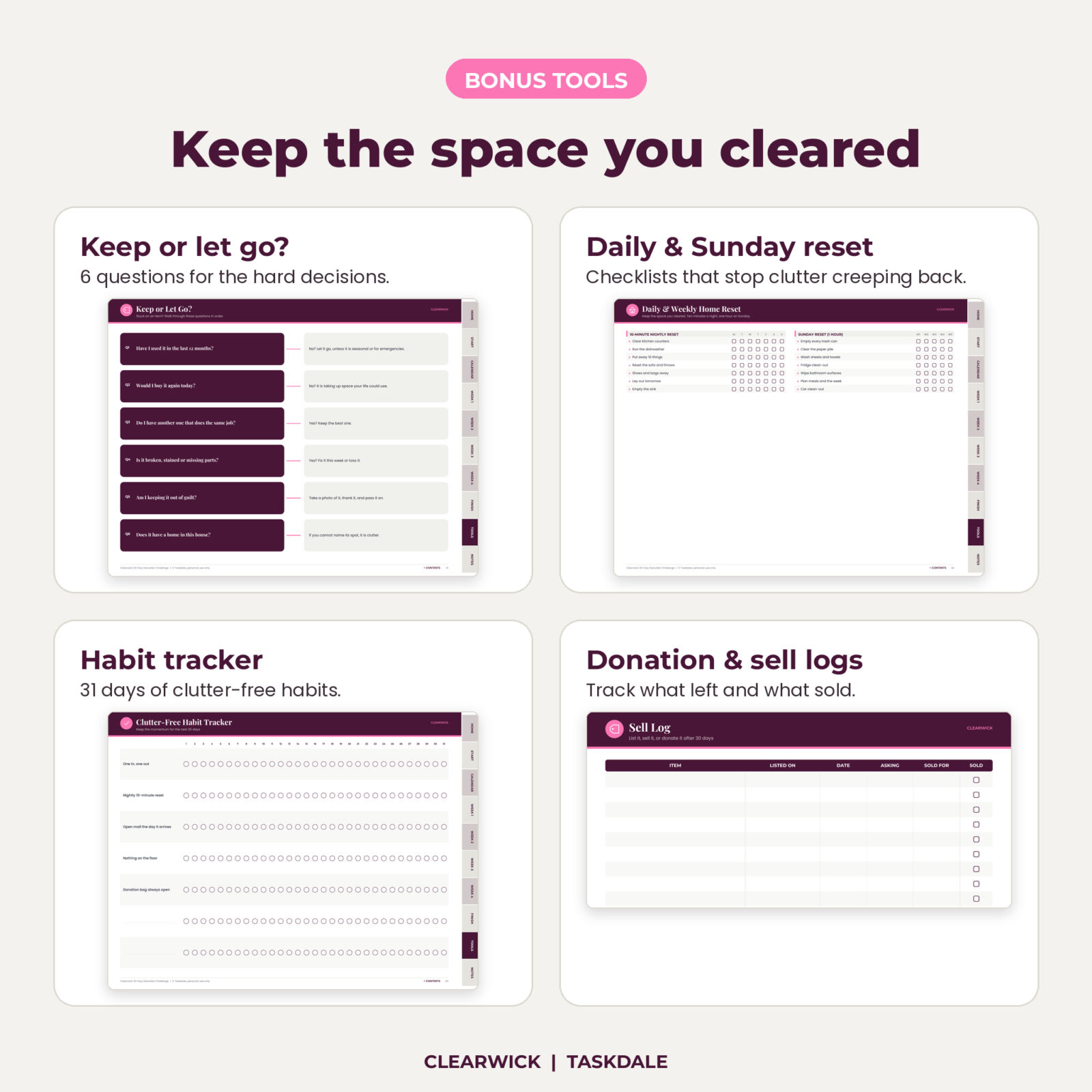
A Keep or Let Go decision guide with 6 questions, a daily and Sunday home reset checklist, a 31-day clutter-free habit tracker, a donation log, a sell log (any currency), two notes pages and a completion certificate.
What is included
- Digital PDF, 47 pages, 1024 x 768 landscape with side tabs and 654 working links
- Printable fillable PDF, US Letter landscape, 47 pages
- Printable fillable PDF, A4 landscape, 47 pages
- User guide (DOCX)
All files come in one ZIP download.
Using it on an iPad or tablet
Import the digital PDF into GoodNotes, Notability or another PDF note app. Side tabs jump to Home, Start, Calendar, each week, Finish, Tools and Notes. Every day on the calendar is linked, and every day page links to the next. Links work in read-only mode or with a finger tap, depending on your app.
Using it on paper
Type into the fields in Adobe Acrobat Reader or Preview, or print at 100% in landscape and write by hand.
Customizing
Swap any zone for one that fits your home, duplicate pages in your note app, and restart any month. It is undated.
Who it is for
People who feel buried by stuff but cannot give up a whole weekend, anyone moving or downsizing, parents making room before a new baby, and digital planner fans who like tabs and links. It also makes a good January or spring reset.
Why a guided challenge beats a weekend purge
Big purges stall halfway, leave bags in the hallway and burn you out. A daily 15-minute mission is short enough to start on a tired weeknight, and the tally keeps the wins visible. Clearwick also plans for real life: four catch-up days, a donation log so bags actually leave, and reset checklists plus a habit tracker so the clutter does not drift back after day 30.
Tips for best results
- Do your mission at the same time each day, such as after dinner.
- Put donations in the car the same day.
- Do not buy storage until you finish; you will need less of it.
- Take before photos. They make day 30 much more satisfying.
Digital download
No physical item ships. Download the ZIP right after checkout and unzip it on a computer or in the Files app.
FAQ
Do I need an iPad for this declutter challenge?
No. The printable versions work on paper, and the digital PDF works in most tablet PDF apps.
Is it dated?
No. Start on any day.
How long does each day take?
About 15 minutes, up to 30 if you want.
What if I miss a day?
Catch it up on day 7, 14, 21 or 28.
Does it work in GoodNotes?
Yes. The tabs and links were checked in the PDF itself and work in apps that support PDF links, including GoodNotes and Notability.
Can I print the digital version?
Use the printable PDFs instead. They are sized for home printers.
License: personal use only. Please do not share, resell or redistribute the files.
Reviews
There are no reviews yet.