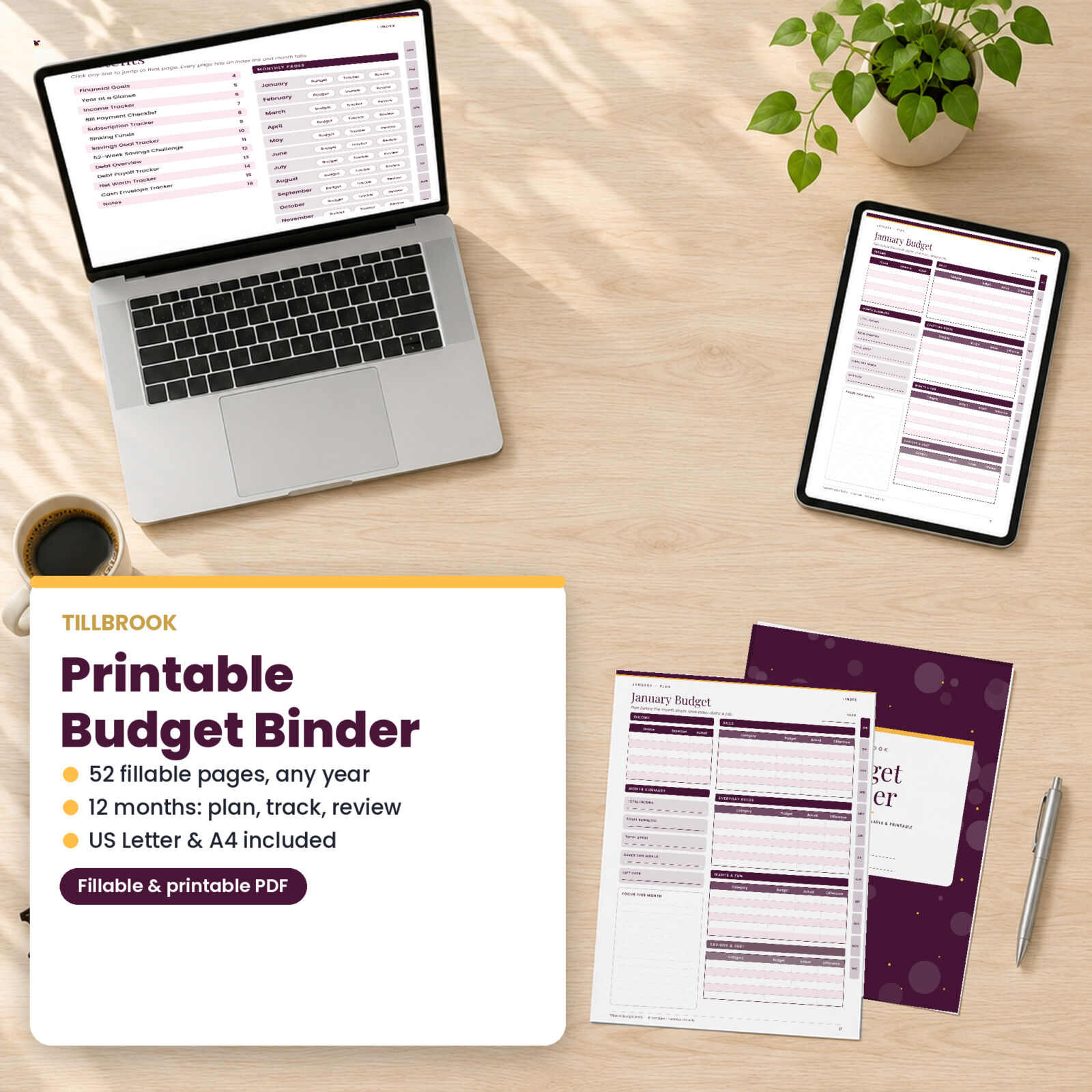
Some people budget best with a pen in hand. Tillbrook is a printable budget binder for exactly that, with a twist: every line is also a fillable field, so you can type into it on your computer or tablet and print only when you want to. It covers a whole year in 52 pages, from your first financial goal to the last no-spend day in December.
What makes this budget binder different
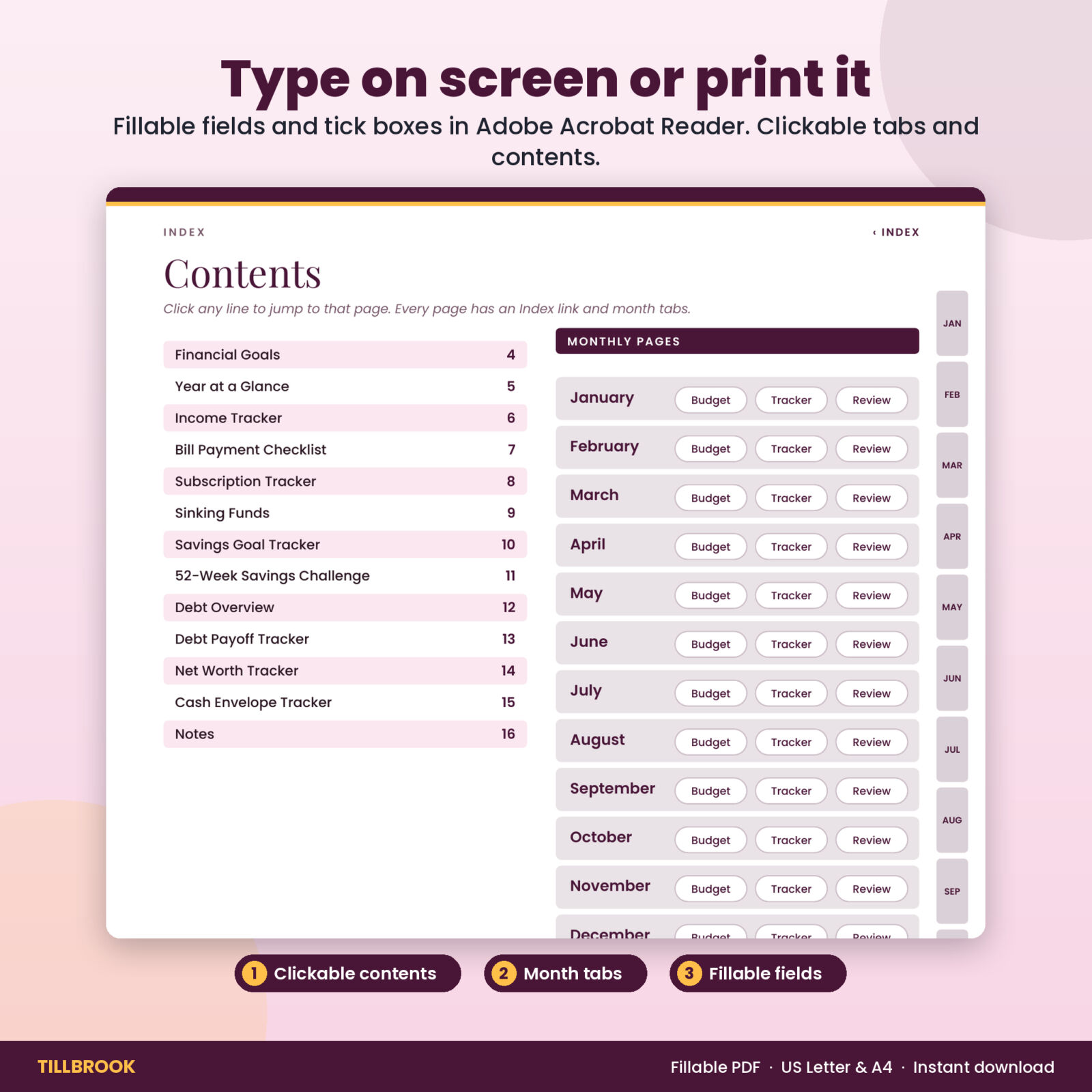
- Fill it in or print it. Type into the fields in Adobe Acrobat Reader and tick the boxes, or print the pages and write by hand.
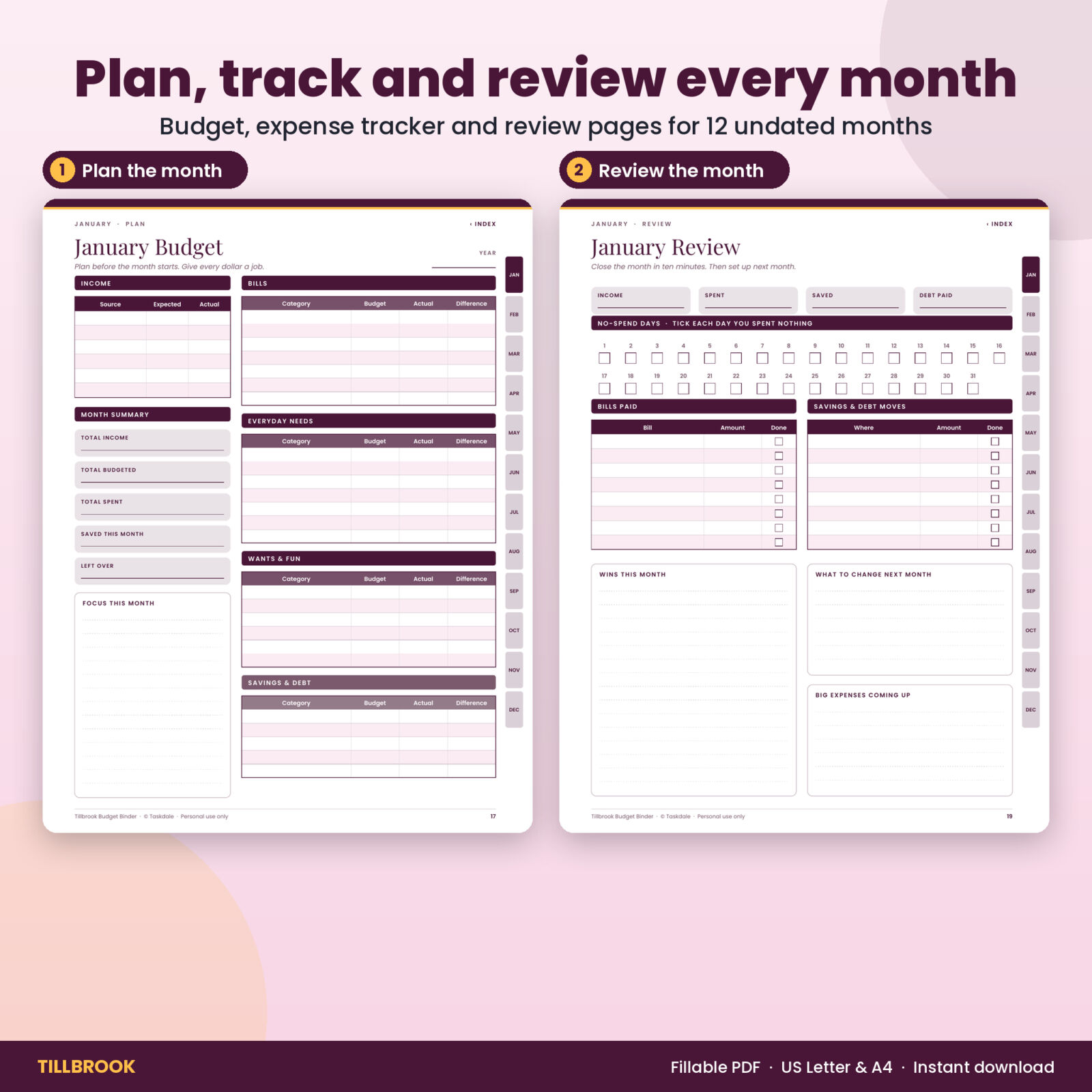
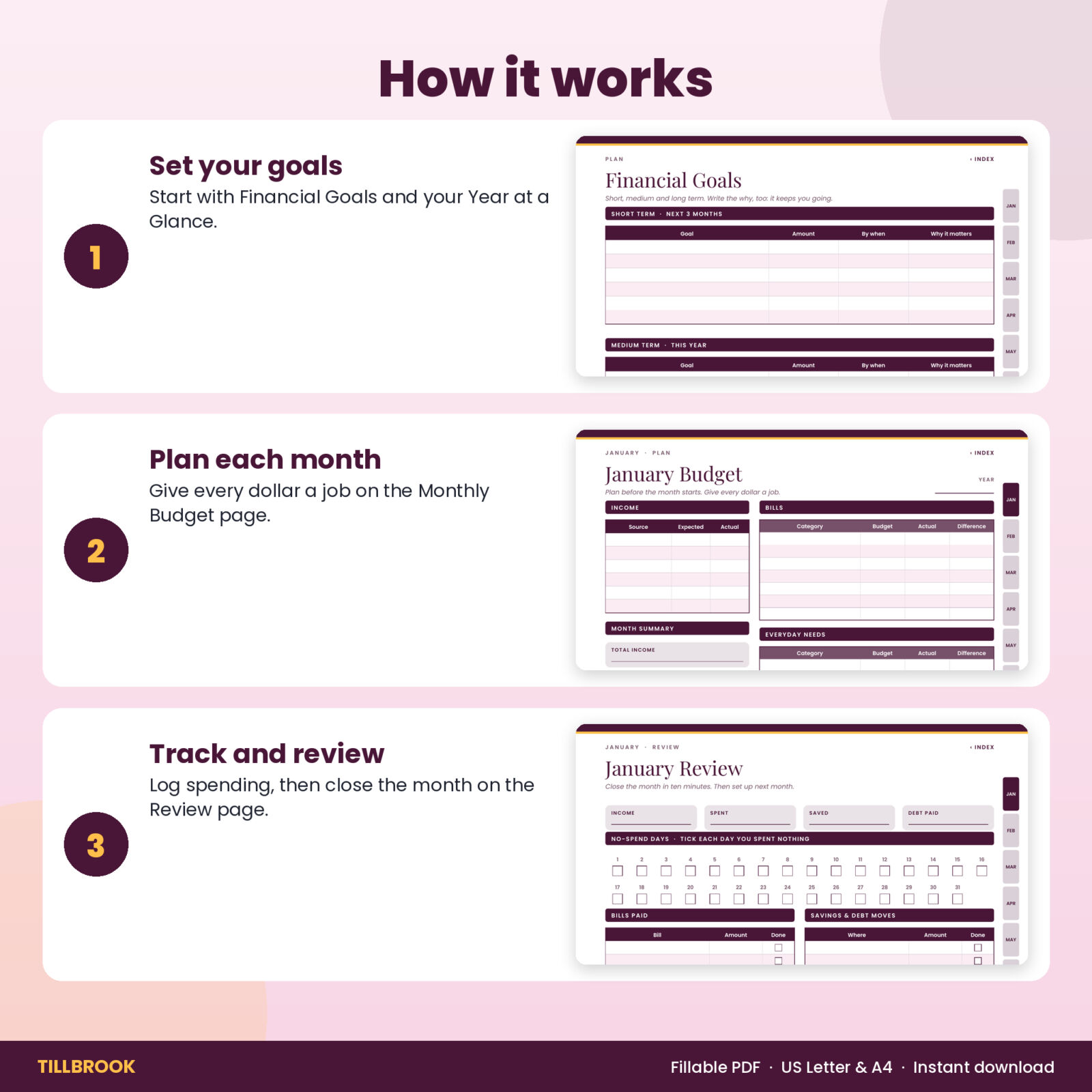
- Three pages a month. Plan before the month starts, track as you spend, then close it with a review. That rhythm is what keeps a budget going.
- Clickable navigation. A contents page and month tabs on every page jump you straight where you need to go.
- Undated. Start in any month of any year.
- Both paper sizes. US Letter and A4 in one download.
Who it is for
Tillbrook suits anyone setting up a home budget binder, people who prefer paper to spreadsheets, and beginners who want a clear structure to follow. Money fields carry no currency symbol, so it works wherever you live.
What’s inside
Plan the year
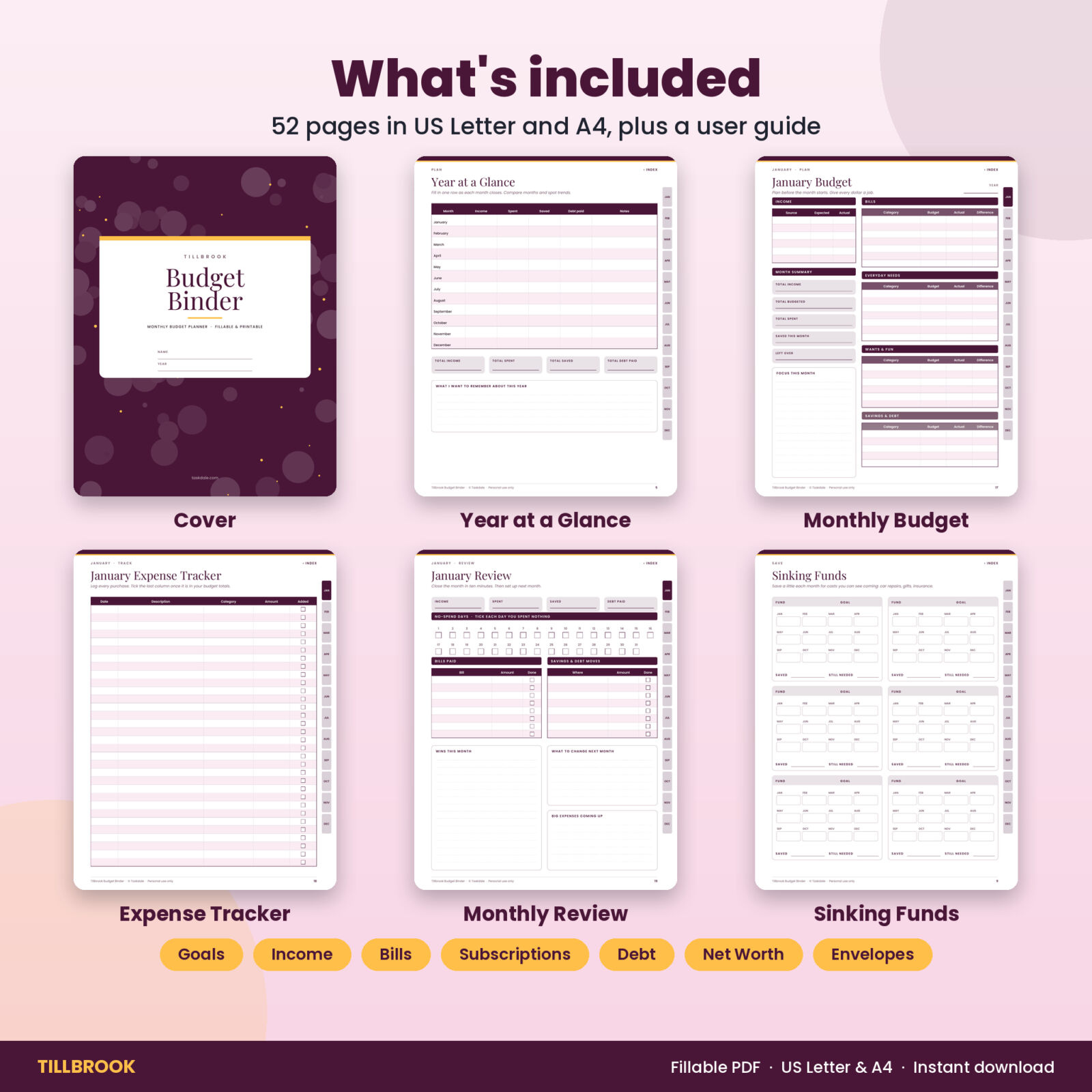
- Cover with name and year fields, a welcome page with how-to steps, and a clickable contents page
- Financial Goals: short, medium and long term, each with amount, date and why it matters
- Year at a Glance: income, spending, savings and debt paid for all 12 months, plus yearly totals
Track what repeats
- Income Tracker with 30 rows
- Bill Payment Checklist with 26 bills and a tick box for every month
- Subscription Tracker with renewal dates and keep or cancel boxes
Save and pay down debt
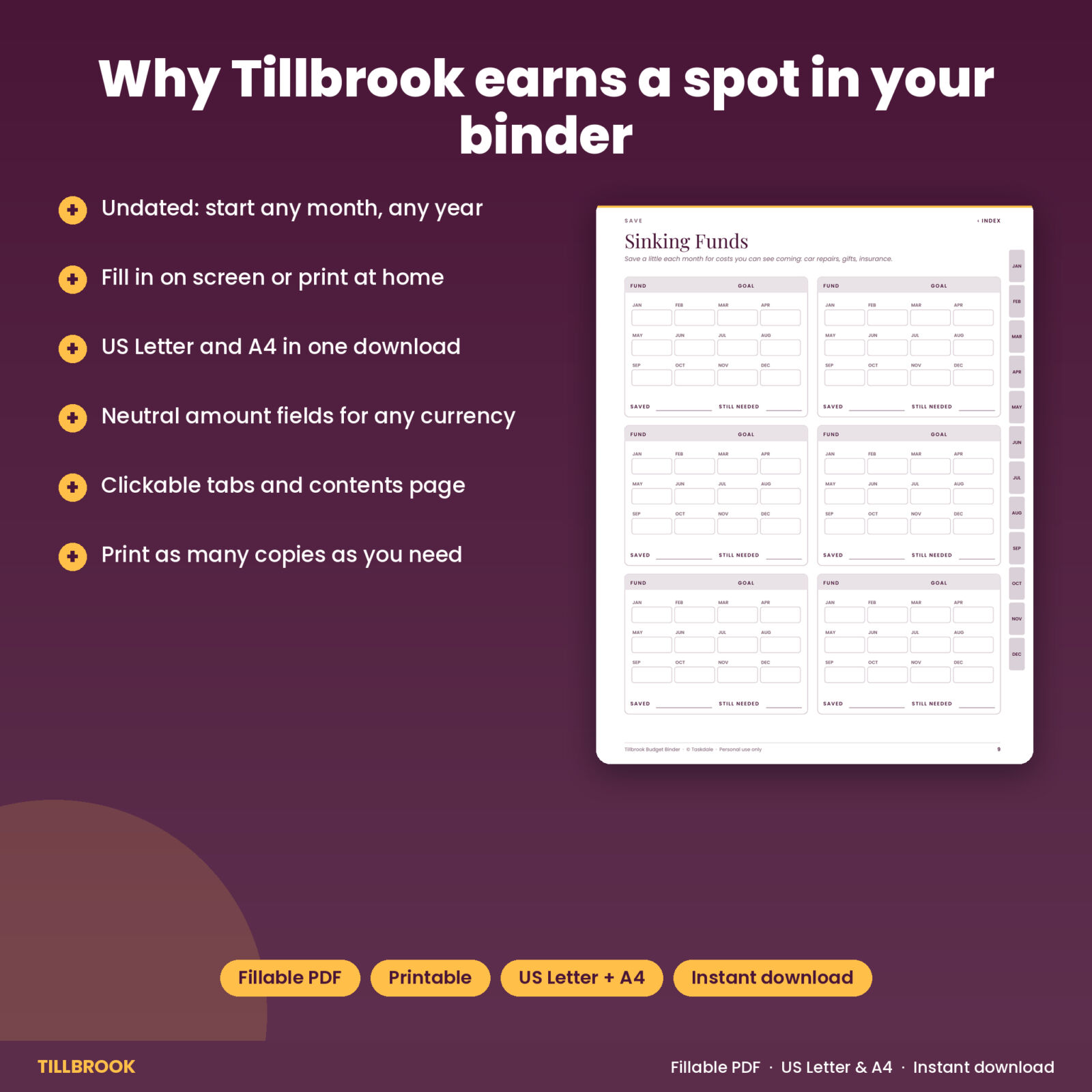
- Sinking Funds: 6 funds with 12 monthly boxes each
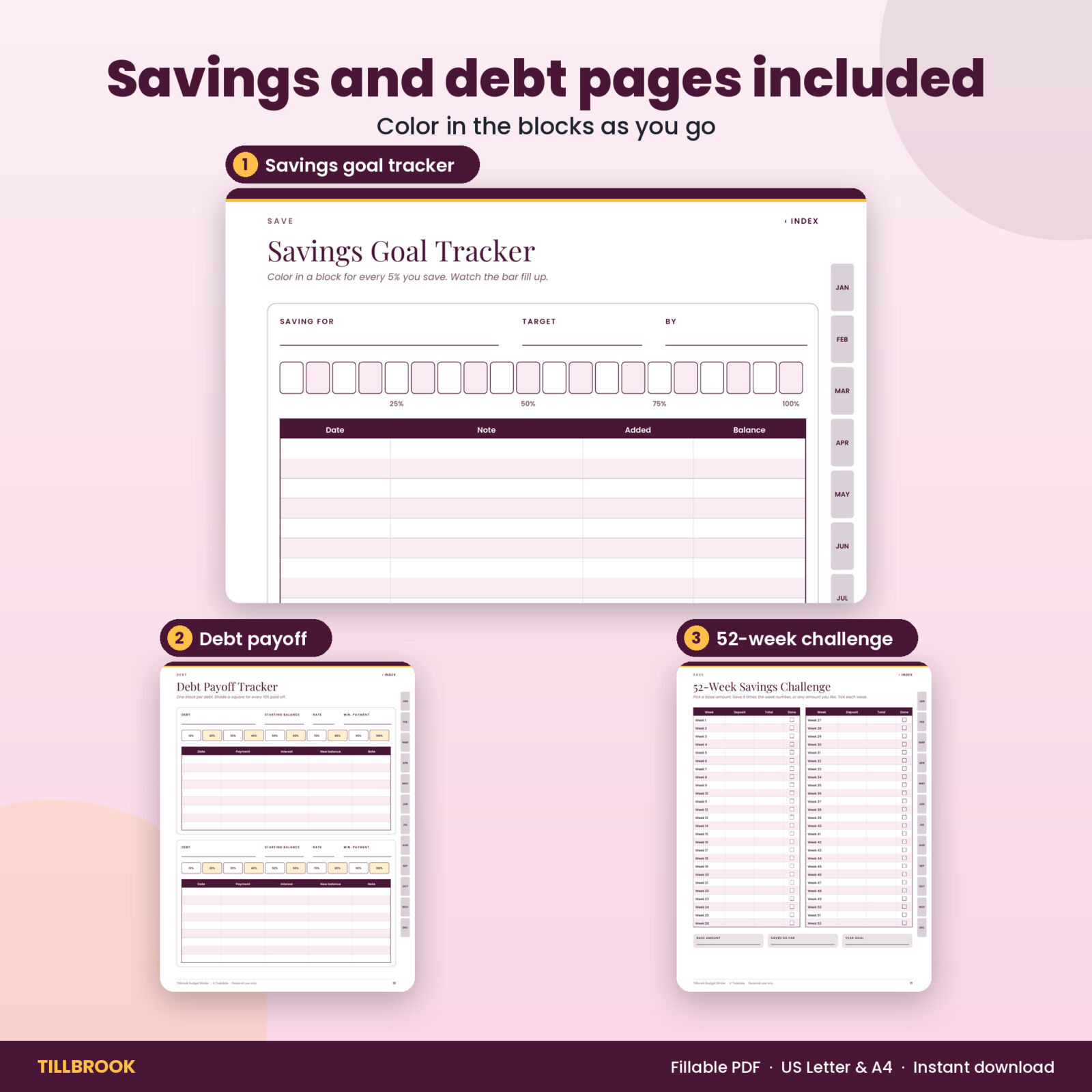
- Savings Goal Tracker: 2 goals per page with a 20-block progress bar and deposit log
- 52-Week Savings Challenge with a tick box for every week
- Debt Overview with payoff order and a snowball vs avalanche explainer
- Debt Payoff Tracker: 2 debts per page with 10% blocks and a payment log
- Net Worth Tracker for assets and liabilities on two dates
- Cash Envelope Tracker: 4 envelopes per page with a running balance
Every month, three pages
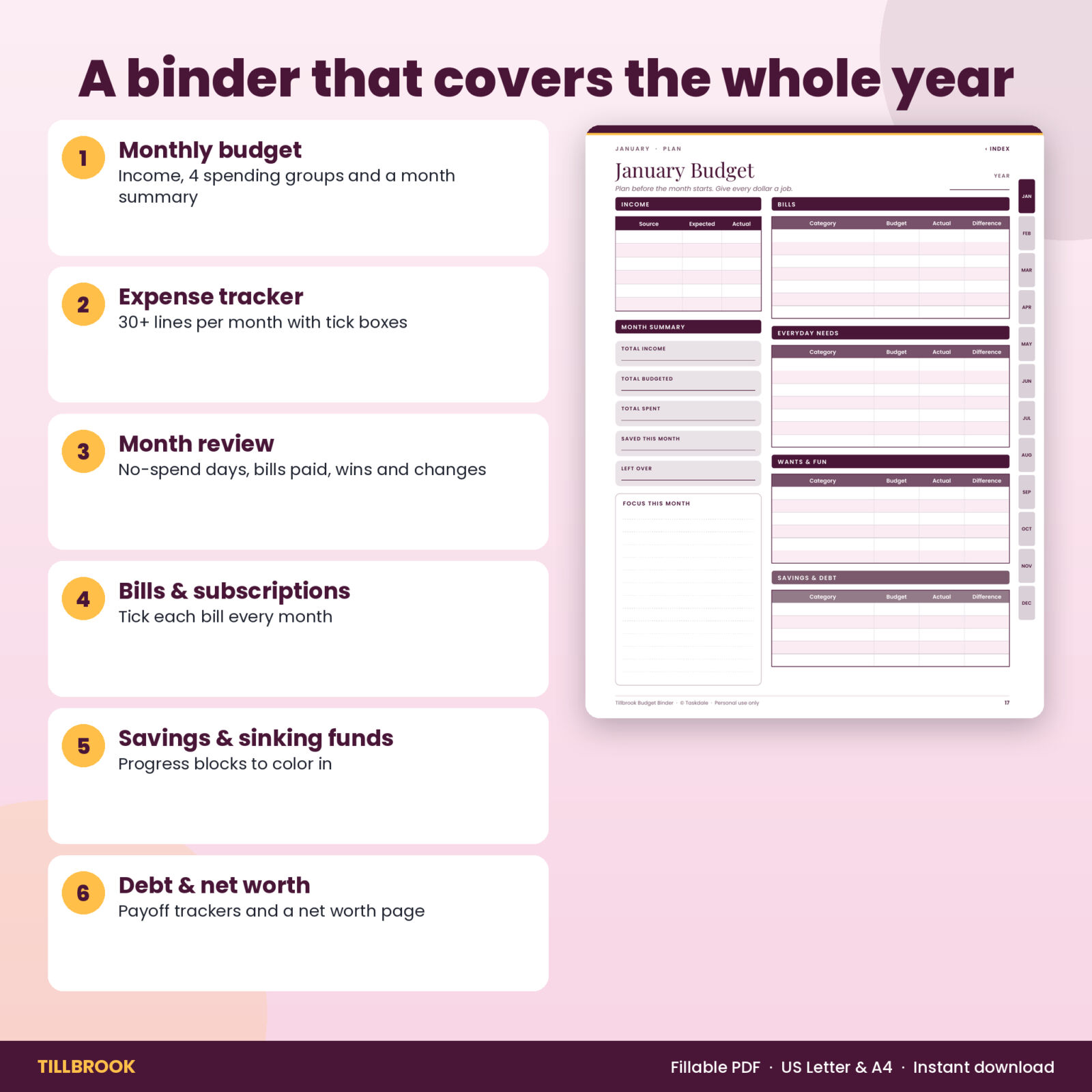
- Monthly Budget: income table, month summary, a focus box and four expense groups: Bills, Everyday needs, Wants and fun, and Savings and debt
- Expense Tracker: date, description, category, amount and an “added” tick box on every line
- Monthly Review: income, spent, saved and debt paid, 31 no-spend day boxes, bills paid, savings moves, wins, changes and upcoming big expenses
Plus a lined Notes page.
How it works
- Choose the US Letter or A4 file.
- Open it in Adobe Acrobat Reader (free) to type, or print the pages you need.
- Start with your goals and your bills, then plan the first month.
- Track spending during the month and close it with the review page.
File format and software
Two PDF files (US Letter 8.5 x 11 in and A4) with fillable form fields, tick boxes and internal links, plus a Word user guide. Fields work in Adobe Acrobat Reader on Windows, Mac, iPad and Android and in other PDF apps that support forms. The binder does not total numbers for you, so keep a calculator handy. Print at “Actual size” on any home printer.
Customization
Category names are blank so you write your own. Use any currency. Print as many copies of the monthly pages as you need for your household.
Use cases
- A family building a kitchen-counter budget binder for the new year
- Someone starting a no-spend challenge who wants to count the days
- A couple paying off debt who like coloring in the progress blocks
- A student keeping a simple monthly budget and expense log
Tips for getting the most out of it
Set aside ten minutes on the last day of each month. Fill in the review page, copy the totals into Year at a Glance, then plan the next month while last month is fresh. Keep the Expense Tracker near where you drop receipts, or type entries in once a week. Color the savings and debt blocks with a bright highlighter: it sounds small, but watching the bar fill is what keeps a lot of people going. If a category keeps going over, raise its budget next month and lower a “wants” line to match, instead of giving up on the plan.
Most budget binders give you one style of page and leave the routine to you. Tillbrook builds the routine in: plan, track, review, then carry the lessons into next month. That is the habit that turns a binder from a pretty folder into a budget that works.
Instant digital download
Download right after checkout. No physical item is shipped. Licensed for personal use only.
FAQ
Can I type into this budget binder?
Yes. Open it in Adobe Acrobat Reader or another app that supports PDF forms and click any line to type.
Is it dated?
No. It is undated, so you can start any month of any year.
What paper sizes are included?
US Letter and A4.
Does it add up totals?
No. It is a fill-in planner. You add the totals yourself.
Can I print it more than once?
Yes, as often as you need for your own household.
Can I use it on an iPad?
Yes. Type into it in Adobe Acrobat Reader or import it into a note-taking app and write by hand.
Reviews
There are no reviews yet.