A marketing budget planner that shows where every dollar went, and what it brought back
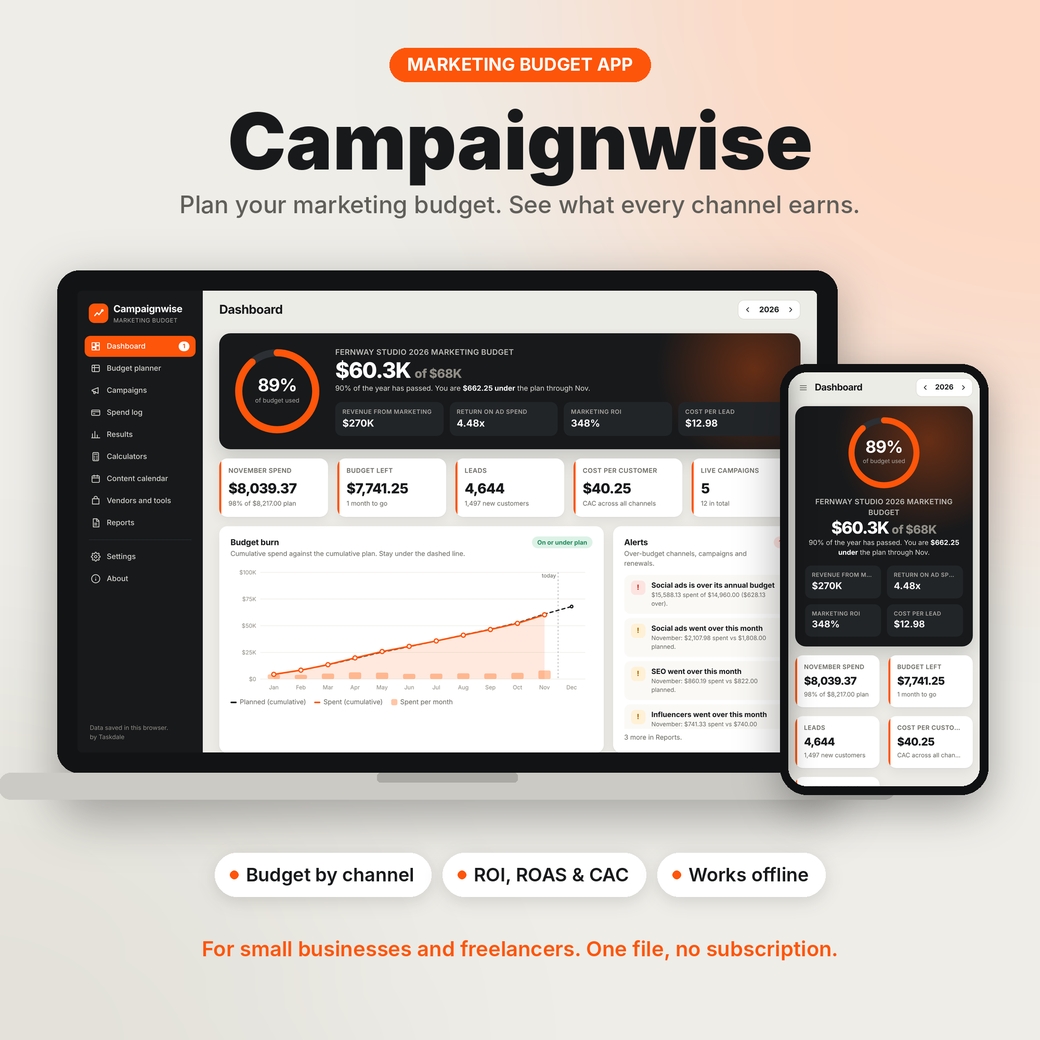
Campaignwise is a marketing budget planner app for small businesses and freelancers. You set your yearly marketing budget, split it by channel and month, log what you actually spend, and record the leads, sales and revenue each campaign brings in. The app works out the rest: planned vs actual, ROI, ROAS, cost per lead, cost per sale and cost per customer.
It is one file that opens in your web browser. No account, no subscription, no bank or ad account login. Your numbers stay on your device, and the app keeps working with the Wi-Fi off.
Why this marketing budget planner is different
Most marketing budget templates stop at a grid of planned numbers. Then the year starts, the actuals live somewhere else, and nobody notices the social ads budget ran out in October. Campaignwise links the plan to the spend log and the results log, so the dashboard updates the moment you add a charge.
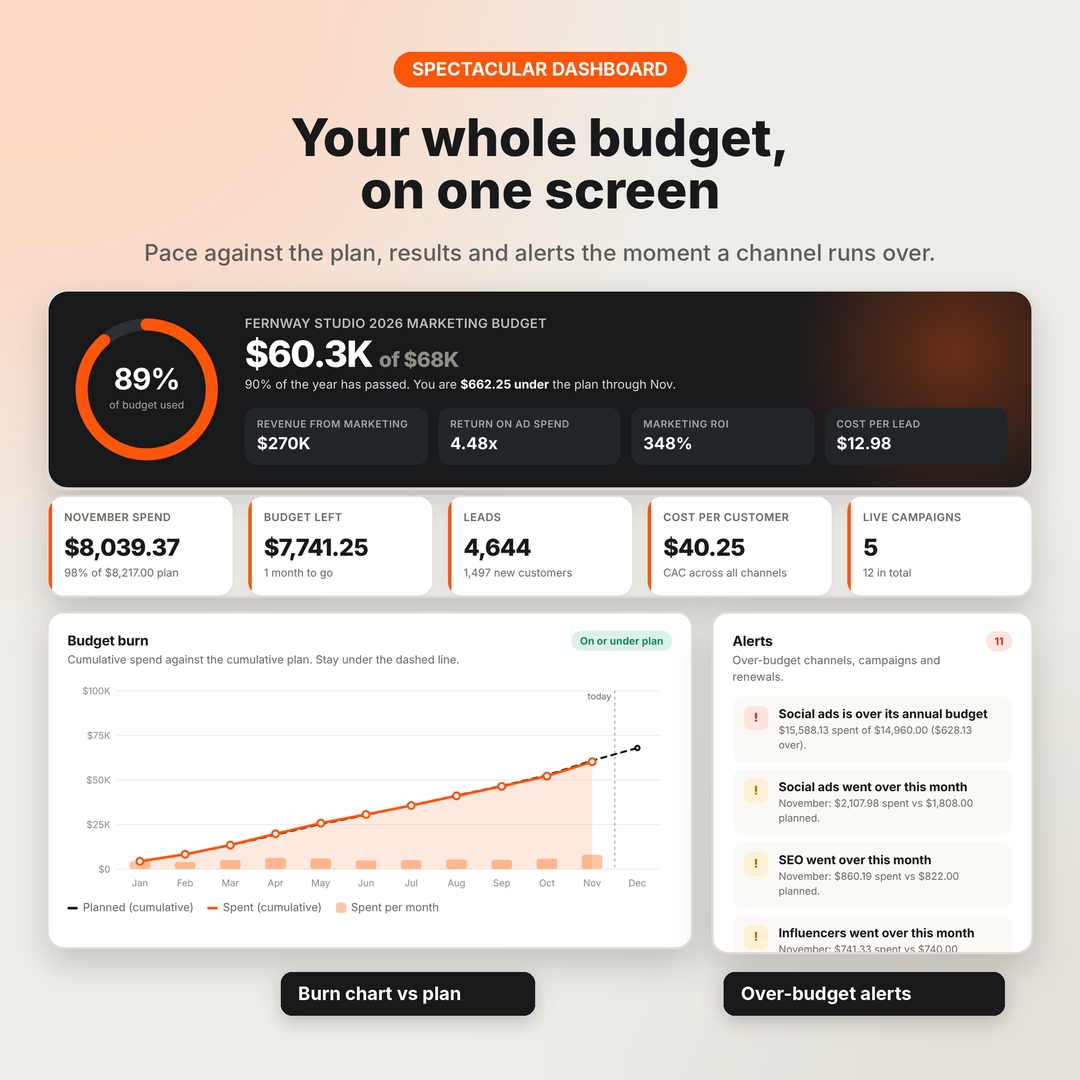
- Budget burn chart with a “today” marker shows if you are spending faster than the plan.
- Alerts flag any channel or campaign over budget, any channel past 90% (you choose the threshold), months that went over, and tool renewals coming up in the next 14 days.
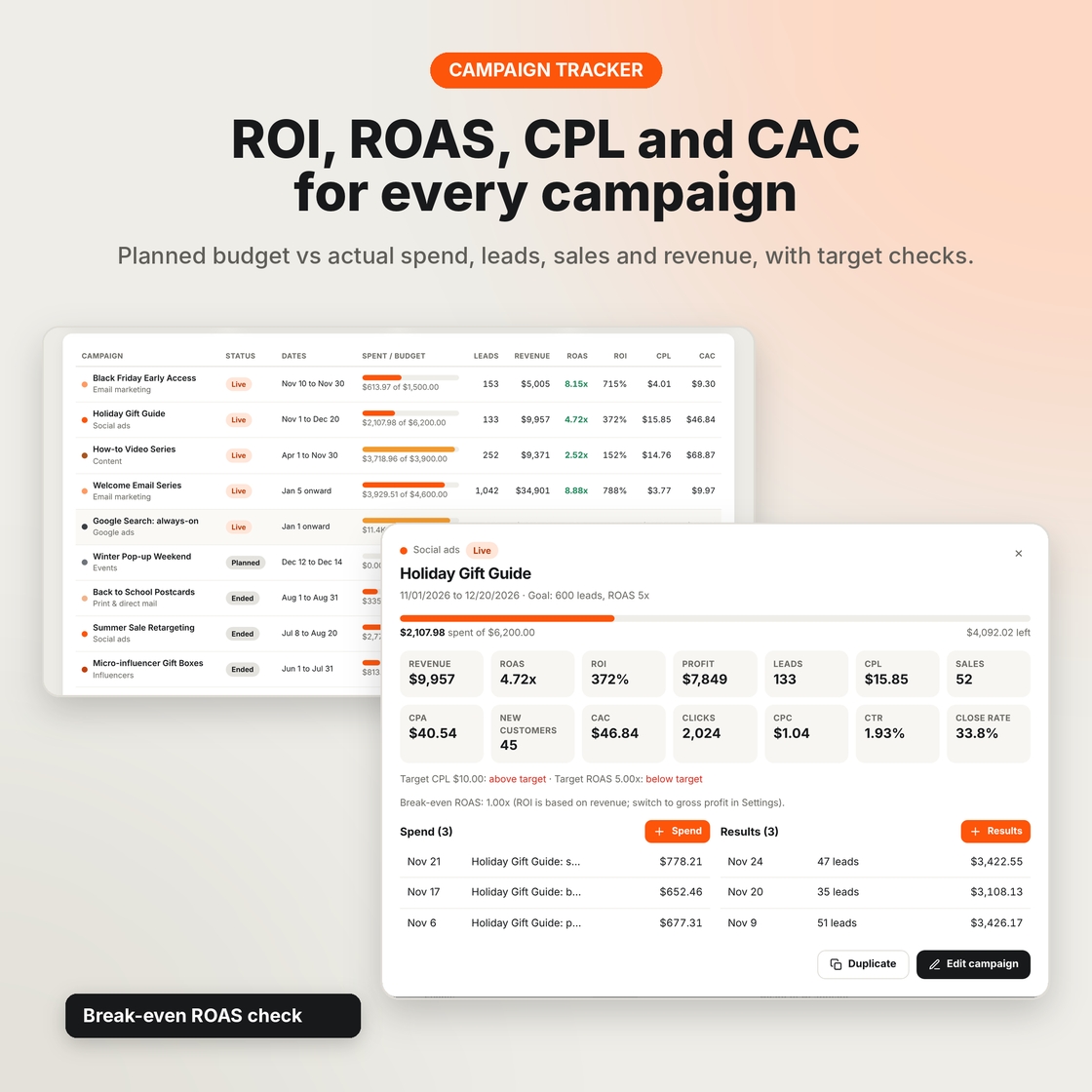
- Break-even ROAS is worked out from your gross margin, so a 3x ROAS no longer looks good when you actually need 3.5x.
Features
Dashboard
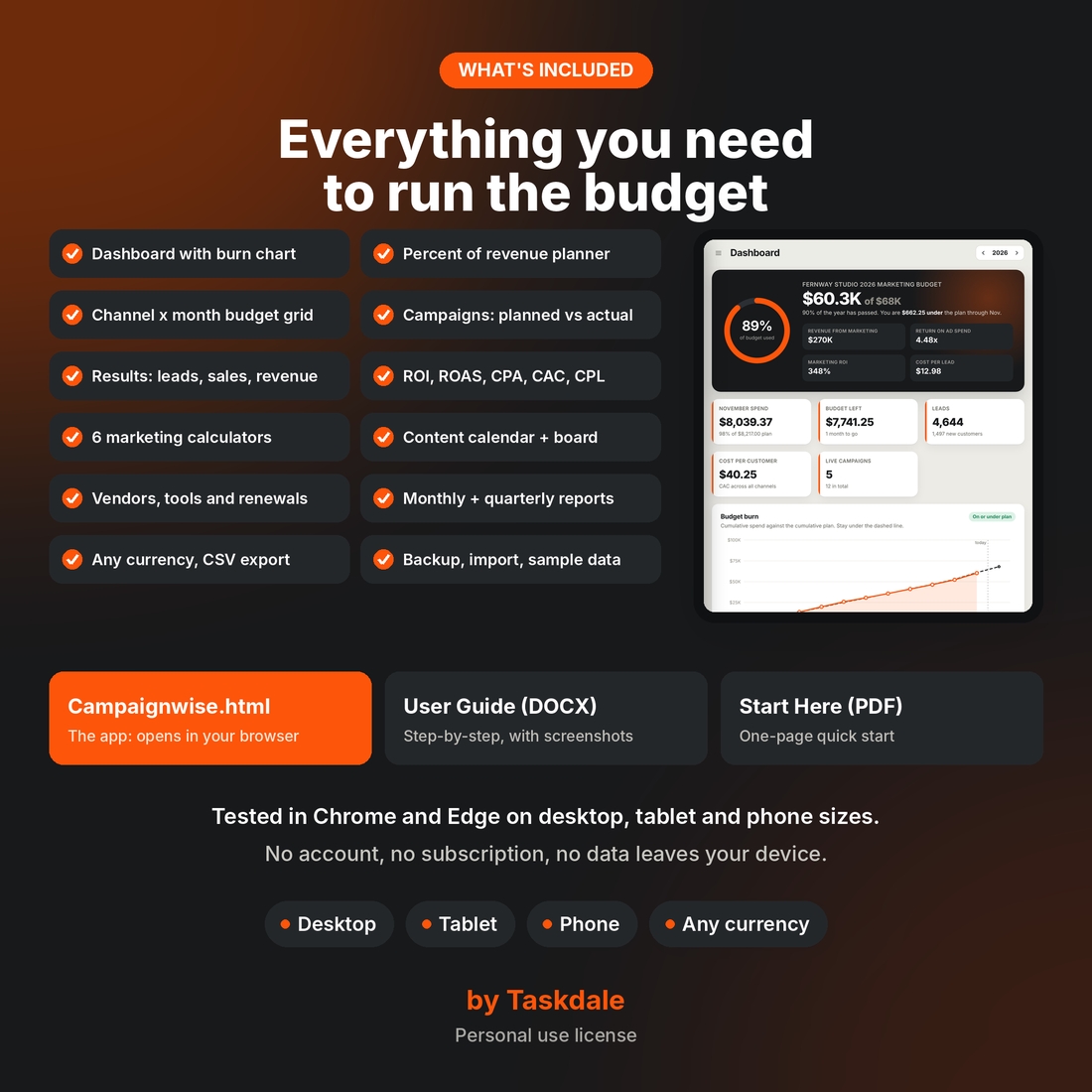
A dark summary panel shows the share of the annual budget used, the share of the year gone and whether you are ahead of plan. Beside it: revenue from marketing, ROAS, ROI and cost per lead. Below sit KPI tiles, the burn chart, channel bars, a spend donut and your top campaigns by ROAS.
Budget planner with percent of revenue calculator
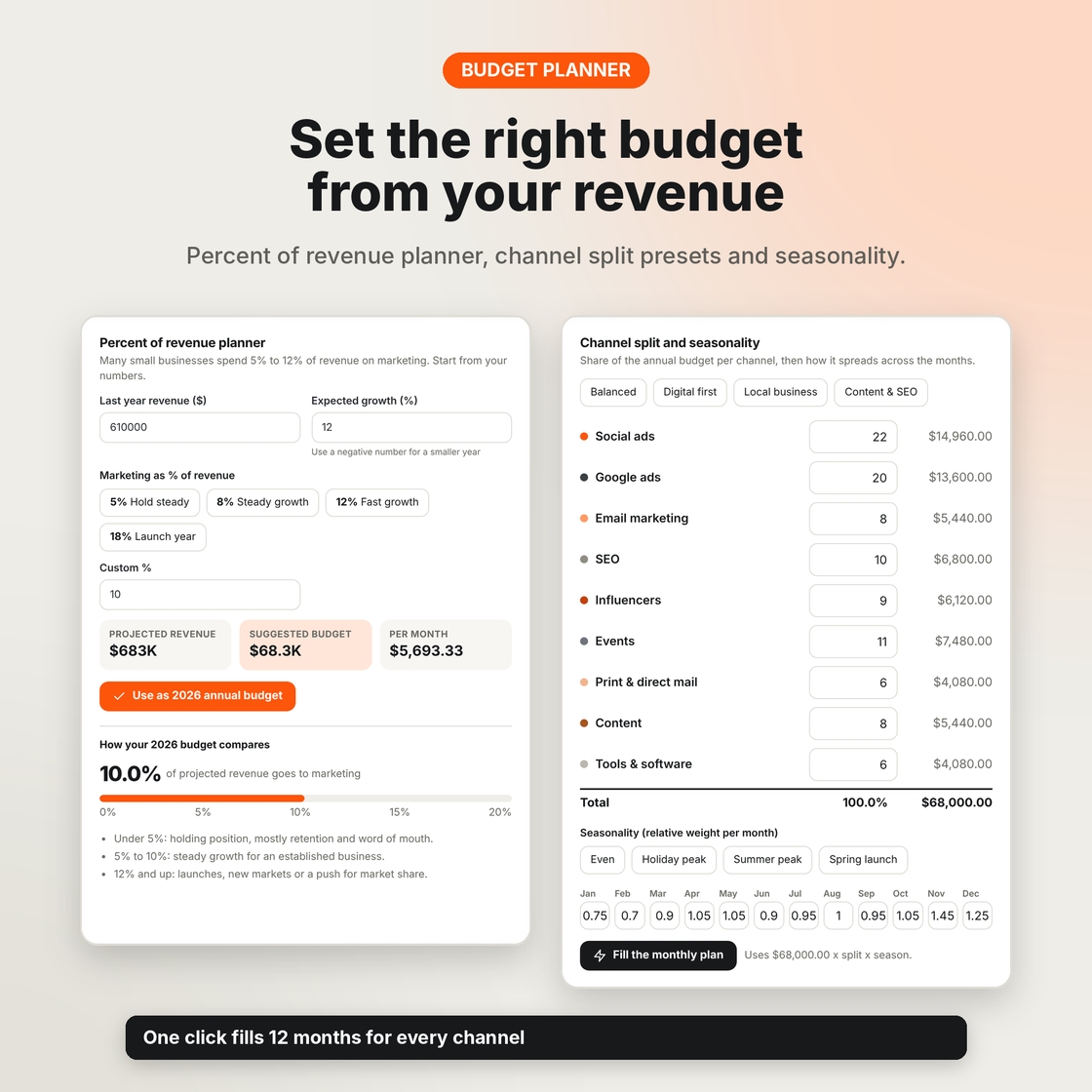
Not sure how much to spend? Enter last year’s revenue and expected growth, pick 5%, 8%, 12% or 18% (or type your own), and Campaignwise suggests an annual marketing budget. Split it with a preset (Balanced, Digital first, Local business, Content and SEO), choose a season (Holiday peak, Summer peak, Spring launch), and one click fills 12 months for every channel. Every row adds up to the exact cent.
Channel by month budget grid
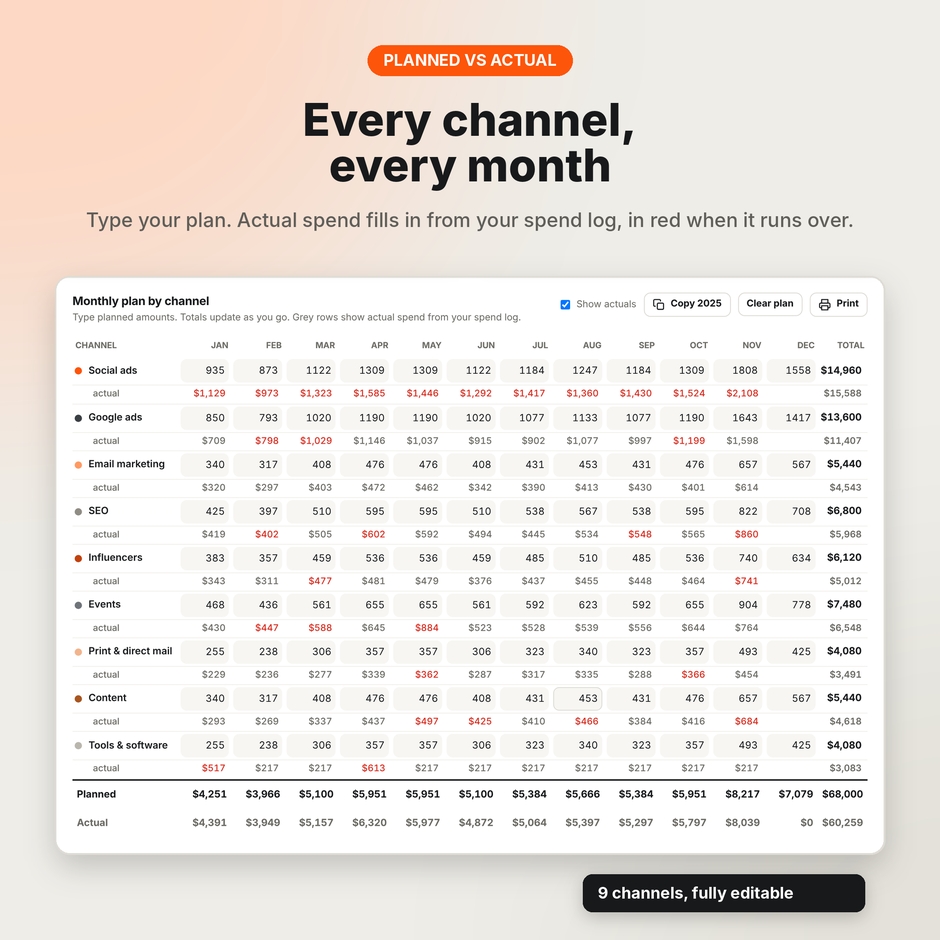
Nine channels are ready to go: social ads, Google ads, email marketing, SEO, influencers, events, print and direct mail, content, and tools and software. Rename them, recolor them or add your own, such as podcasts or trade shows. Actual spend appears under each planned month, in red when a month went over.
Campaign tracker
Give each campaign a channel, dates, a planned budget, a goal and optional targets for cost per lead and ROAS. Status updates itself (Scheduled, Live, Ended). Open any campaign to see 14 numbers at once: revenue, ROAS, ROI, profit, leads, CPL, sales, CPA, new customers, CAC, clicks, CPC, CTR and close rate.
Spend log and results log
Log every charge with a channel, campaign and vendor. Log results by day, week or month: impressions, clicks, leads, new customers, sales and revenue. Search, filter and export both to CSV for your bookkeeper.
Six marketing calculators
ROI calculator, ROAS and break-even ROAS, CPL / CPA / CAC, CPC / CTR / CPM, budget needed for a sales goal, and customer lifetime value with the LTV to CAC ratio.
Content calendar
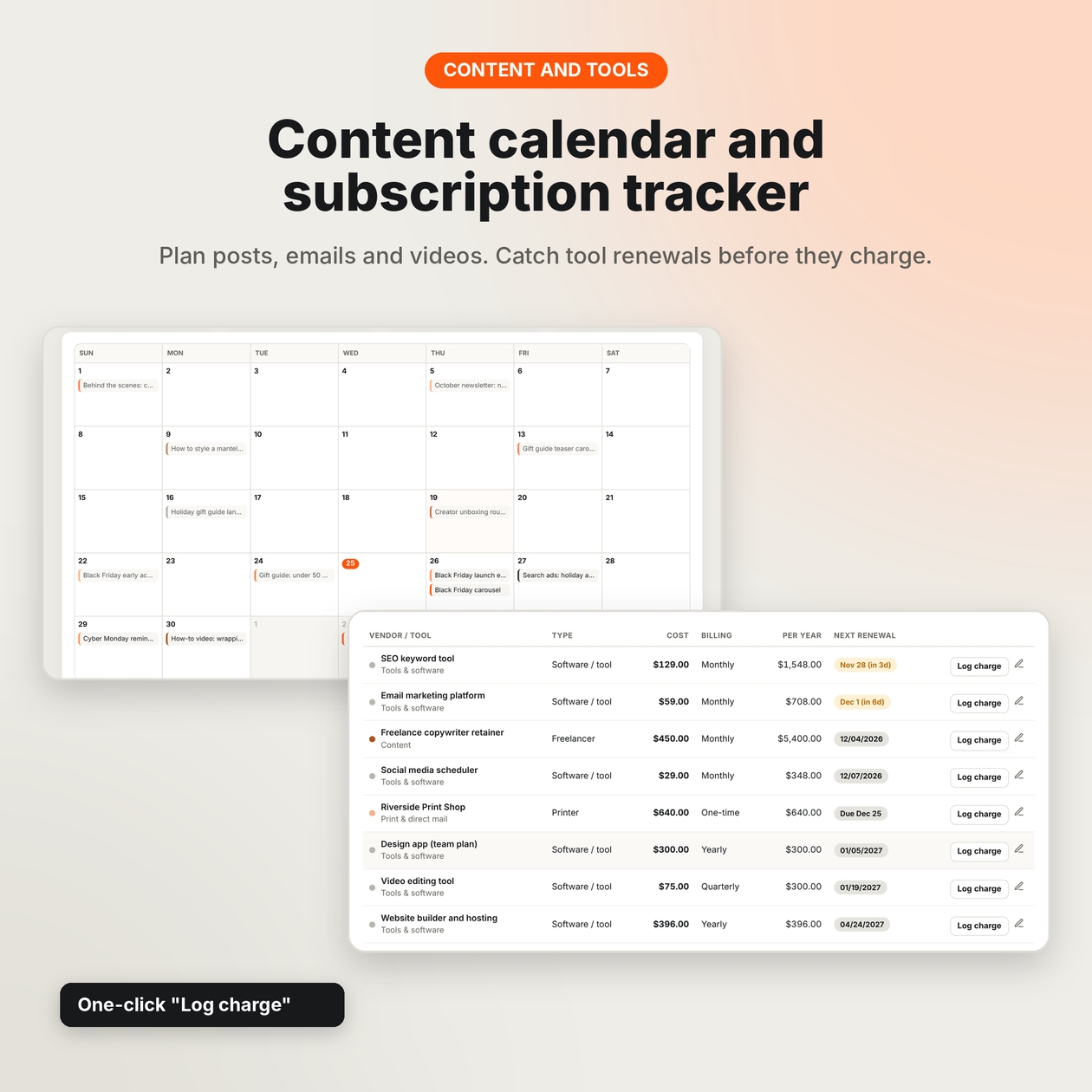
Plan posts, reels, emails, blog articles, videos and events in a month view, a status board (Idea, In progress, Scheduled, Published) or a list. Link each item to a channel and a campaign.
Vendors, tools and subscriptions
List your email platform, scheduler, design app, agency retainer and printer with cost and billing cycle. See the true monthly and yearly cost, renewals in the next 30 days, and whether your tools fit the tools budget. Click Log charge and the cost goes into the spend log while the renewal date moves forward.
Monthly and quarterly marketing reports
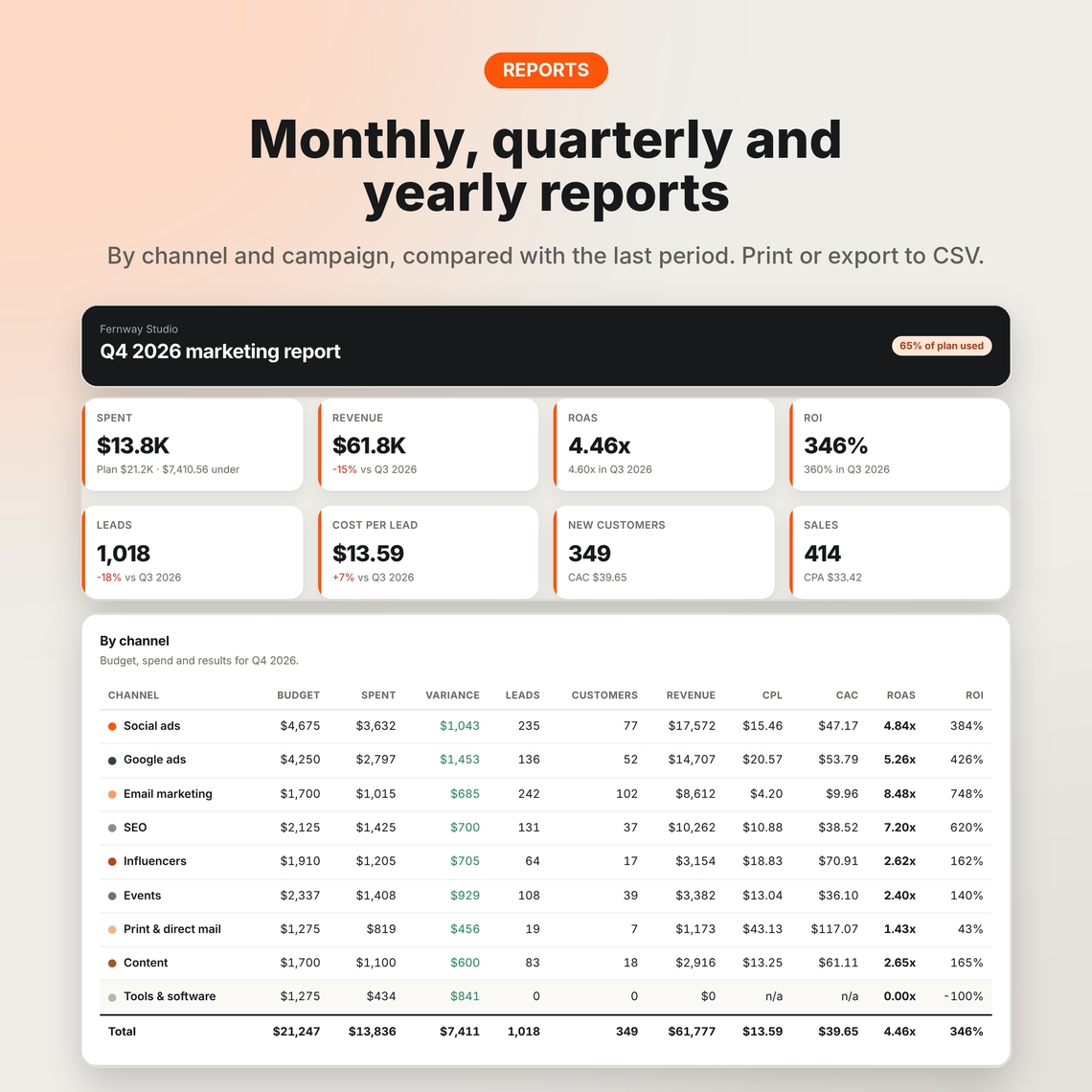
Pick a month, quarter or year. Each report compares spend with the plan and with the previous period, then breaks results down by channel and by campaign. Print it, save it as a PDF from the print window, or export a CSV.
Who this marketing budget planner is for
- Small business owners who spend on ads, events or print and want proof of what works.
- Freelancers and solo marketers managing their own marketing budget.
- Online shops planning a holiday push and keeping the spend in check.
- Anyone who has outgrown a marketing budget spreadsheet and wants a marketing budget planner that does the math.
Use cases
- A bakery sets an 8% of revenue budget, puts 14% of it into local events, and sees by May that the farmers market booth brought in 2.2x its cost.
- A candle shop runs a holiday gift guide on social ads, watches cost per lead against a 10.00 target, and moves money from print when print sits at 1.4x ROAS.
- A freelance designer tracks tool subscriptions and catches a 129-a-month keyword tool renewing in three days.
What is included
- Campaignwise.html, the marketing budget planner app (one file, works offline)
- User Guide (DOCX), illustrated, step by step, covering every screen, the metrics and FAQs
- Start Here (PDF), a one-page quick start
- Sample data (a made-up shop) to explore before you add your own numbers
How it works
- Download the ZIP, unzip it, and double-click Campaignwise.html.
- Enter your business name, currency and annual budget, or use the percent of revenue planner.
- Split the budget by channel and month, add your campaigns, then log spend and results as they happen.
File format and requirements
An HTML app with everything built in. Tested in Google Chrome and Microsoft Edge (Chromium) at desktop, tablet and phone sizes. It uses standard web features, so other modern browsers should work. On Android, open it in Chrome. On iPhone and iPad, open it in a browser or an HTML viewer app; the Files app preview cannot run it. Data is saved in your browser on that device. Export and Import backup move it between devices.
Customization
Any currency symbol, with or without cents. ROI on revenue or on gross profit. Your own alert threshold, channel names and colors. Plan any year and copy last year’s plan in one click.
Digital download
Nothing is shipped. Download the files right after purchase, as often as you need. Licensed for personal or single-business use; please do not resell or share the files.
FAQ
What percent of revenue should a small business spend on marketing?
Many small businesses spend 5% to 12% of revenue. The built-in planner lets you try any percent and see the budget it gives.
Is this a marketing budget template for Excel or Google Sheets?
No. It is a browser app, so there are no formulas to break. You can export CSV files that open in Excel or Google Sheets.
Does it calculate ROI and ROAS for each campaign?
Yes, along with CPL, CPA, CAC, CPC, CTR, CPM and close rate, per campaign, per channel and per period.
Can I use my own currency?
Yes. One currency setting controls every money value in the app. The default is $.

Reviews
There are no reviews yet.