


Build a Custom Tracker App in Minutes, With No Code
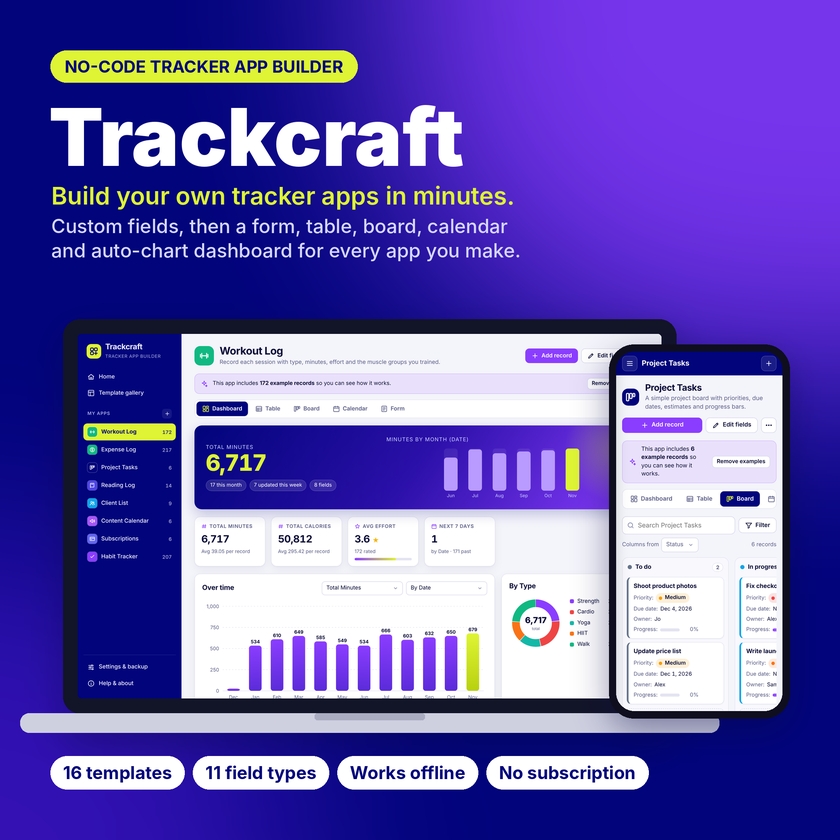
Trackcraft is a custom tracker app builder that runs in your web browser. You choose what to track and which details matter, and Trackcraft turns those fields into a working app with an entry form, a sortable table, a drag-and-drop board, a month calendar and a dashboard that draws its own charts. Build a reading log before lunch. Add a client list after that. Every custom tracker app you make lives side by side in one file.
There is nothing to install and no account to create. Trackcraft is a single HTML file that works offline, keeps your data private in your own browser, and costs one payment with no subscription.
Why Choose Trackcraft Over a Made-to-Order App
Paying someone to build a tracker means describing what you want, waiting for delivery and paying again when your needs change. With Trackcraft you are the builder. Your first app is ready about five minutes after you download, and you can rename a field, add a dropdown or change a field type whenever you like, for free. Existing records convert to the new type on their own.
- Ready today: start from one of 16 templates or a blank app.
- Change anything later: fields, options, colors, icons and names.
- As many apps as you want: up to 200 apps, each with up to 40 fields.
- Private by design: no cloud, no logins, no tracking.
Features of This Tracker App Builder
11 field types
Short text, long text, number (with an optional unit like “mi”), money, date, checkbox, dropdown, color tags, 1 to 5 star rating, progress percent and link. Dropdown and tag options each get their own color, and those colors flow through the board, calendar and charts.
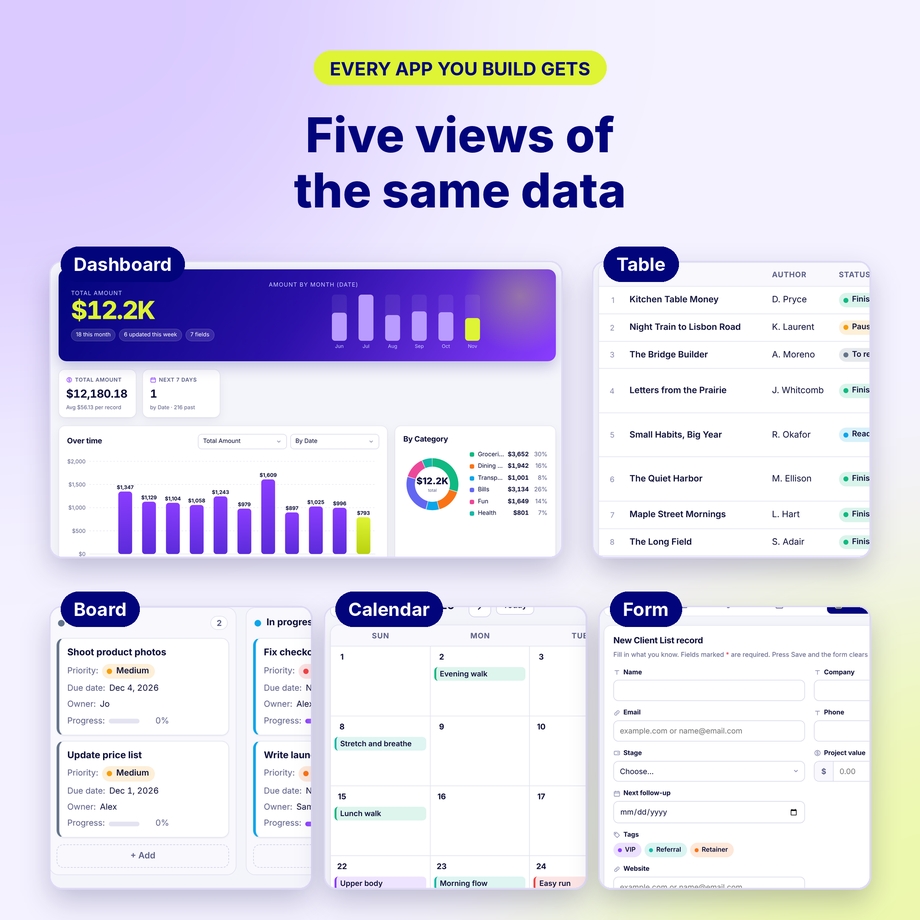
Five views for every app
- Dashboard: totals and averages for every number and money field, percent checked, average rating, a 12-month trend chart you can switch between count and total, donut charts for each dropdown, tag bars, a star spread and a Coming up list.
- Table: click a column to sort, search every field, stack filters such as “Status is Done” and “Date is in the next 7 days”, hide columns, and tick checkboxes right in the row. The footer adds up money and number columns.
- Board: a kanban board built from any dropdown field. Drag a card to change its status, or use + Add to start a record in a column.
- Calendar: records appear on their date, colored by category. Click a day to add a record on that date. A month agenda sits underneath.
- Form: a full-page entry form with Save and add another for fast logging.
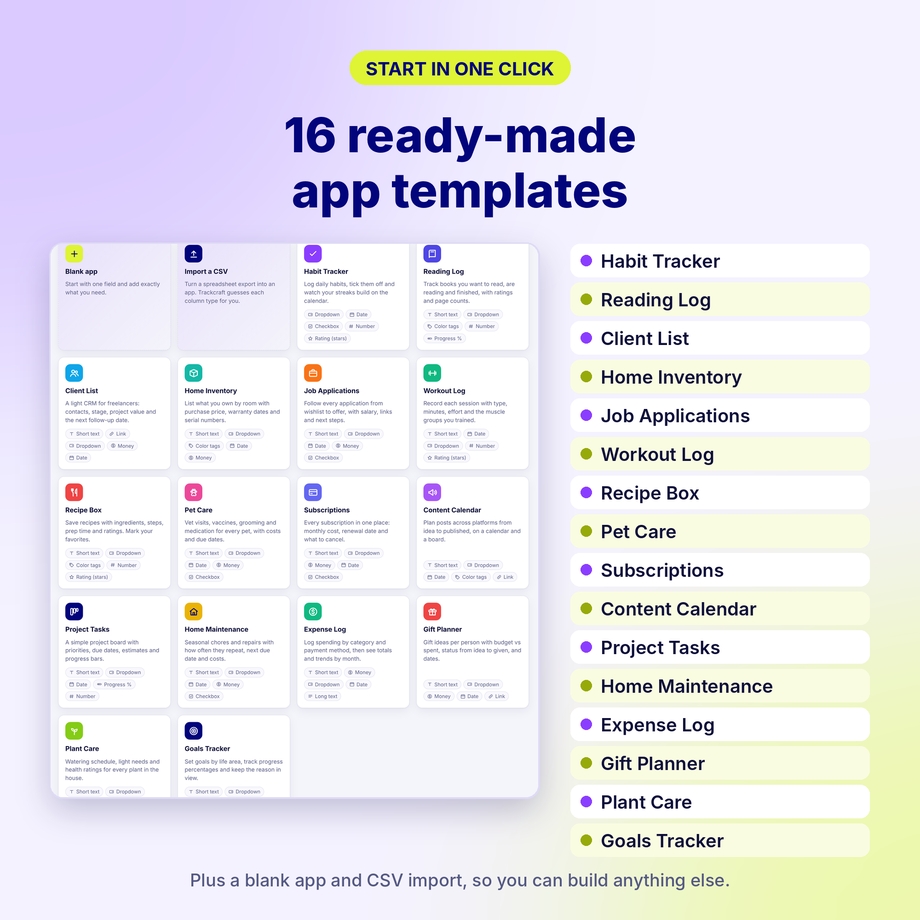
16 ready-made tracker templates
Habit Tracker, Reading Log, Client List, Home Inventory, Job Applications, Workout Log, Recipe Box, Pet Care, Subscriptions, Content Calendar, Project Tasks, Home Maintenance, Expense Log, Gift Planner, Plant Care and Goals Tracker. Each one can include example records so you see how it works, and one click removes them.
Extras that come with it
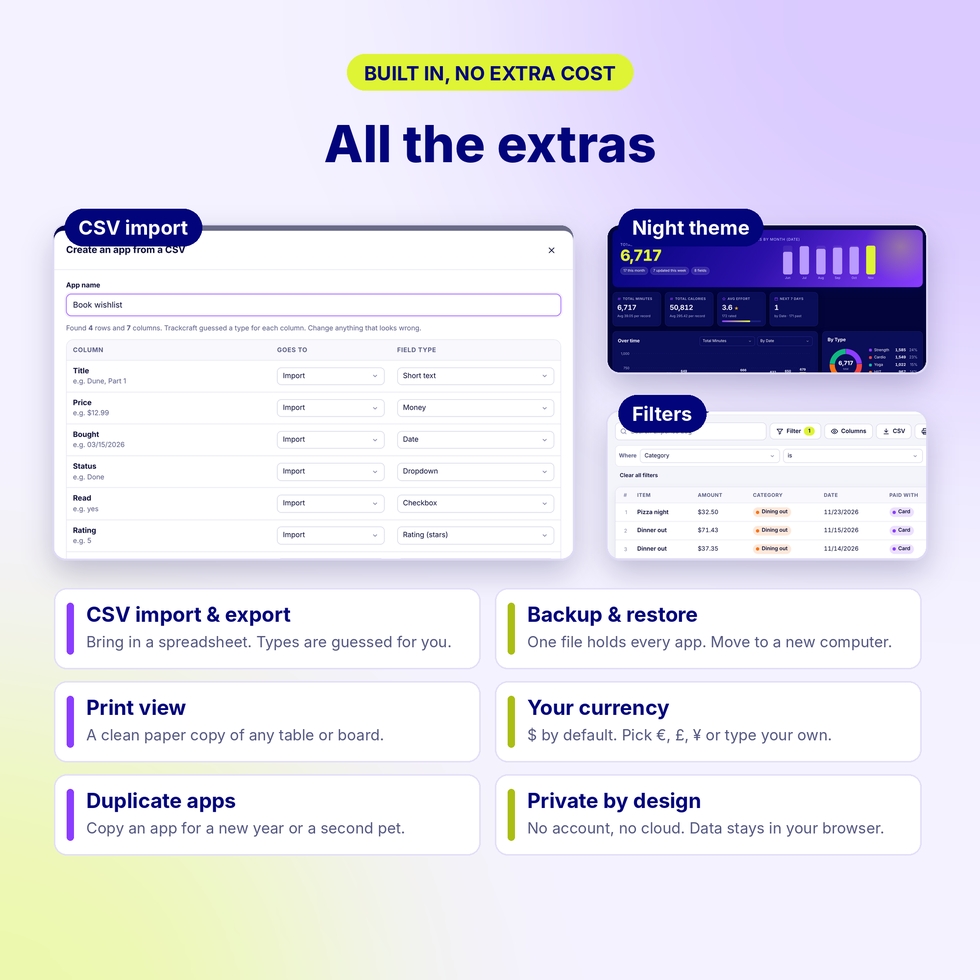
- CSV import that guesses each column type (dates, money, checkboxes, links, ratings, dropdowns), or import into an existing app.
- CSV export for Excel, Google Sheets and Numbers.
- Full backup and restore in one file, so you can move to a new computer.
- Duplicate an app with or without its records, perfect for a new year.
- Search across every app from the Home screen.
- Print view for a clean paper copy or PDF.
- Three color themes: Midnight, Night and Electric.
- One currency setting for every money field, with $ as the default. Choose €, £, ¥, ₹ and more, or type your own symbol.
- Keyboard shortcuts: N adds a record, / jumps to search.
Who This Custom Tracker App Is For
Trackcraft suits anyone who keeps lists in notebooks, sticky notes or a spreadsheet that has grown messy. It works well for freelancers who want a light CRM, small shop owners tracking orders or stock, students logging assignments, families planning gifts and chores, readers, gym regulars, plant parents and pet owners. If you can describe what you track in a few columns, you can build it here.
Real Ways to Use It
- A subscription tracker that totals your monthly cost and shows renewals on the calendar.
- A job application tracker on a board, from Wishlist to Offer.
- A home inventory with purchase prices and warranty end dates for insurance.
- A content calendar with posts colored by platform.
- A project board with priorities, progress bars and due dates.
- A habit tracker where the dashboard shows how often you tick each habit.
How It Works
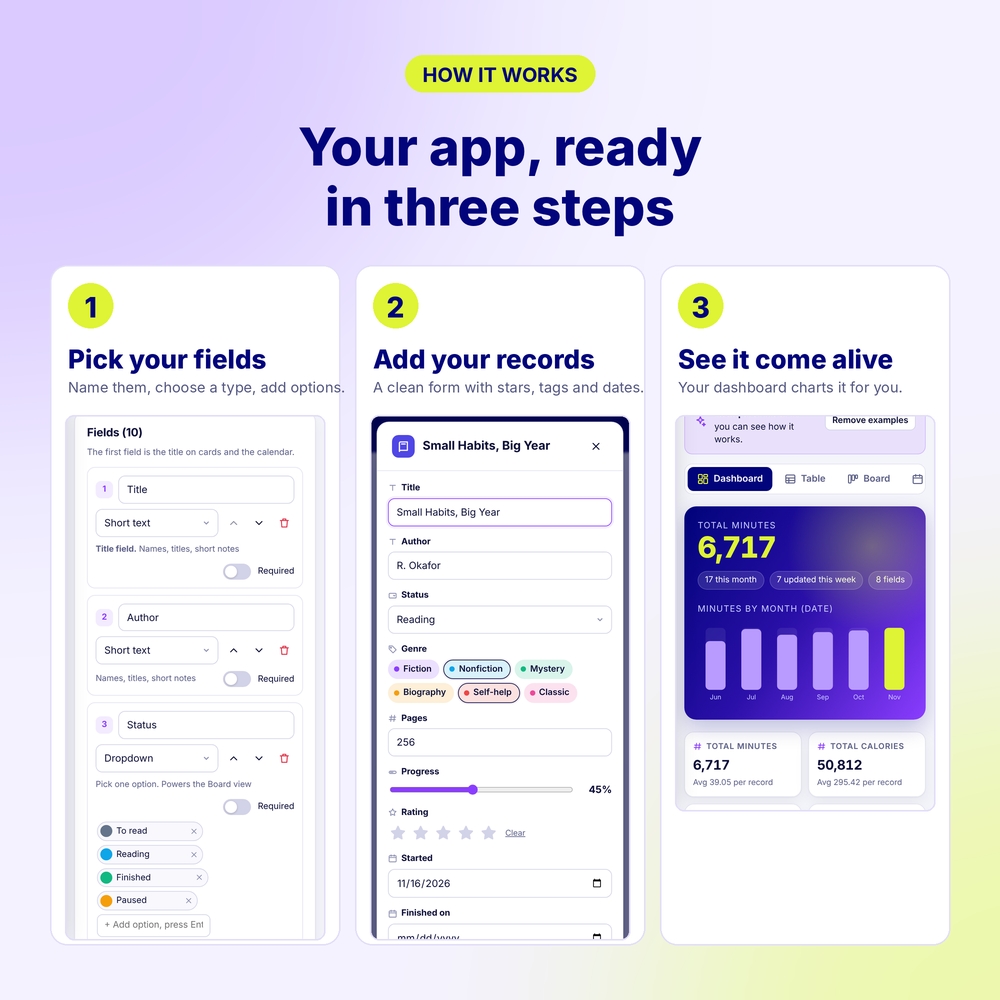
- Download and unzip, then double-click Trackcraft.html. It opens in your browser.
- Pick a template or build a blank app: name it, choose an icon and color, add fields.
- Add records with the form. The table, board, calendar and dashboard fill in by themselves.
- Download a backup from Settings now and then.
What’s Included
- Trackcraft.html, the app (one offline file)
- Trackcraft User Guide (DOCX, 16 pages) with setup steps, every feature, tips, troubleshooting and FAQ
- Trackcraft Start Here (PDF, one page)
The guide is also attached as its own download.
File Format and Requirements
- Format: HTML app inside a ZIP, plus DOCX and PDF.
- Tested in Chrome and Edge at desktop, tablet and phone screen sizes. It uses standard web features, so other modern browsers should work too.
- Works offline. No internet, account or extra software needed.
- Android: open the file with Chrome. iPhone and iPad: the Files app preview does not run web apps, so use an HTML viewer app that runs JavaScript, or use a computer.
- Data is stored in your browser on each device. Use backup and restore to move it.
Digital Download
This is a digital product. Nothing ships. You get the files right after purchase and can download them again from your account. The license is for personal use, including your own small business. Please do not resell or share the files.
FAQ
Do I need to know how to code?
No. You pick field types from a list and type option names. The app builds the views for you.
Is this a custom app made to order?
No. It is a ready-to-use app builder you download right away, so you can build your own custom tracker apps yourself.
Is there a monthly fee?
No. You pay once and keep the file.
Does it work offline?
Yes. Trackcraft makes no internet connections at all.
Can I import my spreadsheet?
Yes. Save it as CSV and import it. Trackcraft guesses each column type, and you can change any guess before importing.
Can I use it on my phone?
Yes, on Android in Chrome. On iPhone or iPad use an HTML viewer app that runs JavaScript. Each device keeps its own data, and backup files move it between them.
Can I add photos to records?
Not inside the app. Add a Link field that points to a photo or receipt stored in your cloud drive.
How many records can it hold?
Up to 20,000 per app, within the browser’s storage of about 5 MB, which fits roughly 15,000 to 25,000 typical records in total.

Reviews
There are no reviews yet.