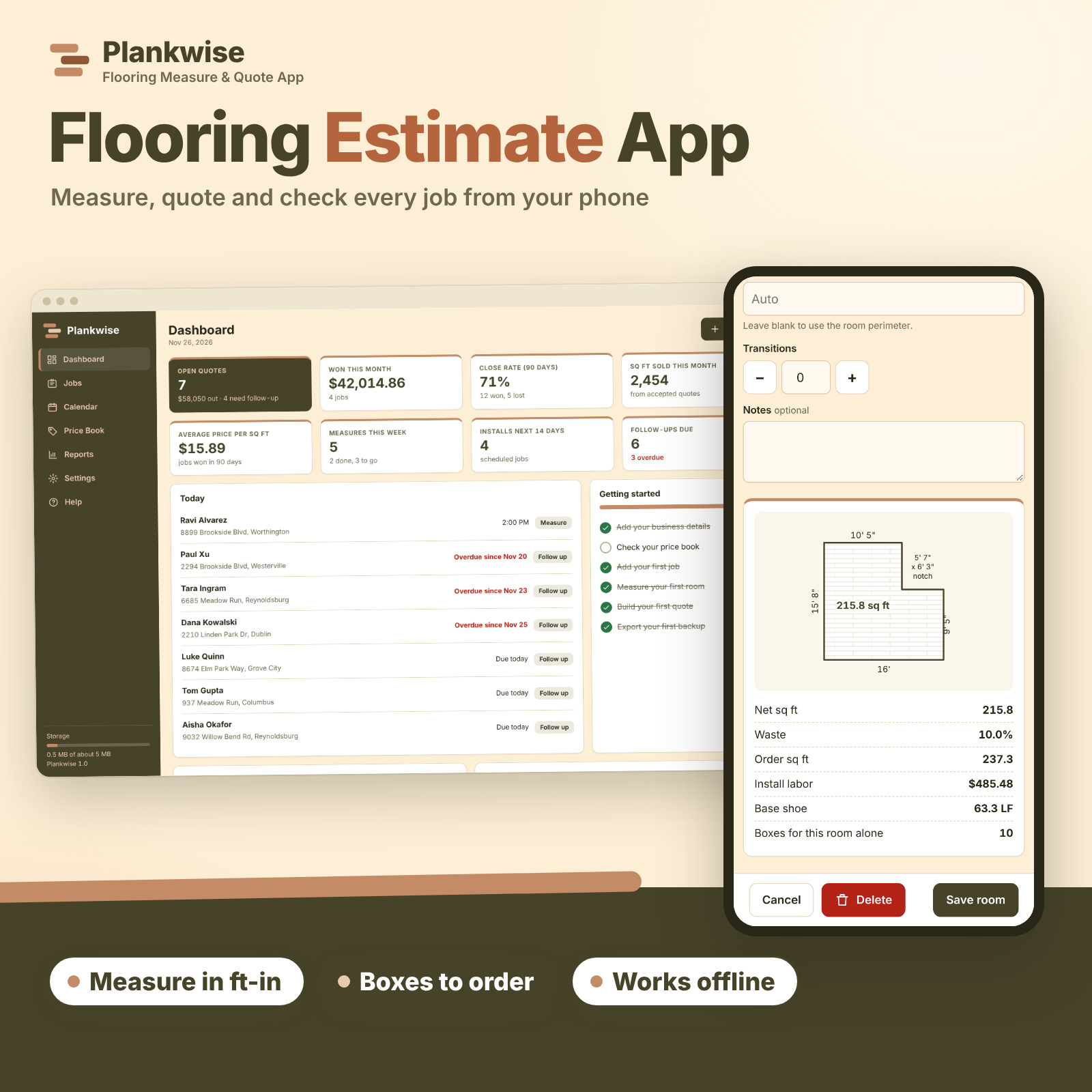
The Plankwise flooring estimate app lets you measure a house on your phone, work out exactly how many boxes to order, and hand the homeowner a priced quote with up to three floor options before you leave the driveway. It is one HTML file that runs in your browser, works with no signal and has no monthly fee. Your jobs stay on your own device.
What this flooring estimate app does
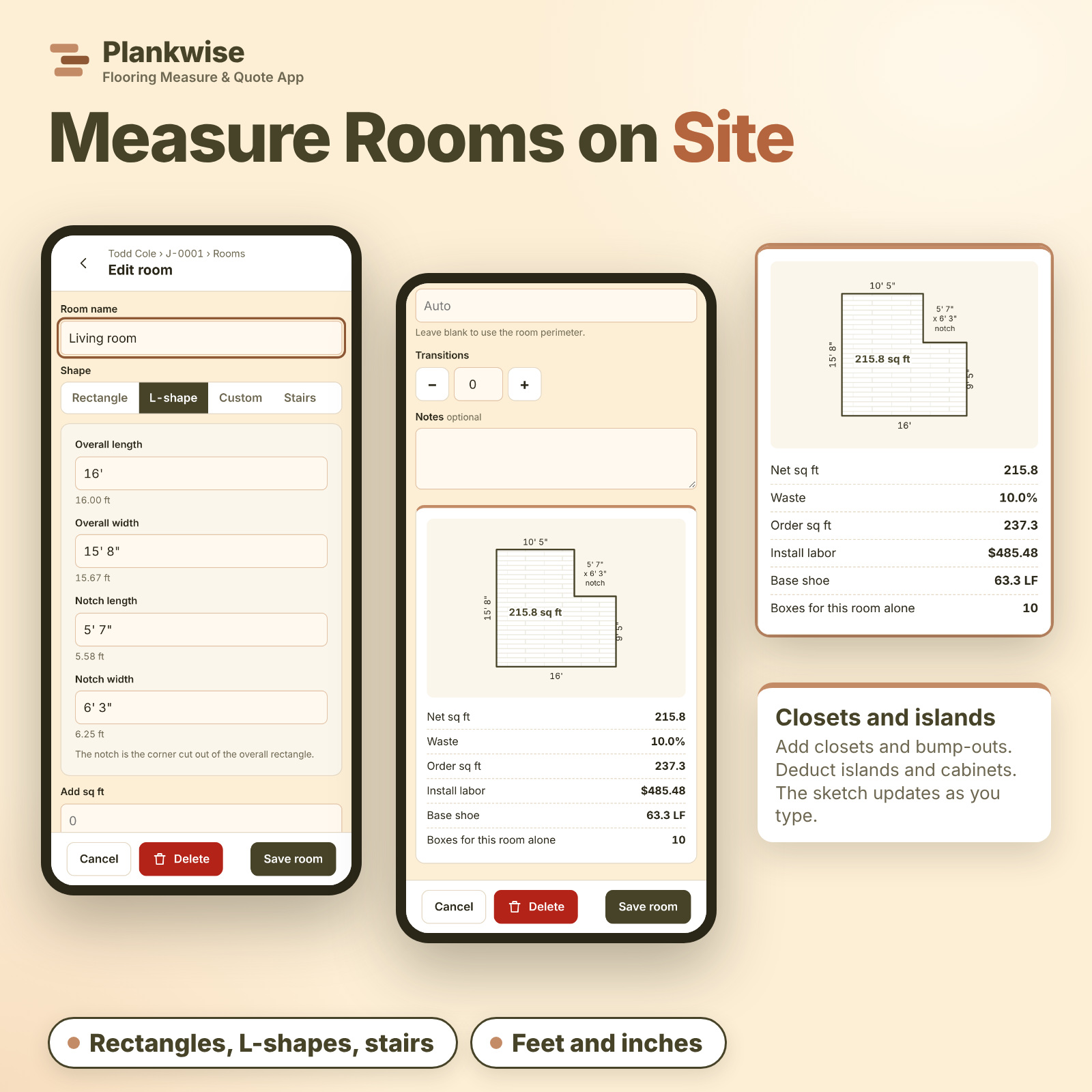
Plankwise follows the way a flooring job really runs. You add a customer, walk the rooms with a tape or laser, and type each size the way you say it out loud: 12′ 6″, 12 6, 12-6 or 12.5 all work. A live sketch draws the room as you type, with the dimensions on the edges. Add the closet, deduct the kitchen island, and the app shows net square feet, waste, square feet to order and whole boxes.
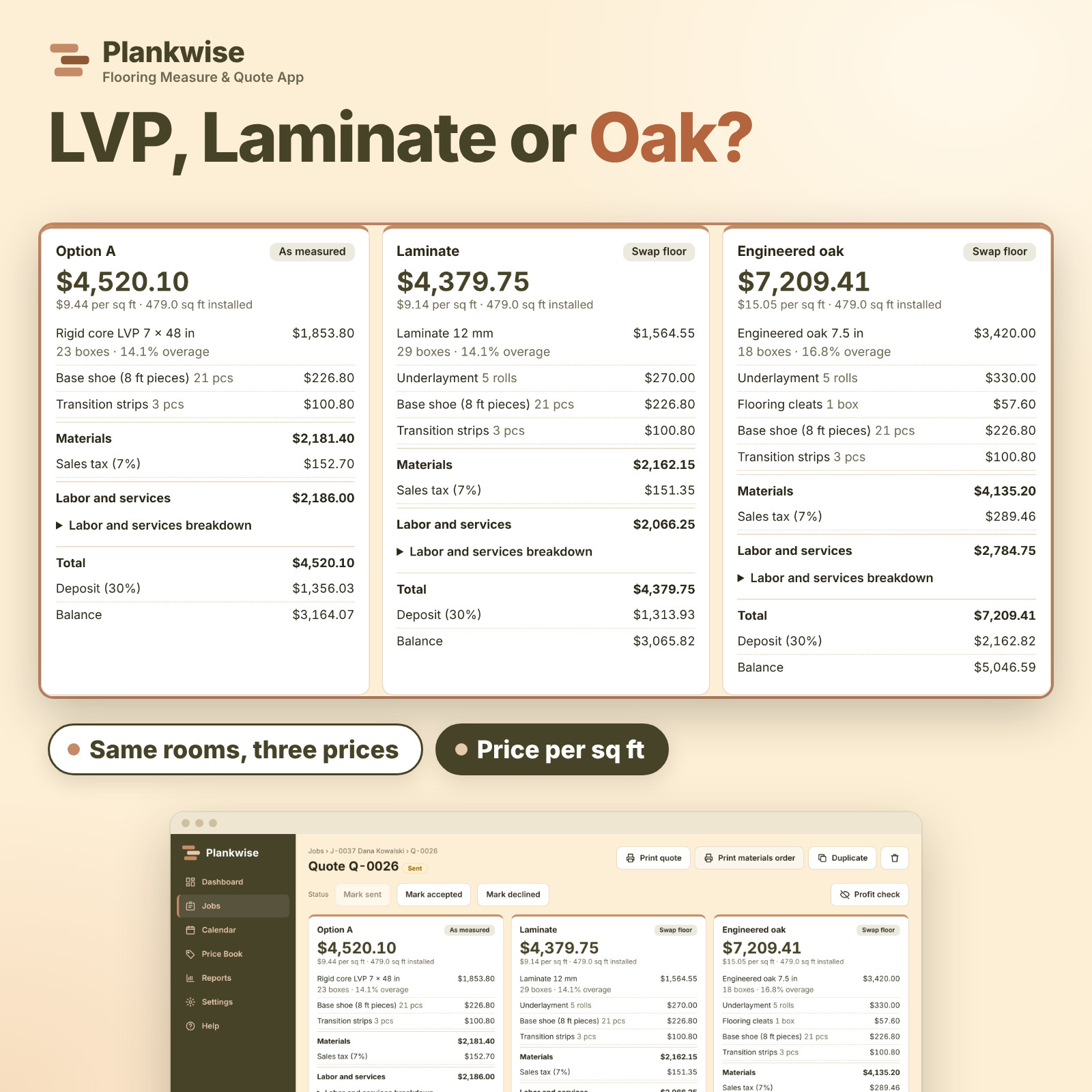
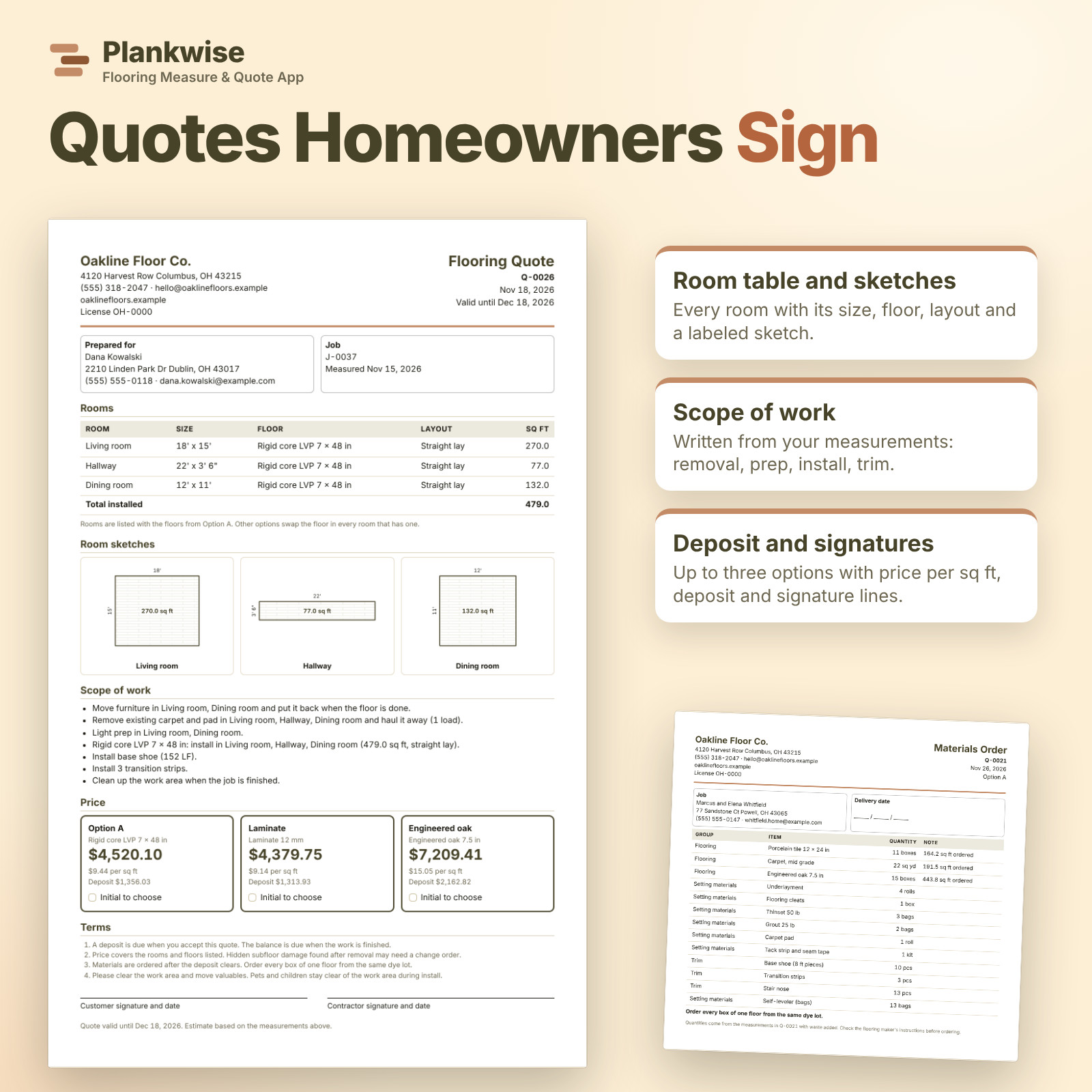
Then it prices the job. Pick a floor for each room, add removal, subfloor prep, base shoe, transitions and stair nose, and Plankwise builds the materials and labor lines, adds sales tax on materials, applies your minimum job charge and works out the deposit. One quote can carry three floor options built from the same rooms, so a customer can compare LVP, laminate and engineered oak on one sheet.
Who this flooring estimating software is for
It is made for owner-operator installers and small flooring companies of one to six people who quote on site or the same evening. If you run jobs from a notes app and a spreadsheet, or balk at measuring software billed per user every month, this is the lighter option. It handles LVP, laminate, LVT, hardwood, tile, carpet and sheet vinyl.
Main benefits
- Quote on site in minutes. Rooms flow straight into the price, so there is nothing to retype at the kitchen table.
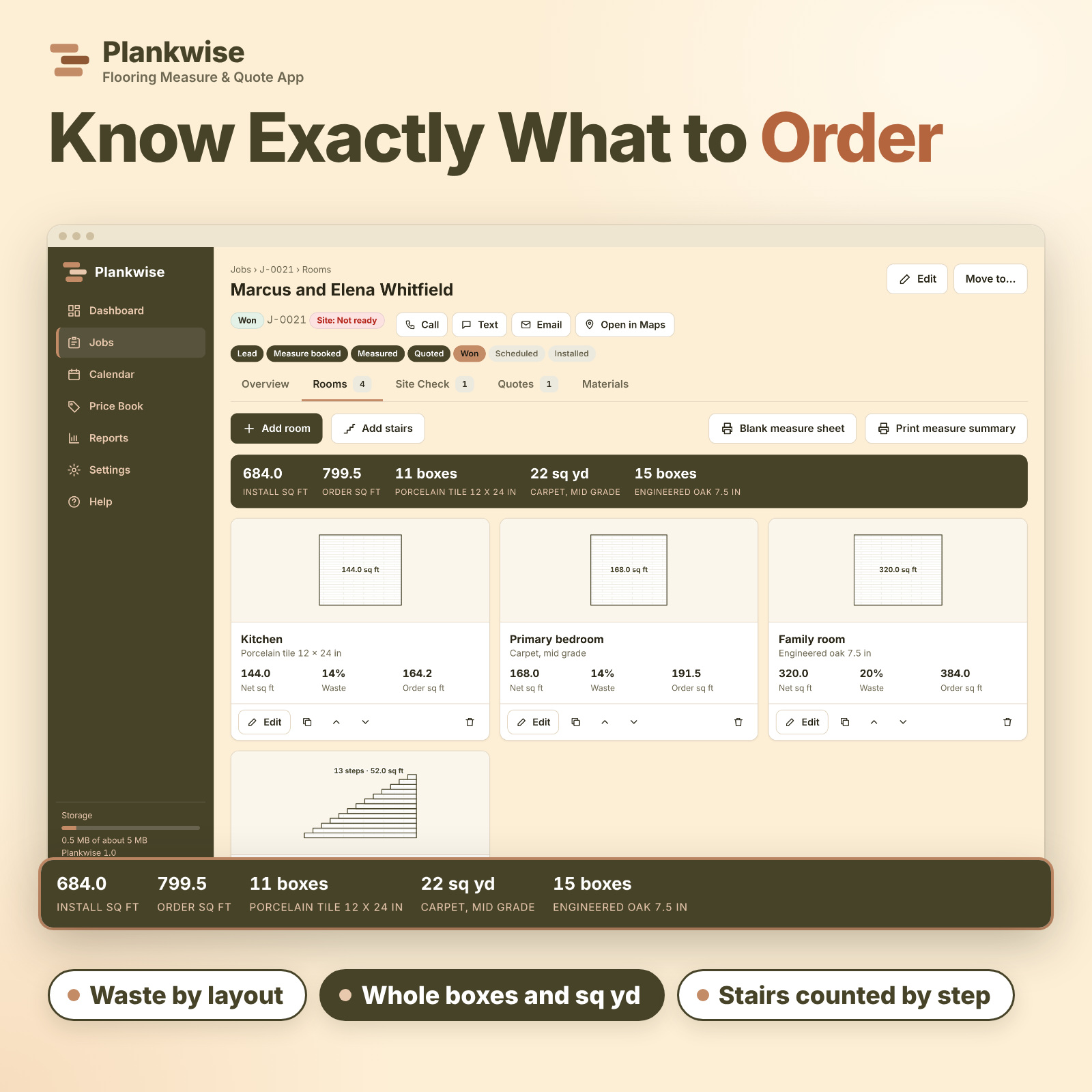
- Order the right number of boxes. Boxes are rounded up from the carton coverage you enter, and the quote shows the overage so you know what is left over.
- Give homeowners three choices. Swap the floor and every room reprices at once, with price per square foot on each option.
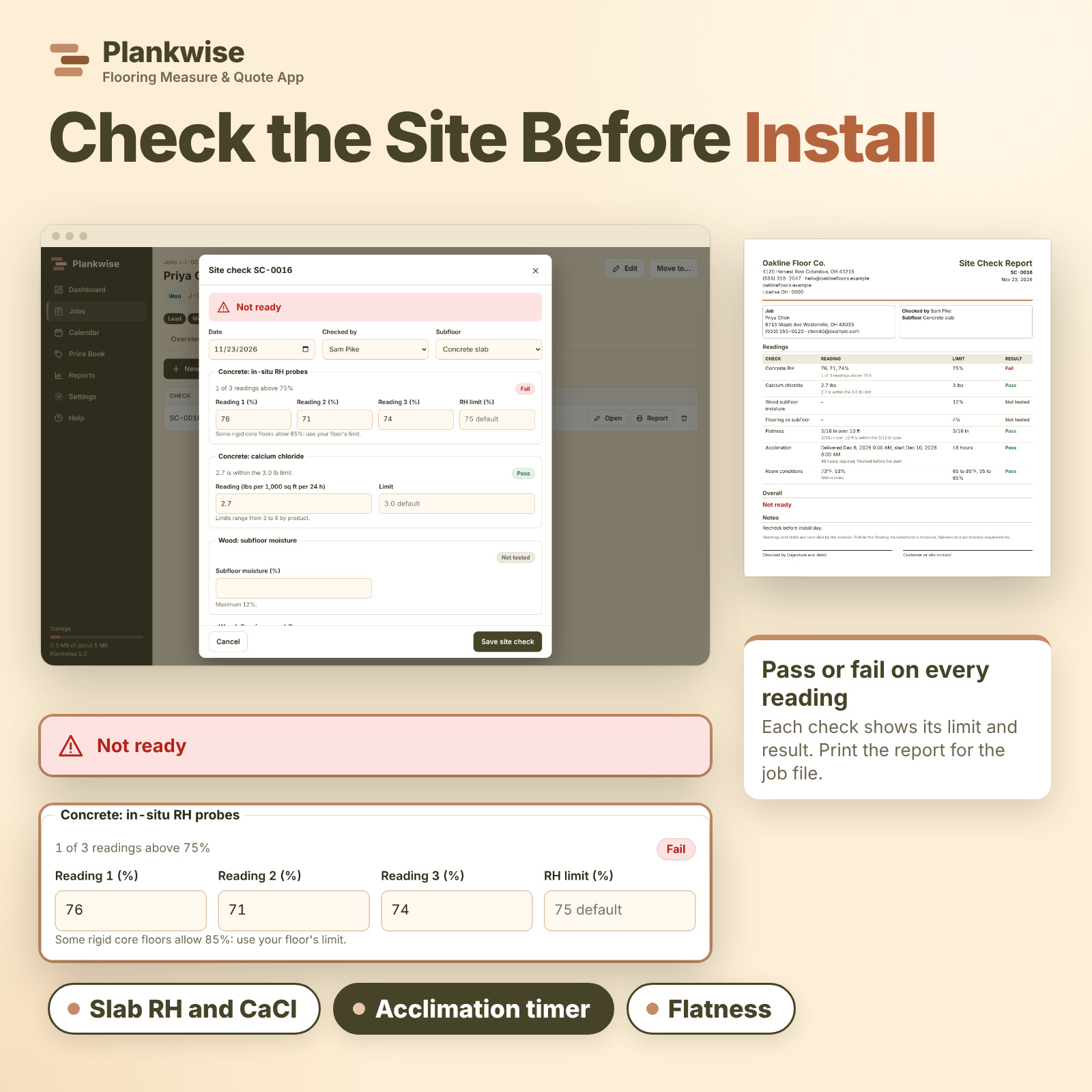
- Stop wet-slab and early-install callbacks. A site check records the readings and flags anything outside the limits you set.
- Keep your data to yourself. The app makes no network requests and uploads nothing. Its one link out, Open in Maps, runs only when you tap it.
Features
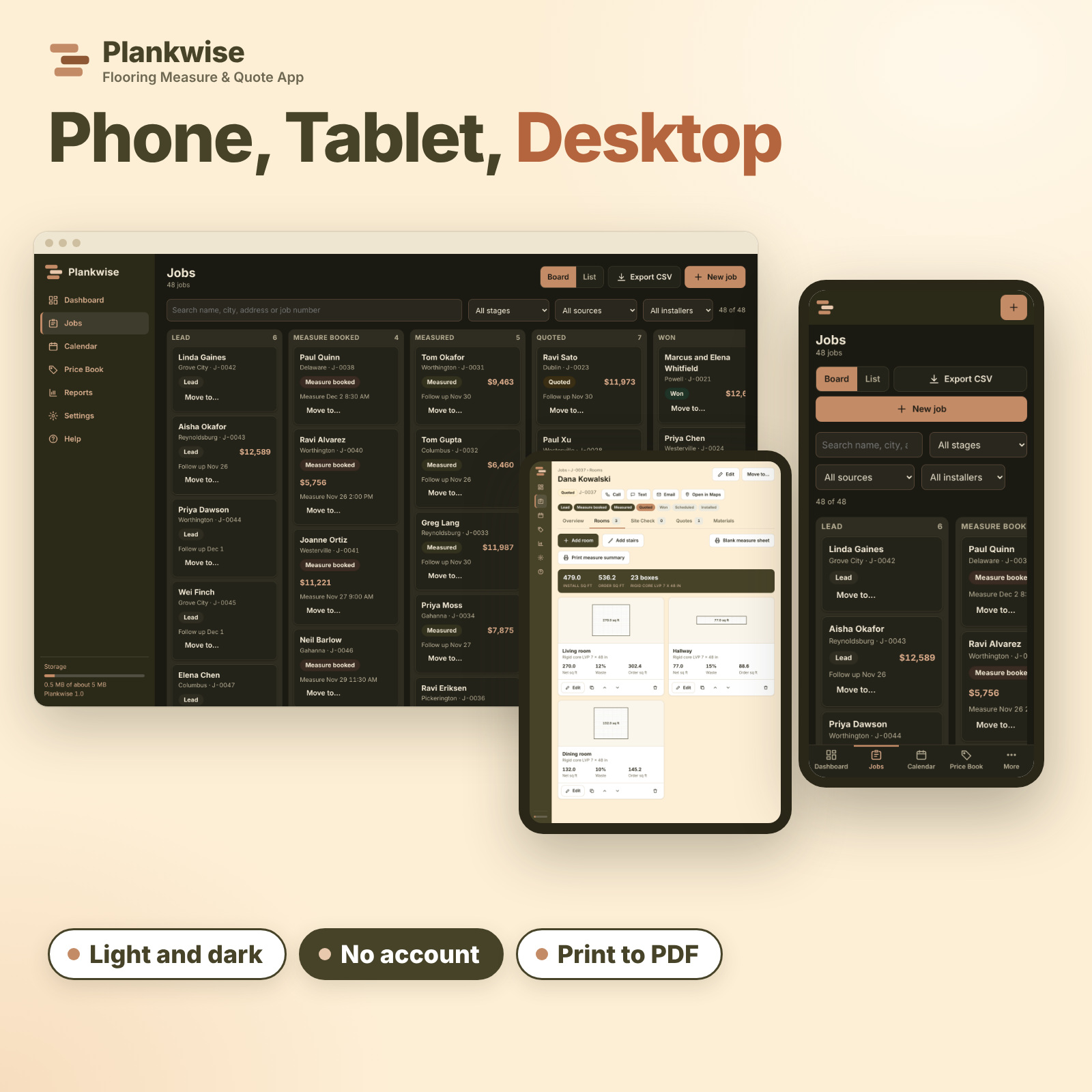
- Jobs pipeline from lead to installed, as a board with drag and drop or as a sortable list
- Rooms in feet and inches: rectangle, L-shape, custom shape and stairs, with live sketches
- Add and deduct areas for closets, bump-outs, islands and cabinets
- Waste by layout (straight, offset, diagonal, herringbone, chevron, wall to wall) plus a room-shape allowance
- Boxes, square yards and square feet with overage shown after rounding
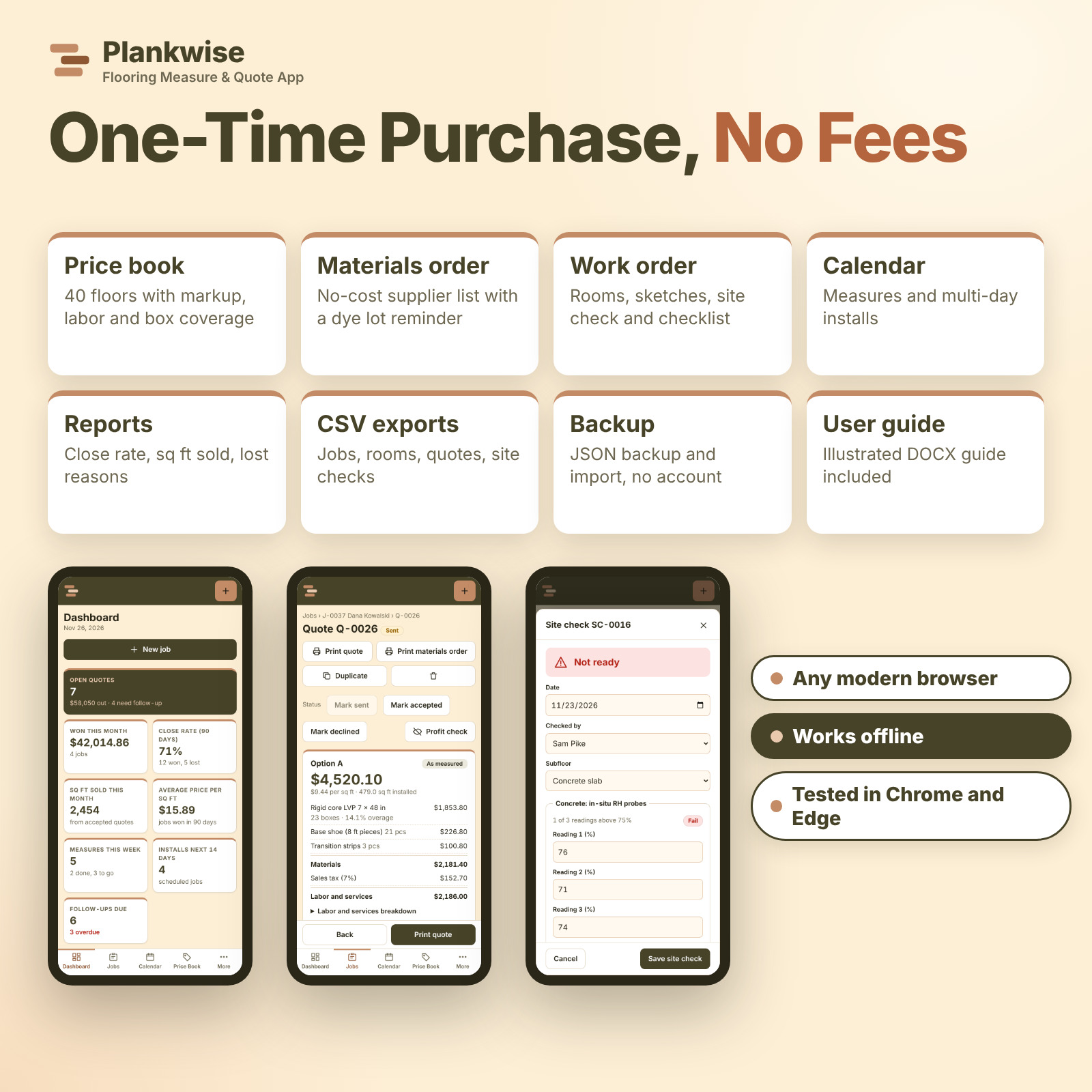
- Price book with up to 40 floors, markup and labor per square foot
- Setting materials by floor type, plus removal, haul-away, subfloor prep and self-leveler
- Extras and custom lines, sales tax, minimum job charge and deposit
- Up to three options per quote, plus a profit check that stays on screen
- Accepted quotes are frozen, so editing a room later never changes a signed price
- Printable quote, materials order, install work order, site check report and blank measure sheet
- Calendar for measures and multi-day installs, follow-ups and a dashboard with eight tiles and four charts
- Reports with CSV export, JSON backup and import, light and dark themes
Flooring moisture test log and site checks
Many callbacks start before the first plank goes down. The Site Check screen works as a flooring moisture test log tied to each job. Record up to three concrete RH probe readings, a calcium chloride reading, wood subfloor and flooring moisture, the gap under a 10 ft straightedge, delivery time and acclimation hours, and the room temperature and humidity. Each reading shows Pass or Fail against limits you can edit, and the card at the top says Ready to install, Not ready or Incomplete.
The limits are yours, and the flooring maker’s instructions decide pass or fail. The printed report says so.
What is included
- Plankwise-Flooring-Measure-and-Quote-App.html, the app, one file with everything inside
- User Guide (DOCX) with screenshots, worked examples and troubleshooting
- Start-Here.pdf, a one-page quick start
- One ZIP with all three files
How it works
- Open the HTML file in your browser and bookmark it.
- Check the price book. The default floors are examples, so change them to your costs.
- Add a job, then add each room in feet and inches.
- Create a quote, add a second or third floor option and print it or save it as a PDF.
- Before install day, record a site check and print the materials order for your supplier.
File format and software requirements
The app is a single HTML file, so there is nothing to install. It is made for modern web browsers on computers, phones and tablets, and it has been tested in Chrome and Edge. Your jobs are saved in the browser on the device you use, so export a backup now and then; the same backup file moves your data to another device.
Customization
Add your business name, license number and logo for the printouts. Choose your currency symbol, tax rate, minimum job charge and deposit. Edit every floor, layout allowance, removal rate, trim price and extra in the price book. Choose US Letter or A4 and a light or dark theme.
Digital download
This is an instant digital download. Nothing ships. After checkout you get the ZIP and the individual files from your account.
Real ways to use it
- Walk a house with a laser, then quote before you drive away
- Quote a tile kitchen, a carpet bedroom and hardwood stairs on one sheet
- Log slab RH readings the week before install
Frequently asked questions
Does this flooring estimate app work offline?
Yes. It is one file and makes no network requests, so it works in a basement or a new build with no signal.
Is there a subscription?
No. It is a one-time purchase with no account and no per-user fee.
Does it work on phones and tablets?
Yes. The layout adapts to phone, tablet and desktop. Save the file and open it in a browser app, not an email or Files preview. It is tested in Chrome and Edge.
Where is my data saved, and how much fits?
In the browser on your device. In our storage test about 400 typical jobs fit, each with rooms, a quote and notes. A meter warns you at 80%, and clearing browser data erases everything, so use the backup button in Settings.
Can I enter feet and inches?
Yes. Type 12′ 6″, 12 6, 12-6, 10′ 3 1/2″ or decimal feet like 12.5.
Can I quote stairs?
Yes. Stairs are a room type. Enter the steps and the app adds square feet, waste, labor per step and stair nose.
Plankwise gives estimates only. Carton coverage, setting-material coverage, waste and prices vary, so check the flooring maker’s instructions and local code. License: one flooring business and its devices. No resale, sharing or uploading of the files.



Reviews
There are no reviews yet.