

Stop deciding dinner at 5pm with the fridge open.
This spreadsheet runs your whole food week from one file. Pick meals from your own recipe library, and the shopping list builds itself: every ingredient you need, combined across recipes, scaled to the number of people you cook for, sorted by supermarket aisle and costed before you leave the house.
How it works
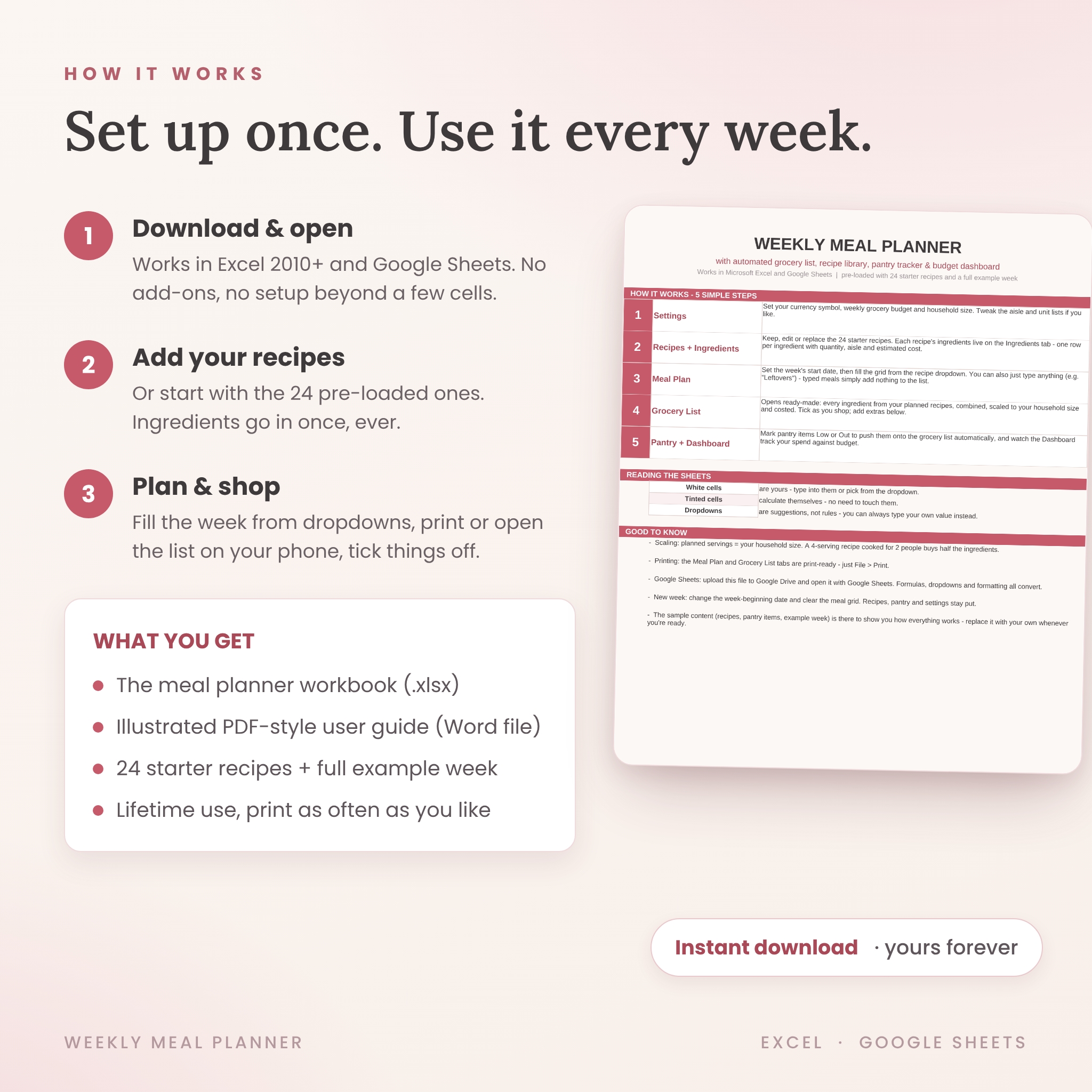
- Type your currency, weekly budget and household size into Settings.
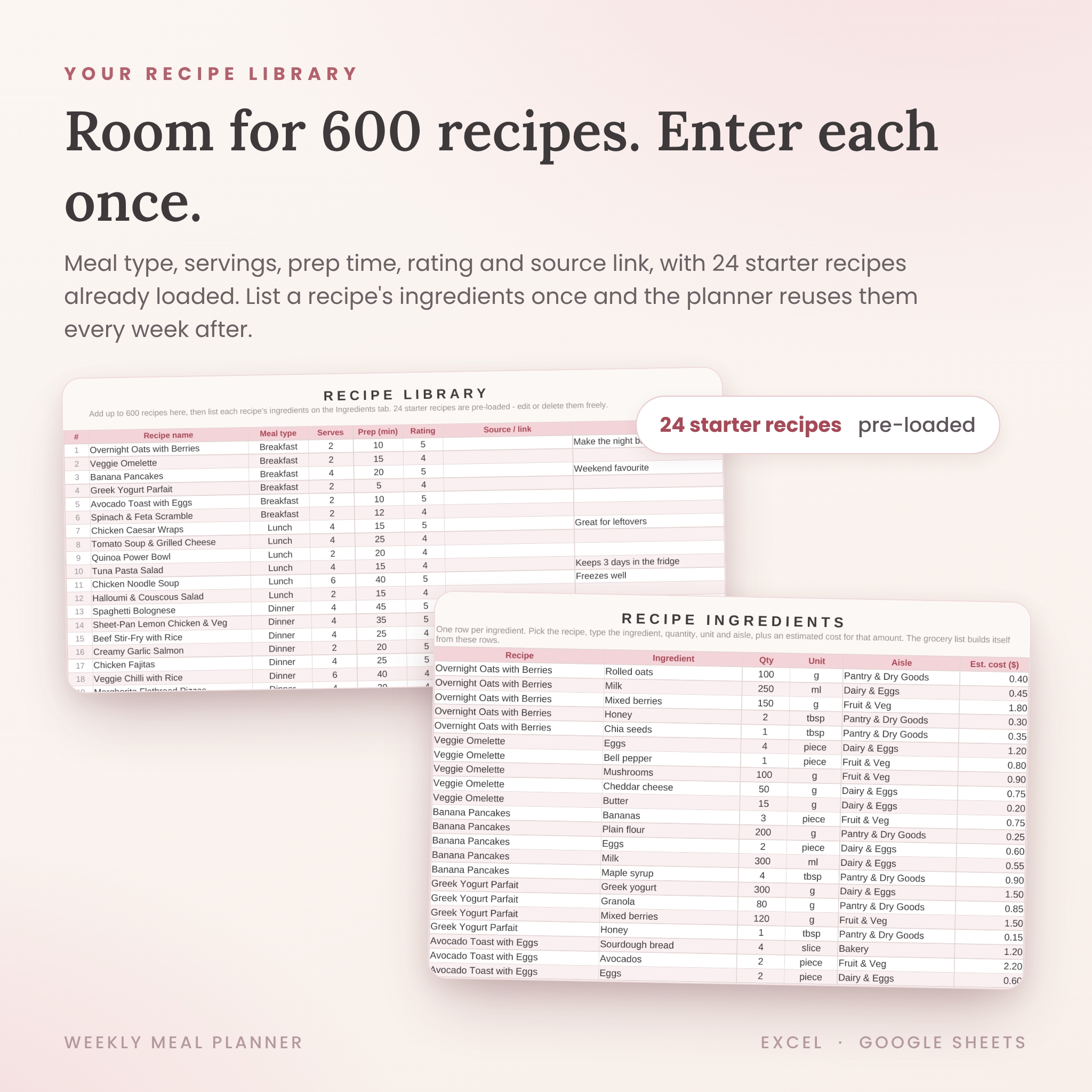
- Add your recipes (24 starter recipes come pre-loaded), listing each recipe’s ingredients once.
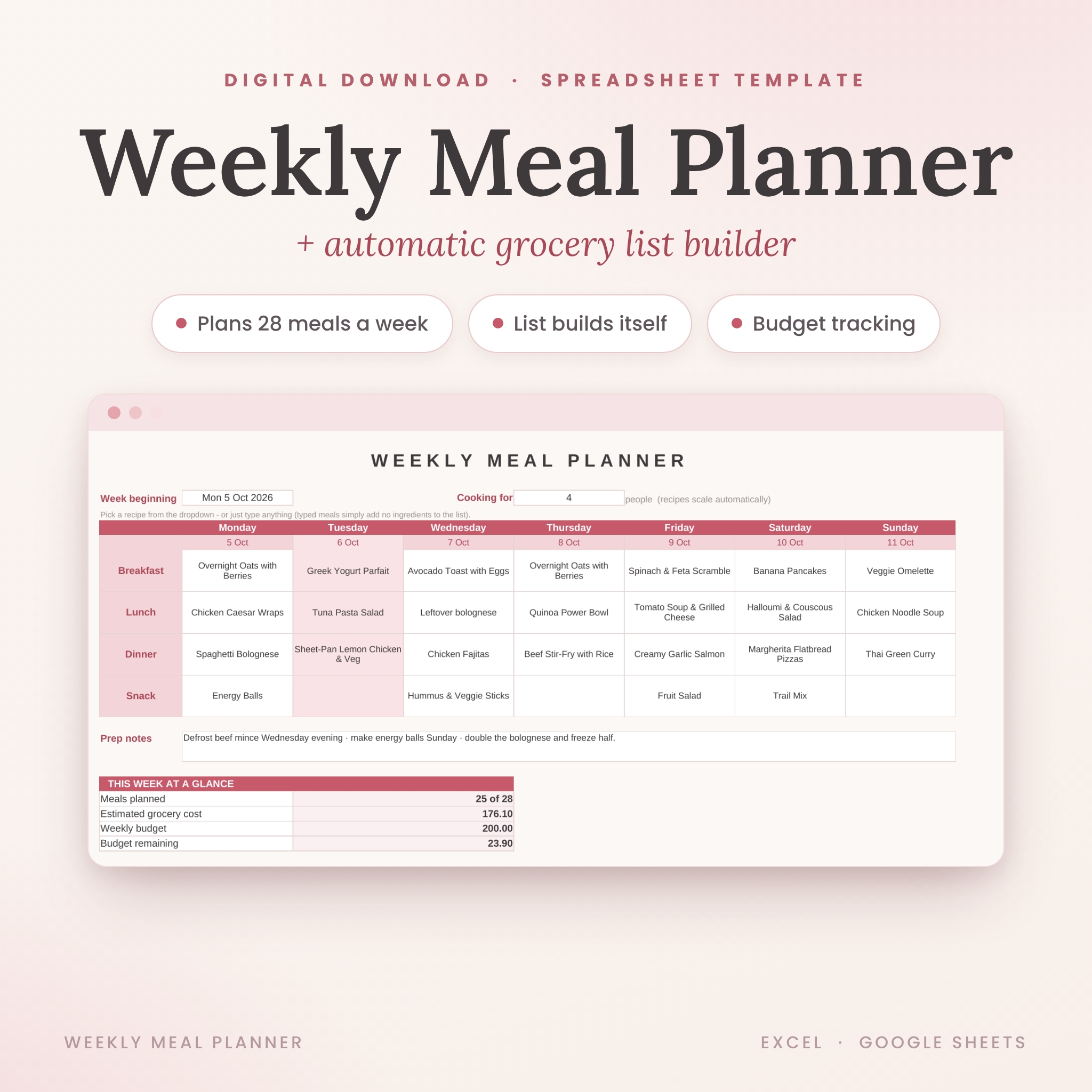
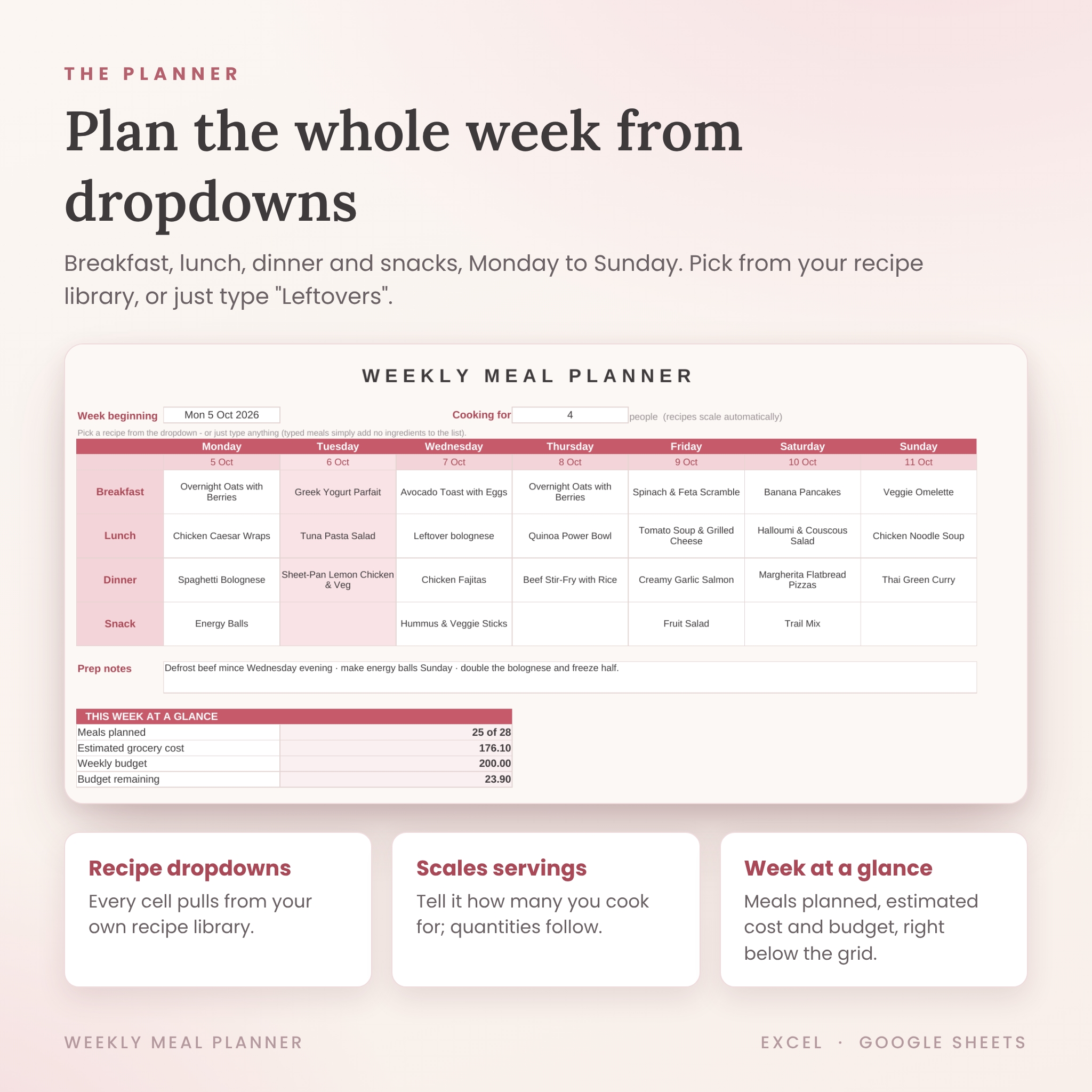
- Fill the Monday-to-Sunday grid from dropdowns: breakfast, lunch, dinner and snacks.
- Open the Grocery List. It’s already written, costed and sorted by aisle. Tick items off as you shop and they grey out.
Prefer not to log a recipe for every meal? Just type “Leftovers” or “Dinner out” in any cell. The planner skips it. No forced data entry.
What’s inside – 8 working tabs
- Meal Plan – the weekly grid with prep notes, a servings scaler and a week-at-a-glance summary. Print-ready.
- Grocery List – three sections: auto-built from your plan, extra items you add by hand, and pantry restocks. With estimated total, budget and remaining.
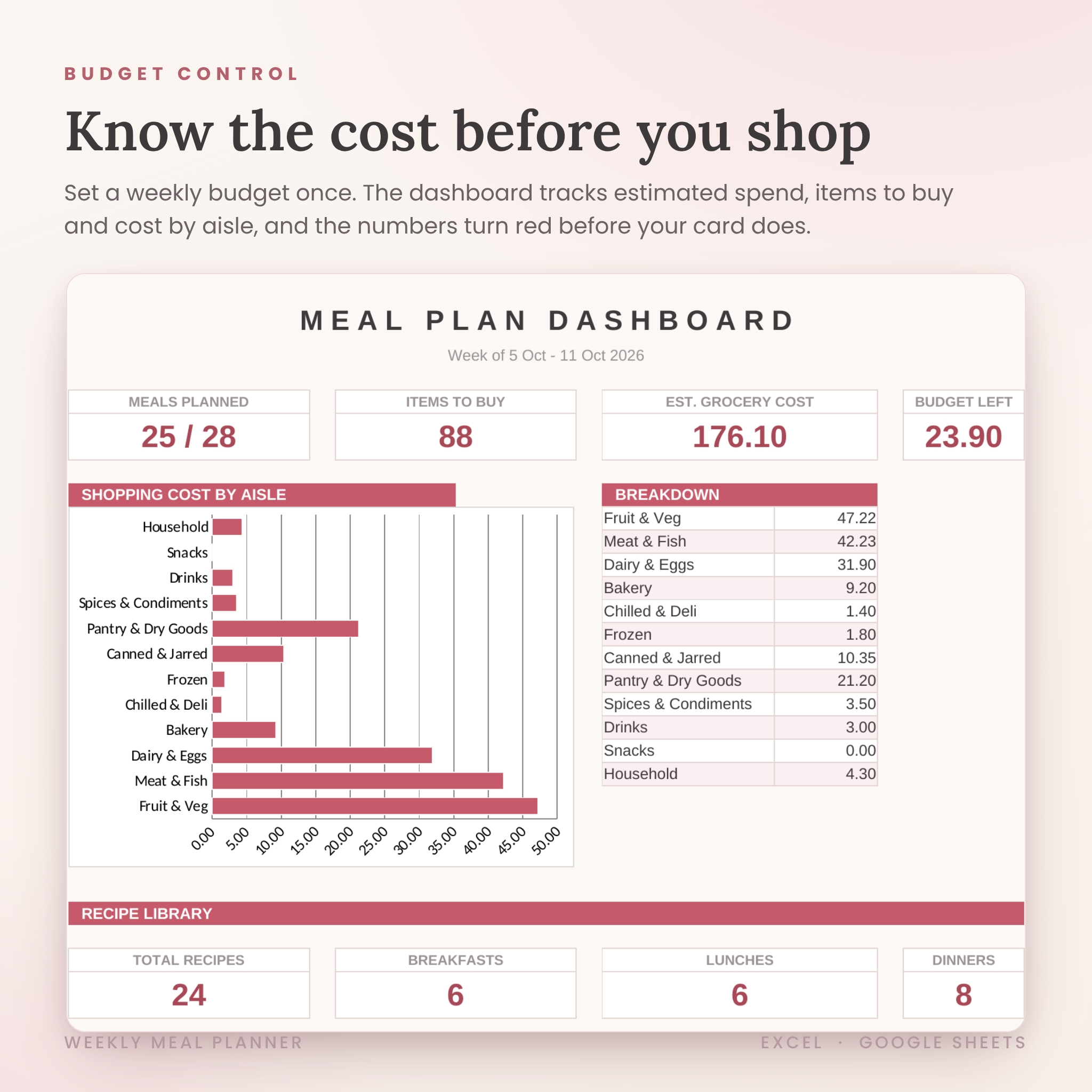
- Dashboard – meals planned, items to buy, estimated spend, budget left and a cost-by-aisle chart.
- Recipes – room for 600 recipes with meal type, servings, prep time, rating, source link and notes.
- Ingredients – one row per ingredient powers the automatic list. 2,400 rows of capacity.
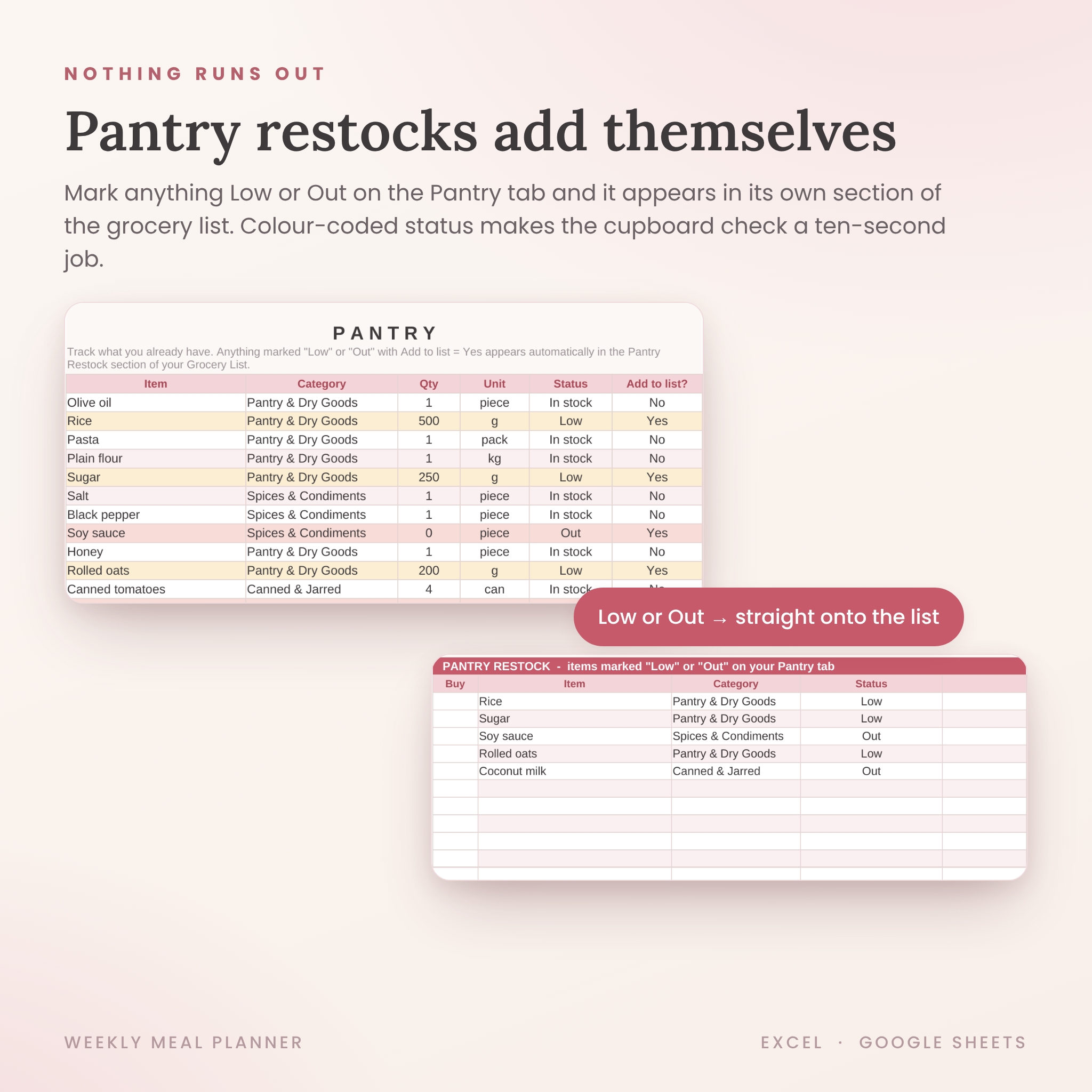
- Pantry – colour-coded stock levels. Anything marked Low or Out jumps onto the grocery list by itself.
- Settings – currency symbol (any currency works), weekly budget, household size, plus editable aisle, unit and meal-type lists.
- Start Here – a 5-step walkthrough so you’re planning within minutes.
Why this one
- Works in BOTH Microsoft Excel (2010 or newer) and Google Sheets. Most meal planners lock you into one.
- Quantities scale to your household automatically. A 4-serving recipe cooked for 2 people buys half the ingredients.
- The same ingredient across several recipes merges into a single shopping line.
- Budget tracking is built in, not bolted on. The numbers turn red before your card does.
- A full example week and 24 starter recipes are pre-loaded, so you can see everything working the moment you open it.
What you receive
- The meal planner workbook (.xlsx) – opens in Excel and converts cleanly to Google Sheets
- A professionally formatted user guide (Word document) covering setup, every feature, customisation, troubleshooting and FAQs
File formats & requirements
- Files: 1 x XLSX spreadsheet, 1 x DOCX user guide, delivered as an instant digital download (ZIP)
- Requirements: Microsoft Excel 2010+ (Windows or Mac) or a free Google account for Google Sheets. Also works in the free Excel and Google Sheets mobile apps.
- No macros, no add-ons, no internet connection needed.
Customisation
Every list the dropdowns use – aisles, units, meal types – is editable in Settings. Type any currency symbol. Rename, recolour or restyle anything; the formulas live in clearly tinted cells so you always know what’s safe to edit.
Digital download
This is a digital product. No physical item will be shipped. Download your files immediately after checkout and use them for as long as you like. For personal use.
Reviews
There are no reviews yet.