Best Daily Planner PDF: Fillable and Printable Picks
A daily planner PDF is a downloadable page layout you either type into on screen or print and fill in by hand. The best one for you depends on three things: the page size your printer or tablet suits, how much of your day it needs to hold, and whether you want a work-focused or whole-life layout.
Key facts at a glance
- Five of the six planners here are fillable PDFs, and Little Wins Daily Planner also comes as a hyperlinked version for GoodNotes and Notability.
- Sizes on offer are US Letter, A4, A5 and Half Letter, but not every planner covers all four.
- Every planner here is an instant download, and most are undated, so you can start on any day.
- Focus Desk Work Planner Kit is the only one built around a work day, with a Priority Matrix and Time Blocker.
- Browse all 6 options below, then use the table to narrow them down.
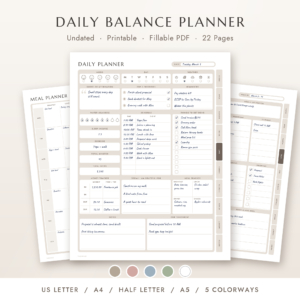 Daily Balance Planner: Undated Printable & Fillable PDF Daily Planner with Workout, Meal, Habit, Gratitude & Money Tracker (US Letter, A4, A5, Half Letter)
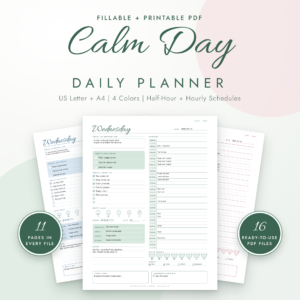 Calm Day Daily Planner | Printable & Fillable PDF with Hourly and Half-Hour Schedule, Mood, Meal & Water Tracker, US Letter & A4
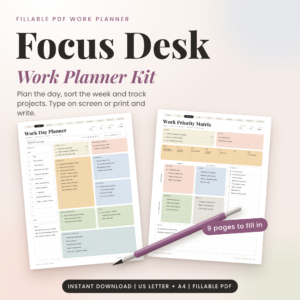 Focus Desk Work Planner Kit: Fillable Work Day Planner PDF, Priority Matrix and Weekly Planner (US Letter and A4)
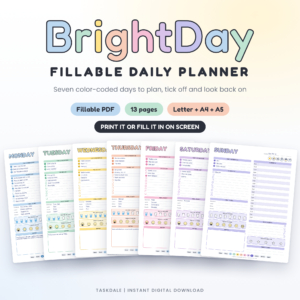 BrightDay Fillable Daily Planner | Printable Daily Schedule, To-Do List, Habit Tracker and Weekly Review PDF
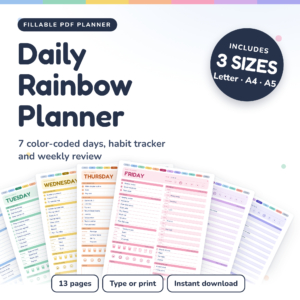
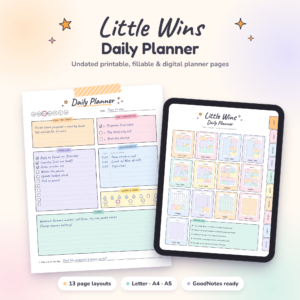
Table of Contents
Toggle
- What should you look for in the best daily planner PDF?
- Which daily planner PDF suits which person?
- How do you use a daily planner PDF day to day?
- What mistakes should you avoid when choosing a daily planner PDF?
- What affects the price of a daily planner PDF?
- Which daily planner PDF should you choose?
- Common questions
Choosing a planner can feel more complicated than it should. Every listing promises a calmer day, and the differences are buried in page counts and file sizes. We'll keep this simple: what each factor means in practise, how the planners on this page differ, and a rule you can use to decide.
What should you look for in the best daily planner PDF?
The best daily planner PDF matches how you actually plan. That means the right file type for your device, a page size you can print or read comfortably, a daily layout with the sections you will really fill in, and clear instructions. Six factors matter most.
Fillable, printable, or both
A fillable PDF is a file with typing fields built in, so you can click a line and type without printing anything. Five of these planners are described as fillable, and each also prints for handwriting. Little Wins Daily Planner goes a step further with a separate hyperlinked version for GoodNotes and Notability, which suits you if you write on an iPad.
If you like ticking boxes by hand, any of them will print. If you want to tick tasks on screen, BrightDay Fillable Daily Planner lets you click to tick tasks, water cups, moods and stars.
Page size
US Letter and A4 are the standard office sheets, and they give you the most writing room. A5 is about half the size of A4, which suits a ring binder or a bag. Half Letter is the US equivalent.
Daily Balance Planner covers all four sizes. BrightDay, Daily Rainbow and Little Wins cover Letter, A4 and A5. Calm Day and Focus Desk Work Planner Kit stop at Letter and A4, so check before you buy if you plan to print small.
Daily layout
The daily page is where you will spend your time, so look at what it holds. Calm Day gives you three main goals, a to-do list, a half-hour or hourly schedule, and mood, meal, water and habit trackers. Daily Rainbow offers a top 3 priority list, to-do list, hourly schedule, meal diary, water and mood trackers and a star rating on each day.
If you only need a schedule and a list, a lighter page like Little Wins' classic daily layout may be enough. A crowded page you never finish is worse than a simple one you use.
Extra trackers
Habit, money, workout and gratitude sections are useful only if you will complete them. Daily Balance Planner is the most wide-ranging here, with workouts, meals, money and gratitude, and its money and weekly workout totals add up for you.
If tracking feels like homework, pick a planner with fewer sections. You can always add a habit page later.
Dated or undated
An undated planner has no printed dates, so you write the date yourself. That means you can start on any day, skip a week without wasted pages, and reprint just the pages you need. Daily Balance Planner, Calm Day and Little Wins are all described as undated.
Little Wins also offers a Sunday or Monday start, which matters if your week begins on Sunday.
Guide and licence
A user guide saves you the fiddly first hour. Calm Day, Focus Desk Work Planner Kit and Daily Rainbow include a Word user guide, BrightDay includes a step-by-step guide, and Daily Balance Planner includes a user guide. Focus Desk adds filled examples so you can see a finished page.
Calm Day states a personal use licence, which means the files are for your own use rather than for sharing or reselling. Check the listing for licence terms on any planner before you copy files for other people.
Which daily planner PDF suits which person?
Each planner on this page suits a different kind of day. The table shows how they differ on size, layout and focus, and the notes after it say who each one is for.
Daily Balance Planner suits you if you want one calm page for priorities, schedule, sleep, meals, money and gratitude. It is the broadest layout here, with linked pages across daily, weekly and monthly views.
Calm Day Daily Planner suits you if your day is booked in small blocks. The half-hour option helps if you juggle appointments or care duties.
Focus Desk Work Planner Kit suits you if you plan a working day rather than a whole life. The Priority Matrix helps you sort urgent from important, and the filled examples show how to use each page.
BrightDay Fillable Daily Planner and Daily Rainbow Planner are close relatives, each with seven colour-coded day pages, a weekly overview, a habit tracker and a weekly review. BrightDay adds a notes page and clickable ticks. Daily Rainbow adds an hourly schedule, meal diary and star rating to each day. Choose BrightDay for simplicity and Daily Rainbow for detail.
Little Wins Daily Planner suits you if you use an iPad, or want to save ink with the low-ink print option.
How do you use a daily planner PDF day to day?
A daily planner PDF works best as a five-minute routine, not a big weekly project. Follow these steps for any planner on this page.
- Download the files and save them somewhere easy to find, such as a folder called Planner.
- Pick your page size, then print a test page before you print a month's worth.
- Fill in the date at the top, because undated planners rely on you to do it.
- Write your top three priorities first, before the schedule or to-do list.
- Add fixed appointments to the schedule, then fit tasks around them.
- Tick off or type notes through the day, and spend a minute at the end on mood, water or gratitude if the page has them.
- Review the week once, using the weekly review page if your planner has one.
If you type into a fillable PDF, save a copy for each day or week so you keep a clean master. That way you can reuse it without clearing old entries.
What mistakes should you avoid when choosing a daily planner PDF?
The most common mistake is choosing a planner with more sections than you will use. A page with a dozen trackers looks helpful on screen and becomes a chore by Wednesday. Start with the daily page and one tracker.
- Ignoring page size. A planner that only comes in US Letter and A4 will not fit a small binder. Check for A5 or Half Letter first.
- Printing the whole file at once. Print a week, test how it feels, then print more.
- Skipping the guide. Fillable fields can behave differently across PDF readers, and the user guide explains how to use them.
- Assuming all are work planners. Only Focus Desk Work Planner Kit is built around a work day.
- Overlooking licence terms. Calm Day states personal use, so confirm what you may do before sharing files.
What affects the price of a daily planner PDF?
The price of a daily planner PDF depends mainly on how much is in the download. A planner with more pages, more sizes and more colour options generally costs more than a single-layout file, because you are getting more files to use.
Daily Balance Planner offers four sizes in five colourways, which is a lot of content, while Focus Desk Work Planner Kit offers a focused set of single-page files. Extras such as a GoodNotes version, a user guide or filled examples also add to what you receive. Live prices are shown on each product card, so compare those against what you will use.
Which daily planner PDF should you choose?
Choose by the shape of your day. Pick Focus Desk Work Planner Kit for office work, Calm Day for tight scheduling, and Daily Balance Planner for a whole-life page with money and wellbeing sections. Pick BrightDay or Daily Rainbow for a weekly view, and Little Wins if you use an iPad.
If you are unsure, start with the planner that offers your preferred page size, print one week, and see whether you are still using it on day five.
Common questions
Is a daily planner PDF better than a paper planner?
A daily planner PDF suits you if you want to reprint pages, type on screen or choose your own page size. A bought paper planner suits you if you prefer a bound book. The PDF costs you printing time and ink, but gives you more flexibility.
Can I use these planners on an iPad?
Little Wins Daily Planner includes a hyperlinked version for GoodNotes and Notability, so it is the clearest choice for an iPad. The other planners are fillable PDFs, which you can open in a PDF reader that supports typing into forms.
What does undated mean in a planner?
An undated planner has no printed dates, so you write in the day yourself. You can start on any date, skip busy weeks without wasting pages, and reuse the same files. Daily Balance Planner, Calm Day and Little Wins are all undated.
Which planner is best for work?
Focus Desk Work Planner Kit is the best fit for a working day. It has a Work Day Planner, Priority Matrix, Time Blocker and six more pages, plus filled examples. For a general day with work and home tasks, Calm Day or Daily Rainbow may suit you better.
Which size should I print?
Print US Letter or A4 if you want the most writing room, and A5 if you want a smaller page for a binder or bag. Daily Balance Planner also offers Half Letter. Choose the largest size your printer and desk comfortably handle.