Best Digital Christmas Planner: Five Options Compared
The best digital Christmas planner is the one that matches the device you already use and the job you dread most. Spreadsheets suit budgets and gift lists, the Tinseltide browser app suits Christmas dinner, and the reMarkable and GoodNotes planners suit people who like handwriting. Below, we compare all five so you can choose with confidence.
 Christmas Planner Spreadsheet | Jollyboard Holiday Budget & Gift Tracker with Dashboard, Calendar, Stocking Stuffers, Card List, Party Planner, Recipes & Shopping List | Google Sheets & Excel
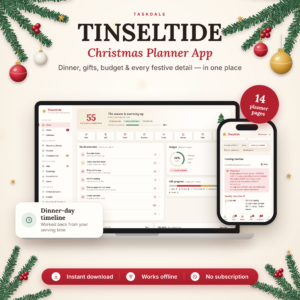 Christmas Planner App | Tinseltide Christmas Dinner Planner, Cooking Timeline, Turkey Calculator, Gift Tracker, Budget & Auto Shopping List
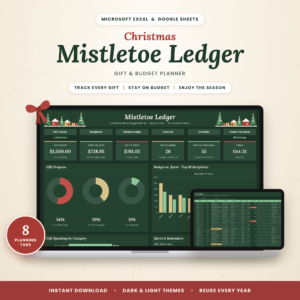 Christmas Gift Tracker Spreadsheet | Holiday Gift List & Budget Planner for Excel & Google Sheets | Mistletoe Ledger
Key facts at a glance
- Two of the five planners are spreadsheets that run in both Google Sheets and Excel, so they work on a laptop, tablet or phone.
- The Tinseltide planner opens in your browser with no account and no subscription, and it works offline.
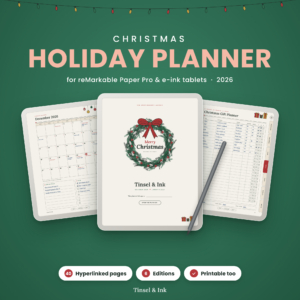
- The reMarkable Paper Pro planner has 40 illustrated pages with over 540 working links, dated for 2026.
- The 128-page Christmas Planner 5 is the only option that comes as a printable PDF, a hyperlinked planner for GoodNotes, Notability and Xodo, and a spreadsheet together.
- Mistletoe Ledger tracks up to 200 gifts through three stages: Bought, Wrapped and Given.
Table of contents
- What should you look for in a digital Christmas planner?
- How do the five digital Christmas planners compare?
- Which digital Christmas planner suits which person?
- How do you set up a digital Christmas planner?
- What mistakes should you avoid?
- What affects the price?
- Which one should you choose?
- Common questions
Christmas planning feels simple until the gifts, cards, budget, guests and a 5kg bird all need managing at once. A good digital planner takes the remembering off you. The trick is picking one whose strengths match your own weak spots, and that is what this guide is for.
What should you look for in a digital Christmas planner?
A digital Christmas planner is a ready-made set of pages, tabs or screens for gifts, budget, cards, events and food, used on a screen instead of paper. Look at six things: the device it runs on, the dinner tools, the gift tracking, the budget handling, how it works offline, and how you like to write.
Which device and format does it work on?
Format decides whether you will open the planner at all. Spreadsheets such as Jollyboard and Mistletoe Ledger run in Google Sheets and Excel, which suits anyone comfortable with a laptop or a shared online file. Tinseltide runs in a browser. The reMarkable planner is built for e-ink tablets, and the 128-page Christmas Planner 2026 targets GoodNotes, Notability and Xodo, or plain paper.
How good are the Christmas dinner tools?
Dinner tools matter most if you host. Tinseltide has the deepest set: guests, RSVPs, dietary checks, a seating plan, and a cooking timeline that works back from your serving time. Jollyboard adds a dinner timeline and a turkey calculator. The reMarkable planner includes Thanksgiving and Christmas menus and recipes, but as pages you fill in rather than calculators.
How detailed is the gift tracking?
Gift tracking should show what you have planned, bought and wrapped, and who has had what. Mistletoe Ledger is the most specific here, with 200 gift slots, the Bought, Wrapped, Given sequence and a Thank-You Notes tab. Tinseltide also covers stockings and Secret Santa, while Jollyboard tracks stocking stuffers and cards alongside gifts.
Does it handle your budget properly?
A useful budget tool shows what is left, not only what you have spent. Jollyboard splits budgets by category and by person, and offers a Christmas savings plan. Mistletoe Ledger shows budget left on a live dashboard with 11 smart alerts. Several of the planners accept any currency, which helps if you buy from abroad or live outside the UK.
Does it work offline, and does it need an account?
Offline use and sign-ups affect how reliably you can use the planner in a busy kitchen or on a train. Tinseltide needs no account, no subscription and works offline. The spreadsheets work in Excel without internet, though Google Sheets needs a connection unless you set up offline access. The reMarkable planner lives on the device itself.
Do you want to type or write by hand?
Typing and handwriting suit different people. Spreadsheets and the browser app are built for typing, with totals and lists that update themselves. The reMarkable planner and the GoodNotes edition of Christmas Planner 2026 are for handwriting, with tap-through links between pages. If you want paper, the 128-page planner also prints on A4 or US Letter.
How do the five digital Christmas planners compare?
The five planners split into three types: connected spreadsheets, a browser app, and handwriting planners. The table sets out what actually differs between them.
| Product | Format | Strongest feature | Best suited to |
|---|---|---|---|
| Christmas Planner Spreadsheet | Jollyboard Holiday Budget & Gift Tracker with Dashboard, Calendar, Stocking Stuffers, Card List, Party Planner, Recipes & Shopping List | Google Sheets & Excel | Google Sheets and Excel, 17 connected tabs | Live dashboard with 12 KPI cards and an auto-built shopping list | People who want the whole season in one connected file |
| Christmas Planner App | Tinseltide Christmas Dinner Planner, Cooking Timeline, Turkey Calculator, Gift Tracker, Budget & Auto Shopping List | Browser app, offline, no account | Cooking timeline that works back from serving time | Hosts of Christmas dinner |
| Christmas Gift Tracker Spreadsheet | Holiday Gift List & Budget Planner for Excel & Google Sheets | Mistletoe Ledger | Google Sheets and Excel, dark and light editions | 200-gift tracker with 11 smart alerts | Big gift lists and tight budgets |
| Christmas Holiday Planner 2026 for reMarkable Paper Pro | Tinsel & Ink Hyperlinked Gift, Menu & Budget Planner | Colour, Grayscale & Printable | reMarkable Paper Pro and e-ink tablets, 6 editions | 40 pages with over 540 working links | Handwriters with an e-ink tablet |
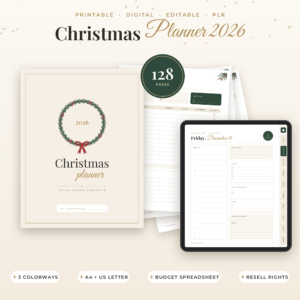 Christmas Planner 2026 Printable & Digital, Holiday Planner with Budget Spreadsheet, Gift List, Meal Planner & Kids Activities, Editable PLR, A4 & US Letter | PDF, GoodNotes, Notability, Xodo, spreadsheet, PPTX | 128 pages including kids' activities and a budget spreadsheet | Families wanting print and digital in one purchase |
Which digital Christmas planner suits which person?
Each planner suits a different habit, and the right match saves more effort than any single feature.
Jollyboard suits the organiser who wants everything linked. Because the shopping list builds itself from your gifts, stockings, recipes and party supplies, you enter an item once and see it everywhere. Its 17 tabs can feel like a lot, so it rewards someone who enjoys setting a system up.
Tinseltide suits anyone hosting. If your worry is timing the turkey and sides so everything reaches the table together, the cooking timeline and portion calculator solve that directly. It also suits people who dislike creating accounts or paying monthly fees.
Mistletoe Ledger suits the person with a long list of relatives, friends and colleagues, who fears overspending or buying the same thing twice. The three-stage gift tracking is simple to follow, and the dark edition is easier on the eyes in the evening.
Tinsel & Ink suits someone who already owns a reMarkable Paper Pro or another e-ink tablet and wants to write rather than type. The side tabs, home button and tap-a-date weekly pages make it feel like a proper paper diary. It comes in left- and right-handed editions.
Christmas Planner 2026 Printable & Digital suits families who want flexibility. You can print pages for the fridge, use the hyperlinked version on a tablet, and keep the budget in the spreadsheet. The kids' activities pages are a useful extra. It also includes editable PPTX templates and resell rights, which most buyers will not need. If you plan to sell anything made from it, read the licence terms in the listing first.
How do you set up a digital Christmas planner?
Setting up a digital Christmas planner takes about an evening if you work in a fixed order. Doing the budget first prevents the usual problem of planning gifts you cannot afford.
- Set your total budget. Enter one overall figure and, if the planner allows, split it by category or by person.
- List recipients before ideas. Add everyone you buy for, including cards and stocking fillers, then add gift ideas beside each name.
- Add dates. Enter posting deadlines, parties and the day you plan to buy food.
- Plan the menu and guests. Add recipes, dietary needs and your serving time so any shopping list or timeline can calculate.
- Check the dashboard weekly. Look at budget left, gifts still to buy and the countdown, and adjust.
What mistakes should you avoid when choosing a digital Christmas planner?
The most common mistake is buying for features you will never use. A planner you do not open is worse than a notebook.
- Choosing the format you admire, not the one you use. If you never open spreadsheets, a 17-tab file will gather dust.
- Ignoring your device. The reMarkable planner needs an e-ink tablet, and the GoodNotes edition needs a compatible note-taking app.
- Skipping the dinner tools if you host. A gift tracker will not tell you when to put the turkey in.
- Starting too late. Entering everything in December removes the benefit of spreading the cost across the year.
- Forgetting to back up. Copy your spreadsheet or export your pages somewhere safe, particularly if the planner holds guest details.
What affects the price of a digital Christmas planner?
Price depends on how much is bundled, how specialised the format is, and whether the planner is a one-off download. Specific prices appear on the product cards, so this explains the differences rather than quoting them.
A single-purpose gift tracker usually costs less than a connected system with a dashboard, party planner and recipes. A bundle that includes printable PDFs, a tablet planner, a spreadsheet and editable templates costs more up front because it covers several uses. Device-specific planners, such as the reMarkable edition, are priced for a smaller audience. Tinseltide stands apart because it has no subscription, so there is no ongoing charge.
Which digital Christmas planner should you choose?
Choose by your biggest stress. If it is hosting, pick Tinseltide. If it is money, pick Mistletoe Ledger or Jollyboard. If it is handwriting, pick Tinsel & Ink for an e-ink tablet or the 128-page Christmas Planner 2026 for GoodNotes or print.
If you are still undecided, pick the spreadsheet in the program you already use. A planner you open daily beats a better one you forget.
Common questions
Can I use a Christmas planner spreadsheet on my phone?
Yes, if you use the Google Sheets app. The Google Sheets versions of Jollyboard and Mistletoe Ledger open on a phone, though the dashboards are easier to read on a tablet or laptop. Excel files also open in the Excel mobile app, but some layouts shrink.
Are these planners dated for a particular year?
Some are. The Tinsel & Ink reMarkable planner and the Christmas Planner 2026 are dated or labelled for 2026. The product details do not state a year for the other three, so check the listing if a specific year matters to you.
Do I need Excel or Google Sheets for the spreadsheet planners?
You need one or the other. Jollyboard and Mistletoe Ledger both work in Google Sheets and Excel. A free Google account is enough for Google Sheets. Tinseltide needs neither, because it opens in a browser without an account.
Can I use a digital planner for Thanksgiving as well?
The reMarkable planner includes Thanksgiving and Christmas menus, so it covers both. The other planners focus on Christmas, though Tinseltide's dinner timeline and portion calculator would work for any large roast meal.
Which planner is best for someone who is not confident with technology?
Tinseltide is the simplest to start, as it opens in a browser with no account or subscription. A printed copy of the 128-page Christmas Planner 2026 is the other easy route, since it needs only a printer and a pen.