A capsule wardrobe spreadsheet is the easiest way to find out which clothes you actually wear. You list what you own, log what you put on each day, and the sheet works out how many times each piece has been worn and its cost per wear. This free one, Wearloop Lite, opens in Excel and Google Sheets and takes about 15 minutes to set up.
Below you can download it, see how to use it in a normal week, and learn when it makes sense to move up to the full Wearloop Capsule Wardrobe Planner, which adds an outfit builder, a capsule planner and a 5-chart dashboard.
Download the Free Capsule Wardrobe Spreadsheet
Enter your email to get the file. It is a single .xlsx workbook with 6 tabs: Start Here, Mini Dashboard, Closet, Wear Log, Settings and a Lite vs Full comparison.
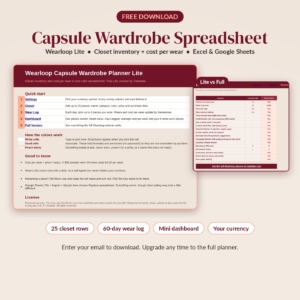
Free Capsule Wardrobe Spreadsheet: Wearloop Lite (Excel & Google Sheets)
A free closet inventory with 25 piece rows, a 60-day wear log that works out cost per wear, a mini dashboard with your 5 most worn pieces and one currency setting.
Want everything unlocked?
The free file is a sample. The full version has every page, tab and feature, plus the user guide.
See the full versionWhat Is Inside Wearloop Lite
- Closet: 25 rows for your pieces with category, color, brand, size, season, occasion, status, price and purchase date. Wears, last worn, days since worn and cost per wear fill in for you.
- Wear Log: 60 rows. Type the date and pick up to 4 pieces you wore. Only dated rows count, so a half-finished row never adds a wear by mistake.
- Mini Dashboard: 6 cards (pieces owned, closet value, days logged, average cost per wear, not worn lately and spent this year) plus a chart of your 5 most worn pieces.
- Settings: one currency symbol for the whole file, an unworn alert (90 days by default) and a cost per wear goal. Change the symbol from $ to £ or € and every money column follows.
What Is Cost Per Wear (and Why It Matters)
Cost per wear is the price of a piece divided by the number of times you wear it. A sweater that cost 60 and gets worn 30 times costs 2 per wear. A trendy top that cost 25 and gets worn twice costs 12.50 per wear, more than six times as much.
That single number changes how you shop. It makes a well-made coat you wear 100 times look like the bargain it is, and it shows that the impulse buy you wore once was the expensive choice. A capsule wardrobe spreadsheet keeps the count for you, so you never have to guess.
How to Use a Capsule Wardrobe Spreadsheet in 4 Steps
- Start with 25 pieces you wear most. In the Lite file, pick your everyday core: tops, bottoms, shoes and one or two layers. Give each piece its own name, such as “White tee (crew)”, so the counts stay accurate.
- Log for 30 days. Each evening, add a row with the date and what you wore. It takes under a minute. Even 4 days a week is enough to see patterns.
- Read the Mini Dashboard. After a month, look at your 5 most worn pieces and the Not worn lately card. Many people find that a small group of favorites does most of the work.
- Decide with data. Pieces with 0 wears after 90 days are candidates to donate or sell. Pieces near the top of the chart show you what to buy more of.
Want the Full Wardrobe Planner?
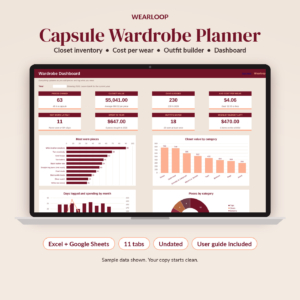
Wearloop Lite covers closet tracking and cost per wear. The full Wearloop Capsule Wardrobe Planner turns that into a complete system with 11 linked tabs:
- Outfit Builder: save 200 outfits with dropdowns that only show pieces for each slot, then log a whole outfit in one pick.
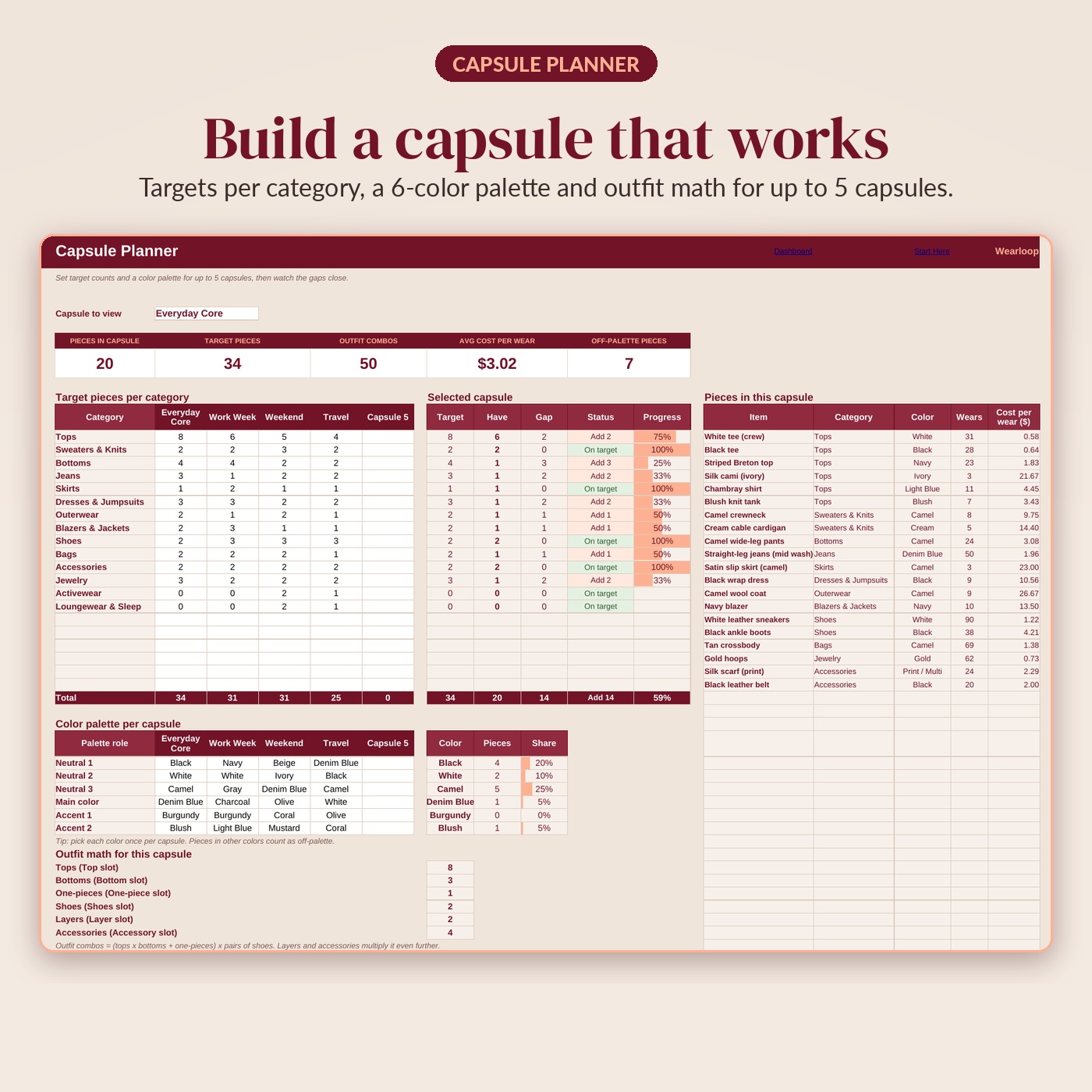
- Capsule Planner: up to 5 capsules with target counts per category, gap status, a 6-color palette check and an outfit combo count.
- Outfit Plan: two undated weeks of outfits that warn you if a piece is still at the cleaner.
- Shopping Wishlist: a budget plus a buy-or-skip check showing expected cost per wear and how many similar pieces you already own.
- Declutter list: track what leaves and what you recover, with automatic suggestions for pieces you have not worn lately.
- Laundry & Repair: dry cleaning and tailoring with overdue flags. Care costs feed a true cost per wear for each piece.
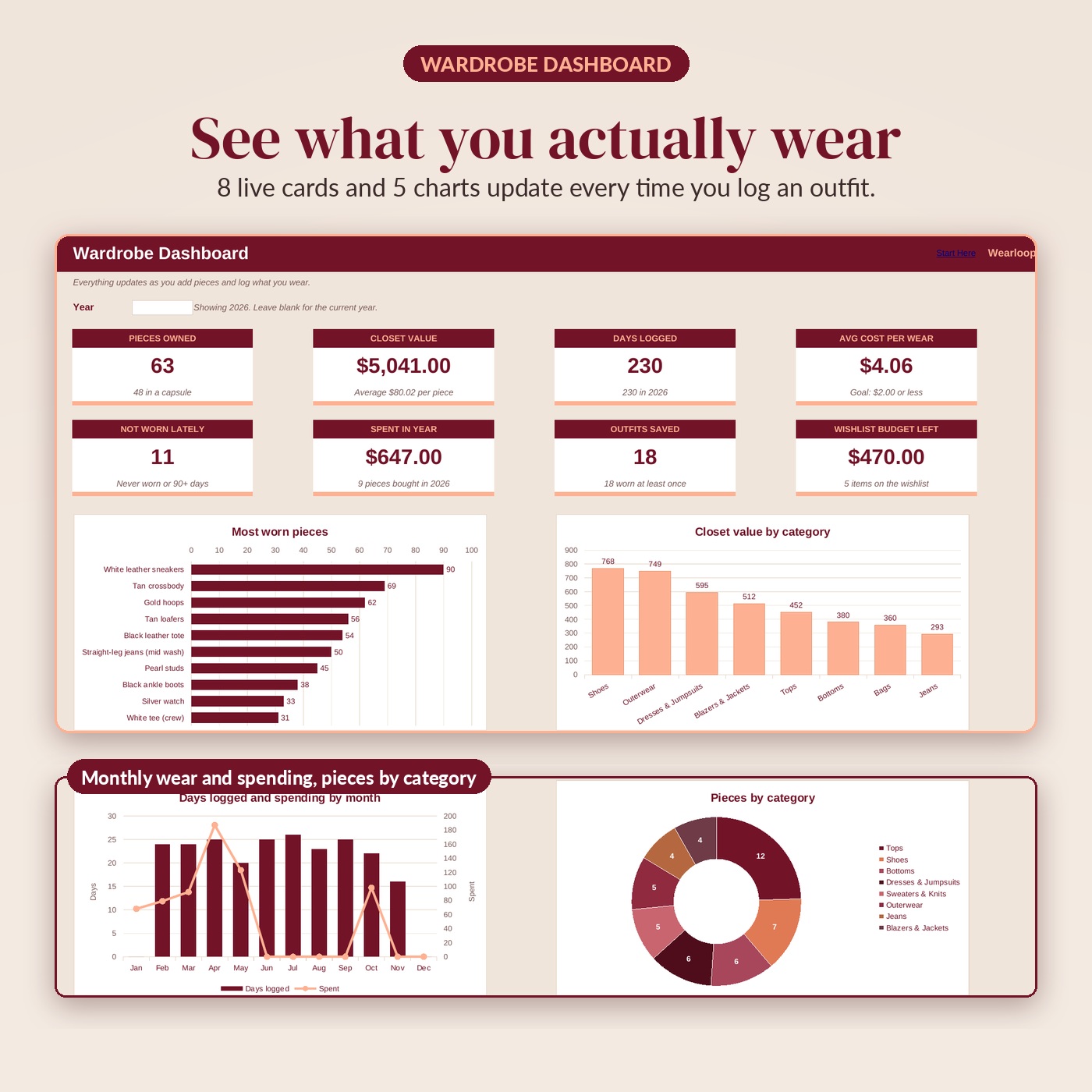
- Dashboard: 8 cards and 5 charts, plus least worn and best value tables.
- Room to grow: 400 closet rows and 2,000 wear log rows, plus a 12-page user guide.
See the full Wearloop Capsule Wardrobe Planner
How Many Pieces Should a Capsule Wardrobe Have?
There is no fixed number. Many people land between 30 and 40 pieces per capsule, not counting workout clothes, sleepwear or special occasion outfits. A simple split that works for most closets is 8 to 10 tops, 4 to 6 bottoms, 2 to 3 dresses, 2 to 3 layers and 3 to 4 pairs of shoes.
The math is what makes a capsule feel bigger than it is. Eight tops and four bottoms already make 32 outfits before you add a single dress or jacket. The full planner works this out for you on the Capsule Planner tab.
Tips for Keeping Your Closet Inventory Up to Date
- Add new pieces the day they arrive, while you still have the receipt or order email.
- Mark pieces you give away as Donated or Sold instead of deleting them. They drop out of your counts but your history stays.
- Check the dashboard on the first of each month. It takes 2 minutes.
- Before any purchase, look at what you already own in that category and color.
FAQ
Is this capsule wardrobe spreadsheet really free?
Yes. Enter your email above and the Lite file downloads straight away. There is no trial period and it does not expire.
Does it work in Google Sheets?
Yes. Upload the .xlsx to Google Drive and open it with Google Sheets. It also works in Excel 2019, 2021 and Microsoft 365.
Can I move my data to the full version later?
Yes. Copy each column of your pieces and wear rows into the matching columns of the full Wearloop planner. The full version simply adds extra columns, such as Capsule and Photo link.
Is it dated?
No. Both versions are undated, so you can start in any month.