Want to know exactly what your portfolio pays you each month? This free dividend tracker spreadsheet does the math for you. Add up to 10 holdings and it builds a month-by-month dividend paycheck calendar, works out your yield and yield on cost, handles tax by account type, and points out your weakest month. It opens in Excel, and you can upload it to Google Drive and open it with Google Sheets.
Enter your email below and the file downloads right away.
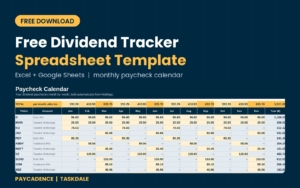
Free Dividend Tracker Spreadsheet (Excel & Google Sheets)
Free sample of Paycadence: track up to 10 holdings and see your dividend paychecks month by month, with yield, yield on cost, tax by account and a gap finder.
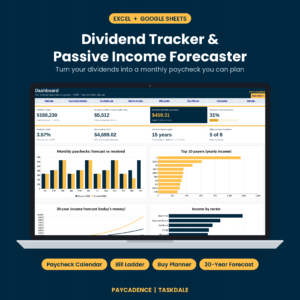
Want everything unlocked?
The free file is a sample. The full version has every page, tab and feature, plus the user guide.
See the full versionWant the full Paycadence dividend tracker?
Track 60 holdings, log 500 dividend payments, see which bills your dividends already pay, test buys before you make them and forecast 30 years of income in today’s money.
What’s inside the free dividend tracker
- Holdings tab (10 rows): ticker, sector, account, shares, average cost, current price, yearly dividend per share, frequency and first pay month. It works out cost basis, market value, gain/loss, gross and after-tax income, yield, yield on cost and the months each holding pays.
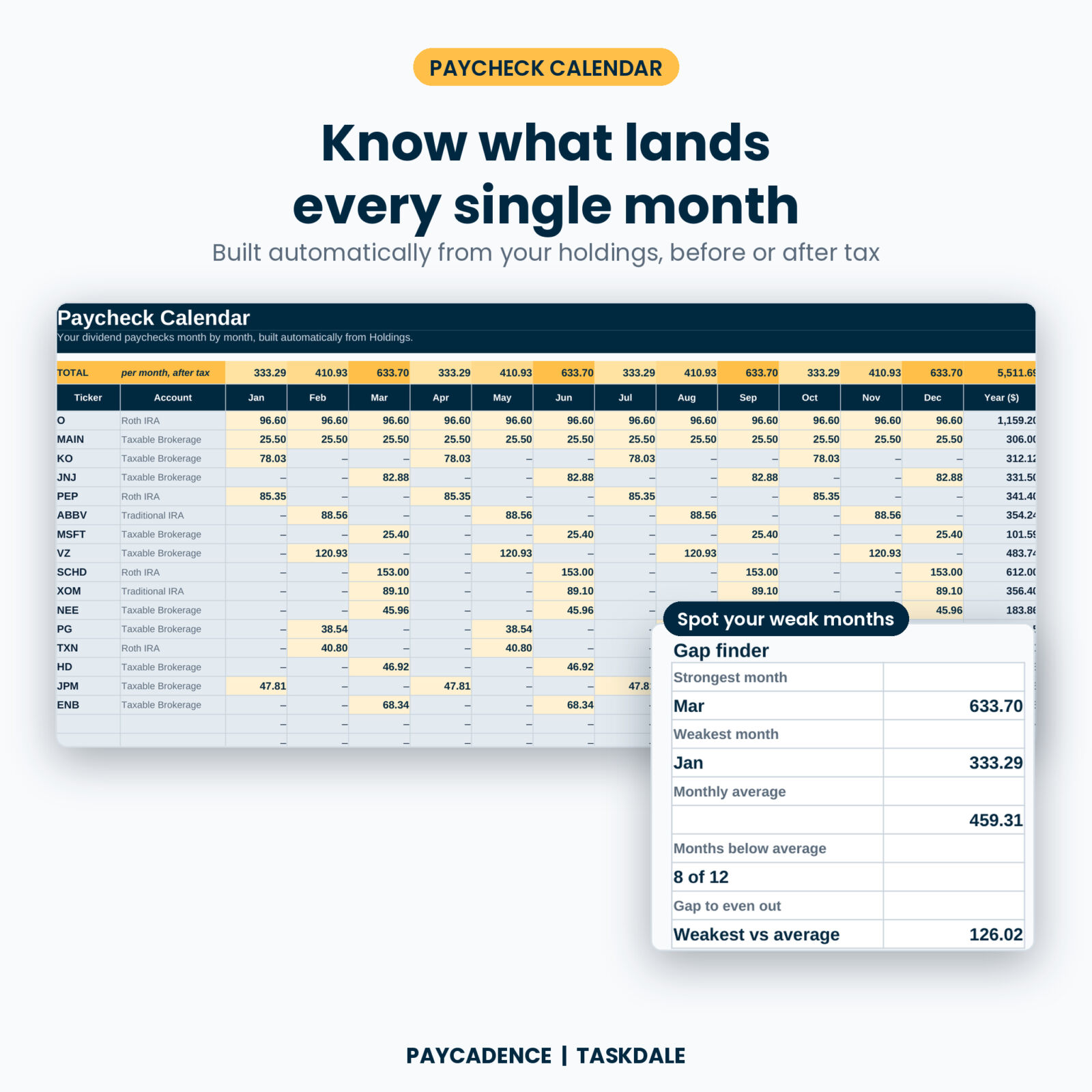
- Paycheck Calendar: every payment laid out across 12 months, with monthly totals and a gap finder that names your strongest and weakest months.
- Settings: your currency symbol, income goal, dividend tax rate, and a switch to show income before or after tax.
- Start Here tab: quick steps with links to each tab.
How to set up your dividend tracker in 5 steps
1. Pick your currency and tax settings
Open Settings. Type your currency symbol, your monthly income goal and the tax rate on dividends in taxed accounts. Then mark each account type as taxed or not. A Roth IRA usually isn’t, a regular brokerage account usually is.
2. Enter the yearly dividend, not the quarterly one
This trips up a lot of people. If a stock pays 0.50 a quarter, enter 2.00 as the yearly dividend per share and choose Quarterly. The sheet splits it into four payments for you.
3. Set the first pay month
The first pay month is the earliest month in the calendar year that a holding pays. A stock that pays in March, June, September and December has March as its first month. A monthly payer can use January. Get this right and every payment lands in the correct month.
4. Choose before or after tax
Before tax shows what the companies pay. After tax shows what you keep. If you plan to live on your dividends one day, after tax is the number that matters.
5. Read your paycheck calendar
Now look at the gold totals row. Most portfolios are lumpy. Quarterly payers bunch up in March, June, September and December, while January and February run thin. The gap finder tells you how far your weakest month sits below your average.
Smooth out lumpy dividend months
A steady monthly income makes budgeting easier. Three simple ways to even out your dividend paychecks:
- Add monthly payers. Many REITs, BDCs and some ETFs pay every month, which lifts every column at once.
- Stagger quarterly schedules. Mix stocks that pay Jan/Apr/Jul/Oct, Feb/May/Aug/Nov and Mar/Jun/Sep/Dec.
- Test before you buy. Check which months a new holding pays before you add it.
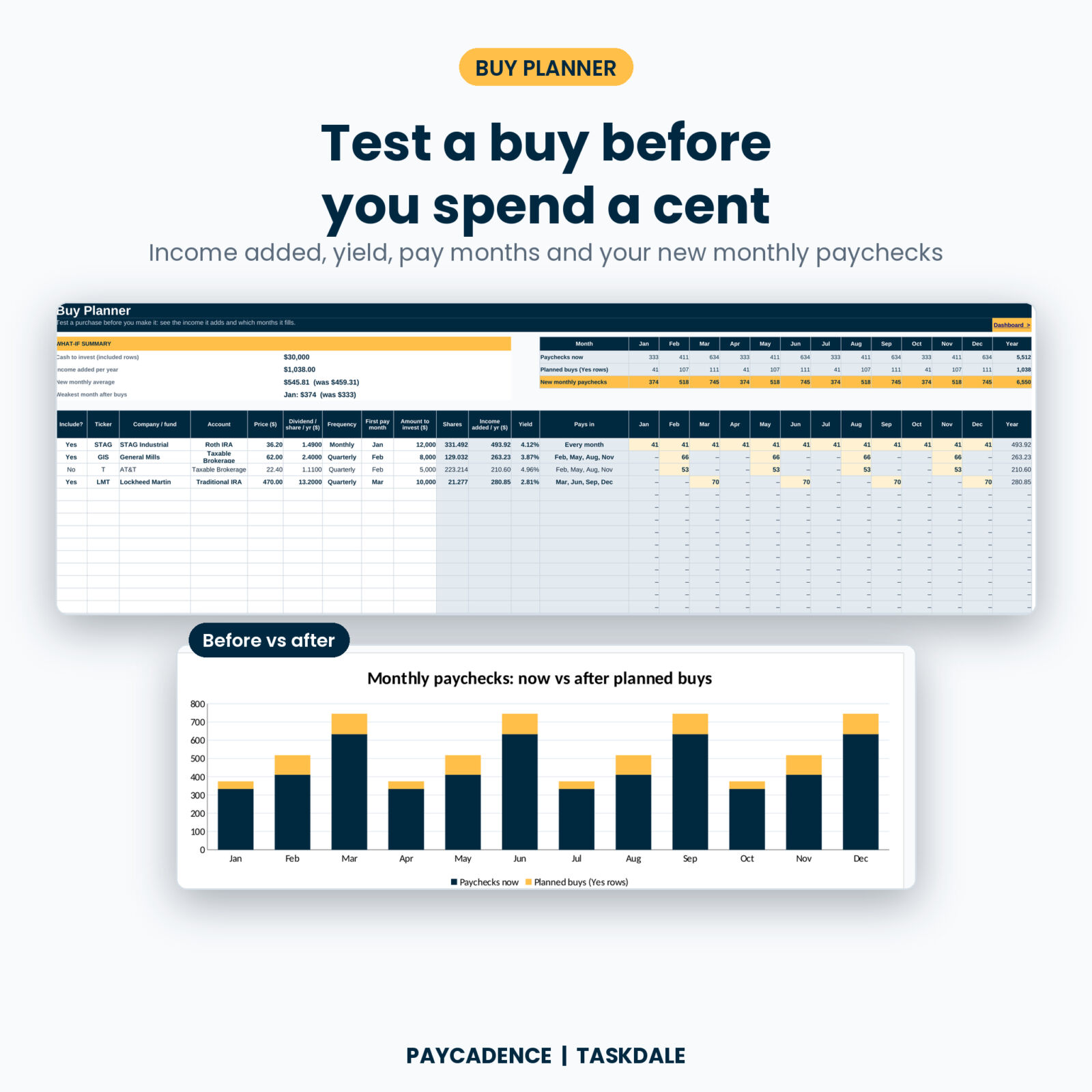
That last one is exactly what the full version’s Buy Planner does. Enter the price, dividend, schedule and amount you plan to invest, and a chart shows your monthly paychecks before and after.
Yield vs yield on cost: which one to watch
Yield is the yearly dividend divided by today’s price. It tells you what a new buyer gets. Yield on cost is the yearly dividend divided by what you paid. It shows how your income has grown on money you invested years ago. A stock bought at 3% that has raised its dividend for a decade might pay you 6% on cost today. The free tracker shows both for every holding and for your whole portfolio.
Turn dividends into bills paid
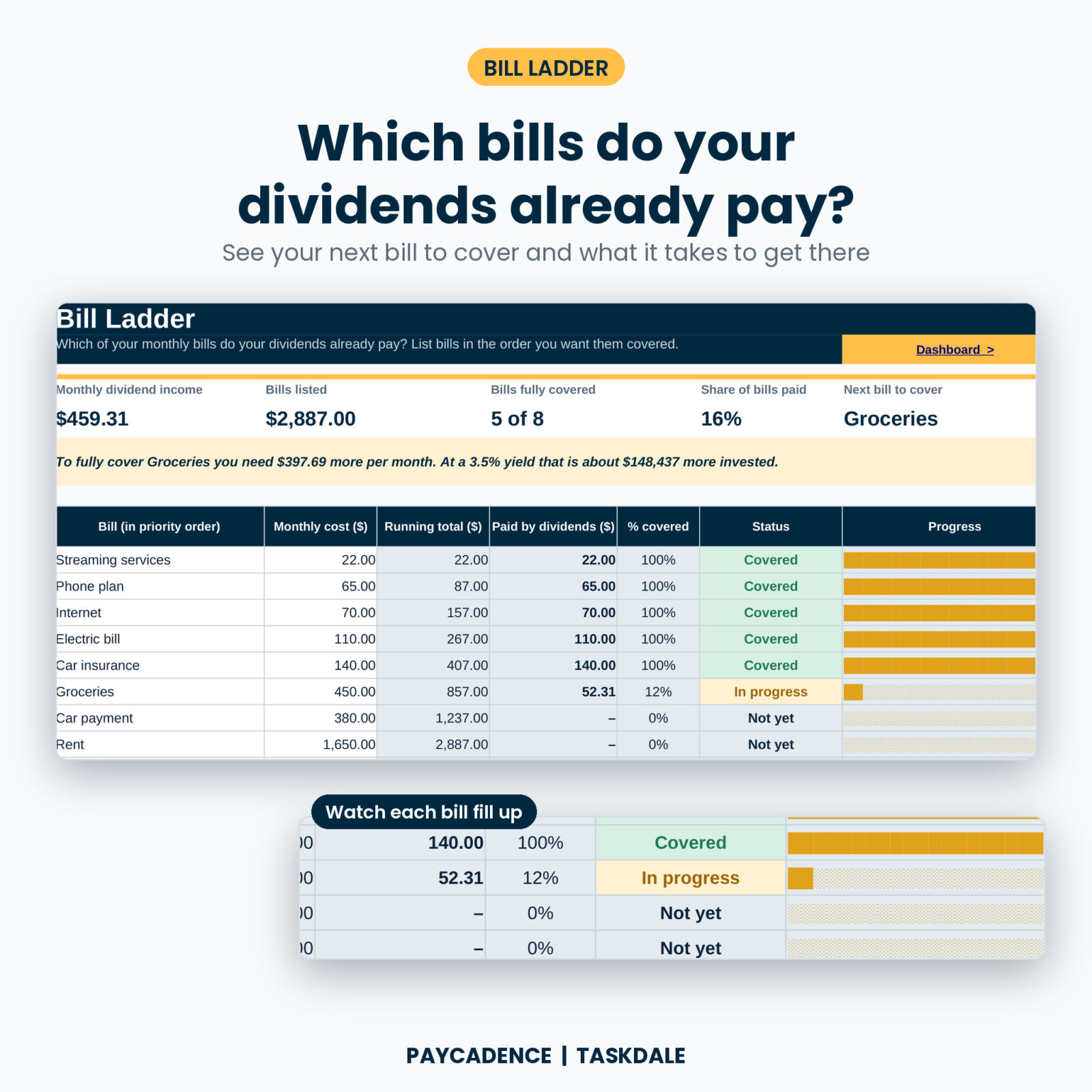
Percentages are hard to feel. Bills are not. Picture your dividends paying your streaming services first, then your phone, then your internet and electric bill. Each one you cover is a real monthly cost your portfolio now handles for you.
The full Paycadence has a Bill Ladder built for this. List your bills in the order you want them covered and it shows Covered, In progress or Not yet for each one, plus how much more monthly income you need for the next bill.
Free sample vs full Paycadence
| Feature | Free sample | Full Paycadence |
|---|---|---|
| Holdings tracked | 10 | 60 |
| Paycheck calendar and gap finder | Yes | Yes |
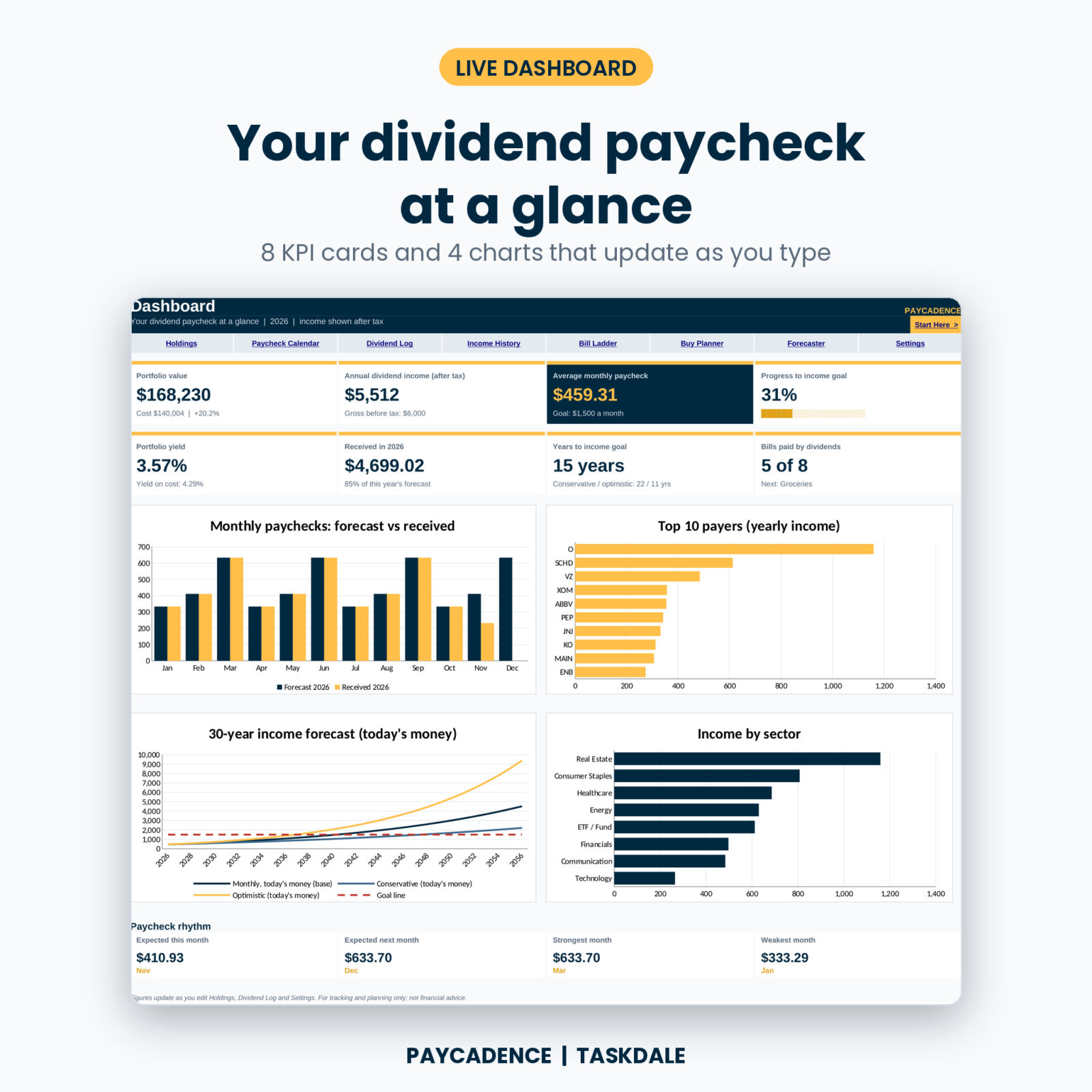
| Dashboard with 8 KPI cards and 4 charts | No | Yes |
| Dividend log (500 payments) with DRIP shares | No | Yes |
| 5-year income history and received vs forecast | No | Yes |
| Bill Ladder | No | Yes |
| Buy Planner | No | Yes |
| 30-year forecast with 3 scenarios and years to goal | No | Yes |
| Step-by-step user guide | No | Yes |
When will your dividends cover your goal?
The full version’s Forecaster projects 30 years of contributions, reinvested dividends and dividend growth, then shows the year your monthly income reaches your goal in today’s money. Conservative, base and optimistic lines included.
Frequently asked questions
Does the free dividend tracker work in Google Sheets?
Yes. Upload the .xlsx file to Google Drive, open it with Google Sheets, then choose File > Save as Google Sheets.
Does it pull live stock prices?
No. You type in prices and dividends, so the file stays private and works offline. Updating once a month is plenty for most investors.
Can I track ETFs and monthly dividend stocks?
Yes. Choose Monthly, Quarterly, Semi-annual or Annual for each holding and the calendar places every payment in the right month.
What if I have more than 10 holdings?
The full Paycadence dividend tracker handles 60 holdings and adds the dashboard, dividend log, history, bill ladder, buy planner and forecaster.
Download your free dividend tracker spreadsheet
Enter your email and the free sample downloads straight away. When you outgrow 10 holdings or want to see the year your dividends cover your goal, upgrade to the full Paycadence.
Get the free dividend tracker above ↑ (the download box is near the top of this page)
This template is for tracking and planning only and is not financial advice.