Splitting bills with roommates sounds simple until the third month. Someone paid the power bill, someone else covered the Costco run, the lease holder fronted the whole rent, and now nobody is sure who owes whom. A roommate bill split spreadsheet fixes that. Everyone logs what they paid, the sheet works out each share, and you settle up with a few quick payments instead of a long group chat.
This guide shows you how to split shared expenses fairly, what to track, and how to settle up with the fewest payments. You can grab our free roommate bill split spreadsheet for Excel and Google Sheets right below.

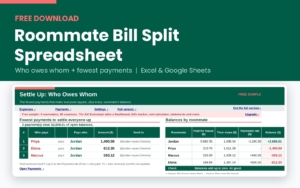
Free Roommate Bill Split Spreadsheet (Evenstead Free Sample)
Free sample of the Evenstead roommate bill splitter for Excel and Google Sheets: up to 4 roommates, 60 shared expenses, 4 split methods, balances and a fewest-payments settle-up list.
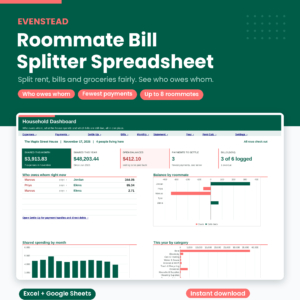
Want everything unlocked?
The free file is a sample. The full version has every page, tab and feature, plus the user guide.
See the full versionWhat the free roommate bill split spreadsheet does
The free sample is a working spreadsheet, not a blank table. It handles up to 4 roommates and 60 shared expenses. Type the date, the amount and who paid. Pick how to split it. Each person’s share appears instantly, rounded so the shares always add up to the exact amount.
- Four split methods: everyone equal, selected people, custom shares (like 2, 1, 1) and exact amounts
- Move-in and move-out dates: a new roommate never pays for a bill from before they arrived
- Balances for each person: what they paid, their share and where they stand
- A settle-up list: the fewest payments that make everyone square, with each person’s Venmo or Zelle handle
- A payments log: record every payback and watch the balances drop to zero
How to split bills with roommates fairly
There is no single right way. Most houses use a mix, and that is fine as long as everyone agrees up front. Here are the rules that cause the fewest arguments.
1. Split shared utilities evenly between the people living there
Power, gas, water, trash and internet are used by everyone. Split them evenly between the people who lived there during that billing period. If someone moved in on the 15th, use the end date of the bill as the expense date and the spreadsheet will only include people who were living there on that day.
2. Split rent by room, not by head
Even rent splits feel fair until one person has the primary suite with its own bathroom. A common approach is to split about 40% of the rent evenly (kitchen, living room, halls) and the rest by room size, with a premium for a private bathroom or balcony. Parking spots are charged separately. The full Evenstead spreadsheet has a Fair Rent Calculator that does this math and feeds it straight into your rent split.
3. Only split what you share
Groceries are where most disputes start. Shared staples like oil, coffee and toilet paper get split by everyone. Snacks for three people get split by three. Personal items are not shared at all. In the spreadsheet, pick “Selected equal” and put an x under the people who share that purchase.
4. Use custom shares when the split is uneven on purpose
Someone brought two guests to the cookout? Give them a share of 2 and everyone else 1. Someone has the premium streaming tier? Same idea. Custom shares keep it fair without anyone doing math on a napkin.
5. Treat refunds like negative expenses
Returned part of a group purchase? Log the refund as a negative amount and split it the same way as the original. Everyone’s share goes down by the right amount.
How to use the spreadsheet in 4 steps
- Settings: add your currency symbol, each roommate’s name, move-in date and payment handle.
- Expenses: log each shared cost. Date, description, amount, who paid and the split method.
- Settle Up: see each person’s balance. A plus means the house owes them. A minus means they owe the house.
- Payments: when someone pays another roommate back, log it. Balances update right away.
Pick one settle-up day a month, such as the 1st. Open Settle Up, send the payments on the list, log them, and you are done until next month.
How “fewest payments” works
Say five roommates all paid for different things. If everyone paid everyone back directly, you could need ten or more transfers. The spreadsheet does something smarter. It adds up each person’s balance, then has the person who owes the most pay the person who is owed the most, and repeats. A house of five never needs more than four payments, and usually fewer. The money still ends up in exactly the right place.

Free sample vs the full Evenstead roommate bill splitter
The free version is great for a small house that wants to try the system. The full Evenstead Roommate Bill Splitter is built to run a whole shared house all year.
| Feature | Free sample | Full version |
|---|---|---|
| Roommates | Up to 4 | Up to 8 |
| Expense rows | 60 | 1,500 |
| Payments between roommates | 30 | 400 |
| Split methods | 4 | 6, adds Rent calculator and By income |
| Fewest-payments settle up | Yes | Yes |
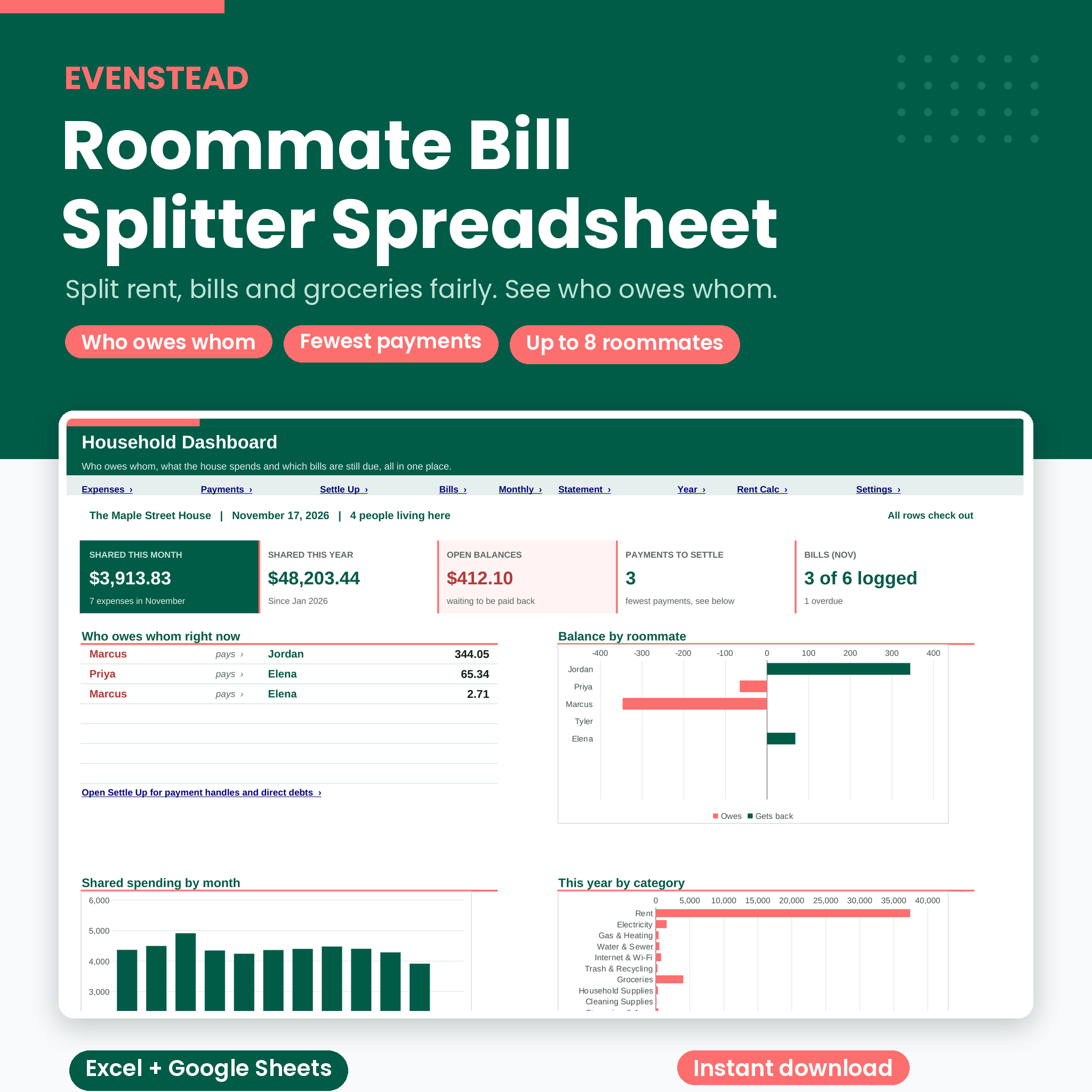
| Household Dashboard with charts | No | Yes |
| Recurring bills tracker with due dates and status | No | Yes |
| Fair Rent Calculator | No | Yes |
| Direct who-owes-whom grid | No | Yes |
| Monthly Report and Year Summary | No | Yes |
| Roommate Statement for move-out day | No | Yes |
| Step-by-step user guide | No | Yes |
Features that matter most once you have a few months of data
- Bills tracker: set up rent, power and internet once. Pick the bill on the Expenses tab and the category and split rule fill in. Each bill shows Logged, Due in 3 days or Overdue.
- Move-out statements: pick a roommate and get their full account with an opening and closing balance. When someone leaves, you know the exact amount to settle.
- Monthly reports: what the house spent, who paid and each person’s share by category. Easy to screenshot for the group chat.
Tips that keep a shared house calm
- Log expenses the day they happen. Ten seconds now saves a long conversation later.
- Let one person pay the landlord and log the rent once. Everyone else pays them back on the Payments tab.
- Agree on the split rules for rent and groceries before the first month starts.
- Share the file in Google Sheets so everyone can log their own expenses.
- Keep people who moved out on the list with their move-out date, so the history stays correct.
FAQ
Does the free spreadsheet work in Google Sheets?
Yes. Upload the file to Google Drive and open it with Google Sheets. It also works in Microsoft Excel.
Can I use my own currency?
Yes. Type your currency symbol on the Settings tab and every money label follows it.
What if we have more than 4 roommates?
The free sample handles 4. The full version handles 8 roommates, past and present.
Ready to stop asking “who owes whom?”
Download the free roommate bill split spreadsheet above, or get the full Evenstead Roommate Bill Splitter with the Dashboard, bills tracker, Fair Rent Calculator, monthly reports and move-out statements.