Looking for a free task tracker app that is private, fast and works offline? Here are 5 free task and project tracker downloads from Taskdale. Each one is a real app that opens in your browser: add tasks, drag them across a board, block time and watch progress update.
Choose the style that fits how you work, from a full project manager with Gantt timelines to a calm 1-3-5 daily list. Upgrade any time for every page, unlimited tasks and a full user guide.
How to choose a free task tracker app
- Fast capture: adding a task should take seconds, or you will stop using it.
- Clear priorities: a priority matrix or a 1-3-5 limit beats an endless list.
- Time, not just tasks: time blocks and focus timers turn plans into done work.
- Weekly review: a short reset each week keeps the system trustworthy.
1. ProjectPilot HQ: Every project. One dashboard.
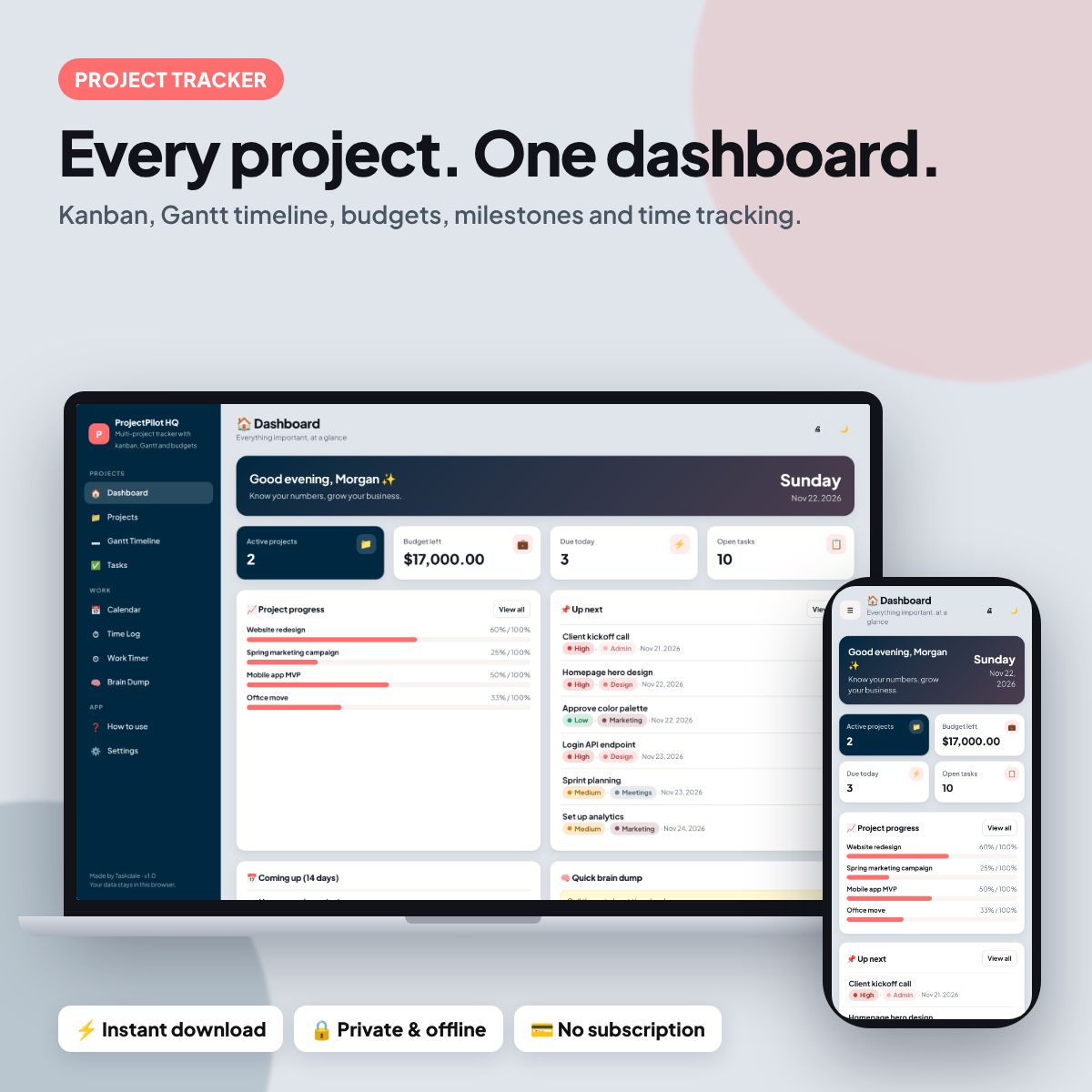
A multi project tracker that shows every project, task, budget and deadline on one dashboard. Kanban boards, a Gantt timeline, budget vs. spent, milestones, a time log with a start/stop timer and a shared calendar, across 8 pages. Works offline in your browser with no subscription or per-user fees.
What you get free: Dashboard, Projects, Tasks (up to 12 entries per list), with dark mode, any currency and backup built in.
Unlock in the full version ($15.59): Gantt Timeline, Calendar, Time Log, Work Timer, Brain Dump, plus unlimited entries, CSV import and export, and the ProjectPilot HQ User Guide.
- Kanban boards: Drag tasks from Backlog to Done.
- Gantt timeline: All projects on one timeline with a today line.
- Budget tracking: Budget, spent, left and % used per project.
- Milestones: Progress fills in as you tick them off.
- Time tracking: Start/stop timer, hours and cost by project.
- Shared calendar: Tasks and project deadlines together.

Free Project Tracker App (ProjectPilot HQ Free)
A working offline project tracker web app with the dashboard, projects board and Gantt timeline. No sign-up or per-user fees. Upgrade to unlock linked tasks, calendar, time log, work timer and brain dump.
Want everything unlocked?
The free file is a sample. The full version has every page, tab and feature, plus the user guide.
See the full versionGet the full ProjectPilot HQ ($15.59) →
2. TaskForge Task Tracker: Every task. Perfectly prioritized.
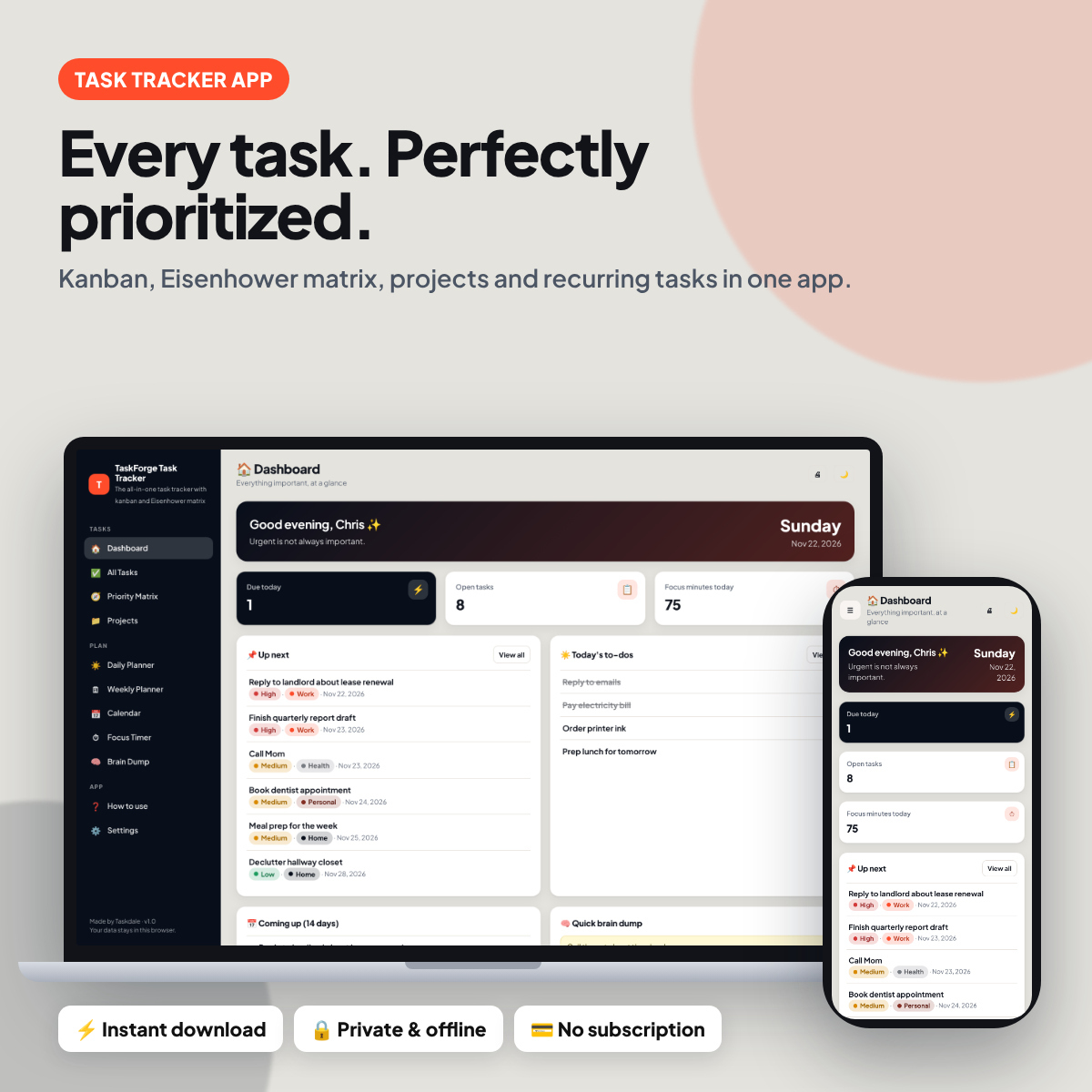
The ultimate task tracker app: a dashboard, kanban board, Eisenhower priority matrix, projects, recurring tasks that reschedule themselves, subtasks, daily and weekly planner, calendar, focus timer and brain dump. 9 pages, offline in your browser, no subscription.
What you get free: Dashboard, All Tasks, Priority Matrix (up to 12 entries per list), with dark mode, any currency and backup built in.
Unlock in the full version ($28.26): Projects, Daily Planner, Weekly Planner, Calendar, Focus Timer, Brain Dump, plus unlimited entries, CSV import and export, and the TaskForge Task Tracker User Guide.
- Kanban board: Backlog to Done with drag and drop.
- Priority matrix: Do first, schedule, delegate, eliminate.
- Recurring tasks: Done? The next one is scheduled.
- Projects: Group tasks and set deadlines.
- Daily & weekly: Plan the day and the week.
- Focus timer: Get the hard thing done.

Free Task Tracker App with Kanban & Priority Matrix (TaskForge Free)
A working offline task tracker: the dashboard, kanban board and Eisenhower priority matrix (up to 12 tasks). Upgrade for projects, recurring tasks, daily and weekly planners, calendar, focus timer, brain dump and unlimited tasks.
Want everything unlocked?
The free file is a sample. The full version has every page, tab and feature, plus the user guide.
See the full versionGet the full TaskForge Task Tracker ($28.26) →
3. TaskForge Command: Every task. Every project. One place.
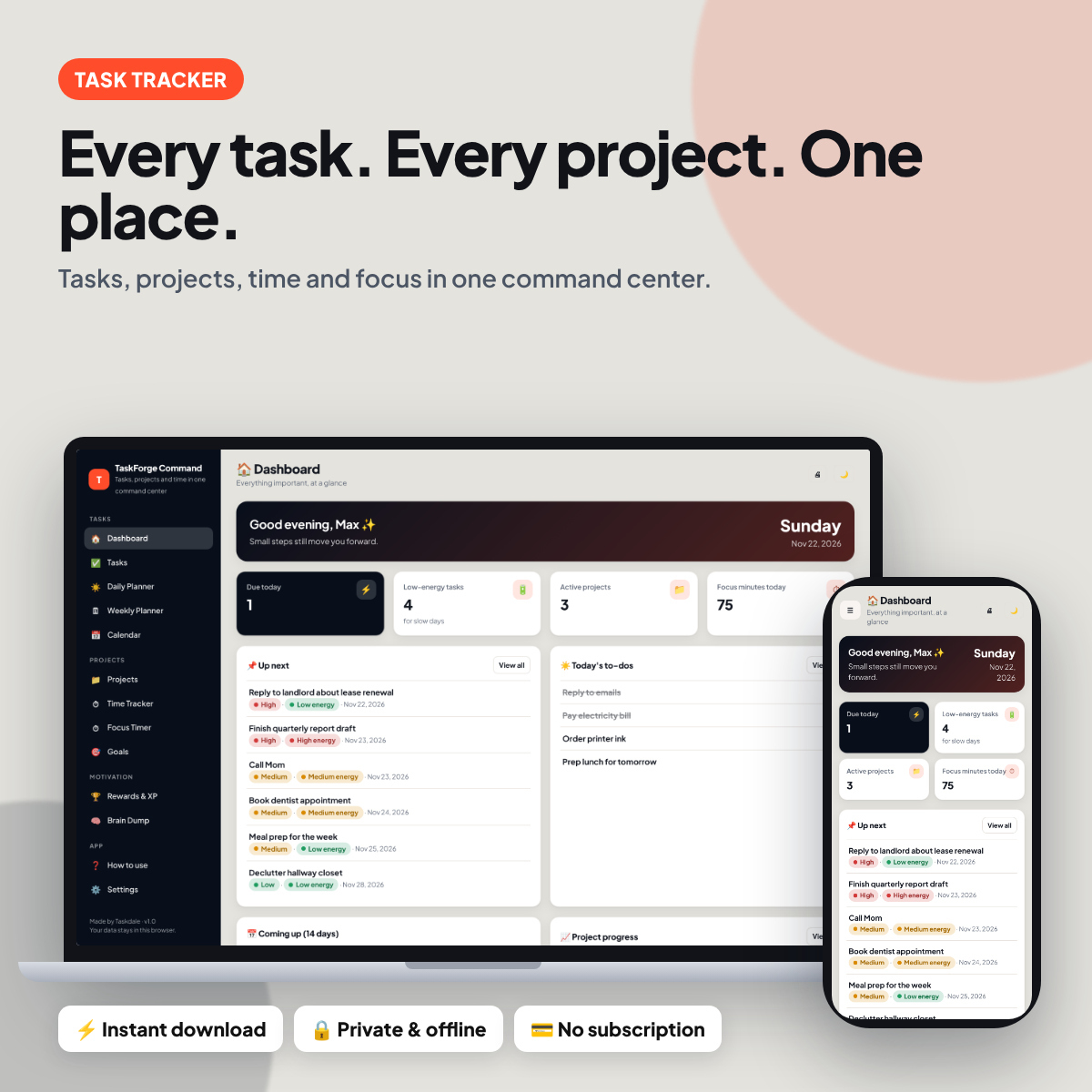
The ultimate all-in-one task tracker: kanban, table and calendar task views with energy levels, priority matrix and repeating tasks, daily and weekly planners, projects with automatic progress and timeline view, time tracker, focus timer, goals, brain dump and XP rewards. 11 pages, offline, no subscription.
What you get free: Dashboard, Tasks, Daily Planner (up to 12 entries per list), with dark mode, any currency and backup built in.
Unlock in the full version ($28.26): Weekly Planner, Calendar, Projects, Time Tracker, Focus Timer, Goals, Rewards & XP, Brain Dump, plus unlimited entries, CSV import and export, and the TaskForge Command User Guide.
- Task board: Kanban, table and calendar.
- Priority matrix: Urgent vs. important.
- Repeating tasks: Daily, weekly, monthly.
- Projects: Steps, progress and timeline.
- Time tracker: Hours by project.
- XP rewards: Level up for done.
TaskForge Command Free (Lite Version)
Free lite version of TaskForge Command: a private, offline task tracker web app with 3 core pages and up to 12 entries per list. Runs in your browser, no account needed. Upgrade to the full TaskForge Command for every page and unlimited entries.
Want everything unlocked?
The free file is a sample. The full version has every page, tab and feature, plus the user guide.
See the full versionGet the full TaskForge Command ($28.26) →
4. FocusFlow Task Tracker: Plan it. Block it. Finish it.
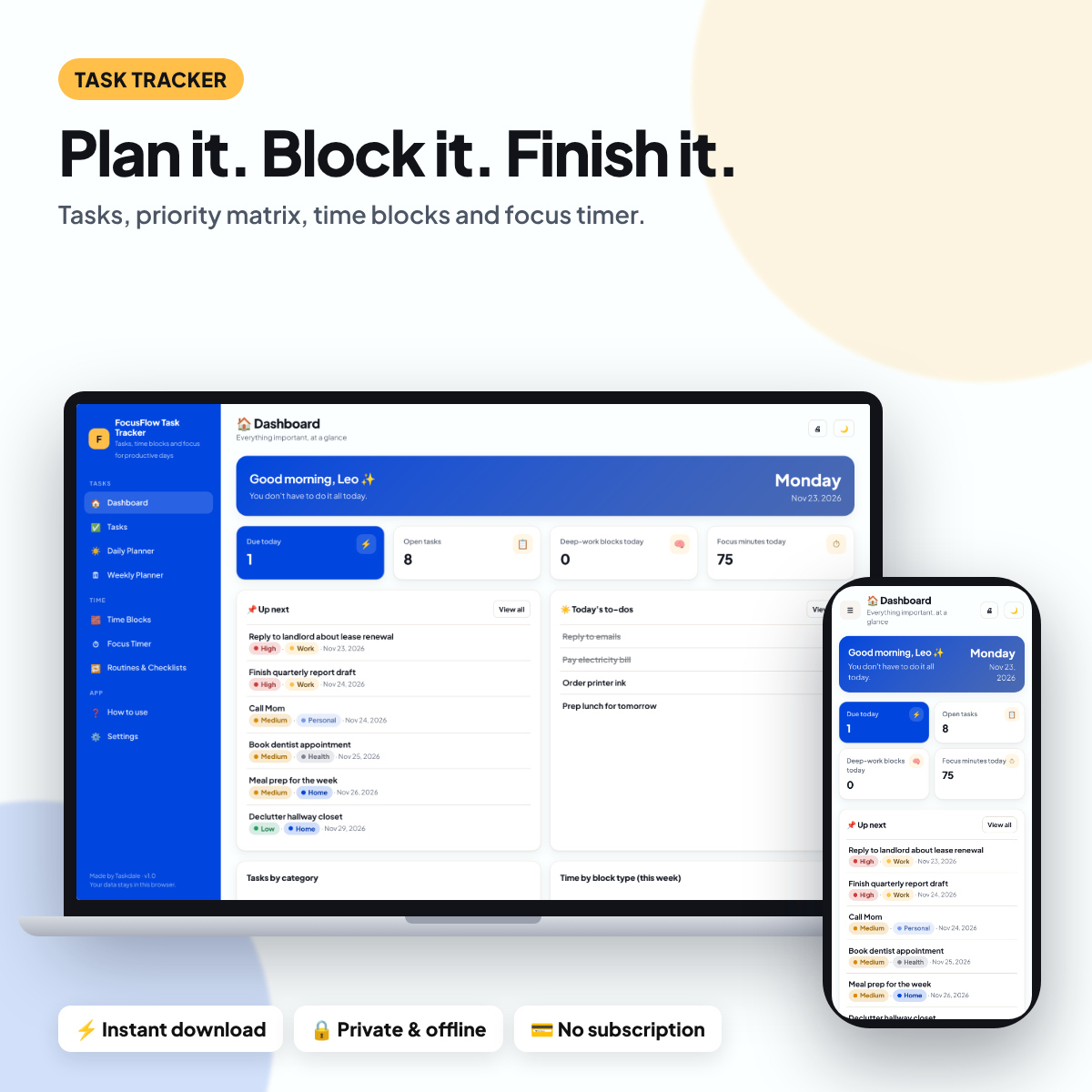
An affordable all-in-one task tracker for productive days: to-do list with kanban, table and calendar views, Eisenhower priority matrix, repeating tasks, visual time blocking, focus timer, daily and weekly planner and weekly review routine. 7 pages, offline, no subscription.
What you get free: Dashboard, Tasks, Daily Planner (up to 12 entries per list), with dark mode, any currency and backup built in.
Unlock in the full version ($9.00): Weekly Planner, Time Blocks, Focus Timer, Routines & Checklists, plus unlimited entries, CSV import and export, and the FocusFlow Task Tracker User Guide.
- Task board: Kanban, table, calendar.
- Priority matrix: Do, plan, delegate, drop.
- Repeating tasks: Set once, done forever.
- Time blocking: Your day as blocks.
- Focus timer: Pomodoro sprints.
- Weekly review: Reset every week.
FocusFlow Task Tracker Free (Lite Version)
Free lite version of FocusFlow Task Tracker: a private, offline task tracker web app with 3 core pages and up to 12 entries per list. Runs in your browser, no account needed. Upgrade to the full FocusFlow Task Tracker for every page and unlimited entries.
Want everything unlocked?
The free file is a sample. The full version has every page, tab and feature, plus the user guide.
See the full versionGet the full FocusFlow Task Tracker ($9.00) →
5. Unhurried 1-3-5 Planner: A realistic day is a good day

A calm 1-3-5 to-do list planner: plan each day with one big, three medium and five small tasks, park the rest on a Someday list, and see today's 1-3-5 on the dashboard. Includes a weekly planner, focus timer, unhurried morning and gentle shutdown routines, slow-living habits and evening reflection. 7 pages, offline.
What you get free: Dashboard, 1-3-5 Day, Weekly Planner (up to 12 entries per list), with dark mode, any currency and backup built in.
Unlock in the full version ($14.10): Focus Timer, Evening Reflection, Routines & Checklists, Habit Tracker, plus unlimited entries, CSV import and export, and the Unhurried 1-3-5 Planner User Guide.
- 1 big task: Your main thing.
- 3 medium: Real progress.
- 5 small: Quick wins.
- Someday list: Out of your head.
- Slow routines: Unhurried mornings.
- Reflection: End the day kindly.
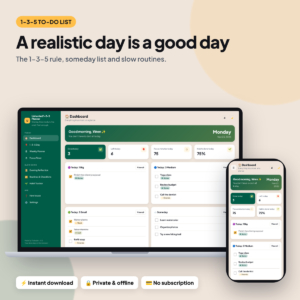
Unhurried 1-3-5 Planner Free (Lite Version)
Free lite version of Unhurried 1-3-5 Planner: a private, offline 1-3-5 to-do list web app with 3 core pages and up to 12 entries per list. Runs in your browser, no account needed. Upgrade to the full Unhurried 1-3-5 Planner for every page and unlimited entries.
Want everything unlocked?
The free file is a sample. The full version has every page, tab and feature, plus the user guide.
See the full versionGet the full Unhurried 1-3-5 Planner ($14.10) →
Free vs. full versions at a glance
| App | Free version | Full version | Price |
|---|---|---|---|
| ProjectPilot HQ | 3 pages | 8 pages, unlimited entries | $15.59 |
| TaskForge Task Tracker | 3 pages | 9 pages, unlimited entries | $28.26 |
| TaskForge Command | 3 pages | 11 pages, unlimited entries | $28.26 |
| FocusFlow Task Tracker | 3 pages | 7 pages, unlimited entries | $9.00 |
| Unhurried 1-3-5 Planner | 3 pages | 7 pages, unlimited entries | $14.10 |
How to open your free download
- Enter your email in the download box and click the button. Your file downloads right away.
- Unzip the file and double-click the .html file. It opens in your web browser like an app, with no install or account.
- Click Explore sample data to see it filled in, then clear it and add your own.
- When you are ready for every page and unlimited entries, click the Upgrade button inside the app.
Frequently asked questions
Can I use these task trackers on my phone?
Yes. They open in your phone's browser and adapt to small screens. Data is stored on the device you use.
Do they sync with my calendar?
No. They are private and offline. You can export tasks to CSV.
What is the 1-3-5 rule?
Plan one big task, three medium tasks and five small tasks per day so your list is realistic.
Are these really free?
Yes. Each free version is a working app you can keep using. The full versions add more pages, unlimited entries and a printable user guide.
Is my data private?
Yes. These apps run in your own browser and save data on your device. Nothing is uploaded. Use Settings → Export backup to keep a copy.
Which browsers do they work in?
We test them in Google Chrome on desktop and on phone-sized screens. They use standard web technology with no plugins.