Best PR Tracker: Five Gym Logs Compared for Lifters
The best PR tracker records each set once and flags your personal records for you. For most lifters that means a spreadsheet with an estimated 1RM, such as Ironlark or Repcrest. If you'd rather avoid Excel, Ironleaf Fitness Studio runs offline in your browser with no subscription.
Choosing can feel more complicated than it should, because every listing promises a dashboard and a dozen extras. We'll keep it simple: what a PR tracker actually does, which features earn their place, and which of these five suits the way you train.
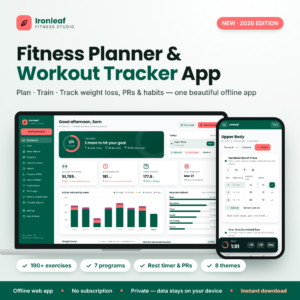 Fitness Planner & Workout Tracker App | Ironleaf Fitness Studio Offline Gym Log, Weight Loss Tracker, PR & Habit Tracker (No Subscription)
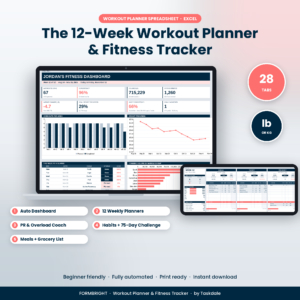 Workout Planner Spreadsheet | Formbright 12-Week Fitness Tracker for Excel with Dashboard, PR Tracker, Habit Tracker, 75 Soft Challenge & Meal Planner
 Workout Planner Spreadsheet & Fitness Tracker | Repcrest Excel Gym Log with 12-Week Plan, PR & 1RM Tracker, Weight Loss Tracker, Meal Planner & Dashboard
Key facts at a glance
- A PR tracker is a log that compares each set you complete with your previous best and marks the sets that beat it.
- Four of the five options here are spreadsheets, and Momentum Workout Planner is the one that works in both Excel and Google Sheets.
- Ironleaf Fitness Studio is the only browser-based option, and it runs offline with no subscription.
- Ironlark has the largest set log, at 2,000 rows, and Repcrest has a 126-exercise library.
- Three of the five (Repcrest, Ironlark and Momentum) calculate an estimated 1RM automatically.
Table of Contents
Toggle
- What should you look for in a PR tracker?
- How do the best PR trackers compare?
- Which PR tracker suits which lifter?
- How do you use a PR tracker properly?
- What mistakes should you avoid with a PR tracker?
- What affects the price of a PR tracker?
- How do you decide on the best PR tracker for you?
- Common questions
What should you look for in a PR tracker?
Look for five things: how records are detected, whether an estimated 1RM is included, where the file runs, how much history it holds, and how much planning it does for you. Get those right and the rest is decoration.
Automatic PR detection
A PR (personal record) is the heaviest weight you've lifted for a given exercise, or the most reps at a given weight. A good tracker spots one without you scanning old rows. Ironlark flags records in its set log as you enter them, and Repcrest and Momentum update personal records as you tick off sets. Ironleaf Fitness Studio shows PRs on its dashboard alongside weight trend and habits.
Estimated 1RM
An estimated 1RM is a calculated figure that predicts the heaviest single repetition you could lift, based on a set of several reps. It matters because you rarely test a true max. A set of five at a heavy weight still tells you whether you're getting stronger, and an estimate lets you compare it with a set of eight from last month.
Repcrest, Ironlark and Momentum Workout Planner include one. Formbright offers a 1RM calculator you use yourself. Ironleaf Fitness Studio, as listed, focuses on PRs and last-time numbers rather than a 1RM estimate.
Software and where it runs
The file format decides how you'll use it day to day. Repcrest, Ironlark and Formbright are Excel workbooks. Momentum Workout Planner works in Excel and Google Sheets, which helps if you log from a phone or tablet. Ironleaf Fitness Studio opens in your browser and works offline.
If you don't own Excel, check this before anything else. A brilliant workbook is no use on a device that can't open it.
History size and plan length
Plan length is how much of your training the tracker maps out in advance. Momentum plans six weeks. Repcrest and Formbright each give you a 12-week programme. Ironlark is undated, so you can start any week and never fall behind a calendar. Ironleaf Fitness Studio offers 7 ready-made programmes you can drag into your week.
For long-term record keeping, Ironlark's 2,000-row set log is the most generous figure supplied. If you log 20 sets per session, that is roughly 100 sessions before you'd think about starting a fresh copy.
Extras you'll actually use
Several listings add meal planners, habit trackers and the 75 Soft challenge. These are bonuses. Judge the tracker on its lifting tools first, then ask whether you'd really use the rest, or whether you'd rather keep nutrition somewhere else.
How do the best PR trackers compare?
The five options differ most on software, plan structure and 1RM handling. This table sets out what each listing states, so you can compare like for like.
| Product | Runs in | Plan structure | PR and 1RM tools | Notable extras |
|---|---|---|---|---|
| Fitness Planner & Workout Tracker App | Ironleaf Fitness Studio Offline Gym Log, Weight Loss Tracker, PR & Habit Tracker (No Subscription) | Browser, offline | 7 ready-made programmes, drag-and-drop week | PRs on dashboard, last-time numbers | 190+ exercises, rest timer, printable log sheets, 22-page guide |
| Workout Planner Spreadsheet | Formbright 12-Week Fitness Tracker for Excel with Dashboard, PR Tracker, Habit Tracker, 75 Soft Challenge & Meal Planner | Excel | 12 weekly planners | PR tracker, progressive overload coach, 1RM and plate calculators | 5-chart dashboard, 15-habit tracker, meal planner |
| Workout Planner Spreadsheet & Fitness Tracker | Repcrest Excel Gym Log with 12-Week Plan, PR & 1RM Tracker, Weight Loss Tracker, Meal Planner & Dashboard | Excel | 12 weekly planners, monthly calendar | PR and 1RM tracker | 126-exercise library, 6 charts, lb/kg and in/cm switching |
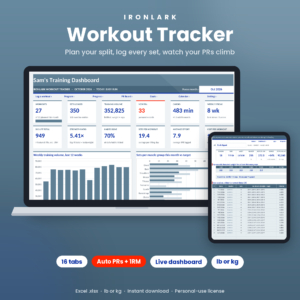 Workout Tracker Spreadsheet | Ironlark Excel Gym Log with PR Tracker, 1RM Calculator, Weekly Split Planner & Dashboard | Excel | Weekly split builder, undated | Automatic estimated 1RM and PR flags | 2,000-row set log, year-long heatmap, 21-page guide |
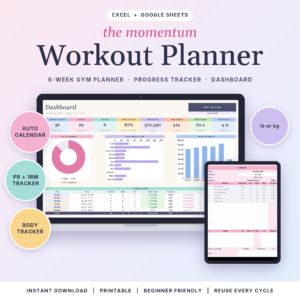 Momentum Workout Planner | Workout Planner Spreadsheet for Excel & Google Sheets with Gym Tracker, Workout Calendar, PR & 1RM Tracker and Body Measurement Tracker | Excel and Google Sheets | Six weeks, up to 15 lifts and 5 cardio sessions a day | Estimated 1RM and strength gained | Blank copy, filled sample, 12-page guide |
Which PR tracker suits which lifter?
Each of these suits a different habit, so match the tracker to how you already train rather than how you imagine you'll train.
Ironleaf Fitness Studio suits someone who wants no spreadsheet at all. You plan by dragging sessions into the week, log sets with a rest timer, and see last time's numbers as you go. It also fits anyone wary of subscriptions, since the listing states there isn't one. The trade-off is that it doesn't advertise an estimated 1RM.
Formbright suits lifters who want guidance on what to lift next. Its progressive overload coach suggests the next step, and the 1RM and plate calculators help with loading the bar. It's a good fit for a structured 12-week block, particularly if you also want a meal planner and habit tracking in one file.
Repcrest suits the person who wants the widest exercise choice and flexible units. It works in lb or kg, in or cm, and mi or km, so it travels well. The 126-exercise library means you pick from a list instead of typing names inconsistently, which keeps your records tidy.
Ironlark suits the serious record keeper. With a 2,000-row set log, automatic estimated 1RM and PR flags, and charts for any exercise, it's built for years of data. Because it's undated, a missed fortnight doesn't leave a gap in the calendar.
Momentum Workout Planner suits anyone who logs on a phone or shares a file across devices, thanks to Google Sheets support. Six weeks is a sensible length for a first tracker. You can plan up to 15 lifts and 5 cardio sessions a day from dropdowns, then watch strength gained update.
How do you use a PR tracker properly?
You use a PR tracker by logging the same details every session and reviewing the records weekly. Consistency matters more than which file you pick.
- Set your units first (lb or kg) before you enter any data, since changing them later can muddle old entries.
- Enter the exercise, weight and reps straight after each set, or at the very latest before you leave the gym.
- Use the exercise list or dropdown rather than typing names freehand, so "Bench Press" and "bench" don't become two records.
- Check the flagged PRs at the end of each week and note whether they came from added weight or added reps.
- Keep a blank copy of the file. Momentum Workout Planner includes one, and with the others you can simply save a clean version before you begin.
What mistakes should you avoid with a PR tracker?
The most common mistakes are testing for records too often, trusting estimates blindly, and logging inconsistently. All three quietly make the data less useful.
- Chasing a PR every session. Records come from steady progress, not constant max attempts. A tracker is there to show a trend.
- Treating estimated 1RM as exact. It's a calculation. It compares sessions well, but it won't match a true single on the day.
- Mixing rep ranges without noting it. A PR at three reps and one at twelve tell you different things. Look at them separately.
- Buying for the extras. A meal planner is pleasant, but if you'd never open it, it shouldn't swing your choice.
- Ignoring software. Check you can open Excel files, or choose the browser-based or Google Sheets option instead.
What affects the price of a PR tracker?
Price depends mainly on how much is bundled in, how long the plan runs, and which software it needs. We haven't quoted figures here because they change, and the product cards show the current ones.
A tracker that adds a meal planner, grocery list, habit tracker and challenge pages offers more, so it may cost more than a focused lifting log. Plan length and guide size also play a part. Software is the quieter factor: the Excel files assume you already own Excel, while Ironleaf Fitness Studio states no subscription, so there's no recurring cost on top. Compare what each listing includes, not just the number on the card.
How do you decide on the best PR tracker for you?
Pick by your software and your habit. The right choice is usually obvious once you ask two questions.
- No Excel, or you dislike spreadsheets: choose Ironleaf Fitness Studio.
- Phone or tablet logging: choose Momentum Workout Planner for its Google Sheets support.
- Years of detailed history and estimated 1RM: choose Ironlark.
- A 12-week block with an exercise library and unit switching: choose Repcrest.
- Suggestions on what to lift next: choose Formbright.
If two still look equal, take the one whose guide you'd actually read. A tracker you use every session beats a better one you abandon in week two.
Common questions
What counts as a PR in a workout tracker?
A PR is your best performance on a lift, usually the heaviest weight, or the most reps at a set weight. Trackers like Ironlark flag these automatically. You can also count a better estimated 1RM as a record, even when the weight itself hasn't changed.
Can I use a PR tracker without Excel?
Yes. Ironleaf Fitness Studio runs offline in your browser, and Momentum Workout Planner works in Google Sheets as well as Excel. The Formbright, Repcrest and Ironlark listings are all for Excel, so check you can open those files first.
How often should I check my records?
Weekly is enough for most people. Daily checking tempts you to chase records every session, which rarely helps. Review flagged PRs at the end of each training week, then look at the charts monthly to see the longer trend.
Do I need an estimated 1RM if I never test a max?
It's helpful if you don't test. An estimated 1RM turns a heavy set of several reps into one comparable number, so you can see progress without a risky single. Repcrest, Ironlark and Momentum Workout Planner all calculate one.
Are the weekly plans fixed, or can I change them?
They're built to be adjusted. Momentum Workout Planner lets you choose lifts and cardio from dropdowns, Ironleaf Fitness Studio uses a drag-and-drop week, and Ironlark has a weekly split builder. Repcrest and Formbright give 12 weekly planners you fill in yourself.