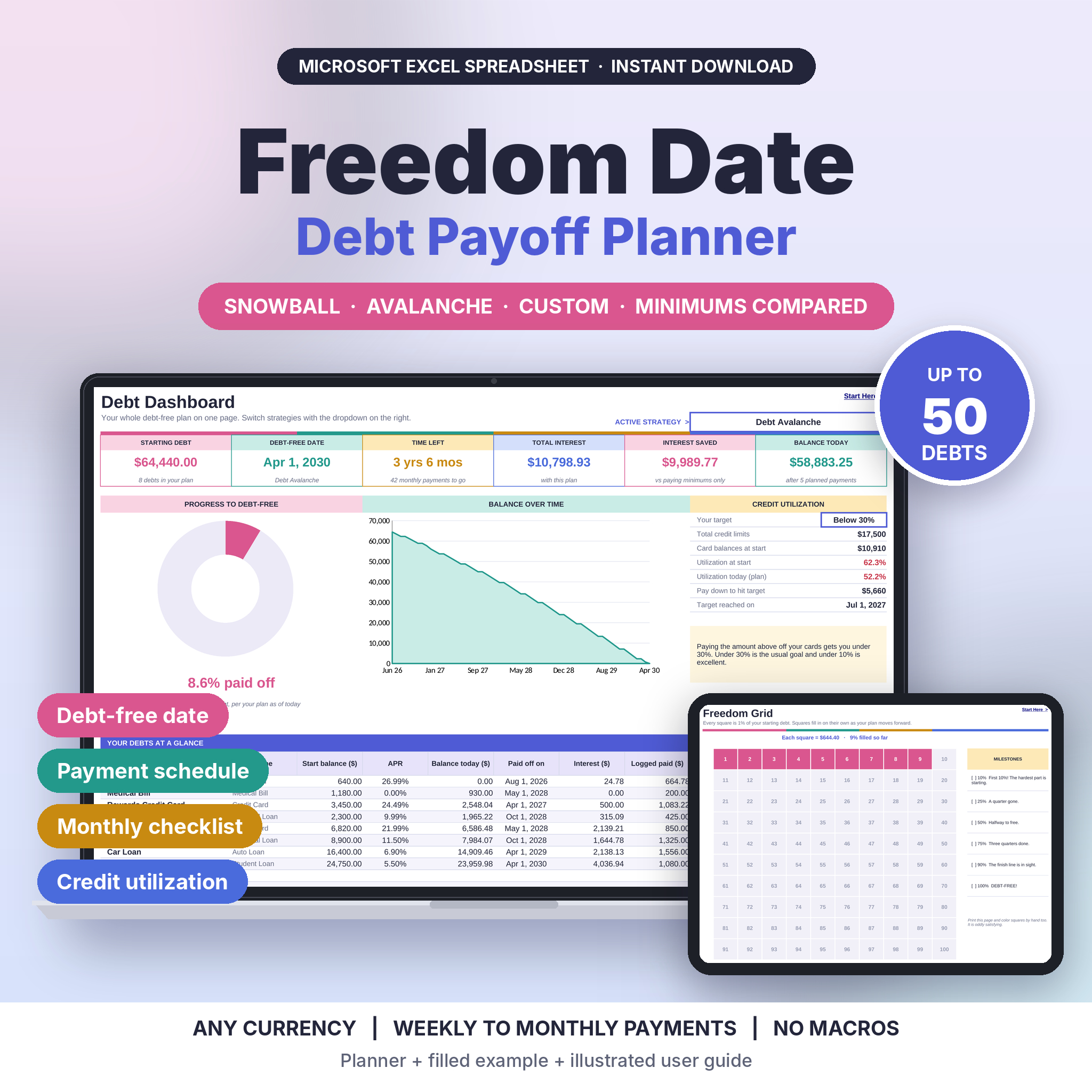
The Freedom Date Debt Payoff Tracker Spreadsheet turns a messy pile of balances into one clear plan with an actual end date. Type in your debts once and it builds your full payment schedule, shows the exact month you will be debt-free, and compares the Debt Snowball, Debt Avalanche and your own custom order side by side. Then it helps you stick to the plan, month after month.
No formulas to write. No macros. Just white boxes to type in and a dashboard that updates the second you change a number.
What this debt payoff tracker does for you
Most debt spreadsheets stop at a list of balances. This one does the math you would otherwise do on a calculator at midnight:
- Works out the best order to pay your debts, using Snowball, Avalanche or your own Custom order
- Rolls every paid-off minimum into the next debt automatically, so your payment keeps working
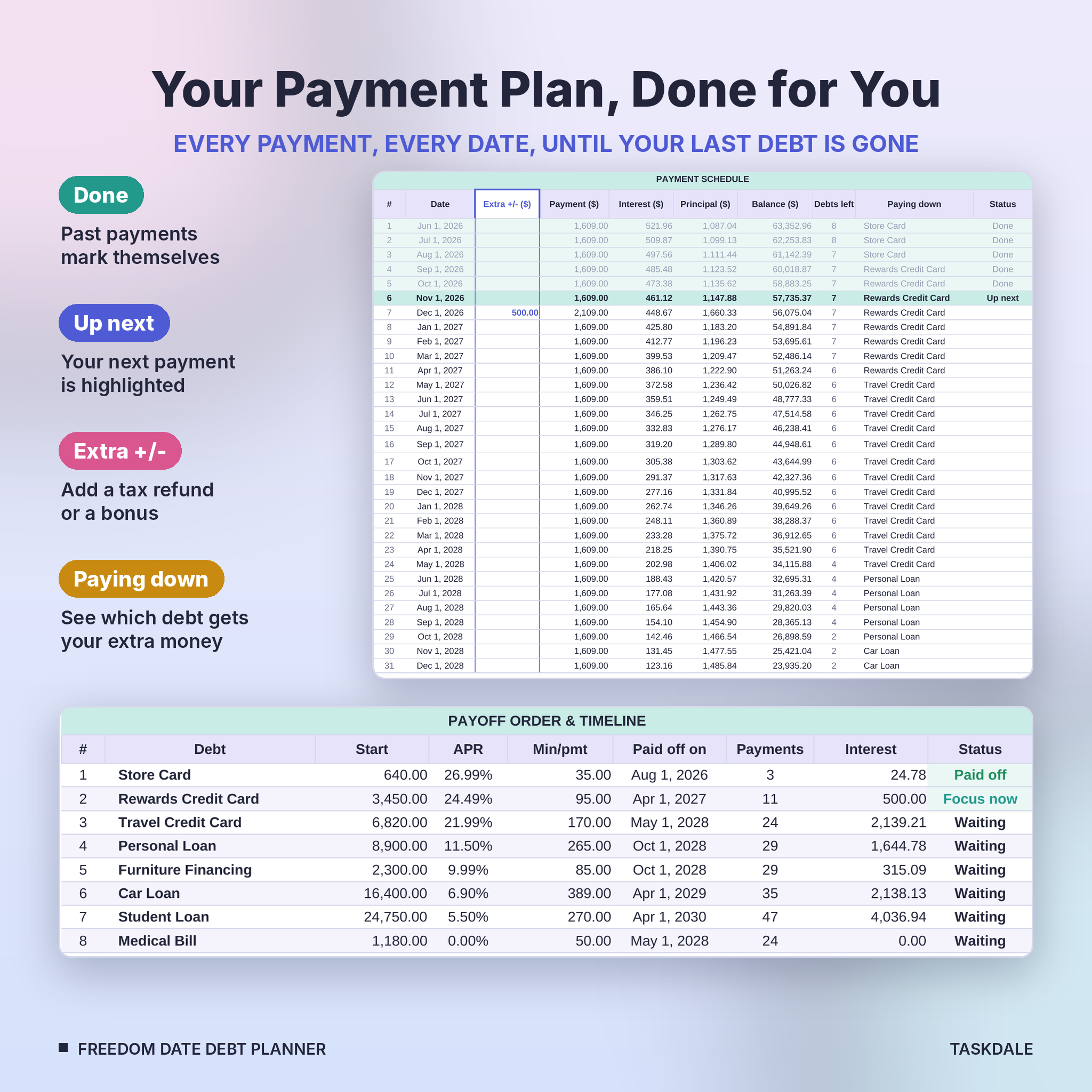
- Builds a dated payment schedule from your first payment to your last
- Shows how much interest you pay with each plan, and how much you save compared with paying only the minimums
- Tracks what you have actually paid against what the plan asked for, every month
Who it is for
It suits anyone paying down credit cards, store cards, car loans, student loans, medical bills or personal loans. It works for one person or a whole household, and it is friendly for beginners. If you can type a number into a box, you can use it. Spreadsheet fans will like the depth too: up to 50 debts and four payment frequencies.
Features
Debt Snowball, Avalanche and Custom calculator
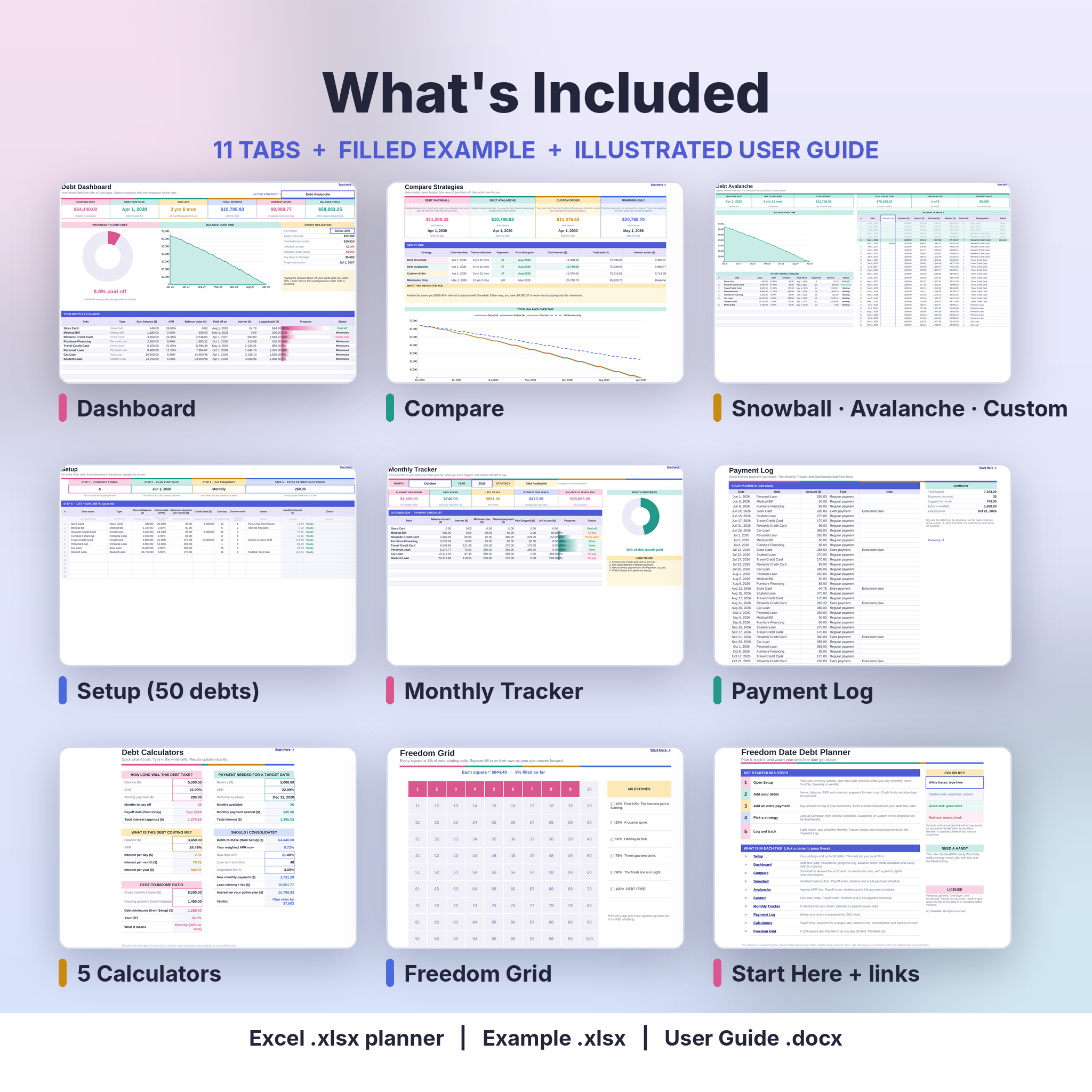
Each strategy gets its own tab with summary cards, a balance chart, the payoff order with every payoff date, and the full payment schedule. Past payments mark themselves Done, the next one is highlighted, and a Paying down column shows which debt gets your extra money right now.
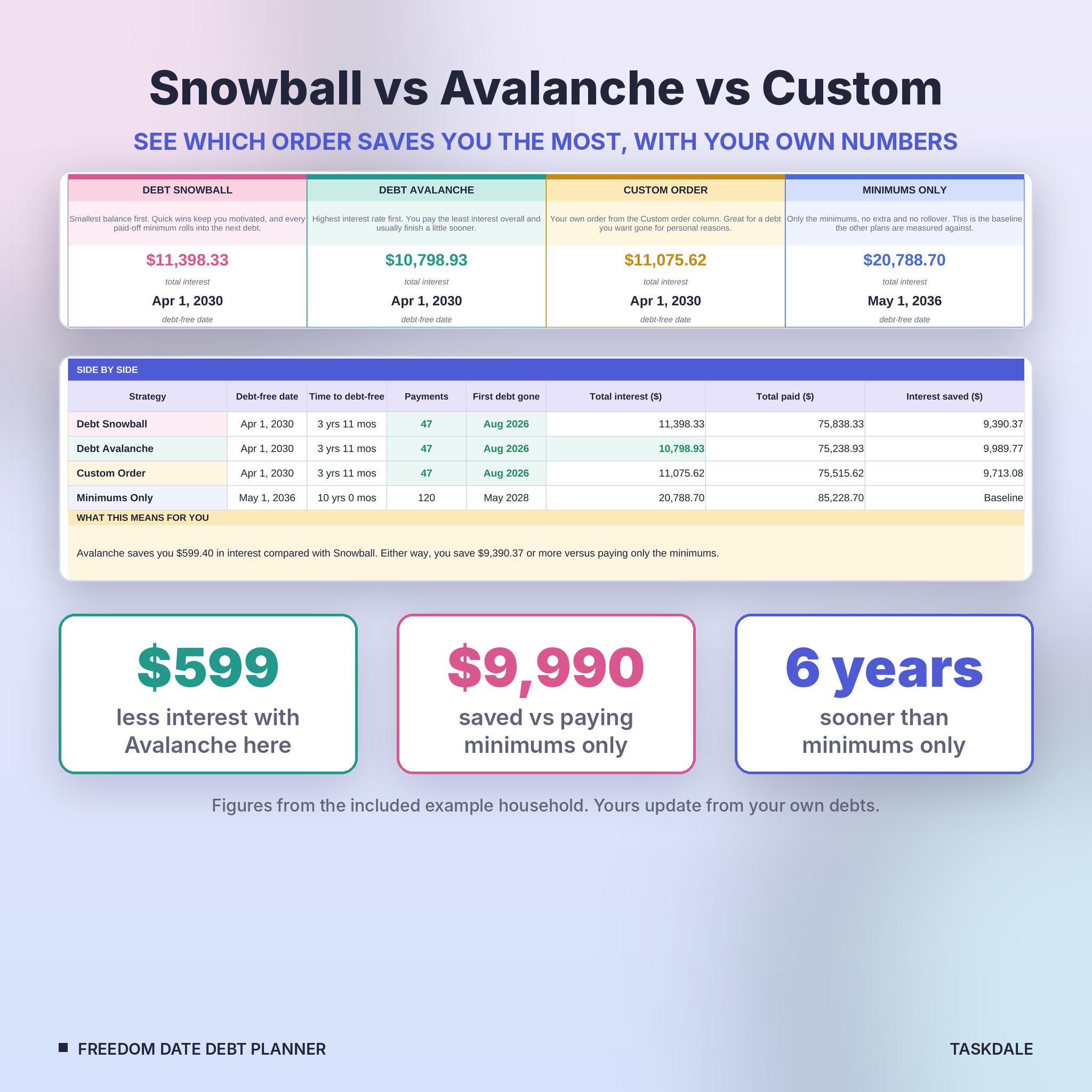
Compare tab with a plain-English answer
See Snowball, Avalanche, Custom and Minimums Only next to each other: debt-free date, time, payments, first debt gone, total interest, total paid and interest saved. The best figures turn green, a short summary explains the difference, and a line chart shows all four balances over time.
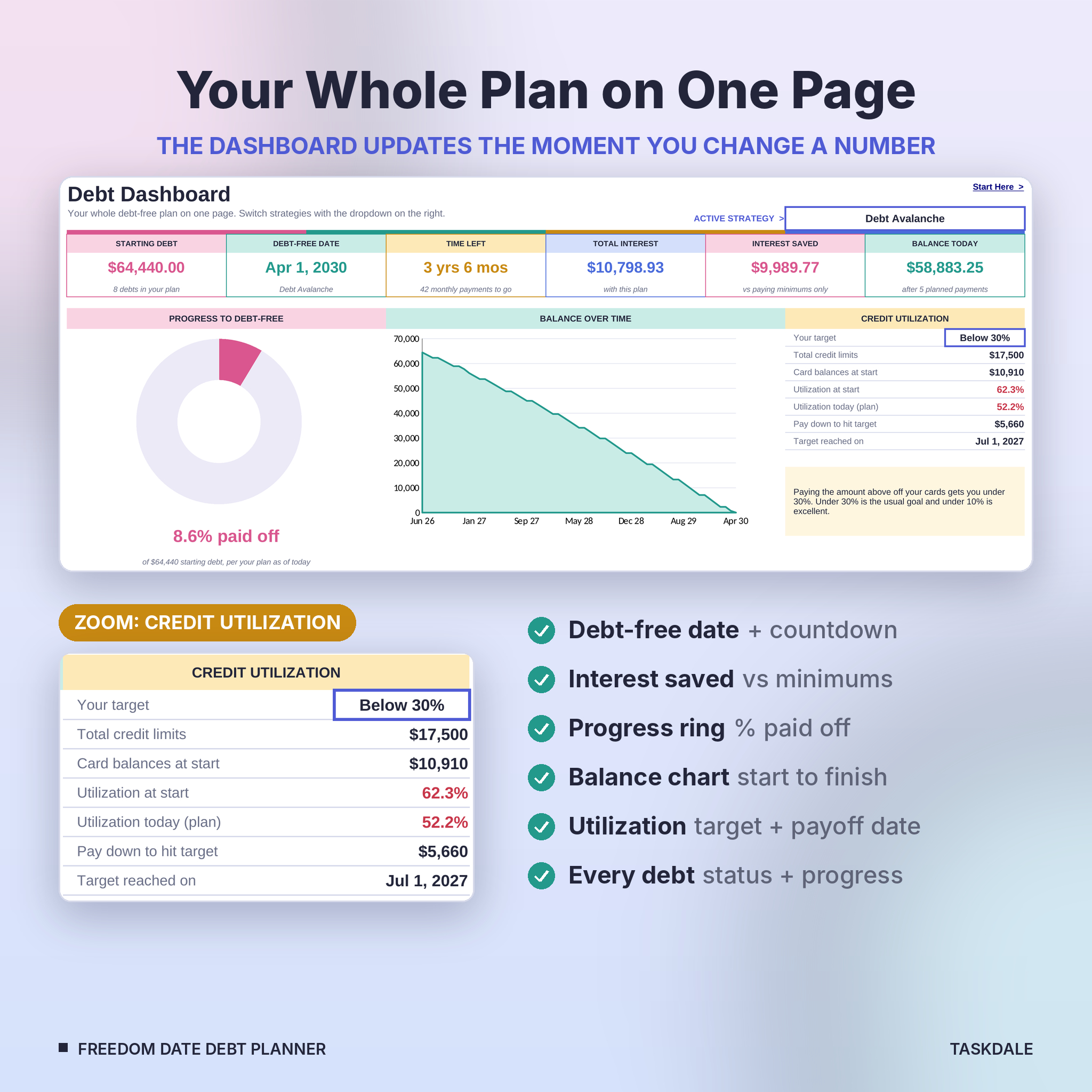
Dashboard
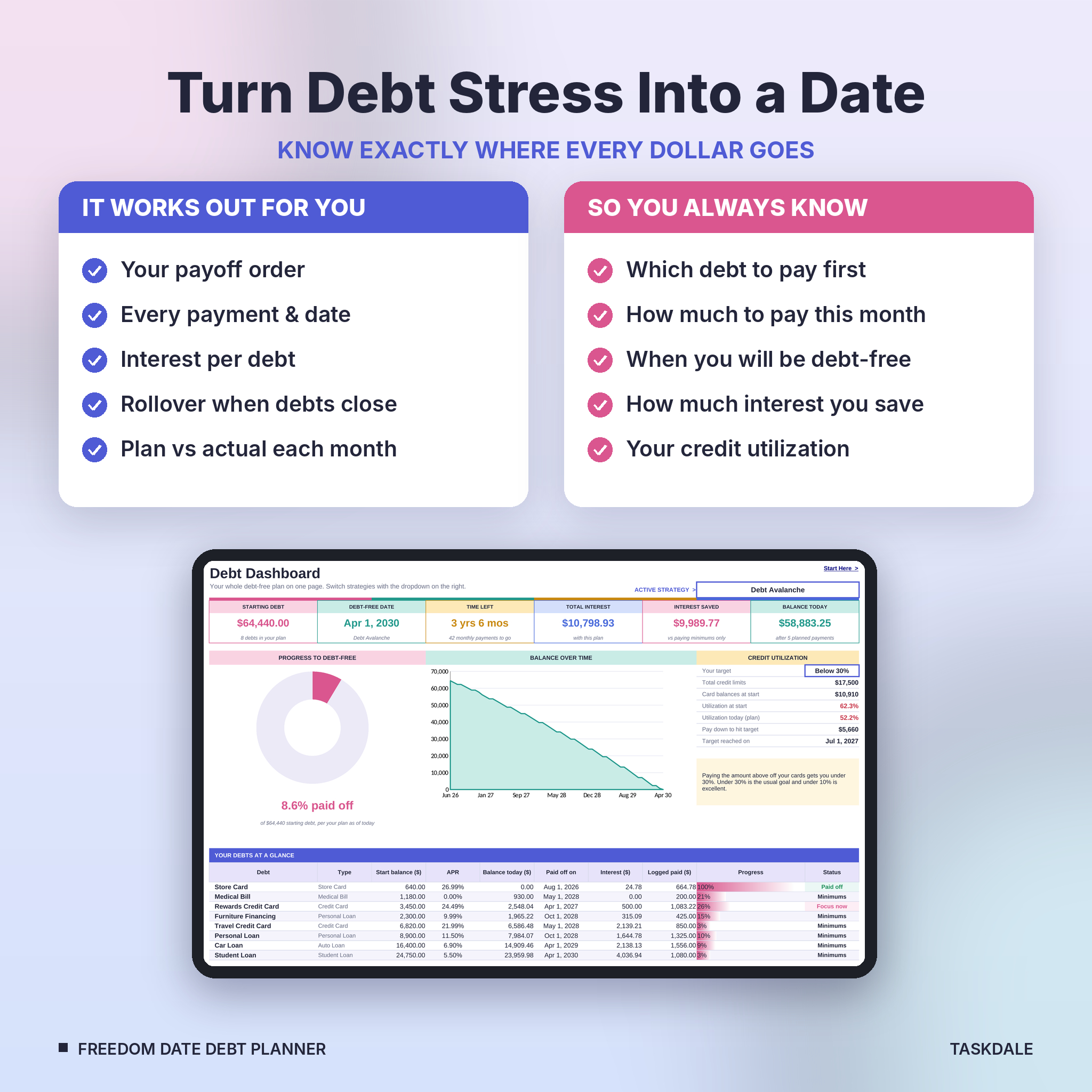
Six summary cards (starting debt, debt-free date, time left, total interest, interest saved, balance today), a progress ring, a balance-over-time chart and a status row for every debt. Switch strategies with one dropdown.
Credit utilization tracker
Add your card limits and pick a target (below 10%, 30%, 50% or 70%). You will see utilization at the start and today, how much to pay down to reach your target, and the date your plan gets you there.
Monthly Tracker and Payment Log
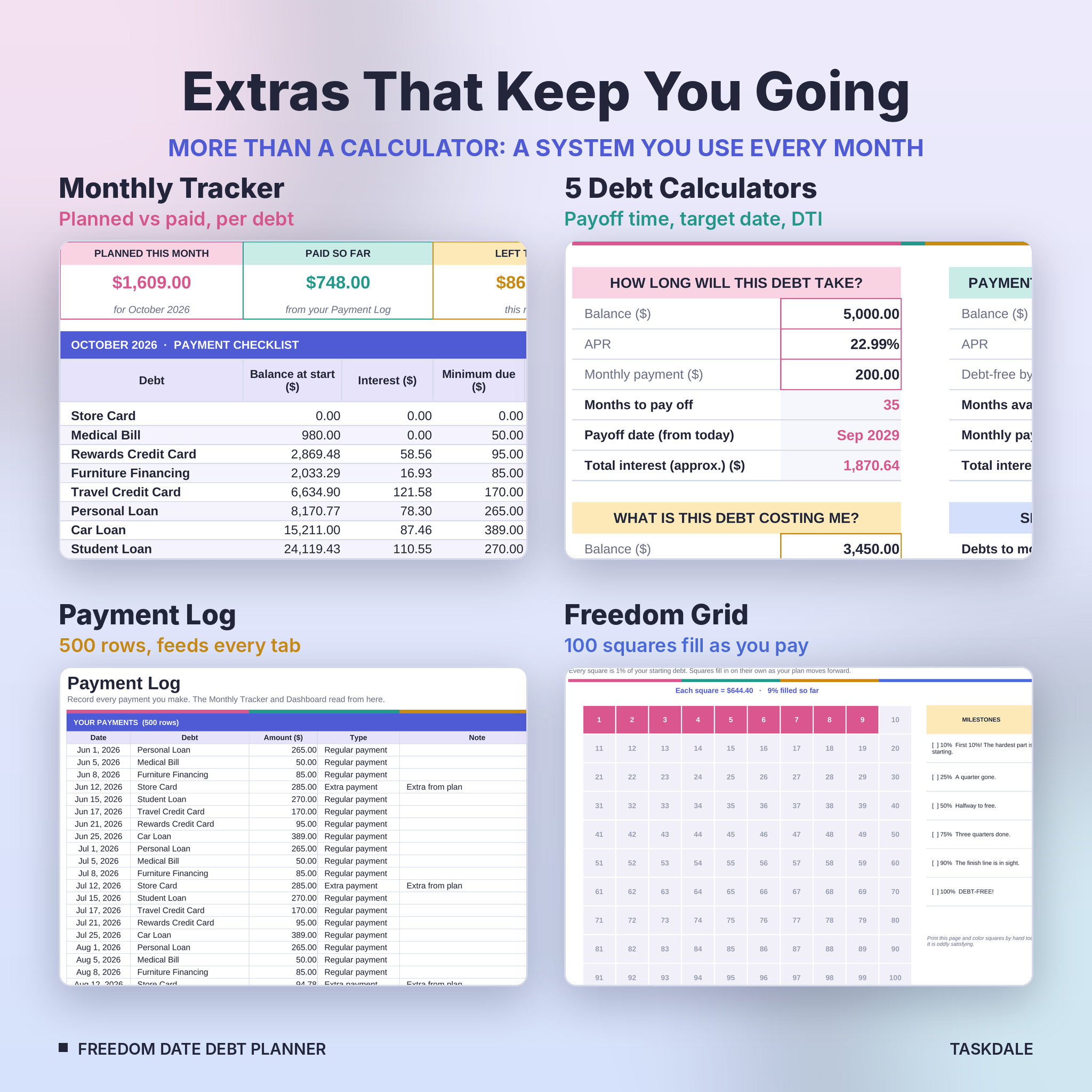
Pick any month to get a checklist for every debt: balance at the start, interest, minimum due, planned payment, what you have logged and what is left. Record real payments in the 500-row Payment Log and the tracker and dashboard pick them up on their own.
Extra +/- column for windfalls
Got a tax refund or a bonus? Type it on any row of the schedule and the whole plan recalculates from that point. Tight month? Enter a smaller amount instead.
Five debt calculators
How long will this debt take, payment needed for a target date, what is this debt costing me per day, should I consolidate, and a debt-to-income ratio check.
Freedom Grid
A 100-square grid where every square is 1% of your starting debt. It fills in as your plan moves forward, with milestones at 10%, 25%, 50%, 75%, 90% and 100%. Print it for the fridge if you like coloring squares by hand.
What is included
- Freedom Date Debt Planner (.xlsx): your blank planner with 11 tabs
- Example planner (.xlsx): the same file filled with a sample household of 8 debts
- User Guide (.docx): step by step, with screenshots, tips, troubleshooting and FAQs
How it works
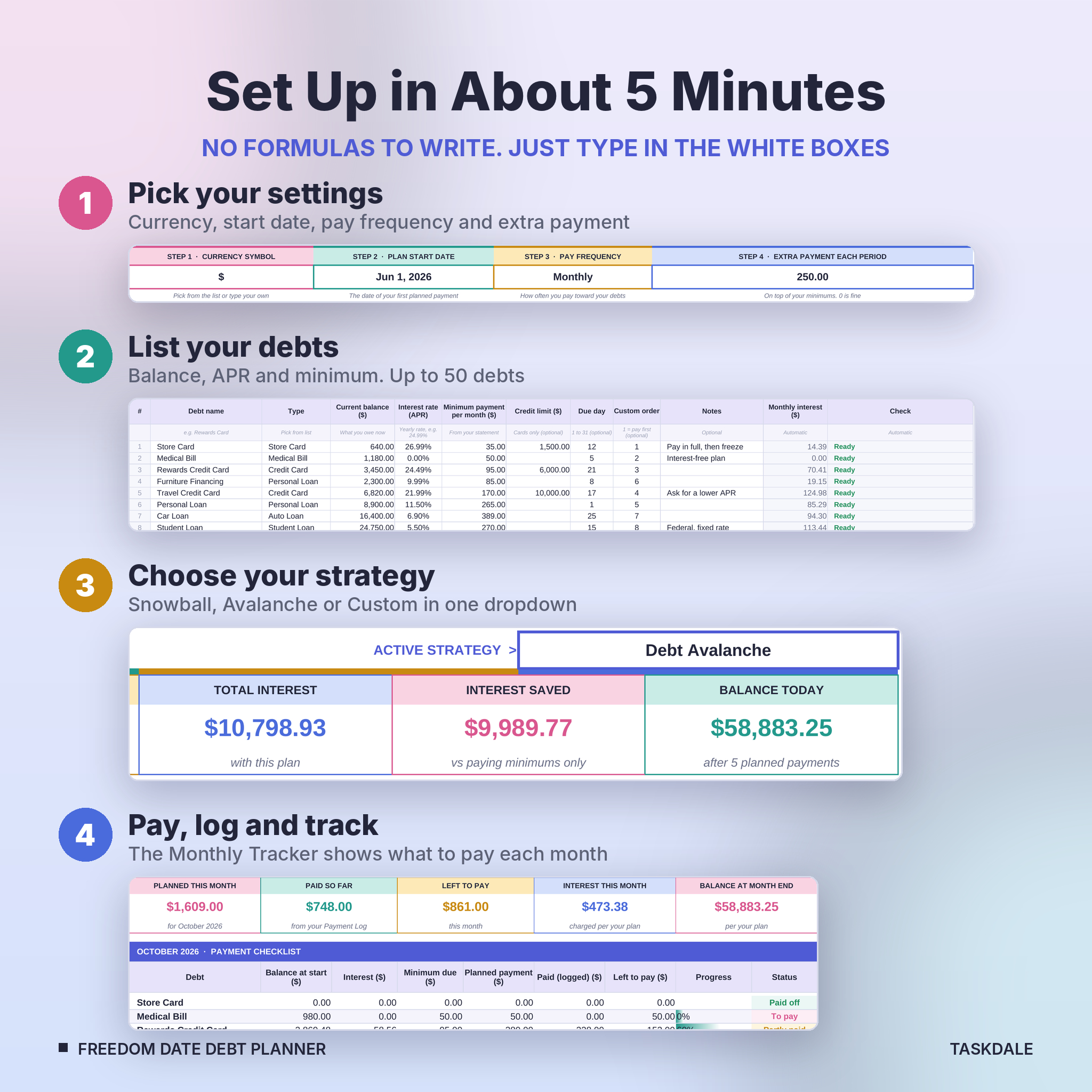
- Open Setup and choose your currency symbol, plan start date, pay frequency and extra payment.
- List your debts: name, balance, APR and minimum payment.
- Open Compare and pick the strategy that suits you on the Dashboard.
- Pay what the Monthly Tracker shows and log each payment.
Setup takes about five minutes.
File format and software requirements
- Microsoft Excel .xlsx for Windows or Mac, Excel 2010 or newer, including Microsoft 365
- Also opens and calculates in LibreOffice Calc (free)
- Standard formulas only. No macros, add-ins or subscriptions
- A laptop or desktop is best for setup
Customization
Use any currency: one symbol on Setup feeds every money label. Choose monthly, semi-monthly, biweekly or weekly payments. Biweekly pays half your monthly minimum every two weeks, which adds up to one extra monthly payment each year. Formula cells are locked with no password, so nothing breaks by accident, and you can unprotect a sheet if you want to change colors. Every main tab has a print area set.
Digital download
This is a digital product. Nothing physical is shipped. Your files are ready to download right after checkout from your account and order email.
Real ways people use it
- Deciding between the debt snowball and debt avalanche with real numbers before committing
- Planning a credit card payoff and getting utilization under 30% before applying for a mortgage or car loan
- Couples building one shared plan and checking it off together each month
- Seeing what a tax refund or side-hustle income does to the debt-free date
- Checking whether a consolidation loan beats your current plan
Debt payoff tracker FAQ
Does it work with any currency?
Yes. Pick or type your symbol on Setup and every money label follows it.
Can I use weekly or biweekly payments?
Yes. Choose monthly, semi-monthly, biweekly or weekly, and the schedule and interest follow that frequency.
How many debts can it track?
Up to 50 debts, with plans up to 1,300 payments long.
Do I need Microsoft 365?
No. Any Excel from 2010 onward works on Windows or Mac. It also opens in LibreOffice Calc.
Can I start in the middle of the year?
Yes. Set any start date. Past payments mark themselves Done.
Snowball or Avalanche: which is better?
Avalanche usually costs less interest. Snowball gives quicker early wins. The Compare tab shows the difference in dollars for your own debts so you can choose.
Can I share the file?
The license is for personal use by you and your household. Please do not share, resell or redistribute it.
© Taskdale. Personal use only. This planner is a planning tool and not financial advice.
Reviews
There are no reviews yet.