A wedding day binder is a single organised file that holds your timeline, vendor contacts, seating and payments for the day itself. The best one for you depends on how you like to work. Choose a fillable, printable PDF if you want paper in your hand, or a linked spreadsheet if you want the binder to fill itself in.
Planning a wedding can feel like a hundred small decisions arriving at once, and the binder is where they finally need to sit in one place. We'll go through what to look for, how the three options here differ, and how to pick without second-guessing yourself.
Key facts at a glance
- The Vow & Order Wedding Day Binder is a fillable PDF with 169 pages, designed to be typed into on any device or printed.
- The Sage & Stone Wedding Planner Spreadsheet has 38 linked tabs and works in Microsoft Excel and Google Sheets.
- The Petal & Vow Wedding Planner Spreadsheet has 35 linked tabs, including a wedding day binder that fills itself in from your other entries.
- Both spreadsheets include 124 timed checklist tasks, an automatic seating chart and an example planner to copy from.
- All three are instant downloads, so nothing arrives in the post.
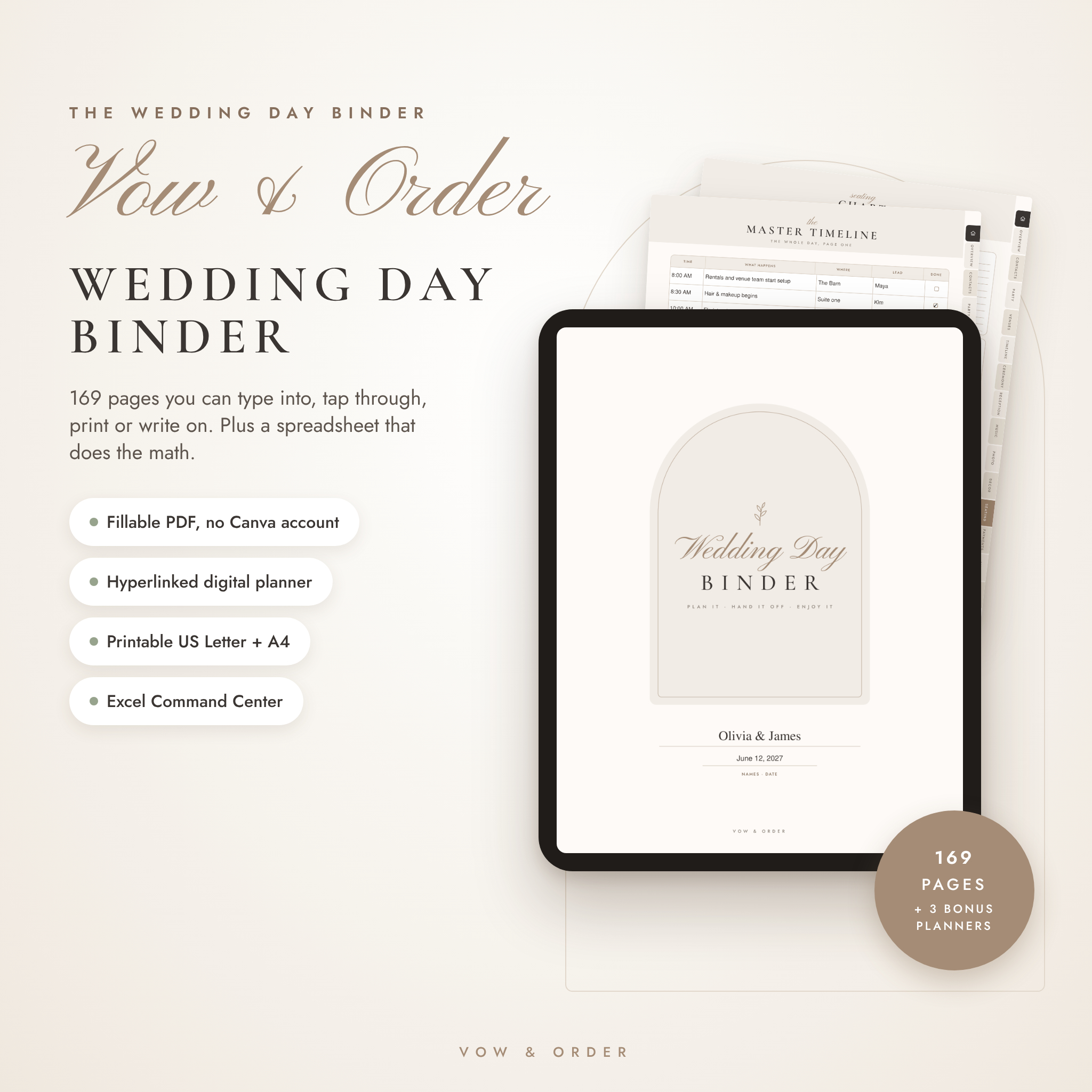 Vow & Order Wedding Day Binder | Fillable PDF Wedding Planner, Day-of Timeline, Seating Chart, Vendor Contacts & Checklists | Printable + Excel Tracker
Table of Contents
Toggle
- What should you look for in the best wedding day binder?
- How do the three wedding day binders compare?
- Which wedding day binder suits which couple?
- How do you use a wedding day binder step by step?
- What mistakes should you avoid with a wedding day binder?
- What affects the price of a wedding day binder?
- Which wedding day binder should you choose?
- Common questions
What should you look for in the best wedding day binder?
The best wedding day binder is the one you will still be using on the morning of the wedding. That means it must be easy to fill in, easy to print or share, and clear enough that someone else could run the day from it. Five factors separate the options.
Fillable pages or automatic pages
A fillable page is a printable template you type or write into yourself, while an automatic page pulls its content from information you have already entered elsewhere. Fillable pages give you control over layout and wording. Automatic pages save repeat typing and reduce the chance that your seating chart and your catering numbers disagree.
The Vow & Order Wedding Day Binder is built around fillable pages. The Petal & Vow Wedding Planner Spreadsheet takes the other route, with a binder tab that fills itself in.
Print format and paper size
Print format means the paper sizes a binder is laid out for, and it matters because a page cut off at the margin is useless on the day. The Vow & Order Wedding Day Binder prints in US Letter or A4, so UK and European couples can print at home or at a local shop without resizing.
The two spreadsheets can also produce a printable binder, so cheque the print preview before you commit to a stack of paper.
Seating and headcount tools
Seating and headcount tools tell you who sits where and how many people attend each event. This is the section that causes most arguments, so automation earns its keep here.
Both spreadsheets build a seating chart automatically. The Sage & Stone Wedding Planner Spreadsheet also tracks headcount separately for the welcome party, ceremony, reception and brunch. The Petal & Vow spreadsheet holds a guest list of up to 500 people. The Vow & Order binder has seating pages, plus an Excel Command Centre that adds up seats, payments and tips.
Timeline and vendor contact pages
A day-of timeline is the minute-by-minute schedule your photographer, DJ, florist and venue all work from. A good binder pairs it with a vendor contact page, so a late delivery means one quick call rather than a hunt through old emails.
Vow & Order is the most thorough here, covering the master timeline, processional, tips and vendor contacts across its 169 pages. The spreadsheets handle vendors and a timed checklist, with payment alerts in Petal & Vow and payment reminders in Sage & Stone.
Software you already have
Software compatibility is simply whether the file opens on the device you own. Microsoft Excel and Google Sheets cover most households, and a PDF opens almost anywhere.
Vow & Order needs no Canva account or design app. The two spreadsheets run in both Excel and Google Sheets, which is handy if you and your partner want to edit together from different devices.
How do the three wedding day binders compare?
The three products differ mainly in format and in how much they automate. The table sets out what the supplied product details actually say.
| Product | Format | Size | Standout features | Best for |
|---|---|---|---|---|
| Vow & Order Wedding Day Binder | Fillable PDF Wedding Planner, Day-of Timeline, Seating Chart, Vendor Contacts & Checklists | Printable + Excel Tracker | Fillable PDF, printable, hyperlinked digital planner, plus Excel tracker | 169 pages, US Letter or A4 | Master timeline, processional, tips, 3 bonus planners, 18-page user guide | Couples who want a thick, paper-style binder |
 Sage & Stone Wedding Planner Spreadsheet | Excel + Google Sheets | Budget, Guest Count Scenarios, Guest Tracker, Seating & Checklist | Excel and Google Sheets | 38 linked tabs | Guest count cost comparison, guest communication tracker, one-page Quick Plan, headcount per event | Couples watching the budget and guest numbers |
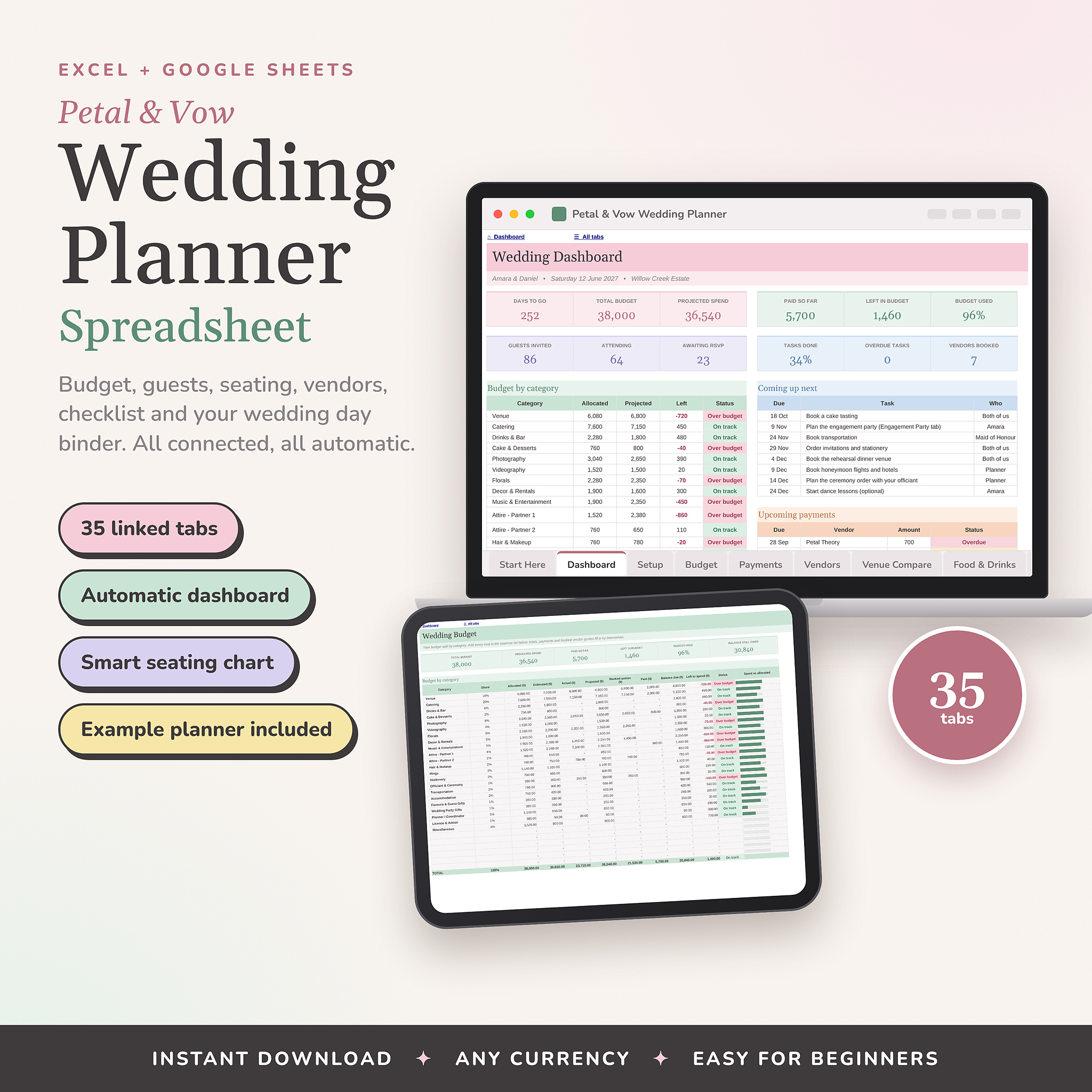 Petal & Vow Wedding Planner Spreadsheet | Excel + Google Sheets Budget, Guest List, Seating Chart & Checklist | Excel and Google Sheets | 35 linked tabs | Self-filling wedding day binder, live dashboard, guest list for up to 500 | Couples who want one automated hub |
You can see every option in the grid, so 3 listings are there to scroll through if you want to look beyond these three.
Which wedding day binder suits which couple?
Each binder suits a different planning style. Matching the style to the product matters more than counting features.
The Vow & Order Wedding Day Binder suits you if you think best with a pen and a printed page. You can type into the PDF, print it in US Letter or A4, or use the hyperlinked digital planner on a tablet. The Excel Command Centre adds up payments, tips and seats, which saves you doing the sums by hand. It also suits anyone who wants a dedicated day-of document rather than a planner with a binder tucked inside.
The Sage & Stone Wedding Planner Spreadsheet suits you if the guest list is still undecided. It shows what 50, 80 or 120 guests would cost, and the most guests your budget allows. Its tracker follows save the dates, invites, RSVPs and thank-yous, with a chase list for people who haven't replied. It works for intimate weddings and big celebrations alike.
The Petal & Vow Wedding Planner Spreadsheet suits you if you dislike duplicating information. You enter guests, vendors and tasks once, and the wedding day binder fills itself in. The live dashboard shows your countdown, budget, RSVPs and what is due next, which is reassuring if you cheque in a little each evening.
How do you use a wedding day binder step by step?
A wedding day binder works best when you build it in a set order, starting with fixed facts and ending with the details that change. Follow these steps over the final two to three months.
- Enter the venue, ceremony time and every vendor's name and phone number first. These rarely change.
- Add your guest list and confirm RSVPs, then build the seating chart from the final headcount.
- Draught the day-of timeline backwards from the ceremony time, adding travel and set-up gaps.
- Record deposits and final payments, plus any tips you plan to hand over.
- Print or save an offline copy a week before the wedding, then give a copy to your chosen helper.
- Cheque the binder against your vendors' confirmations two days before, and correct anything that has moved.
Keep the printed copy in a clearly labelled folder. Store a second copy on your phone, because venue Wi-Fi can be patchy.
What mistakes should you avoid with a wedding day binder?
The most common mistake is keeping the binder in only one place. Others are quieter, and they tend to show up on the day itself.
- Only keeping a digital copy. A flat phone battery or no signal leaves you with nothing. Print at least the timeline and vendor contacts.
- Entering numbers twice. If the seating chart and the catering count live in different files, they drift apart. Use a tool that links them.
- Forgetting tips and final balances. Many vendors expect payment on the day. The Vow & Order Excel Command Centre adds up tips, and the spreadsheets have payment reminders or alerts.
- Printing before the guest list is final. Seating pages printed early turn into scrap paper. Wait for most RSVPs.
- Keeping the binder to yourself. If you are the only person who knows where things are, you'll be answering questions in your dress. Hand a copy to a trusted helper.
- Skipping the user guide. Vow & Order includes an 18-page guide, and Petal & Vow includes a step-by-step guide with a filled-in example. Twenty minutes with either saves hours of guessing.
What affects the price of a wedding day binder?
The price of a wedding day binder depends on how many pages or tabs it holds, how much it automates, and how many extras come with it. Prices change, so the live product cards show the current figure rather than this page.
Page count matters. The Vow & Order binder has 169 pages and three bonus planners, which is more material than a basic template. Automation matters too. A spreadsheet with linked tabs, such as the 38 in Sage & Stone, takes more effort to build than a static form, and that shows in the cost.
Extras are the third factor: example planners, user guides, and features such as guest count cost comparisons. A cheaper option can be perfectly good if you only need the essentials, but cheque that the seating, timeline and vendor pages are all there before you buy. All three here are instant downloads and work in any currency where relevant, so you aren't paying for delivery.
Which wedding day binder should you choose?
Pick the Vow & Order Wedding Day Binder if you want a printed, page-by-page day-of file. Pick the Sage & Stone Wedding Planner Spreadsheet if guest numbers and budget are still moving. Pick the Petal & Vow Wedding Planner Spreadsheet if you want one automated hub where the binder builds itself.
A simple test helps. If you picture yourself flicking through paper on the wedding morning, choose Vow & Order. If you picture yourself checking a dashboard on a Sunday evening, choose one of the spreadsheets. If you are torn, count how many guests you are still unsure about. More than a handful points towards Sage & Stone.
Common questions
Do I need a printed wedding day binder, or is a digital one enough?
A digital copy is enough for planning, but a printed copy is safer on the day. Phones run out of battery and venues can have weak signal. Print at least the timeline, vendor contacts and seating chart, and keep the digital version as your backup.
Can I edit these binders on my phone or tablet?
The Vow & Order Wedding Day Binder lets you type straight into the PDF on any device, and it has a hyperlinked digital planner. The two spreadsheets work in Microsoft Excel and Google Sheets, so editing depends on which of those apps you have on your phone or tablet.
Will these work if I'm not planning in dollars or pounds?
The two spreadsheets, Sage & Stone and Petal & Vow, are described as working in any currency. The Vow & Order binder is a fillable PDF, so you simply type in whatever figures and currency you use. None of them locks you into one country's format.
How far ahead should I start my wedding day binder?
Start as soon as you book your venue and main vendors, because contacts and dates are already known. The day-of timeline and seating pages can wait until closer to the date. Aim to have a printed draught about a week before the wedding.
Who should hold the wedding day binder on the day?
Give the binder to one calm, organised person, such as a bridesmaid, a parent or a day-of coordinator, rather than carrying it yourself. They can answer vendor questions and keep the timeline moving. Hand over a printed copy and make sure they know where the vendor contacts are.