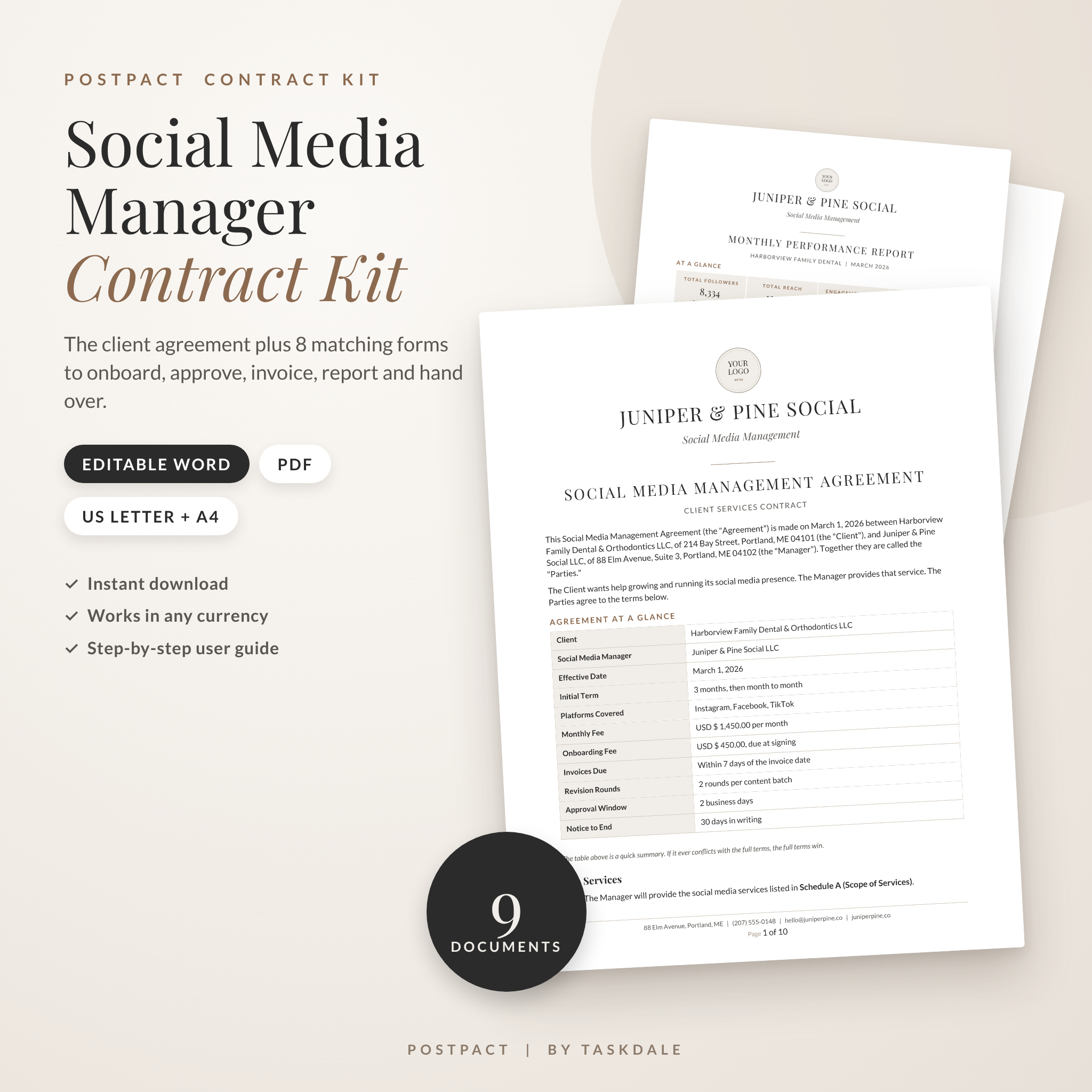
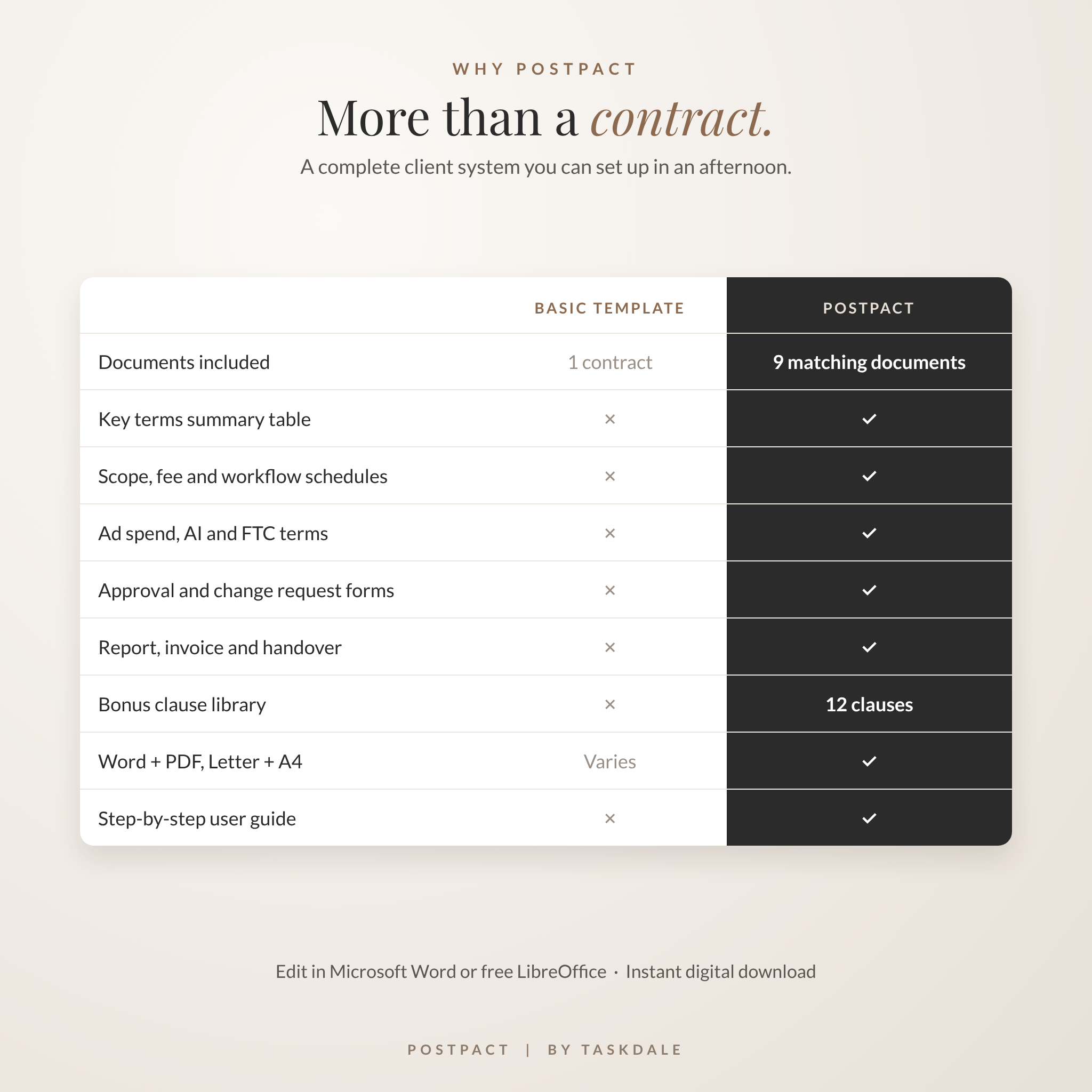
This social media manager contract template is built for freelancers and small agencies who want to sign clients with confidence. PostPact gives you a full Social Media Management Agreement plus eight matching client forms, so you’re covered from the first sales call to the final handover. Everything opens in Microsoft Word, and every file also comes as a print-ready PDF in US Letter and A4.
Most contract templates stop at the signature line. Then the real questions show up. Who approves posts? What happens when a client goes quiet for a week? Who pays for the ads? PostPact puts those answers in writing before they turn into awkward emails.
What This Social Media Manager Contract Kit Does
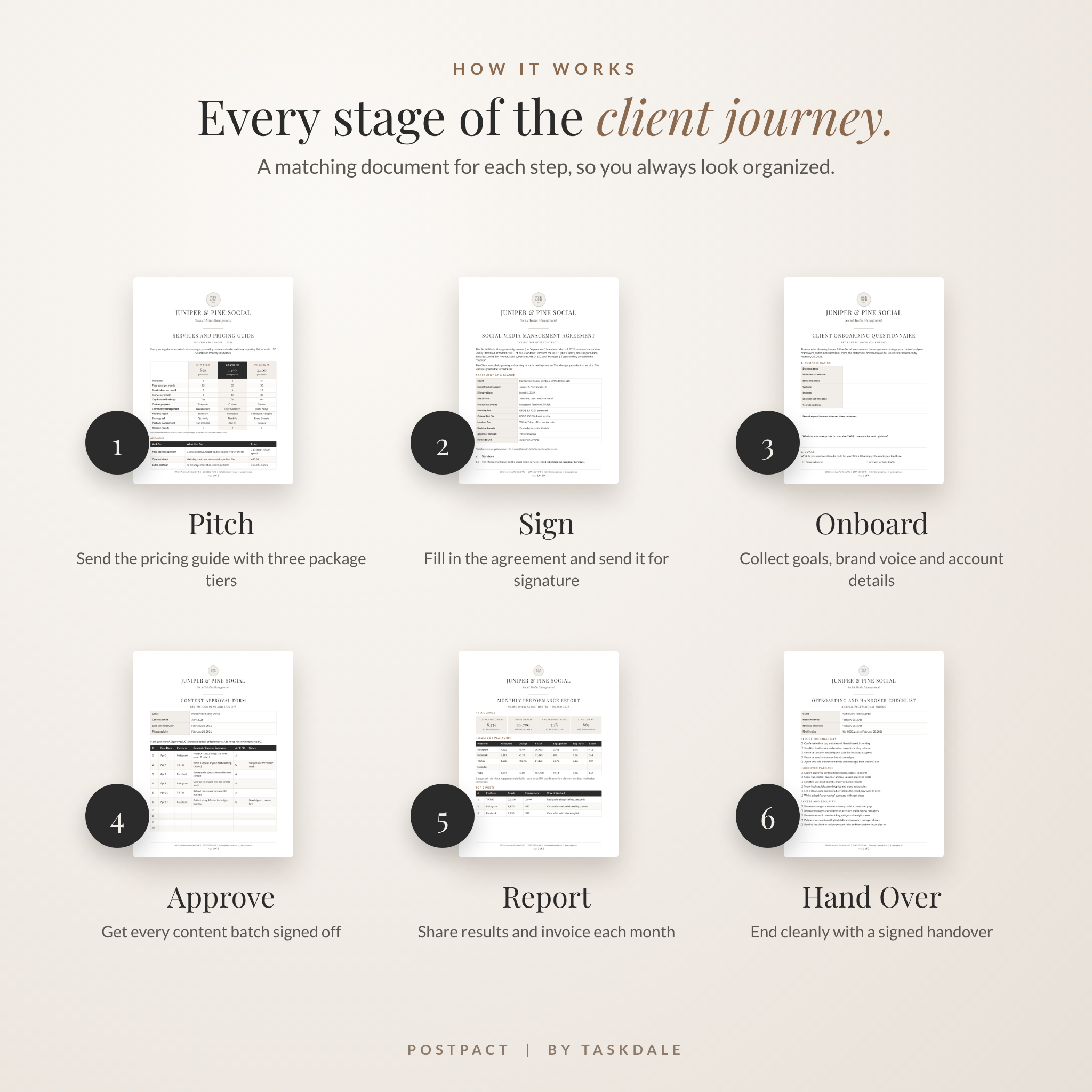
The kit gives you a professional paper trail for every stage of a client relationship. You pitch with the pricing guide. You sign with the agreement. You onboard with the questionnaire. After that, approvals, extra requests, reports, invoices and offboarding each have their own form. All nine documents share one clean, minimalist design in charcoal, warm taupe and soft greige, so your business looks polished and consistent.
Who It’s For
- Freelance social media managers signing their first client or their fiftieth
- Virtual assistants and content creators who manage accounts for small businesses
- Small marketing agencies that want consistent client paperwork
- Business owners hiring a social media manager who want clear, fair terms
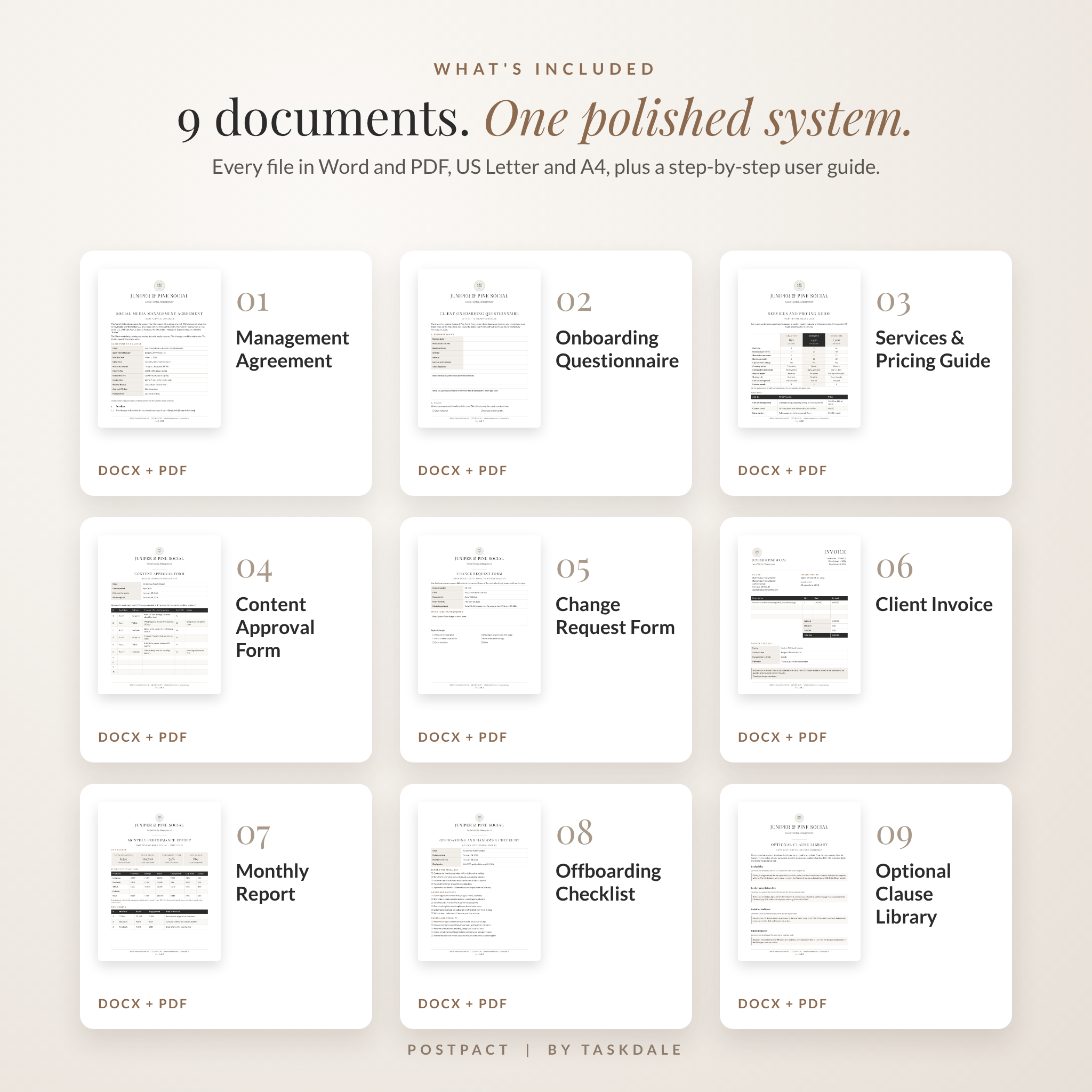
What’s Included
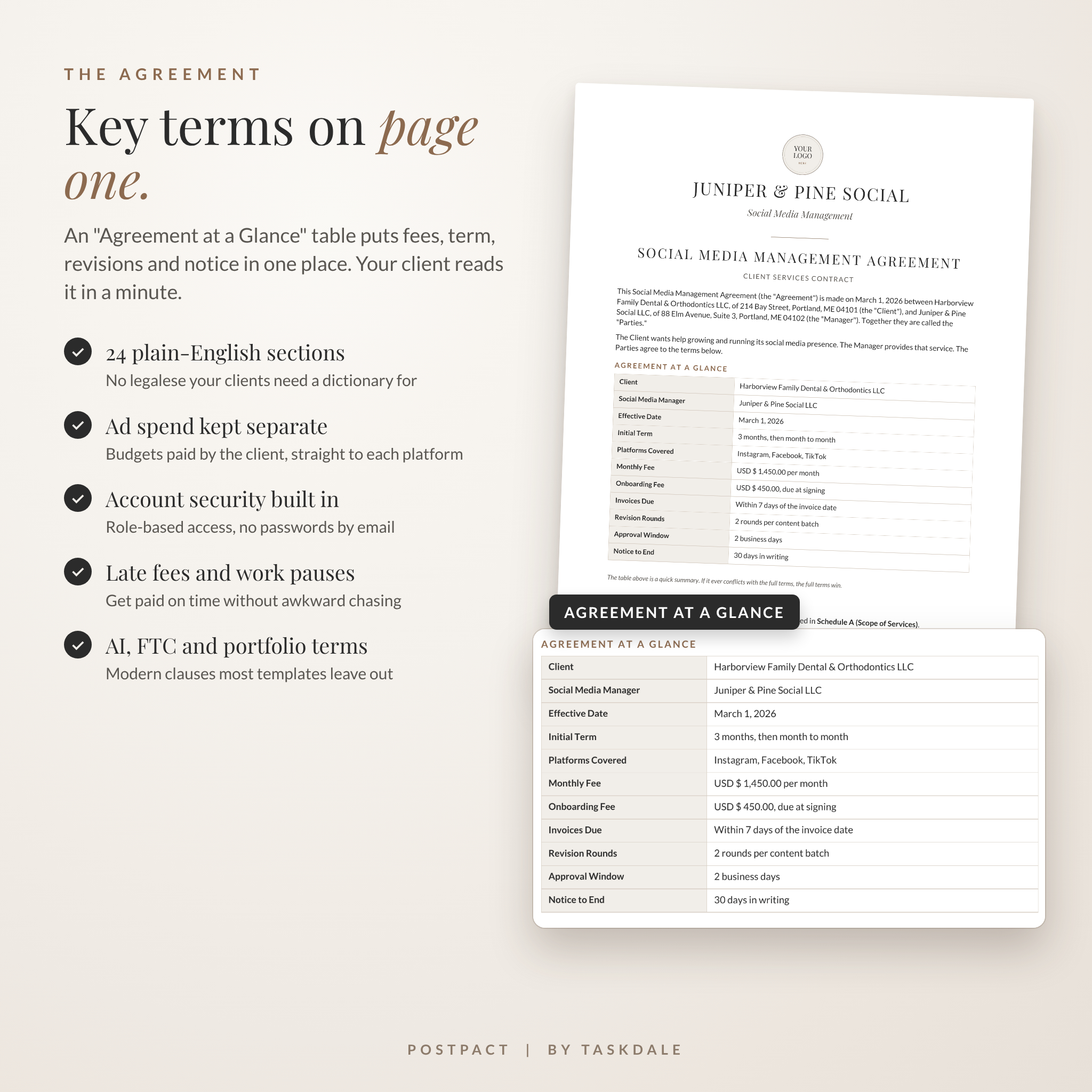
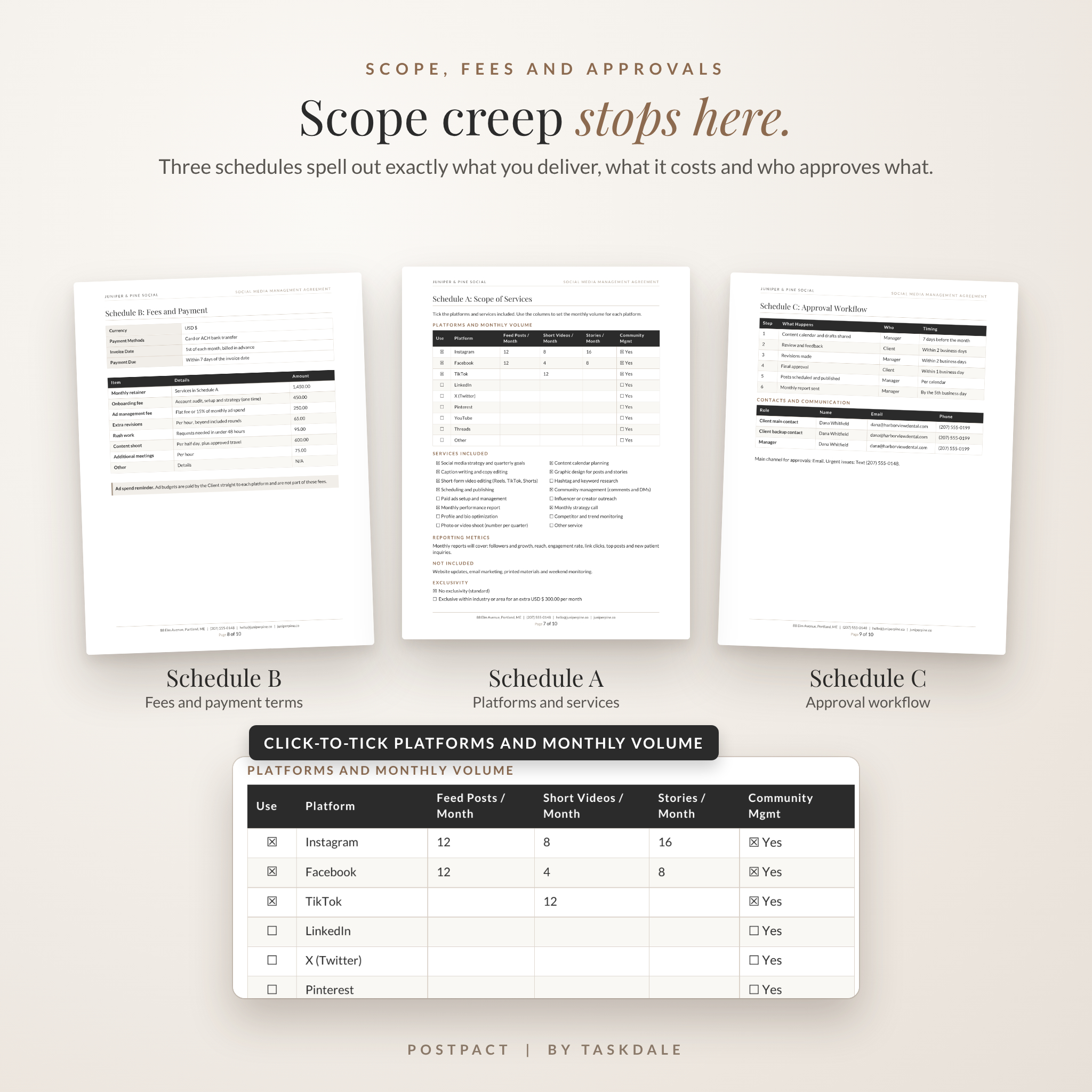
- Social Media Management Agreement (9 to 10 pages). Opens with an “Agreement at a Glance” table showing fees, term, revision rounds, approval window and notice period on page one. Then 24 plain-English sections and three schedules: Scope of Services, Fees and Payment, and Approval Workflow. Finishes with a two-party signature page.
- Client Onboarding Questionnaire (4 pages). Goals, ideal customer, brand voice, colors, current accounts, competitors, content preferences and key dates.
- Services and Pricing Guide (2 pages). Three package tiers with a featured middle option, plus an add-ons menu.
- Content Approval Form (2 pages). Clients mark each post Approved, Changes or Remove, then sign.
- Change Request Form (2 pages). Turns “can you also…” into signed, paid extra work.
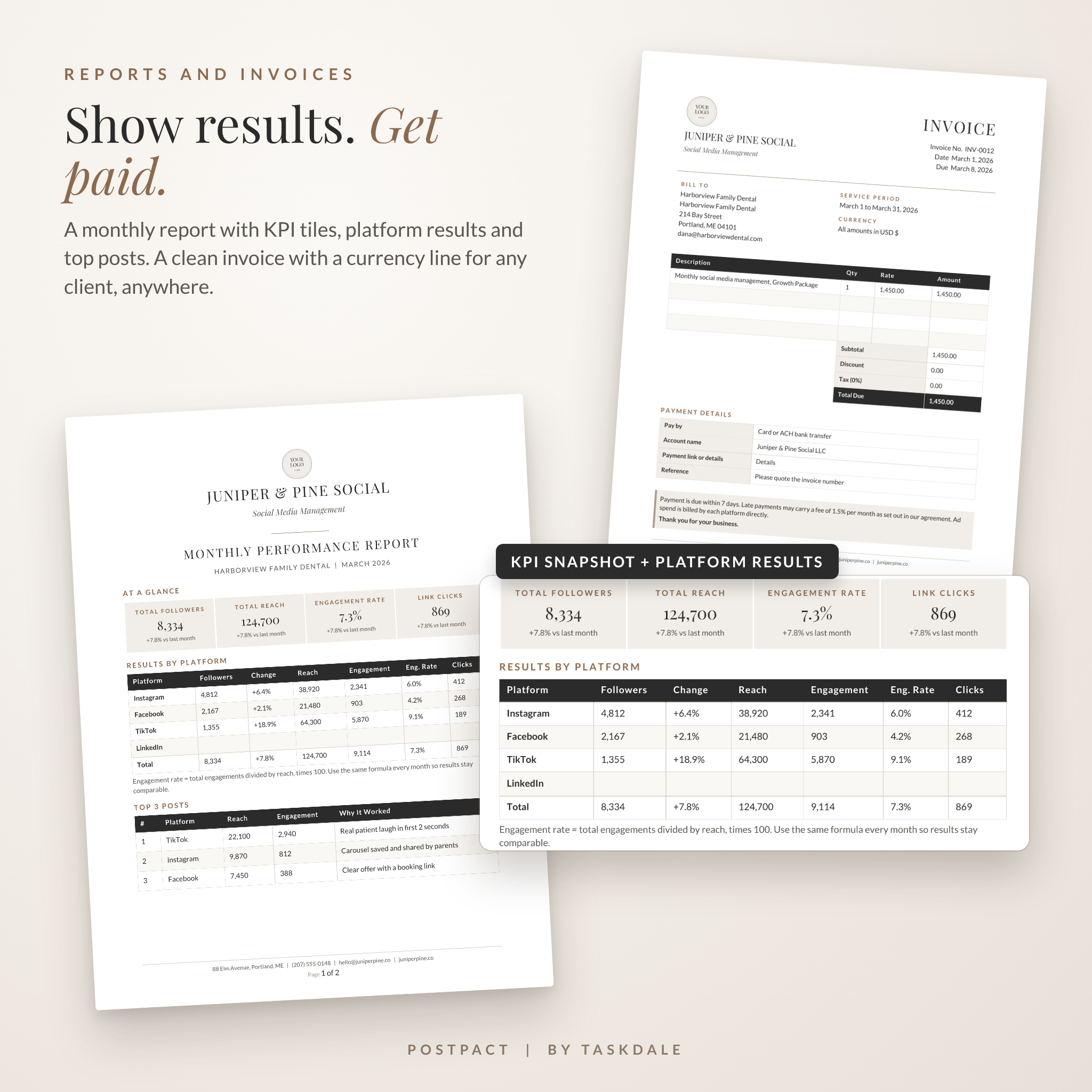
- Client Invoice (1 page). Clean layout with a currency line and neutral amount fields.
- Monthly Performance Report (2 pages). KPI tiles, results by platform, top three posts, ad summary and next steps.
- Offboarding and Handover Checklist (2 pages). Final invoice, file handover and access removal, signed off by both sides.
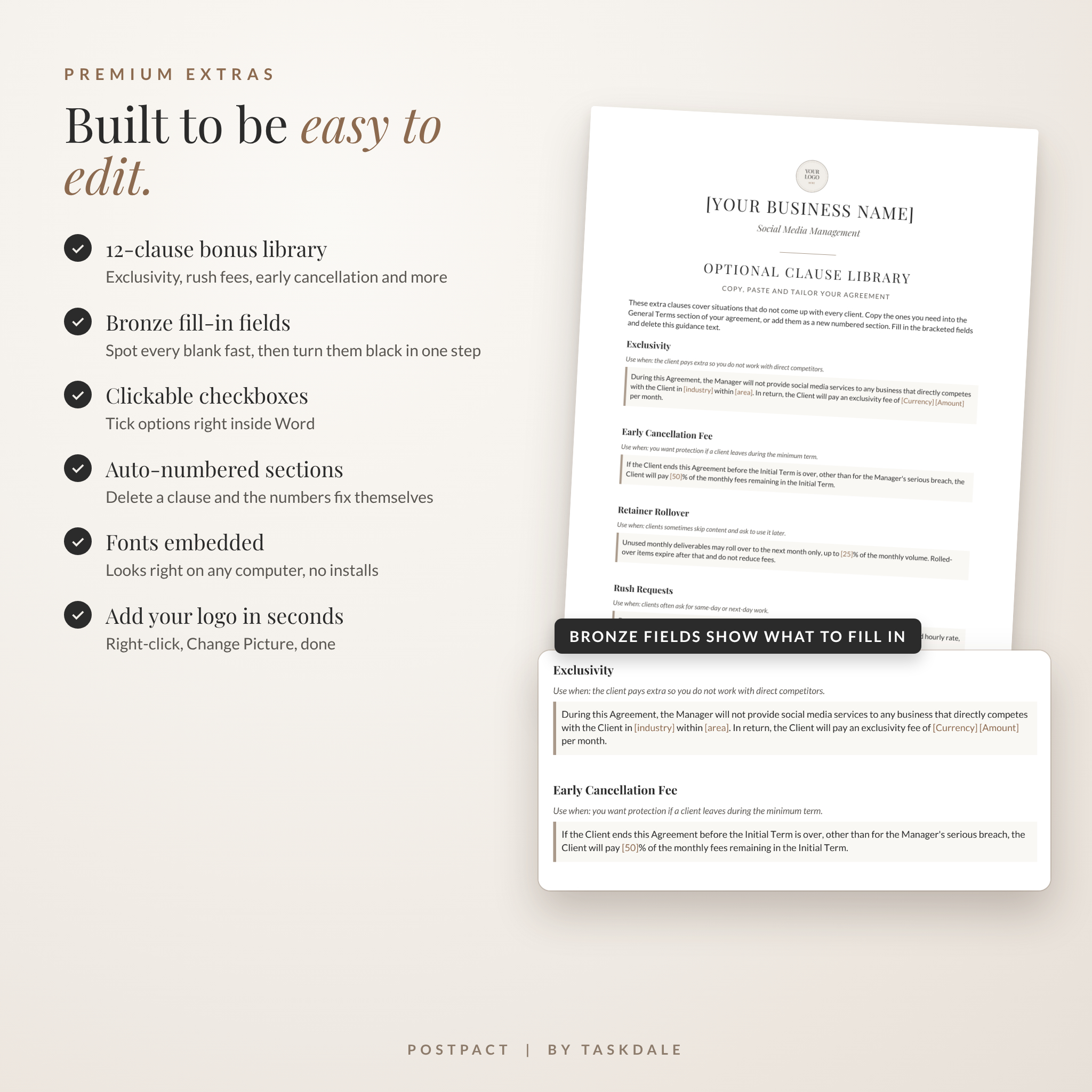
- Optional Clause Library (3 pages). 12 ready-to-paste clauses, including exclusivity, early cancellation fee, retainer rollover, rush requests and performance bonus.
You also get an 8-page User Guide in Word that walks you through setup, every document, customizing, troubleshooting and FAQs.
Key Features of the Social Media Management Agreement
- Scope that stops scope creep. Tick the platforms you manage and set monthly feed posts, short videos and stories for each one.
- Ad spend kept separate. Clients pay ad platforms directly, and budgets can’t go up without written approval.
- Account security terms. Role-based access or a password manager. No passwords by email.
- Approval windows and revision limits. Clear timings, with an optional “silence means approval” checkbox.
- Late fees and work pauses. Protect your cash flow without chasing.
- Modern clauses. AI tool use, FTC endorsement rules, portfolio rights and “no guaranteed results” wording that most templates leave out.
- Fair termination and handover. Notice periods, final payment and a clean exit for both sides.
Built to Be Easy to Edit
- Every fill-in field is in [brackets] and shown in soft bronze, so you can spot it fast. One style change turns them all black when you’re done.
- Clickable checkboxes you can tick right inside Word
- Auto-numbered sections that renumber themselves when you delete one
- Real Heading styles, so you can restyle a whole document in seconds
- Fonts embedded in the Word files, so they look right on any computer
- A logo placeholder you can swap with a right-click
- Works in any currency. Enter yours once, with $ shown as the example.
How It Works
- Download the ZIP and unzip it.
- Pick US Letter or A4 and open the Word files.
- Add your business name, logo and contact details, then save your master copies.
- For each new client, fill in the bronze fields and tick the right boxes.
- Save as PDF and send it for signature, or print it.
The first setup takes about 30 minutes. After that, preparing a new client takes about 10.
Real Ways to Use It
- You land a local dental practice and need a contract signed before Friday’s kickoff.
- A client keeps asking for “one more Reel.” The Change Request Form puts a price on it.
- Monthly check-ins feel vague. The Performance Report shows reach, engagement and clicks in one view.
- A retainer is ending and you want to leave on good terms. The Offboarding Checklist covers files, logins and a testimonial request.
- You’re raising prices. The Pricing Guide shows three tiers with clear add-ons.
File Formats and Requirements
- 9 editable Word documents (.docx) in US Letter and A4
- 9 print-ready PDFs in US Letter and A4
- 1 User Guide (.docx)
- Delivered as one ZIP file
- Edit in Microsoft Word 2010 or newer (Windows or Mac) or free LibreOffice Writer. Any PDF reader opens the PDFs.
Digital Download
This is a digital product. No physical item ships. Your files are ready to download right after checkout.
FAQ
Can I edit the contract wording?
Yes. Every word, section and table is editable in Word.
Does it work outside the US?
Yes. It’s written in plain US English with a blank for governing law, and you get A4 versions too. Laws differ by location, so consider a quick review by a local attorney. This template is not legal advice.
What currency does it use?
Any currency. Type yours into the currency fields once. All amounts are left blank for you.
Can I use it with Canva or Google Docs?
The files are made for Word and LibreOffice. We tested them there, so that’s where they work best.
Can I use it for more than one client?
Yes. Use it with as many of your own clients as you like.
Can clients sign electronically?
Yes. Save the agreement as a PDF and upload it to any e-signature tool. The contract already allows electronic signatures.
Is there a guide?
Yes. The 8-page User Guide covers setup, each document, customizing, troubleshooting and FAQs.
License
For personal and business use with your own clients. You may not resell, share or redistribute the templates, edited or not. Copyright Taskdale.
Reviews
There are no reviews yet.