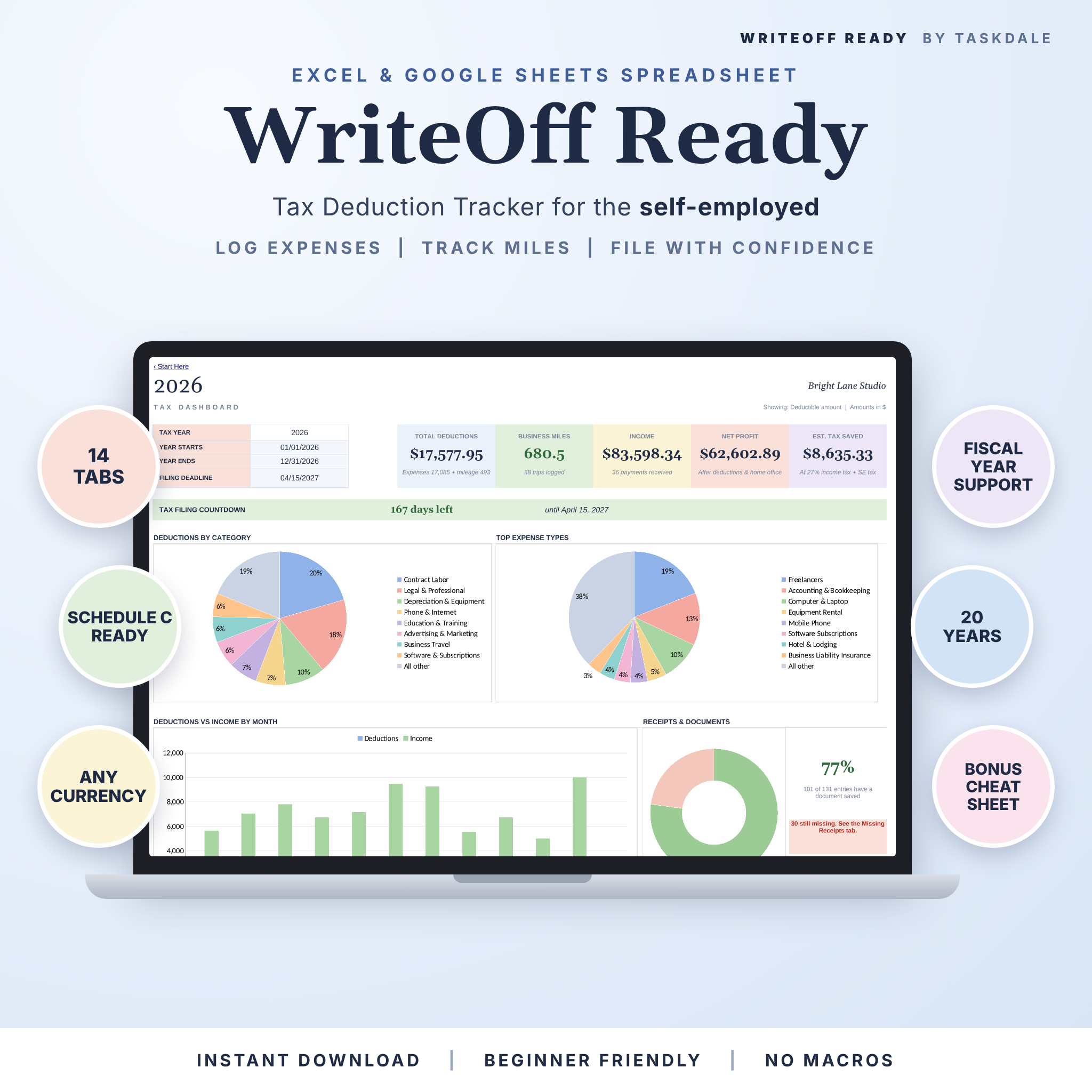

The WriteOff Ready tax deduction tracker spreadsheet turns a messy pile of receipts into clean, filing-ready totals. Log what you spend, drive and earn. The workbook sorts every expense by category and Schedule C line, applies business use % and the 50% meals rule, tracks your receipts and shows what you can claim on easy dashboards. It works in Microsoft Excel and Google Sheets, with no macros and no add-ins.
Made for freelancers, 1099 contractors, sole proprietors, creators, Etsy sellers and small business owners who want April to feel a lot less stressful.
Why this tax deduction tracker is different
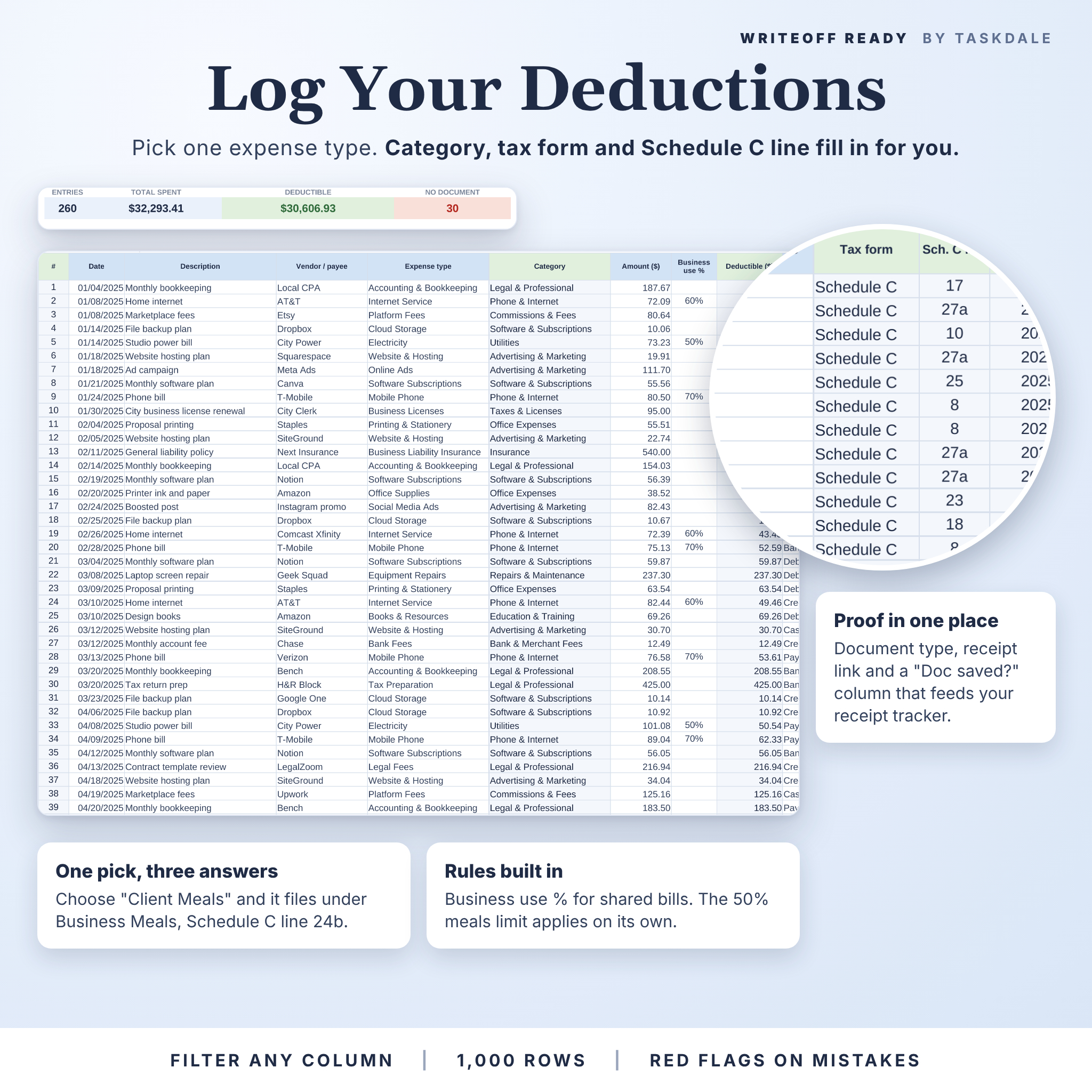
Most trackers ask you to pick a category, then a subcategory, then a tax form. Here you pick one expense type, like “Airfare” or “Client Meals”. The category, tax form and Schedule C line fill in on their own. That is one dropdown instead of three, on every single row.
It also covers the parts basic trackers skip: income and net profit, a quarterly estimated tax planner, a home office calculator, a missing receipts list and a printable report for your accountant.
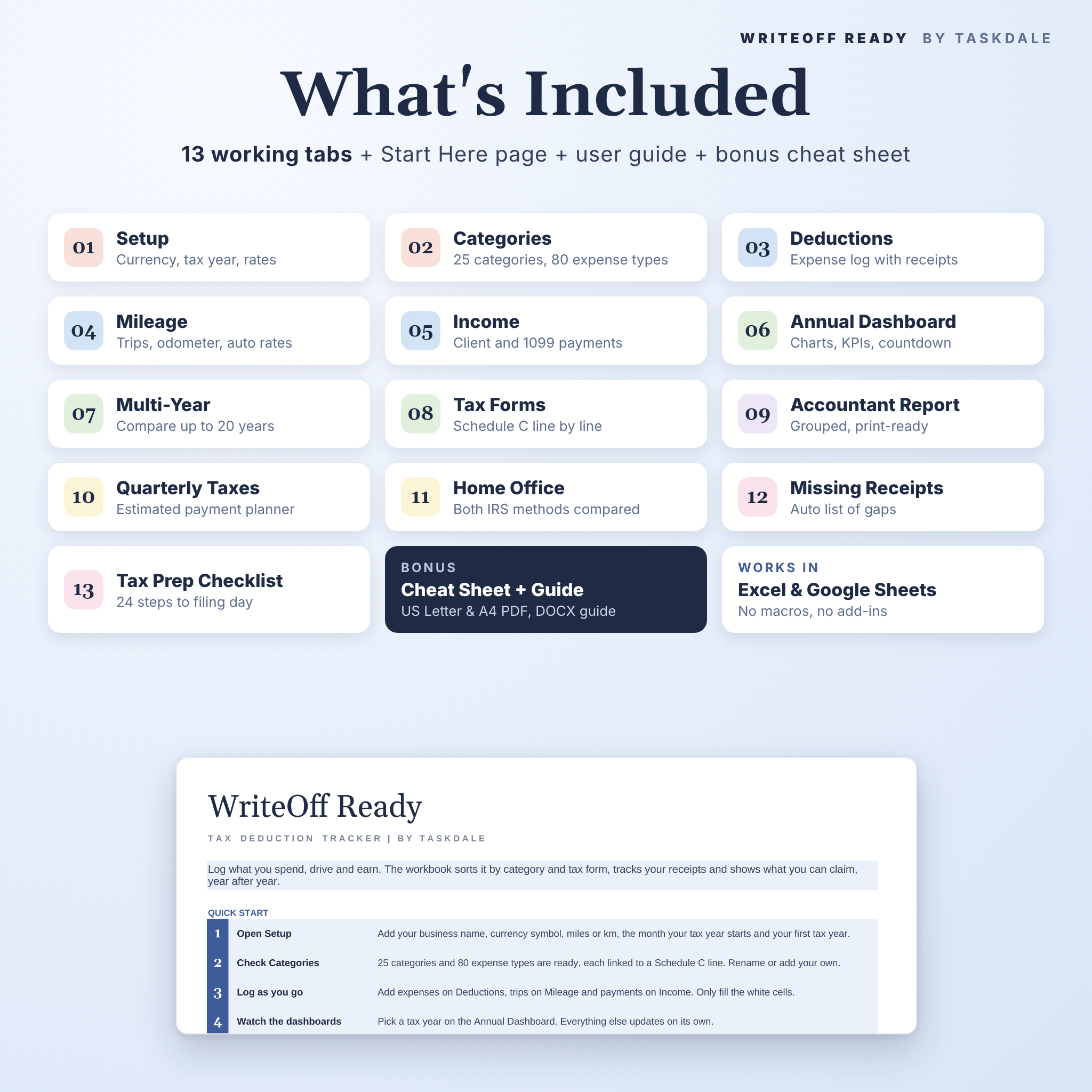
What’s included
- WriteOff Ready workbook (.xlsx) with 14 tabs (13 working tabs plus a Start Here page), for Excel and Google Sheets
- User guide (.docx), 12 pages with screenshots, tips, troubleshooting and FAQs
- Bonus deduction cheat sheet (PDF) in US Letter and A4, matching common write-offs to Schedule C lines
Features, tab by tab
Setup and Categories
- One currency setting for the whole workbook. $ is the default, and €, £, R or any symbol works
- Miles or kilometers
- Calendar or fiscal tax year, starting in any month
- 25 categories and 80 expense types ready to go, each tied to a tax form and Schedule C line
- Rename, add or remove categories. Red flags catch duplicates and broken links
Deductions log (1,000 rows)
- Date, description, vendor, expense type, amount and business use %
- Deductible amount calculated for you, including the 50% meals limit
- Payment method, document type, receipt link and a “Doc saved?” column
- Form override for one-off items, such as a rental on Schedule E
- Filter any column. Live totals for spent, deductible and missing documents
Mileage tracker (500 trips)
- Enter odometer readings or just the distance
- Round trip option doubles the distance
- Up to 8 mileage rates with date ranges. The 2025 (70¢) and 2026 (72.5¢) IRS business rates are already in
- Alerts for missing rates, overlapping rates and backwards odometer readings
Income log (500 payments)
- Client, description, 1099 type, invoice number and how you were paid
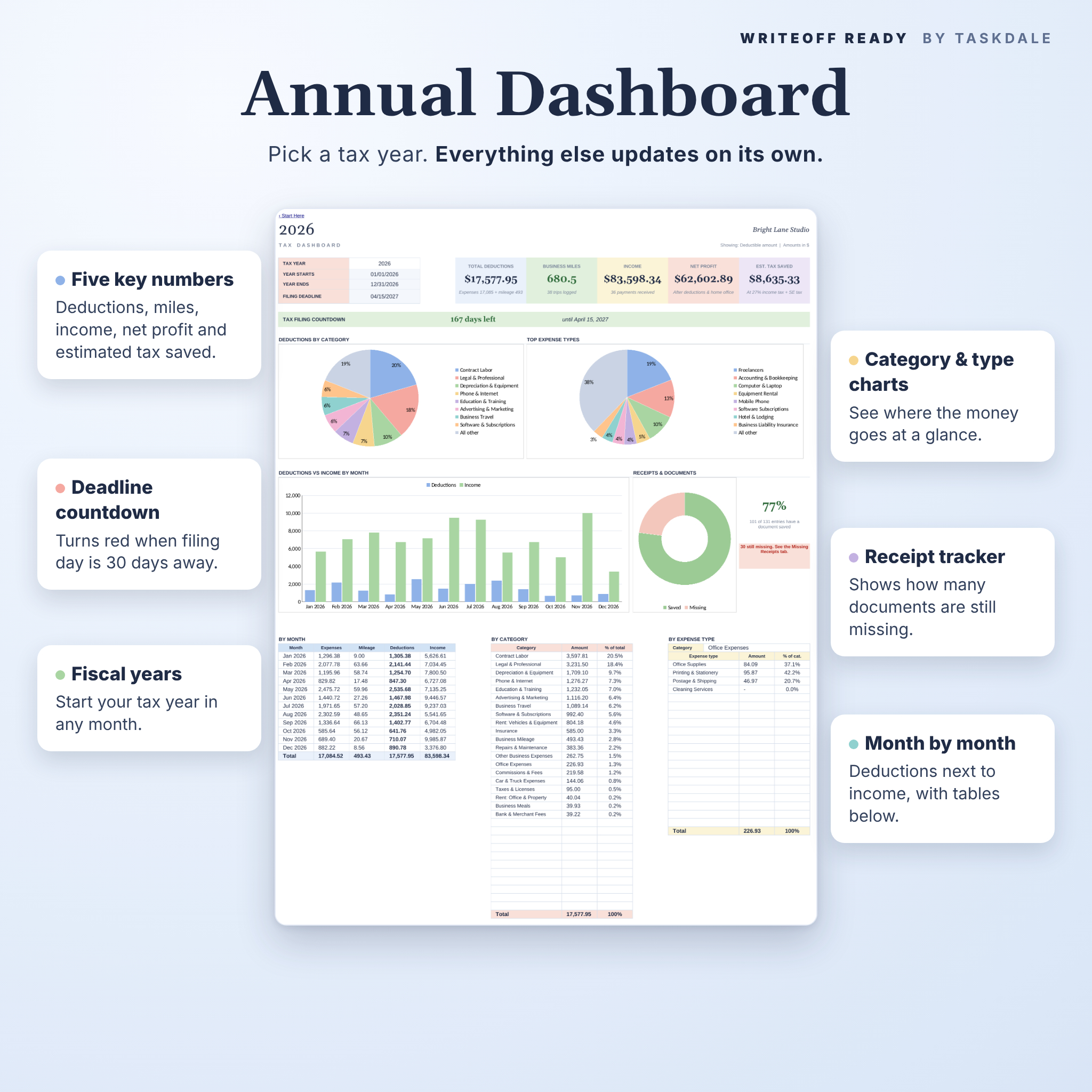
Annual Dashboard
- Total deductions, business miles, income, net profit and estimated tax saved
- Filing countdown that turns red 30 days before the deadline
- Charts by category and expense type, monthly deductions vs income and a receipts tracker
- Breakdown tables by month, by category and by expense type
Multi-Year Dashboard
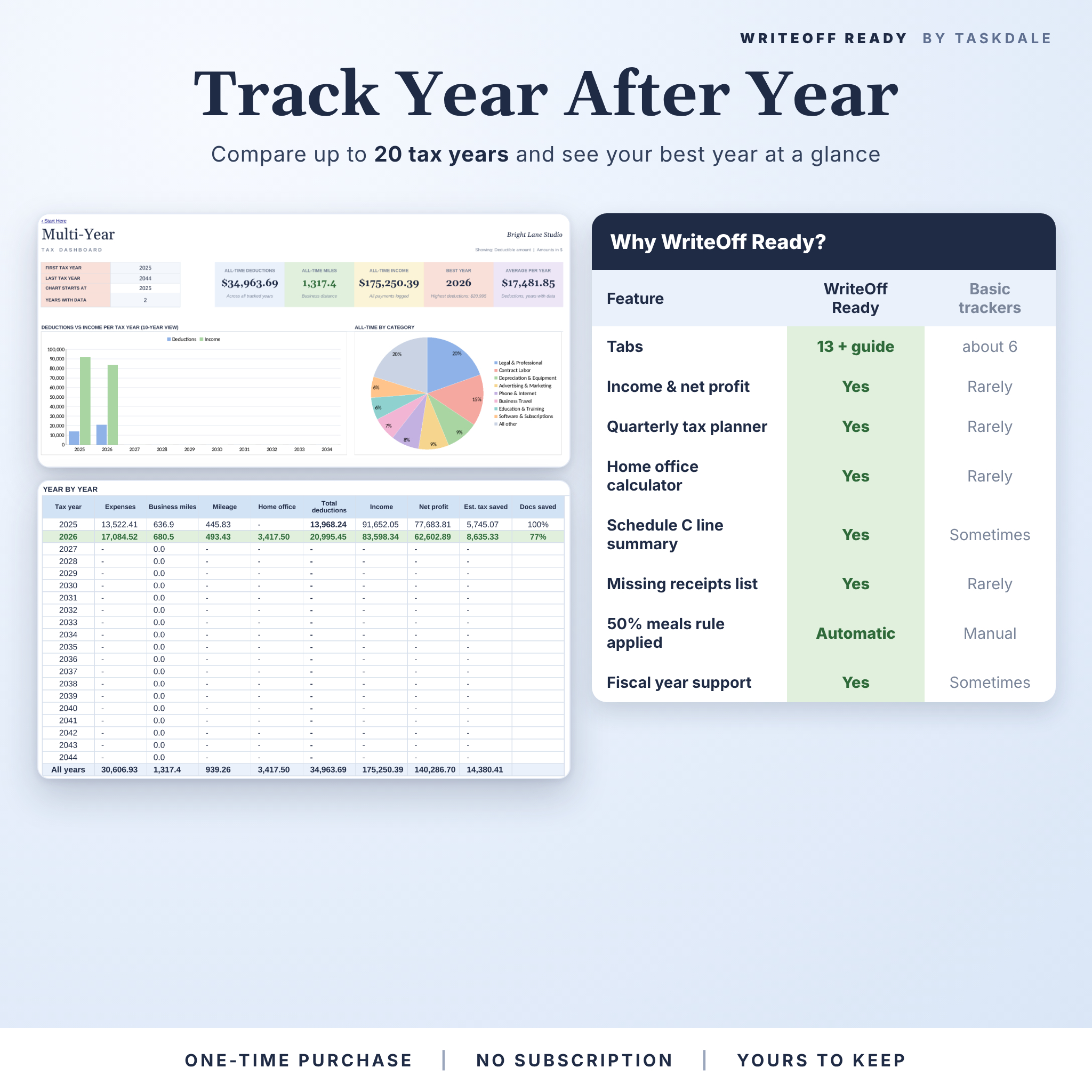
- Compare up to 20 tax years, with your best year highlighted and all-time totals
Tax Forms and Schedule C summary
- Totals for any tax form, with documents collected and a progress bar
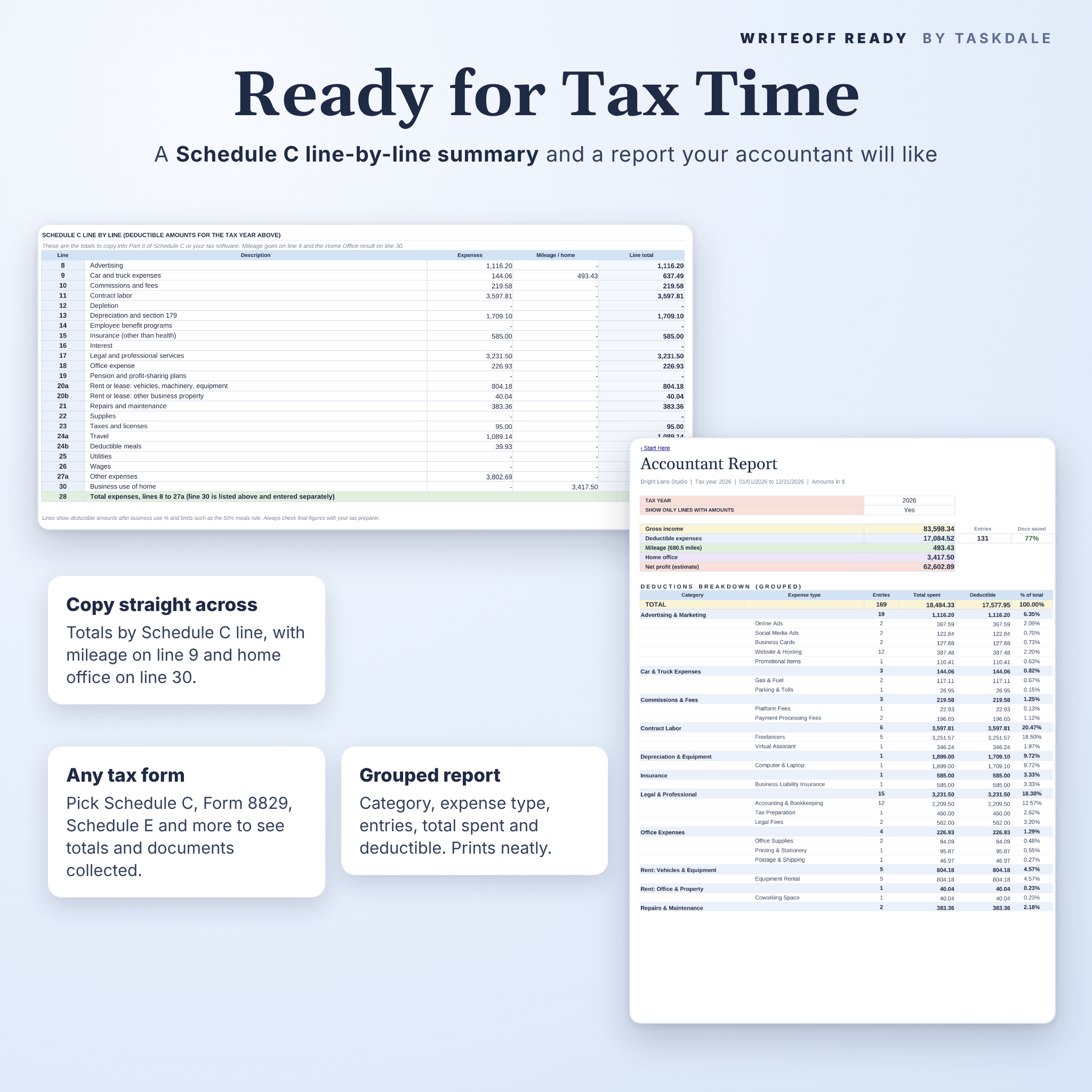
- Schedule C line-by-line summary from line 8 to 27a, mileage on line 9 and home office on line 30
Accountant Report
- Grouped by category and expense type with entries, total spent and deductible amounts. Fits the page for printing or saving as PDF
Extra tools
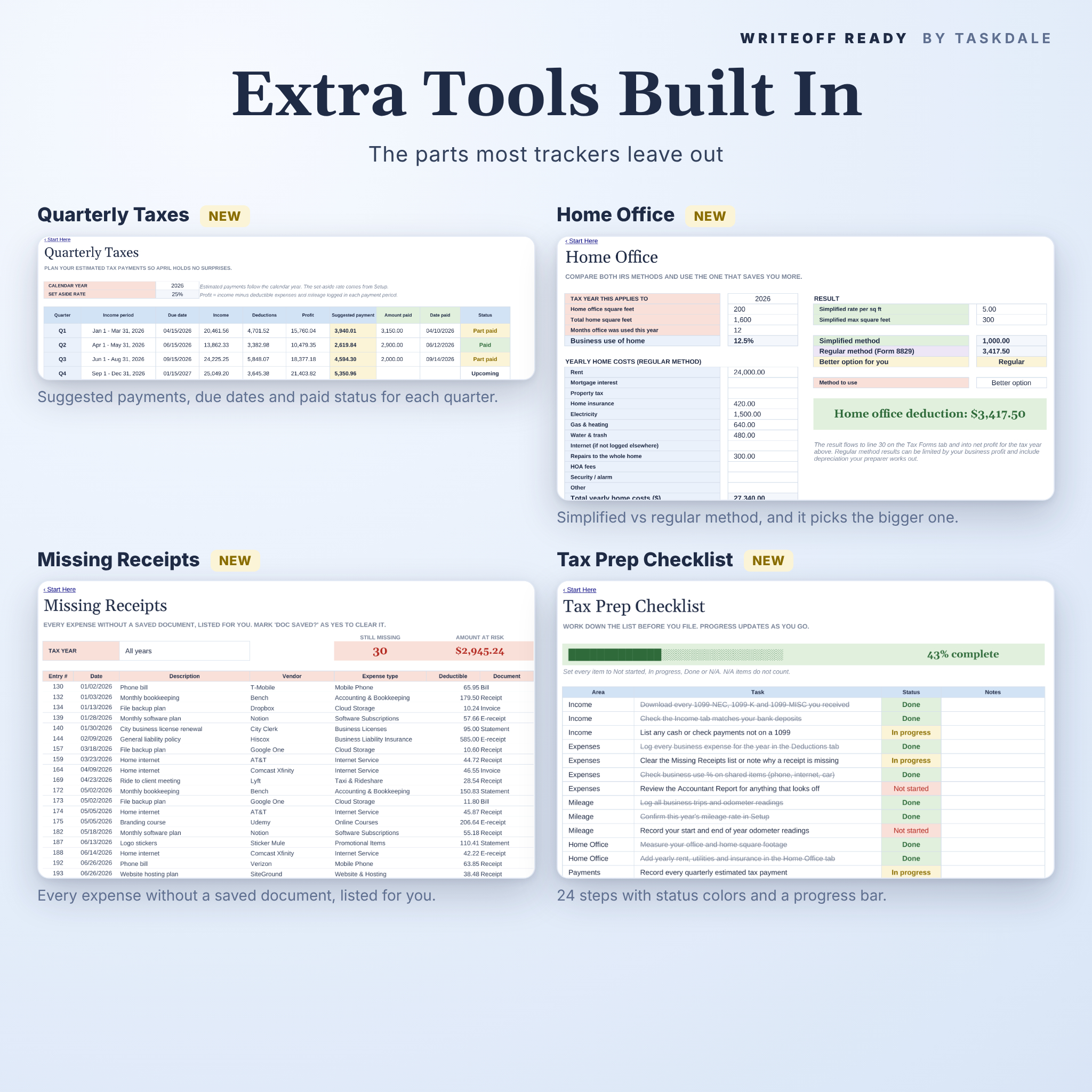
- Quarterly Taxes: suggested estimated payments, due dates and paid status
- Home Office: simplified vs regular method, with the better option picked for you
- Missing Receipts: an automatic list of every expense still missing proof
- Tax Prep Checklist: 24 steps with status colors and a progress bar
How it works
- Download the files after checkout.
- Open the .xlsx in Excel, or upload it to Google Drive and open it with Google Sheets.
- Fill in Setup once: currency, miles or km, tax year and rates.
- Log expenses, trips and income as they happen. White cells are yours. Shaded cells calculate.
- Pick a tax year on the dashboard. Everything else updates on its own.
Real ways people use it
- A freelance designer logs software, a new laptop and client lunches, then copies the Schedule C totals into tax software in April.
- An Etsy seller tracks platform fees, packaging and post office runs, and checks the quarterly planner before each payment.
- A rideshare or delivery driver logs every trip and lets the right IRS rate apply by date.
- A consultant with an April to March fiscal year switches the start month and keeps every report in step.
- A side hustler sends the Accountant Report as a PDF and skips the shoebox of receipts.
File formats and requirements
- Format: .xlsx workbook, .docx guide, PDF cheat sheet (US Letter and A4)
- Works in: Microsoft Excel desktop and Excel for the web, and Google Sheets (free Google account)
- No macros, no add-ins, no subscription
- Formula cells are locked to prevent accidents. No password, so you can unlock them anytime
- Best used on a computer or laptop
Customize it
Change the currency, distance unit and tax year in one place. Rename categories, add expense types, edit dropdown lists and add new mileage rates each year. Switch the dashboards between deductible amounts and total spent.
Digital download
This is a digital product. No physical item will be shipped. Your files are ready to download right after payment. Personal use license for one buyer and their own business. Please do not share or resell the files.
FAQ
Does this tax deduction tracker work in Google Sheets?
Yes. Upload the .xlsx to Google Drive, open it and choose File > Save as Google Sheets. Formulas, dropdowns, charts and tab links all carry over.
Do I need Microsoft 365?
It is built with classic formulas only, with no macros and none of the newer formulas that need Microsoft 365. It also runs in Excel for the web and Google Sheets.
Can I use it for a fiscal year?
Yes. Pick the month your tax year starts in Setup and every date range follows.
Can I change the currency?
Yes. Type your symbol once in Setup and every money label updates.
How many years can I track?
Up to 20 tax years in one workbook, compared side by side on the Multi-Year tab.
Is it only for the US?
The Schedule C lines and IRS mileage rates are US-based. The logs, dashboards and reports work anywhere, and you can set your own rates.
Is this tax advice?
No. It keeps your records organized so you or your tax preparer can file with less hassle.
Reviews
There are no reviews yet.