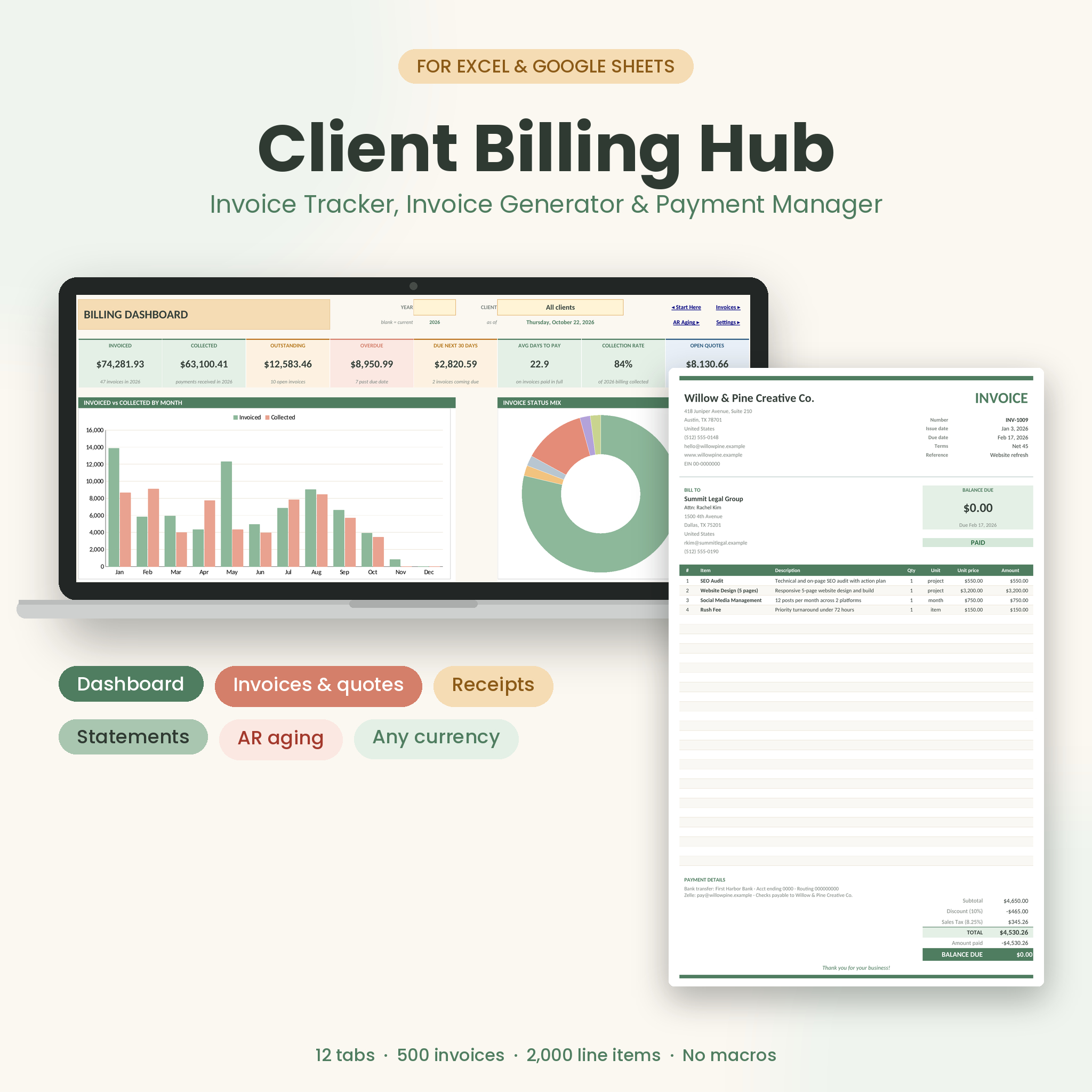
The Client Billing Hub invoice tracker spreadsheet runs your whole billing loop in one file. Write the invoice, print it, log the payment when it lands, and see straight away who still owes you money. It works in Microsoft Excel and Google Sheets, and there are no macros, add-ins or monthly fees.
Most invoice templates stop once the PDF is made. This one keeps going. Every invoice gets a live status, every payment gets a receipt number, and the dashboard tells you what came in this month and what’s 60 days late. You type each client and each price once. After that, invoices, receipts and statements fill themselves in.
What this invoice tracker and invoice generator does
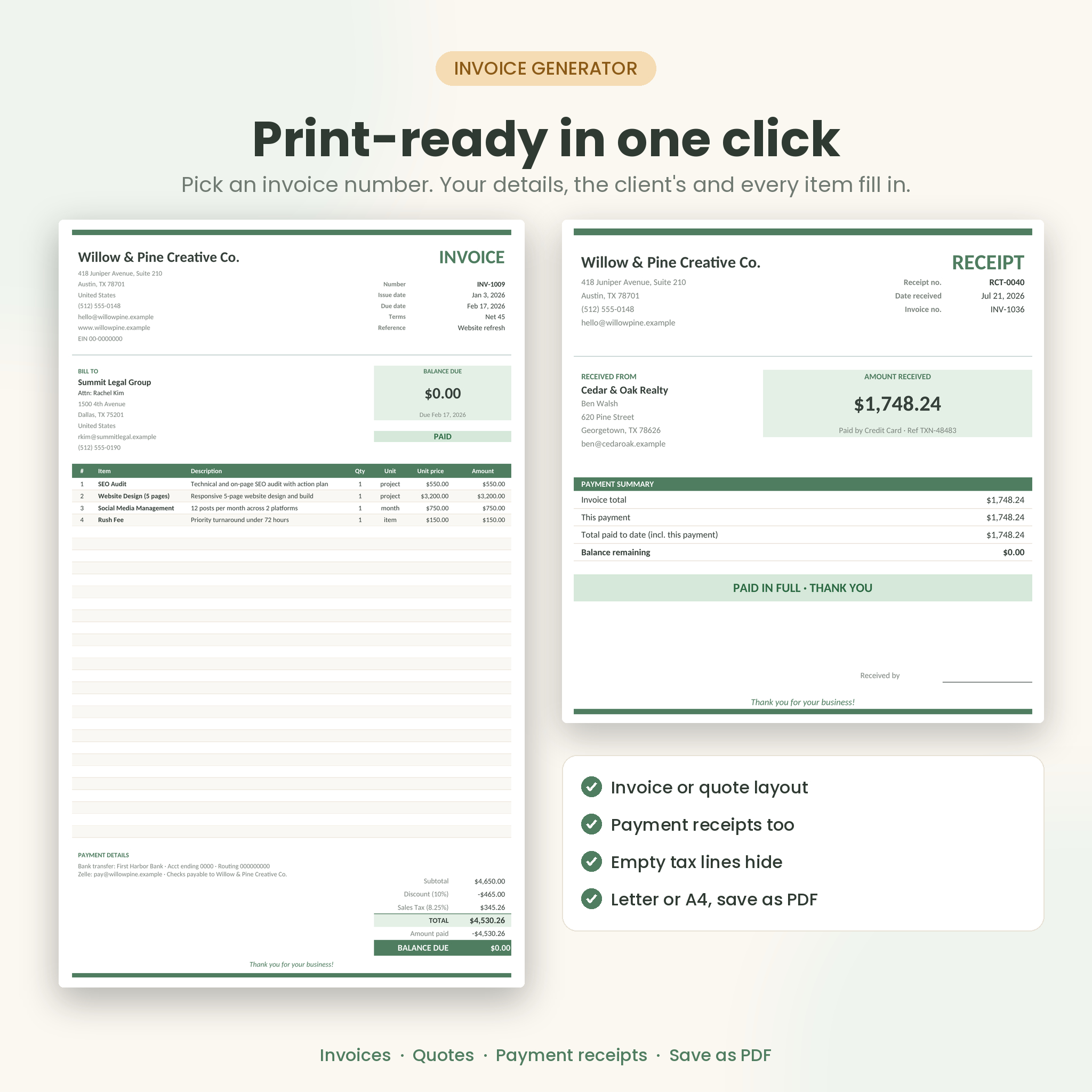
- Creates print-ready invoices and quotes. Pick an invoice number and the page fills with your details, the client’s details, every line item, discount, taxes, shipping, what’s been paid and the balance due.
- Tracks every payment. Log full or part payments. Status moves from Unpaid to Partly Paid to Paid by itself.
- Prints payment receipts. Each payment gets a receipt number and a one-page receipt showing what’s still owed.
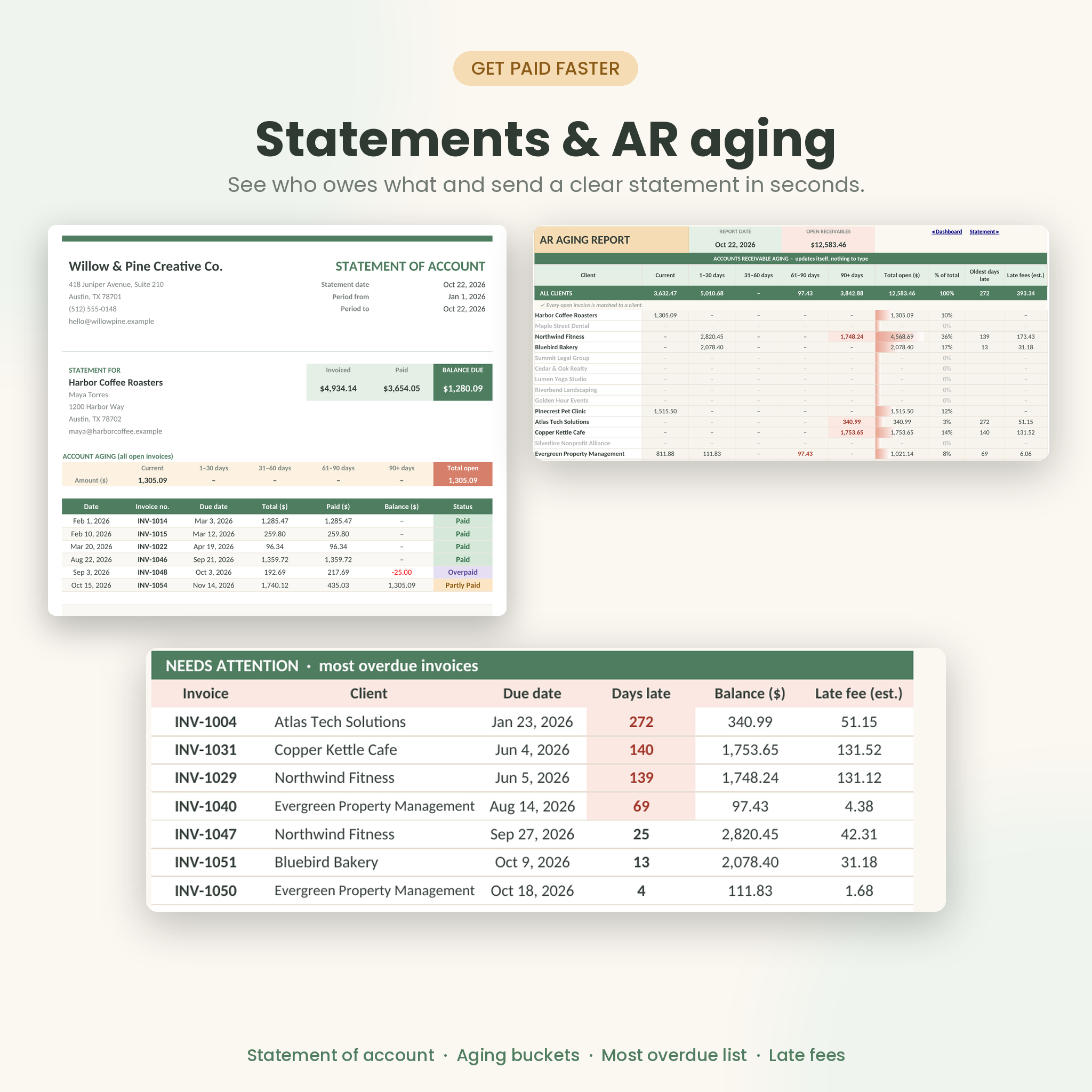
- Builds client statements. One client, any date range, all invoices or unpaid only, with a five-bucket aging strip.
- Shows accounts receivable aging. Current, 1 to 30, 31 to 60, 61 to 90 and over 90 days late, client by client.
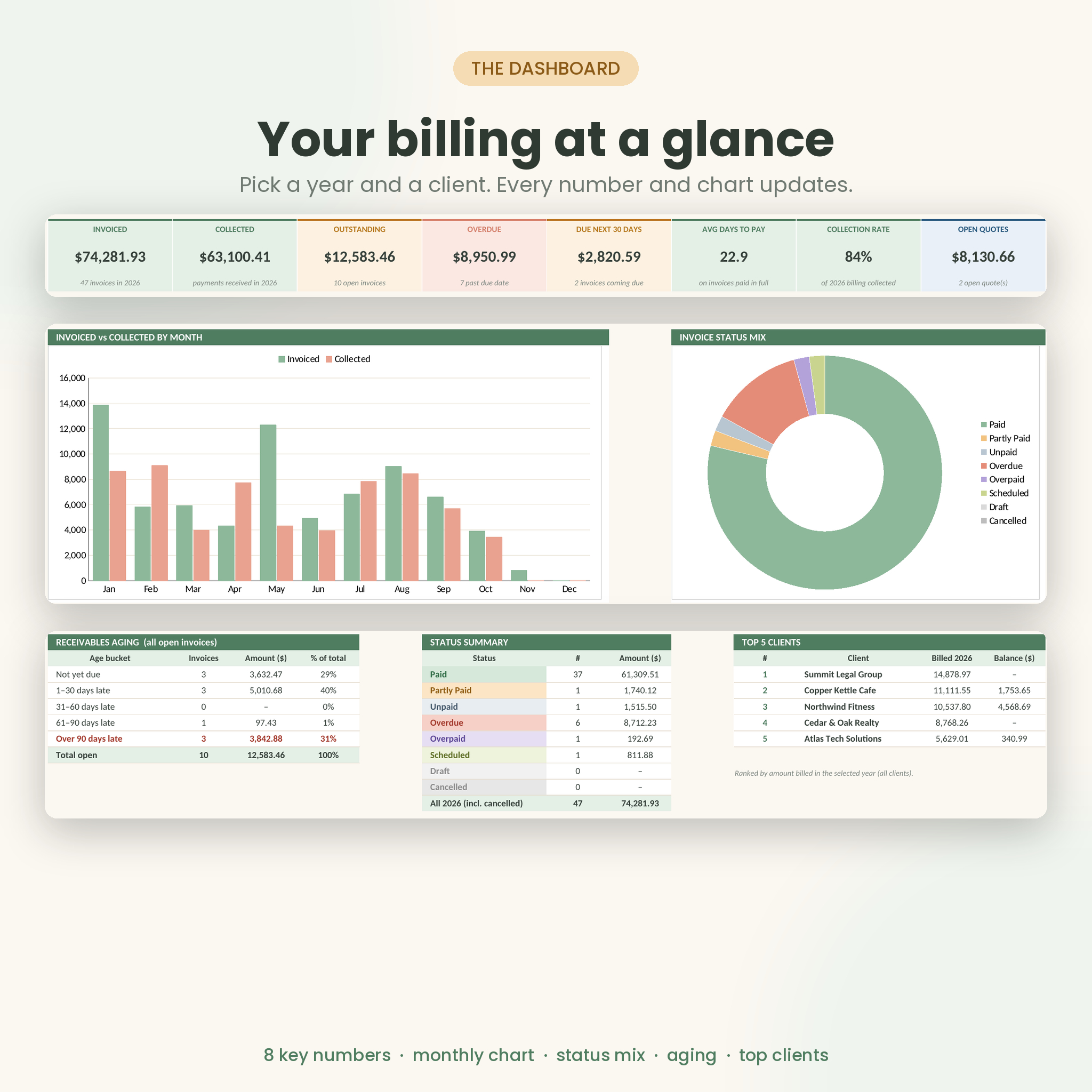
- Puts it all on a dashboard. Pick a year and a client to see 8 key numbers and the charts behind them.
Who it’s for
Freelancers, consultants, designers, photographers, cleaners, contractors, tutors and small agencies. Anyone who sends a few invoices a week and wants to stop chasing payments from memory. If a Word invoice template feels too thin and accounting software feels like too much, this sits in the middle.
Features
Invoices and quotes register
- Room for 500 invoices or quotes, with the next free number shown at the top
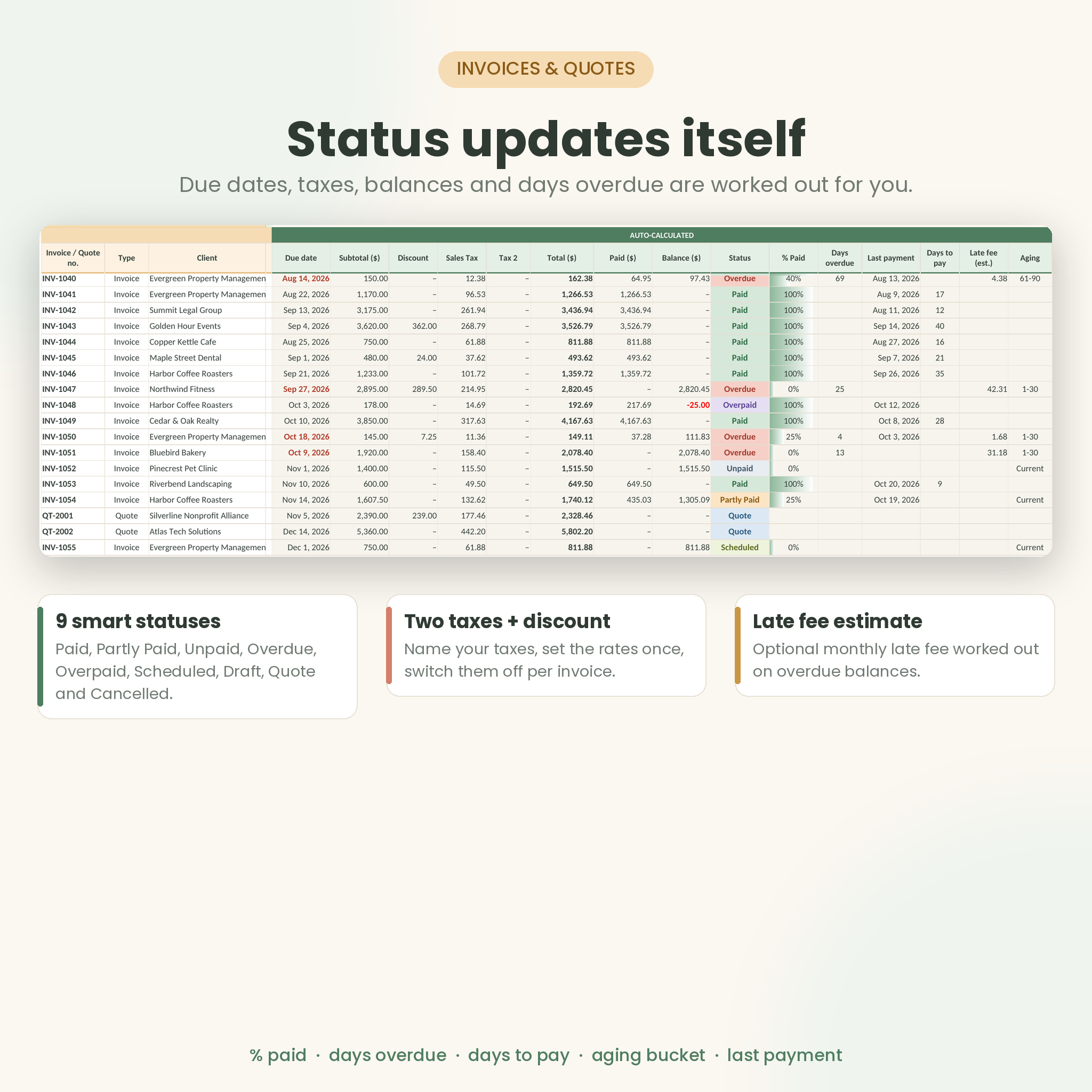
- 9 automatic statuses: Paid, Partly Paid, Unpaid, Overdue, Overpaid, Scheduled, Draft, Quote and Cancelled
- Due dates from client terms or your default terms
- Two named taxes (for example Sales Tax and City Tax), each switchable per invoice
- Discount %, shipping or extra fees, percent paid, days overdue, days to get paid and an optional late fee estimate
- Duplicate invoice numbers flagged in pink
Line items without the 30-product limit
- 2,000 line item rows shared across all invoices, so one invoice can have 3 lines or 40
- Pick items from your product and service catalog; description, unit and price fill in
- Blank quantity counts as 1, and you can override the price for one-off rates
Payments, receipts and statements
- 1,000 payment rows with method, reference and notes
- Pick the invoice from a list that shows the number, client and total
- Paid to date and balance after each payment, worked out in date order
- Refunds as negative amounts, overpayments shown as a credit
Billing dashboard
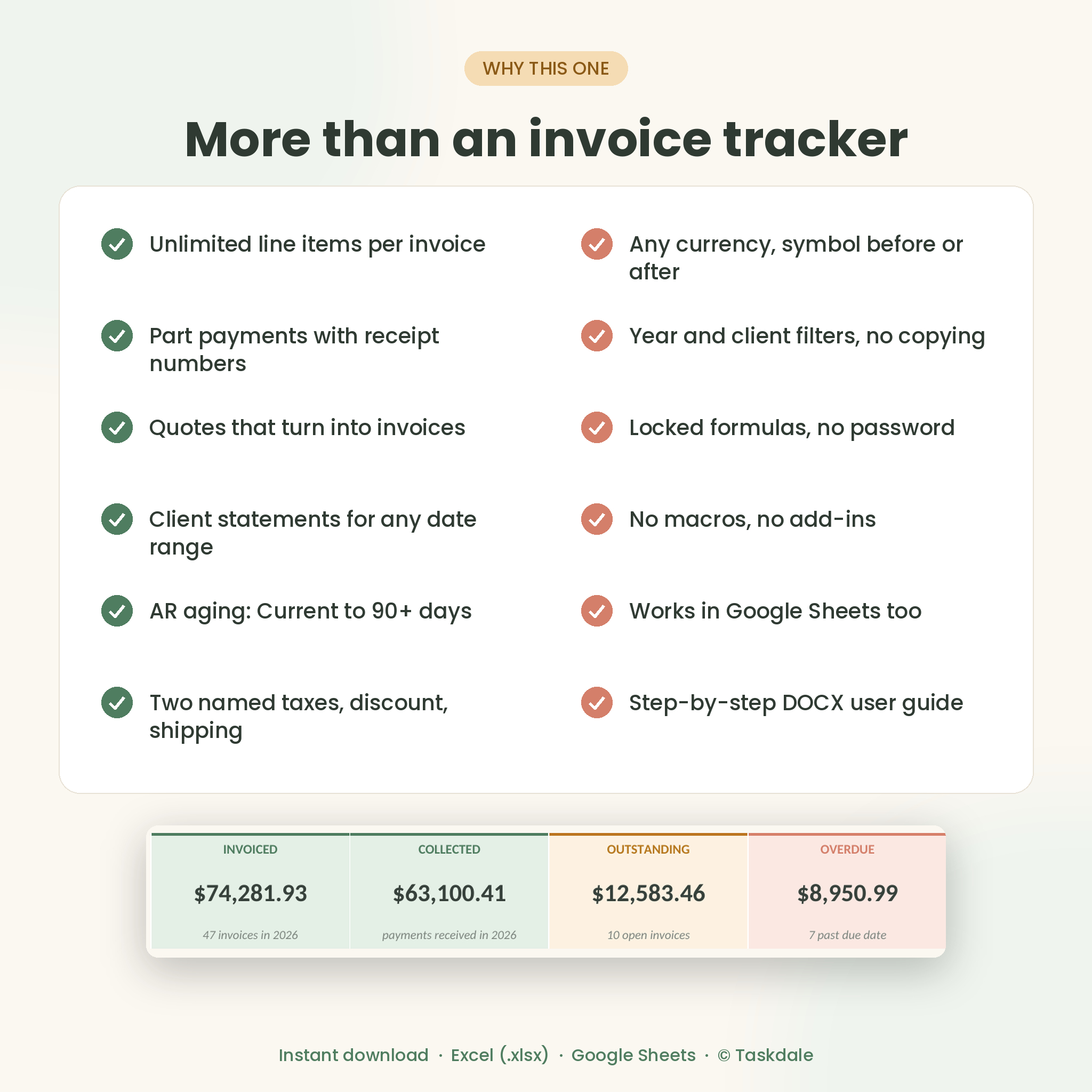
- Invoiced, collected, outstanding, overdue, due in the next 30 days, average days to pay, collection rate and open quotes
- Monthly invoiced vs collected chart and table
- Status mix chart, aging chart and your top 5 clients
- Collected by payment method and sales by item category
- A list of the 10 most overdue invoices and everything coming due in the next 30 days
- Client snapshot when you filter to one client
What’s included
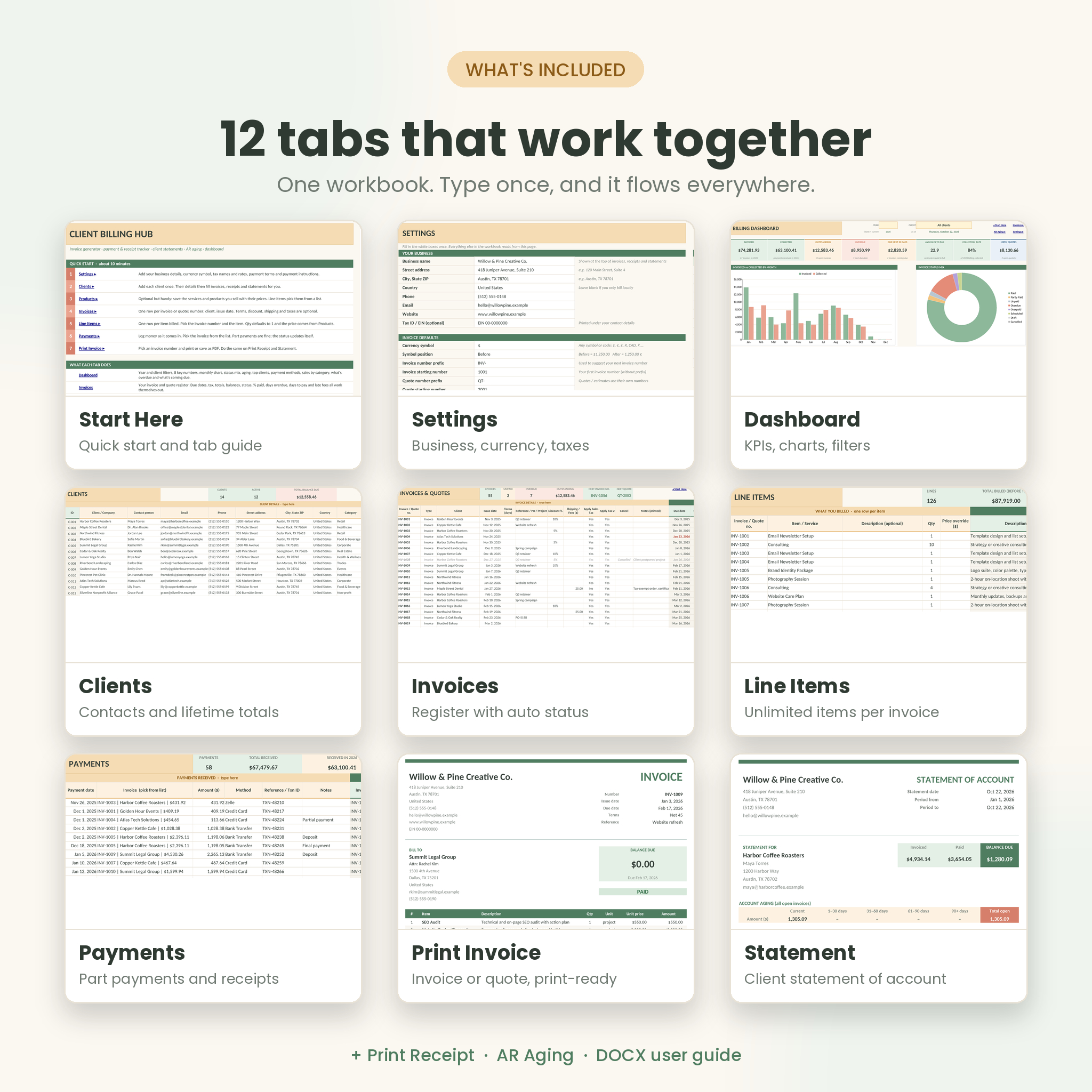
- Client Billing Hub workbook (.xlsx) with 12 tabs: Start Here, Settings, Dashboard, Clients, Products, Invoices, Line Items, Payments, Print Invoice, Print Receipt, Statement and AR Aging
- 14-page DOCX user guide with a quick start, tab-by-tab walkthrough, troubleshooting and FAQ
How it works
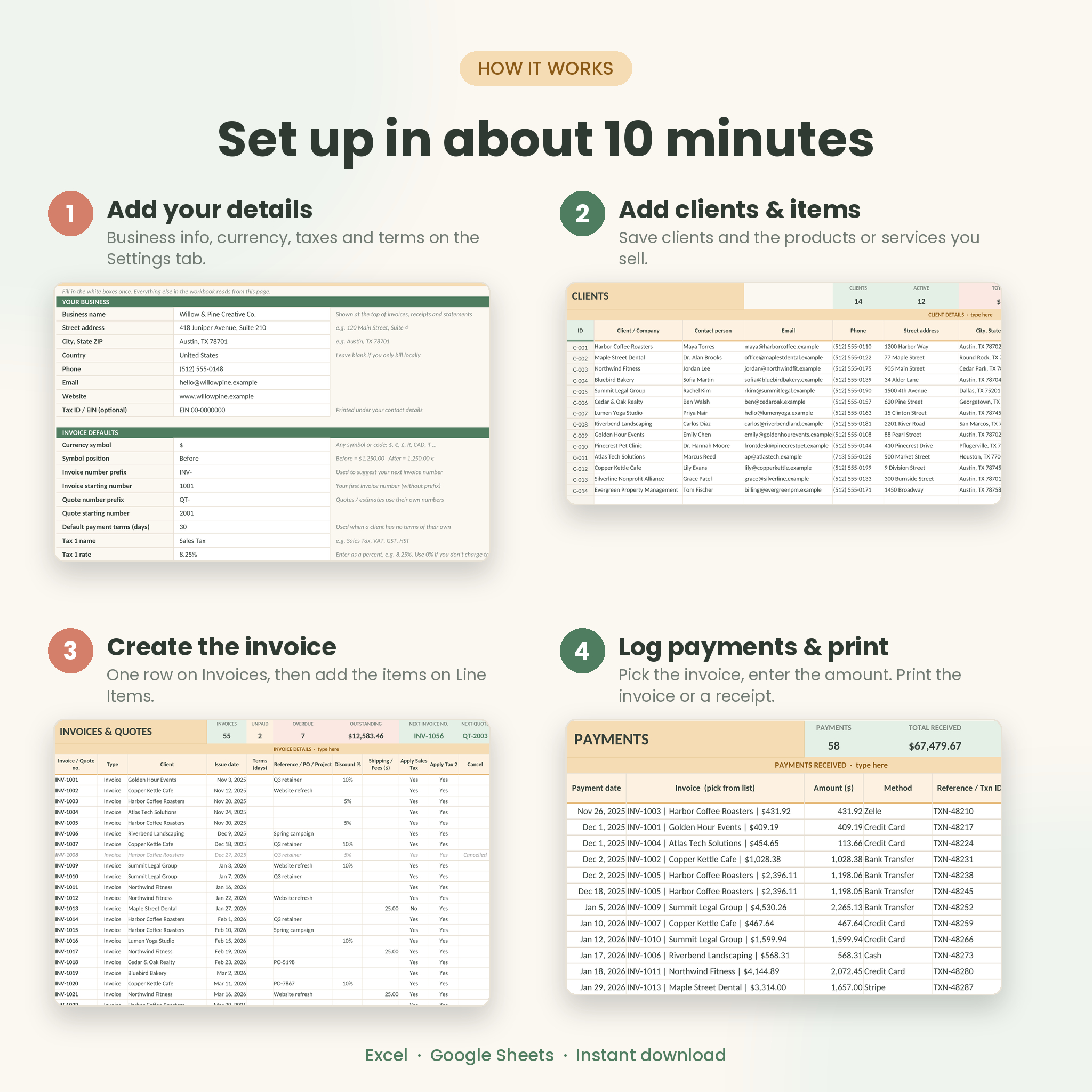
- Add your business details, currency symbol, taxes and payment terms on Settings.
- Add your clients and, if you like, the products and services you sell.
- Add an invoice row, then its items on Line Items.
- Print the invoice or save it as a PDF and send it.
- Log payments as they arrive. The status, receipts, statement and dashboard update on their own.
File formats and software
- Microsoft Excel .xlsx for Excel 2010 or newer on Windows or Mac, including Microsoft 365
- Google Sheets: upload the file to Google Drive and open it with Sheets (steps in the guide)
- User guide in Word .docx format
- Print pages set up for US Letter and they fit A4 as well
Customize it
Use any currency symbol or code and put it before or after the amount. Rename your taxes, set your own invoice and quote numbering, edit every dropdown list, and add your logo to the printed pages. Formulas are locked without a password so they’re safe from accidental typing, and you can unlock any sheet in two clicks when you want to change the design.
Real situations it handles
- A client pays a 50% deposit now and the rest on delivery
- You quote a job, the client says yes, and the quote becomes an invoice
- A customer asks for a statement of everything they owe before their accounts run
- Month-end, and you want to see who’s more than 30 days late before you send reminders
- A nonprofit client is tax-exempt on one order
- Tax season, and you need a year of invoicing and collections by month
Digital download
This is an instant digital download. Nothing physical is shipped. You’ll get your files right after checkout, and they’re yours to keep and reuse in your own business.
FAQ
Does this invoice tracker work in Google Sheets?
Yes. Upload the .xlsx to Google Drive, open it with Google Sheets and save it as a Google Sheet. Formulas, dropdowns, colors and charts carry over.
Do I need the latest version of Excel?
No. It uses standard functions only, so Excel 2010 or newer on Windows or Mac works, as does Microsoft 365.
Can I use my own currency?
Yes. Type any symbol or code on the Settings tab, and choose whether it goes before or after the amount. Dollars are the default.
How many line items can one invoice have?
As many as you need from the 2,000 shared rows. Up to 30 fit on one printed page.
Can it handle part payments and deposits?
Yes. Log each payment on its own row. Each one gets a receipt, and the invoice shows Partly Paid until it’s settled.
Does it make quotes or estimates?
Yes. Set the row type to Quote and it prints with a quote layout. Quotes never count as money owed.
Are there macros?
No. There’s no code in the file, so you won’t see security warnings.
Can I share or resell it?
No. The licence covers use in your own business. You can send the invoices, receipts and statements you make to anyone.
Reviews
There are no reviews yet.