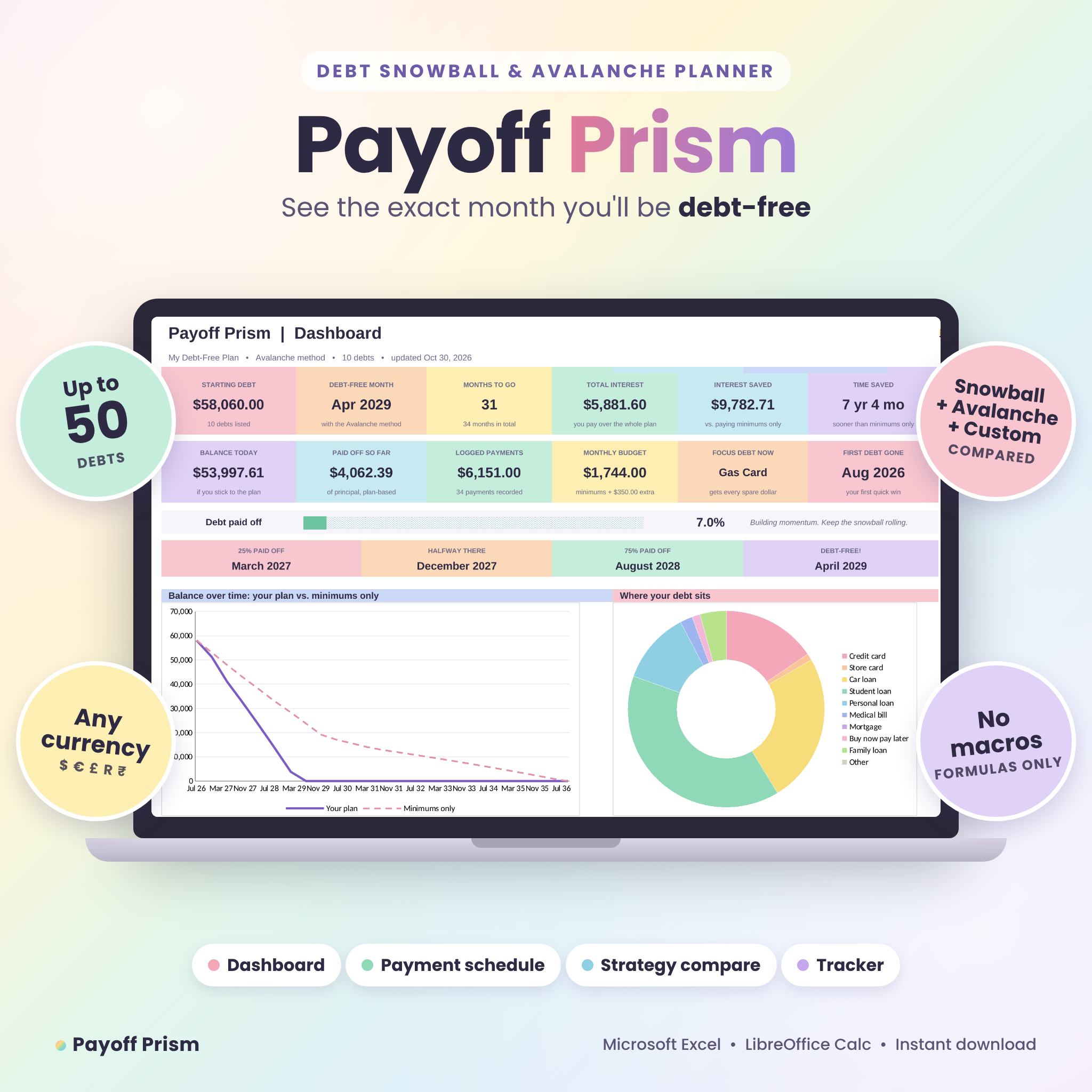
This debt snowball spreadsheet shows you which debt to pay first, how much to pay each month and the exact month you’ll be debt-free. Payoff Prism works out the debt snowball and debt avalanche for you, compares them side by side and keeps a month-by-month payment schedule ready. Type in your balances, rates and minimum payments. The rest happens on its own.
It’s built for real life, too. 0% balance transfers, tax refunds, a raise at work, a monthly checklist and a payment log are all part of it. And it’s all wrapped in a soft pastel design that makes checking your progress something you’ll actually look forward to.
What this debt payoff planner does
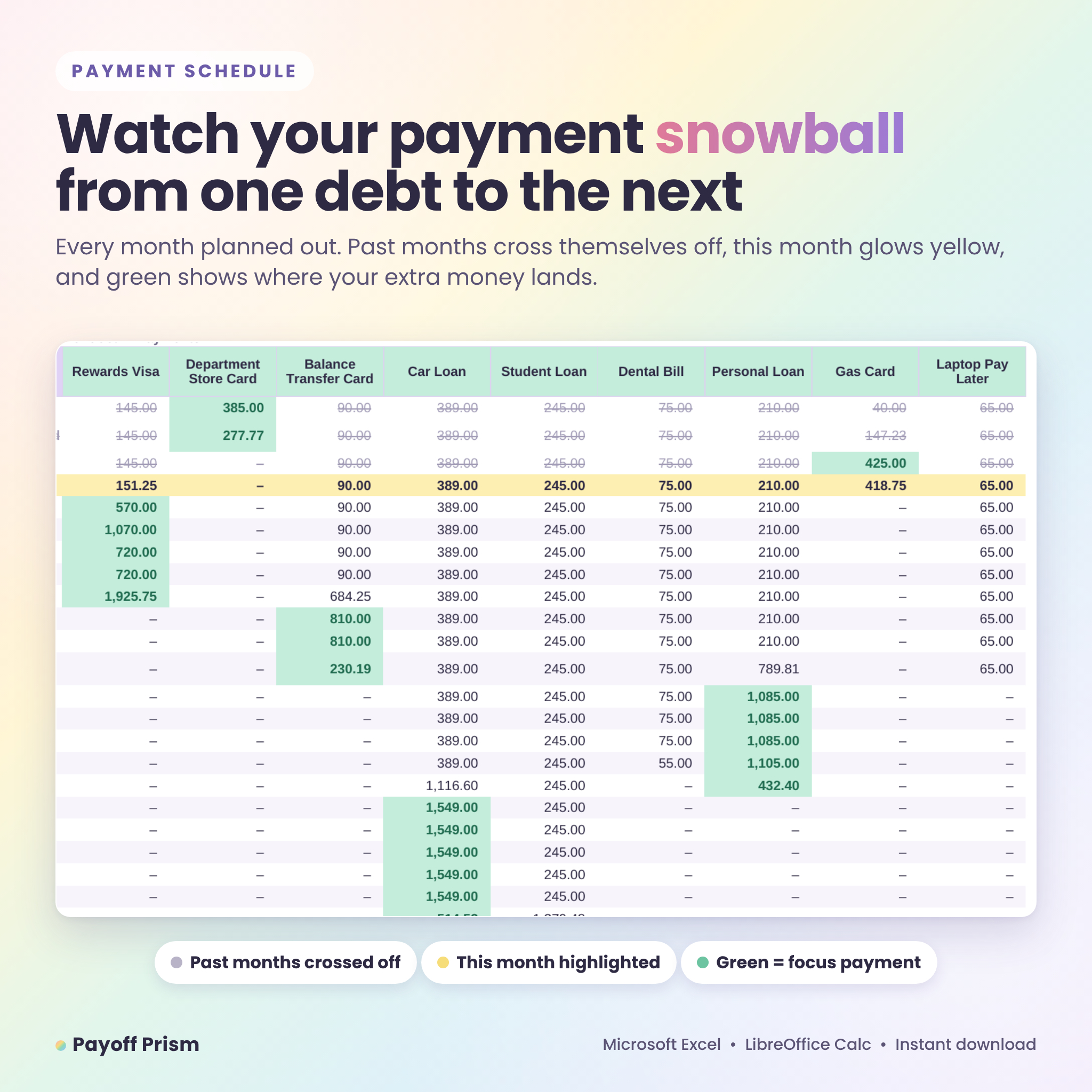
Most debt calculators give you one number and leave you to figure out the rest. Payoff Prism builds the whole plan. It sorts your debts, pays the minimum on every one of them, sends your spare money to the debt at the front of the line and rolls each cleared payment into the next debt. That rollover is what makes the snowball method work, and you can watch it happen in the schedule as green cells move across the page.
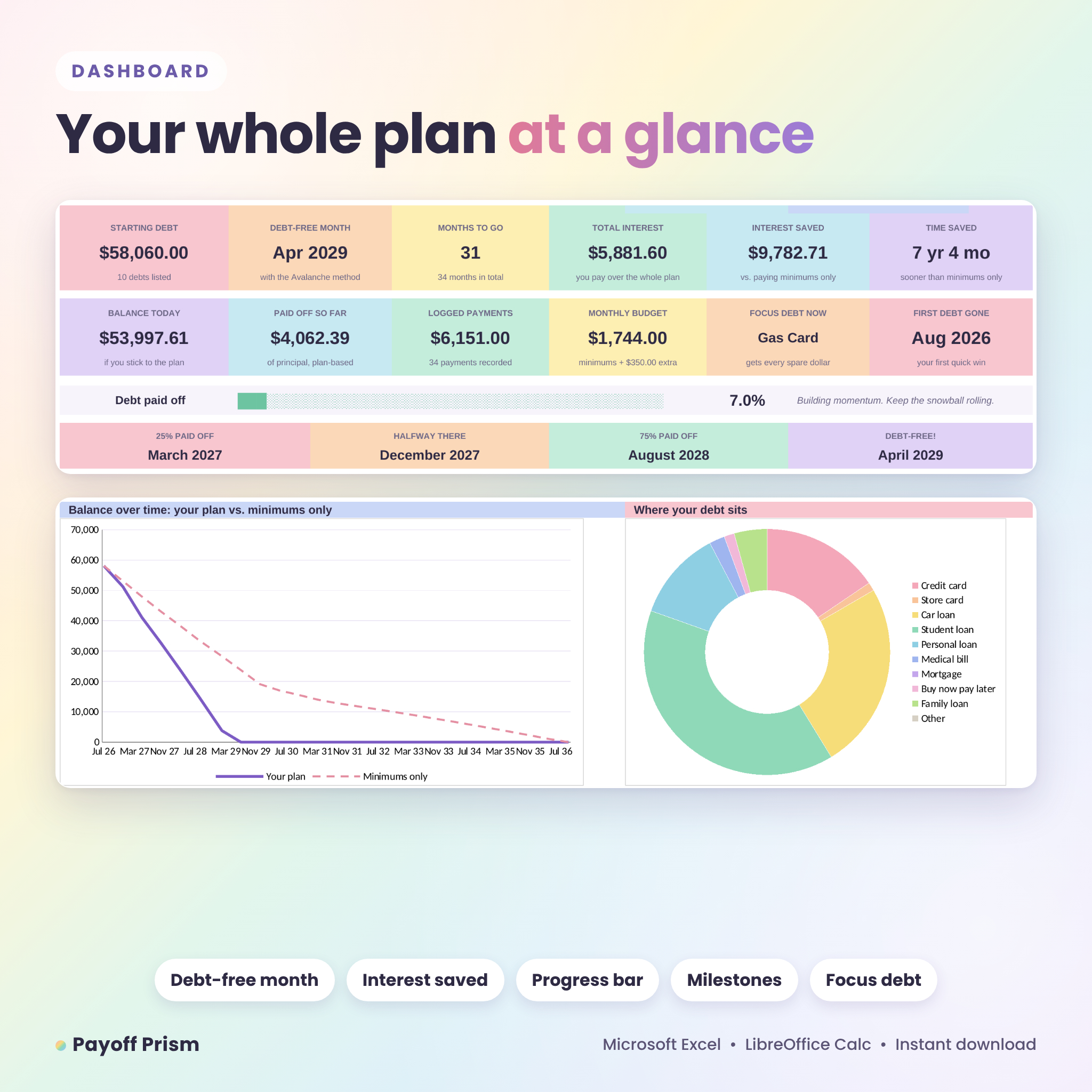
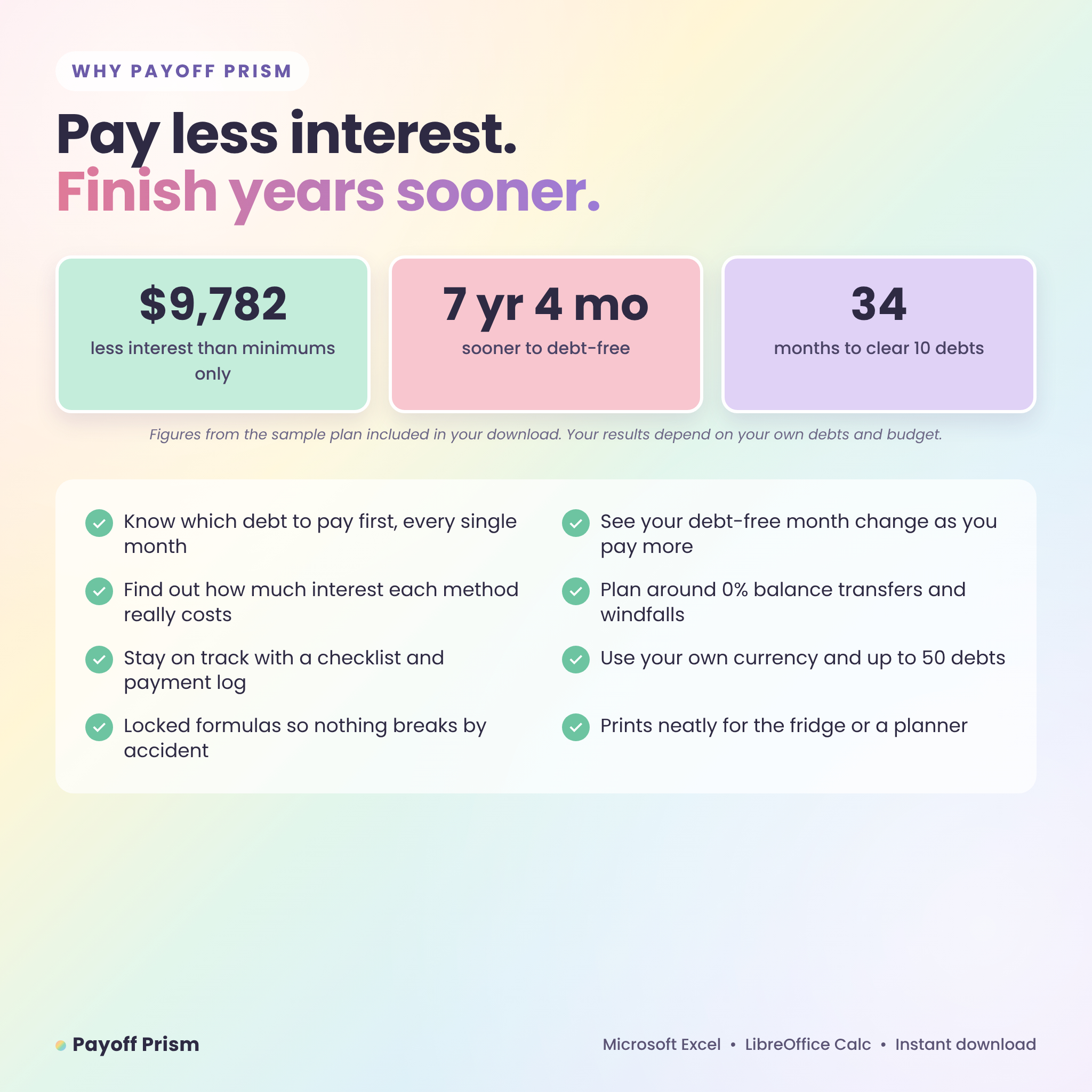
You’ll see your debt-free month, total interest, interest saved compared with paying minimums only, and milestone dates for 25%, 50% and 75% paid off.
Who it’s for
- Anyone juggling credit cards, store cards, car loans, student loans, medical bills or personal loans
- Debt snowball fans who want the math done for them
- Savers who want the debt avalanche method and the lowest possible interest bill
- Couples building a shared plan to get out of debt
- Beginners. If you can type a number into a box, you can use this
Debt snowball vs. debt avalanche, side by side
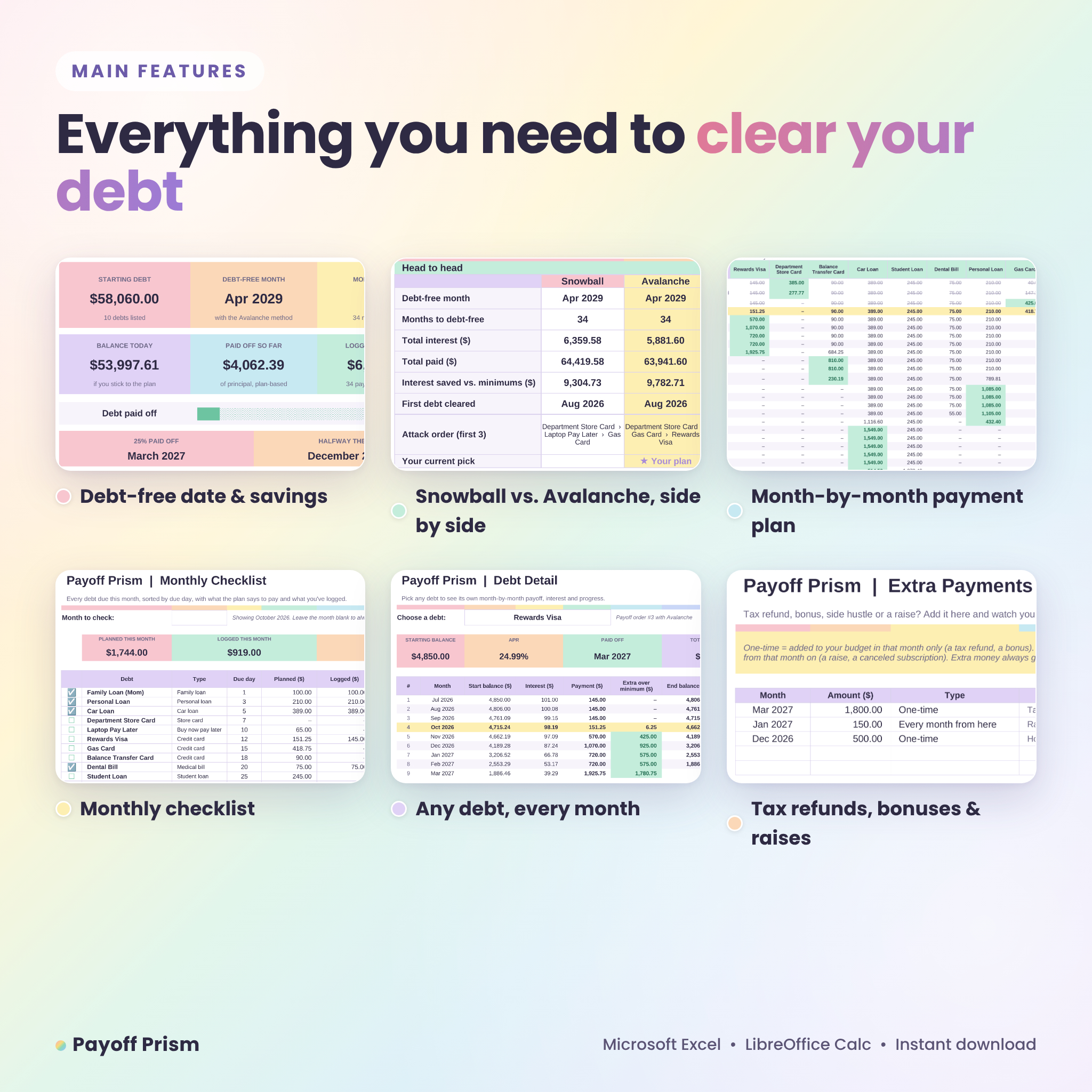
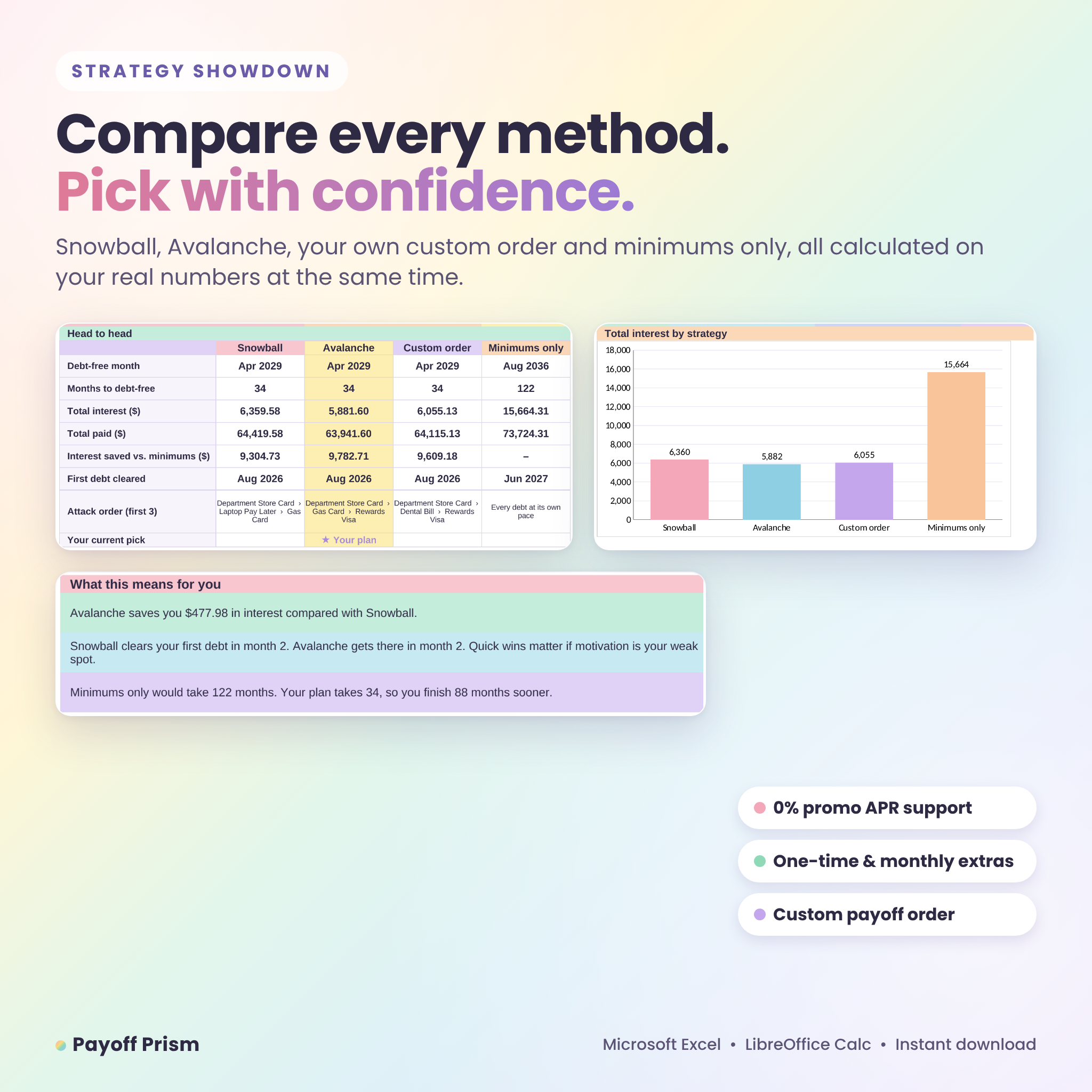
Can’t decide between methods? You don’t have to guess. The Compare tab runs Snowball, Avalanche, your own custom order and minimums only on your real numbers at the same time. It lays out the debt-free month, total interest, total paid and the month your first debt disappears for each one. Then it sums it up in plain words, for example: “Avalanche saves you $477.98 in interest compared with Snowball.” Pick a method, and you can switch whenever you like.
Features
Plan and track
- Room for 50 debts and a payment schedule of up to 360 months
- Three payoff methods: Snowball (smallest balance first), Avalanche (highest APR first) and Custom order
- Automatic payoff order, payoff month, months to go and interest for every debt
- 0% promo APR support for balance transfers and intro rates
- Extra Payments tab for one-time windfalls (tax refund, bonus) and monthly boosts (a raise)
- Status alerts if a minimum payment doesn’t cover the interest
See your progress
- Dashboard with 12 cards: starting debt, debt-free month, months to go, total interest, interest saved, time saved, balance today and more
- Progress bar and milestone dates
- Balance-over-time chart (your plan vs. minimums only) and a debt-by-type doughnut chart
- Payoff line-up with a mini progress bar for every debt
Stay on track each month
- Month-by-month payment schedule. Past months cross themselves off and the current month is highlighted
- Switch the schedule between payments, balances and interest for every debt
- Debt Detail tab: pick one debt and see its own payoff table
- Monthly checklist sorted by due day, showing Done, Part paid or Due
- Payment log for up to 500 real payments
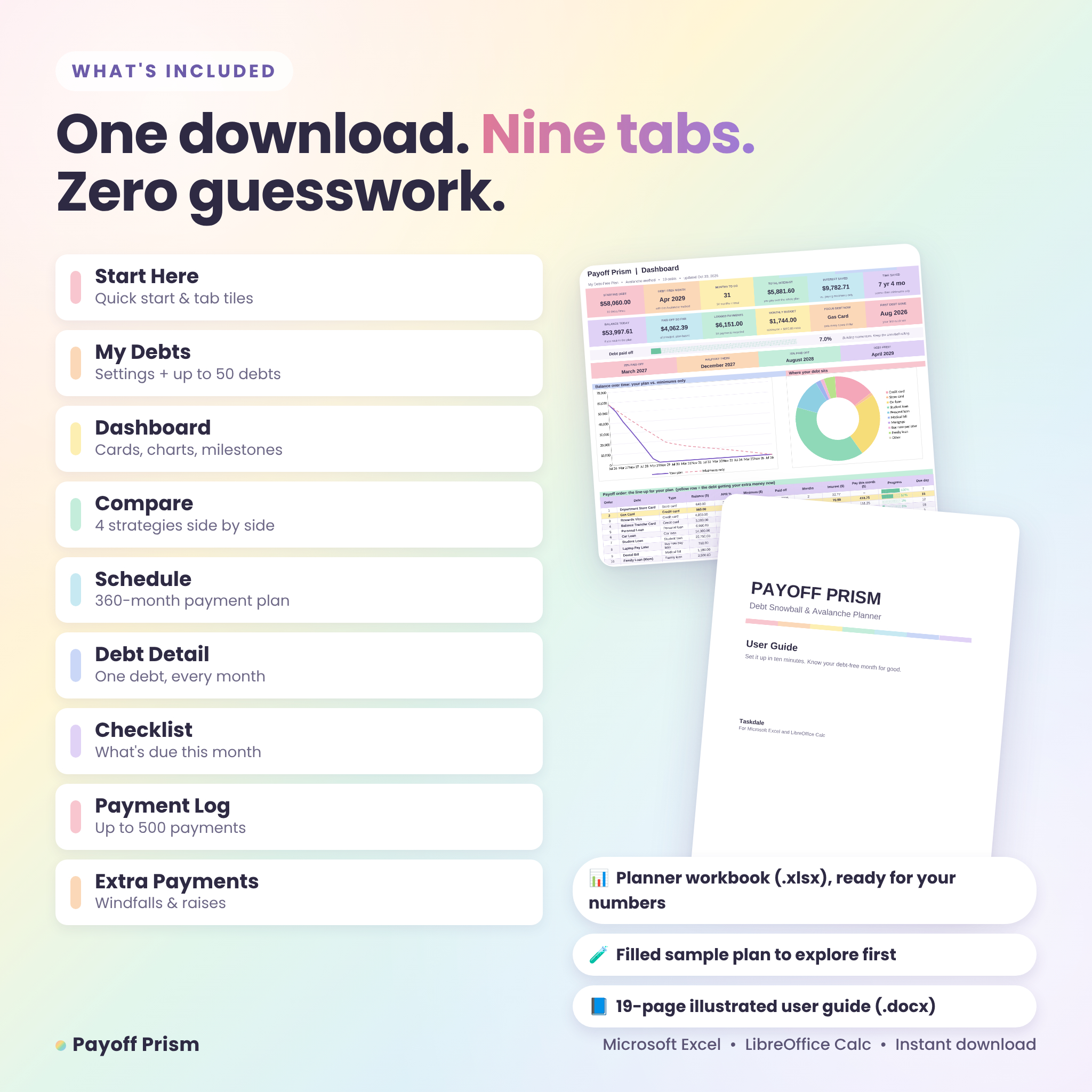
What’s included
- Payoff Prism Debt Planner (.xlsx), clean and ready for your numbers
- Payoff Prism Sample Plan (.xlsx), filled with an example household so you can explore first
- Payoff Prism User Guide (.docx), 19 illustrated pages covering setup, every tab, tips, troubleshooting and FAQs
Inside the planner you’ll find nine tabs: Start Here, My Debts, Dashboard, Compare, Schedule, Debt Detail, Checklist, Payment Log and Extra Payments.
How it works
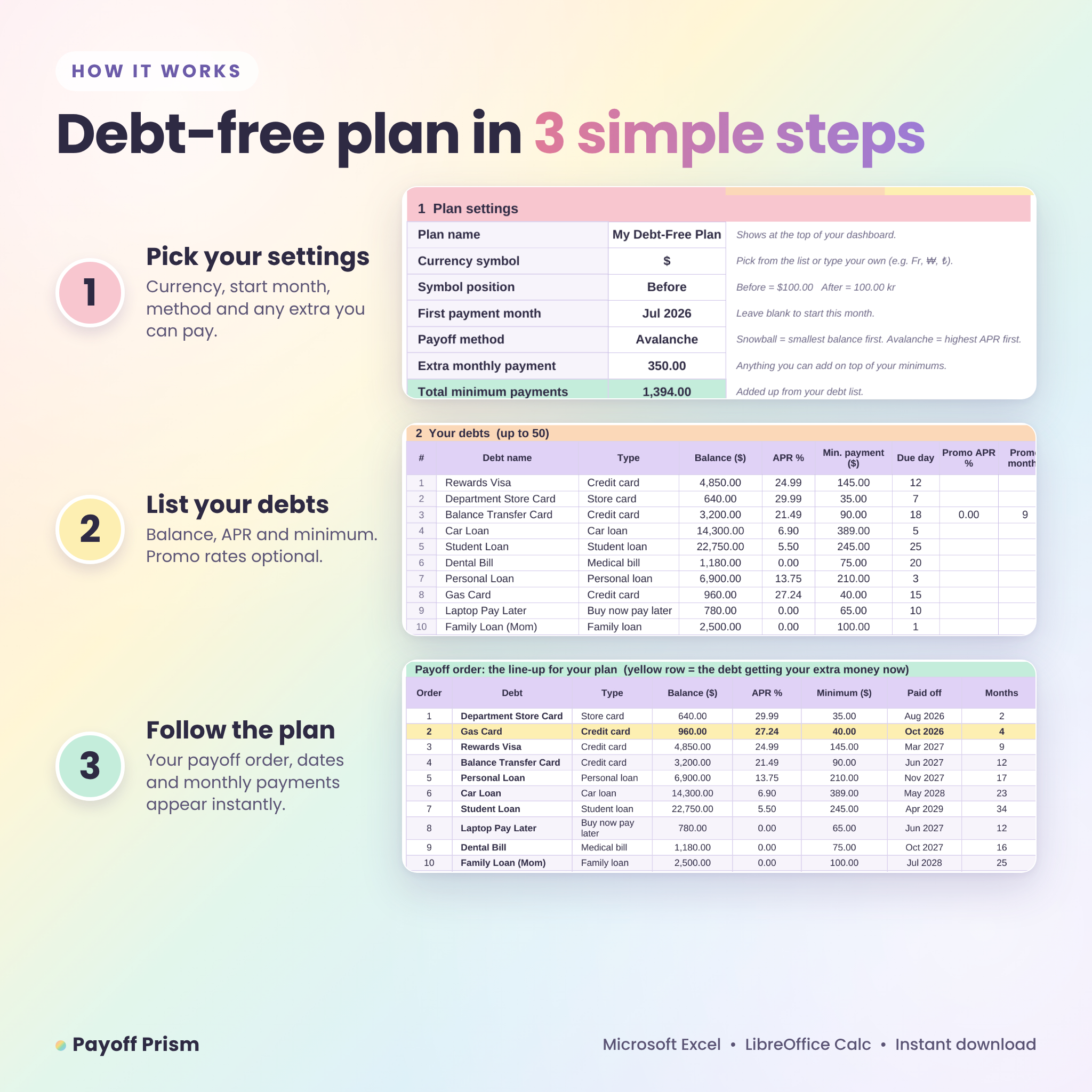
- Open My Debts. Choose your currency symbol, first payment month, payoff method and any extra you can pay each month.
- List your debts: name, balance, APR and minimum payment. Due day and promo rate are optional.
- Open the Dashboard to see your debt-free month, then check the Compare tab.
- Each month, follow the Checklist and record what you pay in the Payment Log.
Set-up takes about ten minutes. After that, five minutes a month keeps it current.
File format and software requirements
- Microsoft Excel 2010 or newer, including Microsoft 365. No Microsoft 365 subscription needed
- LibreOffice Calc 7 or newer (free)
- Formulas only. No macros, add-ins or scripts to enable
- Best on a computer or laptop
Customization
Use any currency. Pick a symbol from the list or type your own, and choose whether it sits before or after the amount. Every money heading and dashboard card follows your choice. You can rename debt types, and all calculated cells are locked without a password, so nothing breaks by accident while you can still unlock a sheet to change colors or fonts. Every tab is set up to print neatly in landscape.
Real ways people use it
- Clearing three credit cards and a car loan before a wedding or a new baby
- Checking whether a 0% balance transfer is worth it before you apply
- Deciding how much of a tax refund to throw at debt and seeing how many months it saves
- Showing a partner, in one chart, why paying an extra $100 a month matters
- Monthly money dates: open the checklist, pay what’s due, log it, done
Instant digital download
This is a digital product. Nothing will be shipped. Your files are ready to download as soon as payment goes through, and you keep them for good.
FAQ
Do I need Microsoft 365 or Excel 365?
No. Payoff Prism works in Excel 2010 and every version since, and in the free LibreOffice Calc.
What’s the difference between the debt snowball and debt avalanche?
Snowball pays the smallest balance first for quick wins. Avalanche pays the highest interest rate first to save the most money. The Compare tab shows both on your numbers.
How many debts can I add?
Up to 50 debts, with a payment schedule of up to 30 years.
Can I use it outside the US?
Yes. Choose any currency symbol, or type your own, and place it before or after amounts.
Does it handle 0% balance transfers?
Yes. Enter the promo rate and how many months it lasts. The normal APR kicks in after that.
Can I add a tax refund or bonus?
Yes. Add one-time or monthly extra payments on the Extra Payments tab and your debt-free month updates right away.
Is it beginner friendly?
Yes. White cells are for typing, everything else is automatic, and the illustrated guide walks you through every step.
License
For personal use only. Please don’t resell, share or redistribute the files, in whole or in part. © Taskdale.

Reviews
There are no reviews yet.