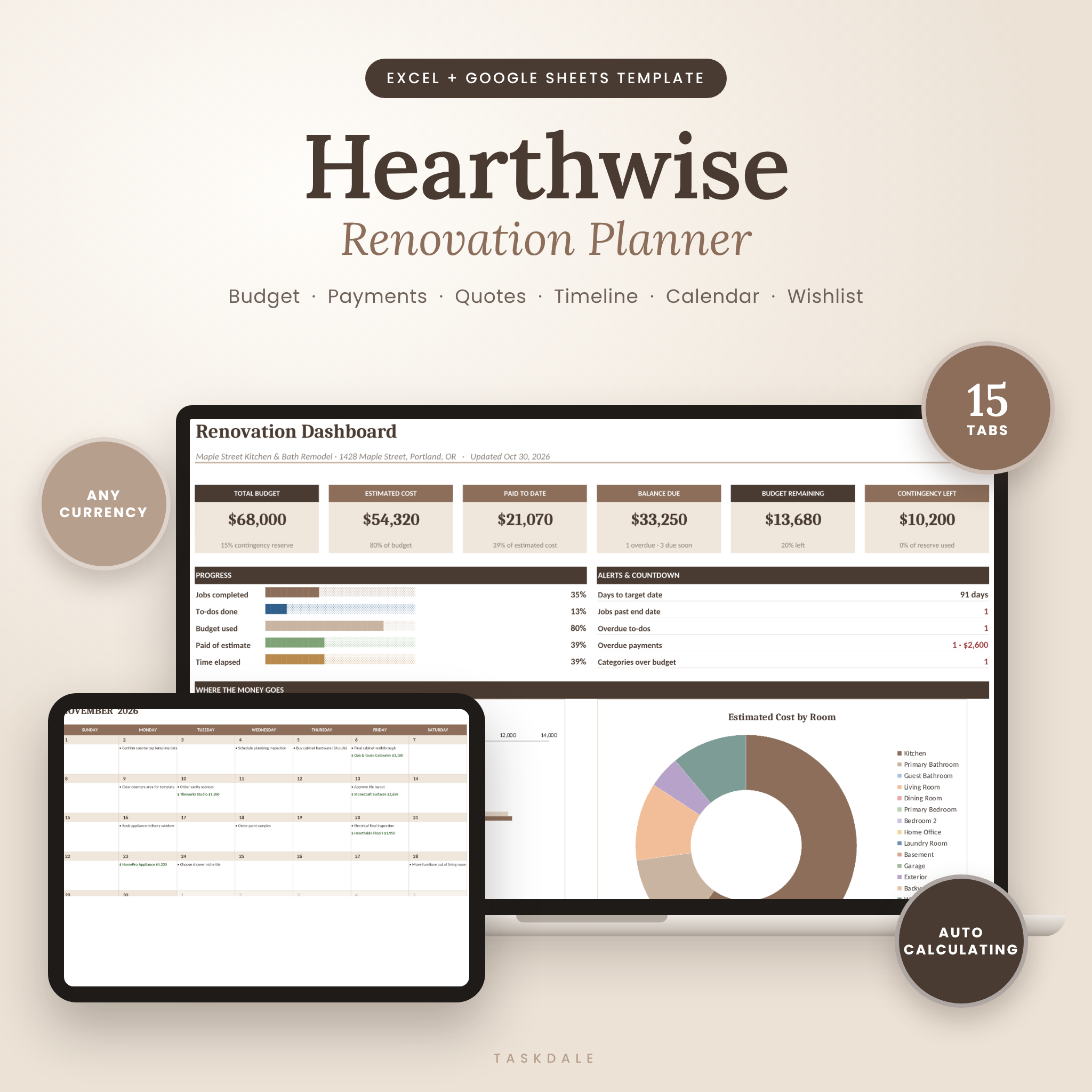
Planning a kitchen remodel, bathroom update or whole-house renovation? The Hearthwise Renovation Planner is a home renovation planner spreadsheet that keeps your budget, contractors, payments, schedule, shopping lists and final punch list in one connected file. Type your numbers in, and the dashboard, calendar and timeline update themselves. You won’t need a separate budget sheet, a notes app and a pile of receipts.
What This Renovation Budget Tracker Does
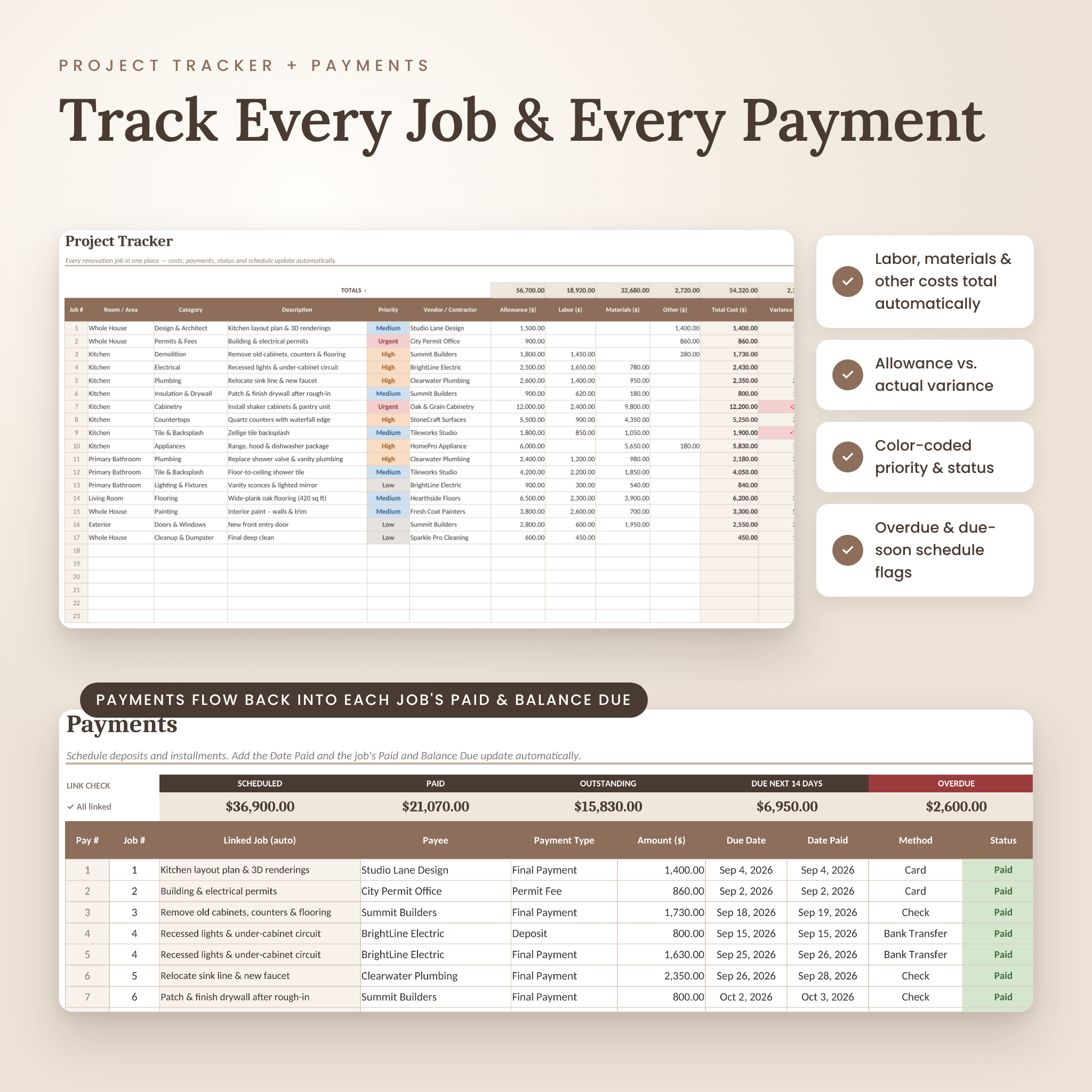
Most renovation templates stop at a list of costs. Hearthwise links every part of your project together. Each job in the Project Tracker gets its labor, materials and other costs. Deposits and installments you log on the Payments tab feed back into that job’s Paid and Balance Due columns. The Budget Planner then compares what you planned, what jobs are estimated to cost and what you have actually paid in each category and room. All of it rolls up to a dashboard that shows where your money is going and what needs your attention next.
Who It’s For
- Homeowners planning a kitchen, bathroom, basement or whole-house remodel
- DIY renovators who want to keep costs, materials and to-dos under control
- Anyone juggling several contractors, quotes and payment installments
- Design lovers planning furniture, paint colors, finishes and mood boards
- House flippers and first-time buyers fixing up a new home
Main Benefits
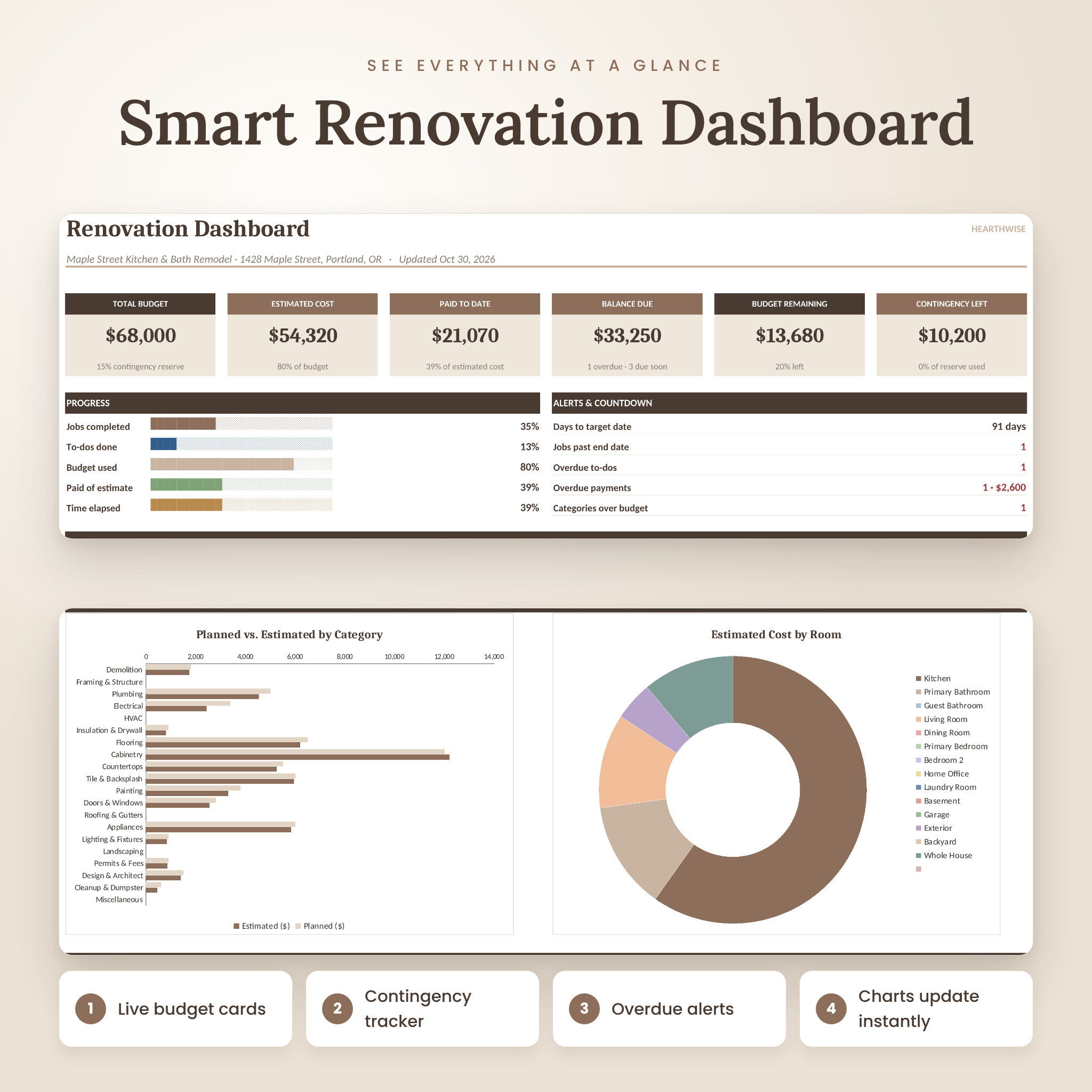
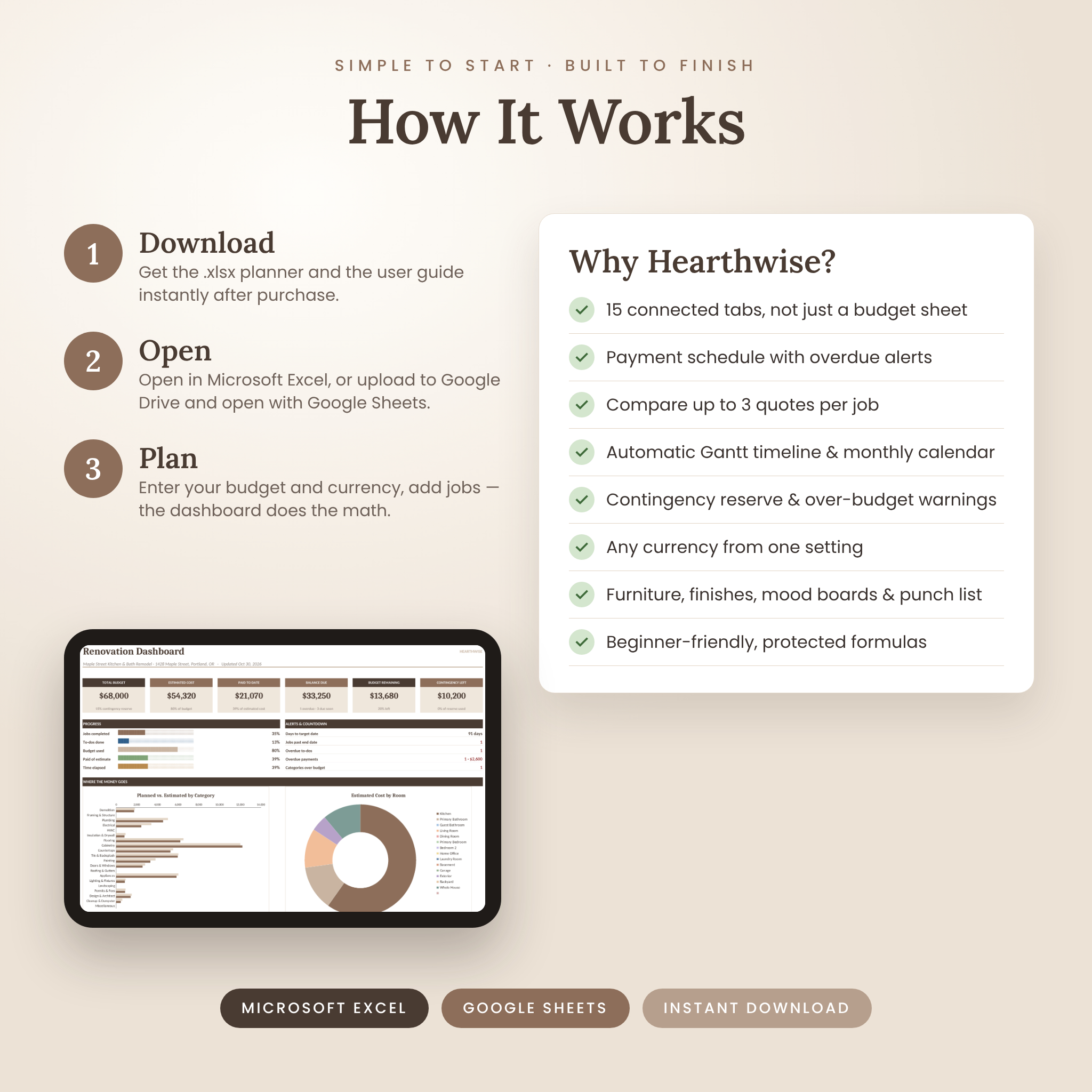
- Know your numbers at a glance: total budget, estimated cost, paid to date, balance due, budget remaining and contingency left, updated automatically
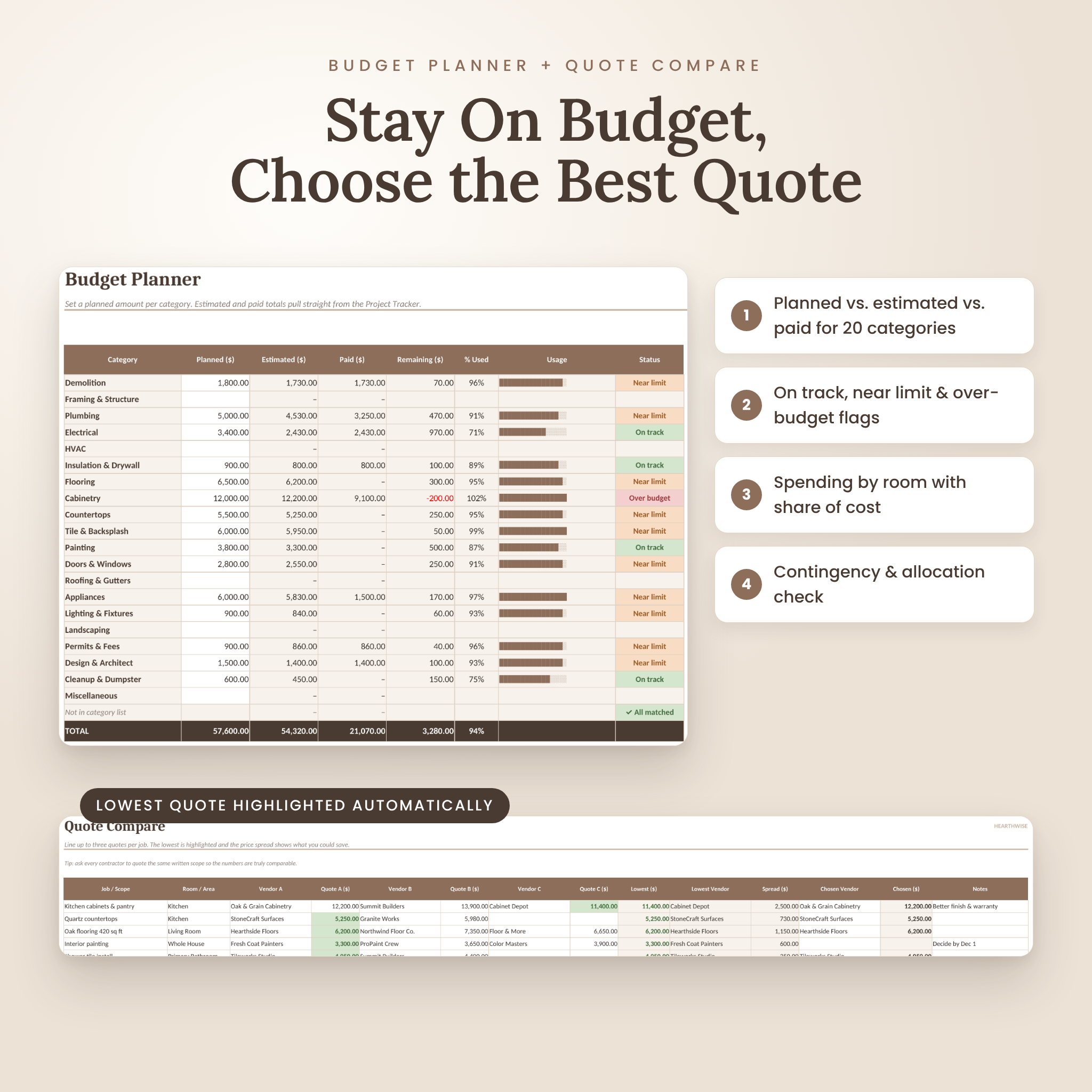
- Stop overspending early: category flags show On track, Near limit or Over budget before a small overrun turns into a big one
- Never miss a payment: deposits and installments are marked Paid, Due Soon or Overdue and show up on your calendar
- Choose contractors with confidence: compare up to three quotes per job and see the lowest quote and price spread automatically
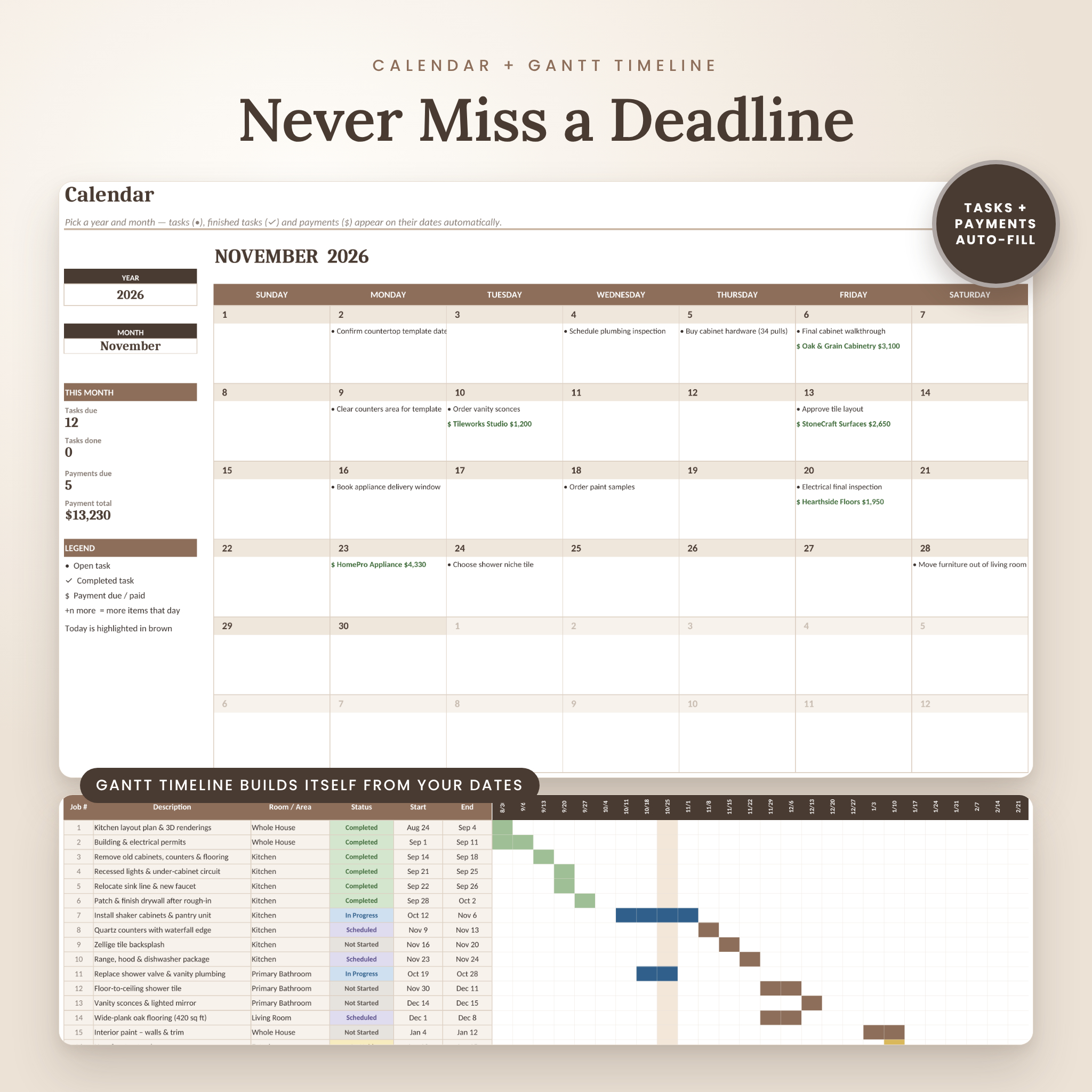
- Stay on schedule: a Gantt-style timeline and a monthly calendar build themselves from your dates
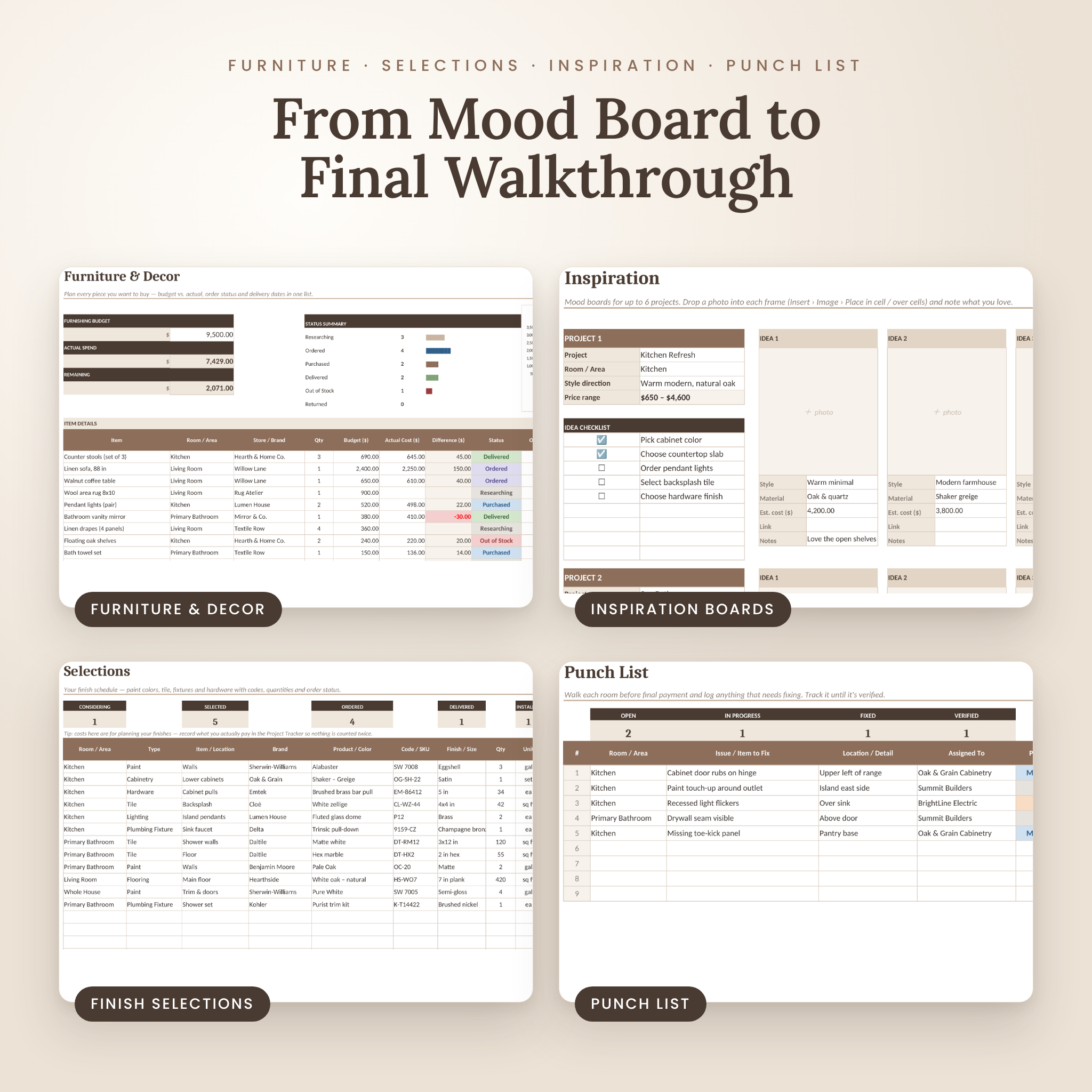
- Finish strong: a punch list makes sure every fix is done before the final payment
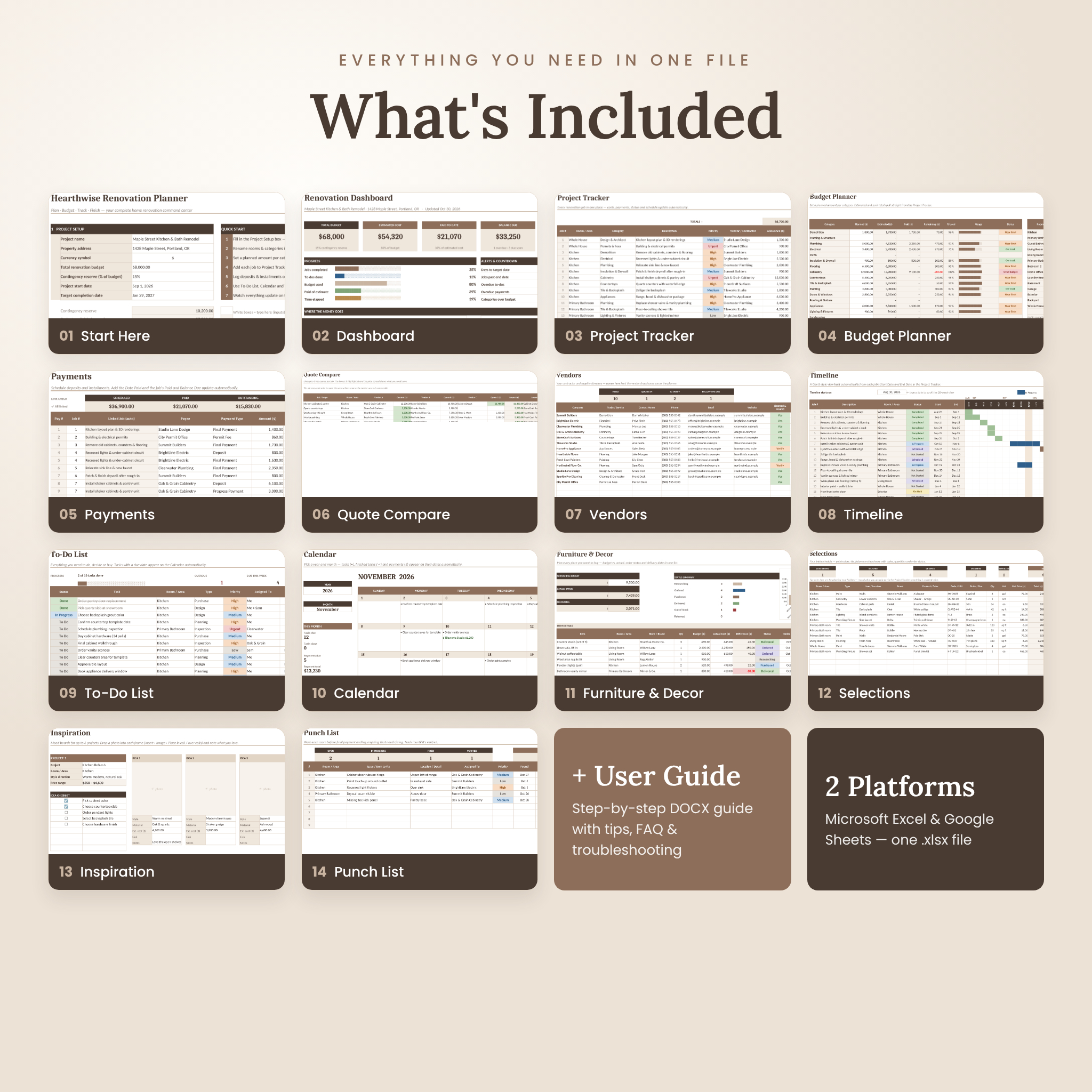
Renovation Planner Features: 15 Connected Tabs
Plan and budget
- Start Here: project setup, currency symbol, total budget, contingency reserve %, start and target dates, quick-start steps, clickable navigation and editable room and category lists
- Dashboard: six budget cards, five progress bars, alerts, four charts (Planned vs. Estimated by Category, Cost by Room, Labor/Materials/Other, Jobs by Status) and lists of the next to-dos and payments due
- Budget Planner: planned vs. estimated vs. paid for 20 categories with usage bars and status flags, spending by room, and a budget allocation check
Track jobs, money and contractors
- Project Tracker: 150 job rows with room, category, priority, vendor, allowance, labor, materials, other costs, total, variance, paid, balance due, status, dates and an automatic schedule flag
- Payments: a 200-row payment schedule with job linking, payment type, due date, date paid, method, receipt number and automatic status
- Quote Compare: up to three quotes for 30 jobs, with the lowest quote highlighted and the chosen amount filled in for you
- Vendors: a 50-contact directory with trade, phone, email, website, license and insurance check, star rating, status and follow-up reminders
Schedule
- Timeline: an automatic 26-week Gantt chart colored by status, with the current week highlighted
- To-Do List: 150 tasks with status, room, type, priority, owner, due date and a live countdown
- Calendar: pick any month and year and your tasks and payment due dates appear on the right days
Design and finish
- Furniture & Decor: a 120-item wishlist with budget vs. actual, status summary, order and delivery dates and a Spend by Room chart
- Selections: a finish schedule for paint colors, tile, flooring, fixtures and hardware with codes, quantities and order status
- Inspiration: six mood boards, each with five photo frames, style notes, a price range and an idea checklist
- Punch List: 80 end-of-project fixes tracked from Open to Verified
What’s Included
- Hearthwise-Renovation-Planner.xlsx: the editable planner, a clean copy ready for your project
- Hearthwise-Renovation-Planner-User-Guide.docx: an 18-page illustrated guide with setup steps, a tour of every tab, customization tips, troubleshooting and FAQ
How It Works
- Download the planner and user guide instantly after purchase.
- Open the .xlsx in Microsoft Excel, or upload it to Google Drive and choose File › Save as Google Sheets.
- Set up your currency, budget, contingency and dates on the Start Here tab (about 2 minutes).
- Add jobs and payments, and the dashboard, calendar and timeline update on their own.
File Formats and Software Requirements
- Format: one .xlsx spreadsheet plus a .docx user guide
- Tested in Microsoft Excel for the web (Microsoft 365) and Google Sheets (free with a Google account). Also opens in LibreOffice Calc.
- Works on desktop and laptop, with viewing and editing on tablets and phones through the Excel or Google Sheets apps
- No macros, add-ons or scripts are required
- Sheets have US Letter print areas set and fit to page width
Customization
Rename up to 15 rooms and 20 budget categories, and every dropdown and summary follows your list. Set your own currency symbol once and every money label follows it. White cells are for your entries. Cream cells calculate automatically and are protected without a password, so you can’t break a formula by accident, and you can still unlock any sheet to make it your own.
Digital Download Information
This is an instant digital download. No physical item will be shipped. Your files are available right after purchase. Because this is a digital product, returns are not accepted, but please get in touch if you have any trouble opening your files.
Real-Life Use Cases
- A $40,000 kitchen remodel with a cabinet maker, plumber, electrician and countertop installer, each with a deposit and final payment
- A bathroom refresh where you compare three tile quotes and track every finish selection
- Furnishing a new living room on a set budget and following orders through to delivery
- A whole-house project with a target move-in date and a punch list before the final walkthrough
Renovation Planner FAQ
Do I need Microsoft Excel?
No. The planner also works in Google Sheets, which is free. Upload the file to Google Drive and save it as a Google Sheet.
Can I use my own currency?
Yes. Type your currency symbol (for example $, €, £, R or A$) on the Start Here tab and every money label and dashboard card updates.
Is this a printable PDF?
No. It is an editable digital spreadsheet that calculates for you. Every tab also has a print area set if you want a paper copy.
Can I use it on my phone or iPad?
Yes, through the Excel or Google Sheets apps. A computer is easiest for the first setup.
Does it work for DIY renovations?
Yes. Leave the vendor fields blank and track your materials, tool rentals and any paid help.
Can I track more than one project?
Make a copy of the file for each property or project so each budget stays separate.
Will I break the formulas?
Formula cells are protected in Excel, and the user guide shows how to restore an earlier version in Google Sheets if needed.
License: for personal use only. You may not resell, share or redistribute the files. © Taskdale.
Reviews
There are no reviews yet.