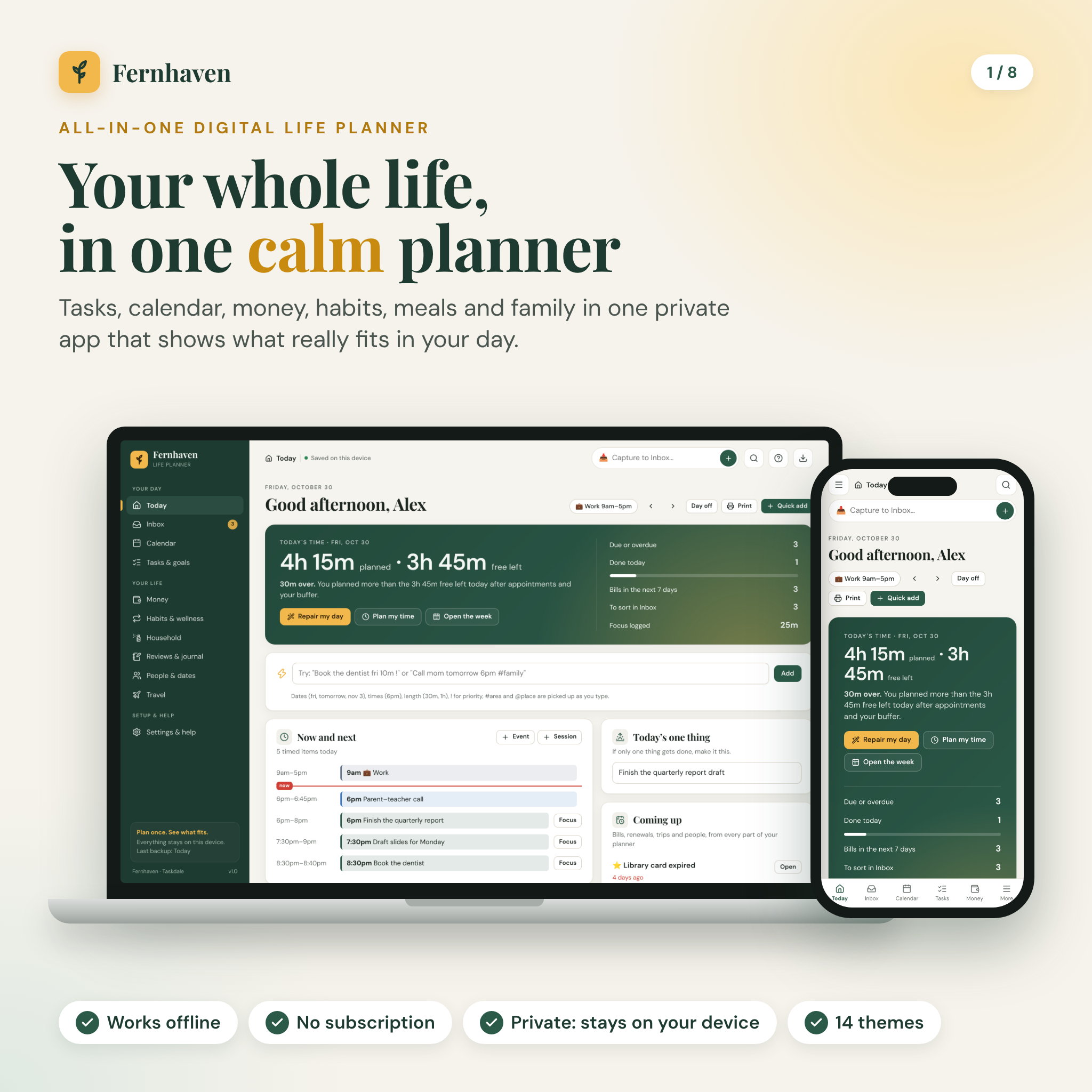
Fernhaven is an all in one digital life planner that runs in your web browser and keeps every part of your week in one place: tasks, calendar, budget, bills, habits, meals, chores, birthdays and trips. It is one file. You download it, double-click it, and it opens like a web page. No account. No subscription. Your plans stay on your own device.
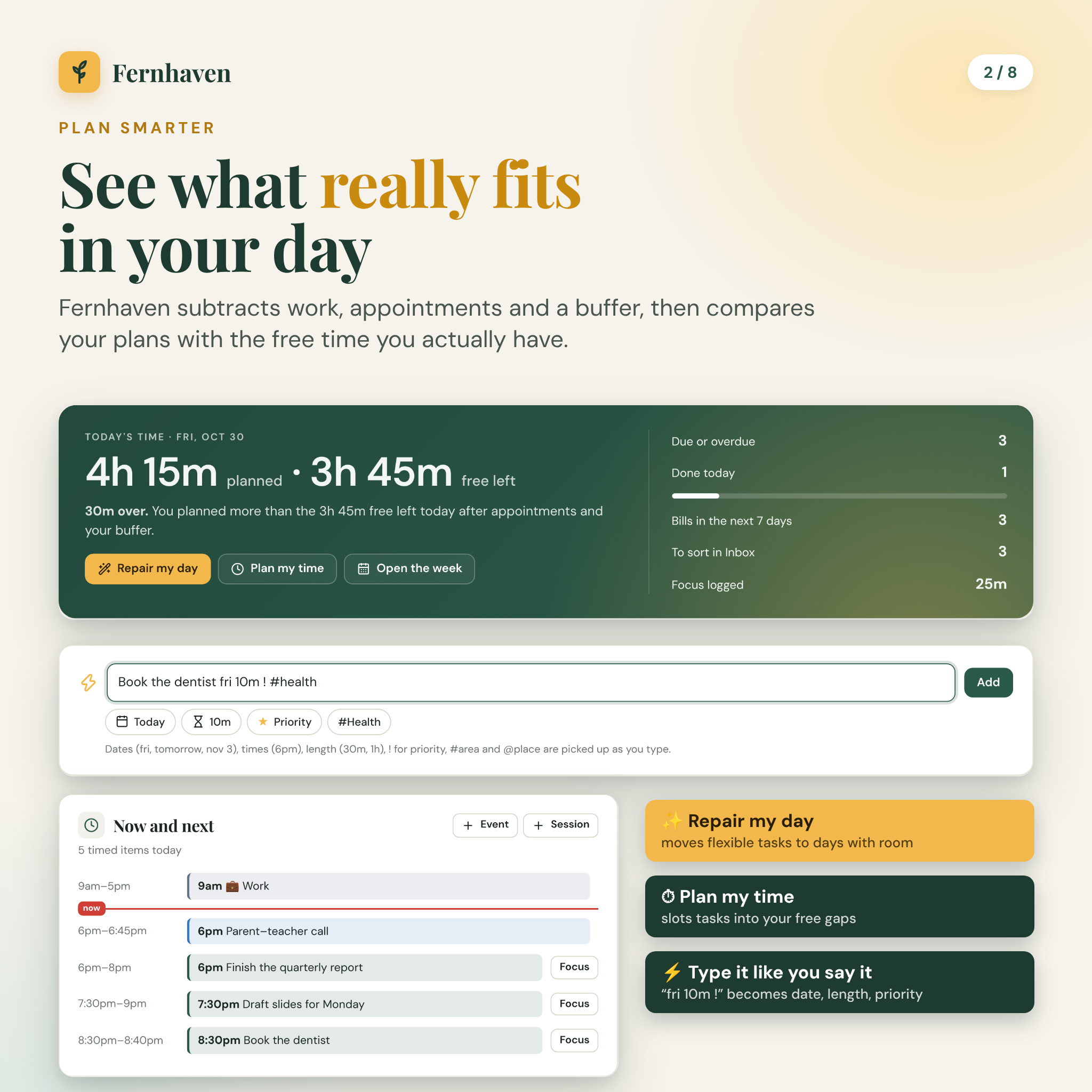
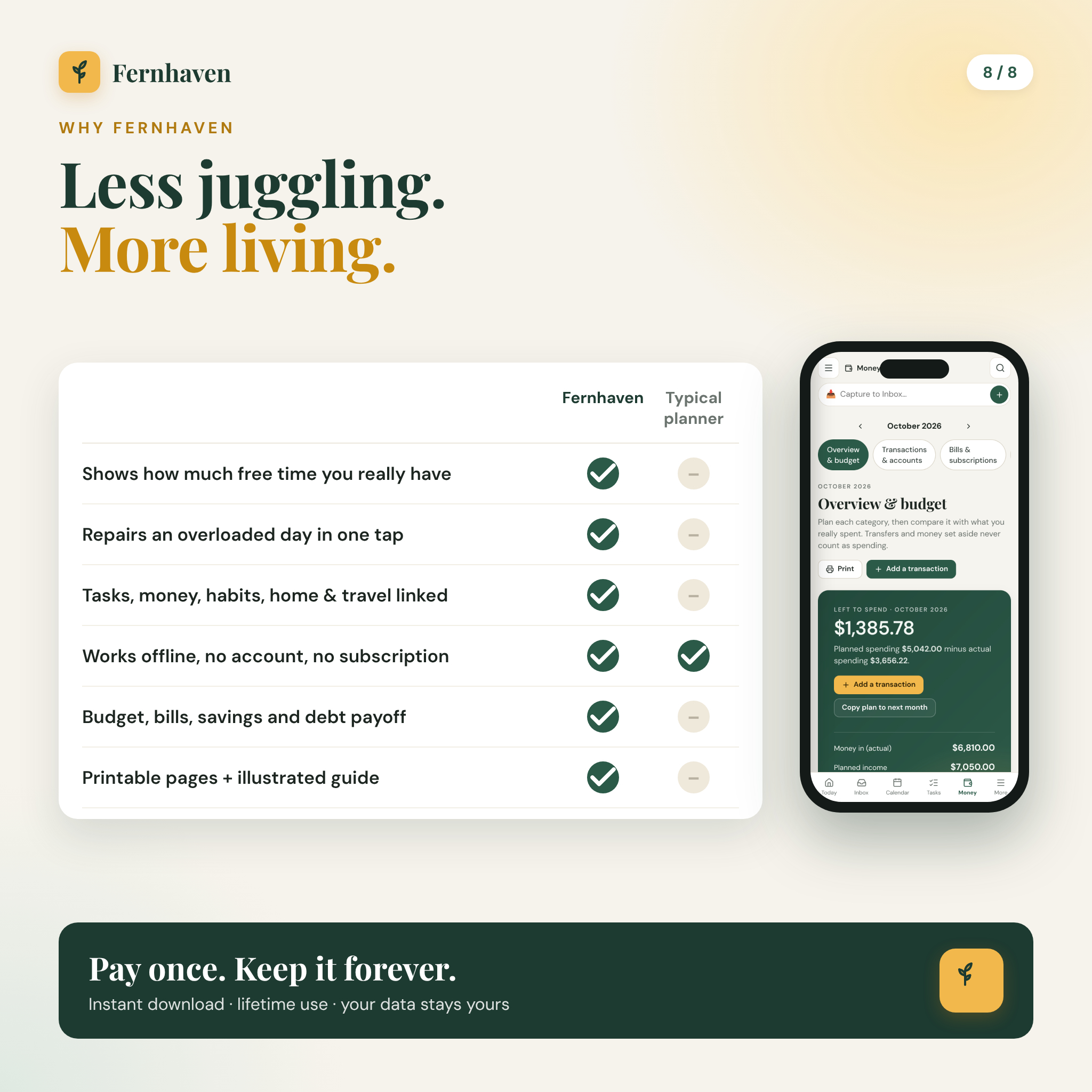
What sets it apart is simple. Most planners let you pile up tasks with no idea whether they fit. Fernhaven works out how much free time you really have each day, after work, appointments and a small buffer, then shows you what you planned against it. Too much on Tuesday? Press Repair my day and the flexible tasks move to days with room.
What this digital life planner does
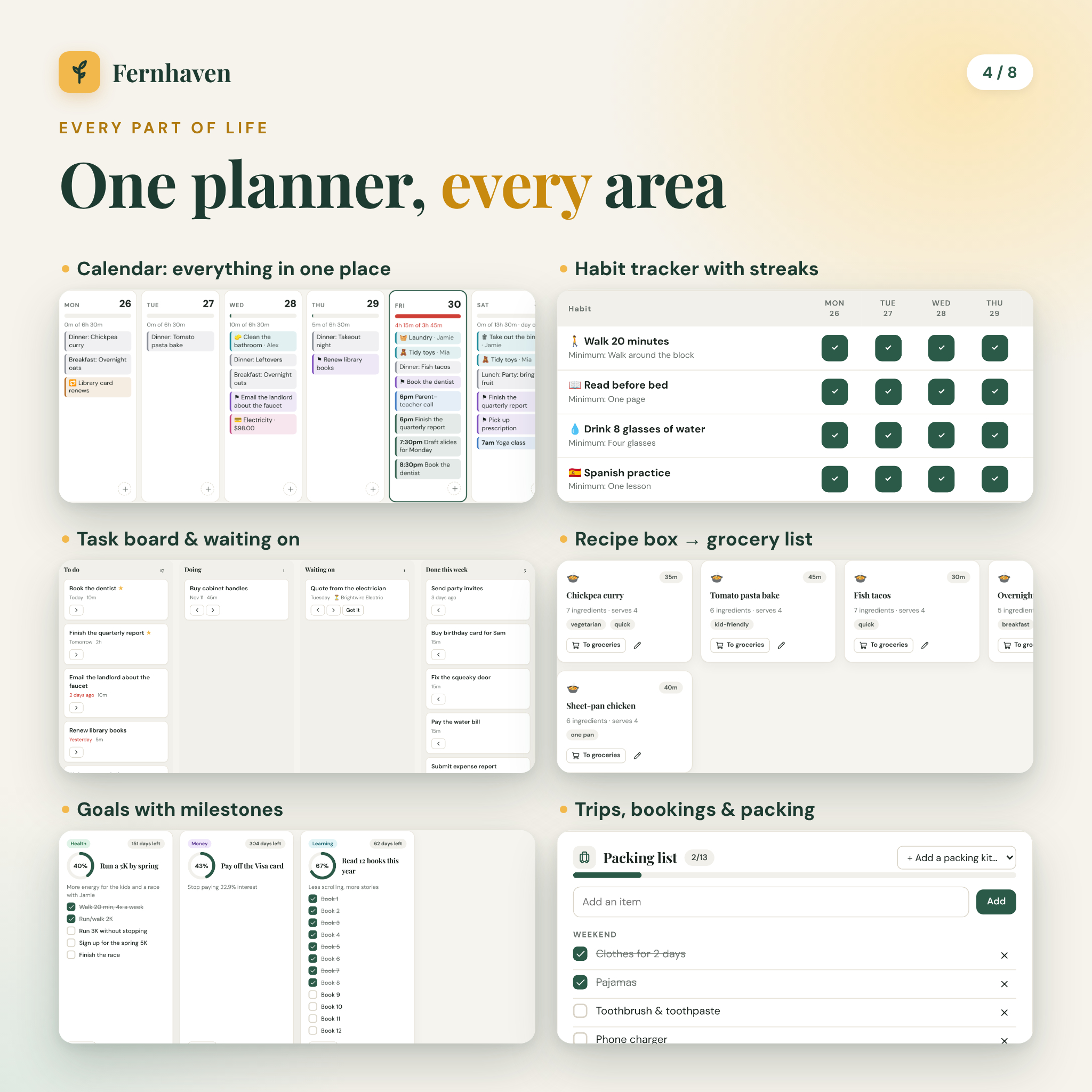
Every screen talks to the others. A bill shows up on your calendar. A trip appears on Today a few weeks out, with your packing progress. A birthday turns into a gift reminder with one tap. A recipe sends its ingredients to the grocery list.
- Today: planned time vs free time, a timeline of your day, tasks due, bills, birthdays, habits, chores and a 10-second mood and water check-in.
- Inbox: capture any thought in two seconds, then turn it into a task, event, note, bill, goal, grocery or person.
- Calendar: day, week, month and year views with 10 layers you can show or hide, plus a 14-day capacity view.
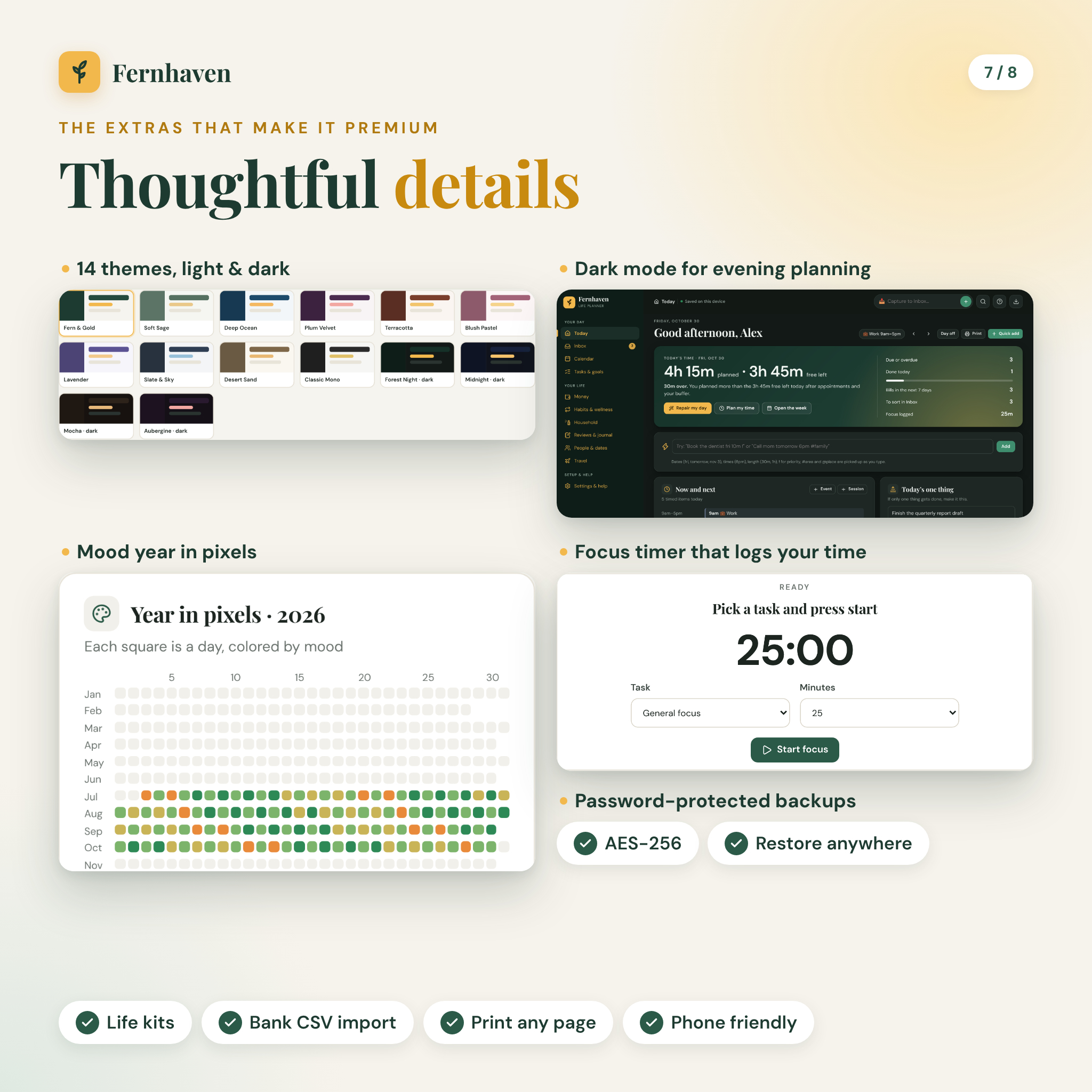
- Tasks & goals: one task list, a drag-and-drop board, projects, goals with milestones, 8 ready-made life kits and a focus timer that logs your time.
- Money: monthly budget, transactions and accounts, bills and subscriptions, savings goals, debt payoff and net worth.
- Habits & wellness: habit grid with streaks and rest days, routines with a minimum version for hard days, mood, sleep, water and a mood year in pixels.
- Household: week run sheet, meal planner, recipe box, grocery list sorted by aisle, errands, chores and home upkeep.
- Reviews & journal: guided weekly review, monthly life balance wheel, notes and a daily journal with prompts.
- People & dates: birthdays with ages, check-in reminders, gift ideas, important dates, warranties and renewals.
- Travel: trips with bookings, a trip budget, packing kits and a before-you-go checklist.
Who it is for
Busy parents keeping a household running. Students and young professionals juggling deadlines, rent and a social life. Anyone who has tried five planner apps and wants one that is private and stays put.
Features at a glance
Plan what fits
Set your work days and hours once. Fernhaven subtracts work, timed events and a daily buffer from your day window and shows free time for every day. Plan my time slots tasks into the gaps. Quick add reads plain words, so typing Book the dentist fri 10m ! sets the date, length and priority for you.
A budget planner that keeps itself honest
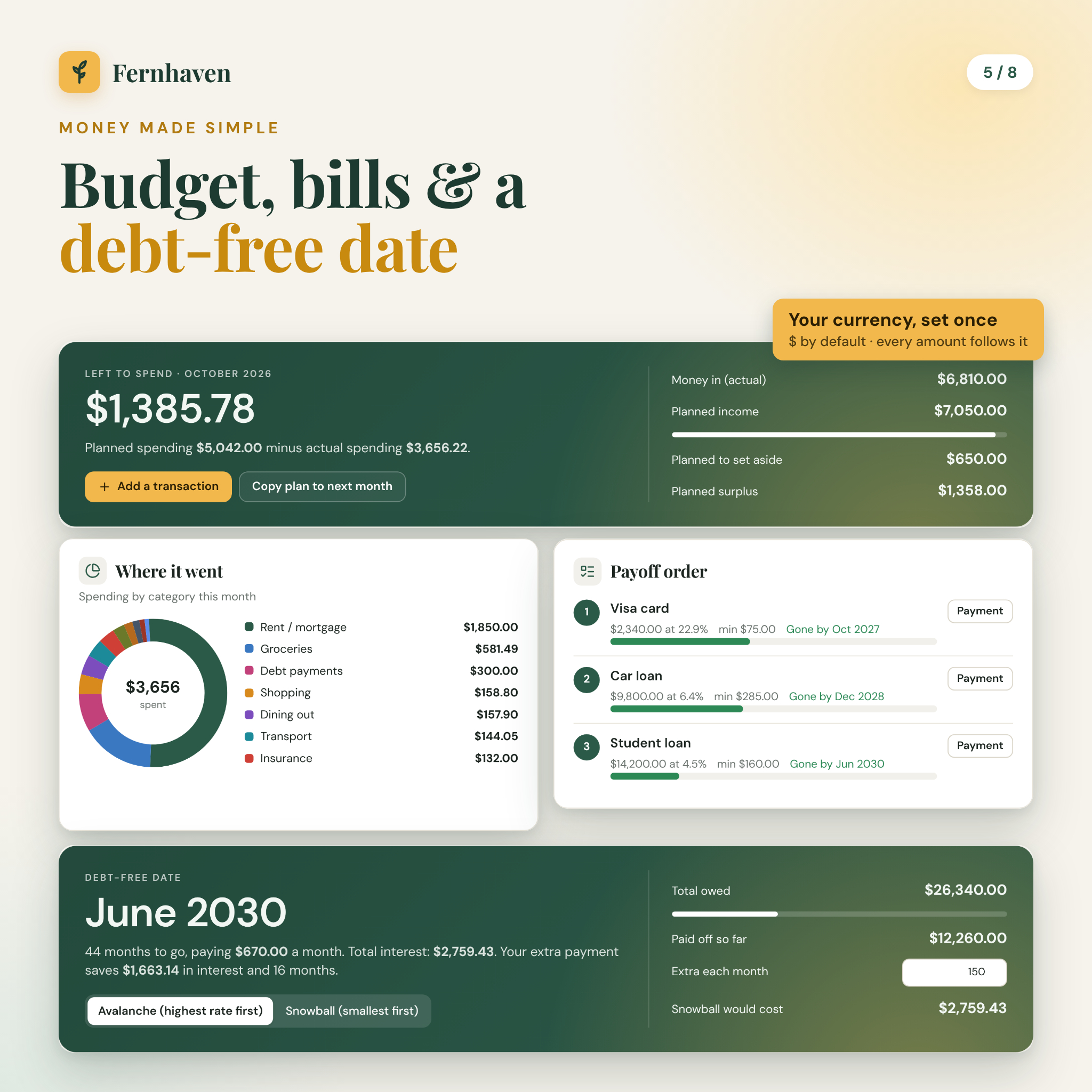
Type a planned amount next to each category and add transactions as you go. Savings and transfers never count as spending. Record a bill payment and its next due date moves forward by itself. A donut chart shows where the money went and a six-month chart shows money in vs money out. You can import transactions from a bank CSV file, and export your tasks and transactions to open in Excel or Google Sheets.
Debt payoff and savings goals
List your debts and compare avalanche and snowball. Add an extra monthly amount to see your debt-free date, the interest you save and the month each debt disappears. Savings goals show when you will hit your target at your current pace.
Habit tracker that allows real life
Mark days as done, skipped, rest or missed. Rest days keep your streak. Each habit gets a 12-week history and a minimum version for low-energy days.
Make it yours
14 color themes, including 4 dark themes. Pick your currency from more than 30, or type your own symbol. Every money value reads from that one setting, with $ as the default. Hide modules you do not need and rename life areas.
What is included
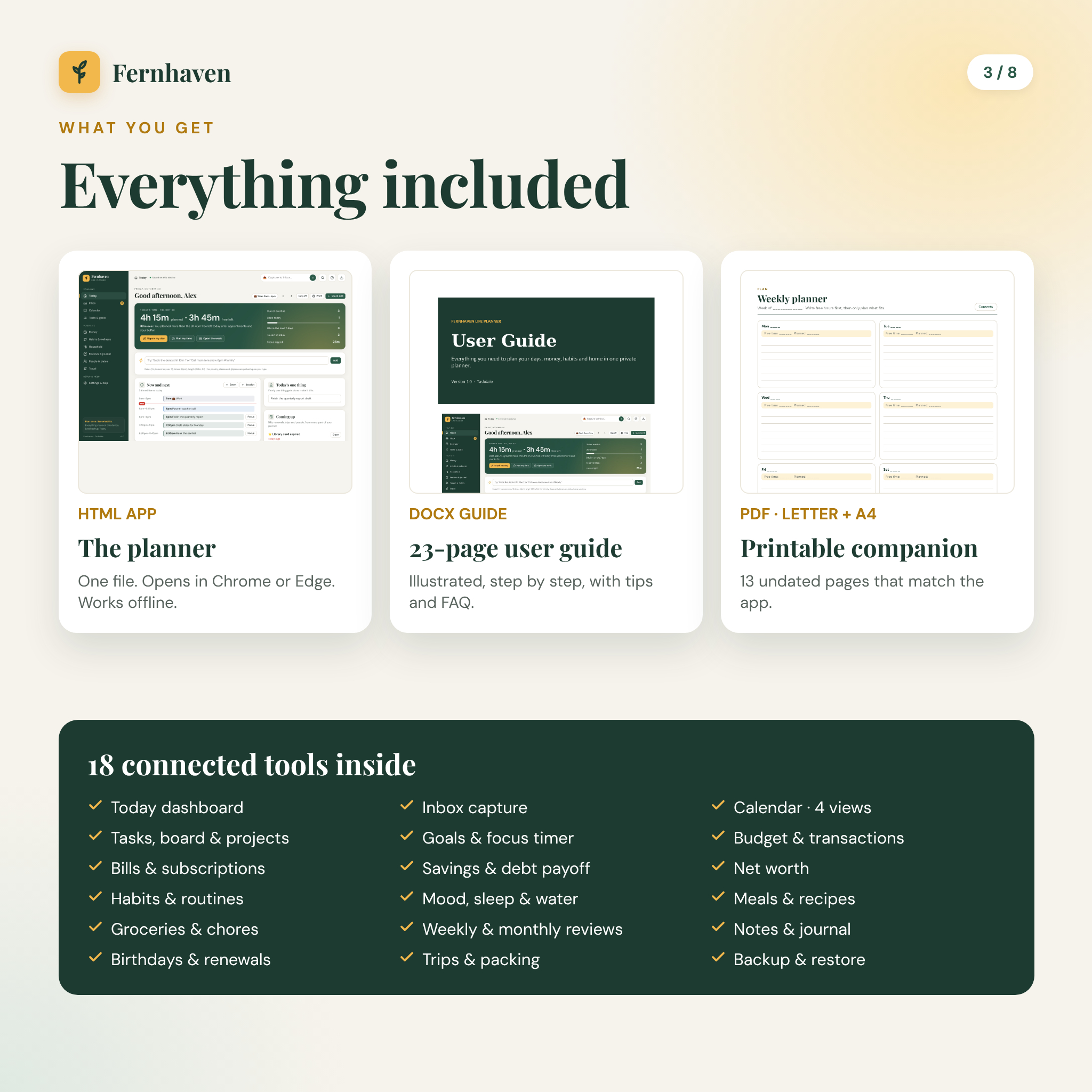
- Fernhaven-Life-Planner.html (the planner)
- Fernhaven User Guide, 23 illustrated pages (DOCX)
- Fernhaven Printable Companion, 13 undated pages in US Letter and A4 (PDF): year at a glance, monthly calendar, weekly and daily planner, habit tracker, budget, bill tracker, savings and debt, meal plan and grocery list, weekly review, goals, birthdays and a trip planner
- Start Here quick-start sheet (TXT)
How it works
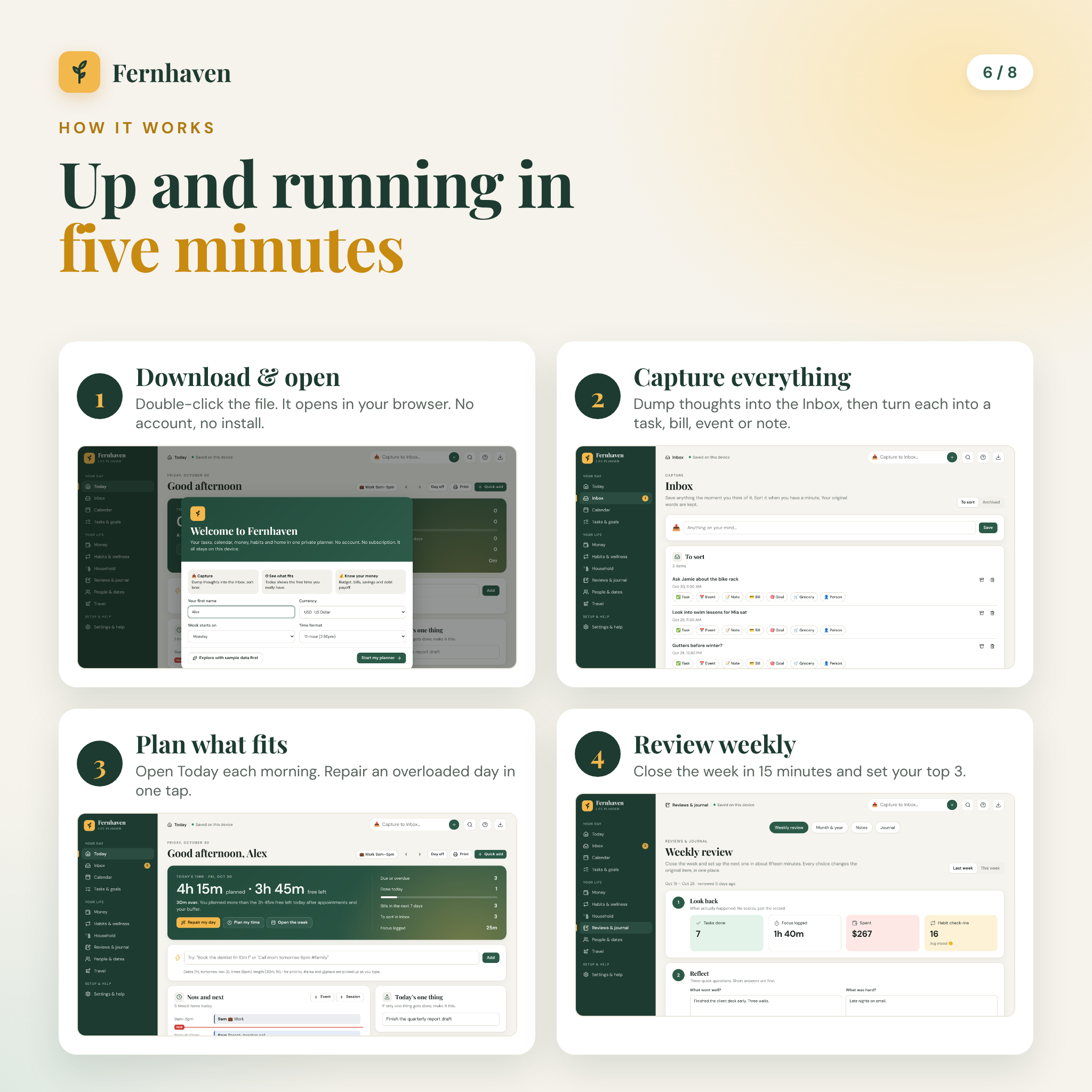
- Download the files and save the planner somewhere easy to find.
- Double-click it to open it in Google Chrome or Microsoft Edge.
- Type your name and currency. Explore the sample week first if you like, then start your own planner.
- Capture everything into the Inbox, open Today each morning and run the weekly review on Sunday.
File formats and requirements
The planner is a single HTML file that works offline on Windows and Mac in current versions of Google Chrome and Microsoft Edge, and adapts to phone-size screens with a bottom menu. The guide opens in Word, Google Docs, Pages or LibreOffice. The printables are standard PDFs. No other software, plugins or accounts are needed.
Customization and your data
Everything you type is saved in your browser on that device as you go. Download a backup file anytime, or a password-protected backup with AES-256 encryption. A backup is also how you move to a new computer or phone: copy the planner and the backup, open the planner and press Restore. The app reminds you to back up every week, and you can change how often.
Digital download
This is a digital product. Nothing is shipped. Your files are ready to download right after payment. Fernhaven does not connect to your bank, email or other calendars; you enter your own entries, which is what keeps it private. Figures in the debt and savings tools are estimates for planning, not financial advice.
Real ways people use it
- A parent prints the household week run sheet every Sunday and sticks it on the fridge so everyone knows who cooks and who takes out the bins.
- A freelancer estimates every task, sees Thursday is 3 hours over and repairs it before the week starts.
- A couple paying off two cards adds $150 a month extra and watches their debt-free date move 16 months closer.
FAQ
Do I need internet to use it?
No. After downloading, the planner works fully offline.
Is there a monthly fee or account?
No. It is a one-time purchase with nothing to sign up for.
Can I use it on my phone?
Yes. The layout adapts to phone screens. Copy the file to your phone, open it in Chrome and restore your backup to bring your data across.
Where is my data stored?
In your browser on your device. Nothing is uploaded. Keep regular backups, and the app reminds you.
Can I change the currency?
Yes. Choose from more than 30 currencies or type any symbol. Dollars are the default.
License
Personal use only. Use Fernhaven for yourself and your household on your own devices and print the pages as often as you like. Please do not resell, share or redistribute the files. © Taskdale.
Reviews
There are no reviews yet.