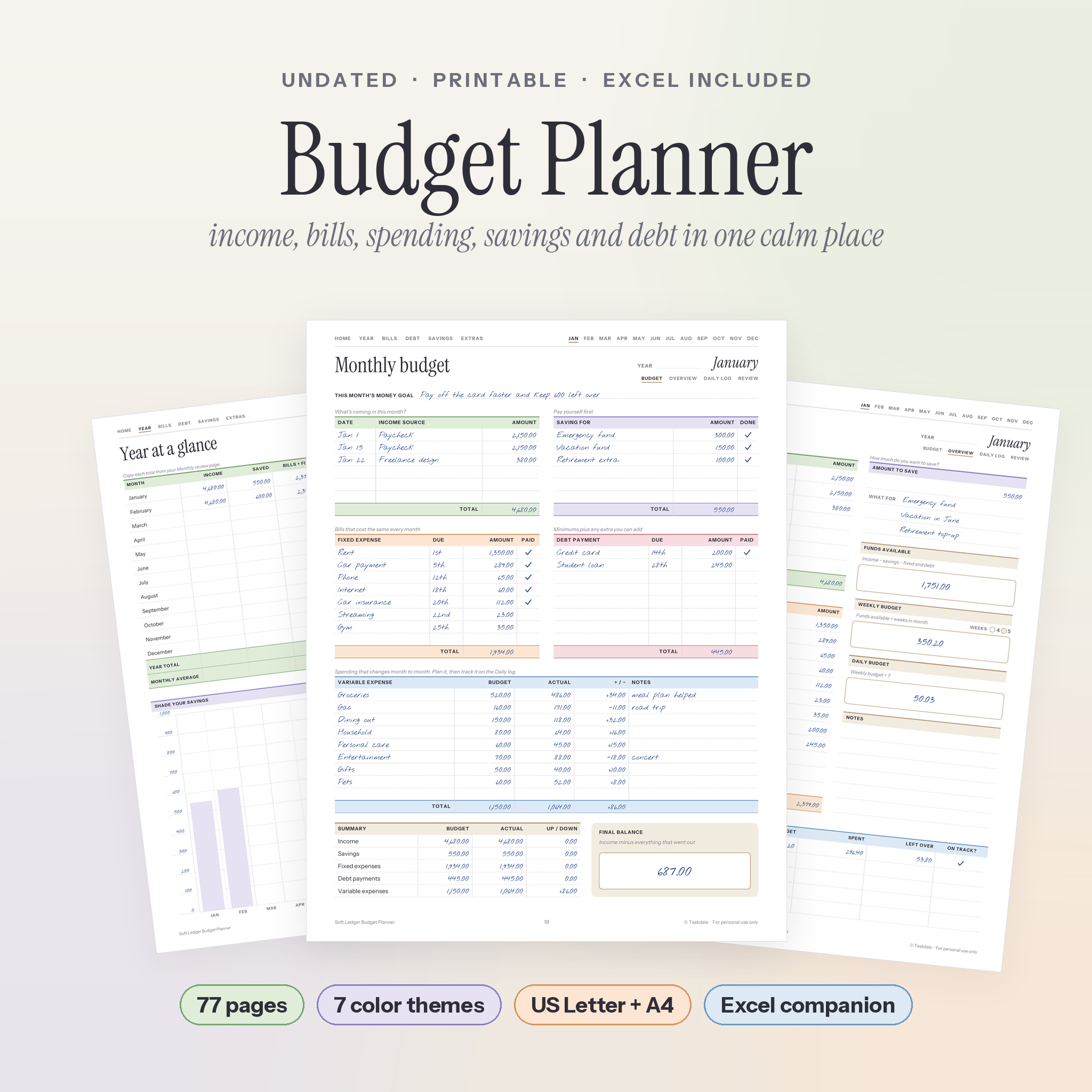
The Soft Ledger monthly budget planner printable gives your money one calm place to live. Plan your income, bills, spending, savings and debt on 77 undated pages, then let the included Excel budget spreadsheet do the math. Print it at home, or write on it in a PDF app on your tablet. Start in any month. Use any currency.
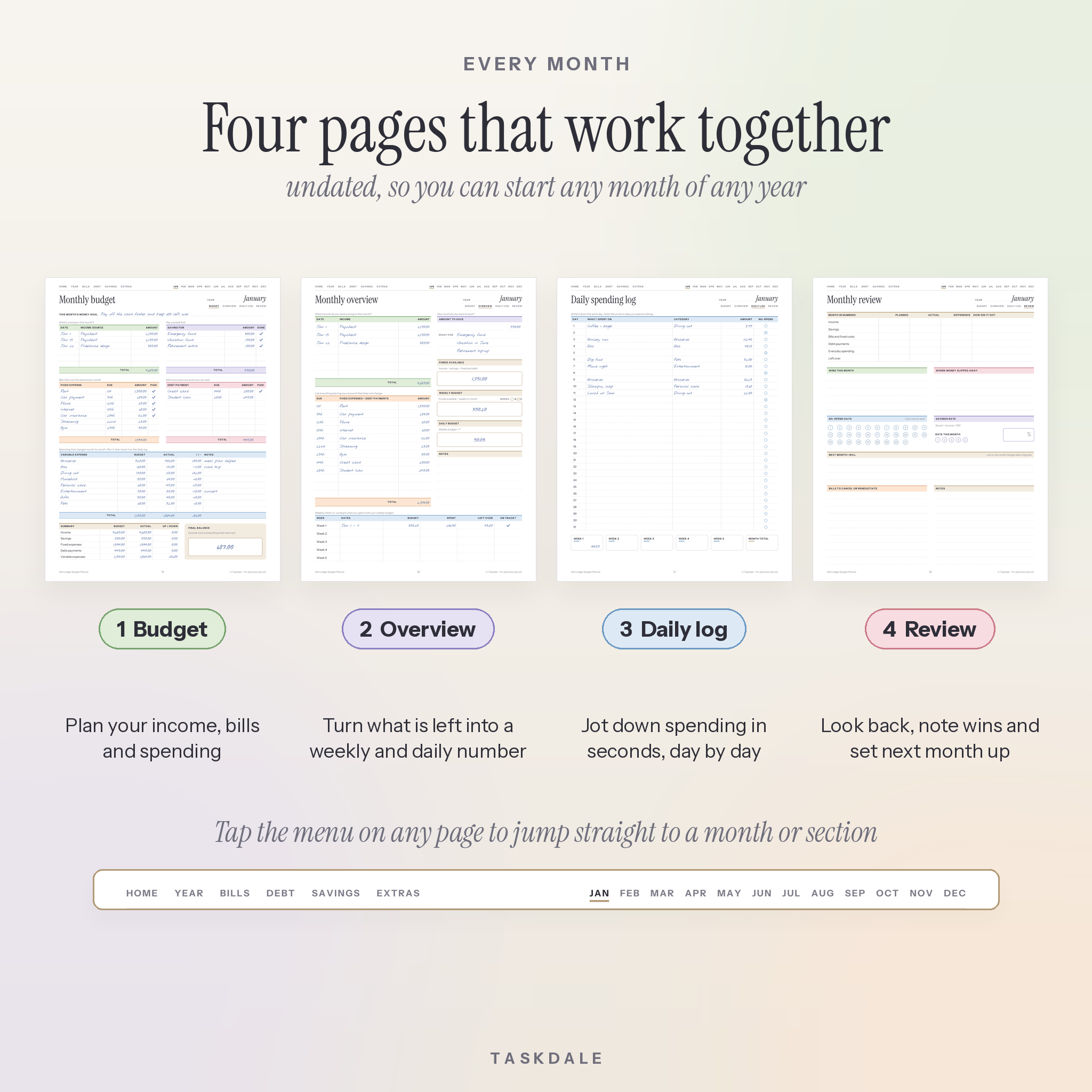
Most budget printables give you a few blank tables and leave you to figure out the rest. This one walks you through it. Every month has four pages that build on each other, and every page links back to the menu, so you never hunt for where you left off.
What this budget planner printable does
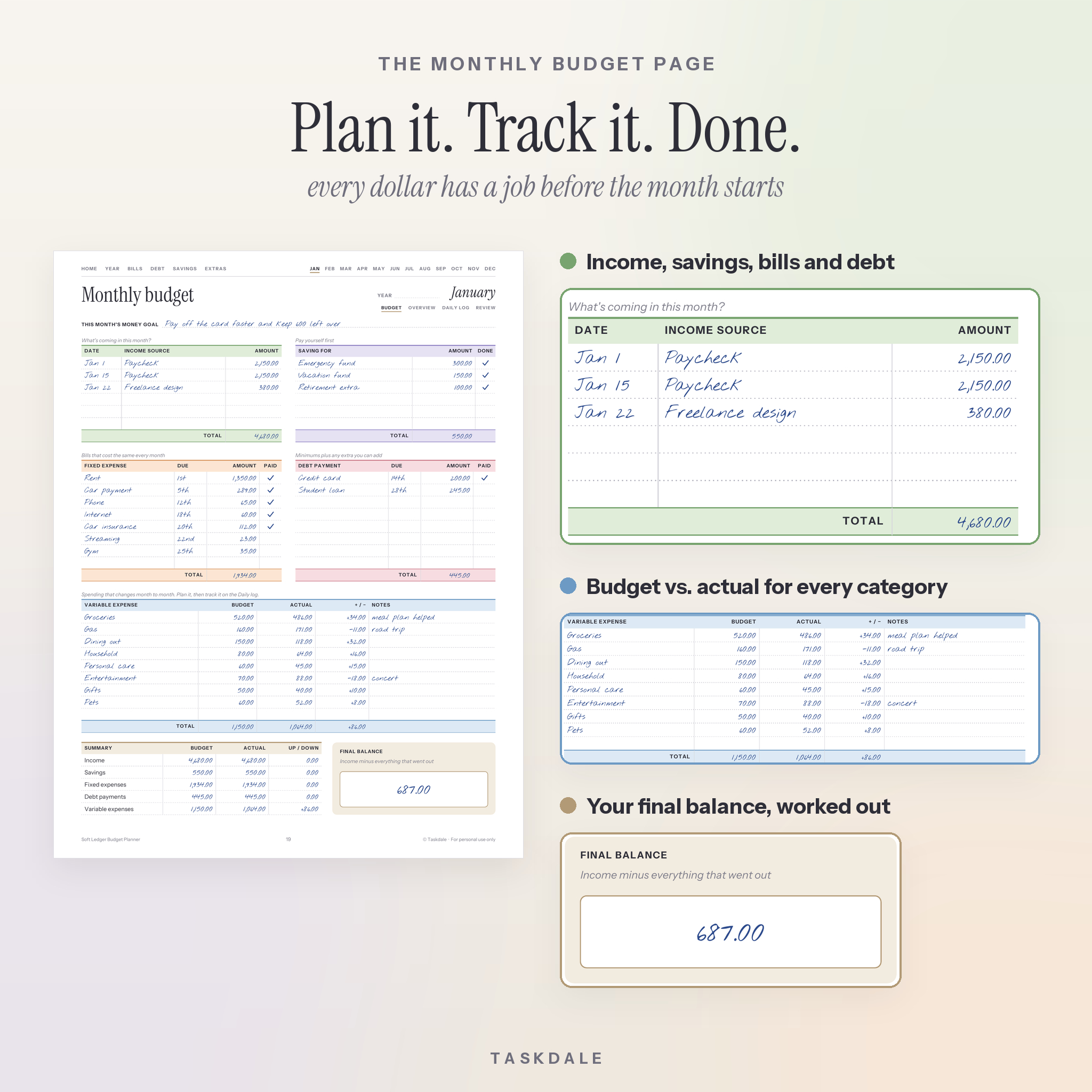
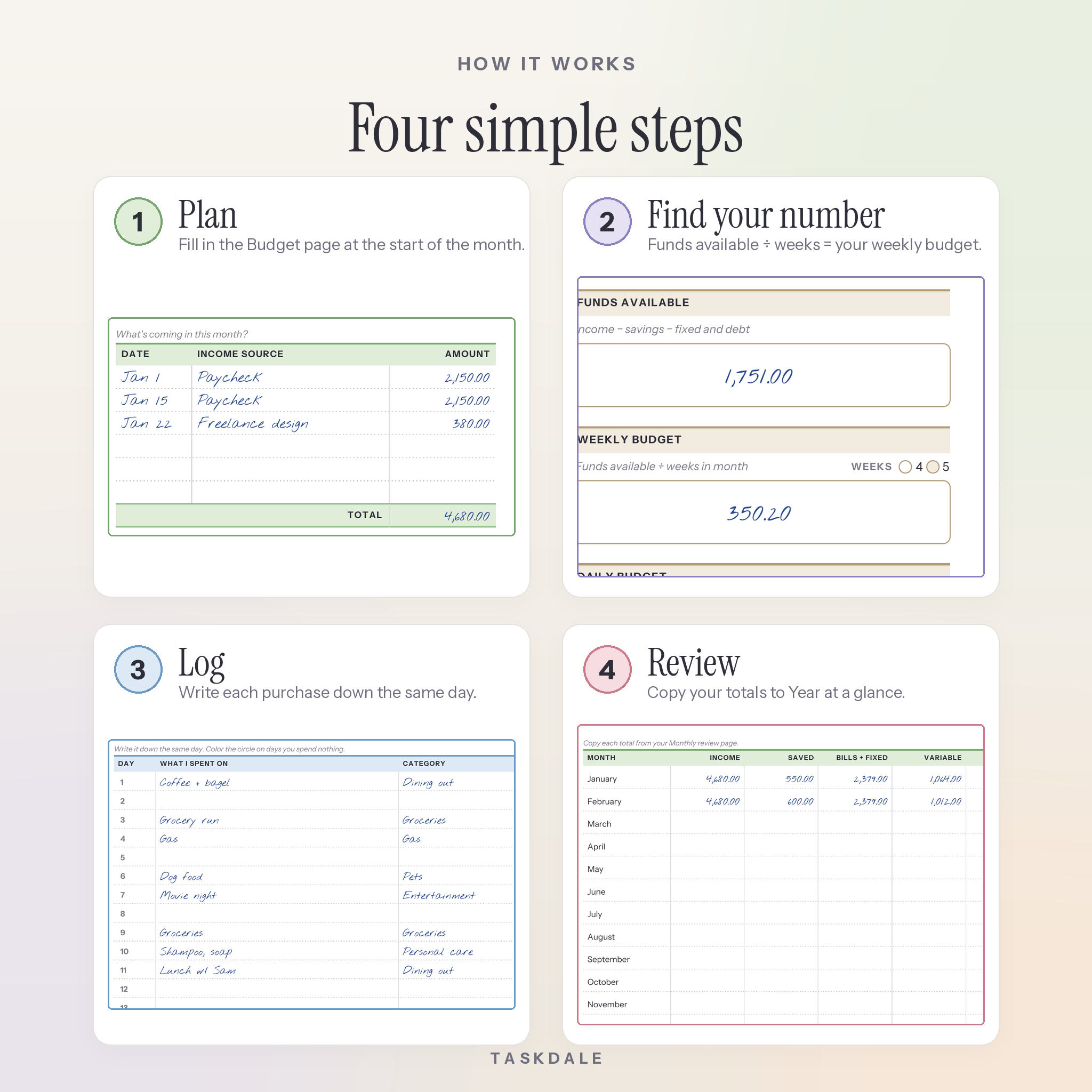
It answers three questions every month: what is coming in, where is it going, and what is left. You plan on the Budget page, turn what is left into a weekly and daily spending number on the Overview page, log purchases on the Daily log, and wrap up on the Review page. Your totals then go onto Year at a glance, so you can see twelve months of progress on one sheet.
Who it is for
- First-time budgeters who want clear steps, not a blank grid
- Couples and families sharing one household budget
- Anyone paying off credit cards, car loans or student loans
- Freelancers and gig workers with income that changes month to month
- People who tried budgeting apps and found them too busy
Main benefits
- Know your weekly number. The Overview page turns your budget into one weekly and one daily spending limit.
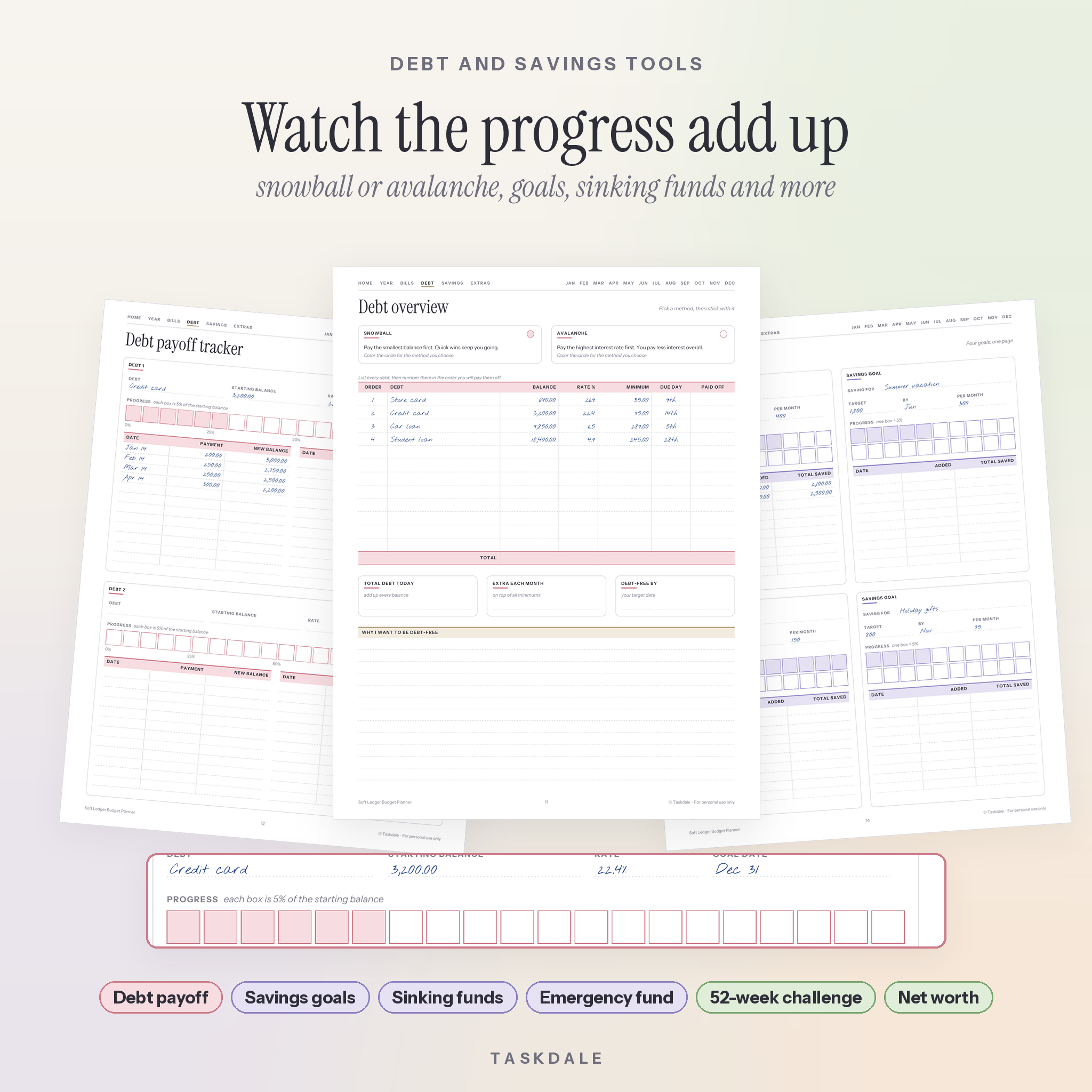
- See debt shrink. Pick the snowball or avalanche method, then color in a 20-box progress bar for each debt.
- Stop bill surprises. Track 24 bills across 12 months with due dates, autopay notes and tick boxes.
- Save on purpose. Four savings goals, six sinking funds, an emergency fund chart and a 52-week savings challenge.
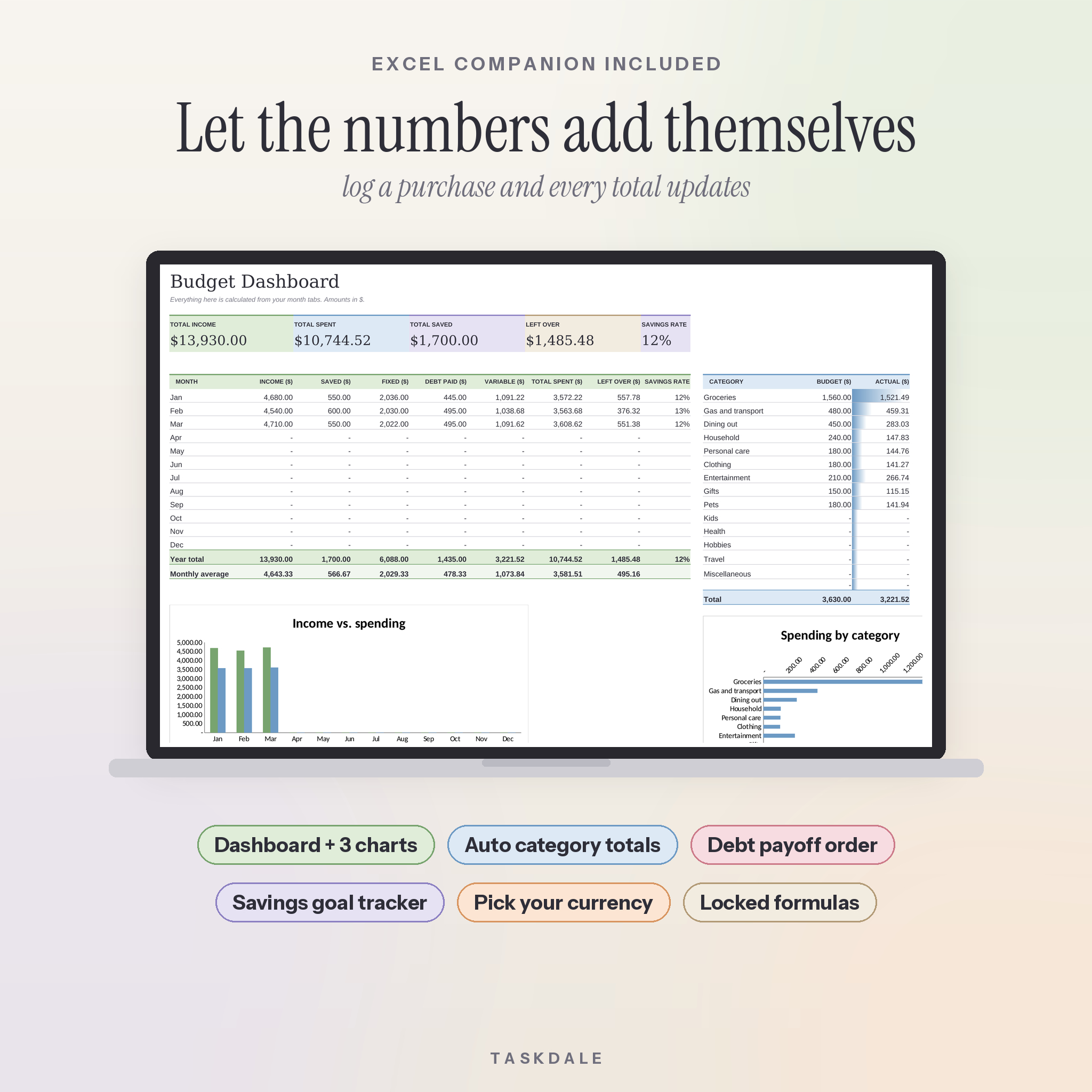
- Less math. The Excel companion adds up every category from your purchase log and builds charts for you.
Features of the monthly budget planner
Every month (x12)
- Monthly budget: income, savings, fixed expenses, debt payments, variable spending with budget vs. actual, a summary and your final balance
- Monthly overview: funds available, weekly budget, daily budget and a weekly check-in
- Daily spending log: a line for every day, plus no-spend day circles and weekly totals
- Monthly review: planned vs. actual, wins, where money slipped away, savings rate and next month’s focus
Year pages
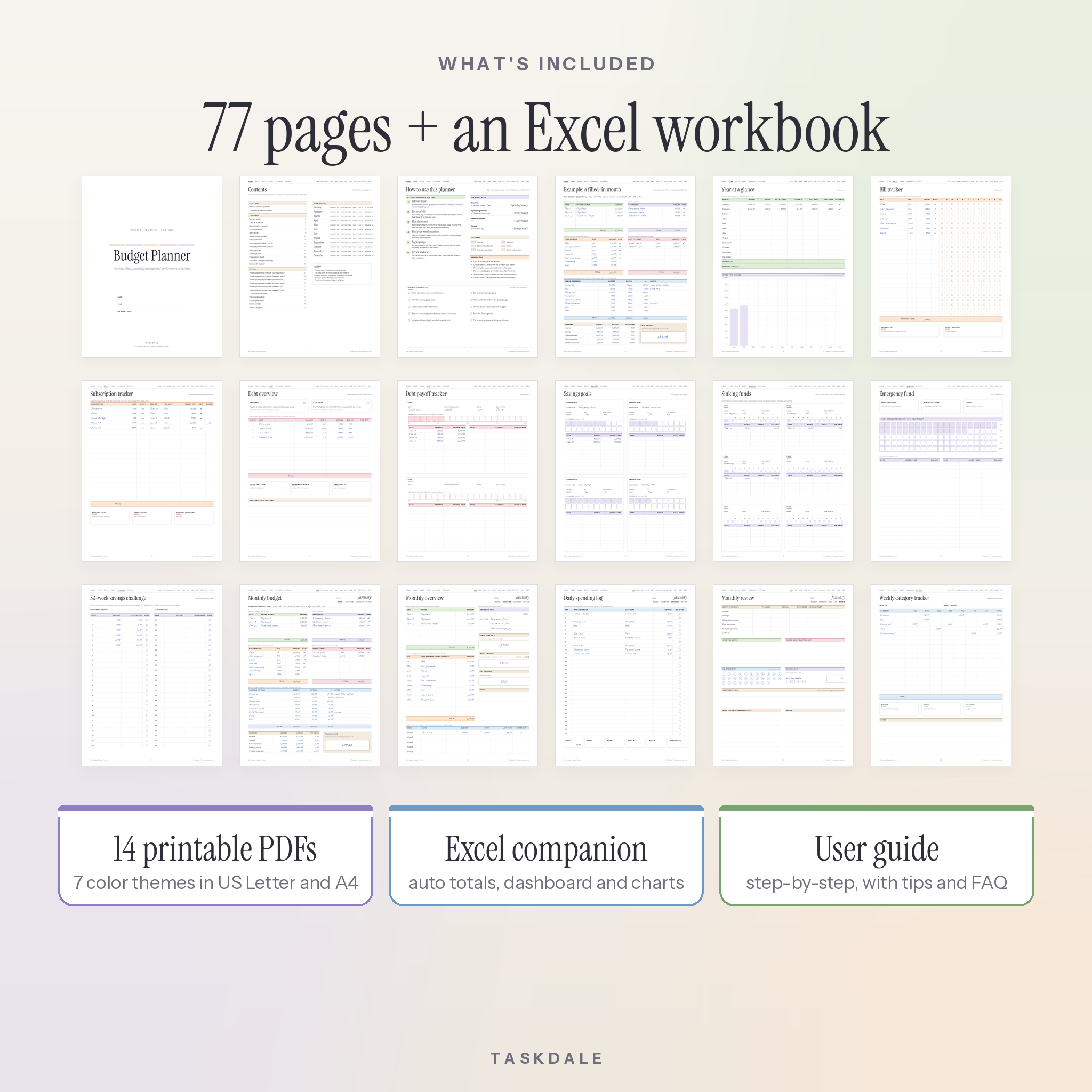
- Money goals, Year at a glance with a shade-in savings chart, spending by category, and an income tracker
- Bill tracker and subscription tracker with yearly cost
- Debt overview plus debt payoff trackers for four debts
- Savings goals, sinking funds, emergency fund, 52-week savings challenge and net worth tracker
Extras
- Weekly spending tracker and weekly category tracker, each with Sunday-start and Monday-start versions
- Weekly finance overview for all 52 weeks, transactions tracker, paycheck budget and envelope tracker
- Lined and dot grid notes pages
What is included
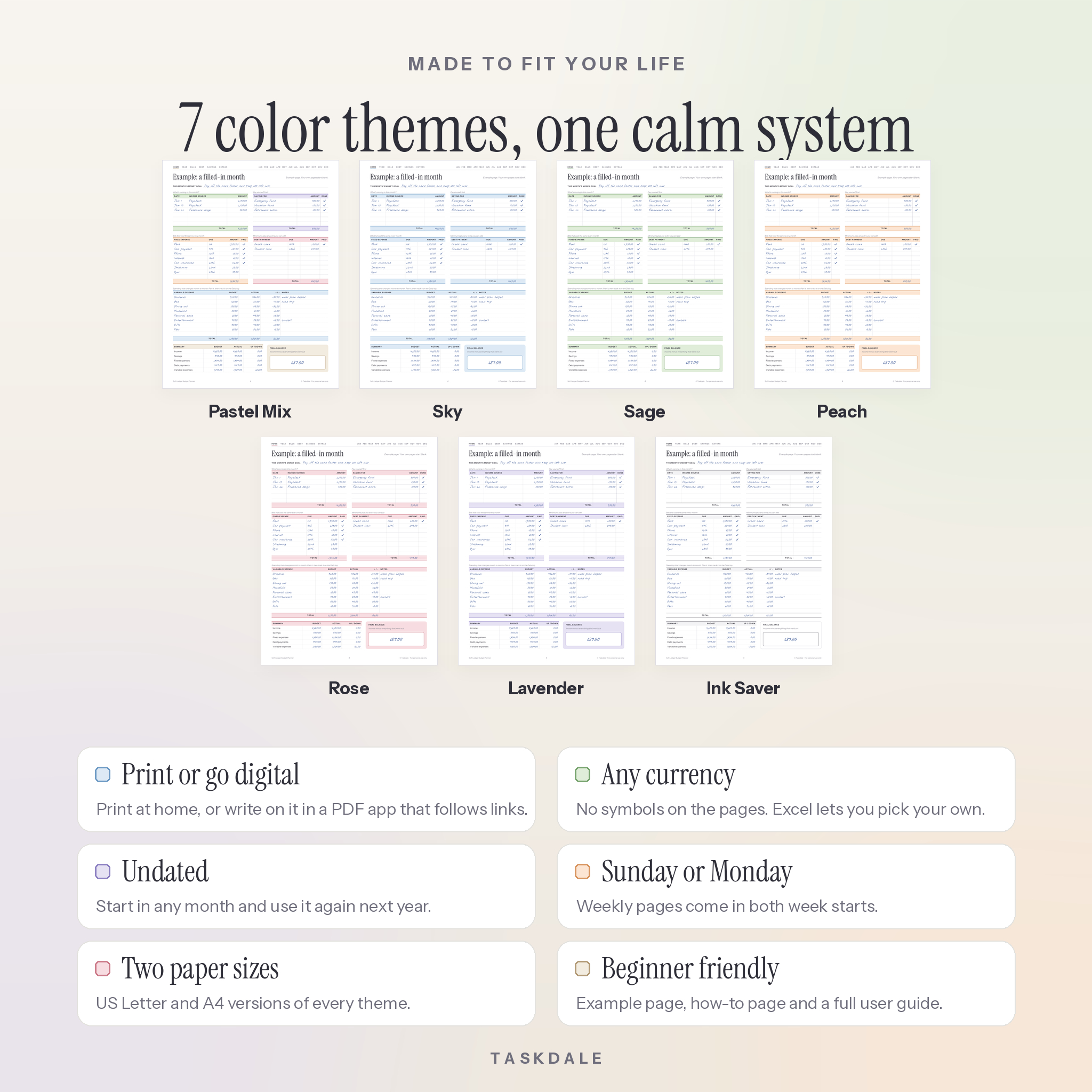
- 14 printable PDFs: 7 color themes (Pastel Mix, Sky, Sage, Peach, Rose, Lavender, Ink Saver) in US Letter and A4
- 1 Excel budget spreadsheet (.xlsx) with a dashboard, 12 month tabs, a transactions log, debt payoff and savings goals
- 1 user guide (.docx) with setup steps, tips, troubleshooting and FAQ
How it works
- Download the files right after checkout.
- Pick your paper size and color theme.
- Print the pages you need at Actual size, or open the PDF in a PDF app on your tablet.
- Fill in Money goals, then plan your first month on the Budget page.
- Optional: open the Excel file, choose your currency on Settings and start logging.
File formats and software requirements
- PDF: opens in any PDF reader, such as the free Adobe Acrobat Reader. Fonts are embedded. Every page has a clickable menu and the file has bookmarks.
- XLSX: an Excel workbook. Formulas are locked so you cannot delete one by accident, and you can unlock them (no password) to customize.
- DOCX: the user guide opens in Microsoft Word or any app that reads Word files.
- Page sizes: US Letter (8.5 x 11 in) and A4 (210 x 297 mm).
Customization
Choose from seven color themes, including a low-ink option for cheap home printing. Pages have no currency symbol, so you can write in dollars, pounds, euros, rand or anything else. In the Excel budget spreadsheet you set one currency symbol and every money heading follows it. You can also rename the 15 spending categories, and they update across all twelve months and the dashboard.
Digital download
This is an instant digital download. No physical product will be shipped. You will get your download links on the order confirmation page and by email. Printing at home or at a local print shop both work well.
Real ways people use it
- Building a first budget after a new job or a move
- Planning a debt-free year with the snowball method
- Saving for a vacation, a car, a wedding or the holidays with sinking funds
- Running a weekly money check-in as a couple every Sunday
- Tracking income from several side jobs in one place
- Keeping a budget binder for the whole family
FAQ
Is this budget planner dated?
No. It is undated, so you can start any month of any year and reuse it next year.
Can I use it on a tablet?
Yes. Open the PDF in a note-taking or PDF app that lets you write on pages and follows links. The top menu jumps to every section and month.
Do I need Excel to use the planner?
No. The printable PDF works on its own. The Excel file is a bonus for anyone who wants totals worked out for them.
Can I use my own currency?
Yes. The PDFs have no currency symbol in the amount columns, and the spreadsheet lets you set your own symbol.
What paper size should I pick?
Use US Letter in the US and Canada, and A4 almost everywhere else. Both are included.
How many times can I print it?
As many times as you like for yourself and your household.
Is this a physical planner?
No. It is a digital download. You print the pages yourself or use them on a device. If anything is wrong with your files, contact us and we will help.
License: for personal use only. Please do not share, resell or upload the files anywhere else. © Taskdale.
Reviews
There are no reviews yet.