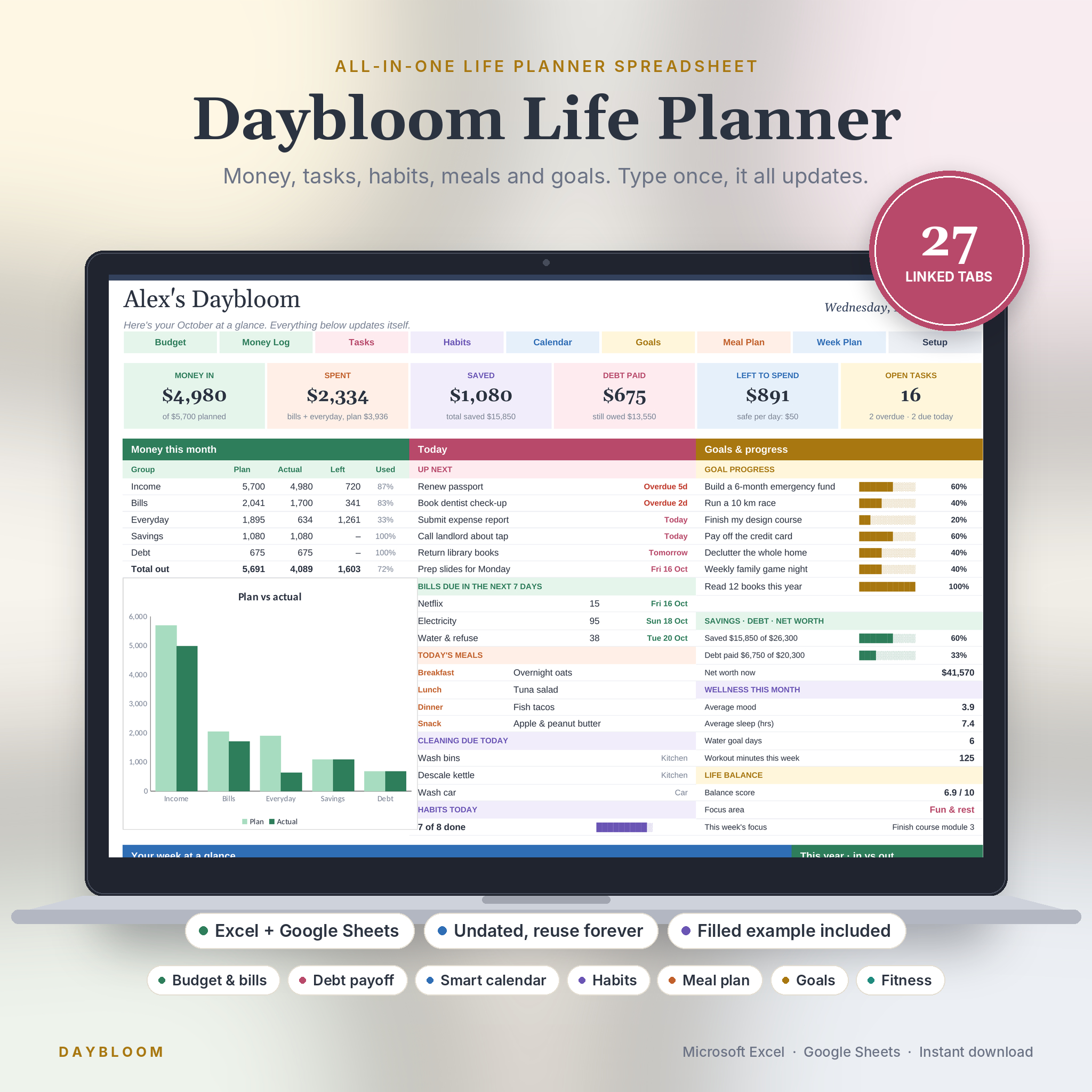

Your money, tasks, habits, meals and goals in one planner that updates itself.
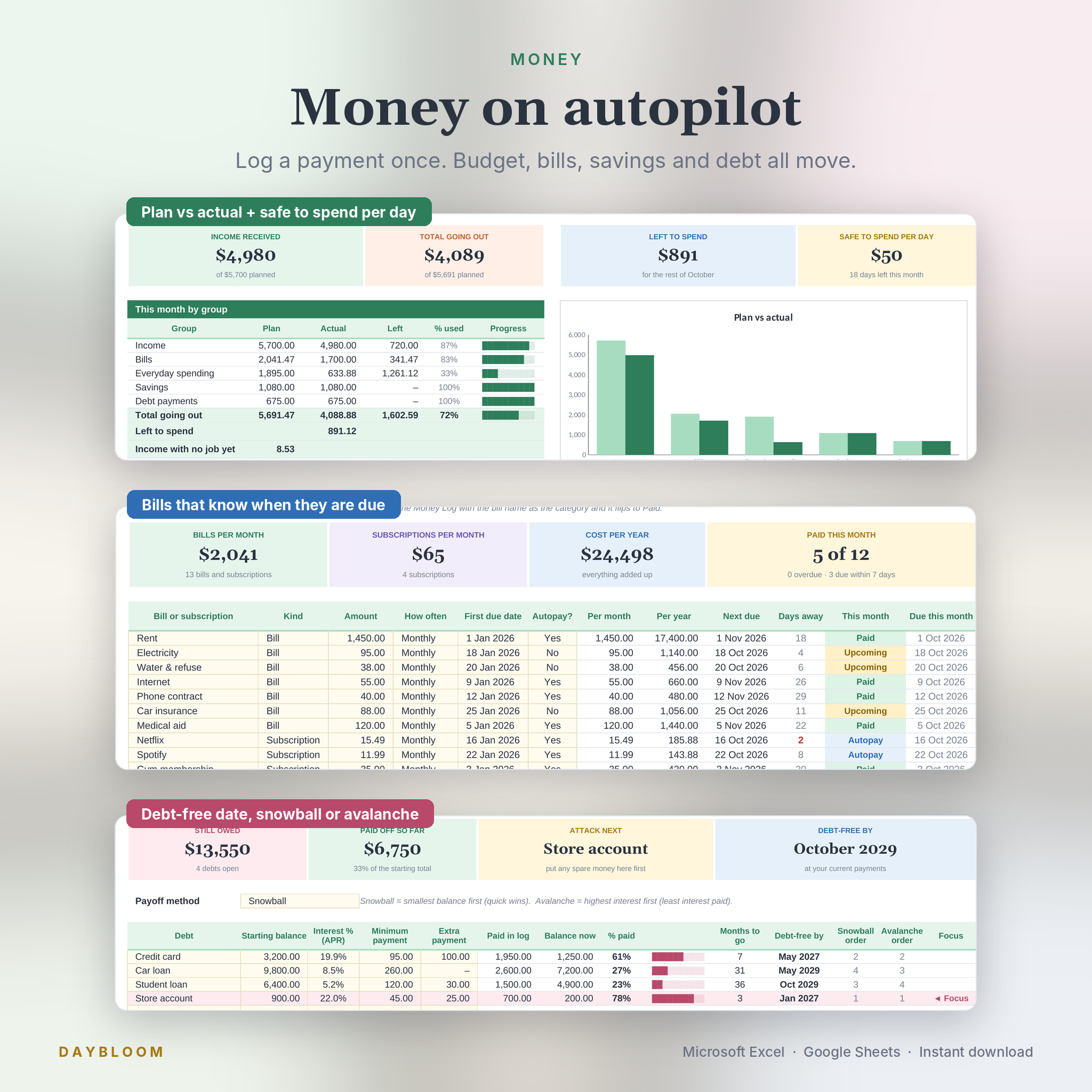
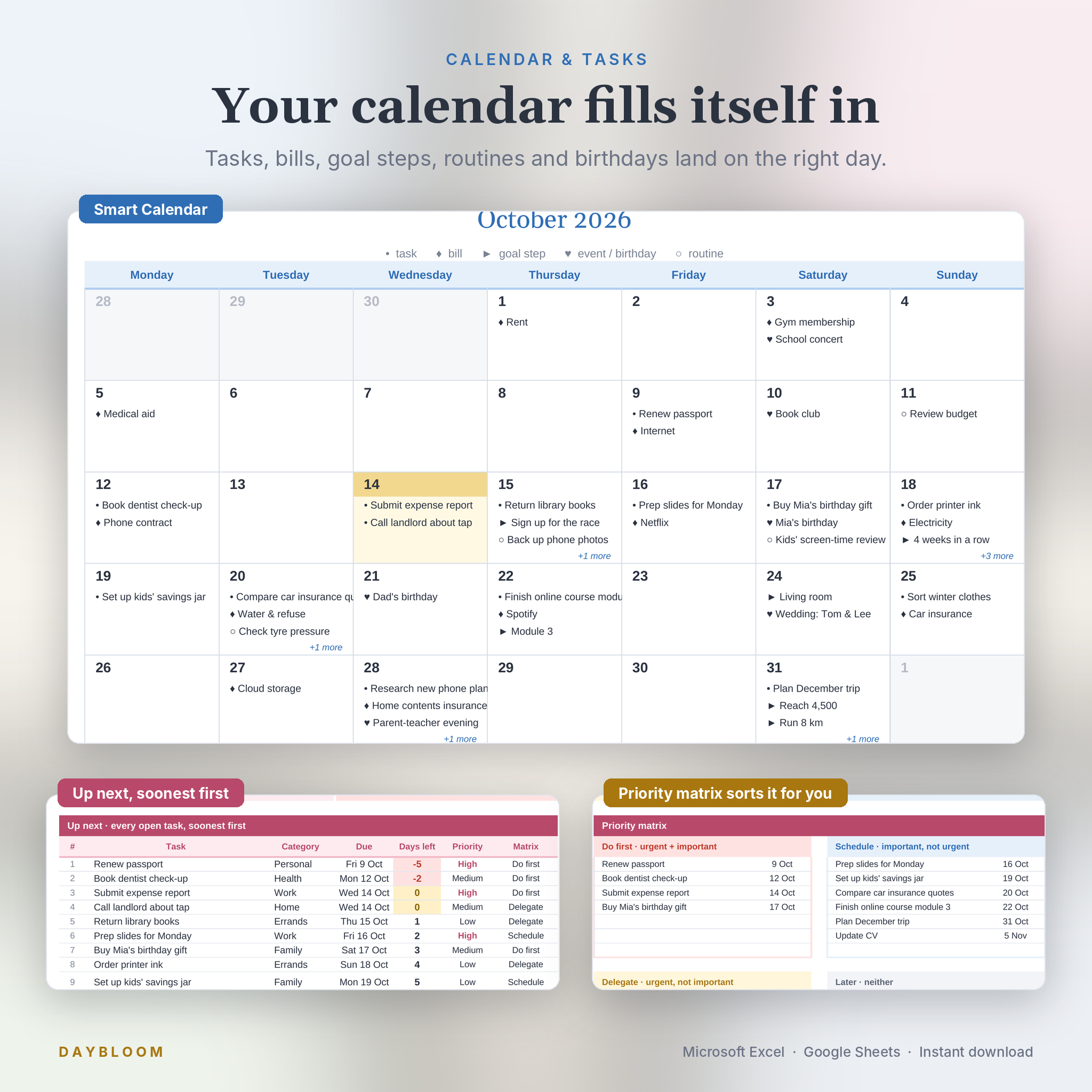
Most all-in-one planners ask you to type the same number in three places. Daybloom doesn’t. Log a payment once and your budget, bills, savings, debt, yearly view and dashboard all move. Add a task with a date and it lands on your calendar. Pick Tuesday’s dinner and the onions go on your grocery list.
It works in Microsoft Excel and Google Sheets, and it’s undated, so the same file keeps working this year, next year and the year after.
Who it’s for
- Busy parents, students, freelancers and side hustlers
- Anyone tired of juggling a budget app, a to-do app, a habit app and a meal app
- Beginners. If you can type in a cell and pick from a dropdown, you can run it
Why this one
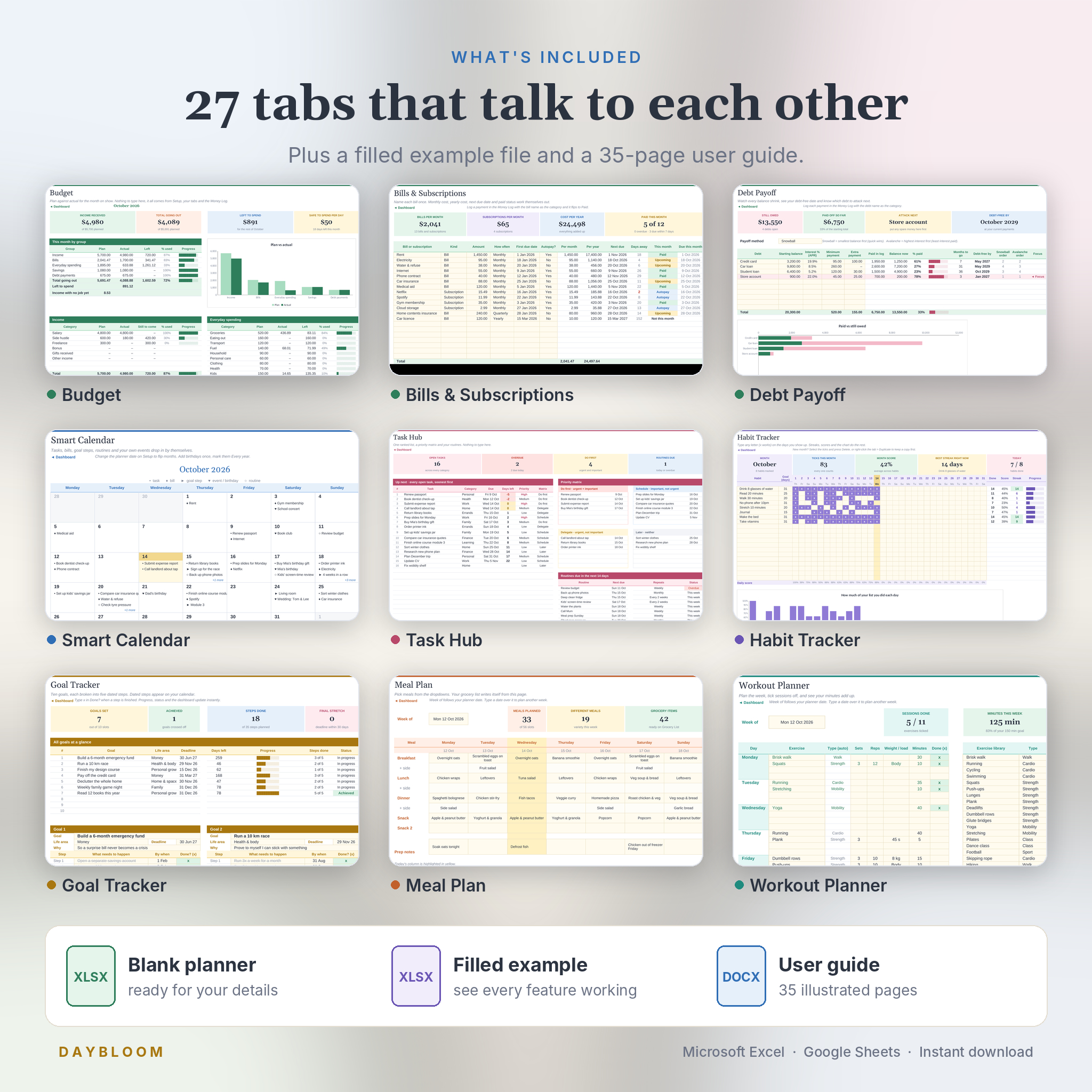
- 27 linked tabs. They share information, so you never copy a number from one tab to another
- Excel and Google Sheets. Every formula was written and tested to run in both
- Undated. It follows today’s date. Type any date on Setup to look back or plan ahead
- Bills, routines and chores schedule themselves. Next due dates work out on their own
- Debt payoff dates with snowball or avalanche order, so you know which debt to pay first
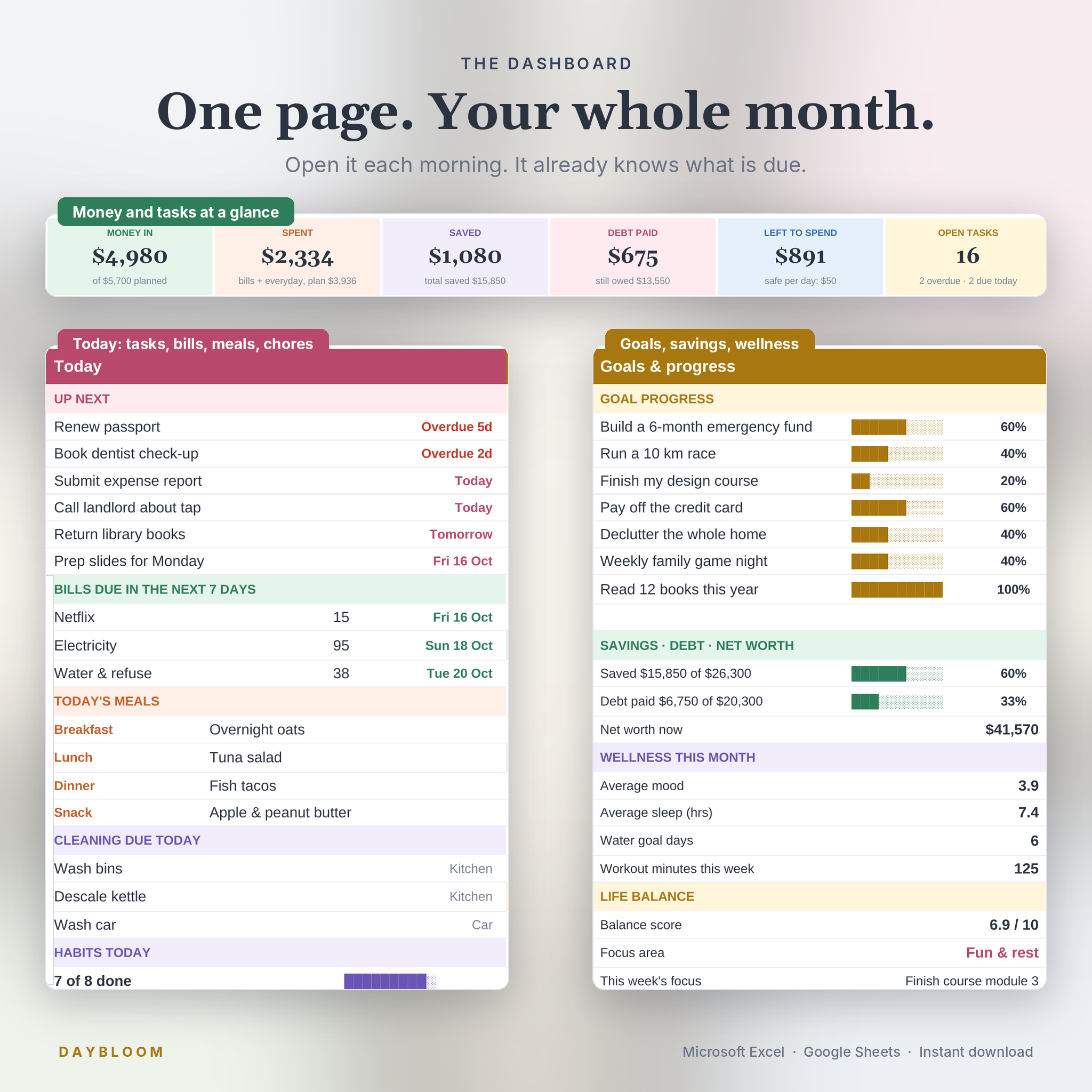
- Safe to spend per day, one number that tells you what today can handle
- Protected formulas. Cream cells are yours. The maths is locked so it can’t break by accident
- A filled example file so you can see everything working before you start
The 27 tabs
Get started: Start Here, Dashboard, Setup
Money: Money Log (1,000 rows), Budget (plan vs actual, left to spend, safe to spend per day), Bills & Subscriptions (monthly and yearly cost, next due date, paid status), Savings (10 goals with months left and amount needed per month), Debt (payoff dates, snowball and avalanche order), Net Worth (month by month), Annual Money (12 months by group and by category)
Tasks: Tasks (120 rows with priority, status and an urgent/important matrix), Recurring (repeating jobs with their own next due date), Task Hub (ranked up-next list, priority matrix, routines due in 14 days)
Plan: Smart Calendar (fills itself with tasks, bills, goal steps, routines, birthdays and events), Week Plan (half-hour time blocks with hours per category)
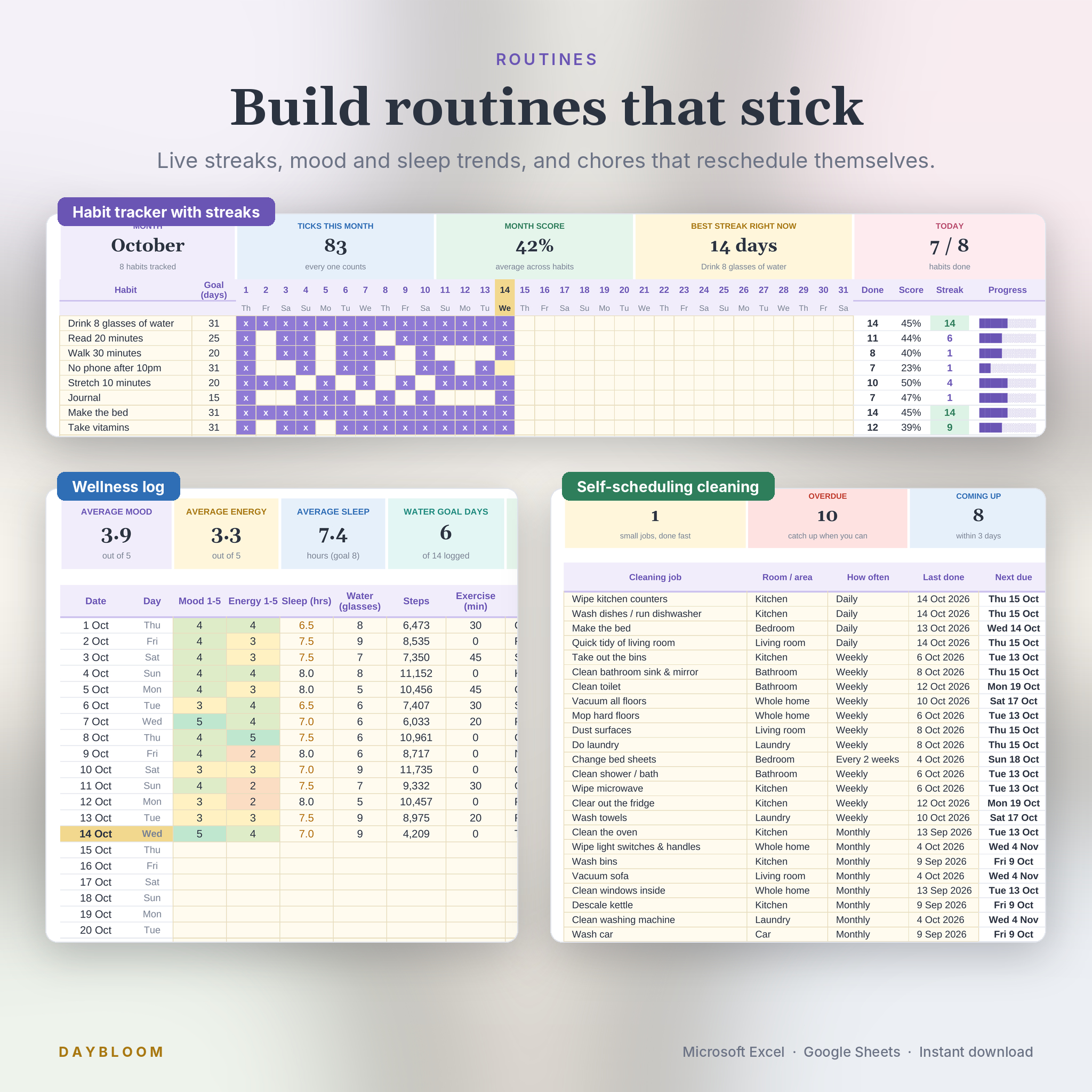
Routines: Habits (20 habits, 31 days, live streaks, daily score chart), Wellness (mood, energy, sleep, water, steps, one good thing), Cleaning (31-job starter schedule that reschedules itself when you type the date you last did a job)
Life: Goals (10 goals with 5 dated steps, why and reward), Life Balance (wheel of life scored each quarter), Weekly Review (weekly check-in with a score trend)
Meals: Meal Library (meals, ingredients and shop aisles), Meal Plan (a week from dropdowns), Grocery List (built from your meal plan, sorted by aisle)
Fitness: Workout Planner (weekly plan from an exercise library, with a recap), Body Tracker (52 weekly weigh-ins with a trend line)
Extras: Notes & Links
What you get
- Daybloom-Life-Planner.xlsx: your planner, ready for your details (starter categories, cleaning schedule and exercise library already filled in)
- Daybloom-Life-Planner-EXAMPLE.xlsx: the same planner filled with a sample month
- Daybloom-Life-Planner-User-Guide.docx: a 35-page illustrated guide covering every tab, customising, troubleshooting and FAQs
How it works
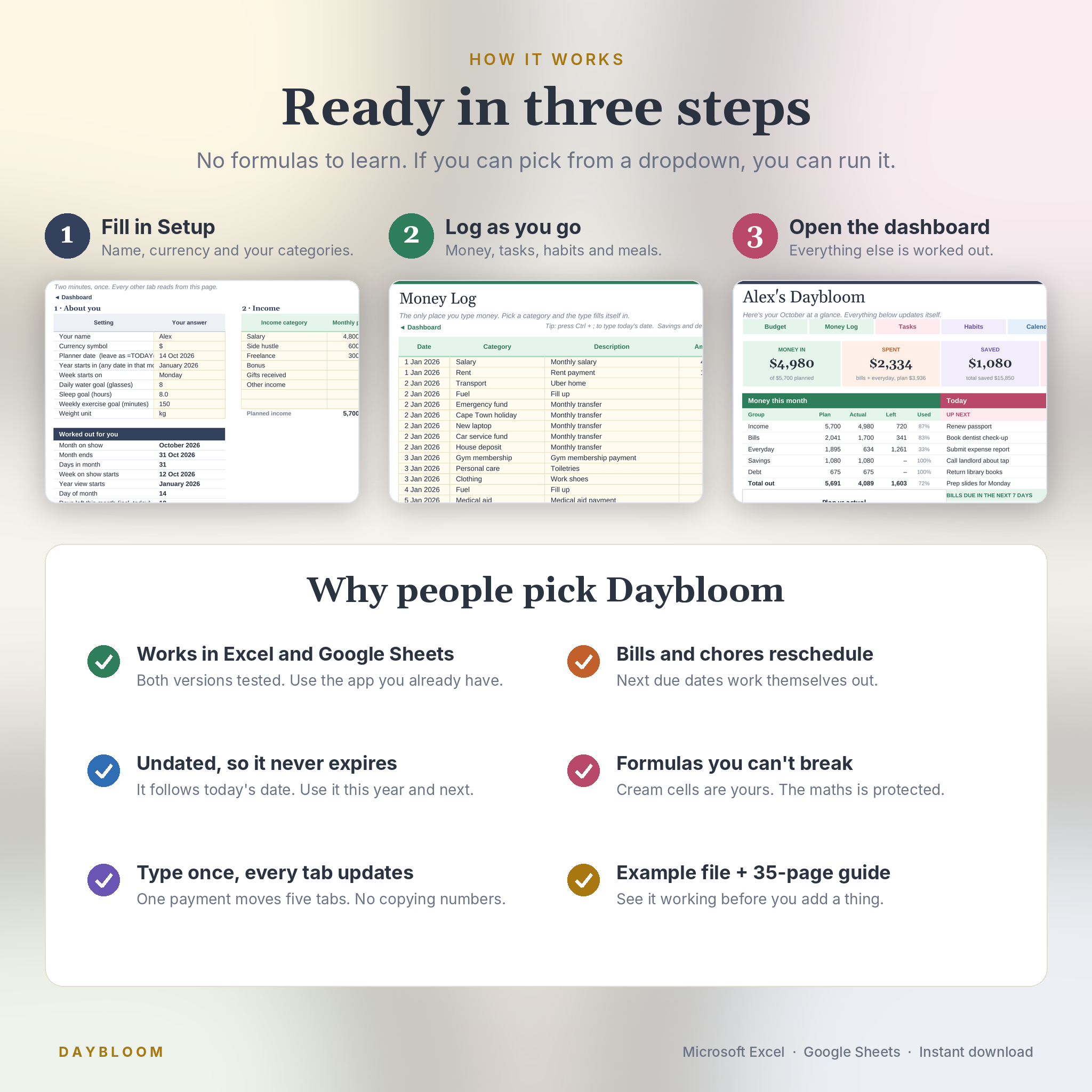
- Open the file in Excel, or upload it to Google Drive and open it with Google Sheets
- Fill in Setup: your name, currency, week start and your categories. About two minutes
- Name your bills, savings goals and debts once
- Log money, tasks, habits and meals as you go. The dashboard does the rest
Customising
Rename any category, task type, account, life area, room, time-block category or exercise and it updates everywhere. Pick any currency symbol. Choose a Monday or Sunday week start. Fonts, colours and column widths can be changed freely, and sheets unprotect without a password if you want to go further.
File formats and requirements
- Format: .xlsx spreadsheet files plus a .docx user guide
- Microsoft Excel 2016 or newer (Windows or Mac), Microsoft 365 or Excel on the web
- Google Sheets with a free Google account
- Works in the Excel and Google Sheets mobile apps. Setting up is easiest on a computer
Digital download
This is an instant digital download. Nothing is shipped. Your files are available straight after checkout and in your account downloads.
Please note: this is a spreadsheet template, not an app or a printed planner. The Excel and Google Sheets copies are separate files and don’t sync with each other. It is an organising tool and doesn’t give financial, medical or legal advice. For personal use only.
Reviews
There are no reviews yet.