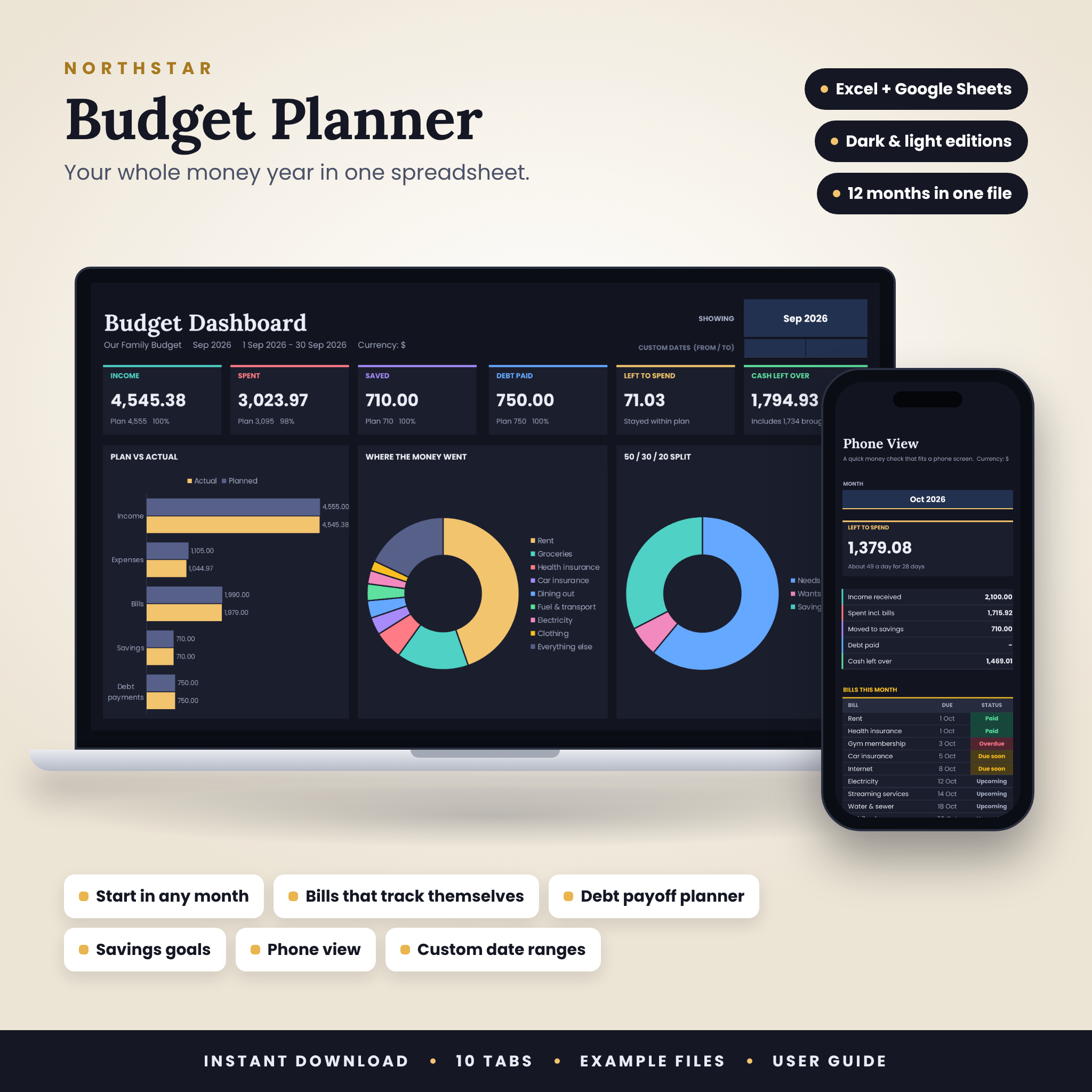

Your whole money year, in one file
Most budget templates make you copy a tab every month. This one doesn’t. Northstar holds all 12 months in one workbook. Pick a month from a dropdown and the dashboard follows. Log a transaction once and the charts, bill statuses, savings progress and debt totals catch up by themselves.
It’s made for real people, not accountants. If you can type a number into a cell, you can run this planner.
Who it’s for
- Anyone who wants a clear monthly budget without paying for an app every month
- People paid weekly, every two weeks or monthly
- Couples and families who share costs
- Anyone working through debt who wants a real payoff date
What it does for you
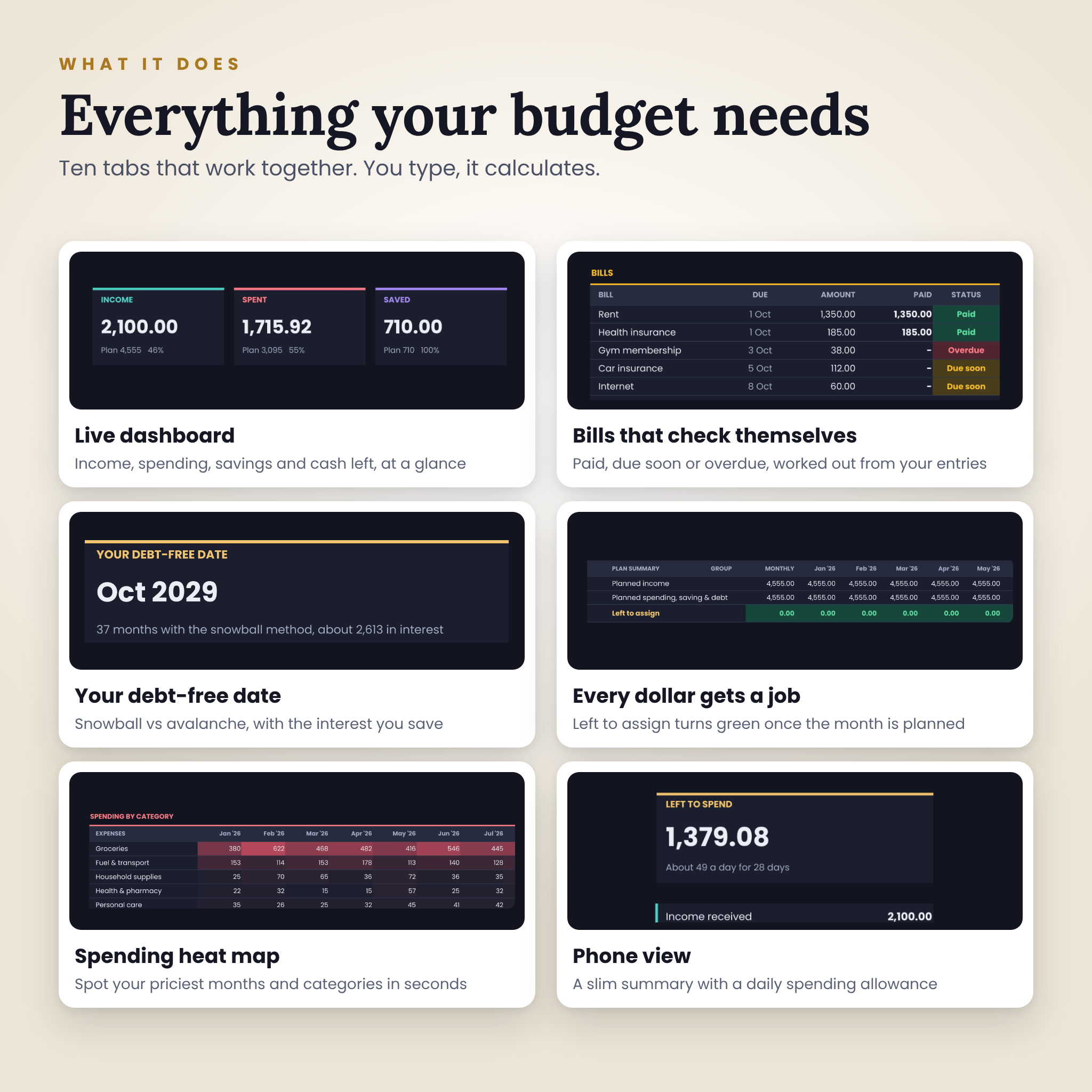
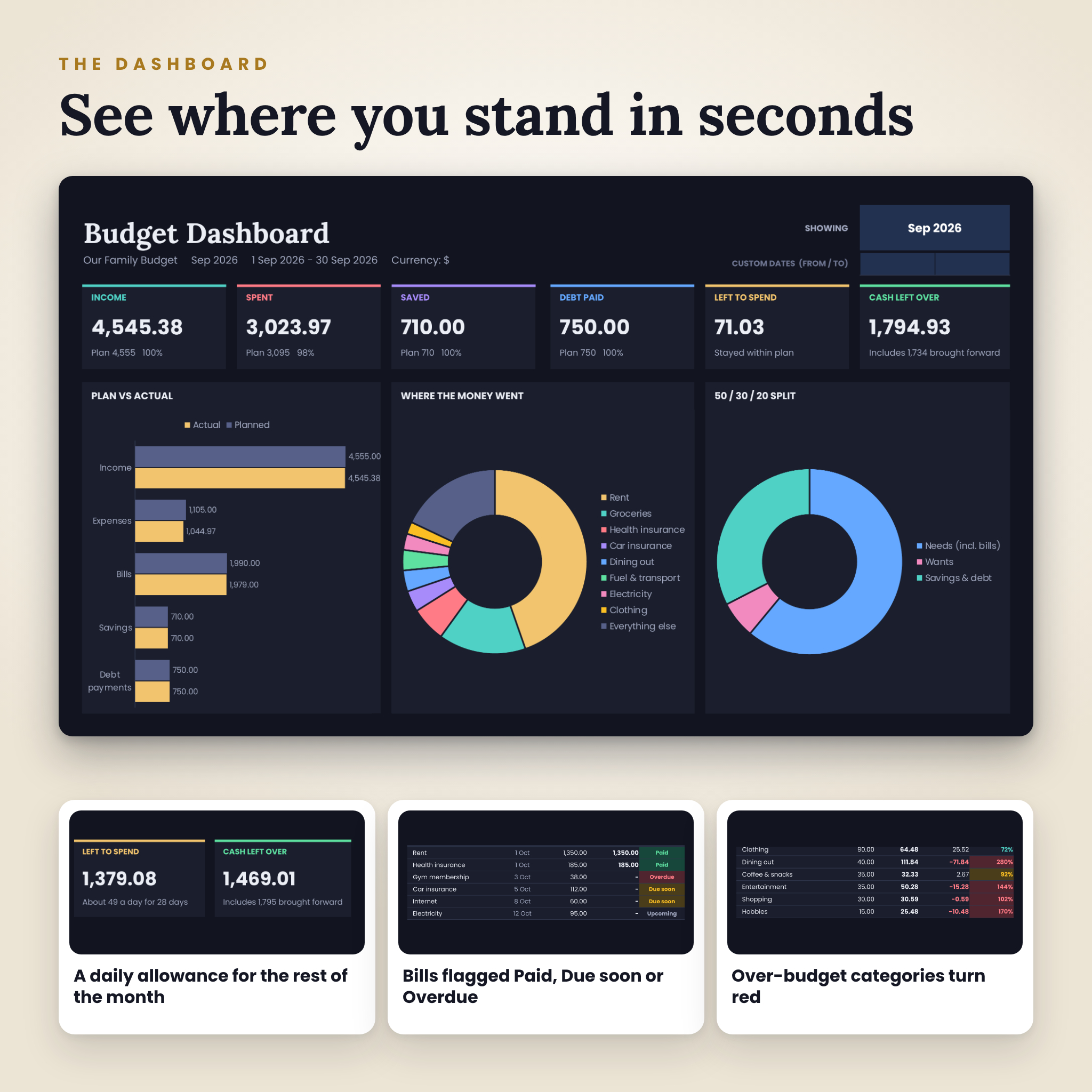
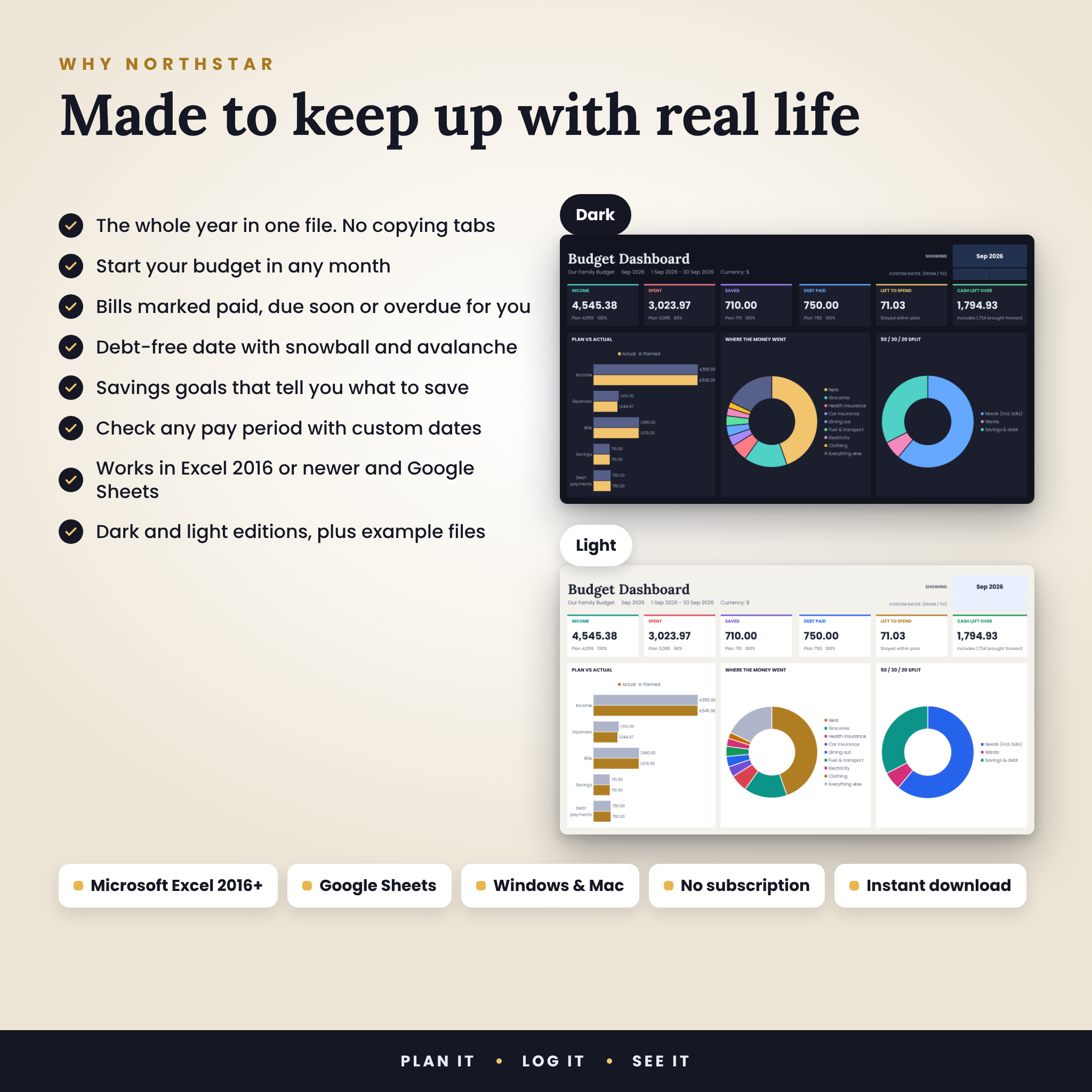
- Shows where you stand in seconds. Income, spending, savings, debt paid, what’s left to spend and cash left over, on one dashboard.
- Keeps bills from slipping. Each bill is marked Paid, Due soon or Overdue from what you’ve logged.
- Gives every dollar a job. The Budget Plan shows Left to assign for each month, so you know when your plan balances.
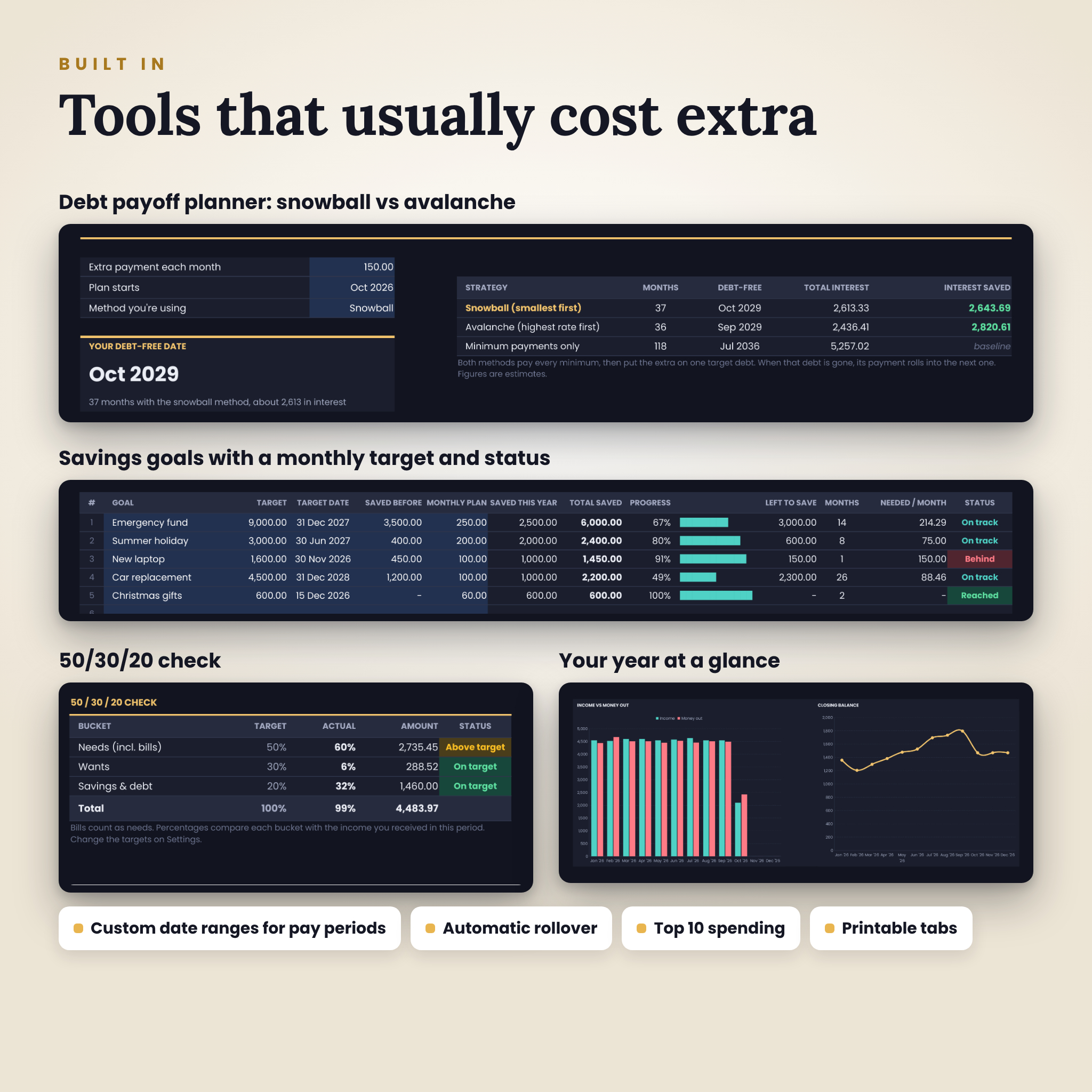
- Finds your debt-free date. Compare snowball and avalanche side by side and see the interest each one saves.
- Keeps savings on schedule. Each goal shows progress, months left and how much to put away each month.
- Checks the 50/30/20 rule. See how needs, wants and savings compare with your own targets.
Features
- Dashboard for any month, the full year or custom dates (handy for pay periods)
- Six summary cards, a plan vs actual chart, a spending breakdown and a 50/30/20 split
- Automatic rollover, so cash left over carries into the next month
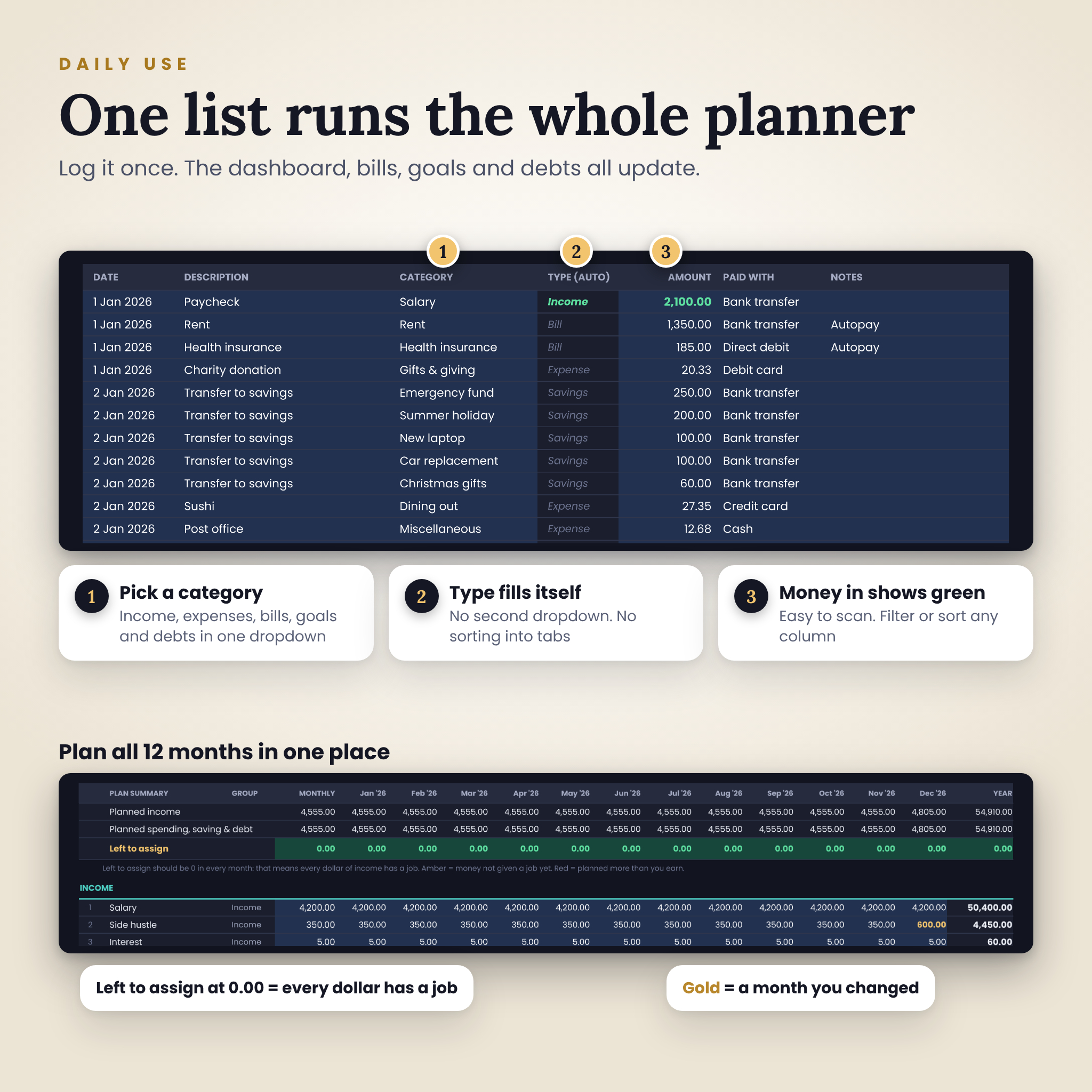
- One transactions list for everything, with 1,500 rows ready to go
- Smart category dropdown: pick a category and the type fills itself
- 12-month Budget Plan: type a monthly amount once and it fills the year, then change any single month
- Annual Overview with month-by-month cash flow, plan vs actual, two charts and a spending heat map
- Bills tab with a 12-month paid grid in green, amber and red
- Savings Goals with progress bars, status and monthly targets
- Debt Payoff tracker plus a snowball vs avalanche planner, payoff order and timeline chart
- Phone View tab for small screens, with a daily spending allowance
- Start Here tab with setup links and a health check that flags duplicate names or missing categories
- Top 10 spending list, over-budget warnings and colour-coded statuses
- Locked dashboards so formulas can’t be typed over by accident (unlock any time, no password)
- Print-ready page layouts
What’s included
- Northstar Budget Planner, dark theme (blank, ready for your numbers)
- Northstar Budget Planner, light theme (blank)
- Dark and light example files with nine months of sample data, so you can see how everything works
- Illustrated user guide (Word document) with setup steps, a tour of every tab, troubleshooting and FAQs
How it works
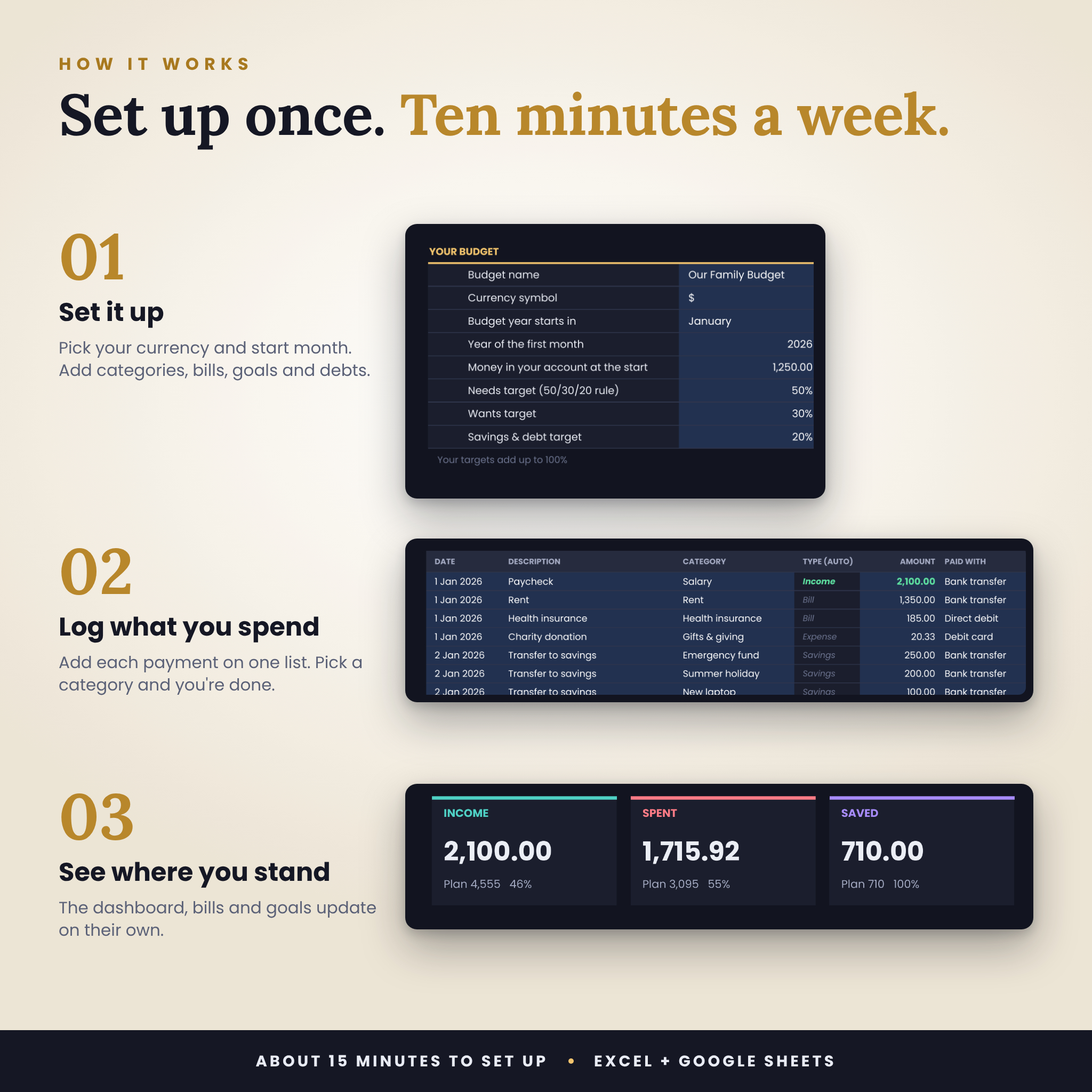
- Download your files straight after checkout.
- Open the blank planner in Excel, or upload it to Google Drive and open it with Google Sheets.
- Fill in Settings, your bills, goals and debts, then your Budget Plan. It takes about 15 minutes.
- Log your spending on the Transactions tab. Everything else updates on its own.
File formats and requirements
- Format: .xlsx spreadsheet files plus a .docx user guide
- Microsoft Excel 2016 or newer on Windows or Mac, including Microsoft 365
- Google Sheets with a free Google account (upload the .xlsx and save it as a Google Sheet)
- Apple Numbers is not supported
- Designed with the free fonts Poppins and Lora. Google Sheets shows them automatically. In Excel, install them from Google Fonts for the exact look, otherwise Excel uses a standard font and everything still works.
- Charts may look a little different in Google Sheets. The numbers are the same.
Make it yours
- Any currency symbol
- Start your budget year in any month
- Up to 10 income sources, 24 expense categories, 15 bills, 10 savings goals, 10 debts and 8 payment methods, all renamable
- Set your own 50/30/20 targets
- Change colours and fonts like any spreadsheet
Digital download
This is a digital product, so nothing is posted to you. Your download links appear as soon as payment goes through and are also sent to your email.
Good to know
- Personal licence for your own household. Please don’t share or resell the files.
- The planner is an organising tool, not financial advice. Payoff dates and interest figures are estimates based on the numbers you enter.
- Stuck on something? Get in touch and we’ll help you sort it out.
Reviews
There are no reviews yet.