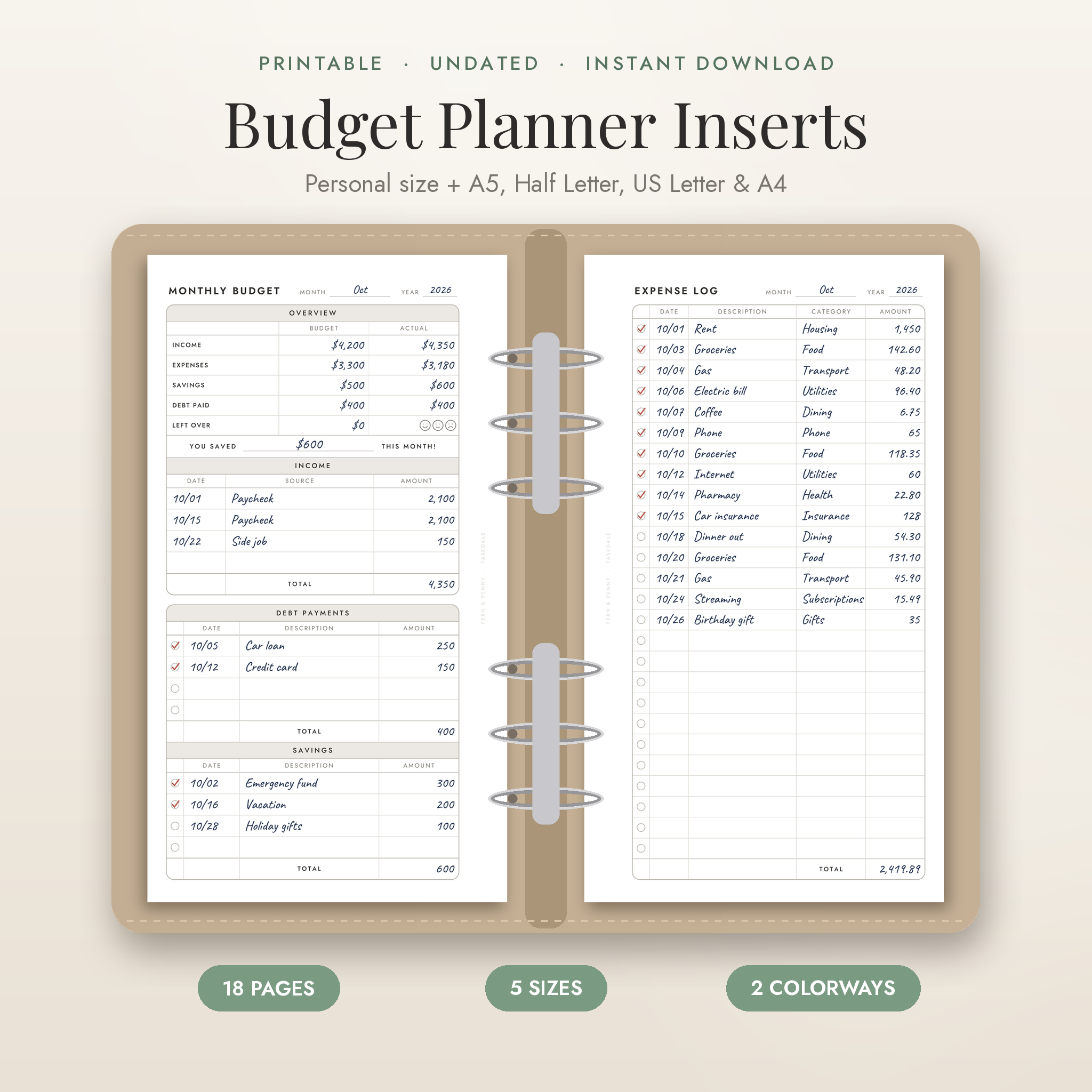
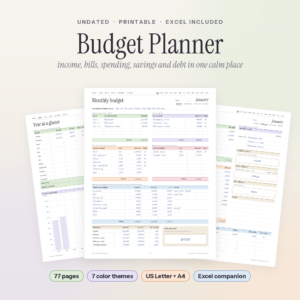
This printable budget planner gives you 18 undated pages to plan your month, track every expense and finally see your savings grow and your debt shrink. It comes in Personal size for ring planners, plus A5, Half Letter, US Letter and A4, so it fits the binder you already own. Print it, punch it and start this month.
Most budget printables give you one or two pages. That’s fine until you want to track bills, pay off a credit card and save for a trip at the same time. Fern & Penny puts each of those jobs on its own clean page, with roomy rows you can actually write in.
What This Printable Budget Planner Helps You Do
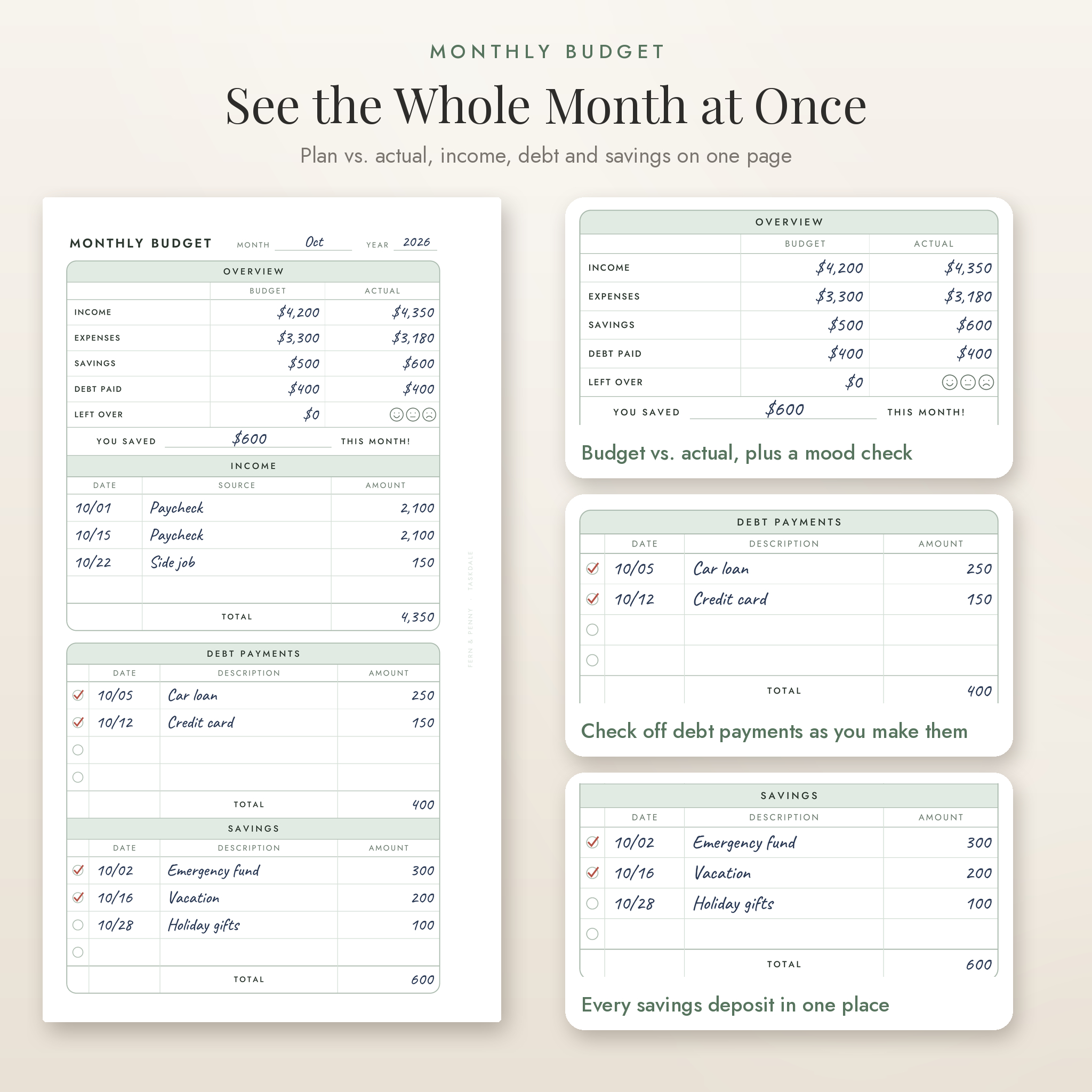
- Plan your month with budget vs. actual numbers for income, expenses, savings and debt.
- Log every purchase with a category, so you know exactly where the money went.
- Never miss a bill. Mark each one paid and see what’s still left to pay.
- Split each paycheck between bills and savings before it lands.
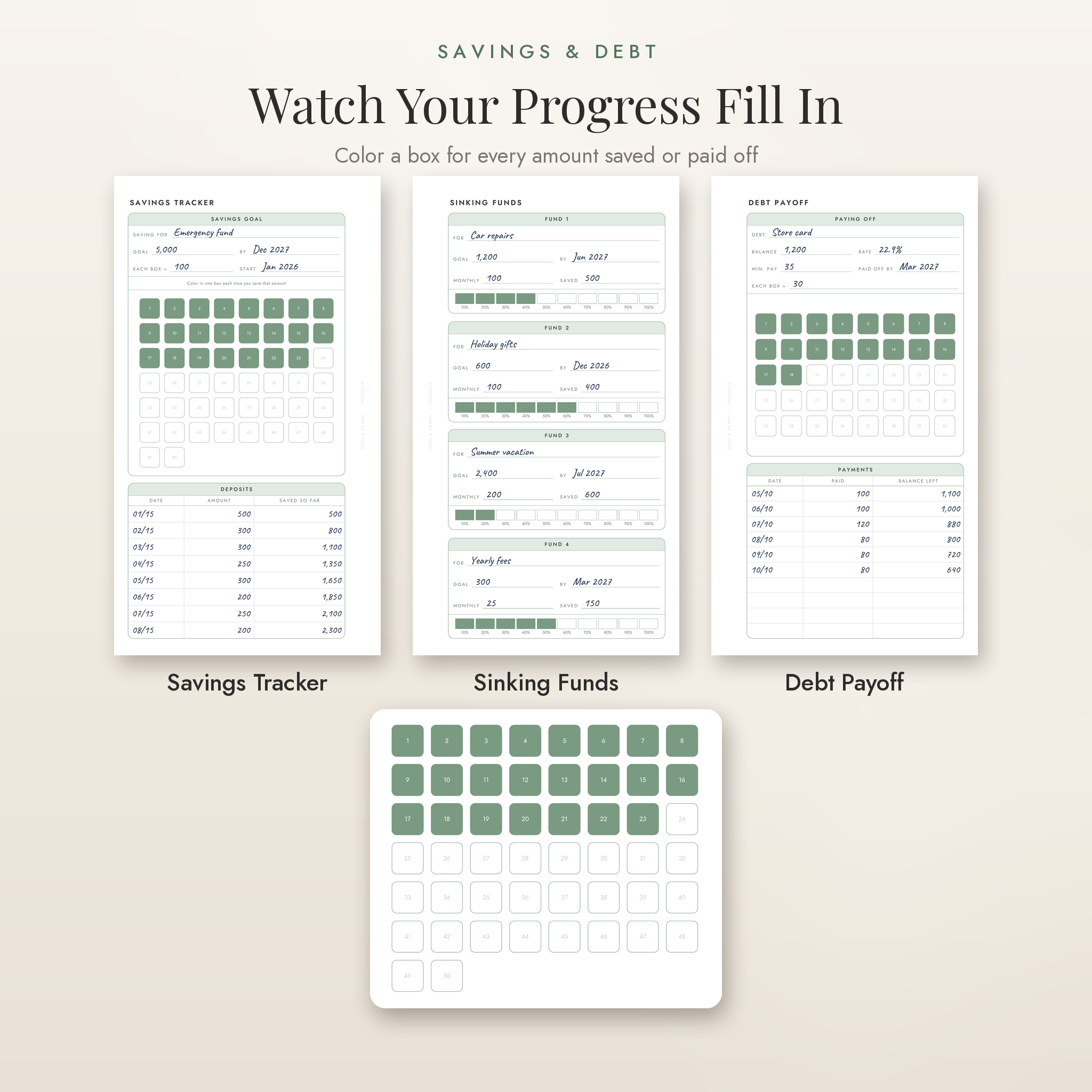
- Color in progress boxes as you save or pay off debt. It’s oddly motivating.
- Look back on each month and the whole year in a few minutes.
Who It’s For
It suits anyone who likes pen and paper more than budgeting apps. Families paying down debt use it. So do first-time budgeters, people building an emergency fund, and planner lovers who want their finance section to match the rest of their binder. If you’re new to budgeting, each page does one simple job, so you never stare at a blank sheet wondering where to start.
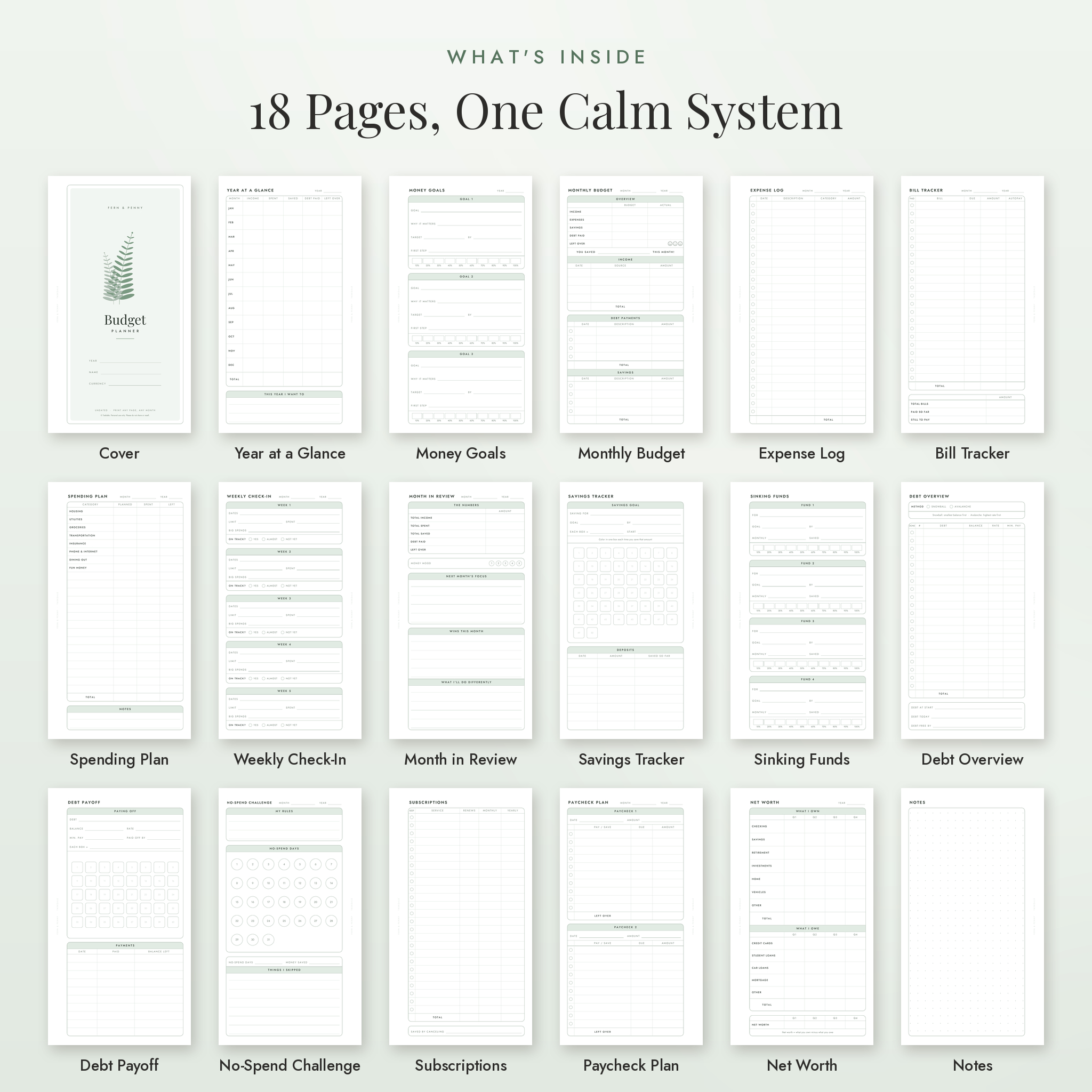
What’s Included: 18 Budget Planner Pages
Monthly pages (print a fresh set each month)
- Monthly Budget: plan vs. actual, a “you saved” line, mood check, plus income, debt payment and savings logs.
- Expense Log: date, description, category and amount, with a check circle for each entry.
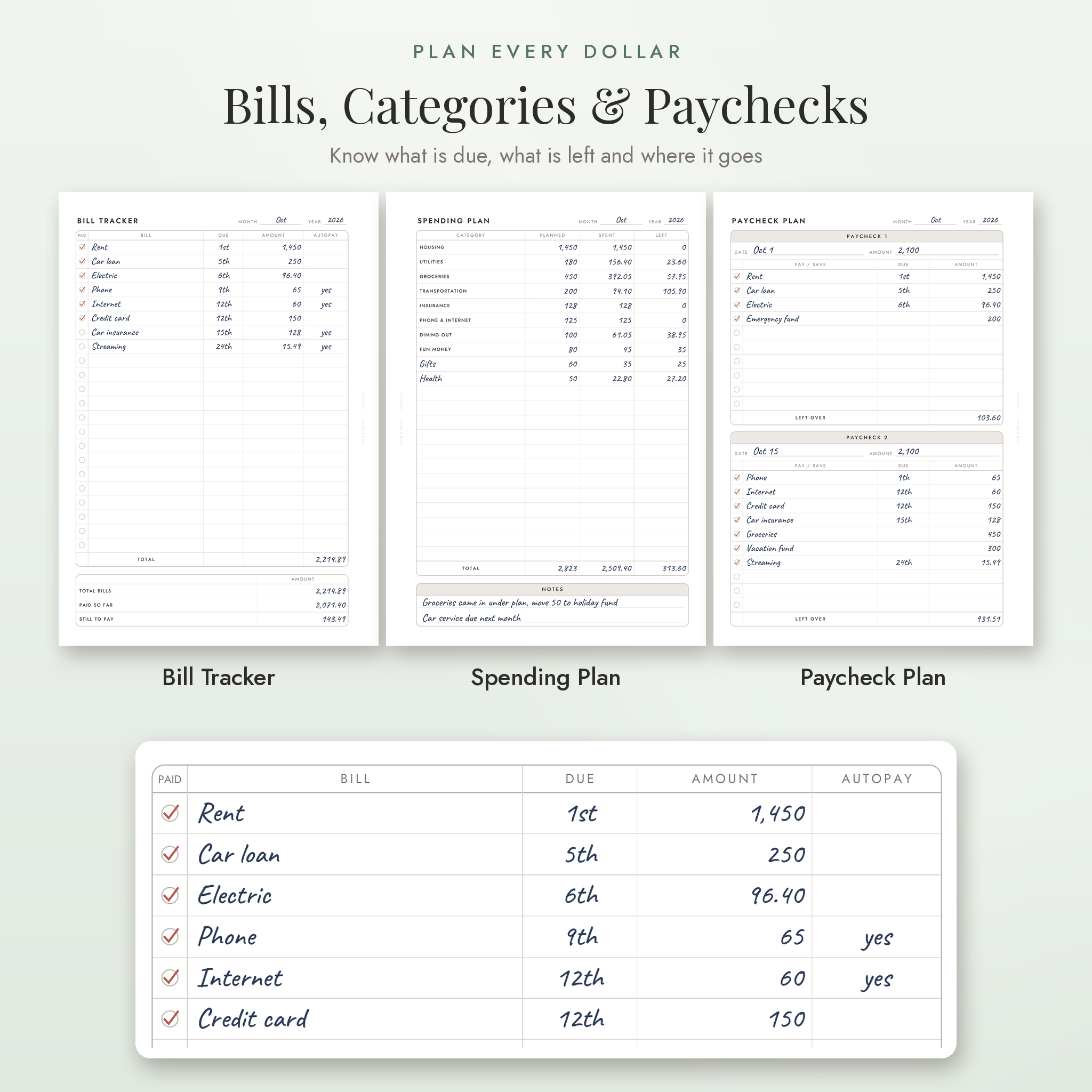
- Bill Tracker: bill, due date, amount, autopay and paid columns, plus total, paid so far and still to pay.
- Spending Plan: planned, spent and left for each category. Eight common categories are printed and the rest are blank for your own.
- Weekly Check-In: five weeks with a spending limit, what you spent and an on-track check.
- Paycheck Plan: two paychecks, each with its own bill list and leftover amount.
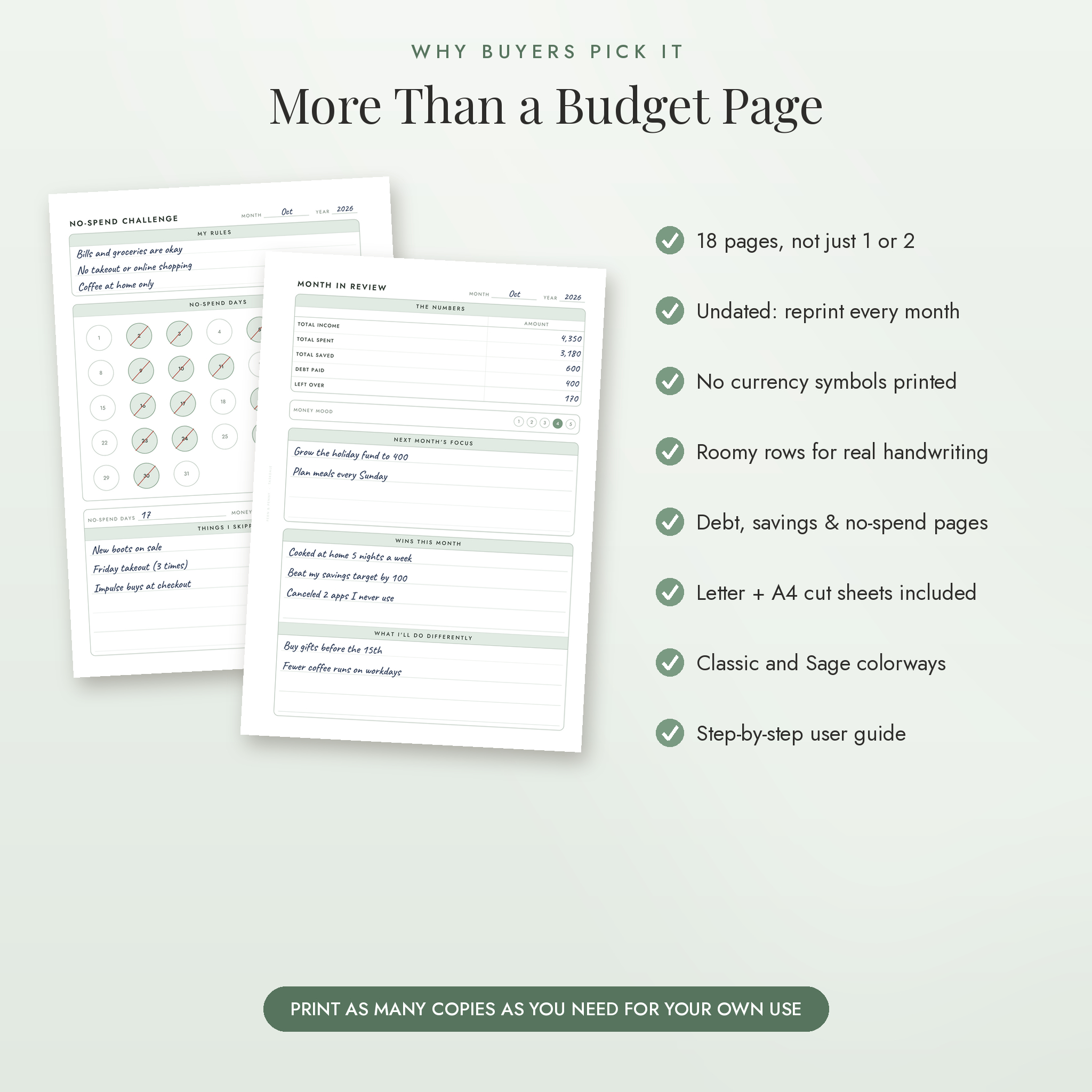
- No-Spend Challenge: your rules, 31 numbered day circles and a count of money kept.
- Month in Review: the month’s totals, a 1 to 5 money mood rating, wins, changes and next month’s focus.
Savings and debt pages
- Savings Tracker: 50 progress boxes plus a deposit log with a running total.
- Sinking Funds: four funds, each with a goal, monthly amount and a 10-step progress bar.
- Debt Overview: every debt in payoff order with balance, rate and minimum payment. Pick snowball or avalanche.
- Debt Payoff: one debt at a time, 40 boxes to color in and a payment log.
Yearly and extra pages
- Cover with year, name and currency lines.
- Year at a Glance: 12 months of income, spending, savings, debt paid and leftover, with a yearly total row.
- Money Goals: three goals with a reason, target, date, first step and progress bar.
- Subscriptions: monthly and yearly cost side by side, with a keep or cancel check.
- Net Worth: what you own and what you owe, by quarter.
- Notes: a dot grid page.
Sizes and File Formats
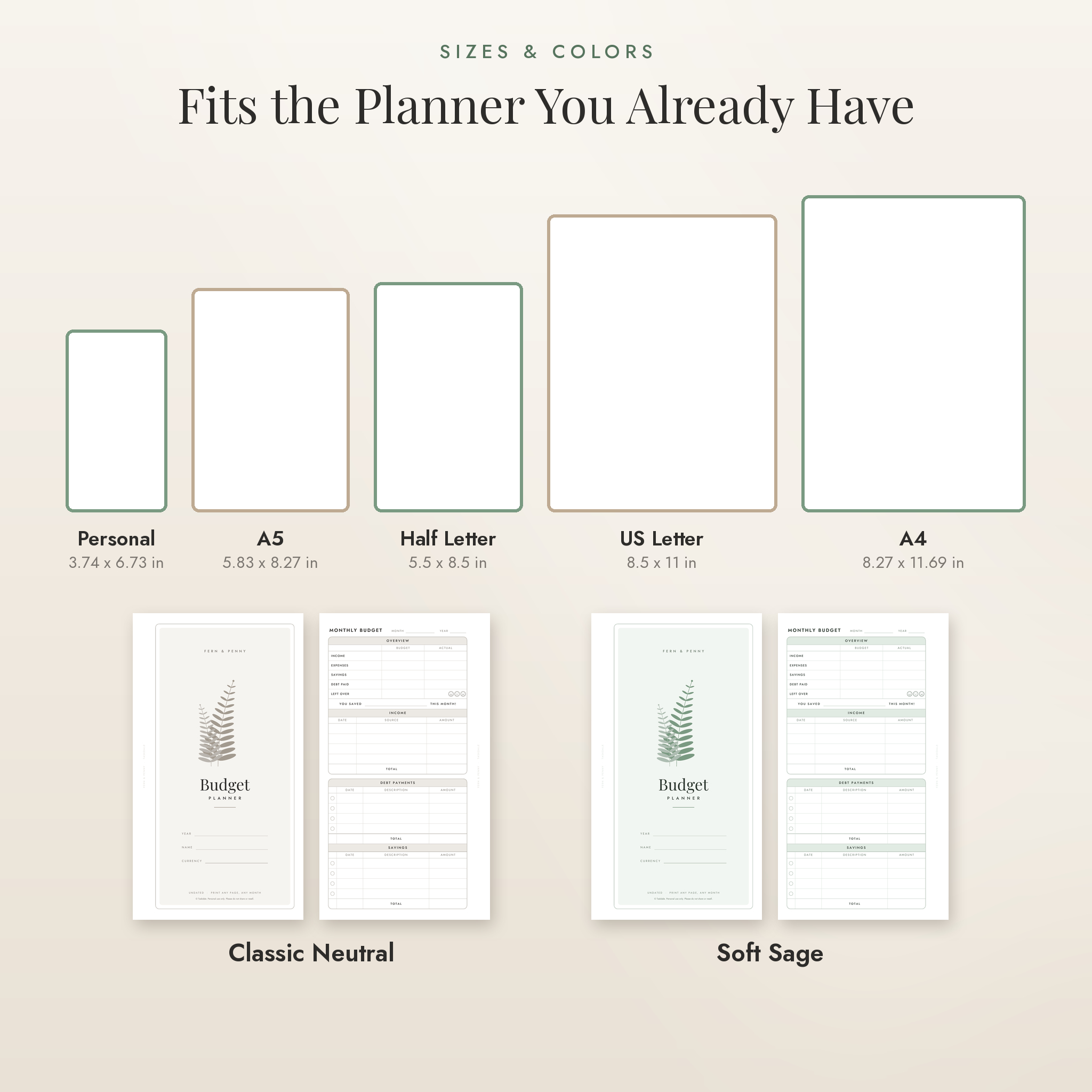
You get 18 PDF files in one ZIP folder, plus a Word (DOCX) user guide. Every page comes in two colorways, Classic (warm gray) and Soft Sage.
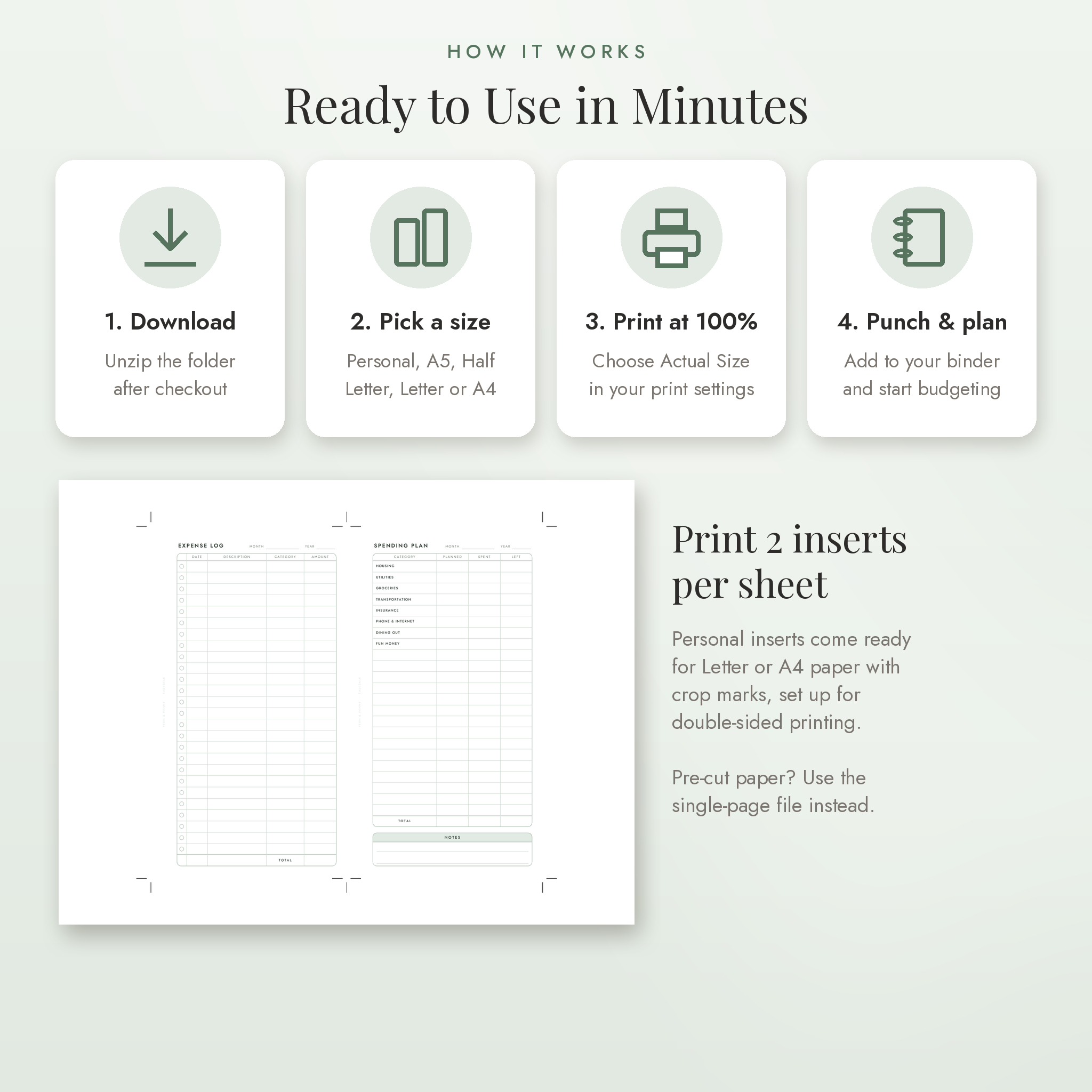
- Personal size (95 x 171 mm / 3.74 x 6.73 in): a pre-cut file, plus files that print 2 inserts per US Letter or A4 sheet with crop marks.
- A5 (148 x 210 mm): single pages, plus 2 per A4 sheet.
- Half Letter (5.5 x 8.5 in): single pages, plus 2 per Letter sheet.
- US Letter (8.5 x 11 in) and A4: full-page versions for a standard binder.
The small inserts keep a half-inch (12.7 mm) margin on the binding edge for hole punching. Odd and even pages switch sides, so pages printed back to back sit right in your rings. The 2-per-sheet files are already arranged for double-sided printing.
How It Works
- Download the ZIP file right after checkout and unzip it.
- Choose your size and colorway.
- Open the PDF in Adobe Acrobat Reader or your browser and print at Actual Size (100%).
- Trim if needed, punch the holes and add the pages to your planner.
Software Requirements
All you need is a free PDF reader and a home printer. The user guide opens in Microsoft Word, Google Docs, Pages or LibreOffice. No special software or account is required.
Customizing Your Planner
These are print-and-write pages, so you customize them with a pen. Money amounts have no currency symbol printed. Write your currency on the cover and use dollars, pounds, euros or anything else. Rename the blank Spending Plan rows with your own categories. Print only the pages you need, mix the two colorways, and reprint as often as you like.
Real Ways People Use It
- A couple sits down on the 1st, fills in the Monthly Budget together and splits the bills across two paychecks.
- A student keeps a Personal planner in a backpack and logs coffee and groceries on the Expense Log.
- Someone paying off three credit cards lists them on the Debt Overview and colors in a box every time a payment goes out.
- A family saving for a summer trip runs a Sinking Fund for it and a No-Spend Challenge in March.
- A freelancer with uneven income uses the Weekly Check-In to keep spending steady.
Digital Download Information
This is an instant digital download. No physical item will be shipped. Your download link appears right after payment and in your order confirmation email. Colors can look slightly different on screen and on paper. Files are for personal use only and may not be shared or resold.
Budget Planner FAQ
Is this budget planner dated?
No. Every page has a blank month and year, so you can start any time and reuse it every year.
Will it fit my Personal size ring planner?
Yes. The Personal inserts are 95 x 171 mm (3.74 x 6.73 in), the standard Personal ring planner size, with a punch margin on the binding edge.
Can I print it on regular printer paper?
Yes. Every size has a file for US Letter or A4 paper. The small sizes print 2 per sheet with cutting guides.
Can I type into the PDF?
No. The pages are made to print and fill in by hand.
Can I use my own currency?
Yes. No currency symbol is printed, and the cover has a line to write your currency.
How many times can I print it?
As many times as you like for yourself and your household.
Do I need a hole punch?
For a ring planner, yes. A 6-hole planner punch works for Personal and A5. A standard 3-hole punch works for Letter and A4.
Reviews
There are no reviews yet.