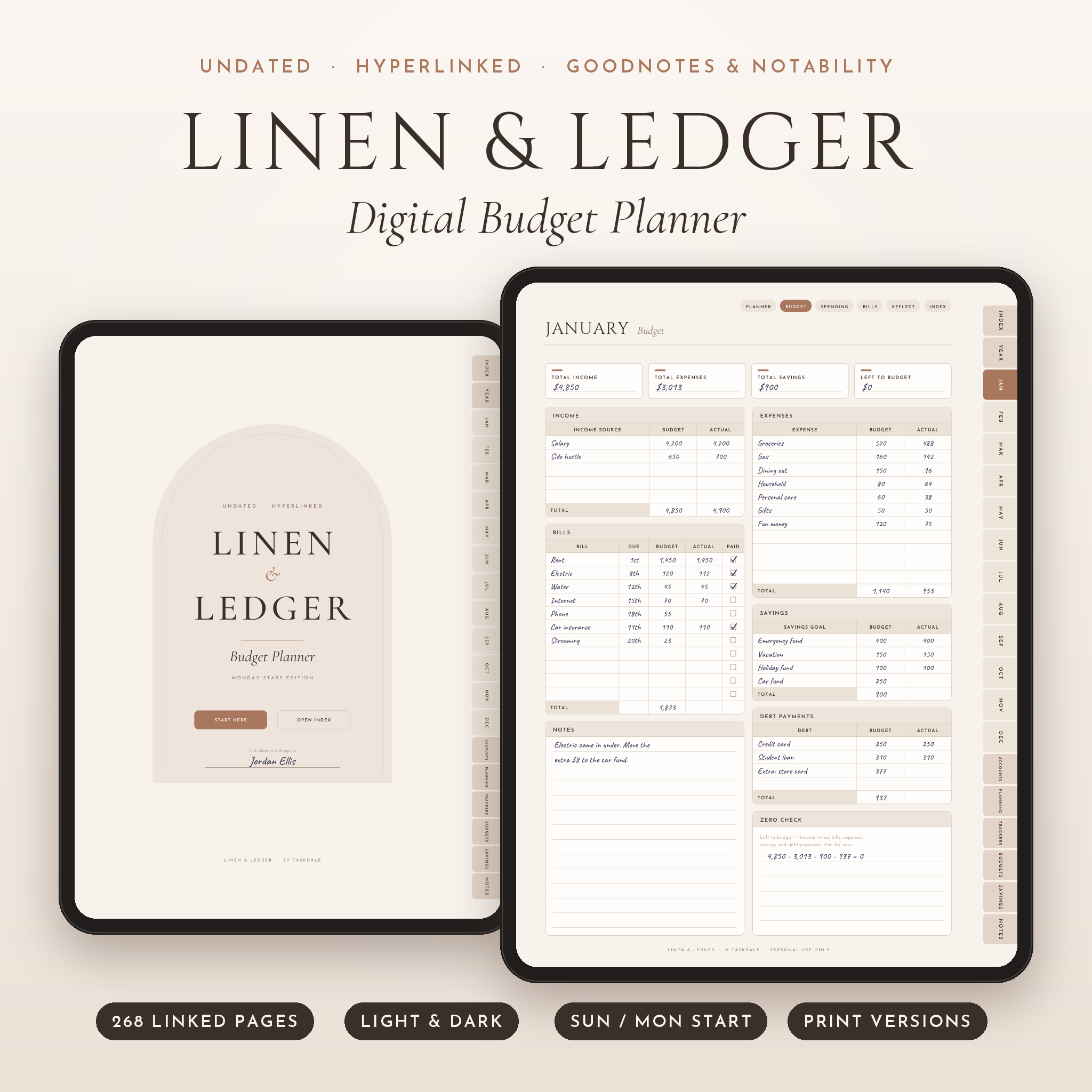
The Linen & Ledger digital budget planner gives you one place to plan, track and actually see your money. It is undated, fully hyperlinked and made for writing by hand on a tablet. You get 268 pages, two color themes, Sunday and Monday start versions, and printable US Letter and A4 copies in the same download.
Open it in GoodNotes, Notability or another PDF note app, tap a tab, and start writing. No setup. No dates to fight with. Start in March if you like.
What this digital budget planner does
Most budget planners give you a monthly page and a few trackers. That is fine for about six weeks. Then life happens and the pages go blank.
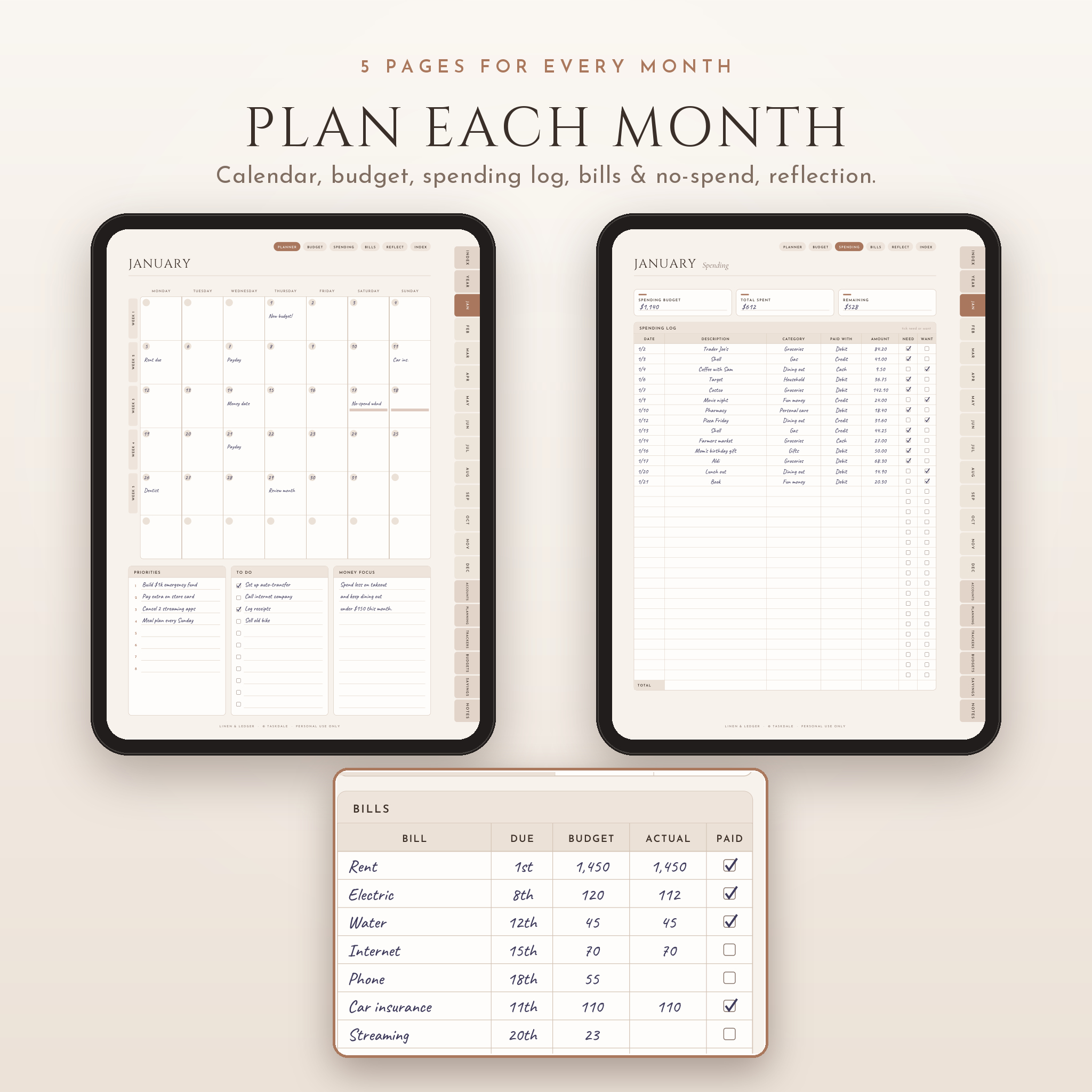
Linen & Ledger is built around a simple monthly loop. Plan the month on the budget page. Log what you spend as you go. Tick off bills. Then spend ten minutes on the reflection page and carry what you learned into next month. Every month repeats the same five pages, so the habit gets easier, not harder.
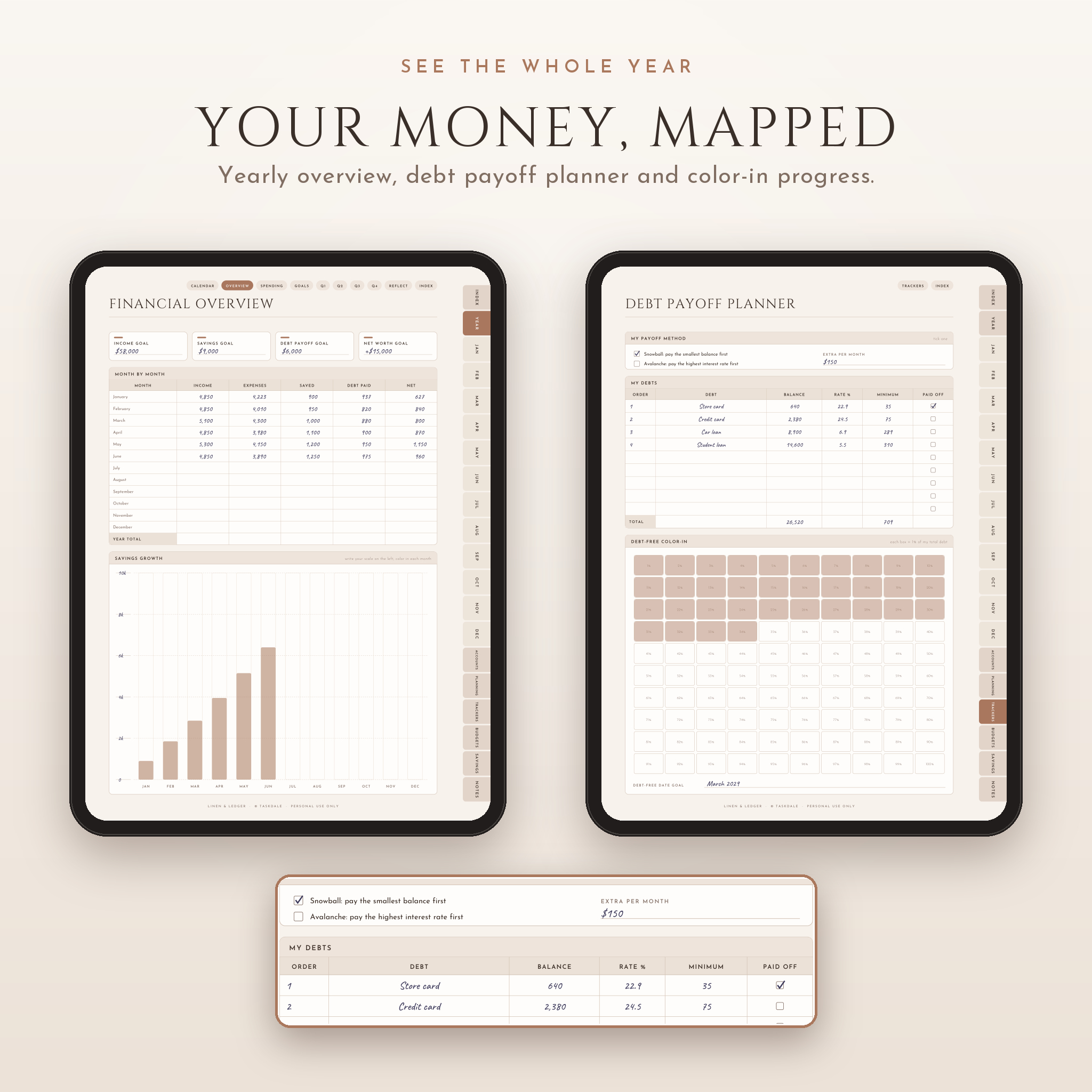
Around that loop sit the bigger-picture pages: a yearly financial overview, a debt payoff planner, account registers, savings trackers and challenges that add up to the exact goal.
Who it is for
- First-time budgeters who want a clear page to start on
- Anyone paying off credit cards, a car loan or student loans
- Savers juggling an emergency fund, a trip and a holiday fund at once
- Couples who hold a weekly money date
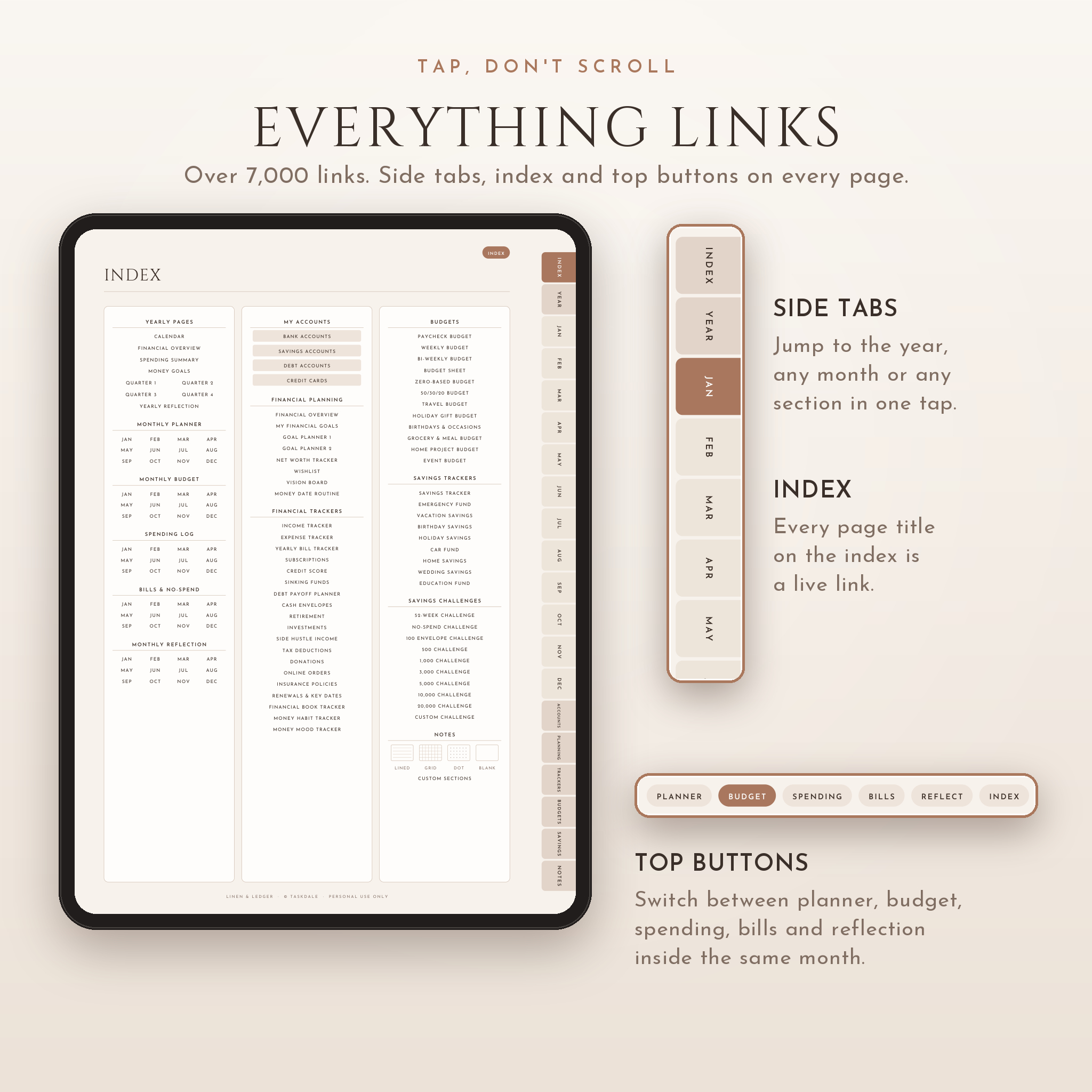
- People who love pen and paper but want tap-to-jump links
What’s included
Yearly pages
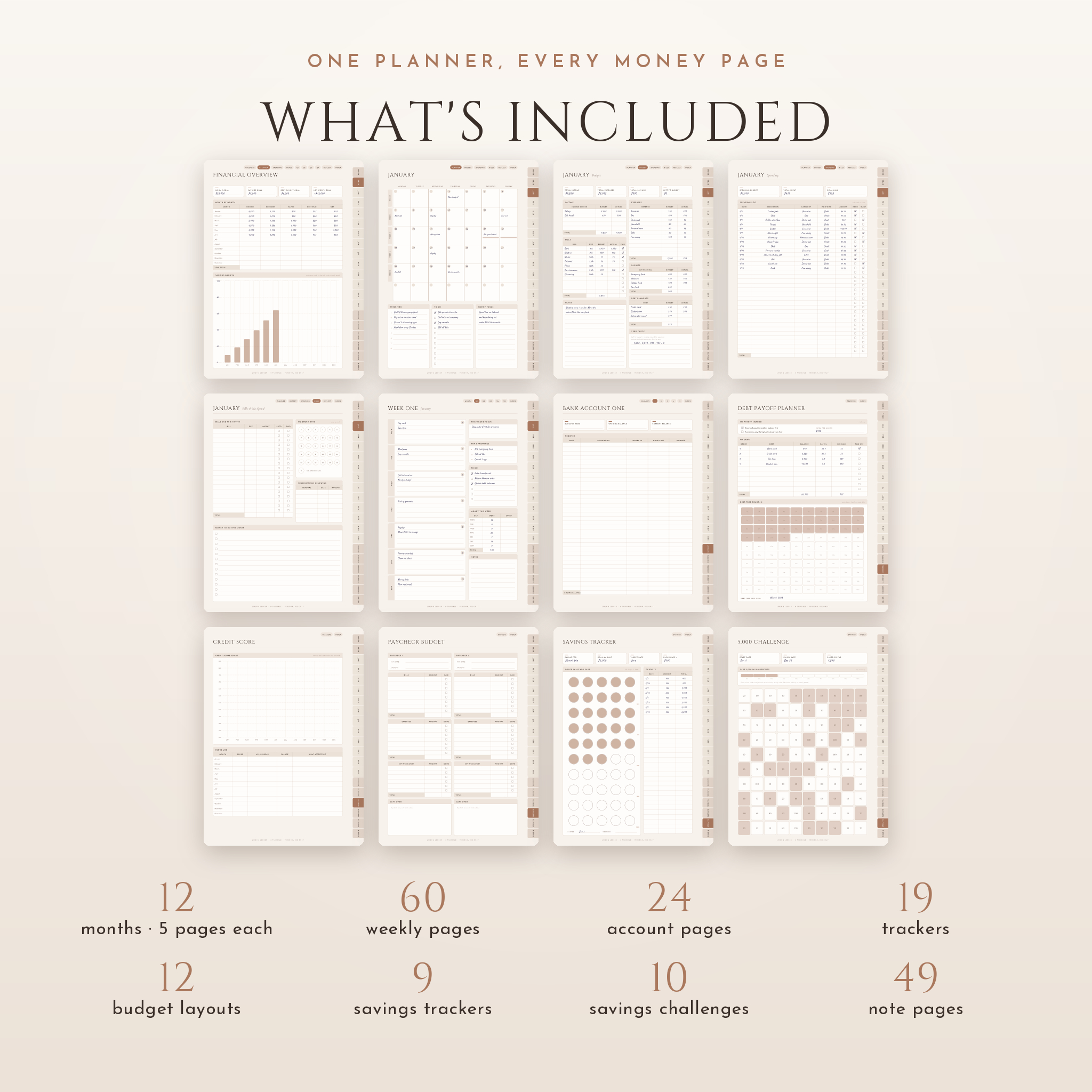
Yearly calendar, financial overview with a color-in savings chart, spending summary by category, yearly money goals, four quarter planners and a yearly reflection.
Monthly pages (x12)
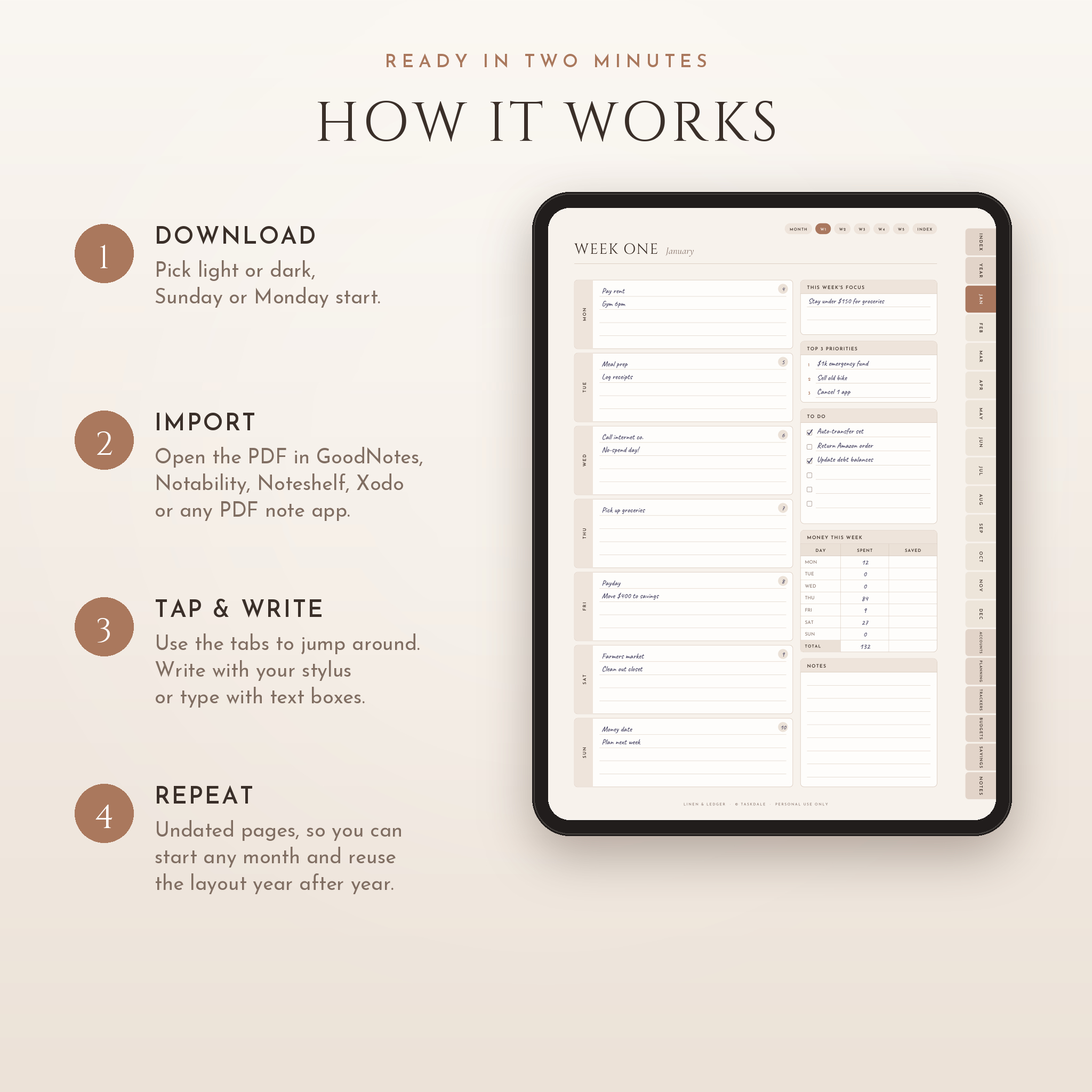
Each month has a calendar planner, a monthly budget with a zero check, a 33-line spending log with need or want ticks, a bills and no-spend page, and a reflection page. Five weekly planner pages sit behind every month, 60 in total, each with a small weekly spending table.
Accounts
Bank, savings, debt and credit card summaries, with five registers for each type. That is 20 account registers.
Financial planning
Financial overview (what you own and owe), short, mid and long-term goals, two goal planners that work out your monthly amount, a net worth tracker, wishlist, vision board and a ten-step money date routine.
19 trackers
Income, expenses, yearly bill tracker, subscriptions, credit score chart, sinking funds, debt payoff planner (snowball or avalanche), cash envelopes, retirement, investments, side hustle income, tax deductions, donations, online orders, insurance policies, renewals and key dates, a financial book tracker, a money habit tracker and a money mood tracker.
12 budget layouts
Paycheck, weekly, bi-weekly, zero-based, 50/30/20, a yearly budget sheet, travel, holiday gifts, birthdays and occasions, grocery and meal, home project and event budgets.
Savings trackers and challenges
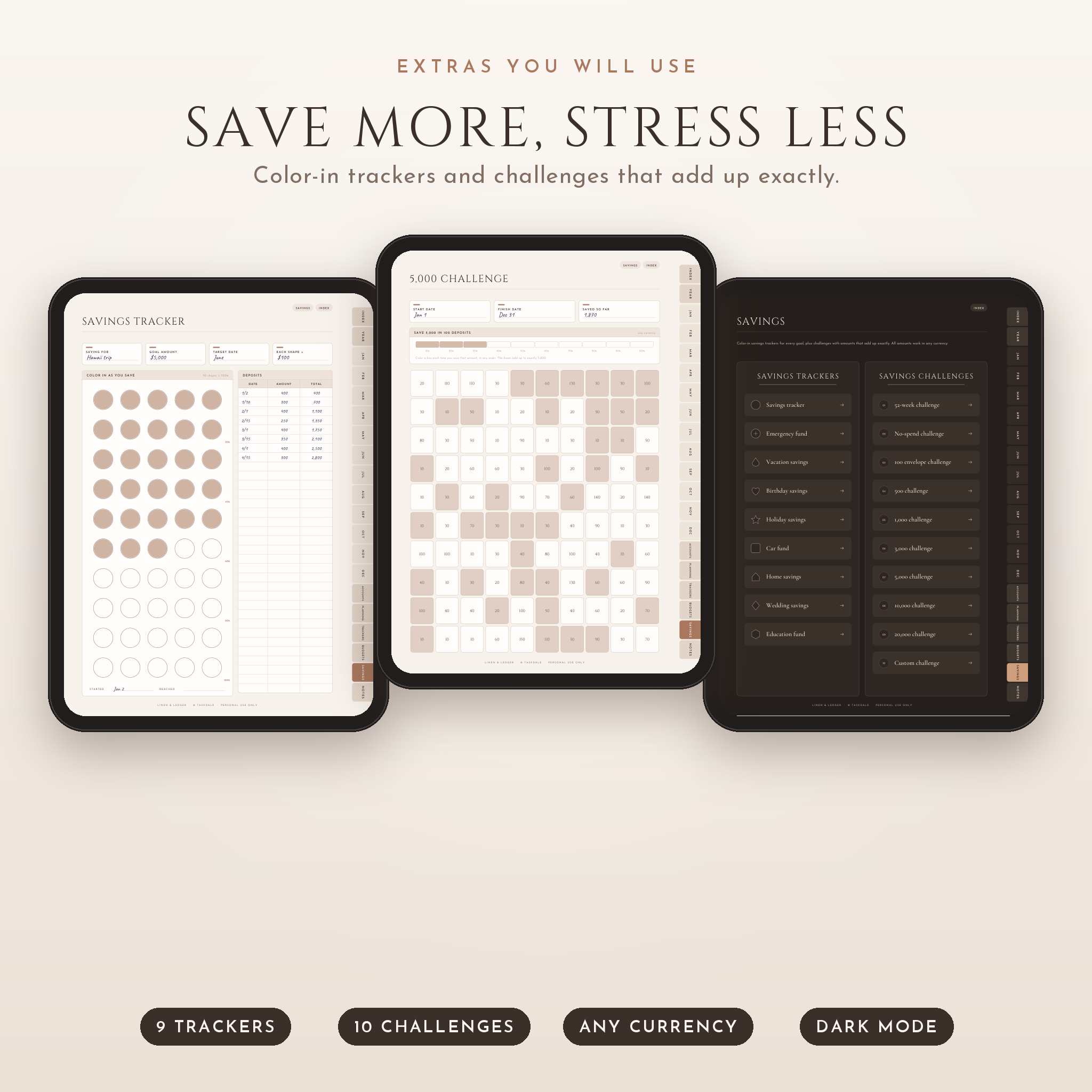
Nine color-in savings trackers (emergency fund, vacation, car, home, wedding, education and more) and ten savings challenges: 52-week, no-spend, 100 envelope, 500, 1,000, 3,000, 5,000, 10,000 and 20,000, plus a custom one. The boxes in each challenge add up to the exact goal.
Notes
Eight pages each of lined, grid, dot and blank paper, plus eight custom sections you name yourself.
Why buyers pick it over other budget planners
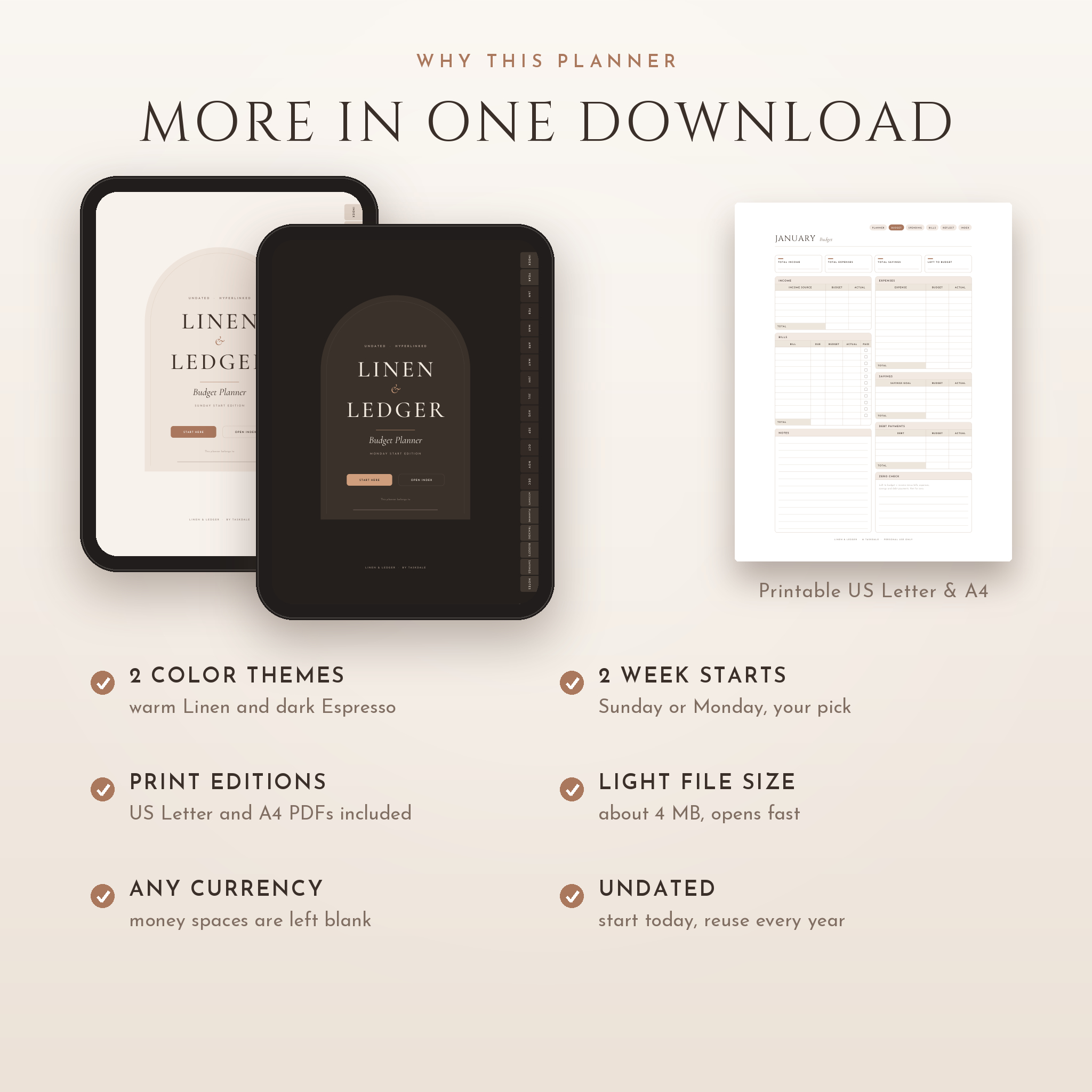
- Light and dark themes. Warm Linen for the day, deep Espresso for late-night planning.
- Sunday and Monday start. Both are in the download.
- Printable editions included. US Letter and A4, with print-safe margins.
- Over 7,000 links. Side tabs, an index, top buttons inside each month and a PDF outline.
- Light file. About 4 MB, so it opens fast and will not clog your tablet.
- Any currency. Money spaces are left blank. Write $, £, € or your own symbol.
- Roomy writing lines. Rows are sized for handwriting, not tiny print.
How it works
- Download the files after checkout.
- Pick one digital planner: Linen or Espresso, Sunday or Monday start.
- Import it into your PDF note app as a PDF.
- Fill in the Start Here page with your currency, paydays and pen color key.
- Tap the tabs to move around and start writing.
A 16-page user guide walks you through setup in GoodNotes and Notability, how to use every section, printing, and fixes for common problems.
File formats and software requirements
- 4 digital planner PDFs (Linen and Espresso, Sunday and Monday start), 820 x 1120 pt portrait pages
- 2 ZIP files with printable PDFs: US Letter and A4, each in Sunday and Monday start
- 1 user guide in Word format (DOCX)
For the digital planner you need a tablet and a PDF note app that supports links, such as GoodNotes, Notability, Noteshelf or Xodo. The printable files work with any PDF reader and home printer. The planner is not designed for phones.
Customization
Duplicate any page in your app and the copy keeps its links. Add stickers or photos to the vision board. Type with text boxes if you prefer. Rename the eight custom sections for anything you want to track, from a side business to a renovation.
Digital download
This is an instant digital download. Nothing will be shipped. Your files are ready as soon as payment goes through. The planner is for personal use by one person or household. Please do not share or resell the files.
Real ways people use it
- Sitting down on payday to split one paycheck across bills, savings and debt
- Coloring in a debt-free grid one box at a time while paying off a credit card
- Running a no-spend month and counting the circles at the end
- Saving for a family trip with the vacation tracker and a 3,000 challenge
- Keeping subscriptions and renewal dates in one list so nothing auto-renews by surprise
- Printing the weekly budget pages for a fridge-door spending plan
FAQ
Is this budget planner dated?
No. Every page is undated, so you can start any month and reuse the layout next year.
Does it work with GoodNotes and Notability?
Yes. It is a standard hyperlinked PDF made for PDF note apps such as GoodNotes, Notability, Noteshelf and Xodo.
Can I use it on Android?
Yes, on an Android tablet with a PDF note app that supports links, such as Xodo or Noteshelf.
Can I print it?
Yes. US Letter and A4 printable editions are included, in both Sunday and Monday start.
Can I use my own currency?
Yes. All money fields are left blank and the savings challenges work in any currency.
Do I need special skills to use it?
No. If you can write a shopping list, you can use this. The Start Here page and the user guide show you where to begin.
Will I get a physical planner?
No. This is a digital product only.
Reviews
There are no reviews yet.