A Bookkeeping Spreadsheet Built for Tax Time
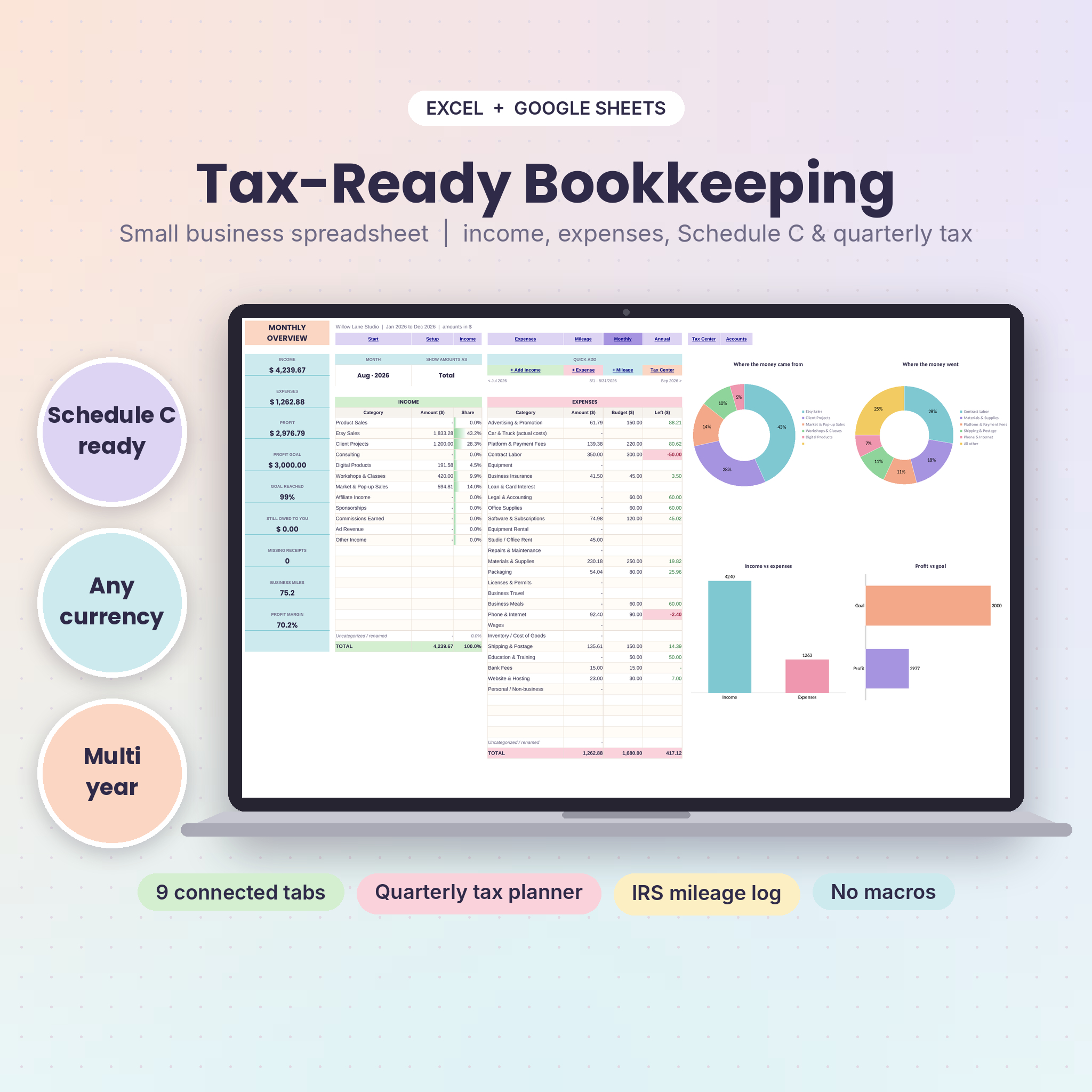
TallyBloom is a bookkeeping spreadsheet for self-employed people and small businesses. You log the money that comes in, the money that goes out and the miles you drive for work. The workbook adds it all up, sorts every expense onto its IRS Schedule C line and tells you how much to set aside before each quarterly tax payment.
No accounting background needed. If you can type a date and an amount, you can keep tidy books.
Who It’s For
- Etsy, Shopify and craft fair sellers
- Freelancers, designers, writers, coaches and consultants
- Cleaners, tutors, photographers, pet sitters and other service businesses
- Side hustles that need real records before April
- Sole proprietors and single-member LLCs who file a Schedule C
Outside the US? Income, expenses, budgets, accounts and all the overviews work in any currency. Only the Tax Center and mileage rates are US-specific.
What Makes It Different
- Schedule C mapping. 26 ready-made expense categories already point to the right IRS line. Meals count at 50% on their own, and personal spending stays out.
- Quarterly estimated tax planner. See profit for each IRS payment period, an estimate of self-employment and income tax, the due date, what you paid and what’s left.
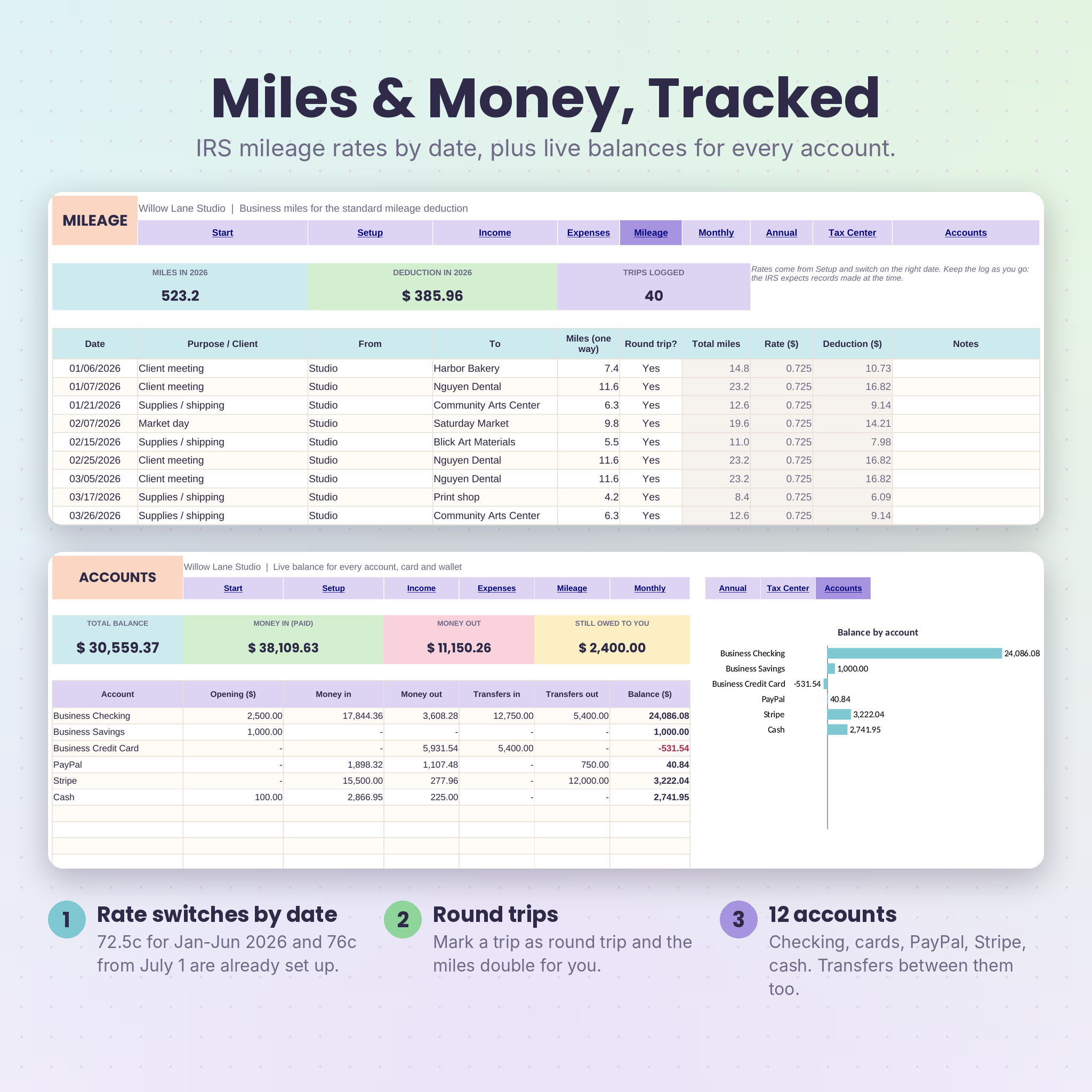
- Mileage log with the 2026 rate change. Trips before July 1, 2026 use 72.5 cents a mile. Trips from July 1 use 76 cents. The right rate is picked by date.
- Works in older Excel too. Excel 2010 or newer and Google Sheets. No brand-new Excel version required, no macros.
- Multi-year in one file. Change the year on Setup and keep logging. Old entries stay put.
Features
Income and expense tracker
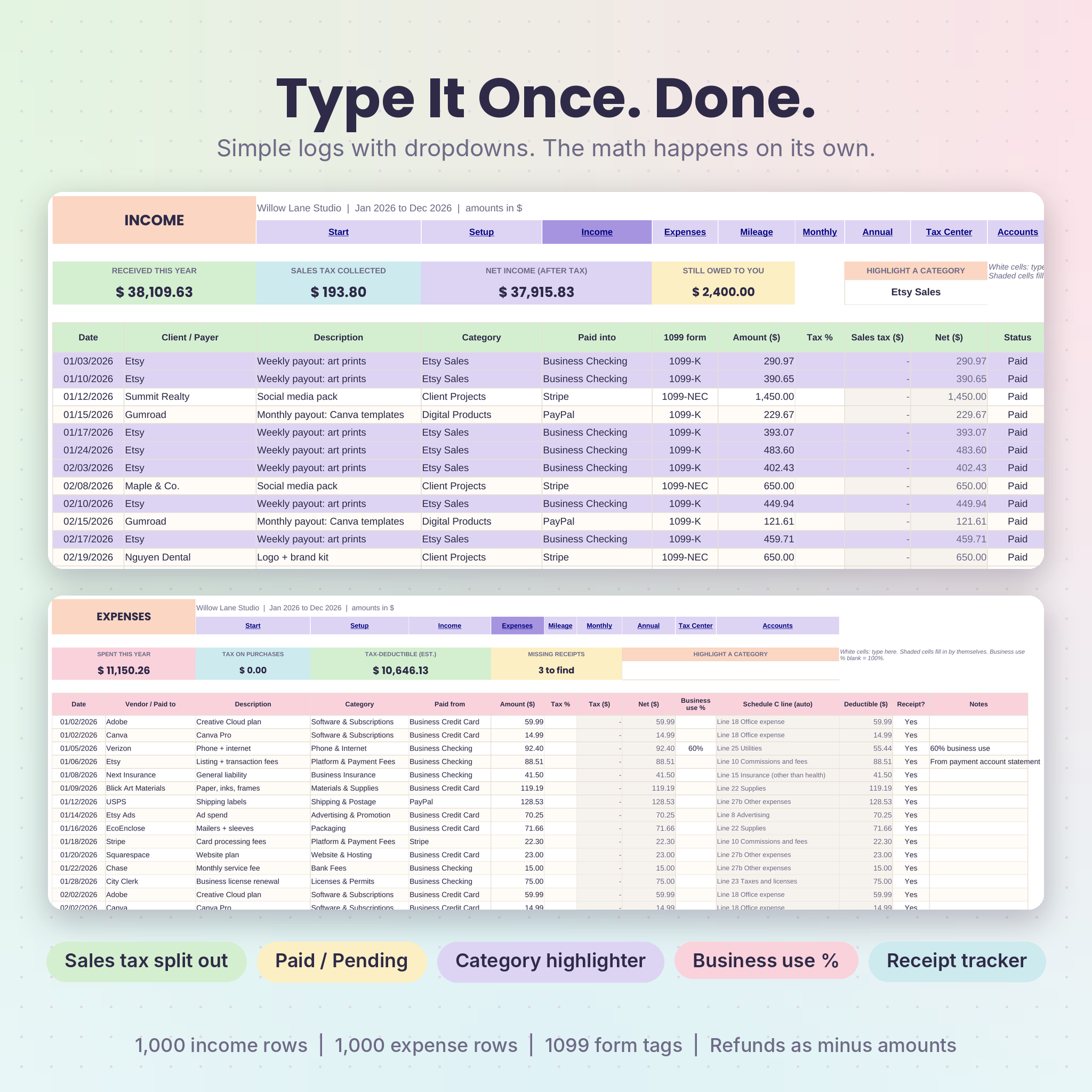
- 1,000 income rows and 1,000 expense rows with dropdowns for category and account
- Sales tax or VAT split out of every amount, with a default rate and a per-row override
- Paid and Pending status, so unpaid invoices show as money owed instead of income
- 1099-NEC, 1099-K and 1099-MISC tags on income
- Business use % for shared costs like your phone
- Receipt tracker that flags missing receipts in pink
- Category highlighter that colors every matching row
Monthly dashboard
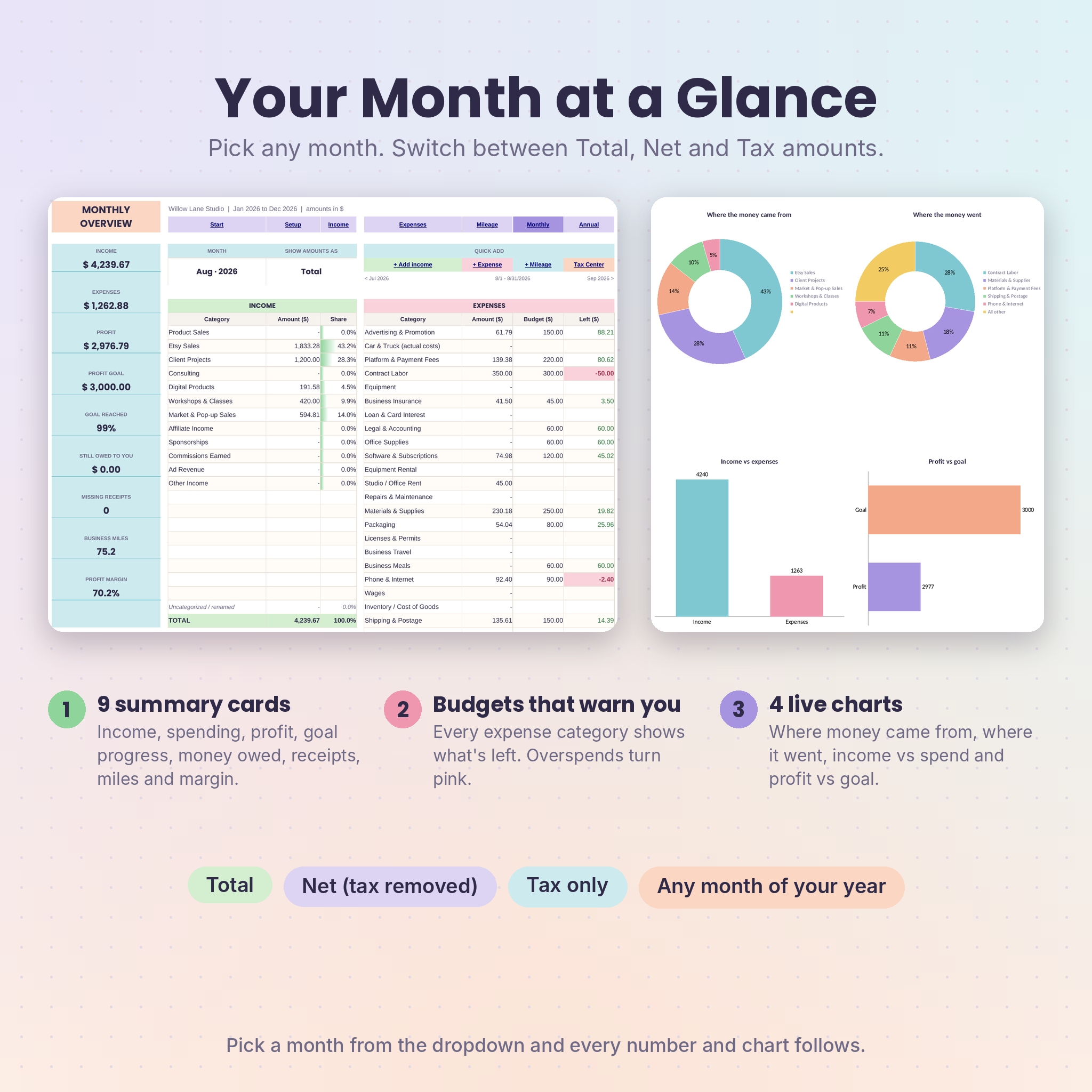
- Month picker and a Total, Net or Tax switch
- 9 summary cards: income, expenses, profit, profit goal, goal reached, money owed, missing receipts, business miles and profit margin
- Income and expense tables with monthly budgets and money left
- 4 charts: income sources, top expenses, income vs expenses and profit vs goal
Annual overview
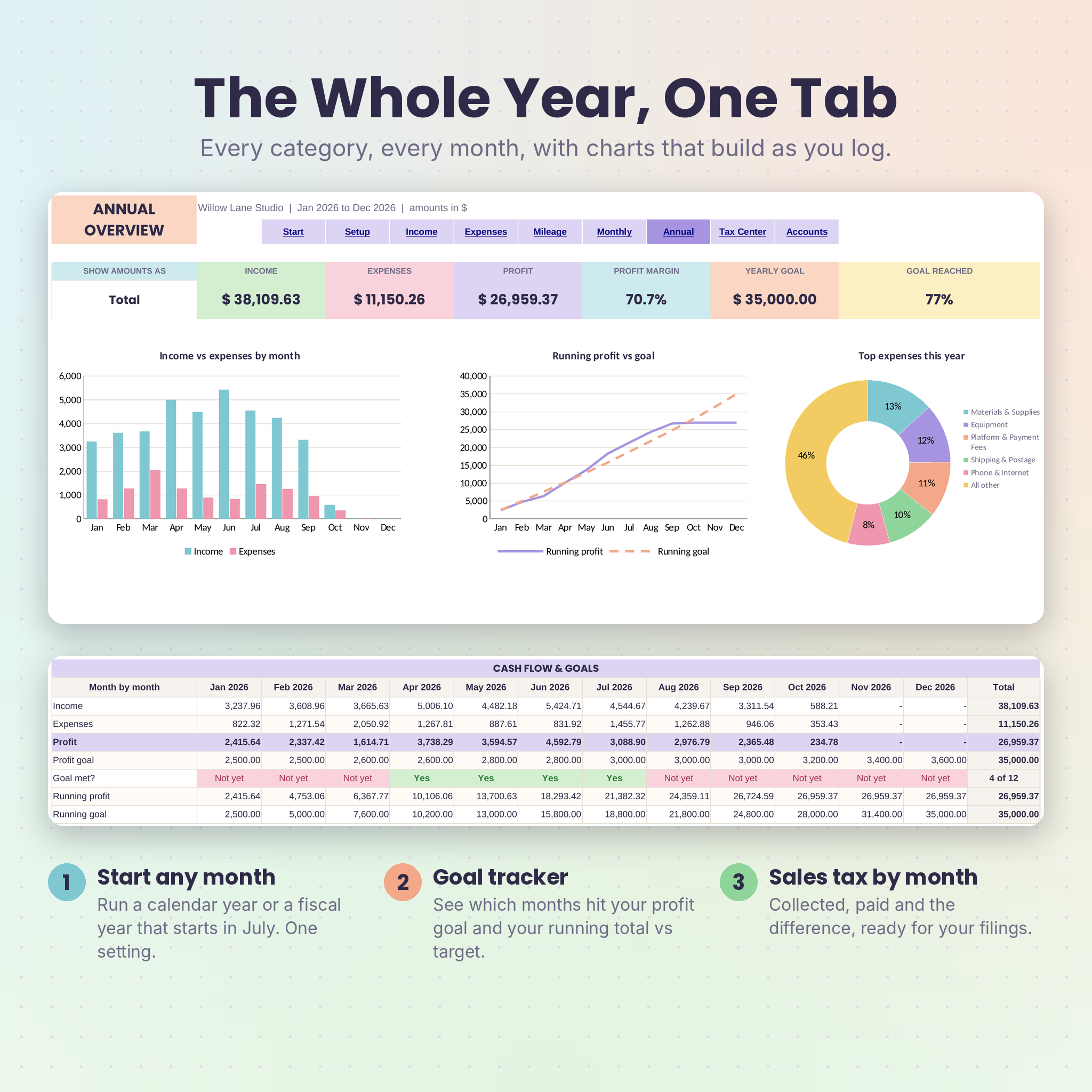
- Year totals, profit margin and goal progress
- Charts for monthly income vs expenses, running profit vs goal and top expenses
- Every category by month, a cash flow table that shows which months hit your goal, and a sales tax summary
- Calendar year or a fiscal year that starts in any month
Tax Center
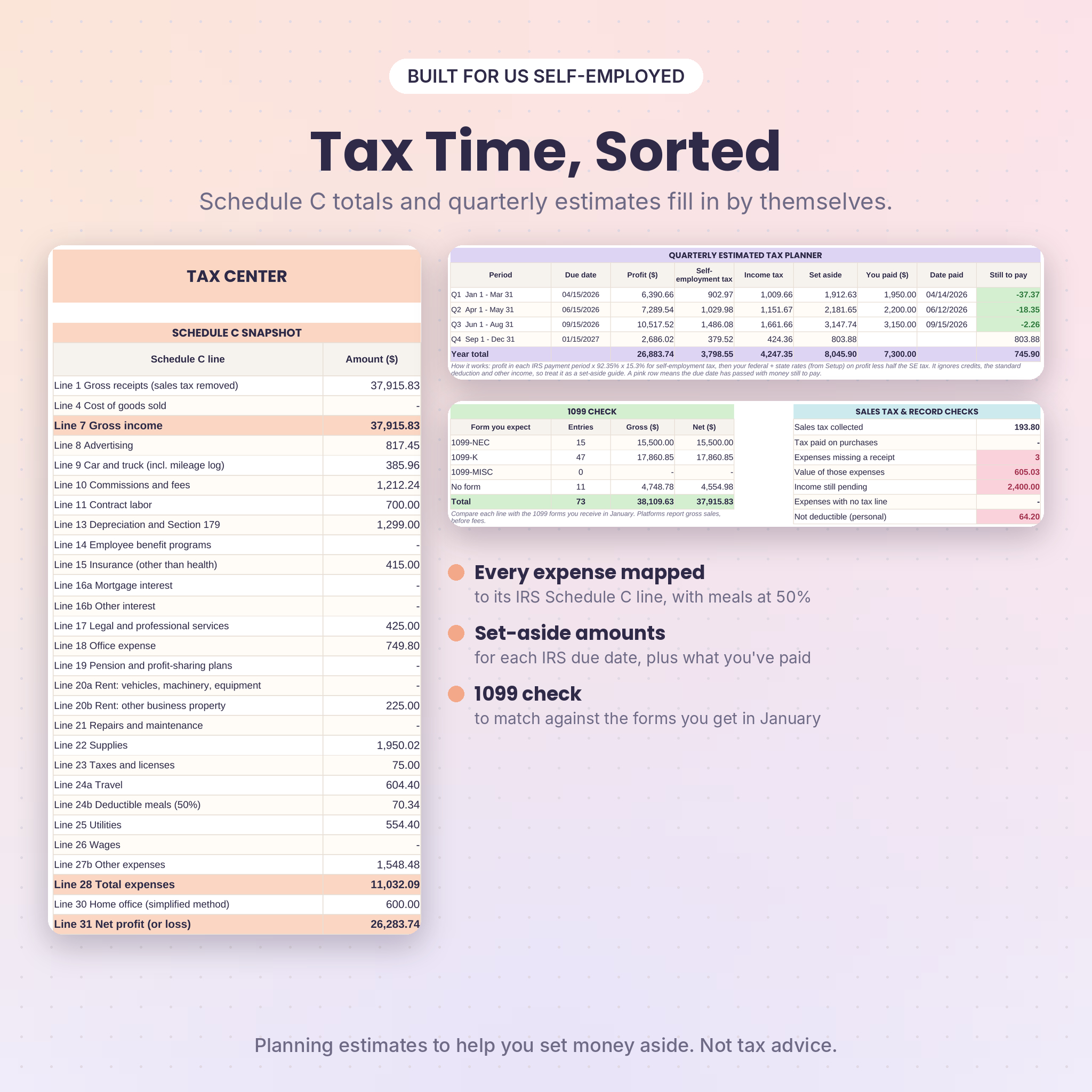
- Schedule C snapshot from Line 1 to Line 31, including your mileage deduction and the simplified home office deduction
- Quarterly planner with April 15, June 15, September 15 and January 15 due dates
- 1099 check by form type, plus record checks for missing receipts and pending income
Accounts
- Live balances for up to 12 bank accounts, credit cards, PayPal, Stripe and cash
- Transfer log for moving money between your own accounts
What’s Included
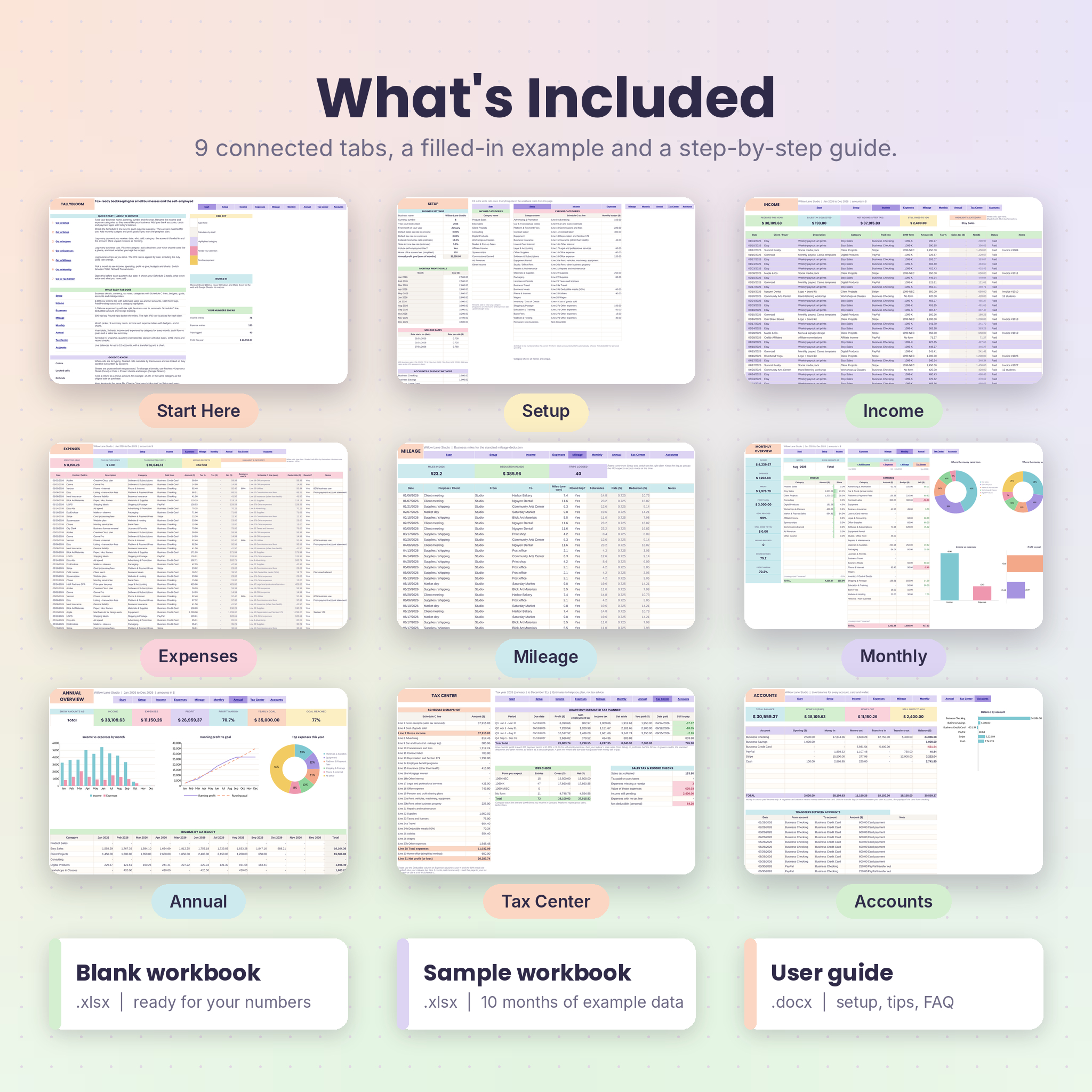
- TallyBloom blank workbook (.xlsx), ready for your numbers
- TallyBloom sample workbook (.xlsx) with 10 months of example data
- 16-page user guide (.docx) covering setup, every tab, tips, troubleshooting and FAQ
How It Works
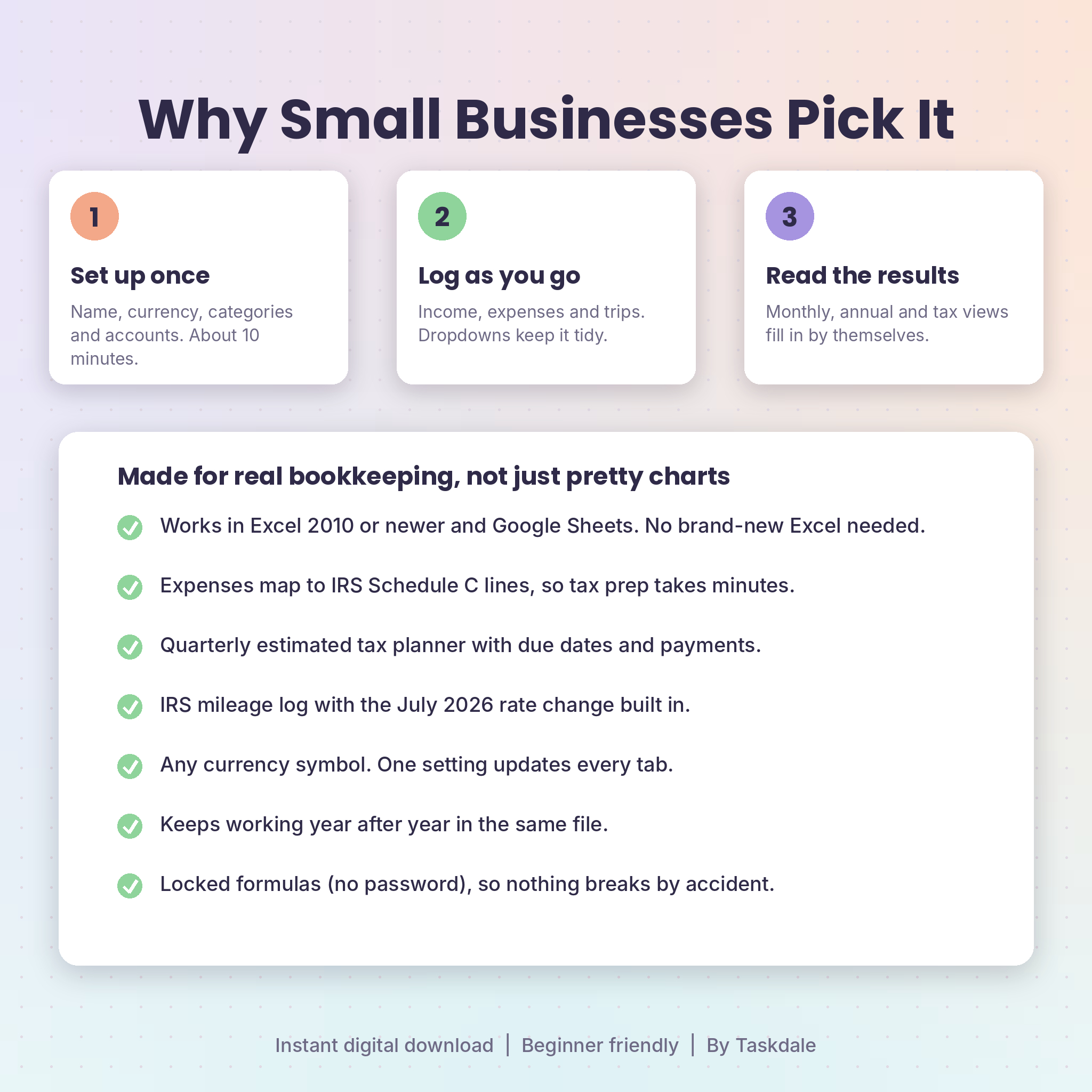
- Set up once. Add your business name, currency, categories, accounts and goals. It takes about 10 minutes.
- Log as you go. Add income, expenses and trips whenever they happen. Five minutes a week is plenty for most small businesses.
- Read the results. The Monthly, Annual, Tax Center and Accounts tabs update by themselves.
File Formats and Software
- Format: Excel workbook (.xlsx) plus a Word guide (.docx)
- Microsoft Excel 2010 or newer on Windows, Excel for Mac 2011 or newer, or Excel for the web
- Google Sheets with a free Google account. Upload the file to Drive, open it, then choose File and Save as Google Sheets
- No macros, add-ons or scripts
Customizing It
Rename any of the 20 income categories and 30 expense categories, pick their Schedule C lines and add monthly budgets. Type any currency symbol and every heading and summary card follows. Formula cells are locked without a password, so you can unprotect a sheet if you want to change the design.
Digital Download
This is a digital product. Nothing will be shipped. You can download your files right after checkout from your order confirmation and your account page.
Ways People Use It
- An Etsy seller logs weekly payouts and supply runs, then hands the Tax Center page to her accountant in February.
- A freelance designer marks invoices as Pending, chases what’s owed and checks the quarterly planner before each payment date.
- A mobile dog groomer logs every drive between clients and gets the mileage deduction without a separate app.
- A weekend market vendor tracks cash sales with sales tax split out, ready for the state return.
FAQ
Does this bookkeeping spreadsheet work in Google Sheets?
Yes. Upload the .xlsx to Google Drive, open it and choose File, then Save as Google Sheets. Dropdowns, formulas, charts and links all carry over.
Do I need the newest version of Excel?
No. It uses formulas that work in Excel 2010 and newer, on Windows and Mac.
Can I use my own currency?
Yes. Type your symbol once on Setup and the whole workbook updates.
Will it do my taxes?
It gathers the numbers your tax preparer or tax software will ask for and estimates what to set aside. The estimates are for planning, not tax advice.
Can I use it next year?
Yes. Change the year on Setup and keep logging in the same file.
Is it beginner friendly?
Yes. White cells are for typing, shaded cells calculate by themselves, and the guide walks you through setup step by step.
Can I share it with a friend?
Each purchase is a personal license for one business. Please don’t share, resell or upload the files.
Reviews
There are no reviews yet.