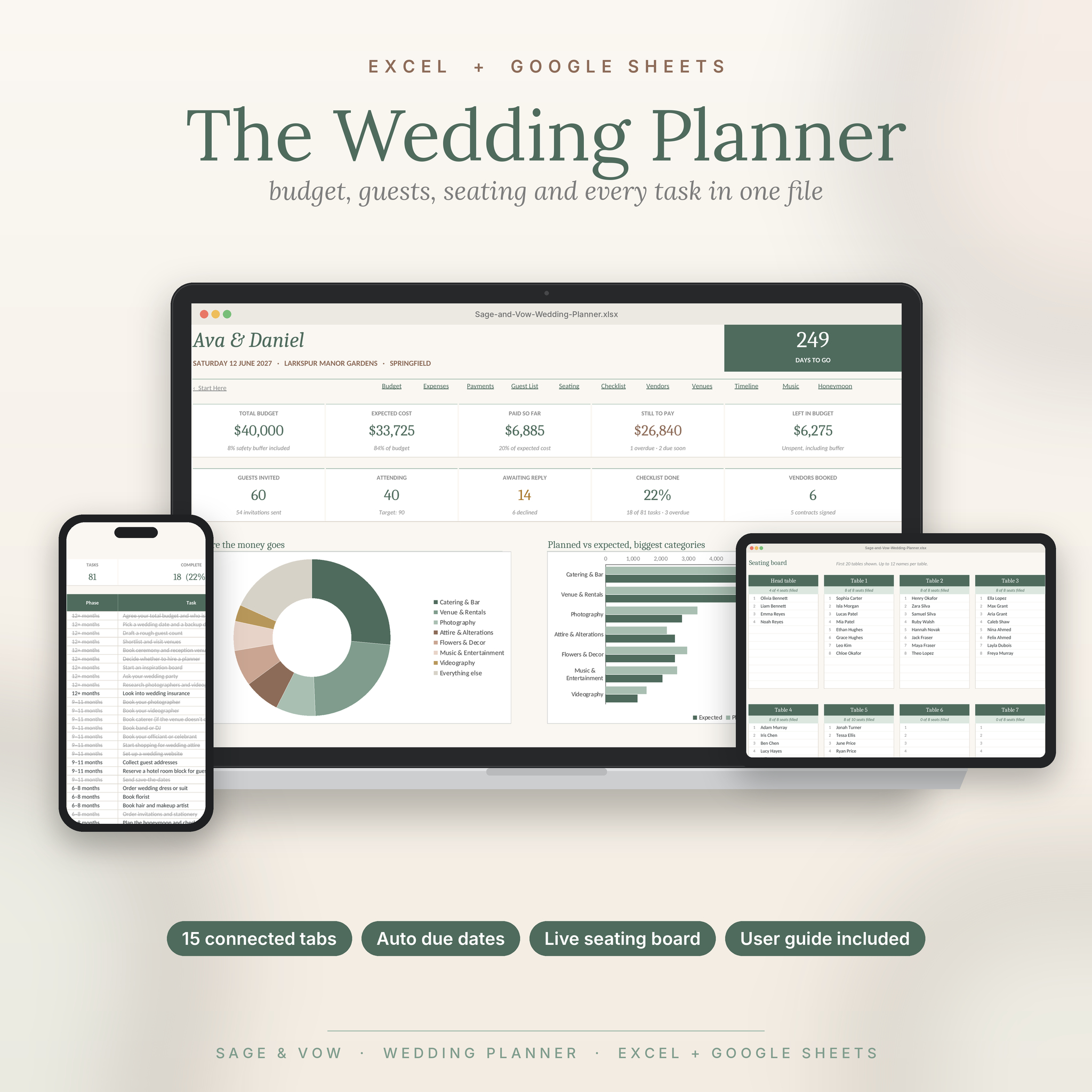



Sage & Vow Wedding Planner: one file for the whole wedding
Most wedding spreadsheets are a stack of separate lists. You update the budget, then the payments, then the dashboard. This one is different. Every tab talks to the others.
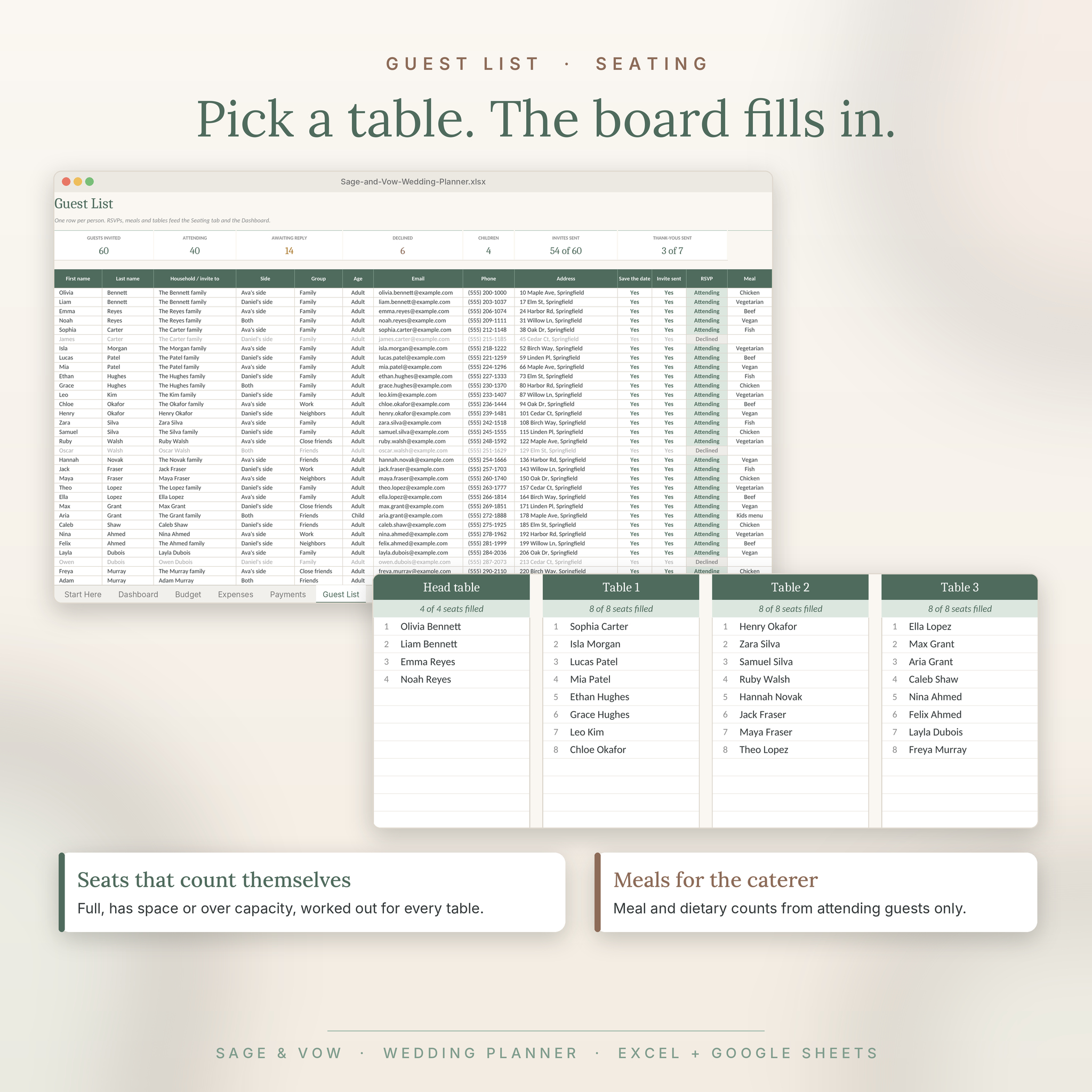
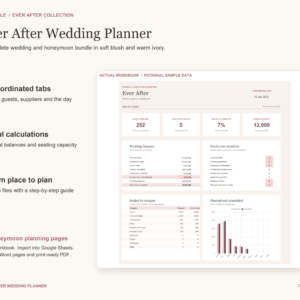
Log a deposit and your budget, balances and dashboard update by themselves. Pick a table for a guest and their name appears on the seating board. Change your wedding date and all 81 checklist due dates move with it.
Who it’s for
- Couples planning their own wedding, big or small
- Parents, friends and maids of honor helping behind the scenes
- Wedding planners who want a tidy file for each client
No formula skills needed. If you can type in a box and pick from a dropdown, you’re set.
What it does for you
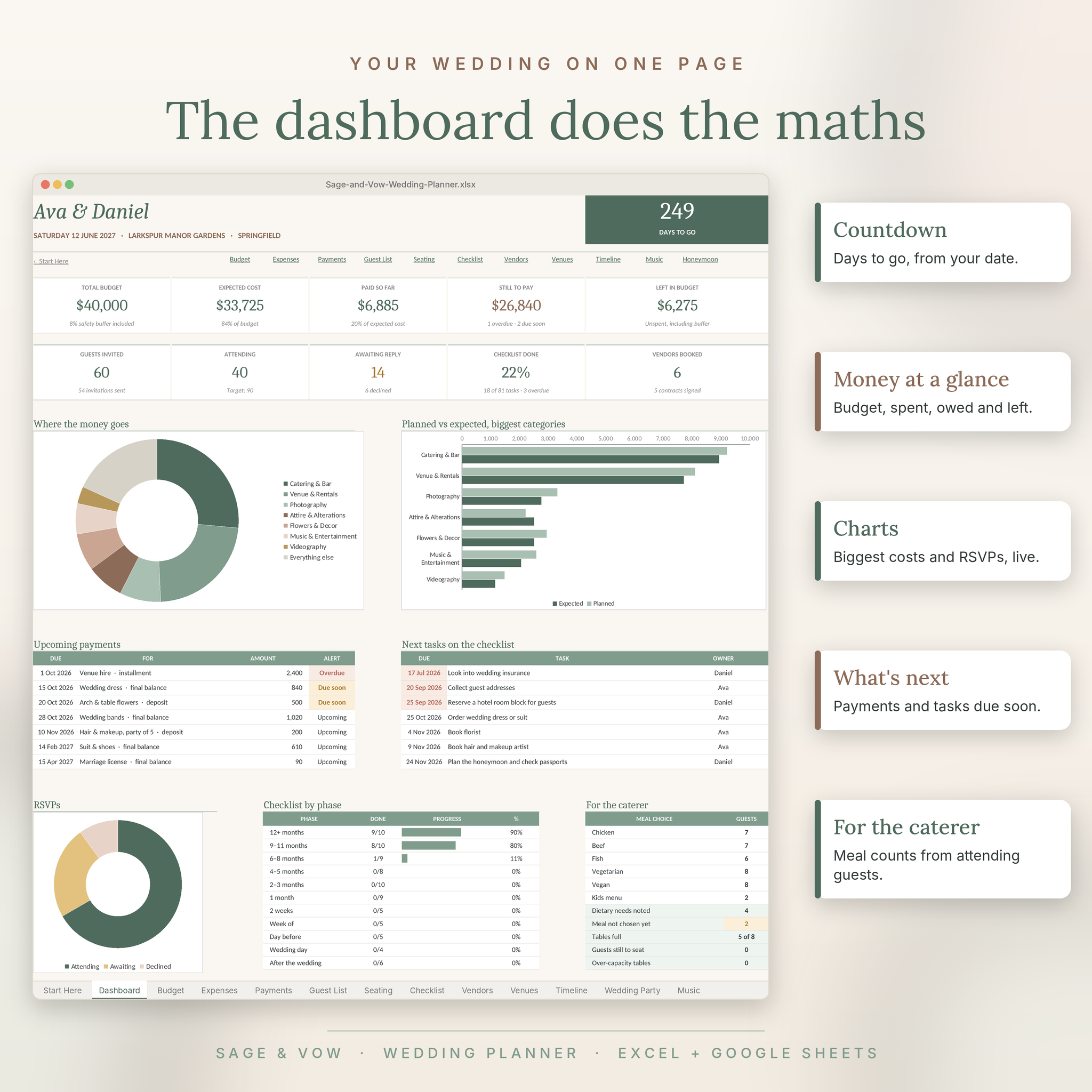
- Live dashboard: a countdown, five money cards, guest and task progress, three charts, the next seven payments and tasks, plus meal counts for your caterer
- Smart budget: set a % split and each of 20 categories shows allocated, estimated, expected cost, paid and what’s left, with On track, Near limit and Over budget alerts
- Payment schedule: deposits, installments and final balances with days left and Due soon or Overdue warnings
- Guest list for up to 300 people: invites, RSVPs, meals, dietary needs, tables, gifts and thank-you tracking
- Seating plan: capacity checks for 30 tables and a live seating board that fills itself in
- Auto-dated checklist: 81 ready-made tasks in 11 phases, from a year out to thank-you cards
- Vendor directory: quotes, star ratings, booking status, contracts and a lowest-quote flag
- Venue comparison: four venues side by side with total cost, cost per guest, a fit check and a weighted top pick
- Wedding day timeline: end times work themselves out, with a day-of contact sheet
- Wedding party, music and honeymoon tabs: outfits and gifts, every music moment, and a trip budget with a packing list
- Editable dropdowns: change meal options, guest groups or roles once and they update everywhere
What’s included
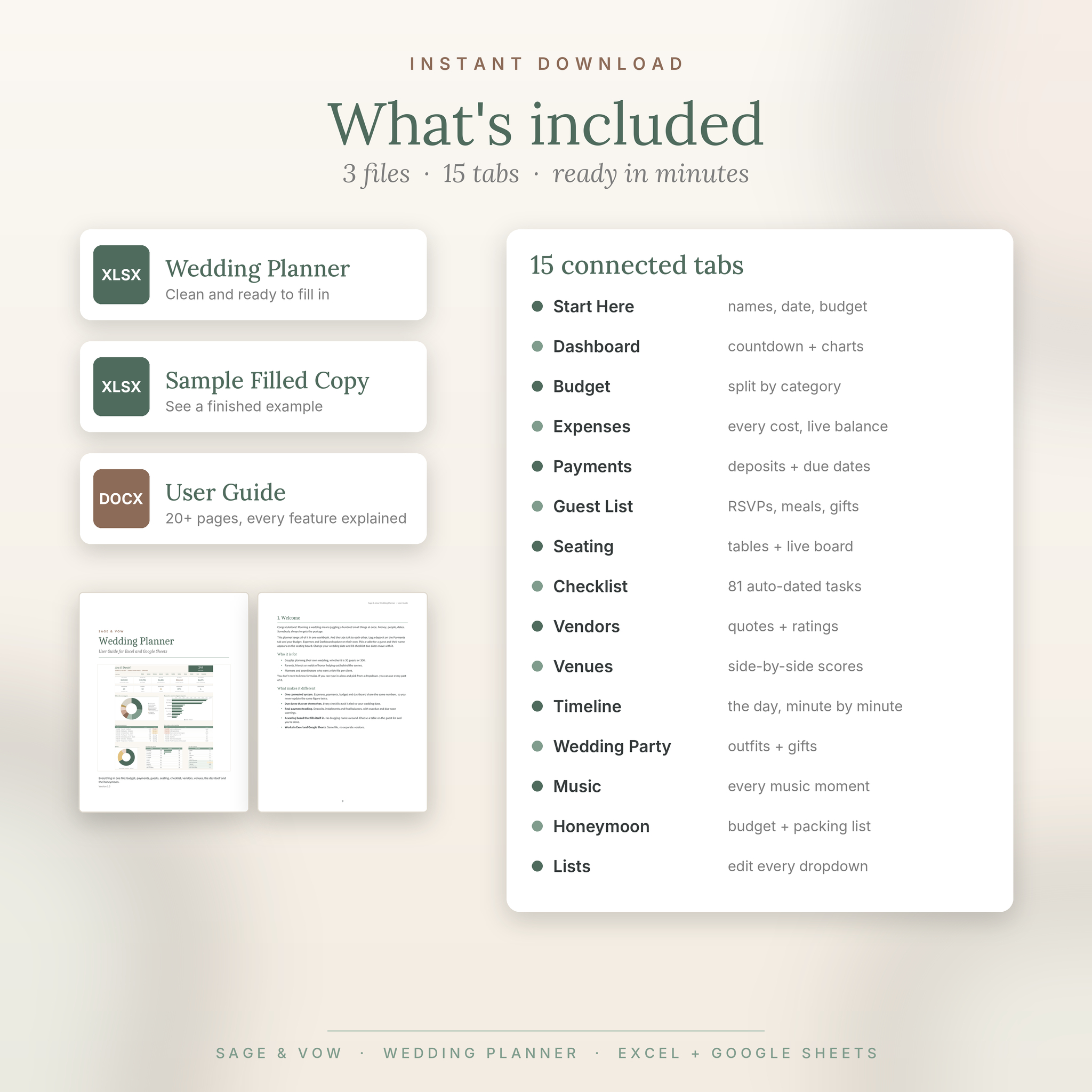
- Sage & Vow Wedding Planner (.xlsx): clean and ready to fill in
- Sample filled copy (.xlsx): see a finished example before you start
- User guide (.docx, 20+ pages): every tab explained, with tips, troubleshooting and FAQs
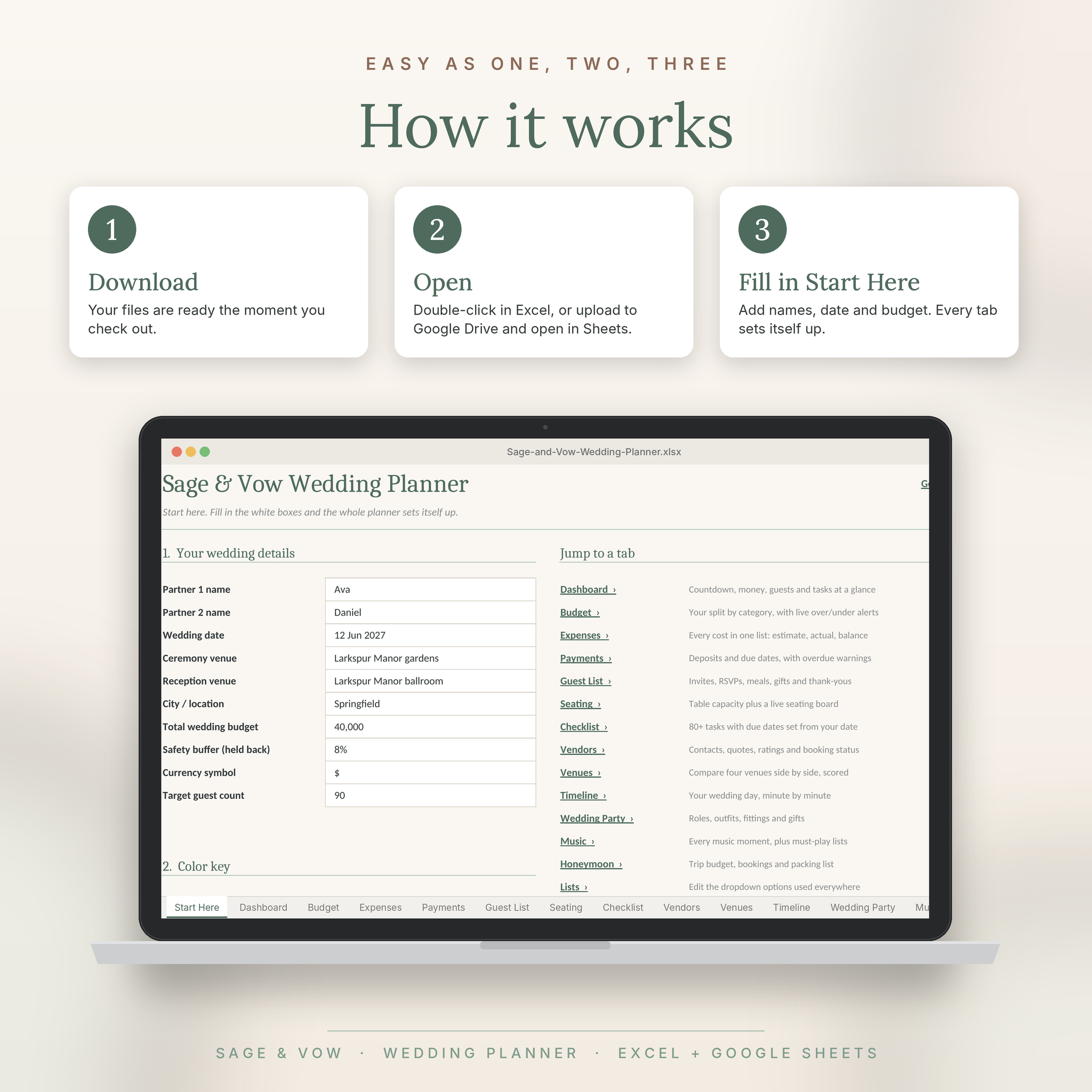
How it works
- Download your files straight after checkout.
- Open the planner in Excel, or upload it to Google Drive and open it in Google Sheets.
- Fill in the Start Here tab with your names, date and budget. Every other tab sets itself up.
File format and software
- Format: .xlsx spreadsheet plus a .docx guide
- Works with Microsoft Excel 2010 or newer (Windows and Mac), Excel for the web and Google Sheets (free)
- Apple Numbers can open the file, but some formatting may look different, so Excel or Google Sheets is recommended
- Best on a laptop or tablet. You can view and edit on your phone in the Excel or Google Sheets app
Make it yours
Rename budget categories, set your own currency symbol, change dropdown options, adjust checklist dates and add your own tasks. Every tab is print-ready too, with page setup already done.
Please note
- This is a digital download. Nothing physical will be shipped.
- Names and figures in the images are sample data for a made-up couple. Your planner starts clean.
- For personal use or use with your own clients. Please don’t resell or share the files.
Reviews
There are no reviews yet.