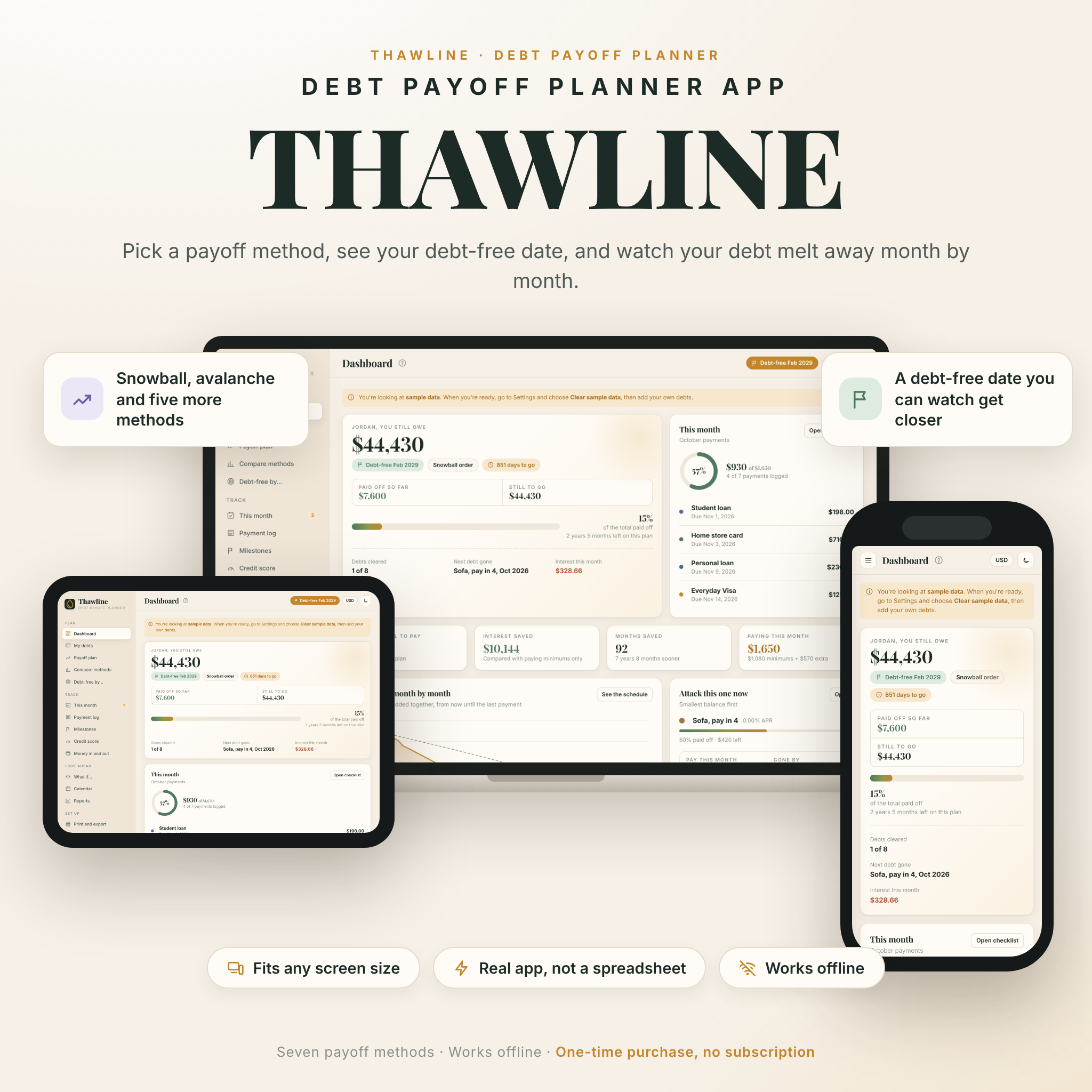

Thawline is a debt payoff planner app that shows you exactly when you will be debt-free and how to get there faster. Add your credit cards, car loan, student loans and anything else you owe, pick one of seven payoff methods, and type what you can pay each month. Thawline does the rest: your debt-free date, the payment for every debt in every month, and how much interest you save. It runs in your web browser, works offline and needs no account or subscription.
A debt snowball and avalanche calculator that does more than calculate
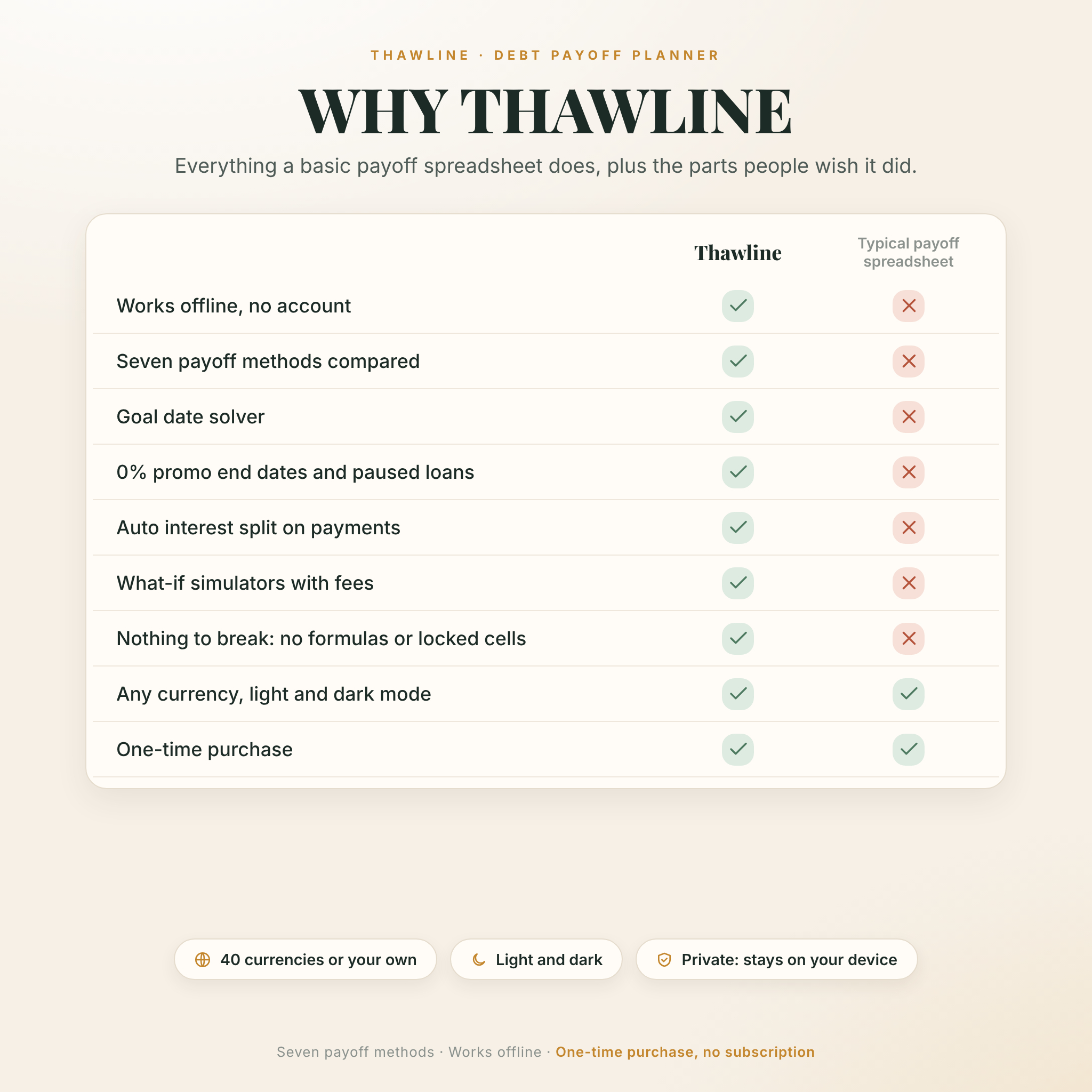
Most payoff spreadsheets stop at a schedule. Then a formula breaks, or a 0% promo ends, or a bonus arrives and nothing updates. Thawline was built for real months. You tick off payments as you make them, the balance updates, and the plan adjusts on the spot.
There are no cells to lock and nothing to break. Click around as much as you like.
Who it is for
- Anyone juggling two or more credit cards, store cards or loans
- People choosing between the debt snowball and debt avalanche methods
- Anyone on a 0% balance transfer or buy now, pay later plan with a deadline
- Students and grads with a deferred loan that restarts later
- Couples who want one shared plan they can print for the fridge
What you get inside the app
Plan
- Dashboard: total owed, debt-free date, days to go, percent paid off, interest saved, months saved and the debt to attack this month
- My debts: every debt as a card with progress bars, utilization bars, 0% promo end dates and paused loans. Quick add takes five seconds
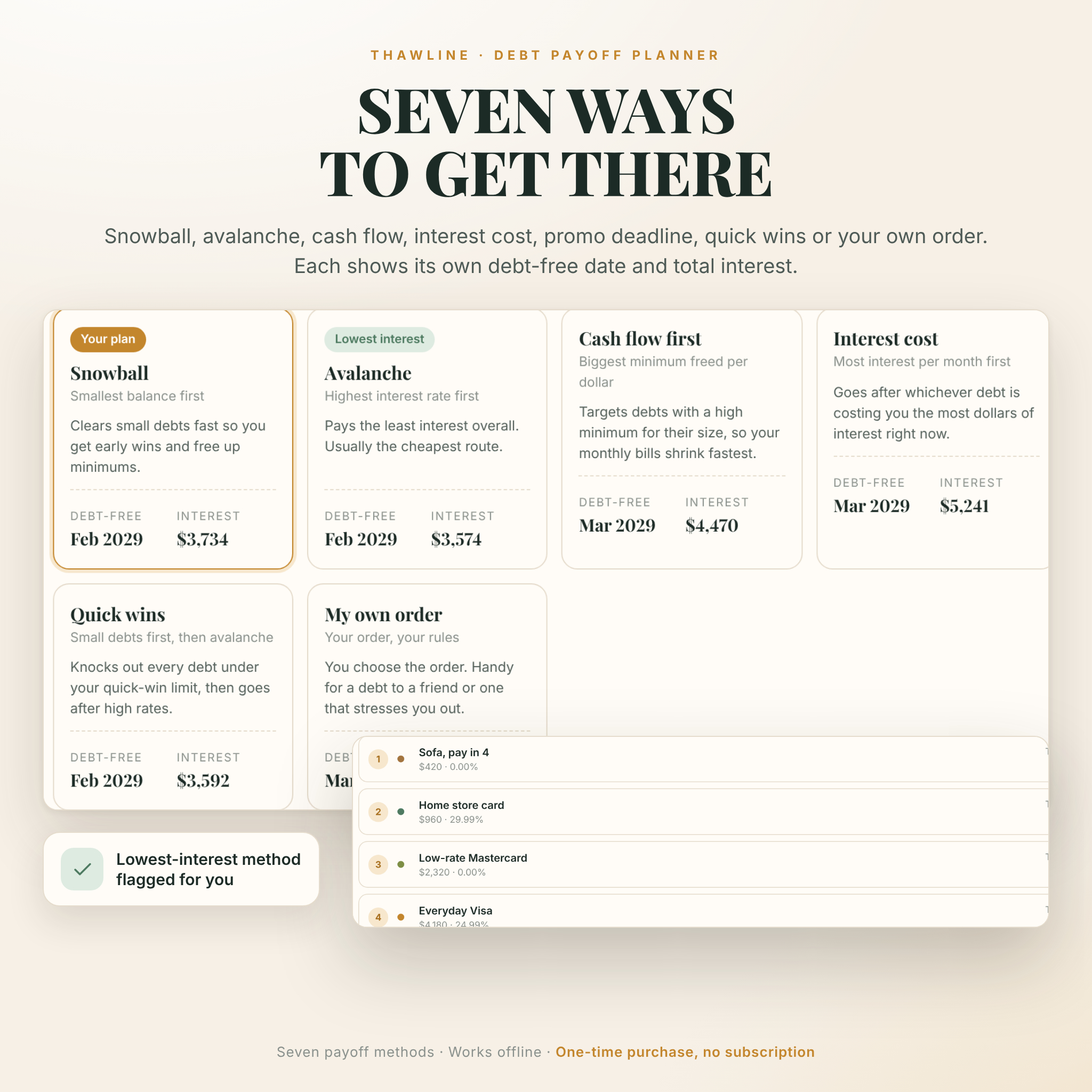
- Seven payoff methods: snowball, avalanche, cash flow first, interest cost, promo deadline, quick wins and your own custom order
- Payoff schedule: month by month, debt by debt, with search, highlights when a debt is cleared and CSV export
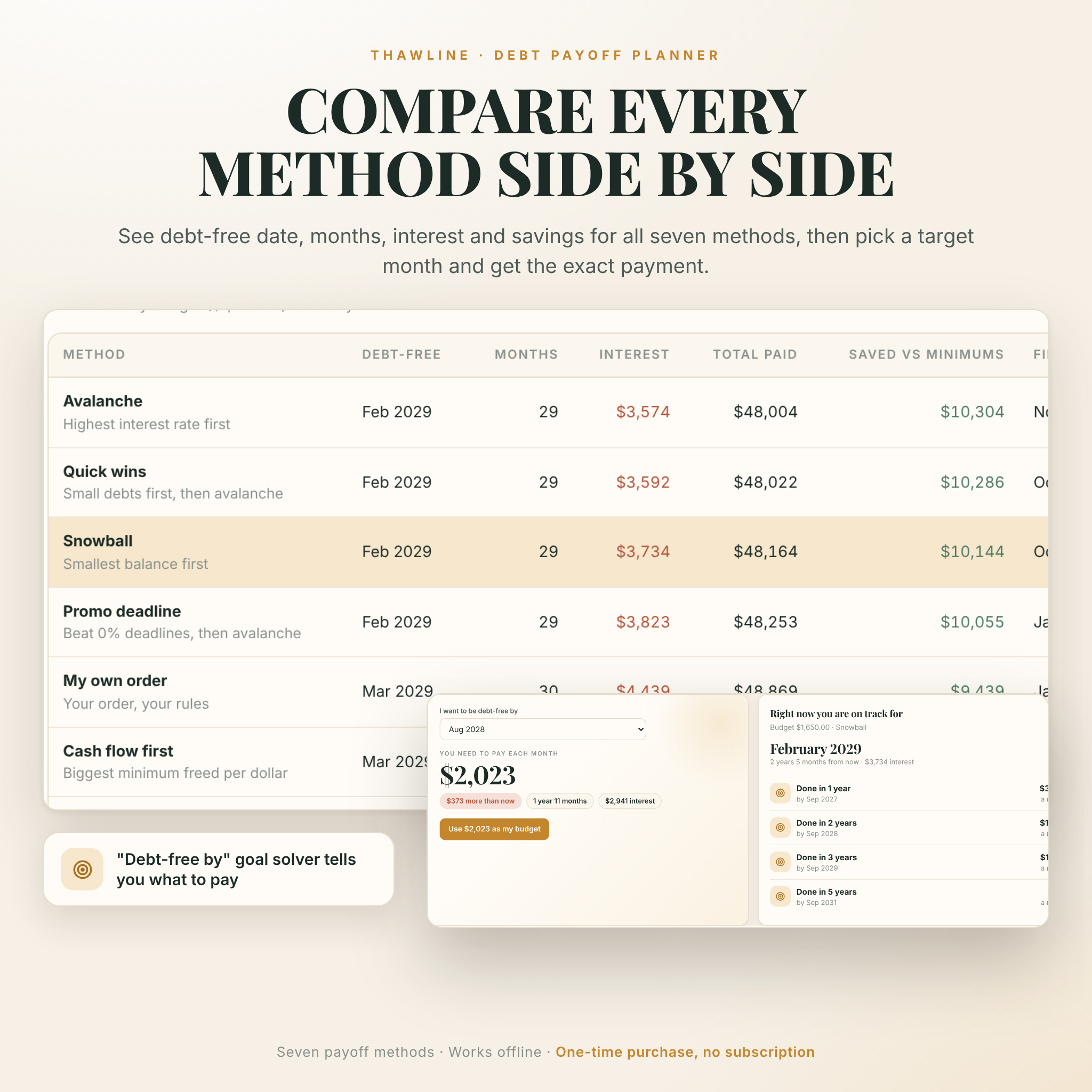
- Compare methods: all seven side by side against minimum payments only, including total interest and when your first debt disappears
- Debt-free by goal solver: pick a month, get the exact monthly payment you need
Track
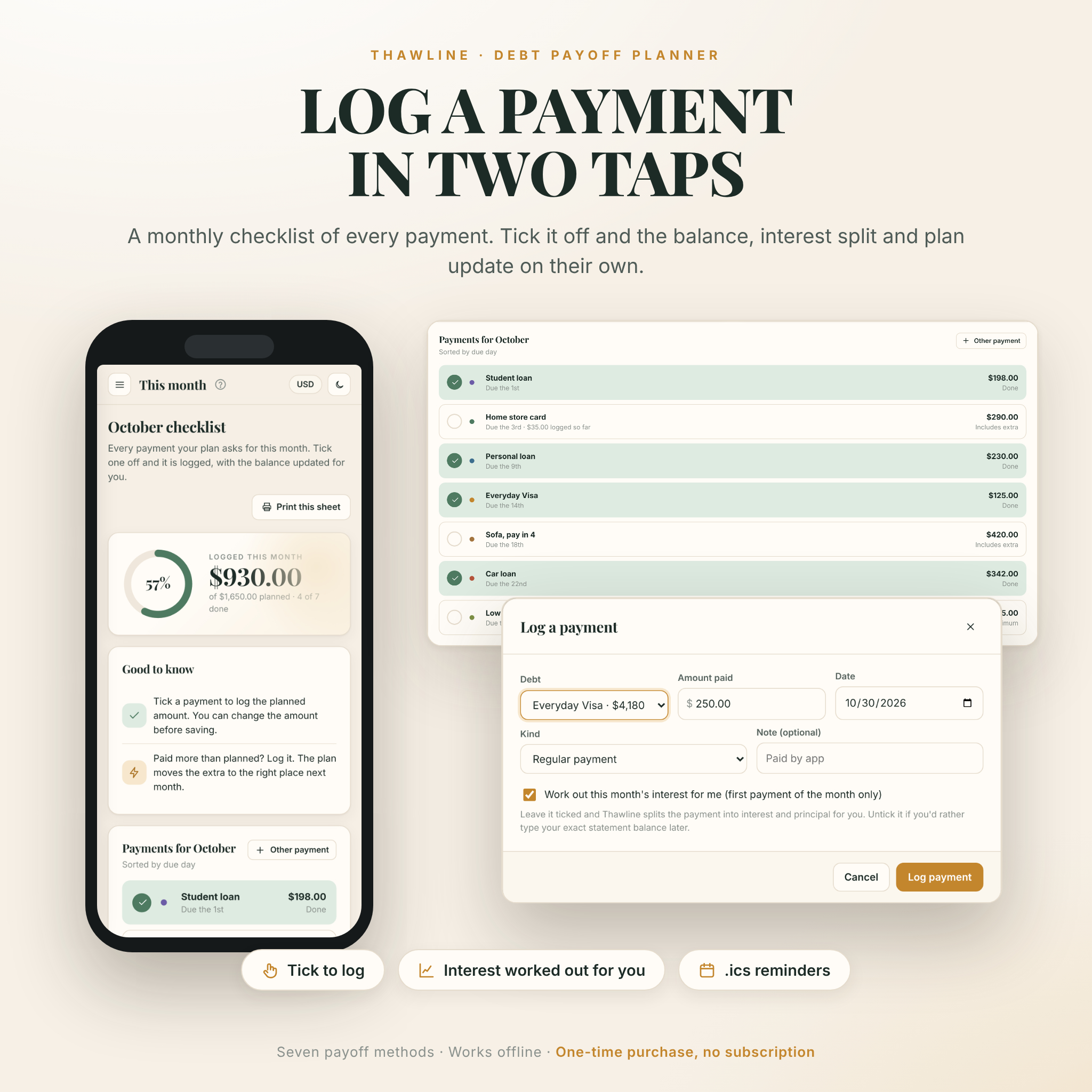
- Monthly checklist: tick a payment and it is logged, with the interest and principal split worked out for you
- Payment log: grouped by month, with a 12-month chart and undo for any entry
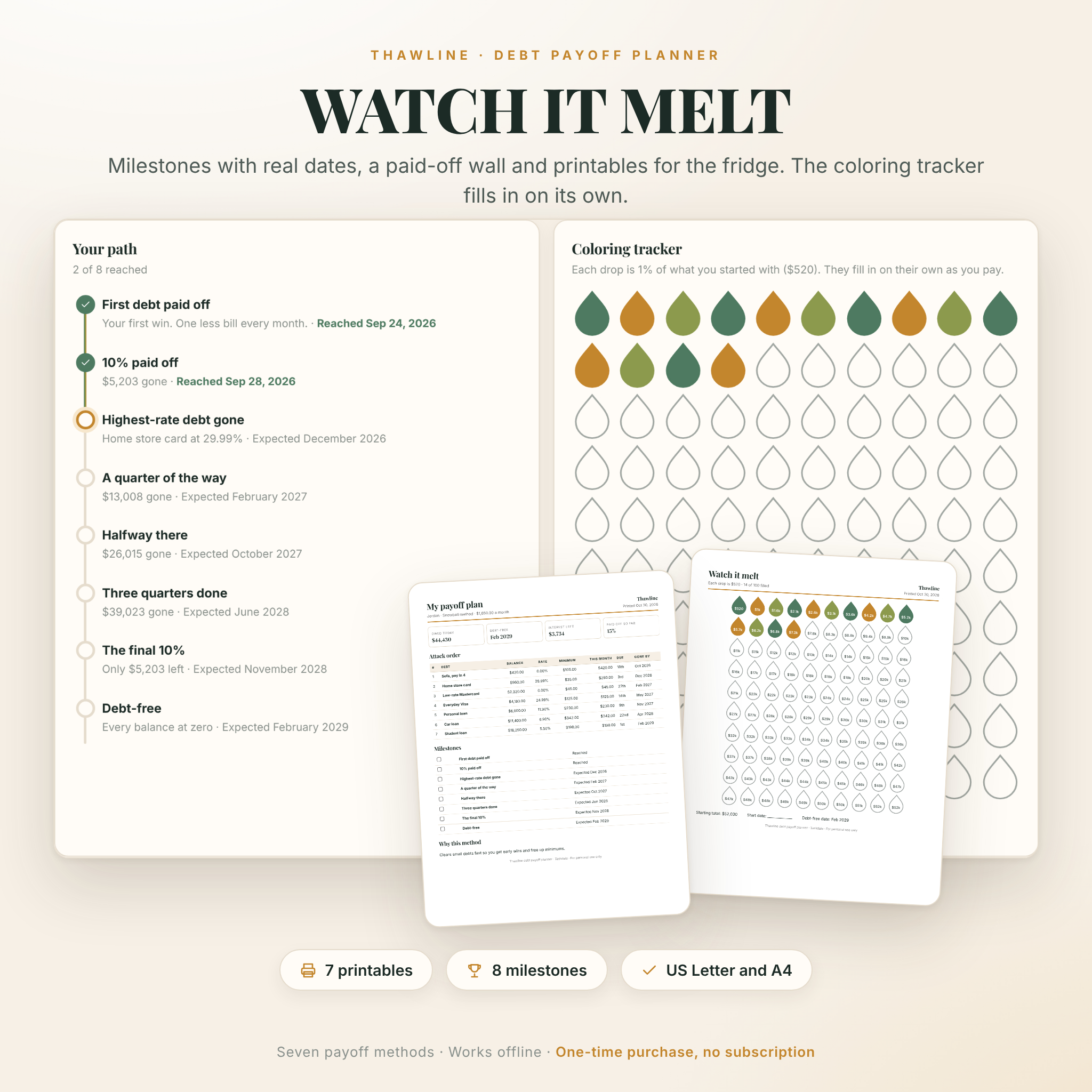
- Milestones: eight steps with real dates, a paid-off wall and a 100-drop coloring tracker that fills in on its own
- Credit score tracker: score history chart, card utilization with 30% and 10% guides, and plain notes on what moves a score
- Money in and out: income and bills on any pay schedule, a suggested monthly debt budget, debt-to-income ratio and a snowflake log for small windfalls
Look ahead
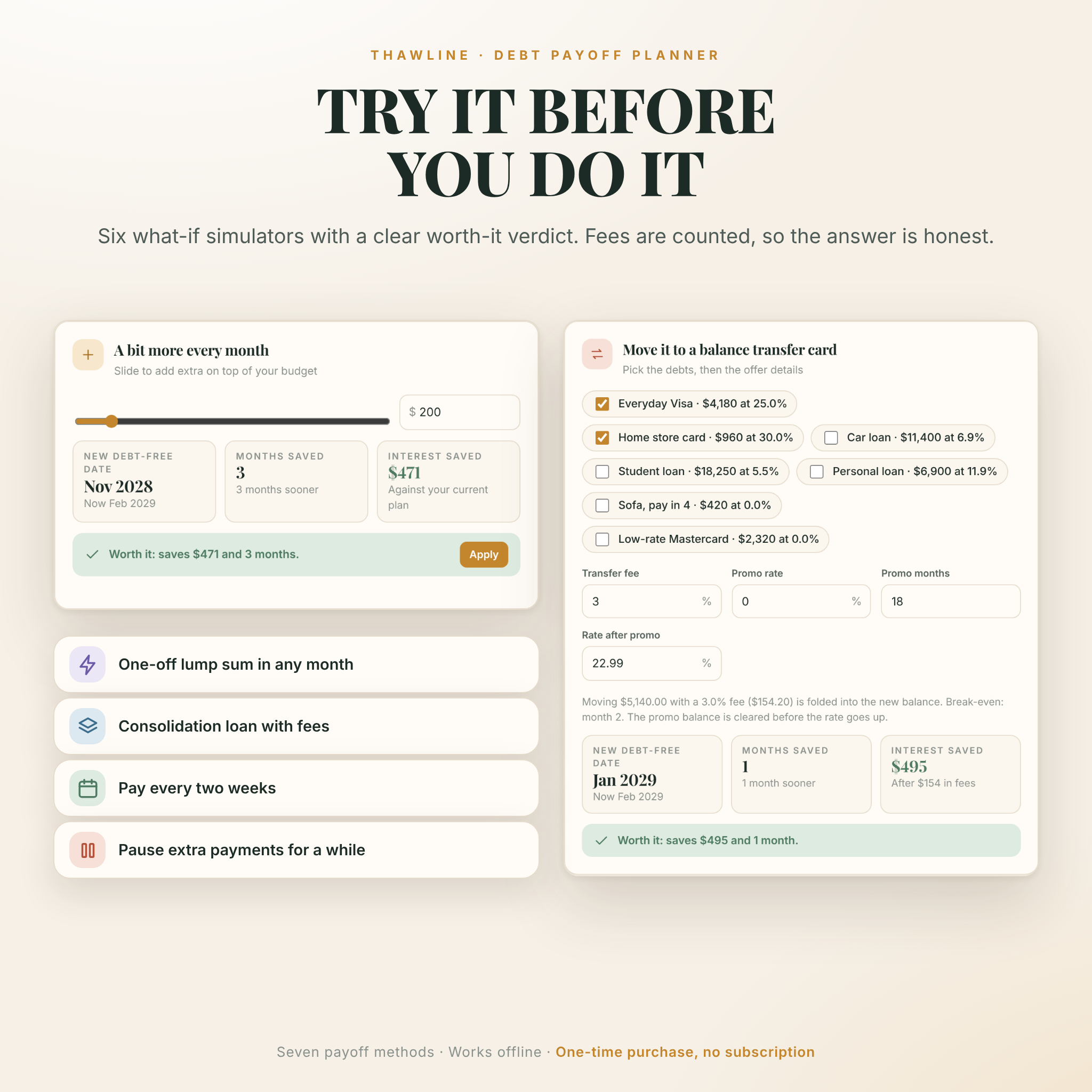
- Six what-if simulators: extra monthly payments, a one-off lump sum, a balance transfer card, a consolidation loan, paying every two weeks and pausing extra payments. Each gives a clear worth-it verdict, with fees counted
- Calendar: due dates, promo deadlines and payoff days, plus a calendar file with a reminder 3 days before each payment
- Reports: balance over time, interest and principal by year, debt by type, payoff timeline and your real progress
Why buyers pick Thawline
- Seven methods, not two. See the gap between them in real dollars before you decide.
- It handles the awkward stuff. 0% promo rates that end, student loans on pause, credit card minimums that shrink as the balance falls, and lump sums like a tax refund.
- Logging a payment does the math. No more working out how much went to interest.
- Private by design. Your numbers stay in your browser on your device. Nothing is uploaded.
- Any currency. US dollars by default, about 40 currencies built in, or type your own symbol. Every amount, printout and export follows one setting.
- Light and dark mode, and a layout that adapts to any screen size.
Printables included
Seven print-ready pages in US Letter or A4: a one-page plan summary, a monthly payment sheet (filled or blank), the full payoff schedule, a debt inventory, a blank debt worksheet and a coloring tracker (filled to date or blank with dollar amounts on every drop). Print them or save them as PDF.
How it works
- Download the files after checkout.
- Unzip the app and double-click it. It opens in your browser.
- Pick your currency, add your debts (or load the sample data to explore first) and set your monthly budget.
- Each month, tick off your payments. Save a backup now and then with one click.
Files and requirements
- Thawline-Debt-Payoff-Planner-App.zip: the app, a single HTML file that runs offline
- Thawline-User-Guide.docx: a 23-page illustrated guide covering every feature, tips and troubleshooting
- Runs in a current web browser such as Google Chrome or Microsoft Edge on Windows, Mac or Chromebook. Tested in Google Chrome
- No internet, account, Excel or subscription needed
- To use it on another device, copy the file over and restore your backup
Customize it
Set your currency and symbol position, choose light or dark mode, pick a color for each debt, add your first name to the dashboard, choose Letter or A4 paper, and turn the automatic interest split on or off.
Instant digital download
This is a digital product. Nothing is shipped. Your files are ready to download as soon as payment is confirmed. Personal use only: please don’t share, resell or redistribute the files.
Real ways people use it
- Choosing between snowball and avalanche with their own numbers before committing
- Deciding whether a balance transfer offer is worth the 3% fee
- Planning where a tax refund or work bonus should go
- Keeping a shared household plan on the fridge with the coloring tracker
- Checking whether a consolidation loan really saves money
FAQ
Is this a spreadsheet?
No. It is a small app in one file that opens in your browser. There are no formulas to break.
Does it work offline?
Yes. Everything works without internet. Only the optional Google Calendar links need a connection.
Where is my data stored?
In your own browser on your own device. There is no account and nothing is uploaded. Use the one-click backup to keep a copy.
What is the difference between debt snowball and debt avalanche?
Snowball pays the smallest balance first for quick wins. Avalanche pays the highest interest rate first and usually costs less. Thawline shows both, plus five more, with your own numbers.
Can I use a currency other than US dollars?
Yes. Pick from about 40 currencies or type any symbol.
Can I use it on my phone or tablet?
Thawline is made for a computer first. The layout also adapts to tablet and phone-size screens, but opening a downloaded HTML file on a phone depends on the device and browser, so a laptop or desktop gives the best experience.
Is there a subscription?
No. Pay once and keep it.
Is this financial advice?
No. Thawline is a planning tool. For big decisions, speak with a licensed professional or a nonprofit credit counselor.

Reviews
There are no reviews yet.