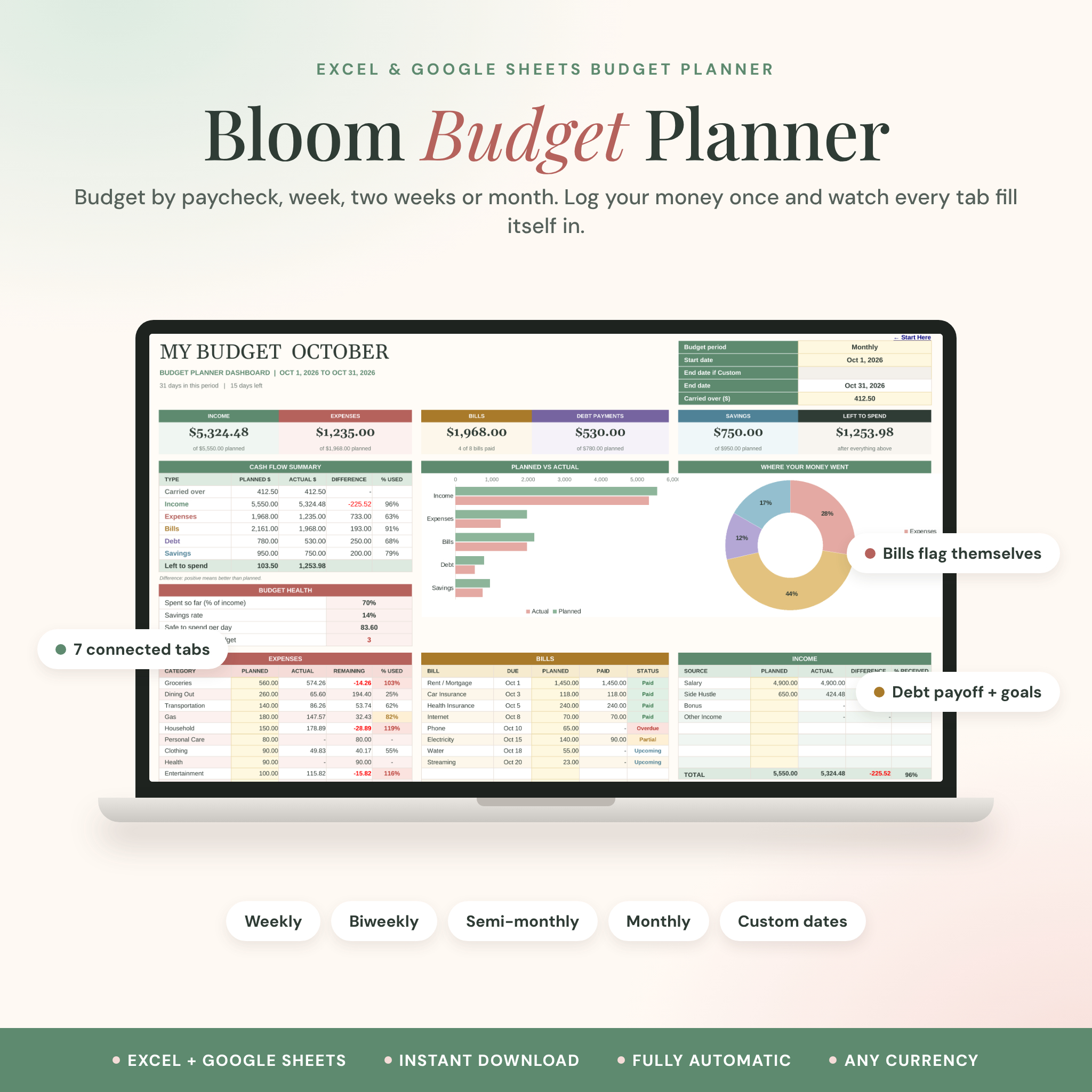
The Bloom Budget Planner is a paycheck budget spreadsheet for Excel and Google Sheets that does the adding up for you. Type each paycheck, bill and purchase once. Your dashboard, charts, bill tracker, savings goals and yearly totals all update on their own.
Budget weekly, biweekly, twice a month, monthly or on your own dates. Pick the period, type a start date, and the end date fills in. That’s the whole setup.
What this budget spreadsheet does
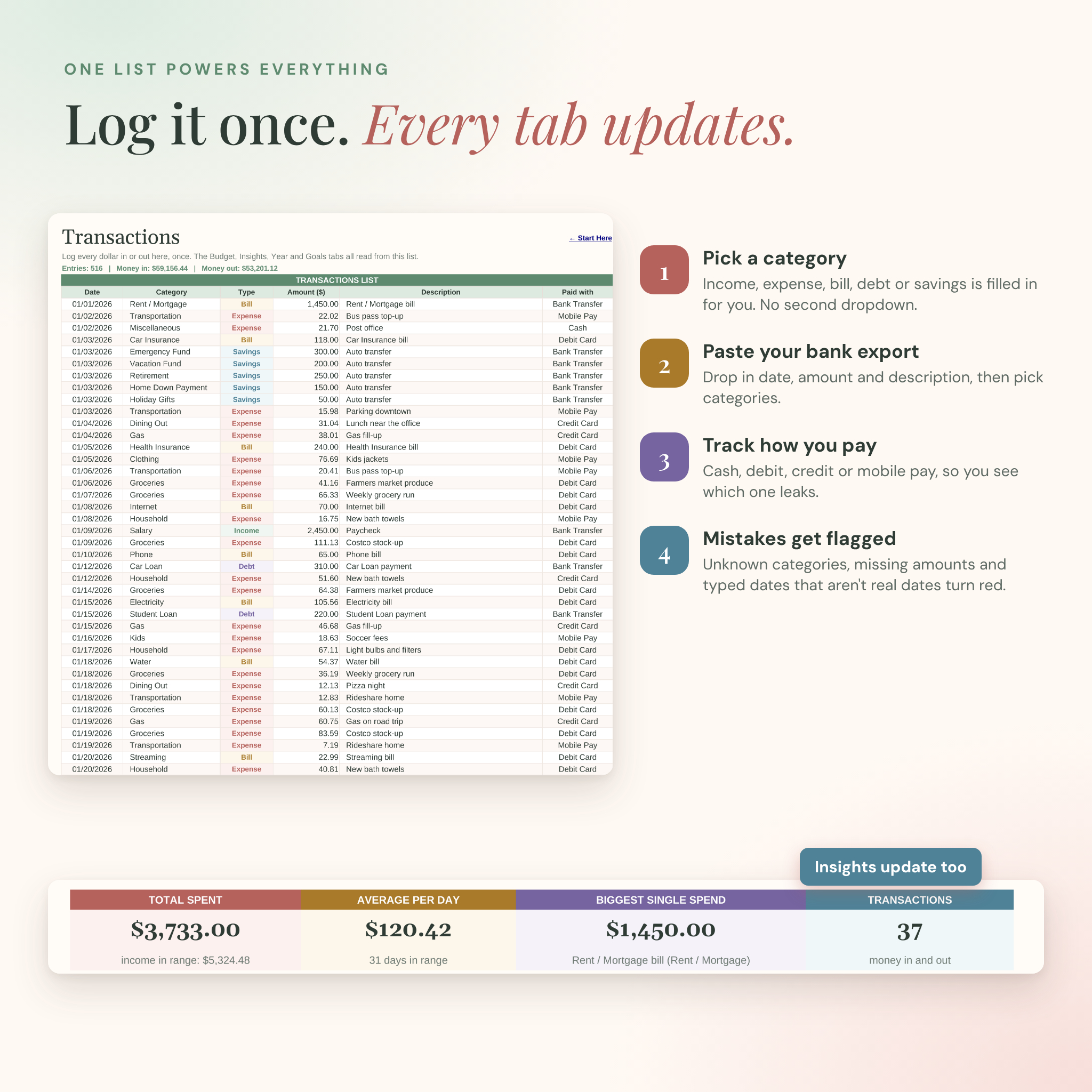
Most budget templates make you copy the same number into three places. This one works from a single transaction list. Everything else reads from it:
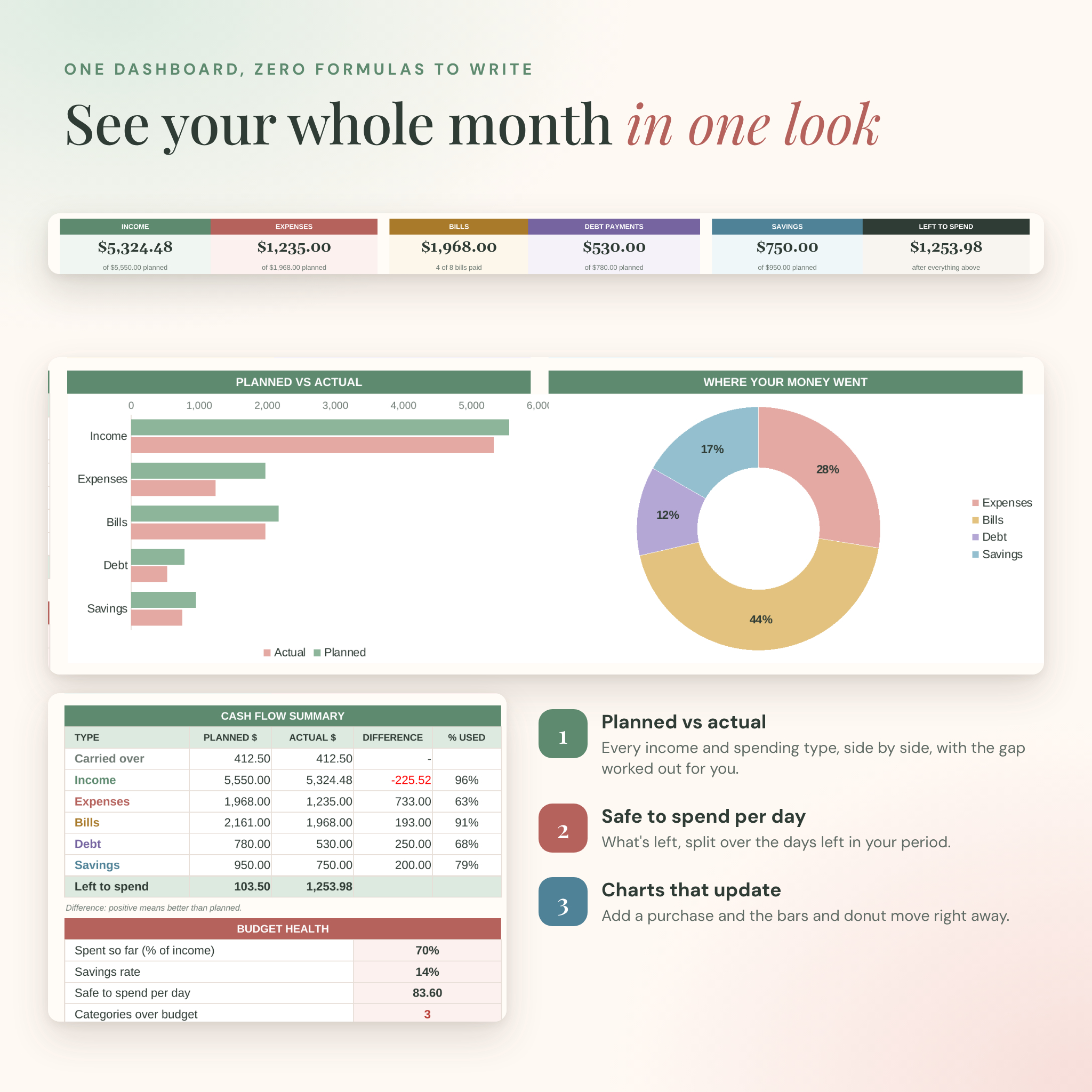
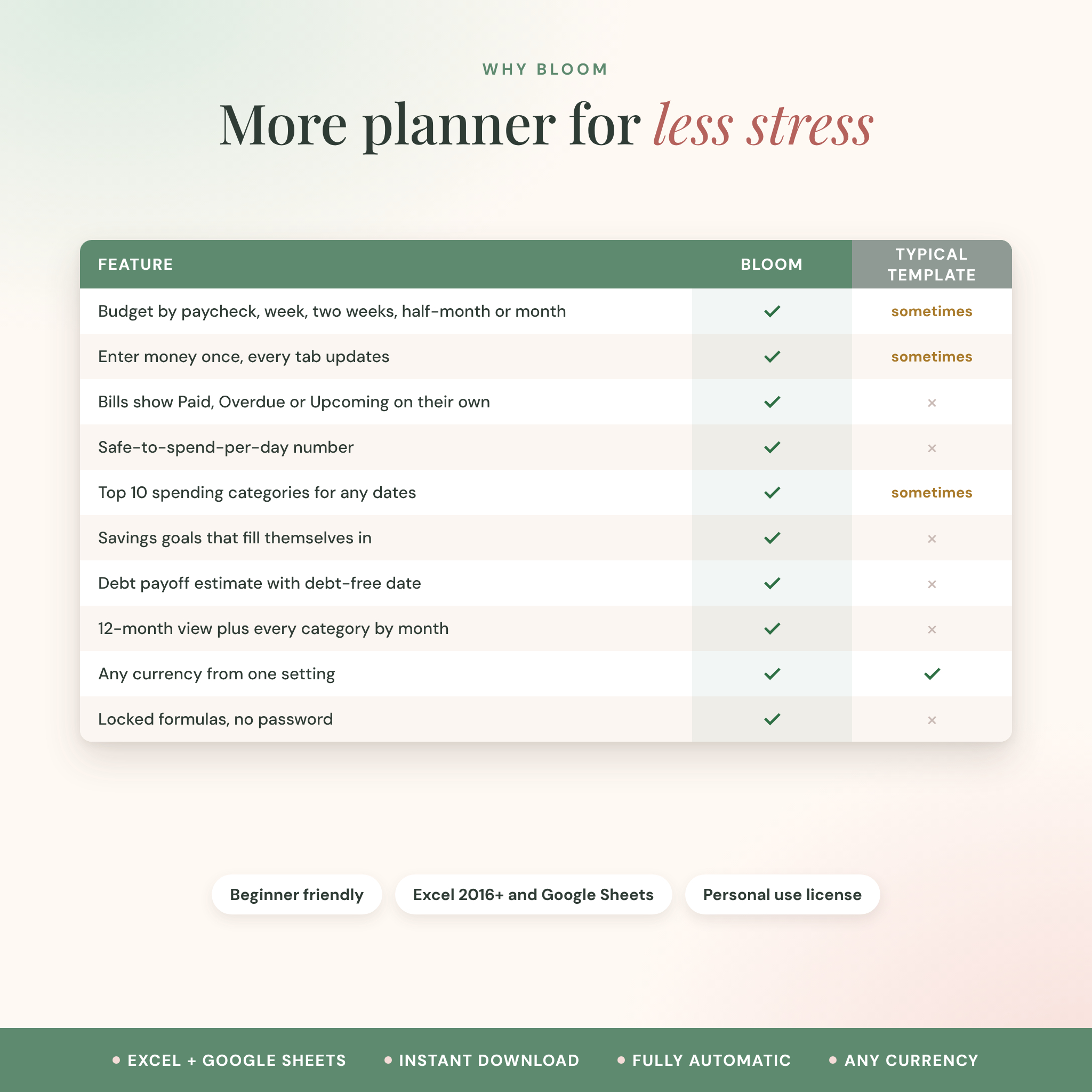
- Budget dashboard. Six cards show income, expenses, bills, debt payments, savings and what’s left to spend, each compared with your plan.
- Planned vs actual. A cash flow table and bar chart line up what you planned against what really happened.
- Safe to spend per day. Your leftover money split across the days left in the period. It’s the number most people actually want.
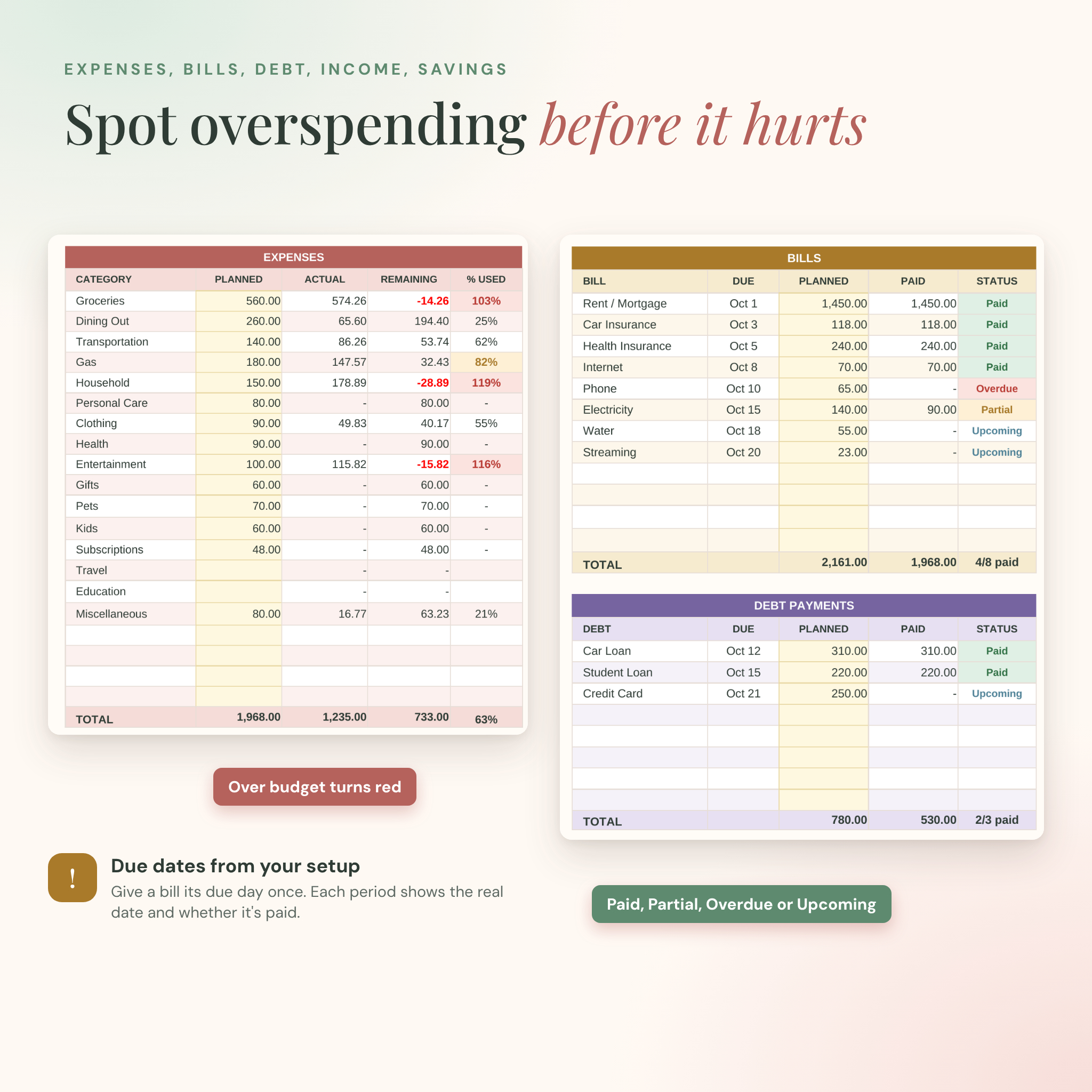
- Bill tracker. Give each bill a due day once. Every period it shows the real due date and marks it Paid, Partial, Overdue or Upcoming.
- Overspending alerts. Categories turn amber at 80% of plan and red once you go over.
Who it’s for
It suits anyone paid weekly or every two weeks who wants to budget by paycheck. It also works for monthly budgeters, couples sharing a household budget, and beginners who have never touched a formula. If you can type a number into a box, you can run this planner.
What’s included
- Bloom-Budget-Planner.xlsx. The clean planner with 36 starter categories, ready for your numbers.
- Bloom-Budget-Planner-Example.xlsx. The same file filled with ten months of example data so you can see every feature working.
- User guide (Word, 22 pages). Setup, every tab, customizing, troubleshooting and FAQs, with screenshots.
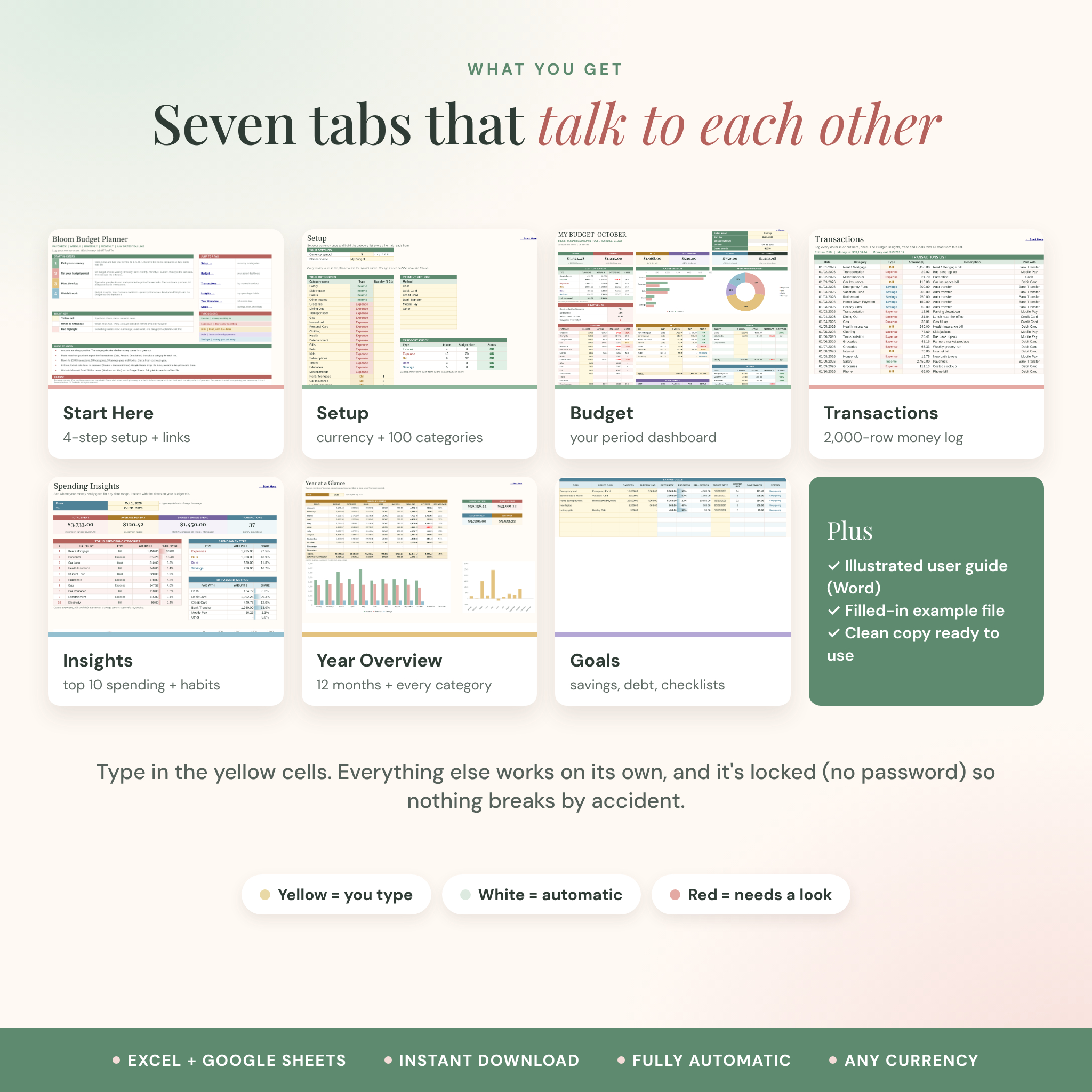
The seven tabs
- Start Here: four quick setup steps, links to every tab and a color key.
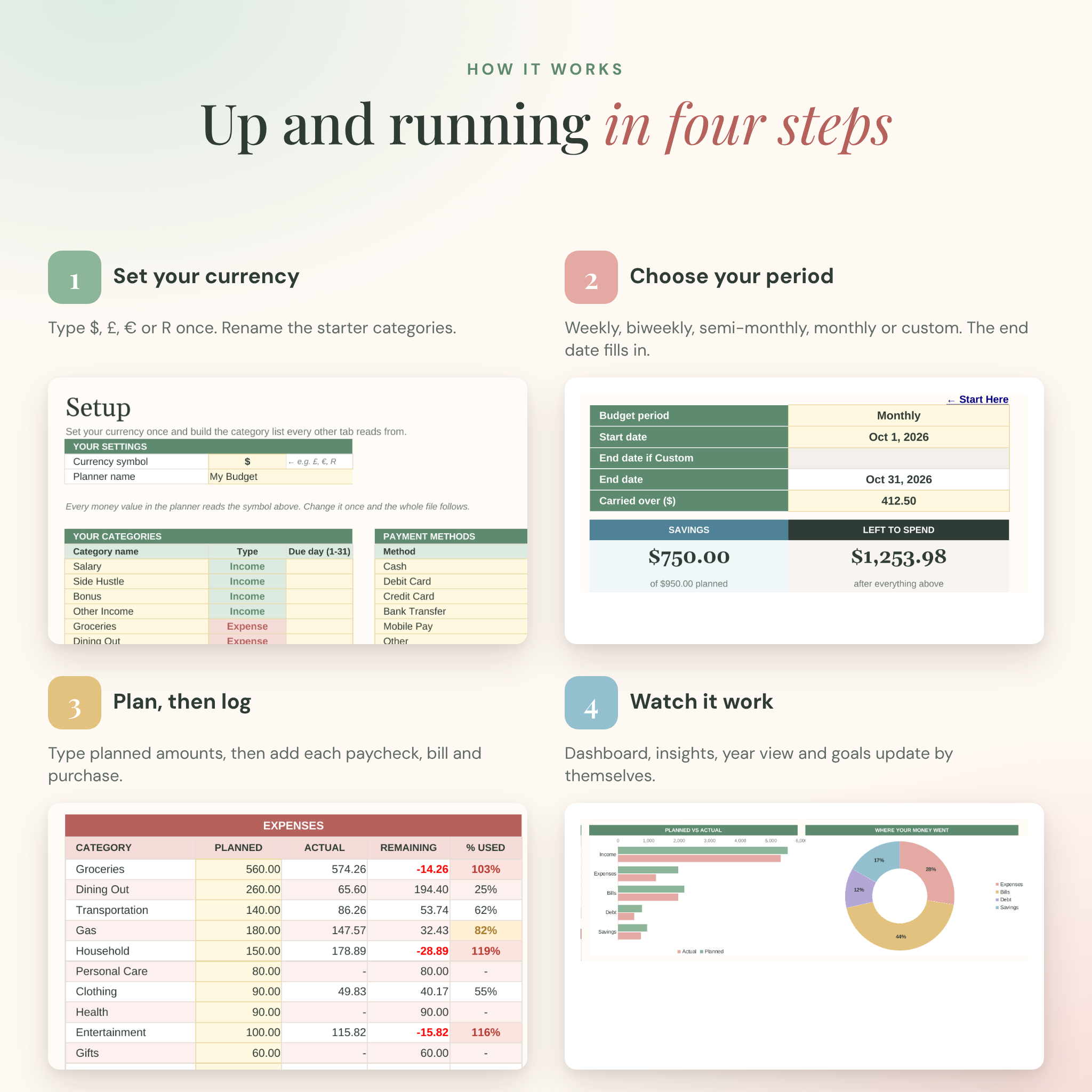
- Setup: your currency symbol, up to 100 categories, bill due days and payment methods.
- Budget: the period dashboard with cards, two charts, budget health and five tables (expenses, bills, debt, income, savings).
- Transactions: one list for every dollar in or out, with room for 2,000 entries.
- Insights: your top 10 spending categories, spending by type and by payment method, for any date range.
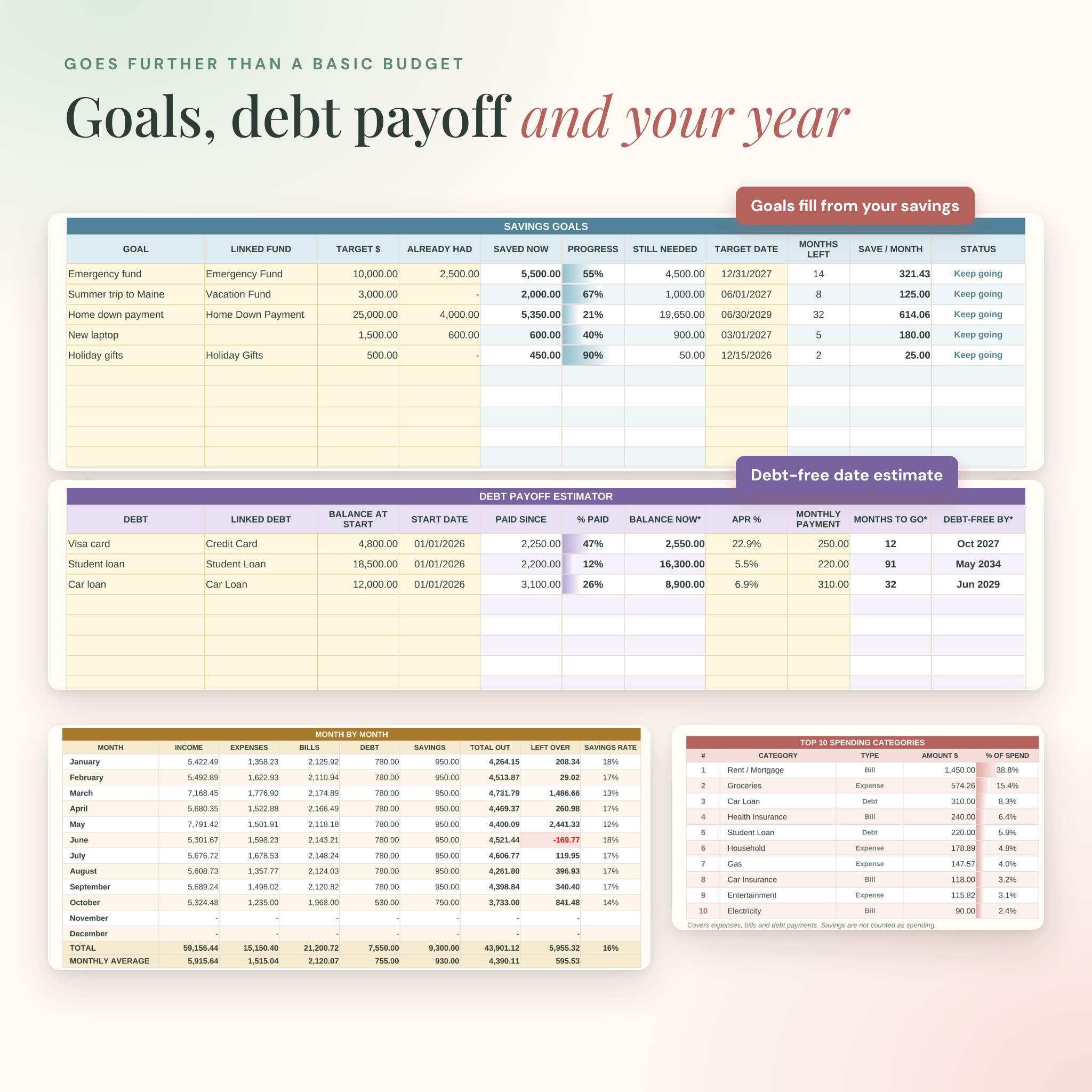
- Year Overview: twelve months side by side, two charts, and every category broken down by month.
- Goals: savings goals, a debt payoff estimator and simple weekly, monthly and yearly checklists.
Features that set this budget template apart
Any budget period
Weekly, biweekly, semi-monthly (1st to 15th and 16th to month end), monthly or custom dates. Need a new period? Duplicate the Budget tab and change the start date. Your transactions stay on one list, so nothing gets copied.
Category in, type out
Pick a category and the planner already knows whether it’s income, an expense, a bill, a debt payment or savings. There’s no second dropdown to fill in and nothing to mismatch.
Savings goals that fill themselves in
Link a goal to a savings fund. Every transfer you log moves the progress bar, and the planner works out how much to save each month to hit your date.
Debt payoff estimate
Add a balance, interest rate and monthly payment. You’ll see the estimated months to go and a debt-free month for each loan or card. If a payment doesn’t cover the interest, it tells you.
Any currency
Type $, £, €, R or any symbol once on the Setup tab. Every money value in the planner follows it.
Mistakes get flagged
Unknown categories, missing amounts and dates typed as text turn red so they don’t quietly throw off your totals.
How it works
- Type your currency symbol and rename the starter categories on Setup.
- Choose your budget period on the Budget tab and type the start date.
- Fill in the yellow Planned cells, then log each paycheck, bill and purchase on Transactions.
- Check the dashboard. Insights, Year Overview and Goals have already updated too.
File formats and software
- Microsoft Excel .xlsx files. Works in Excel 2016 or newer on Windows and Mac, and Excel for Microsoft 365.
- Google Sheets: upload the file to Google Drive and choose File, then Save as Google Sheets. A free Google account is all you need.
- User guide as a Word .docx file.
- US English, with dates shown as month/day/year.
Customizing your planner
Rename categories, payment methods, goals and the planner title. Change the currency in one cell. Recolor cells if you like. In Excel, formula cells are locked without a password so you can’t break them by accident, and you can unlock any tab in two clicks. Google Sheets doesn’t keep those locks, so there you simply type in the yellow cells.
Digital download
This is a digital product. Nothing will be shipped. Your files are ready to download right after checkout, and the download link is also sent to your email.
Ways people use it
- Budgeting paycheck to paycheck on a biweekly pay schedule
- Running a monthly household budget with a partner in Google Sheets
- Tracking bills so nothing slips past its due date
- Paying down credit cards and student loans with a clear debt-free date
- Saving for an emergency fund, a vacation or a home down payment
- Seeing where the money went at the end of the year, category by category
Budget planner FAQ
Can I budget by paycheck?
Yes. Choose Weekly or Biweekly, use your payday as the start date, and duplicate the Budget tab for each paycheck.
Does it work in Google Sheets?
Yes. Upload the .xlsx file to Google Drive, open it, and save it as a Google Sheets file. The formulas, dropdowns and charts all work there.
Do I need to know Excel formulas?
No. You only type in the yellow cells. Every total, chart and status is already built.
Can I change the currency?
Yes. Type your currency symbol once on the Setup tab and the whole planner uses it.
Does it connect to my bank?
No, which keeps your data private. You can paste dates, amounts and descriptions from a bank export to save typing.
Can I use it on my phone?
The Excel and Google Sheets apps will open it, but it’s designed for a laptop or desktop screen.
Can I use it next year?
Yes. Start a fresh copy of the clean file each year and keep the old one for reference.
License: personal use for one household. Please don’t share, resell or redistribute the files. This planner is an organizing tool, not financial advice.
Reviews
There are no reviews yet.