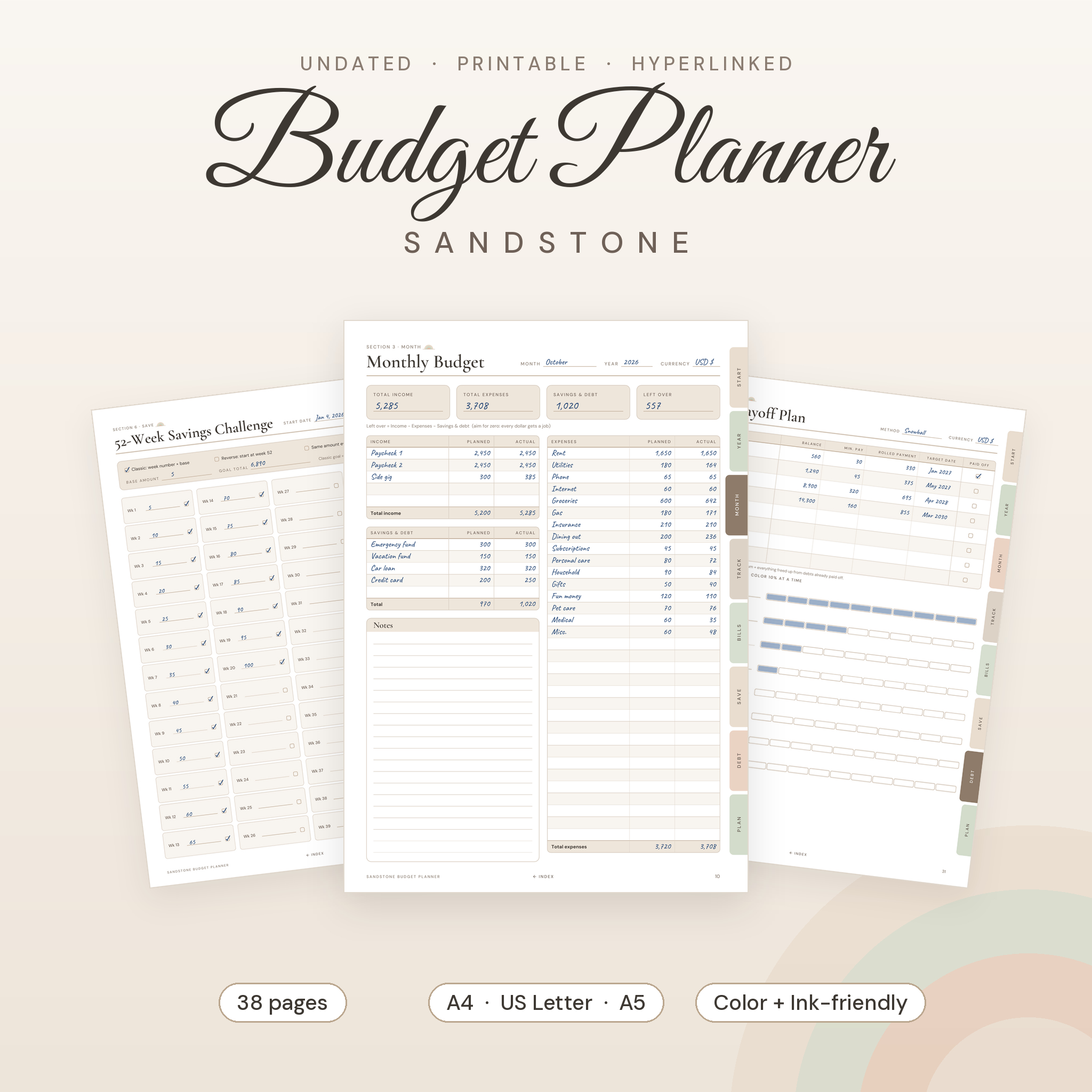
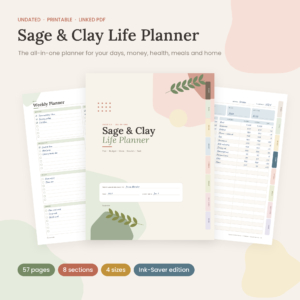
The Sandstone Budget Planner is a printable budget planner that helps you see where every dollar goes, plan the month ahead and finally make progress on savings and debt. It’s undated, so you can start any month of any year. Print the pages you need, or open the PDF on your tablet and tap the side tabs to jump around.
There are 38 pages in a soft sand, sage and clay palette. Clean tables, plenty of writing room and small math hints on each page so totals take a minute, not an evening.
What this budget planner does
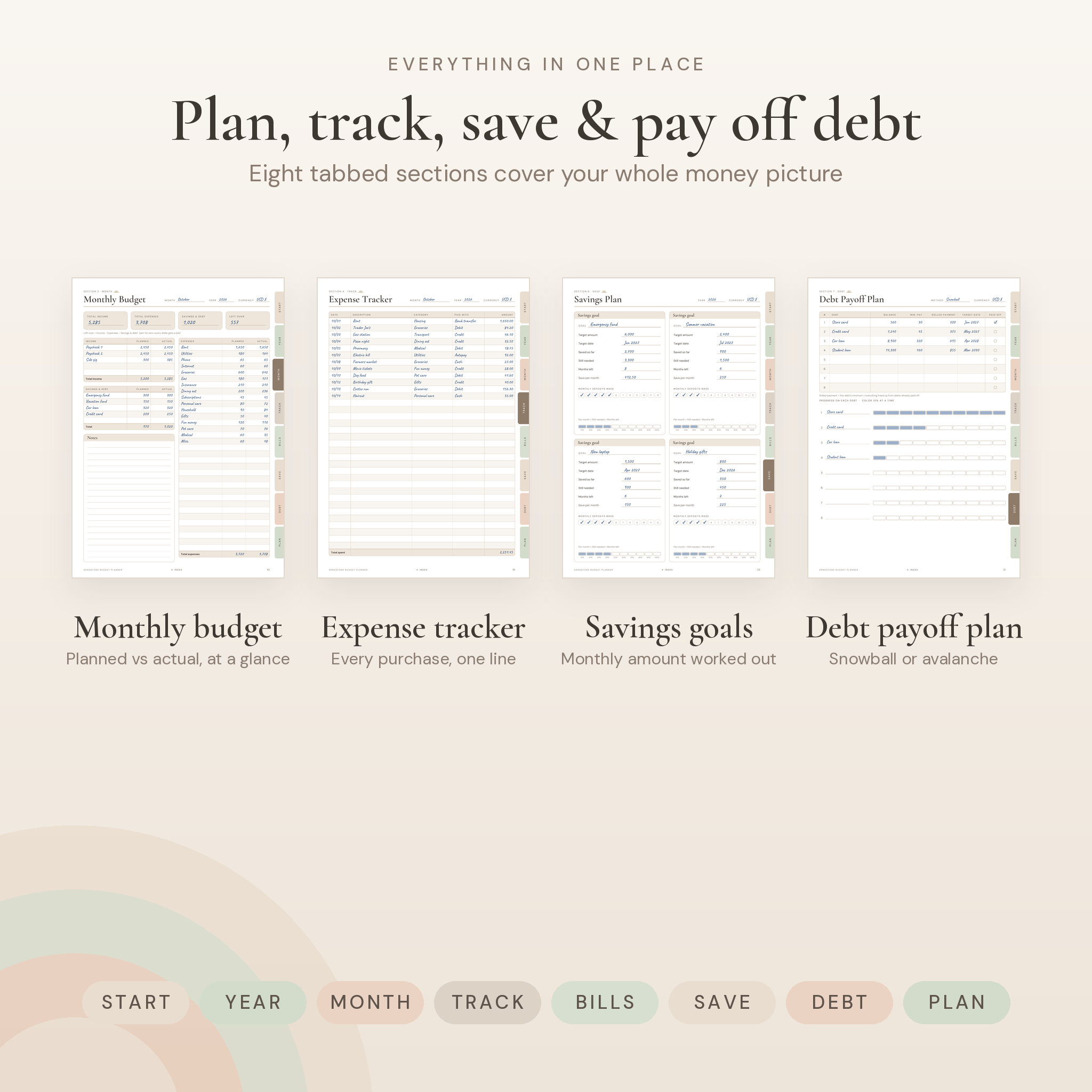
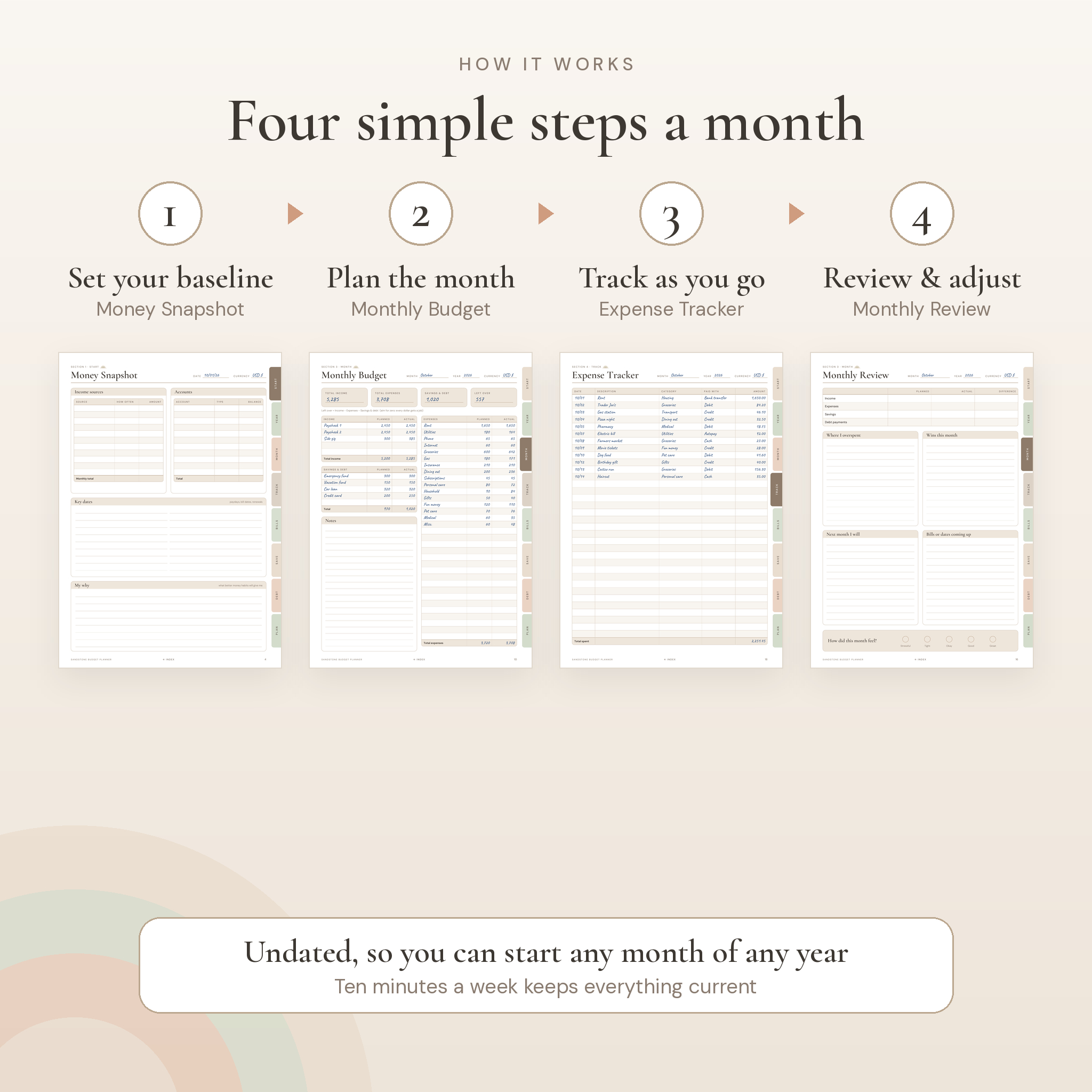
Most budget printables give you a monthly budget and a few trackers. This one walks you through the whole money cycle. You set a starting point, plan the month, track as you go, then review and carry what you learned into next month. Your year adds up on a single Annual Overview page.
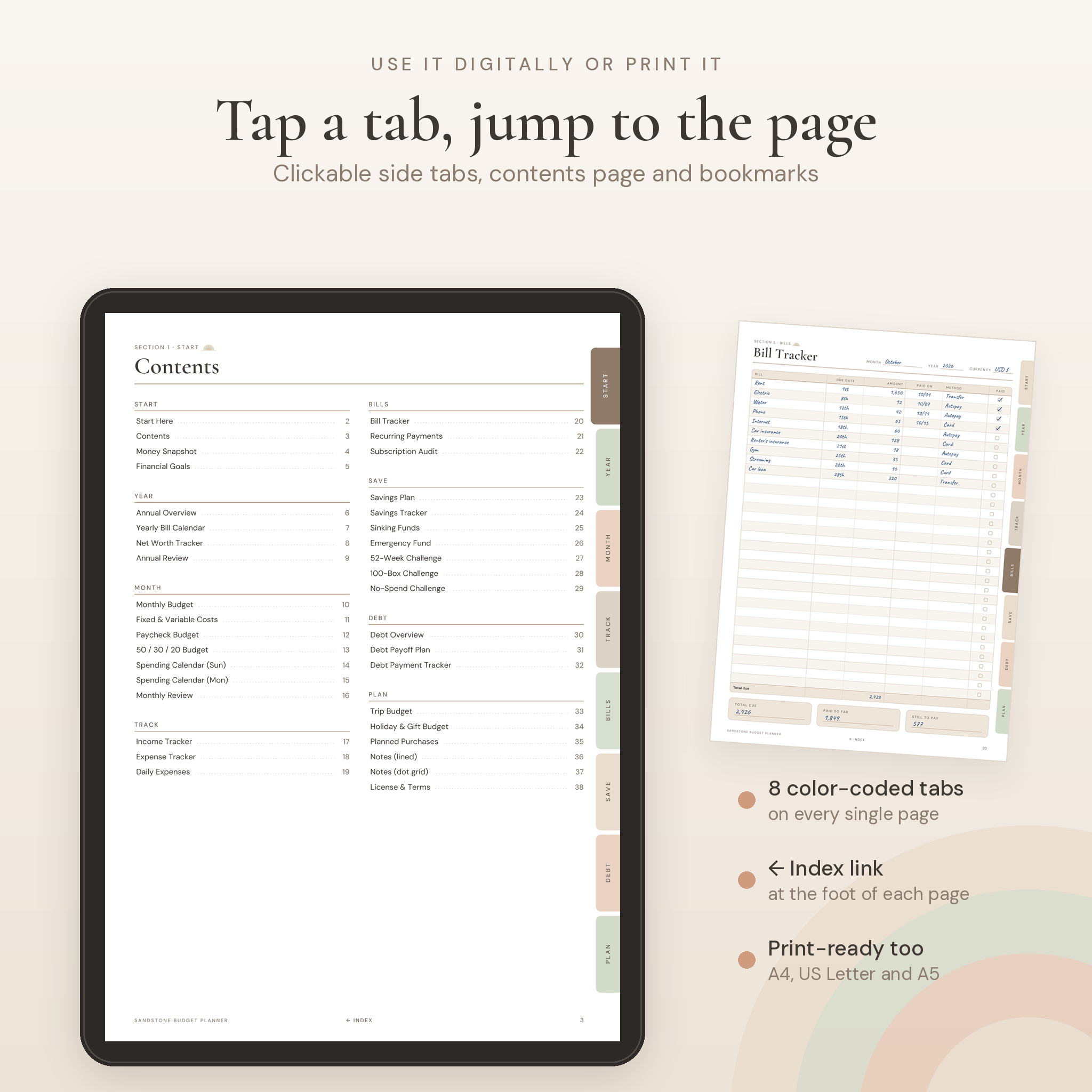
Every page has eight color-coded tabs down the right edge. In a PDF app they’re clickable. So is every line on the Contents page, and there’s an Index link at the foot of each page to get you back. Printed, the tabs just look nice and help you find your place in a binder.
Who it’s for
- First-time budgeters who want a clear path instead of a blank spreadsheet
- Couples and families keeping bills and savings goals in one place
- Anyone paying off a credit card, car loan or student loan
- People paid weekly or every two weeks who need a paycheck budget
- Pen-and-paper planners, and tablet users who love handwriting
What’s included
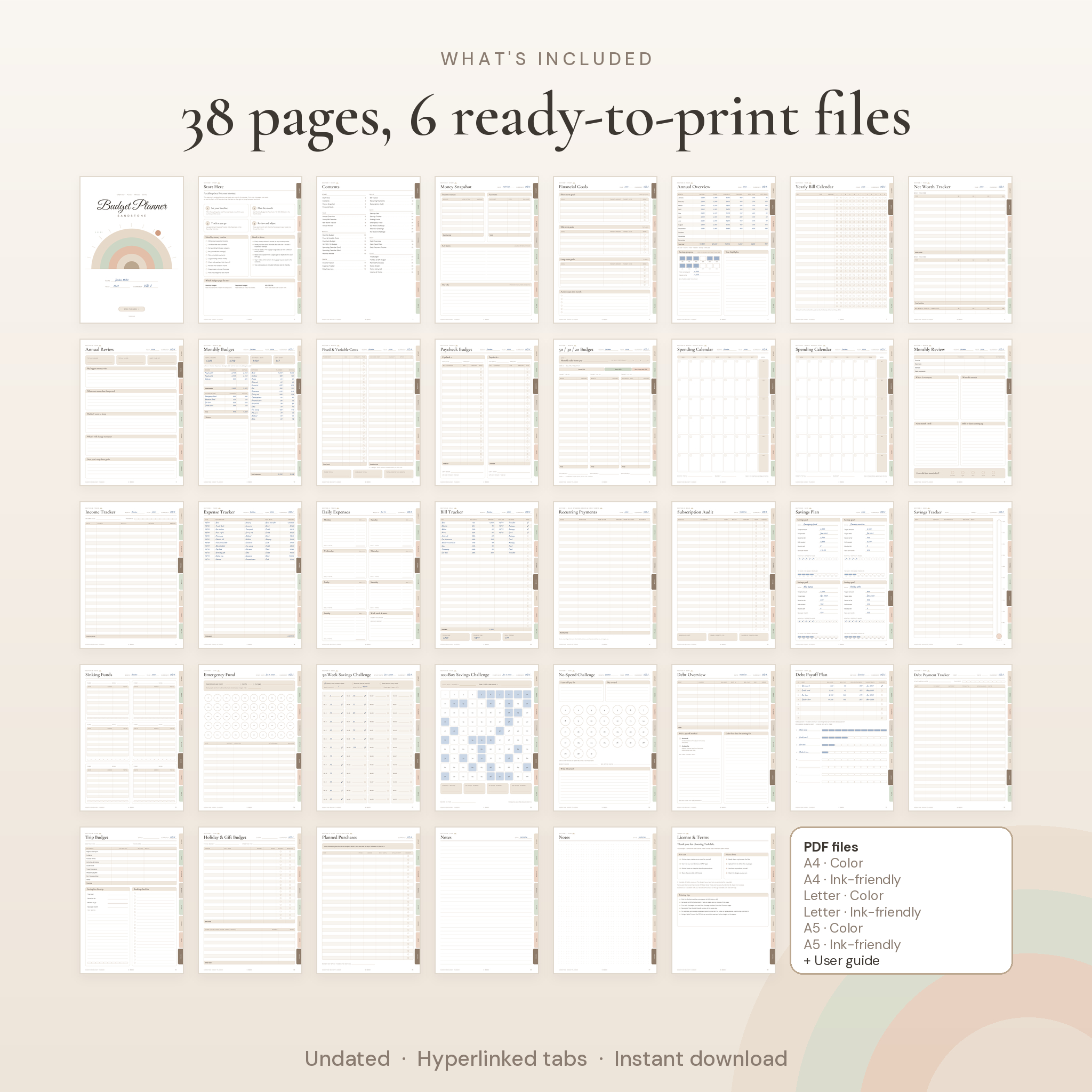
38 undated pages in 8 sections
- Start: cover, Start Here guide with a monthly money routine, clickable contents, Money Snapshot, Financial Goals
- Year: Annual Overview, Yearly Bill Calendar, Net Worth Tracker, Annual Review
- Month: Monthly Budget, Fixed & Variable Costs, Paycheck Budget, 50/30/20 Budget, Spending Calendar (Sunday and Monday start), Monthly Review
- Track: Income Tracker, Expense Tracker, Daily Expenses
- Bills: Bill Tracker, Recurring Payments (standing orders, direct debits, autopay), Subscription Audit
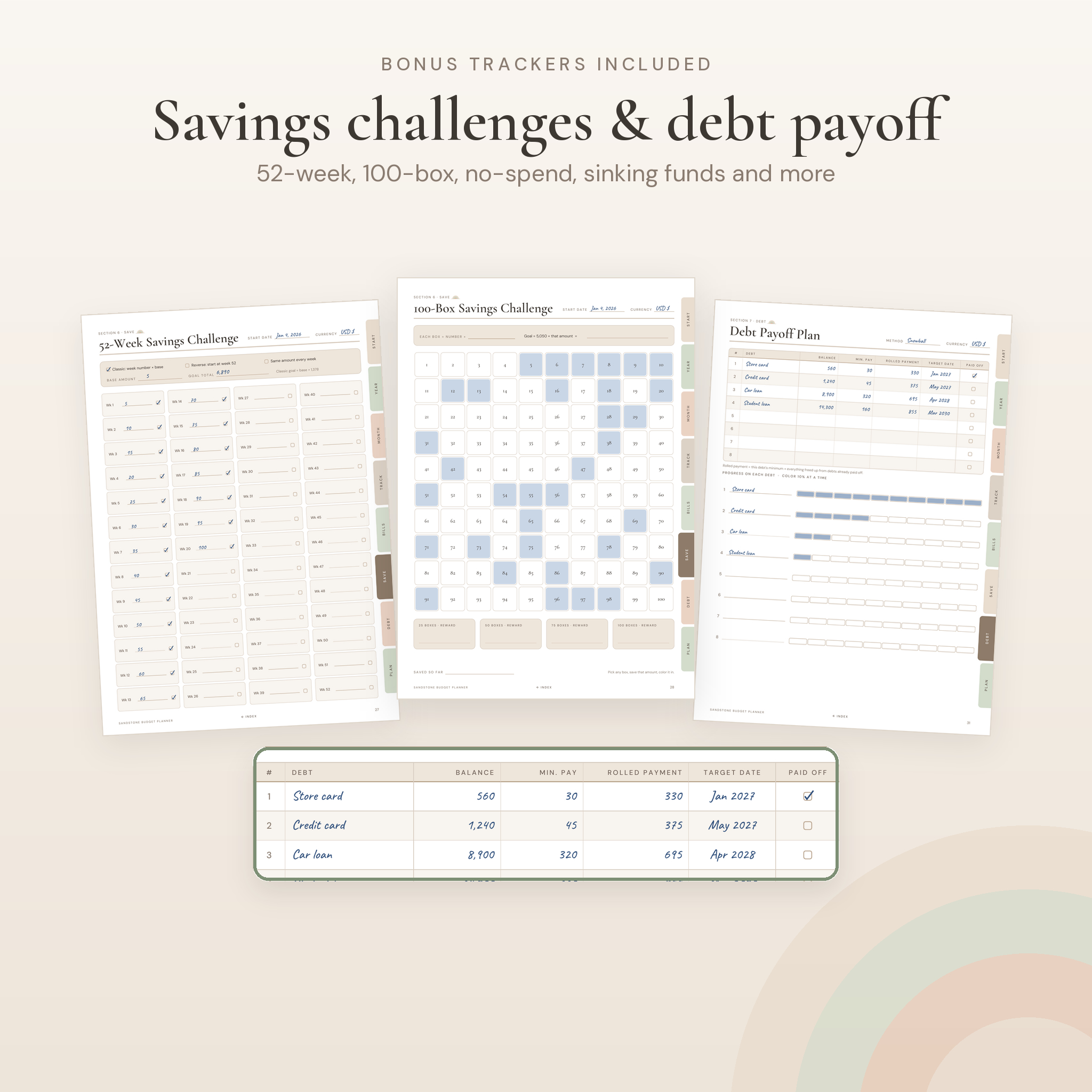
- Save: Savings Plan, Savings Tracker, Sinking Funds, Emergency Fund, 52-Week Savings Challenge, 100-Box Savings Challenge, No-Spend Challenge
- Debt: Debt Overview, Debt Payoff Plan (snowball or avalanche), Debt Payment Tracker
- Plan: Trip Budget, Holiday & Gift Budget, Planned Purchases (30-day rule), lined notes, dot grid notes, license page with printing tips
6 PDF files plus a user guide
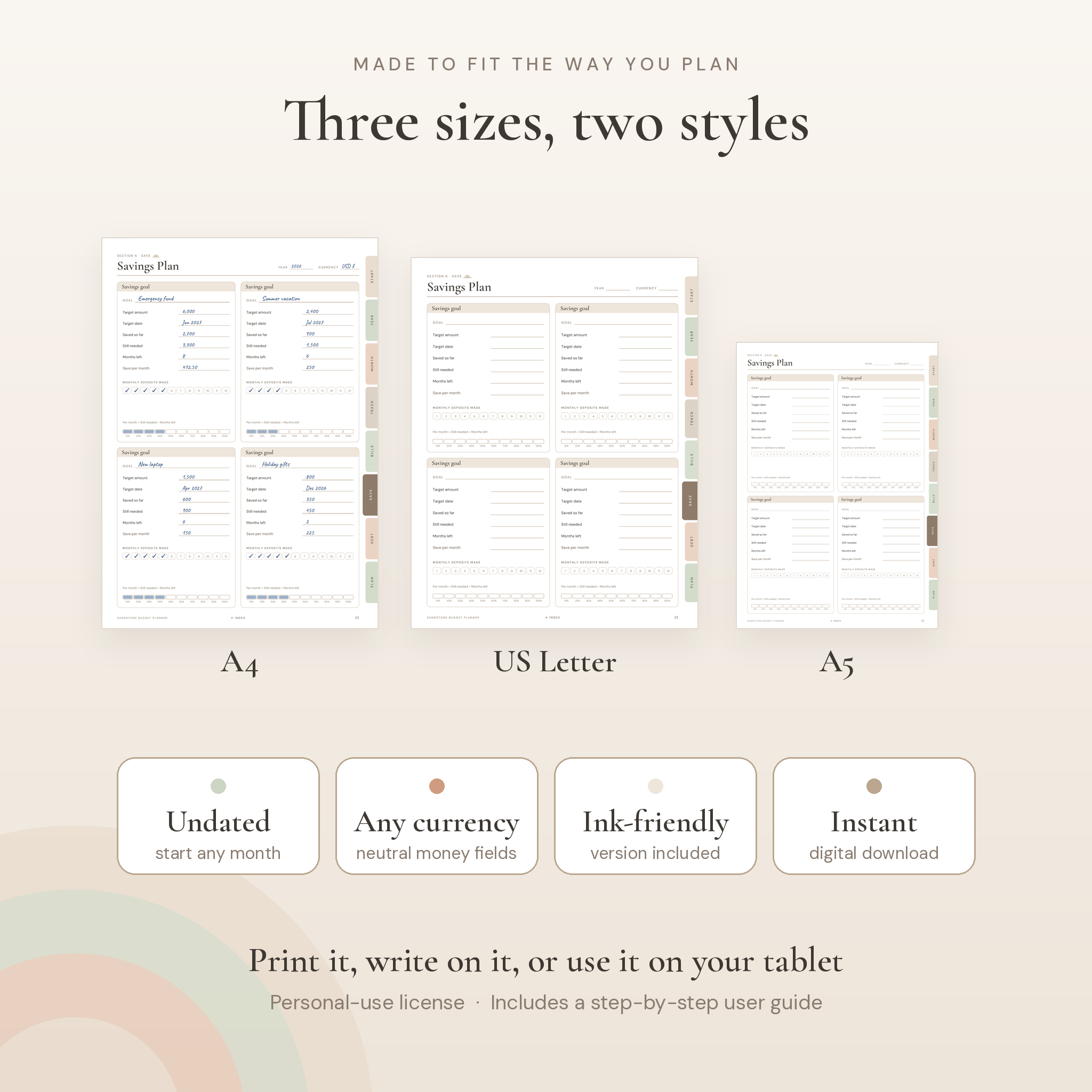
- US Letter (8.5 x 11 in) in Color and Ink-Friendly
- A4 (210 x 297 mm) in Color and Ink-Friendly
- A5 (148 x 210 mm) in Color and Ink-Friendly
- A 10-page user guide (Word .docx) that explains every page, with tips, troubleshooting and FAQs
Features that make the difference
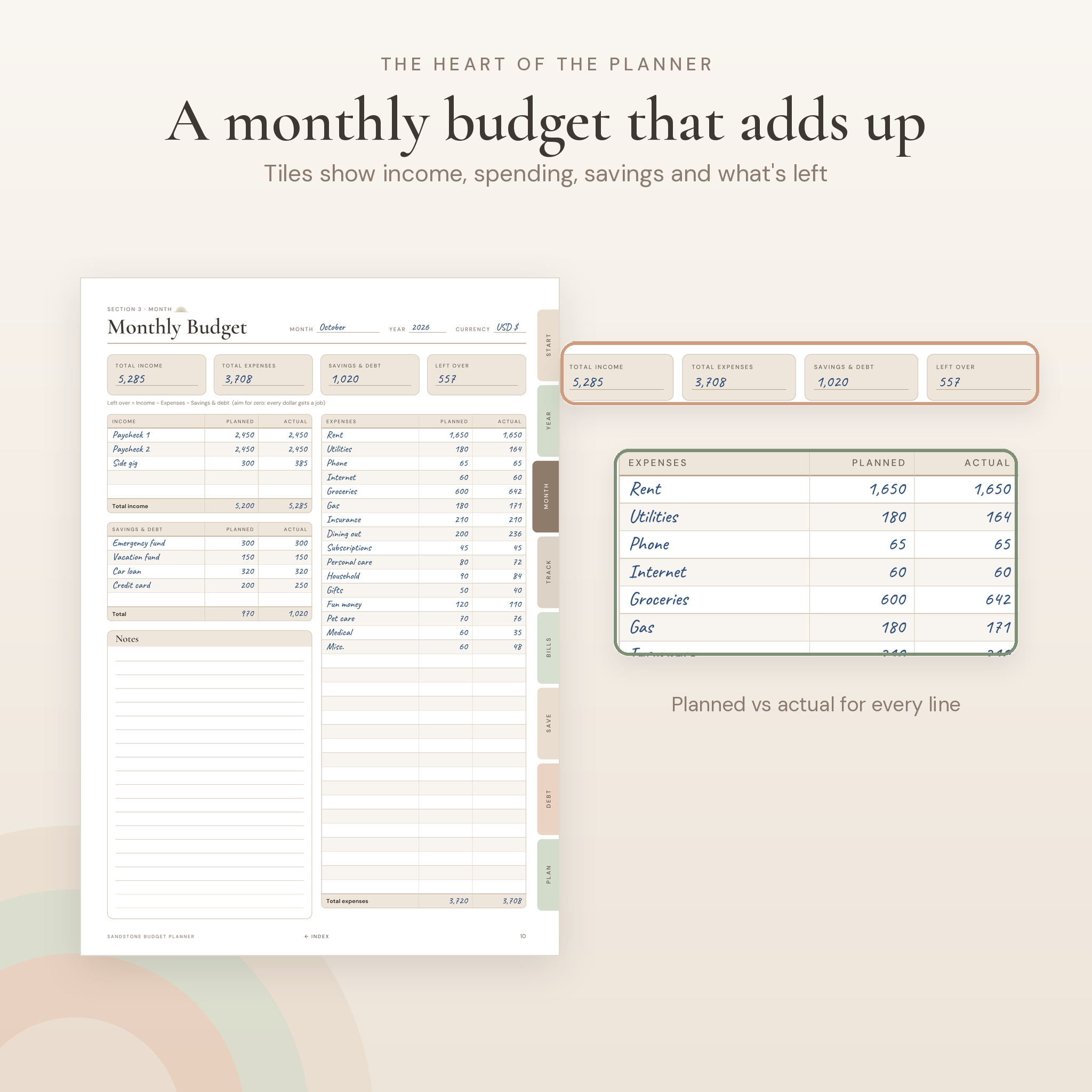
- Monthly budget with summary tiles. Total income, total expenses, savings & debt and left over sit at the top, so you know where you stand at a glance.
- Three ways to budget. Pick the classic monthly budget, a paycheck-by-paycheck budget or the 50/30/20 rule with room for your own split.
- Real debt payoff tools. List your debts, choose snowball or avalanche, roll payments forward and color progress bars as balances fall.
- Savings goals that do the math with you. Each goal card shows target, saved so far, months left and how much to save per month.
- Fun savings challenges. 52-week (classic, reverse or fixed amount), 100-box and a 31-day no-spend challenge.
- Bill and subscription control. A monthly bill checklist, a 12-month bill calendar and a subscription audit with keep or cancel boxes.
- Any currency. No printed symbols. Write yours once on the cover and in the Currency box on money pages.
- Ink-friendly version. Same layout with almost no fill color, great for printing a lot of pages.
How it works
- Download the files and pick the size that matches your paper or tablet.
- Fill in the cover, Money Snapshot and Financial Goals once.
- Before each month, plan it on the Monthly Budget, Paycheck Budget or 50/30/20 page.
- Log spending in the Expense Tracker, Daily Expenses or Spending Calendar.
- Close the month with Monthly Review and copy your totals to the Annual Overview.
Ten minutes a week is all it takes to keep it current.
File formats and requirements
- Format: PDF with embedded fonts, clickable tabs, clickable contents and bookmarks
- Opens in any PDF reader, such as the free Adobe Acrobat Reader
- For writing on a tablet, use a PDF or note-taking app that supports handwriting and links
- User guide: .docx (opens in Microsoft Word, Google Docs, Pages or LibreOffice)
- No special software needed to print
Customizing your planner
The expense lines are blank, so you use your own categories. Write your own currency, your own savings goals and your own 50/30/20 split. Print as many copies of a page as you need, or duplicate pages in your tablet app. The printed design itself (text and colors) is fixed, as with any PDF planner.
Instant digital download
This is a digital product. Nothing will be shipped. Your files are ready to download right after checkout. Print at home, or take the files to a local print shop for binding. The license covers personal use for one household.
Ways people use it
- Building a first budget after a new job, a move or a pay change
- Getting out of credit card debt with a snowball plan
- Saving up an emergency fund, a down payment or a vacation fund
- Keeping household bills on track with a partner
- Planning holiday gifts without the January money hangover
- A money reset at the start of a new year, or any month
FAQ
Is this budget planner dated?
No. It’s fully undated, so you can start any month and use it year after year.
What sizes are included?
US Letter, A4 and A5, each in a color and an ink-friendly version. Six PDFs in total.
Can I use it on my iPad or tablet?
Yes. It’s a standard hyperlinked PDF. Import it into a PDF or note-taking app that supports handwriting and tap the tabs to move between sections.
Does it calculate totals automatically?
No, it’s a printable, write-in planner. Each page shows the simple sum to do, such as Left over = Income − Expenses − Savings.
Can I use my own currency?
Yes. All money fields are neutral, so any currency works.
How many times can I print it?
As many times as you like for your own personal use.
Is there a debt snowball tracker?
Yes. The Debt Payoff Plan supports both snowball and avalanche methods, with rolled payments and progress bars for up to eight debts.
Can I share or resell the files?
No. The license is for personal use in one household. Please share the store link instead.
Reviews
There are no reviews yet.